

The bad news is that GTA 6 has no announced Mac version. It launched on November 19th, 2026 for PlayStation 5 and Xbox Series X|S, with no confirmed release date for macOS or Windows PC.
The good news is, there is a practical option if you want to play GTA 6 on a Mac: Remote Play from your own console.
Rockstar has already confirmed that GTA VI supports PlayStation and Xbox Remote Play.
Sony provides a Mac app for this, while Xbox offers browser-based Remote Play on supported devices. You still need a compatible console, a copy of the game and meet the Remote Play app system requirements but if you’ve got all that, you should be good to go!
However, if you want to play without owning a console, there is currently no confirmed GTA 6 streaming option for Macs. The new Xbox Cloud Gaming announcement covers Xbox consoles and does not confirm Mac browser access.
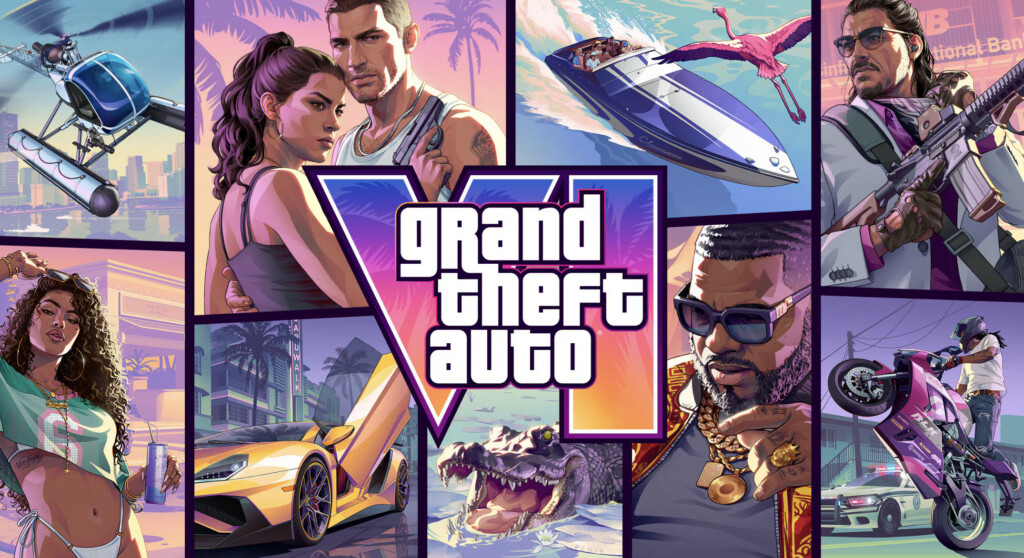
GTA 6 on Mac: At a Glance
| Method | Current status | What this means for Mac users |
|---|---|---|
| Native Mac version | Not announced | No macOS download or Mac release date |
| PS5 Remote Play | GTA 6 support confirmed | Stream from your PS5 using Sony’s compatible Mac app |
| Xbox Series X|S Remote Play | GTA 6 support confirmed | Stream an installed copy from your Xbox through a supported browser setup |
| Xbox Cloud Gaming | Launch streaming announced for Xbox consoles | Mac browser access has not been confirmed |
| GeForce NOW | No confirmed GTA 6 support | There is no announced PC edition for the service to stream |
| CrossOver or Game Porting Toolkit | No current GTA 6 since there’s no PC version | These need a suitable Windows game build |
| Parallels, other Windows VMs or Boot Camp | No current GTA 6 options | Installing Windows does not let you install the console edition |
The Remote Play options depend on your Mac being able to install the app and macOS version. The game is still unreleased, so we obviously can’t provide any GTA 6 performance benchmark.
When Is GTA 6 Coming Out on Mac?
Rockstar has not announced a GTA 6 release date for Mac. The launch date of Thursday November 19th, 2026 launch applies to the PS5 and Xbox Series X|S editions.
Previously, the game was expected on May 26, 2026 but Rockstar confirmed this had been pushed-back in its November 19 release date announcement.
There is also no official Windows PC release date. A future PC edition could open up more possibilities for Mac users, but a PC release, Mac compatibility and cloud-service support would need to be confirmed.
There are many ways to play Windows games on a Mac so a PC release of GTA 6 would be good news for Mac owners.
How To Play GTA 6 on a Mac Using PS5 Remote Play
If you already own a PS5, PS Remote Play is the best option to play GTA 6 on a Mac. The game runs on your console, and your Mac receives the picture and sends back your controller inputs.
You need your PS5, access to its GTA 6 copy, a compatible controller and the free PS Remote Play app for Mac. Note that at the moment, Sony does not officially list the latest version of macOS Golden Gate as supported but we can confirm it does work on it.
To set it up:
- On the PS5, open Settings > System > Remote Play and enable Remote Play.
- Install PS Remote Play on your Mac and connect your controller. USB is a straightforward starting point.
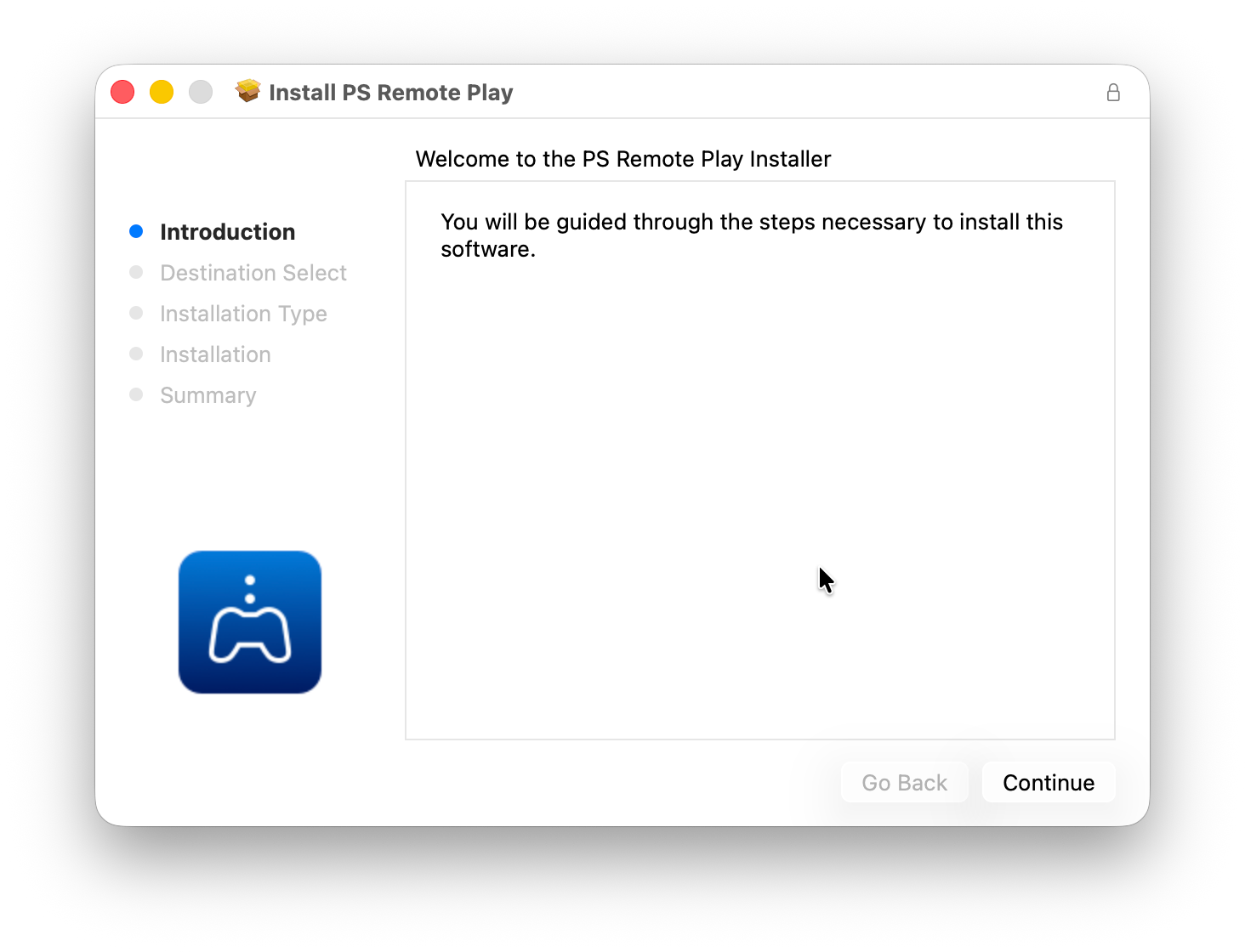
- Sign in to the app with the same PlayStation account used on your PS5.
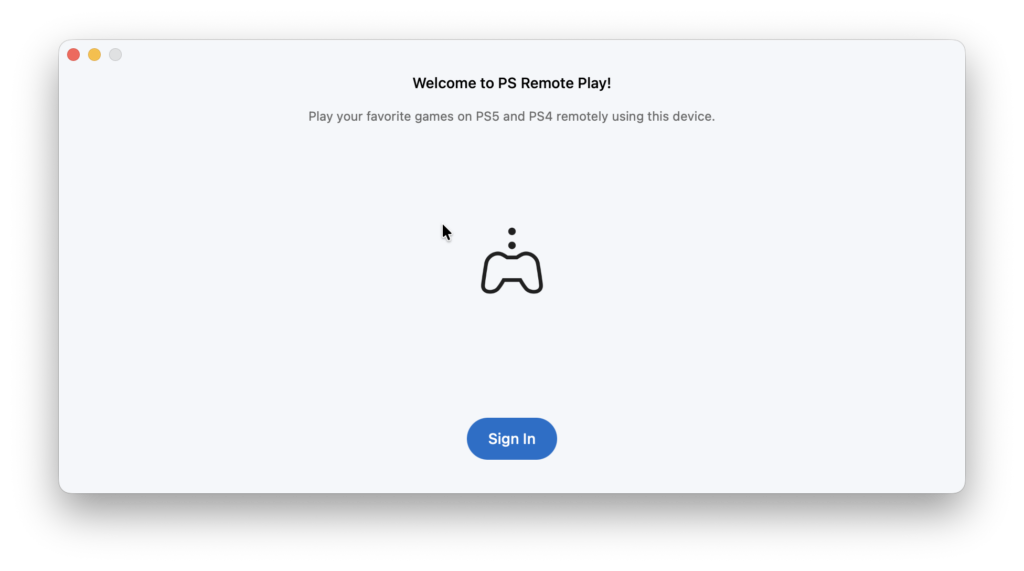
- Select PS5 and follow the connection instructions.
- Test the connection with a game you already own. Once GTA 6 unlocks, launch it through the console session.
For access while the PS5 is in rest mode, enable Stay Connected to the Internet and Enable Turning On PS5 from Network under Settings > System > Power Saving > Features Available in Rest Mode.
Sony recommends at least 15 Mbps upload and download for the best Remote Play experience. I
Note that Remote Play itself does not require PlayStation Plus but you still need the console and access to the game.
How To Play GTA 6 on a Mac Using Xbox Remote Play
If you own an Xbox Series X or Series S, Remote Play provides another route to your installed game.
Microsoft introduced browser-based Xbox Remote Play in 2025. You can access it at xbox.com/remoteplay from a supported browser and device.
To use it to play GTA 6 on a Mac:
- Install GTA 6 on your Xbox Series X|S and let its downloads finish before launch.
- Enable the Xbox’s remote features. The console setting is under Settings > Devices & connections > Remote features.
- Leave the Xbox switched on for your initial connection test.
- Connect a compatible controller to your Mac.
- Open xbox.com/remoteplay, sign in with the Microsoft account associated with your console and select the Xbox.
- Test an installed game first, then start GTA 6 after it unlocks.
Remote Play streams from your own Xbox. A Game Pass Ultimate subscription is not required simply to stream a purchased game, although access to subscription games and some multiplayer features has separate requirements.
For more setup details, see our guide to playing Xbox games on a Mac.
Will GTA 6 Be on Xbox Cloud Gaming for Mac?
GTA 6 has been announced for Xbox Cloud Gaming, but Mac browser play has not been confirmed.
In its November 10 announcement, Microsoft confirmed that GTA 6 would stream on Xbox One and Xbox Series X|S on launch day.
Be aware that Xbox Cloud Gaming generally works on many devices, but each game’s availability can differ by platform. A cloud announcement for Xbox consoles does not mean that the same game will appear at xbox.com/play on your Mac.
Microsoft also states that GTA 6 must be purchased separately. Cloud support does not mean the game is included in the Game Pass catalogue.
For the Xbox Remote Play method above, use a Series X|S with GTA 6 installed. The Xbox One cloud-streaming option is a separate service; it does not provide an Xbox One edition you can install locally.
Can You Play GTA 6 on GeForce NOW or Boosteroid?
Neither service currently provides a confirmed GTA 6 option for Mac.
GeForce NOW streams PC games. NVIDIA explains that it uses PC game builds and requires publishers to opt their games into the service.
For GTA 6 to become available through GeForce NOW, Rockstar would need to release a PC edition and support its availability on the platform. A future PC launch would not automatically add it to NVIDIA’s library.
Similarly, do not assume Boosteroid will offer GTA 6 because it supports other demanding games. GTA 6 availability would need its own confirmation.
Until that happens, paying for a cloud gaming service does not secure access to GTA 6 on a Mac.
Will GTA 6 Work With CrossOver, Parallels or Game Porting Toolkit?
There is currently no Windows edition of GTA 6 to install using these methods so that rules them out as practical launch options.
CrossOver runs compatible Windows software, and Parallels lets you run a Windows virtual machine. Neither turns the PS5 or Xbox edition of a game into a Windows application though. The same missing-PC-version problem applies to other virtual machines and Windows installed through Boot Camp.
Apple’s Game Porting Toolkit includes an evaluation environment for Windows games but it does not provide a downloadable Mac edition of GTA 6 or a way to run its console build.
If a PC version arrives later, it will still mean compatibility will need testing. Graphics support, the launcher, any cheat protection systems and performance could all affect how well it plays. Just because GTA V may work well, does not mean that GTA VI will.
For games with an available PC version, our guide to the best ways to play Windows games on a Mac explains the wider options.
How To Get Better Remote Play Performance
For a game played through Remote Play, the connection between your console and Mac matters more than buying a faster Mac.
We recommend starting with these practical checks:
- Connect the console to your router by Ethernet where possible.
- Use Ethernet or a strong 5 GHz or 6 GHz Wi-Fi connection on the Mac.
- Pause large downloads and backups during play.
- Test near your router before trying to play from outside your home.
- When playing away from home, check the console connection’s upload speed as well as your Mac connection’s download speed.
Streaming adds delay and video compression. A MacBook’s high refresh rate display does not guarantee that a remotely streamed game will run at the display’s maximum refresh rate.
FAQ
Can You Play GTA 6 on a MacBook Air or MacBook Pro?
There is no announced native Mac version for either. A compatible MacBook can act as a Remote Play client, with the console doing the game rendering. Check the app or browser requirements for your macOS version.
Will an M1, M2, M3, M4, M5 or M6 Mac Run GTA 6?
A more powerful Apple silicon chip does not solve the absence of a Mac release. Rockstar has not published GTA 6 Mac system requirements, and there are no verified Mac settings or frame-rate figures to recommend before launch.
Can You Play GTA 6 on a Mac Without a Console?
There is currently no confirmed way to do so. The Remote Play methods require your own compatible console. Xbox’s announced cloud launch does not confirm Mac access, and GeForce NOW support has not been announced.
Is There a Free GTA 6 Download for Mac?
Rockstar has not announced a Mac download, free or paid. A website offering a GTA 6 macOS installer should not be treated as an official release. Get release and platform information from Rockstar.