

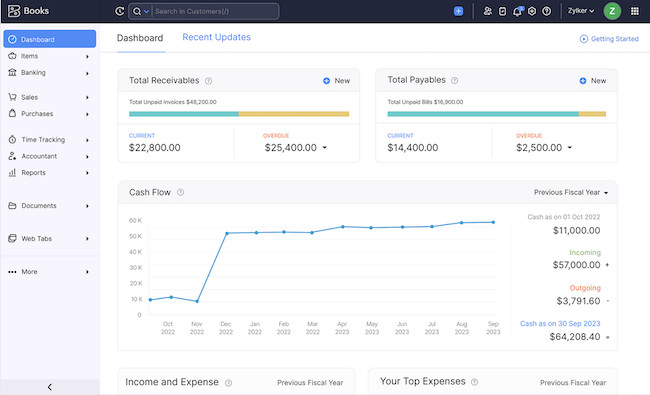
If you run a business from a Mac, you no longer need to hunt for a “Mac version” of every accounting package. The strongest options are cloud apps that work in a current browser on any Intel or Apple Silicon Mac, alongside one genuine desktop choice for businesses that want to keep their books locally.
The more important decision is whether the software suits your country, accountant, tax obligations and day-to-day work. A low monthly price is little use if it cannot file the return you need, connect to your bank, or grow with your business.
For most small businesses, Xero is the best overall accounting software for Mac. It is easy to use from macOS, does not charge per-user licence fees and has a very strong accountant and integrations ecosystem. Zoho Books is the best value option, while FreeAgent is particularly compelling for UK sole traders, landlords and small limited companies. If you specifically want a local desktop program, AccountEdge is the standout.
We have deliberately kept this list to six full accounting products. Twenty-two choices create more uncertainty than value, and several services commonly included in larger round-ups are either regional, mainly invoicing or bill-payment tools, or specialist add-ons rather than complete accounting systems.
At a Glance: The Best Accounting Software for Mac
| Software | Best for | How it works on a Mac | UK suitability | Current starting price* |
|---|---|---|---|---|
| Xero | Best overall | Web app and iPhone/iPad apps | Strong, including VAT and MTD options | From £7/month excl. VAT |
| QuickBooks Online | Businesses working closely with an accountant | Web app and iPhone/iPad apps | Strong; check the plan for your tax needs | Live pricing and a 30-day trial |
| Zoho Books | Best value and free-plan option | Web app and iPhone/iPad apps | Strong for VAT/MTD; plan limits apply | Free; paid plans from £12/month |
| FreeAgent | UK sole traders, landlords and contractors | Web app and iPhone/iPad apps | Excellent UK-focused choice | From £19/month excl. VAT |
| FreshBooks | Service businesses that invoice for time | Web app and iPhone/iPad apps | Good for invoicing; verify tax needs first | 30-day trial; pricing varies by plan |
| AccountEdge | Local desktop accounting and inventory | Desktop Mac app with optional web access | Check local tax and payroll fit carefully | From $20/month |
*Prices and offers were checked in October 2026. They can change, may exclude VAT or sales tax, and may differ by country, plan or promotion.
1. Xero – Best Overall Accounting Software for Mac
Why We Picked It
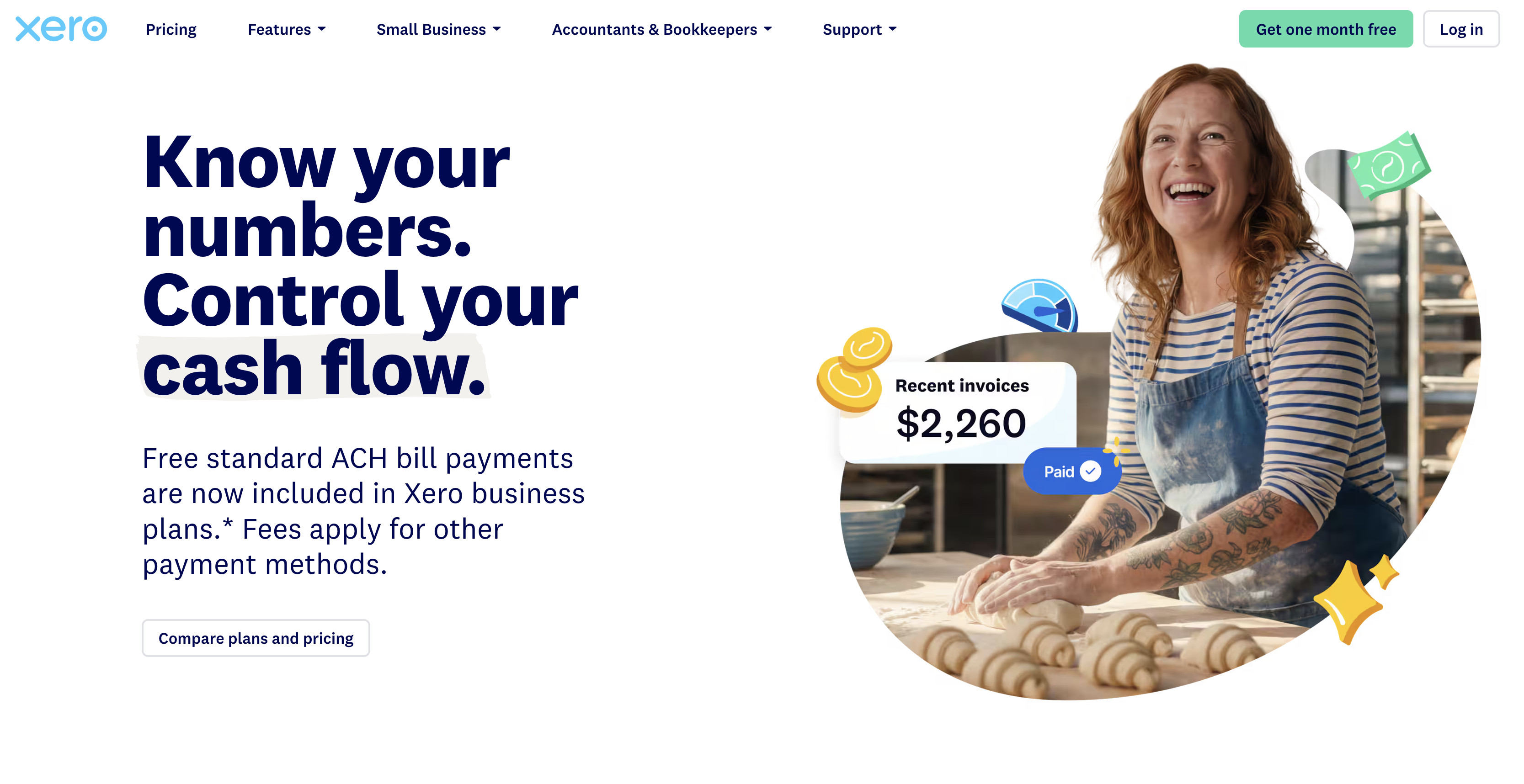
Xero is the safest all-round choice for most Mac-based small businesses. It handles the core jobs well: invoicing, bank reconciliation, bills, expenses, reporting and accountant collaboration. It is also a sensible choice if you expect to add staff, an external bookkeeper or more business systems later, because Xero does not charge a separate per-user licence fee.
Its Mac experience is browser-based rather than a native desktop app, but that is not a drawback for most people. You can use it from any up-to-date Mac and move between your Mac, iPhone and iPad without maintaining separate files.
For UK businesses, Xero supports VAT filing and offers Making Tax Digital features. Check the exact plan before signing up, particularly if you need payroll, multi-currency, projects, expenses or MTD for Income Tax.
Best for: Small businesses that want a long-term, widely supported accounting platform.
Choose Xero if you need:
- Easy collaboration with an accountant or bookkeeper
- No per-user licence fees
- Strong bank reconciliation, invoicing and reporting
- A broad app marketplace for e-commerce, payments, payroll and CRM tools
- A platform that can grow beyond basic bookkeeping
Consider another option if: You want the lowest possible monthly cost, prefer a true local desktop app, or your accountant already works entirely in QuickBooks Online.
Pricing: Xero’s plans start at $5.40/month. The right plan depends on the features and limits you need, so check the full price after any introductory offer ends.
2. QuickBooks Online – Best if Your Accountant Uses QuickBooks
Why We Picked It
QuickBooks Online is a strong choice when your accountant, bookkeeper or wider business already uses QuickBooks. It offers automated bank feeds, invoices, expenses, VAT tools, reporting and a substantial third-party app ecosystem. UK plans also include tools designed to help businesses prepare for Making Tax Digital for Income Tax, although the exact feature set depends on the plan.
QuickBooks Online is a web app, so it works well on any modern Mac without Windows, a virtual machine or a separate Mac desktop version. It also has companion iPhone and iPad apps, though not every feature is available on mobile.
Its plan structure needs more attention than Xero’s. User limits, bills, multi-currency, inventory, reporting and payroll can differ between plans, so it is worth choosing based on what you actually use rather than the entry price.
Best for: Businesses whose accountant already uses QuickBooks, or those that need a large ecosystem of connected apps.
Choose QuickBooks Online if you need:
- Straightforward accountant access
- Bank feeds, invoicing and VAT reporting in one service
- Plan choices that can scale from a sole trader to a growing business
- Integrations with sales, payments, payroll and other business apps
Consider another option if: You want unlimited team access without per-user pricing, a simpler UK-first tax experience, or a desktop app that stores the main company file locally.
Pricing: QuickBooks serves live prices and promotions at checkout, with a 30-day trial available. Check both the regular renewal price and the feature limits of the plan you select.
3. Zoho Books – Best Value, Including a Useful Free Plan
Why We Picked It
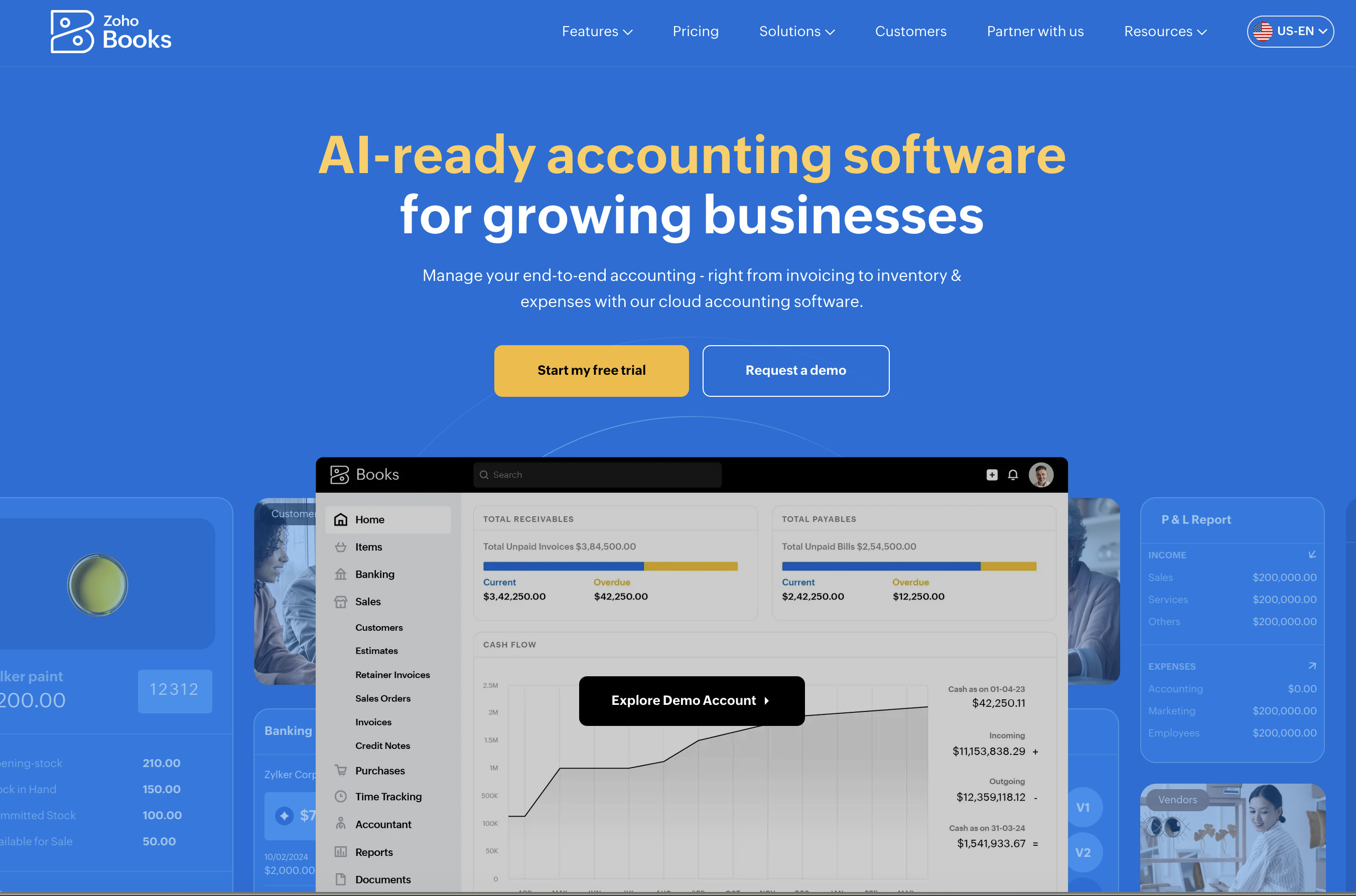
Zoho Books is the best choice if you want capable cloud accounting without immediately paying Xero or QuickBooks prices. Its UK free plan includes one user and one accountant, while paid plans add more users, bank connections, bills, inventory, multi-currency and automation.
It is especially attractive if you already use Zoho CRM, Zoho Inventory, Zoho Expense or other Zoho products. That integration can reduce duplicate data entry as your business grows.
Zoho Books includes VAT reporting and Making Tax Digital VAT filing in the UK. It is important to check current usage limits, supported bank feeds and the exact plan before you migrate, particularly if you expect a high volume of invoices, expenses or users.
Best for: Sole traders and small businesses that want the best value, or companies already using Zoho.
Choose Zoho Books if you need:
- A genuine free accounting option for a very small business
- One user plus accountant access without an immediate subscription
- A lower-cost route into paid accounting software
- Zoho CRM, Inventory or other Zoho integrations
- VAT reporting and MTD VAT filing in the UK
Consider another option if: Your accountant strongly prefers Xero or QuickBooks, or you need the largest possible third-party integrations ecosystem.
Pricing: The free plan costs nothing. Paid plans start at $15/£12 per organisation per month, or £10 per month when billed annually, excluding local taxes. Free and paid plans have annual transaction and usage limits.
For more zero-cost choices, see our guide to the best free accounting software for Mac.
4. FreeAgent – Best for UK Sole Traders, Landlords and Contractors
Why We Picked It
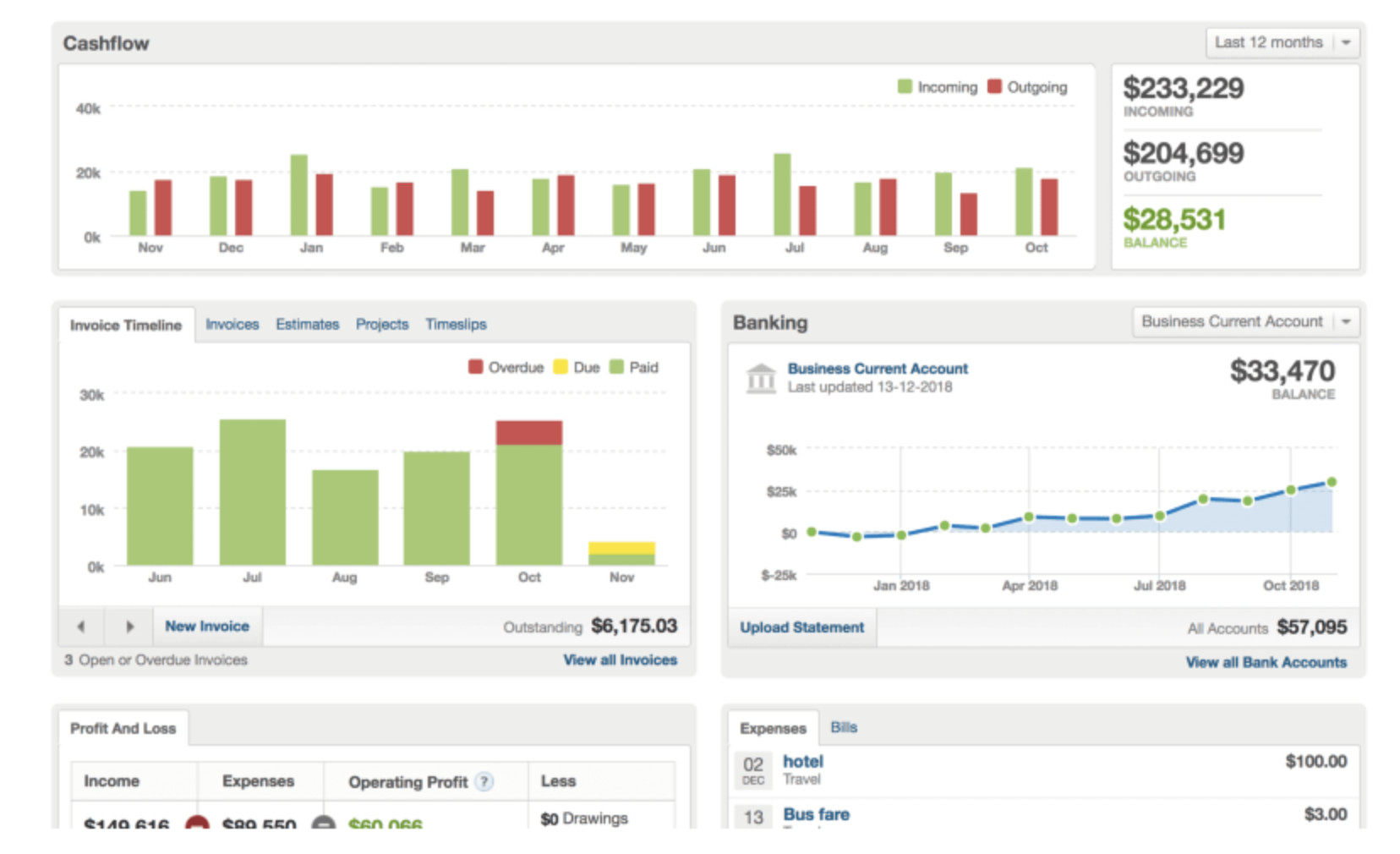
FreeAgent is one of the best accounting packages for UK freelancers, contractors, landlords and small limited companies. It is built around UK business admin rather than adapted from a US product, with invoicing, expenses, bank feeds, cash-flow visibility and tax deadlines in one clear interface.
It is particularly relevant now that Making Tax Digital for Income Tax is rolling out. FreeAgent supports MTD, VAT filing and UK tax administration. It can also run payroll and file PAYE and National Insurance details to HMRC, depending on the business type and account setup.
The product is more region-specific than Xero or QuickBooks, which is a strength for a UK business but a reason not to choose it if you operate mainly outside the UK.
Best for: UK sole traders, landlords, contractors and small limited companies that want a clear, tax-aware system.
Choose FreeAgent if you need:
- UK-focused VAT, tax and MTD
- Invoicing, expenses, bank feeds and project/time tracking in one product
- A clear view of tax deadlines and cash flow
- A possible free licence through an eligible NatWest, Royal Bank of Scotland, Ulster Bank or Mettle business account
Consider another option if: You have complex international operations, need advanced inventory or e-commerce accounting, or work with an accountant who is standardised on another platform.
Pricing: At the time of checking, standard monthly prices start at £19 for sole traders, £27 for partnerships/LLPs and £33 for limited companies, excluding VAT. Introductory discounts and eligible bank-account offers can reduce this, but do not rely on a bank-linked free deal without checking its conditions.
5. FreshBooks – Best for Service Businesses and Client Invoicing
Why We Picked It
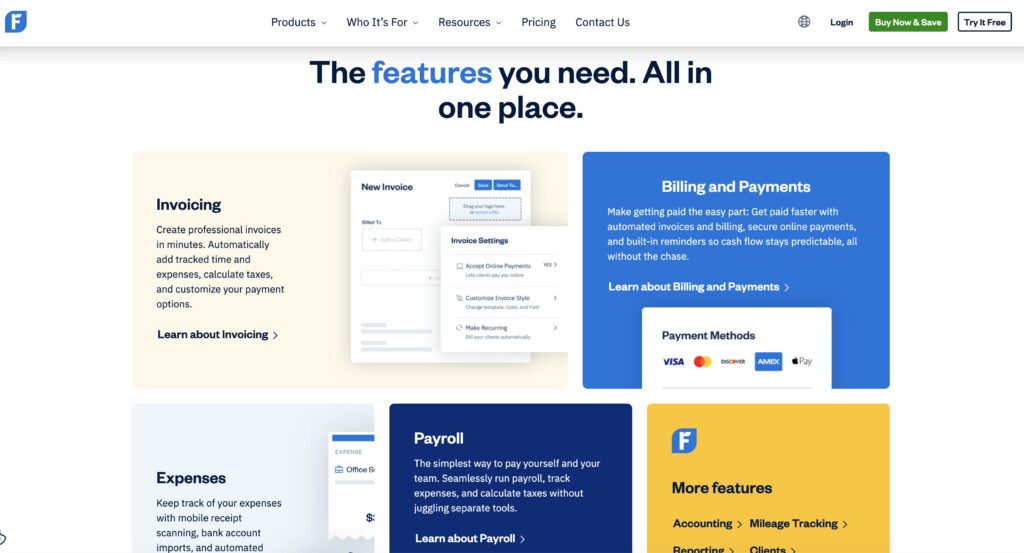
FreshBooks is best for consultants, agencies and other service businesses that need polished client invoicing, estimates, time tracking and expense capture without a steep accounting learning curve.
It is not the most complete option here for complex stock control or broad business-system integrations, but it is particularly pleasant for businesses where most revenue comes from billable time or fixed-fee client work. You can create estimates, convert them to invoices, track time and keep client-facing administration in one place.
FreshBooks works in a browser on a Mac and has mobile apps. Before committing, UK users should make sure the plan supports their exact VAT and MTD requirements; do not assume that strong invoicing support is automatically the right tax and accounting needs for your business.
Best for: Freelancers, consultants and service businesses that want simple invoicing and time tracking.
Choose FreshBooks if you need:
- Professional invoices, estimates and payment reminders
- Billable-time and project tracking
- A client-friendly interface that is easy to learn
- A lighter-weight alternative to a larger accounting suite
Consider another option if: You need stock control, advanced reporting, many users or confirmed MTD support.
Check our FreshBooks review for more.
Pricing: FreshBooks offers a 30-day trial. Paid plan pricing varies by country, promotion and client limits, so check the regular price and the number of clients included before signing up.
If invoicing is your main requirement rather than full bookkeeping, compare the alternatives in our guide to invoicing software for Mac.
6. AccountEdge – Best Local Desktop Accounting Software for Mac
Why We Picked It
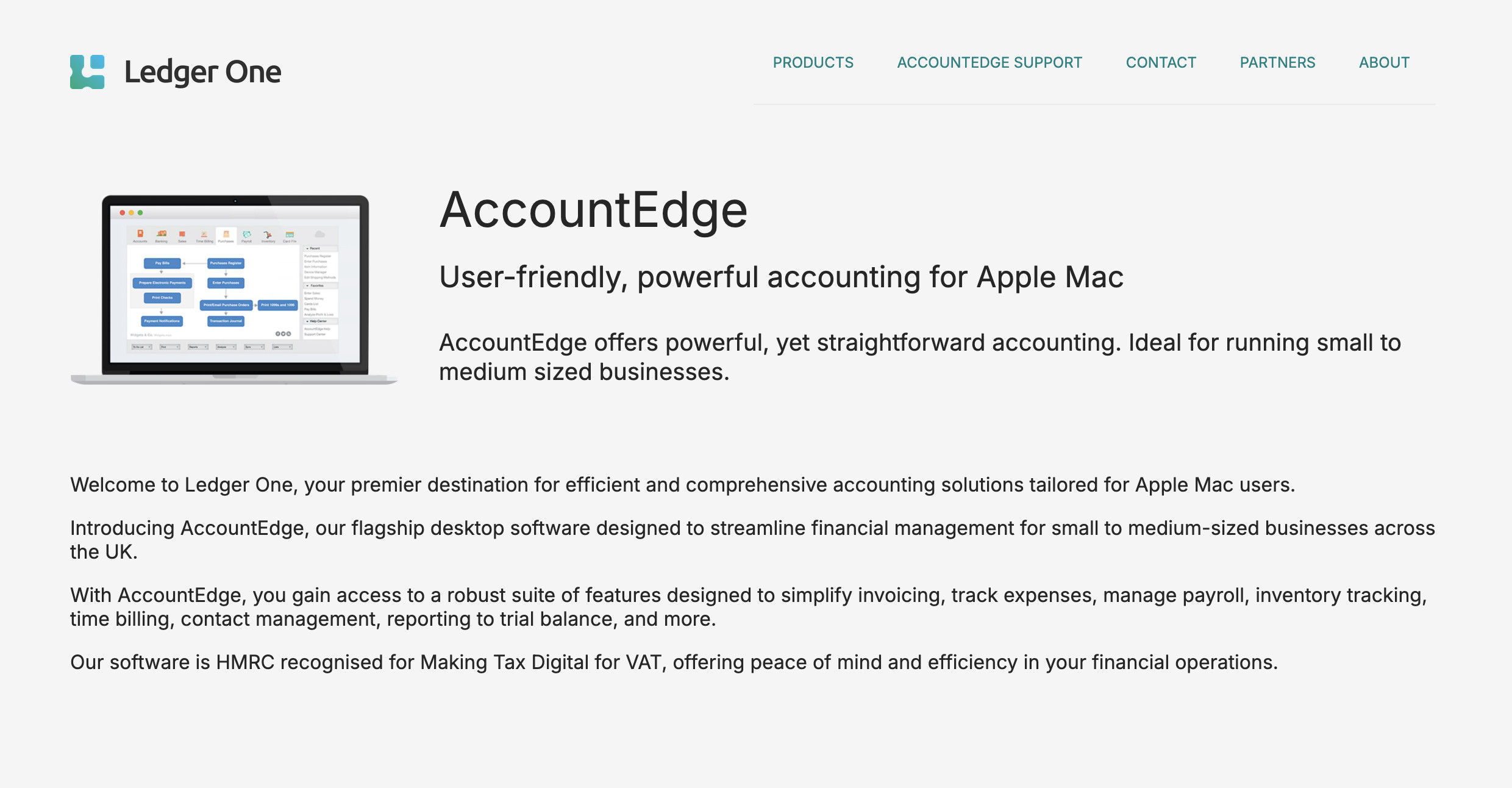
AccountEdge is the right choice for the smaller group of Mac users who specifically want a desktop accounting app and a locally held company file. Unlike the cloud-first products above, its core Pro and Network Edition products are installed on your Mac and include invoicing, purchases, expenses, inventory, time billing, reporting and optional payroll.
It is also a much better Mac choice than it used to be. AccountEdge’s current system requirements list support for Intel Macs and Apple silicon Macs with M1, M2, M3, M4 and M5 chips, running macOS Sonoma 14 through macOS Tahoe 26.
There is one important qualification: “desktop” does not mean completely disconnected. AccountEdge says its subscription needs an internet connection at least once every 30 days to keep the account active. Its pricing and payroll setup are also US-dollar and North America-oriented, so UK businesses should validate local tax, bank-feed and payroll suitability before choosing it.
Best for: Businesses that want local desktop software, inventory and detailed records rather than a browser-only system.
Choose AccountEdge if you need:
- A genuine desktop Mac accounting application
- Local/on-premise company-file control
- Inventory, time billing and deeper operational records
- Support for current Intel and Apple silicon Macs
Consider another option if: You want automatic cloud collaboration, the broadest integrations ecosystem, or UK-specific MTD and payroll support.
Pricing: AccountEdge Pro starts at $20 per month for a single user. Payroll, bank feeds, extra workstation licences, telephone support and cloud access can cost extra.
Why We Do Not List 22 Full Recommendations
More accounting choices are not automatically more useful. We removed several types of products from the main recommendations:
- Bill-payment and e-commerce connectors, such as Melio and Synder, can be useful additions to a core accounting package but are not a replacement for one.
- US-only payroll/accounting products can be excellent within their market but do not belong in a global Mac shortlist unless the regional limitation is central to the recommendation.
- Free or specialist products are better handled in our dedicated free accounting software for Mac guide, where their limits and regional availability can be compared properly.
- Wave remains an option for eligible businesses in the United States and Canada, but it is not available for businesses outside those countries. It should not be presented as a general solution for Mac users worldwide.
This approach gives readers a clear starting point, while keeping the page focused on complete systems they can realistically build a business around.
How to Choose Accounting Software for Your Mac
1. Choose for your country and tax obligations first
For UK businesses, confirm whether the plan supports VAT, CIS, payroll, MTD for VAT and, where relevant, MTD for Income Tax. For US, Canadian and other international businesses, check the local tax, payroll, currency and bank-feed support before you move any records.
Making Tax Digital for Income Tax is now especially important in the UK. It applies from 6 April 2026 to sole traders and landlords whose qualifying income was more than £50,000 in the 2024–25 tax year. The threshold falls to more than £30,000 from 6 April 2027 and more than £20,000 from 6 April 2028. Read HMRC’s current MTD for Income Tax guidance and confirm that the exact software plan you choose is compatible.
2. Ask your accountant before you buy
Your accountant does not have to choose the product for you, but they should be comfortable accessing it. Ask which plans they support, whether they can work directly in the system, and what export they need if you do the bookkeeping yourself.
3. Match the software to the job you do every week
Do not pay for inventory if you sell professional services. Do not choose a lightweight invoicing app if you need multi-currency bills, purchase orders, stock control or detailed management reporting.
Use this quick guide:
- General small-business accounting: Xero or QuickBooks Online
- Value/free option: Zoho Books
- UK tax-focused sole trader or limited company: FreeAgent
- Service business, time tracking and invoices: FreshBooks
- Desktop bookkeeping and inventory: AccountEdge
4. Treat free plans as a starting point, not a guarantee
Free plans can be useful, but check their limits on users, invoices, bank connections, receipts, reporting and accountant access. Moving accounting data later can be awkward, so it is often worth paying for a product that fits the next stage of your business rather than just today’s budget.
5. Check how you will leave before you join
Before importing years of data, check the export options for contacts, invoices, transactions, reports and attachments. You should also confirm whether you can retain read-only access if you cancel. Good accounting software makes it easy to work; good data portability makes it safer to make a change later.
Do Mac Users Need Native Accounting Software?
Usually, no. Xero, QuickBooks Online, Zoho Books, FreeAgent and FreshBooks are cloud services, so their Mac compatibility comes from using a supported web browser rather than a native Apple silicon app. That means they work on both Intel and Apple silicon Macs without Windows, Parallels or Boot Camp.
Choose a native desktop product such as AccountEdge only if local files, offline-style working, inventory or a desktop-based solution matters more than browser-based collaboration. Even then, check the current macOS and subscription requirements before you buy.
Related Mac Business Software
- Best free accounting software for Mac
- Best invoicing software for Mac
- Best payroll software for Mac
- Best expense management software for Mac
FAQ
What is the best accounting software for Mac?
For most small businesses, Xero is the best overall choice because it is easy to use on a Mac, does not charge per-user licence fees and has a broad accountant and integrations ecosystem. The best alternative depends on your needs: choose Zoho Books for value, FreeAgent for UK tax-focused administration, FreshBooks for service-business invoicing, QuickBooks Online if your accountant already uses it, and AccountEdge for local desktop accounting.
Is there any genuinely free accounting software for Mac?
Yes. Zoho Books has a UK free plan for very small businesses, but its limits will not suit everyone. Other free choices are covered in our dedicated free accounting software guide. Always check regional availability and the limits on transactions, users, bank feeds and tax features before committing your books to a free service.
Do these accounting apps work on Apple silicon Macs?
Yes. The cloud products in this guide run in a web browser, so they work on current Intel and Apple silicon Macs. AccountEdge’s current requirements specifically list M1 through M5 Macs and macOS Sonoma 14 through macOS Tahoe 26.
Which accounting software is best for Making Tax Digital?
For UK users, Xero, QuickBooks Online, Zoho Books and FreeAgent all offer relevant MTD capabilities, but you must verify the exact plan and whether you need MTD for VAT, Income Tax or something else. Use HMRC’s recognised-software information and your accountant’s advice before subscribing.
Can I use Tally on a Mac?
Tally is not a native Mac application. If you need it for an existing business, see our guide to running Tally on a Mac before deciding whether an accounting platform designed for macOS and the web would be a simpler choice.
Should I choose accounting software based on price alone?
No. Price matters, but the cost of moving platforms later can be much higher than a few pounds or dollars per month. Start with country and tax support, accountant access, bank feeds, the features you use weekly, and data export. Then compare the plans that genuinely meet those requirements.
How We Selected These Accounting Apps
MacHow2 has covered Mac software since 2013. For this 2026 refresh, we prioritised current availability, country fit, Mac access, accountant collaboration, bank reconciliation, tax filing, pricing transparency and whether a product is a complete accounting system rather than a narrow add-on.
We check product availability and pricing regularly, but accounting software changes quickly. Always confirm the price, feature limits, tax support and local eligibility directly with the provider before buying.