

Whether you’re designing a website, writing a blog post, doing some desktop publishing, editing a video or using graphic design software, high-quality stock photos can make the difference between content that looks amateur and content that looks genuinely professional.
After comparing the leading free and premium services, we’ve picked the best stock photo sites for Mac based on image quality, pricing, licensing, AI tools and overall value.
The good news is that Mac users have more choice than ever. Modern stock photo sites now offer not only millions of royalty-free images, but also videos, illustrations, vectors, templates, icons and even AI-generated artwork that can be downloaded directly from Safari or integrated into your favorite creative apps.
However, not every stock photo service is worth paying for.
Some specialize in premium commercial photography, while others focus on free images contributed by photographers around the world. Some integrate seamlessly with Adobe Photoshop and Illustrator, while others are better suited to bloggers, marketers and small businesses that simply need attractive visuals without spending a fortune.
After comparing the leading stock photo websites for Mac, Adobe Stock remains our top overall recommendation thanks to its outstanding image quality, huge library, generous licensing and excellent integration with Adobe Creative Cloud. If you’re looking for a completely free option, Pexels is currently the best place to start.
To help you choose, I’ve compared the best stock photo sites based on image quality, licensing, ease of use, pricing, search tools, AI features and overall value for Mac users.
Best Stock Photo Sites for Mac — Quick Comparison
| Stock Photo Site | Best For | Free Plan | Photos | Videos | AI Tools | Pricing* |
|---|---|---|---|---|---|---|
| Adobe Stock | Best overall | Limited | ✅ | ✅ | Firefly image generation & editing | From $29.99/month |
| Pexels | Best free | ✅ | ✅ | ✅ | — | Free |
| Unsplash | Best photography | ✅ | ✅ | Limited | — | Free |
| Shutter-stock | Largest library | ❌ | ✅ | ✅ | AI search & image generation | From $29/month |
| Pixabay | Best free library | ✅ | ✅ | ✅ | Limited | Free |
| iStock | Best value premium | ❌ | ✅ | ✅ | AI-powered search | From $29/month |
| Canva | Social media | Limited | ✅ | ✅ | Magic Studio | Free / Pro from $15/month |
| Magnific | AI creative platform | Limited | ✅ | Limited | AI image, video & editing | Free / Premium from $9/month |
Which Stock Photo Site Is Best?
If you don’t want to read every review, here’s my recommendation depending on what you’re looking for.
🏆 Best Overall
Adobe Stock
The best all-round stock photo site for Mac users, offering premium-quality images, videos, illustrations and AI-powered creative tools with seamless integration into Adobe Creative Cloud.
💰 Best Free Stock Photos
Pexels
Millions of high-quality free photos and videos with a simple commercial licence. An excellent choice for bloggers, students and small businesses.
📸 Best Free Photography
Unsplash
Beautiful, editorial-style photography that’s perfect for blogs, websites, travel articles and lifestyle brands.
📈 Best for Businesses
Shutterstock
One of the world’s largest commercial stock libraries with outstanding search tools and an enormous selection of professional photos, videos and illustrations.
🎬 Best Free Creative Library
Pixabay
A fantastic all-round free resource offering not only photos, but also videos, illustrations, vectors, icons and music.
💼 Best Premium Value
iStock
Professional-quality stock photography at more affordable prices than many premium competitors, making it ideal for freelancers and small businesses.
🎨 Best for Content Creators
Canva
Combines millions of stock photos with an intuitive design platform, making it perfect for creating social media graphics, presentations and marketing materials.
🤖 Best AI Creative Platform
Magnific (formerly Freepik)
An impressive combination of stock photography, vectors, mockups, templates and powerful AI image generation and editing tools for modern creative projects.
How I Chose These Stock Photo Sites
Not every stock library deserves a place on this list.
Rather than simply comparing library sizes, I evaluated each service based on what actually matters when creating content on a Mac.
The factors I considered include:
- Image quality – Does the photography look modern, professional and authentic rather than overly staged?
- Library size – How many photos, videos, vectors and illustrations are available?
- Licensing – Is commercial use straightforward without confusing restrictions?
- Search tools – How easy is it to find exactly what you’re looking for?
- Mac experience – Does the site work well in Safari and on Apple Silicon Macs?
- Integrations – Can assets be easily imported into Photoshop, Canva, Final Cut Pro or other design software?
- Value for money – Are subscriptions competitively priced and flexible?
- AI features – Does the service offer AI image generation, intelligent search or editing tools?
I also considered how suitable each platform is for different users, from bloggers and YouTubers to graphic designers, photographers and marketing teams.
The result is a list that balances premium professional services with genuinely useful free alternatives, making it easier to choose the right stock photo site for your budget.
Free vs Paid Stock Photo Sites
One of the biggest questions people ask is whether it’s worth paying for stock photos when there are so many free alternatives available.
The answer depends entirely on how you use them.
For many bloggers, students and hobbyists, free sites like Pexels, Unsplash and Pixabay provide more than enough high-quality images for websites, presentations and social media.
However, if you’re creating marketing campaigns, commercial advertising, product packaging or client work, premium services such as Adobe Stock and Shutterstock offer significant advantages.
These include:
- Larger image libraries
- Higher quality commercial photography
- Exclusive content
- Better legal protection and indemnification
- Editorial photography
- Professional illustrations and vectors
- Premium video footage
- AI-powered search and editing tools
- Consistent image quality
For most Mac users, a combination of both works best. Many creators use Pexels or Unsplash for everyday blog posts while turning to Adobe Stock when they need something more specific or commercially polished.
1. Adobe Stock – Best Overall Stock Photo Site for Mac
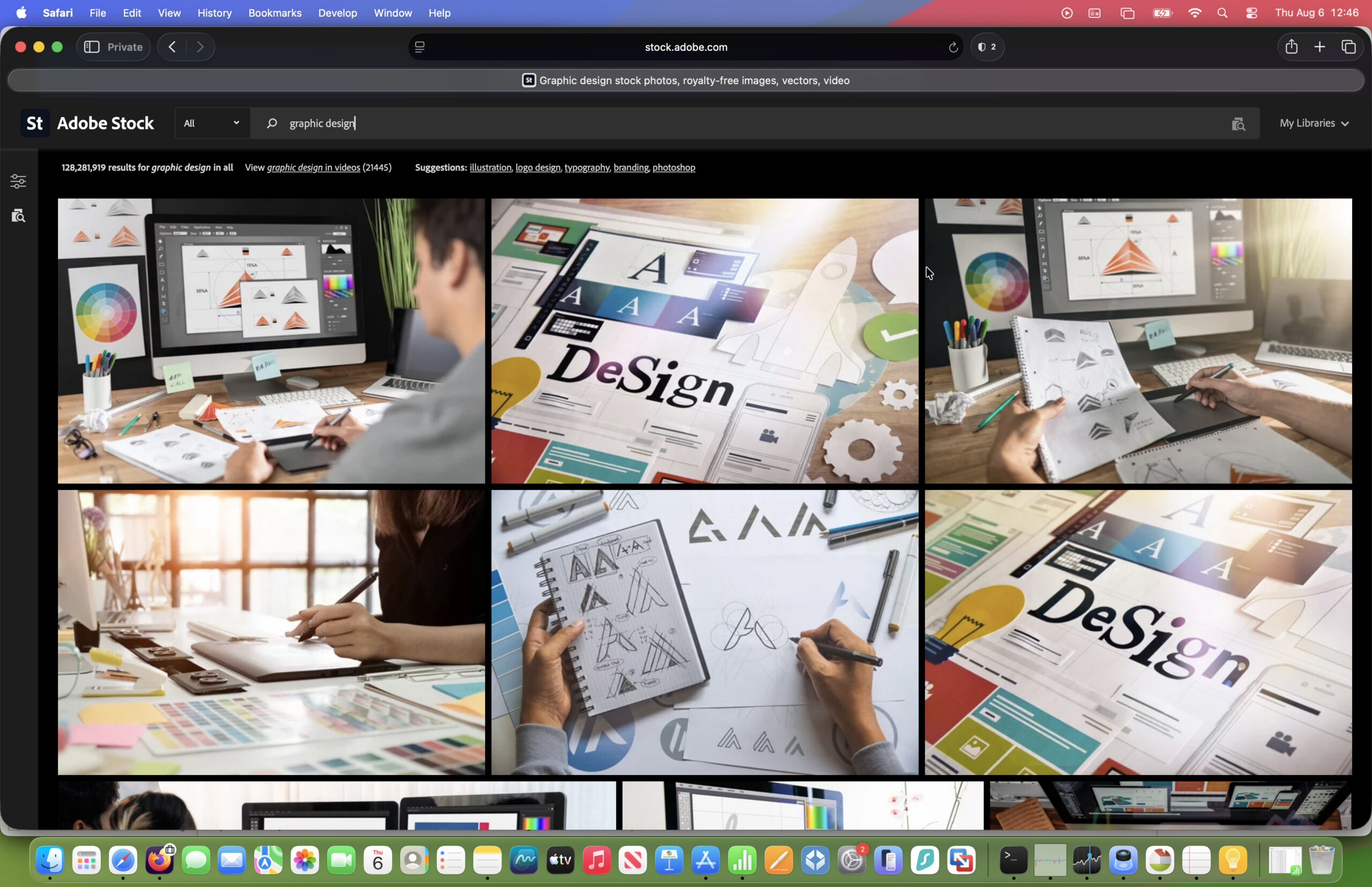
Best for: Designers, businesses, marketers and anyone who wants the highest-quality commercial images.
Overall Rating: ⭐⭐⭐⭐⭐ (5/5)
Pros
- Outstanding library of premium-quality photos, illustrations, vectors and videos
- Seamlessly integrates with Photoshop, Illustrator, InDesign and Premiere Pro
- AI-powered search and Generative AI tools
- Excellent commercial licensing
- Millions of professional assets covering almost every industry
- Watermarked previews can be tested directly in Adobe apps
Cons
- More expensive than free alternatives
- Best value if you’re already using Adobe Creative Cloud
- Individual image purchases can become costly
Why I Recommend Adobe Stock
If you regularly create content professionally on your Mac, Adobe Stock is still the benchmark that every other stock photo service is trying to catch.
While free sites such as Pexels and Unsplash are excellent for general blog posts and social media, Adobe Stock consistently offers a higher standard of photography. Images tend to look less generic, there are far more commercially useful collections, and finding exactly the right image is considerably easier thanks to Adobe’s intelligent search engine.
One of the biggest advantages is that Adobe Stock isn’t just a photo library. It also includes millions of:
- Premium photographs
- Editorial images
- Vector graphics
- Illustrations
- Icons
- Photoshop templates
- Lightroom presets
- Motion Graphics templates
- HD and 4K videos
- 3D assets
- AI-generated images
This makes it an excellent all-round creative resource rather than simply somewhere to download photographs.
Why Adobe Stock Is Particularly Good on Mac
This is where Adobe Stock really separates itself from competitors.
If you use Photoshop, Illustrator, InDesign, Premiere Pro or After Effects on your Mac, Adobe Stock is built directly into Creative Cloud.
Instead of downloading images from a browser and importing them manually, you can search Adobe Stock without leaving the application.
For example, while editing a Photoshop document you can:
- Search millions of images
- Preview watermarked versions instantly
- Test different images inside your design
- License the image when you’re happy
- Automatically replace the preview with the full-resolution version
It sounds like a small feature, but it saves an enormous amount of time if you regularly work with client projects or marketing materials.
Apple Silicon Macs also handle Adobe’s latest Creative Cloud applications extremely well, making searching, downloading and editing assets quick even when working with large RAW files or 4K video.
Image Quality
Image quality is where Adobe Stock really earns its reputation.
Unlike some free libraries where you’ll often find multiple variations of the same photograph or obviously amateur uploads, Adobe’s collection is professionally curated.
The photography generally feels:
- More authentic
- Less staged
- Better lit
- More diverse
- More suitable for commercial marketing
I also found Adobe consistently returned stronger search results for business, technology, healthcare and finance topics where free libraries often struggle.
AI Features
Adobe has invested heavily in AI over the last two years.
Adobe Stock now works alongside Adobe Firefly, allowing users to:
- Generate entirely new images
- Expand existing images
- Remove objects
- Fill backgrounds
- Create commercial-safe AI artwork
- Generate matching variations
Because Adobe trains Firefly using licensed content, many businesses are more comfortable using it commercially than some competing AI image generators.
For designers, this combination of stock photography and AI editing has become one of Adobe Stock’s biggest advantages.
Licensing
Licensing is refreshingly straightforward.
Most standard assets can be used for:
- Websites
- Blogs
- YouTube videos
- Social media
- Advertising
- Marketing materials
- Printed publications
Extended licences are also available if you’re creating products for resale, such as merchandise or commercial templates.
For businesses and agencies, Adobe also provides stronger legal protection than many free stock libraries.
Pricing
Pricing starts from $29.99/month.
Adobe Stock isn’t the cheapest option, but it’s also not as expensive as many people assume.
Subscription plans include a monthly allocation of assets, while larger plans are available for agencies and creative teams.
If you already subscribe to Creative Cloud, adding Adobe Stock usually represents excellent value because everything works together so seamlessly.
Who Should Buy Adobe Stock?
Adobe Stock is ideal if you:
✔ Run a business
✔ Create content professionally
✔ Design websites
✔ Produce marketing campaigns
✔ Use Photoshop or Illustrator regularly
✔ Need commercial-quality imagery
It may be overkill if you only publish the occasional blog post or social media update.
Verdict
Adobe Stock continues to set the standard for professional stock photography.
The combination of outstanding image quality, AI-powered search, excellent licensing and unrivalled Creative Cloud integration makes it the best stock photo site for Mac users in 2026.
If you earn money from your content or create work for clients, it’s the easiest recommendation on this list.
Rating: ⭐⭐⭐⭐⭐
2. Pexels – Best Free Stock Photo Site for Mac

Best for: Bloggers, students, small businesses and anyone looking for high-quality free images.
Overall Rating: ⭐⭐⭐⭐⭐ (5/5)
Pros
- Completely free
- Millions of photos and videos
- Excellent search engine
- No subscription required
- Modern, natural-looking photography
- Very generous licence
- No dedicated software needed
Cons
- Smaller library than premium services
- Limited illustrations and vectors
- Popular images appear frequently across the web
Why I Recommend Pexels
If someone asked me where to find free stock photos for a Mac today, Pexels would almost certainly be my first recommendation.
Unlike many free image libraries that still contain dated or obviously staged photography, Pexels has developed into one of the best collections of modern lifestyle, travel, technology and business imagery available anywhere.
In many cases, the photographs are so good that it’s difficult to tell they came from a free service.
Whether you’re writing a blog, creating YouTube thumbnails, designing newsletters or building a website, there’s an excellent chance you’ll find something suitable without spending a penny.
Why Pexels Works So Well on Mac
One thing I particularly like is its simplicity.
Unlike some services that require desktop software, browser extensions or complicated account setups, Pexels works beautifully in Safari.
Searching is fast, downloads are immediate and images are available in multiple resolutions depending on your project.
If you mainly work on a MacBook or iMac, you simply visit the website, search, download and drag images directly into Pages, Keynote, Canva, Pixelmator Pro, Affinity Designer or whichever application you’re using.
It’s refreshingly straightforward.
Image Quality
This is where Pexels has improved dramatically.
Rather than looking like traditional “stock photography”, much of the collection feels natural and contemporary.
You’ll find excellent:
- Lifestyle photography
- Remote working
- Technology
- Food
- Nature
- Travel
- Architecture
- Social media
- Business
There are also thousands of high-quality videos that make it an excellent resource for YouTube creators and social media marketers.
Licensing
One reason Pexels has become so popular is that its licence is incredibly easy to understand.
Most images can be used:
- Commercially
- On websites
- In YouTube videos
- On social media
- In marketing materials
without attribution, although crediting photographers is always appreciated.
As with any stock library, you should still avoid implying endorsement by people in images or using identifiable trademarks in misleading ways, but for everyday content creation the licence is among the simplest available.
Who Should Use Pexels?
Pexels is perfect if you:
✔ Run a blog
✔ Need images for newsletters
✔ Publish YouTube videos
✔ Create social media graphics
✔ Want professional-looking images without paying monthly subscriptions
If you only need stock images occasionally, I honestly think Pexels is difficult to beat.
Verdict
Pexels proves that you don’t have to pay for excellent stock photography.
Its huge collection of modern images, generous licence and effortless Mac experience make it the best free stock photo site available today.
Even if you eventually subscribe to Adobe Stock, you’ll probably still find yourself using Pexels regularly.
Rating: ⭐⭐⭐⭐⭐
Adobe Stock vs Pexels
Since these are my top two choices, here’s a look at how they compare next to each other
| Feature | Adobe Stock | Pexels |
|---|---|---|
| Best for | Professionals | Free users |
| Photos | ⭐⭐⭐⭐⭐ | ⭐⭐⭐⭐½ |
| Videos | ⭐⭐⭐⭐⭐ | ⭐⭐⭐⭐ |
| AI Tools | ⭐⭐⭐⭐⭐ | ⭐⭐ |
| Photoshop Integration | ⭐⭐⭐⭐⭐ | ⭐ |
| Commercial Use | ⭐⭐⭐⭐⭐ | ⭐⭐⭐⭐½ |
| Value for Money | ⭐⭐⭐⭐ | ⭐⭐⭐⭐⭐ |
| Overall | ⭐⭐⭐⭐⭐ | ⭐⭐⭐⭐⭐ |
3. Unsplash – Best Free Stock Photos for Blogs & Websites
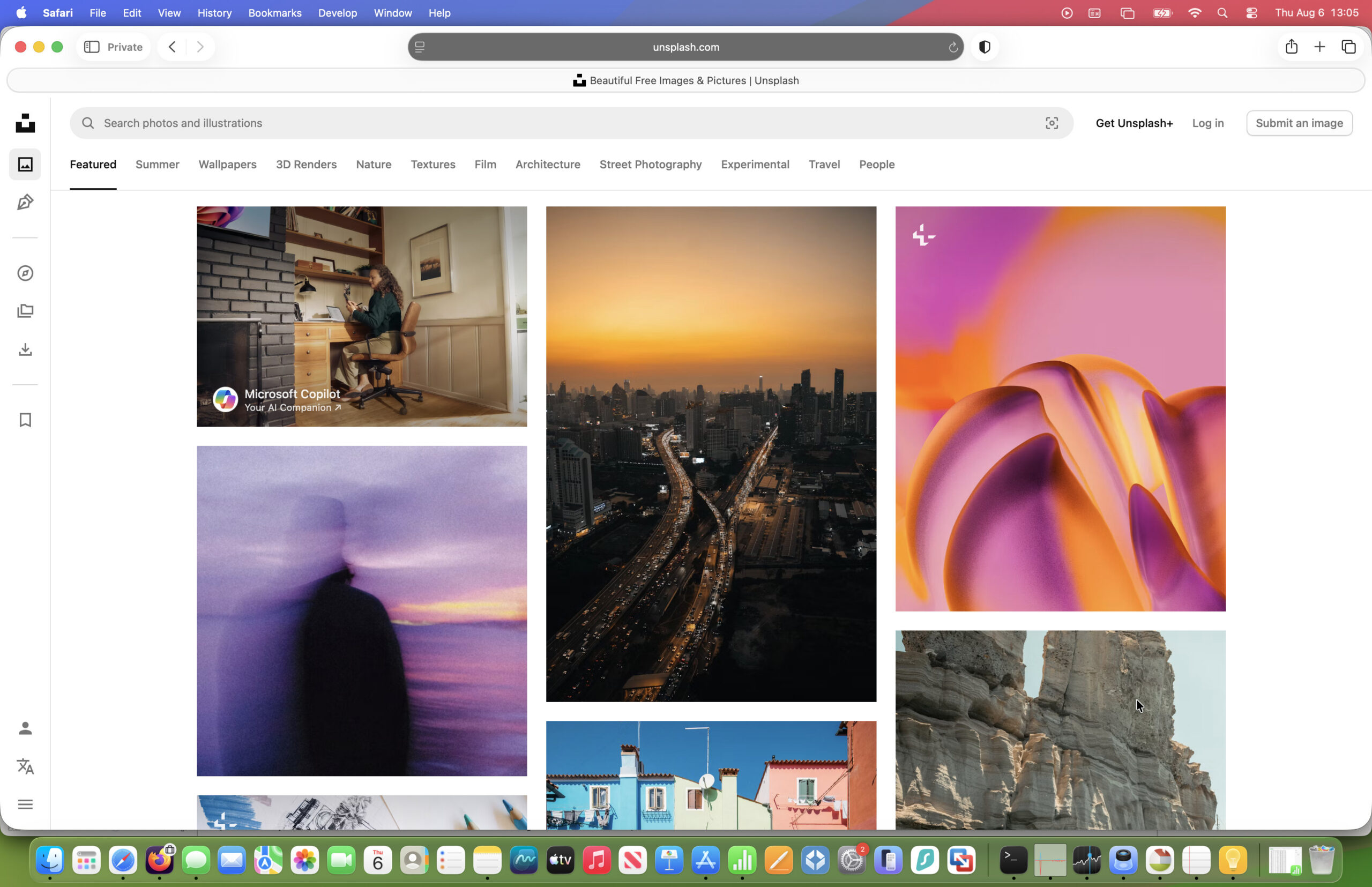
Best for: Bloggers, publishers, students and anyone looking for beautiful free photography.
Overall Rating: ⭐⭐⭐⭐☆ (4.5/5)
Pros
- Completely free to use
- Beautiful, modern photography
- Excellent search and curated collections
- Easy commercial licence
- New images added daily
- Works perfectly in Safari and all major browsers
Cons
- Smaller library than Shutterstock or Adobe Stock
- Limited videos, illustrations and vectors
- Popular images can become overused
Why I Recommend Unsplash
If image quality is more important to you than sheer quantity, Unsplash remains one of the best free stock photo resources available.
Unlike many stock libraries that focus on generic corporate imagery, Unsplash built its reputation on photography that feels authentic and editorial. Much of the content looks as though it belongs in a magazine rather than an advertising brochure.
This makes it an excellent choice for:
- Blogs
- Personal websites
- Travel articles
- Lifestyle brands
- Startups
- Editorial content
- Technology reviews
If you’ve ever admired the photography on Medium or many modern startup websites, there’s a good chance you’ve already seen Unsplash images in use.
Why It’s Great for Mac Users
Unsplash couldn’t really be easier to use on a Mac.
The website loads quickly in Safari, image searches are fast and downloads don’t require subscriptions or complicated licensing agreements.
Images are available in high resolutions suitable for:
- Retina displays
- Website headers
- Keynote presentations
- Desktop publishing
- Social media graphics
- Printed marketing materials
You can also copy images directly into applications such as Pages, Keynote, Pixelmator Pro, Affinity Photo, Canva or Photoshop without any compatibility issues.
Image Quality
This is where Unsplash really excels.
Compared to many traditional stock libraries, the photography generally feels:
- More natural
- Better composed
- Less obviously staged
- More artistic
- Better suited to blogs and editorial websites
Subjects like travel, food, nature, interiors and technology are particularly well represented.
The downside is that businesses looking for very specific commercial imagery—such as niche industries, medical environments or highly targeted business concepts—may find Adobe Stock or Shutterstock offers more choice.
Licensing
Unsplash offers one of the simplest licences available.
Most images can be used for:
- Commercial websites
- Blogs
- YouTube videos
- Marketing
- Social media
- Presentations
without requiring attribution.
Although crediting photographers is encouraged, it’s generally optional.
As always, avoid implying endorsement by people featured in photographs or using recognisable brands and trademarks in misleading ways.
Who Should Use Unsplash?
Unsplash is ideal if you:
✔ Write blog posts
✔ Build websites
✔ Publish newsletters
✔ Need attractive hero images
✔ Want professional-looking photography without paying monthly fees
It’s less suitable if you need:
- Large numbers of vectors
- Marketing templates
- Editorial news photography
- Commercial advertising campaigns
Verdict
Unsplash remains one of the most attractive free stock photo libraries available.
Its photography consistently feels fresher and more authentic than many competitors, making it an easy recommendation for bloggers, publishers and small businesses.
If Pexels is the best all-round free library, Unsplash is arguably the most visually impressive.
Rating: ⭐⭐⭐⭐☆ (4.5/5)
4. Shutterstock – Best Stock Photo Library for Choice

Best for: Businesses, agencies and professionals who need the widest possible selection of images.
Overall Rating: ⭐⭐⭐⭐☆ (4.5/5)
Pros
- One of the world’s largest commercial image libraries
- Excellent search filters
- Huge collection of photos, vectors, videos and music
- Strong AI-powered search tools
- Consistently high-quality commercial photography
- Enterprise options available
Cons
- More expensive than some competitors
- Subscription plans can be confusing
- Better suited to frequent users than occasional buyers
Why I Recommend Shutterstock
If Adobe Stock is the best overall creative platform, Shutterstock remains the king of choice.
Whatever you’re looking for—whether it’s healthcare, manufacturing, education, finance, engineering or travel—there’s an excellent chance Shutterstock has multiple high-quality options available.
For agencies and businesses creating content every day, that breadth is incredibly valuable.
Unlike smaller libraries, Shutterstock rarely leaves you struggling to find a suitable image for niche industries or specialised topics.
Why It Works Well on Mac
Shutterstock doesn’t require any special software.
The website works smoothly in Safari, Chrome and Firefox, while downloaded assets integrate easily with virtually every creative application available on macOS.
Whether you’re using:
- Adobe Photoshop
- Pixelmator Pro
- Affinity Photo
- Canva
- Final Cut Pro
- DaVinci Resolve
- Apple Pages
- Keynote
downloading and importing assets is quick and straightforward.
Search Tools
One area where Shutterstock continues to lead the market is search.
You can refine results using filters including:
- Orientation
- Colour
- Copy space
- Image type
- Number of people
- Age
- Ethnicity
- Location
- Contributor
- Editorial content
This saves an enormous amount of time when searching very large collections.
The AI-assisted search has also improved significantly, helping surface more relevant images from natural-language searches.
Beyond Stock Photos
Like Adobe Stock, Shutterstock has evolved into much more than an image library.
Subscribers also gain access to:
- HD and 4K video footage
- Music tracks
- Sound effects
- Illustrations
- Vector graphics
- Editorial photography
- 3D assets
- AI-generated imagery
This makes it an attractive platform for marketing teams producing a wide variety of content.
Who Should Choose Shutterstock?
Shutterstock is ideal if you:
✔ Create client work
✔ Run a marketing agency
✔ Need thousands of commercial images
✔ Work across multiple industries
✔ Require reliable licensing
If you’re only downloading a few images each month, Adobe Stock or one of the free services may represent better value.
Pricings starts from from $29/month which is the same as Adobe Stock.
Verdict
Shutterstock continues to justify its reputation as one of the world’s leading stock photo libraries.
Its enormous collection, outstanding search tools and consistently high-quality commercial imagery make it one of the best choices for professionals who need variety above all else.
For businesses creating content every day, it’s still one of the safest investments you can make.
Rating: ⭐⭐⭐⭐☆ (4.5/5)
Adobe Stock vs Shutterstock
Before moving on, many readers are deciding between these two premium services.
| Feature | Adobe Stock | Shutterstock |
|---|---|---|
| Best For | Designers & Creative Cloud users | Businesses & agencies |
| Image Quality | ⭐⭐⭐⭐⭐ | ⭐⭐⭐⭐☆ |
| Library Size | ⭐⭐⭐⭐☆ | ⭐⭐⭐⭐⭐ |
| Photoshop Integration | ⭐⭐⭐⭐⭐ | ⭐⭐⭐☆☆ |
| Video Library | ⭐⭐⭐⭐☆ | ⭐⭐⭐⭐⭐ |
| AI Features | ⭐⭐⭐⭐⭐ | ⭐⭐⭐⭐☆ |
| Ease of Use | ⭐⭐⭐⭐⭐ | ⭐⭐⭐⭐☆ |
| Overall Value | ⭐⭐⭐⭐⭐ | ⭐⭐⭐⭐☆ |
Which Should You Choose?
If you’re already using Photoshop, Illustrator or Premiere Pro, Adobe Stock is the clear winner thanks to its seamless integration with Creative Cloud and increasingly impressive AI tools.
However, if your priority is simply accessing the largest possible collection of commercial images across a wide range of industries, Shutterstock remains one of the strongest options available.
5. Pixabay – Best Free Stock Photos, Videos & Illustrations
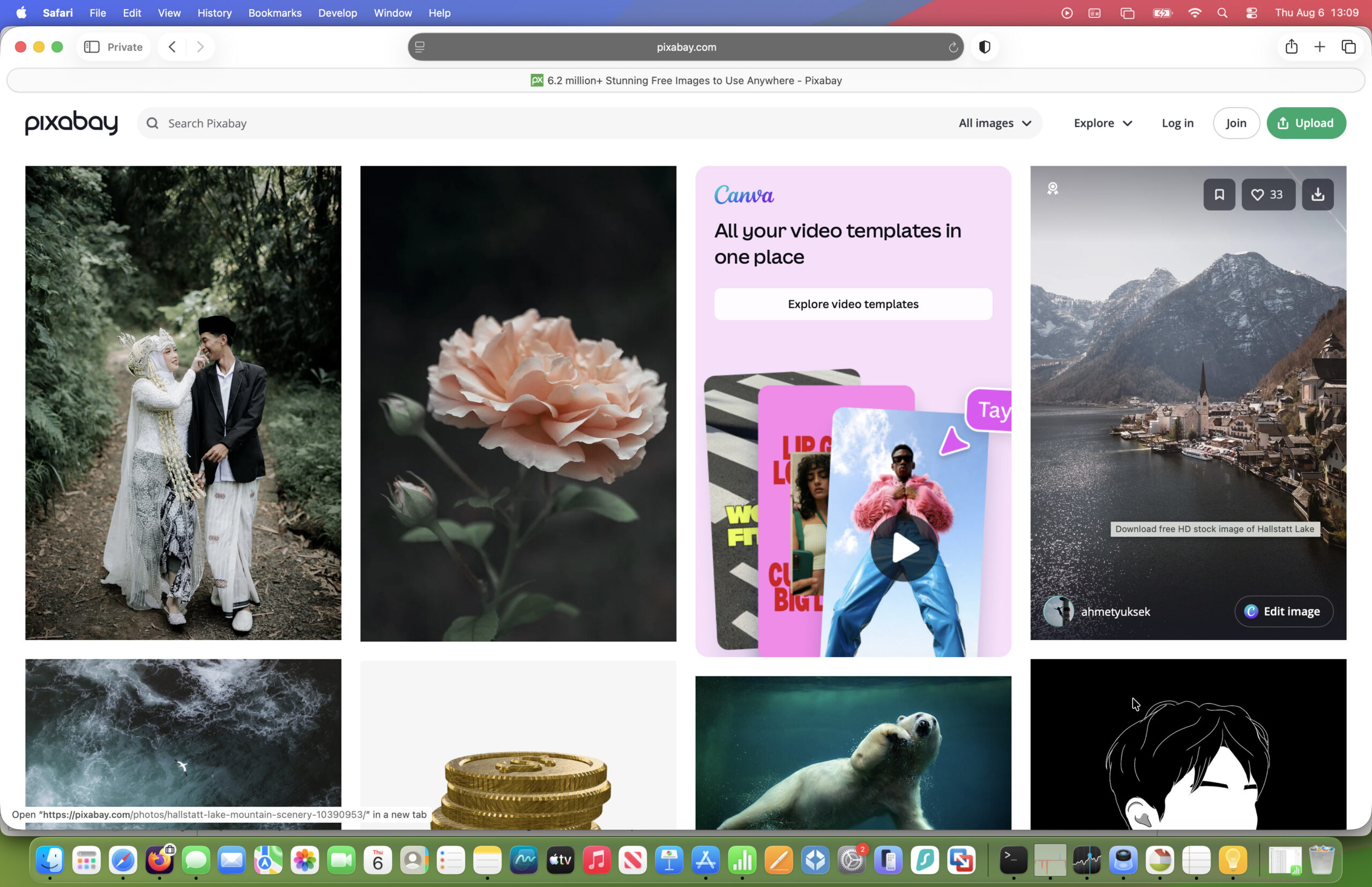
Best for: Anyone looking for a huge collection of free creative assets beyond just photography.
Overall Rating: ⭐⭐⭐⭐☆ (4.5/5)
Pros
- Completely free to use
- Millions of photos, illustrations, vectors and videos
- Simple commercial licence
- No subscription required
- Excellent search filters
- Also includes music and sound effects
Cons
- Image quality can be inconsistent
- Some AI-generated content isn’t clearly distinguishable from photographs
- Less curated than Pexels or Unsplash
Why I Recommend Pixabay
Pixabay has evolved into much more than a free stock photo website.
Today it’s one of the largest free creative libraries on the web, offering not only photographs but also vectors, illustrations, videos, icons, music and sound effects.
That’s particularly useful if you’re creating complete projects rather than simply looking for a header image.
For example, you could source:
- Website images
- Social media graphics
- YouTube B-roll
- Presentation illustrations
- Icons
- Background music
without needing multiple subscriptions.
Why It’s Great on Mac
Pixabay works beautifully in Safari and doesn’t require any desktop software.
Downloads are quick, images are available in multiple resolutions and assets import cleanly into applications such as:
- Pages
- Keynote
- Pixelmator Pro
- Affinity Designer
- Canva
- Adobe Photoshop
- Final Cut Pro
Because everything is browser-based, it’s equally convenient whether you’re using a MacBook Air, MacBook Pro, Mac mini or iMac.
Image Quality
Pixabay’s biggest strength is variety.
While you won’t always find the polished commercial photography available on Adobe Stock, the sheer range of assets makes it incredibly useful.
In particular, Pixabay excels for:
- Nature
- Landscapes
- Technology
- Background textures
- Icons
- Vectors
- Illustrations
It’s also a useful backup if you can’t find something suitable on Pexels or Unsplash.
Licensing
Most assets can be used commercially without attribution, making Pixabay one of the easiest free libraries to work with.
As always, it’s worth checking individual assets for any specific restrictions involving trademarks, recognisable people or copyrighted artwork.
Who Should Use Pixabay?
Pixabay is ideal if you:
✔ Need more than just photographs
✔ Create YouTube videos
✔ Design presentations
✔ Need vectors and icons
✔ Want a completely free creative library
Verdict
If Pexels is the best free photography library, Pixabay is arguably the best all-round free creative resource.
The huge variety of images, vectors, videos and illustrations makes it one of the most useful bookmarks every Mac user should have.
Rating: ⭐⭐⭐⭐☆ (4.5/5)
6. iStock – Best Affordable Premium Stock Library
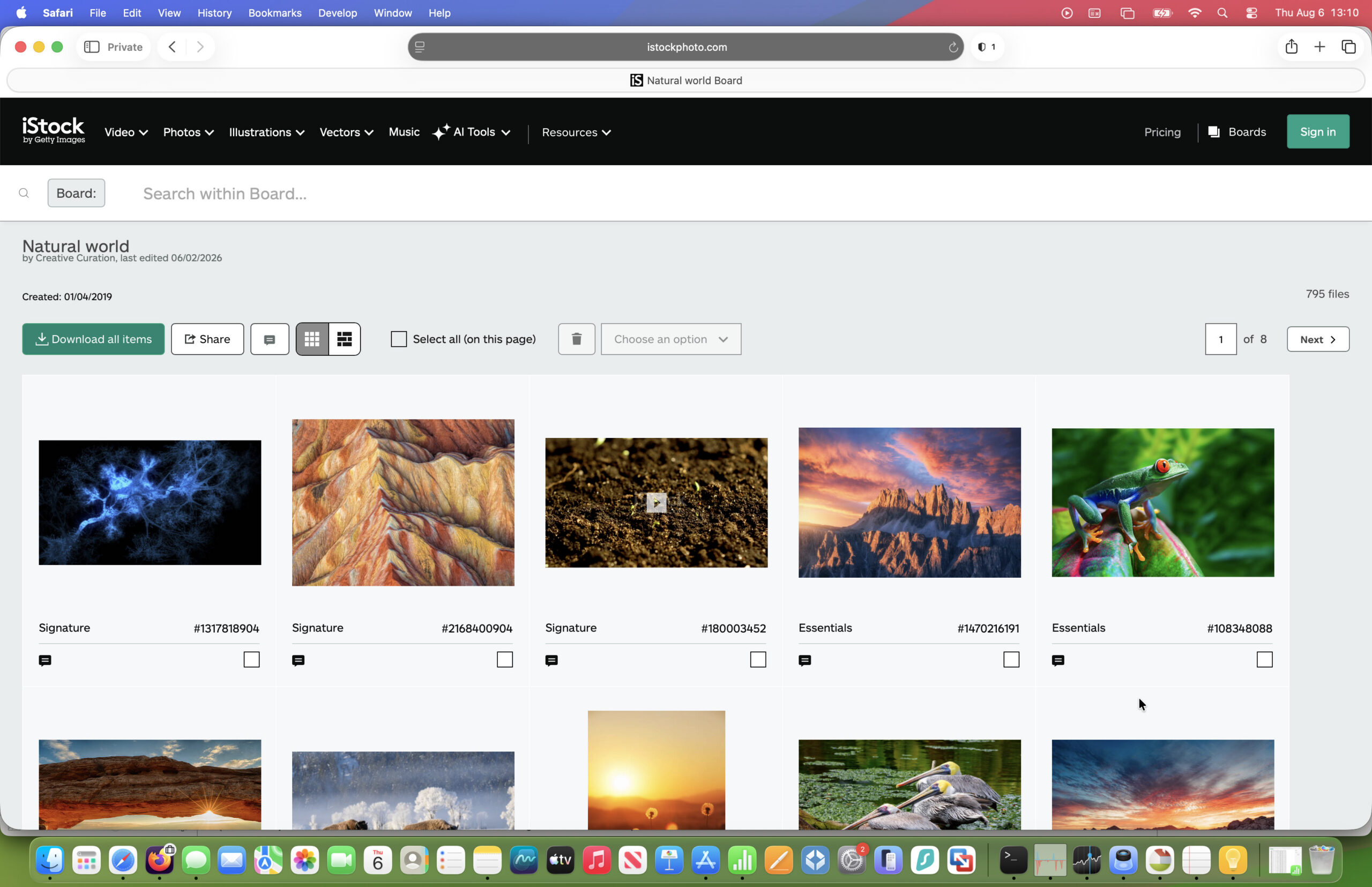
Best for: Small businesses, freelancers and anyone who wants premium images without paying enterprise prices.
Overall Rating: ⭐⭐⭐⭐☆ (4.5/5)
Pros
- High-quality professional photography
- More affordable than many premium competitors
- Excellent search engine
- Flexible subscriptions
- Huge collection of photos, videos and illustrations
- Backed by Getty Images
Cons
- Fewer premium assets than Adobe Stock
- Interface feels slightly dated
- Creative integrations aren’t as polished as Adobe
Why I Recommend iStock
iStock has been one of the biggest names in stock photography for over twenty years, and it remains one of the easiest ways to access premium images without stretching your budget.
Owned by Getty Images, iStock benefits from an enormous archive of professionally produced photography covering almost every industry imaginable.
Unlike Getty itself—which focuses on higher-end editorial and rights-managed imagery—iStock is designed for everyday commercial use.
That makes it particularly attractive for:
- Small businesses
- Marketing teams
- Bloggers
- Agencies
- Freelancers
Why It’s Good on Mac
Like the other major stock libraries, iStock is entirely browser-based and works perfectly in Safari.
Downloaded assets integrate easily into creative software including Adobe Creative Cloud, Affinity Photo, Pixelmator Pro and Apple’s own productivity apps.
While it doesn’t offer the same deep Creative Cloud integration as Adobe Stock, most users won’t notice the difference unless they’re working professionally every day.
Image Quality
The quality of iStock’s photography remains excellent.
Business, healthcare, education and technology images are particularly strong, and many collections feel noticeably more polished than free alternatives.
If you’re creating commercial marketing materials, iStock often strikes a good balance between affordability and professionalism.
Licensing
Pricing starts from $29/month
iStock’s standard licences cover most commercial uses including:
- Websites
- Advertising
- Marketing
- Presentations
- Social media
Extended licences are available for products intended for resale.
Because iStock is backed by Getty Images, licensing documentation is generally very clear and reassuring for businesses.
Who Should Choose iStock?
iStock is ideal if you:
✔ Need premium commercial photography
✔ Run a small business
✔ Create marketing materials regularly
✔ Want something more affordable than Getty Images
Verdict
iStock remains one of the strongest value-for-money premium stock photo services available.
It combines excellent photography, straightforward licensing and competitive pricing, making it a particularly good choice for freelancers and growing businesses.
Rating: ⭐⭐⭐⭐☆ (4.5/5)
7. Canva – Best Stock Photos for Social Media & Marketing
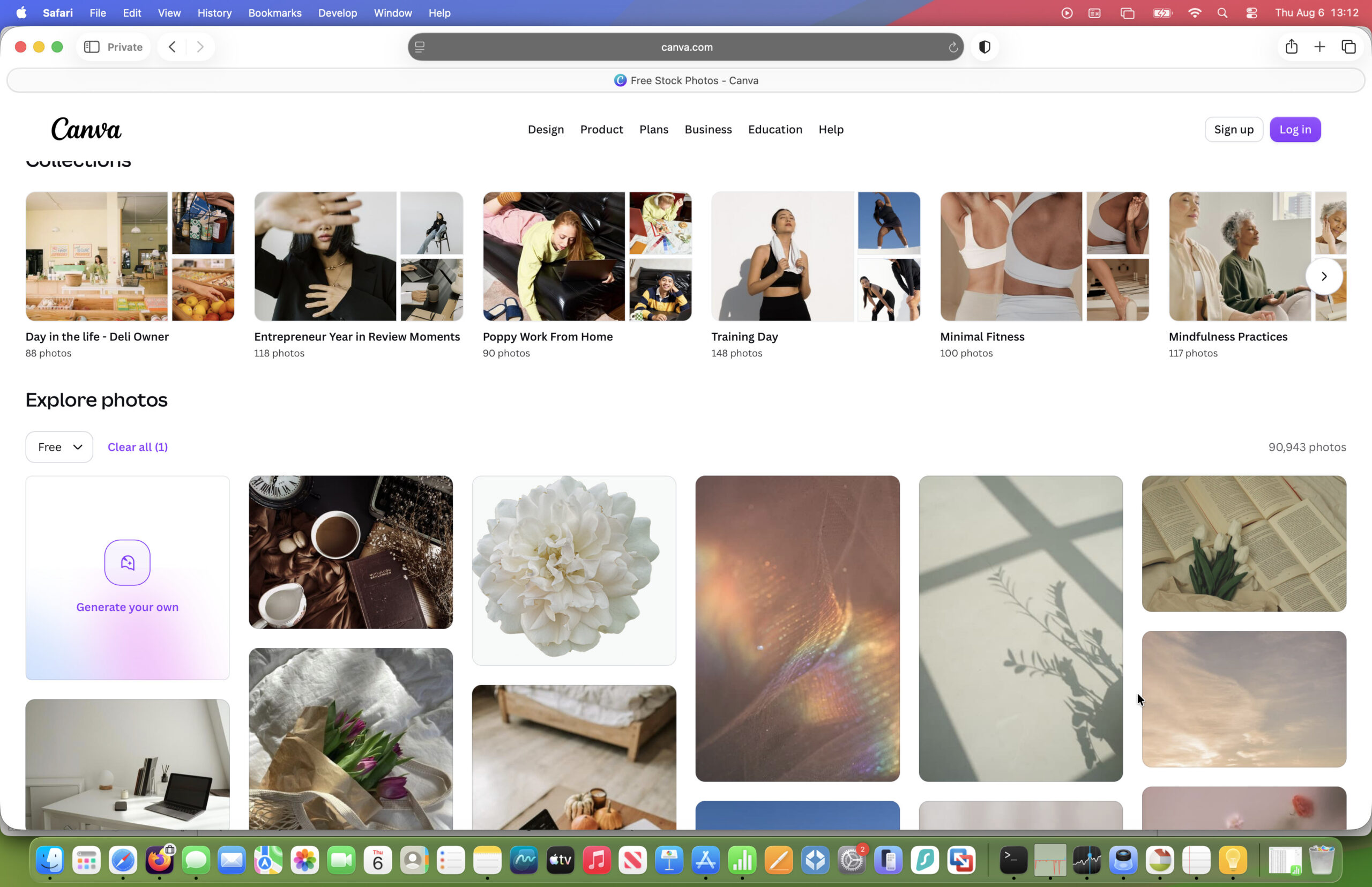
Best for: Small businesses, marketers, content creators and anyone who wants to design as well as download images.
Overall Rating: ⭐⭐⭐⭐☆ (4.5/5)
Pros
- Huge library of stock photos, videos, graphics and templates
- Beginner-friendly design tools
- AI-powered image generation and editing
- Excellent collaboration features
- Works entirely in your browser
- Great value with Canva Pro
Cons
- Less suitable if you only need stock photography
- Fewer specialist commercial images than Adobe Stock or Shutterstock
- Advanced editing tools aren’t as powerful as Photoshop
Why I Recommend Canva
Canva has evolved far beyond being a simple online design tool.
Today, it’s one of the easiest ways to create almost any type of visual content on your Mac, combining a large stock media library with an intuitive drag-and-drop editor.
Rather than downloading a stock photo and then editing it elsewhere, Canva lets you search, customise and publish everything from a single interface.
For many people—especially bloggers, social media managers and small businesses—that’s much more efficient.
Why It’s Great on Mac
Because Canva runs entirely in your browser, there’s nothing to install and no compatibility issues to worry about.
It works equally well on:
- MacBook Air
- MacBook Pro
- iMac
- Mac mini
- Mac Studio
Whether you’re using Safari, Chrome or Firefox, Canva performs smoothly, and projects sync automatically between your Mac, iPhone and iPad.
There’s also a dedicated macOS app if you prefer working outside the browser, although I found the web version just as capable.
More Than Just Stock Photos
This is Canva’s biggest strength.
Alongside millions of stock images, Canva also includes:
- Videos
- Icons
- Illustrations
- Audio
- Presentation templates
- Social media templates
- Logos
- Infographics
- Marketing materials
- Brand kits
You can even resize designs automatically for different platforms using Canva Pro.
If you regularly create content for Instagram, LinkedIn, Facebook or YouTube, Canva can replace several separate tools.
AI Features
Canva has invested heavily in AI over the past few years.
Features now include:
- AI image generation
- Magic Edit
- Background removal
- Magic Expand
- AI writing assistance
- Automatic presentations
- AI-powered design suggestions
While Adobe’s AI tools are still more advanced for professional designers, Canva makes these features much easier for beginners to use.
Pricing starts at $15/month for the Pro version which makes it almost half the price of Adobe Stock.
Who Should Choose Canva?
Canva is ideal if you:
✔ Create social media graphics
✔ Design presentations
✔ Produce newsletters
✔ Run a small business
✔ Want stock photos and design tools in one place
If you’re primarily downloading standalone commercial images, Adobe Stock or Shutterstock are still stronger options.
Verdict
Canva isn’t just a stock photo website—it’s a complete content creation platform.
For bloggers, marketers and small businesses, the combination of quality stock images, templates and AI-powered design tools makes it one of the most useful creative services available for Mac.
Rating: ⭐⭐⭐⭐☆ (4.5/5)
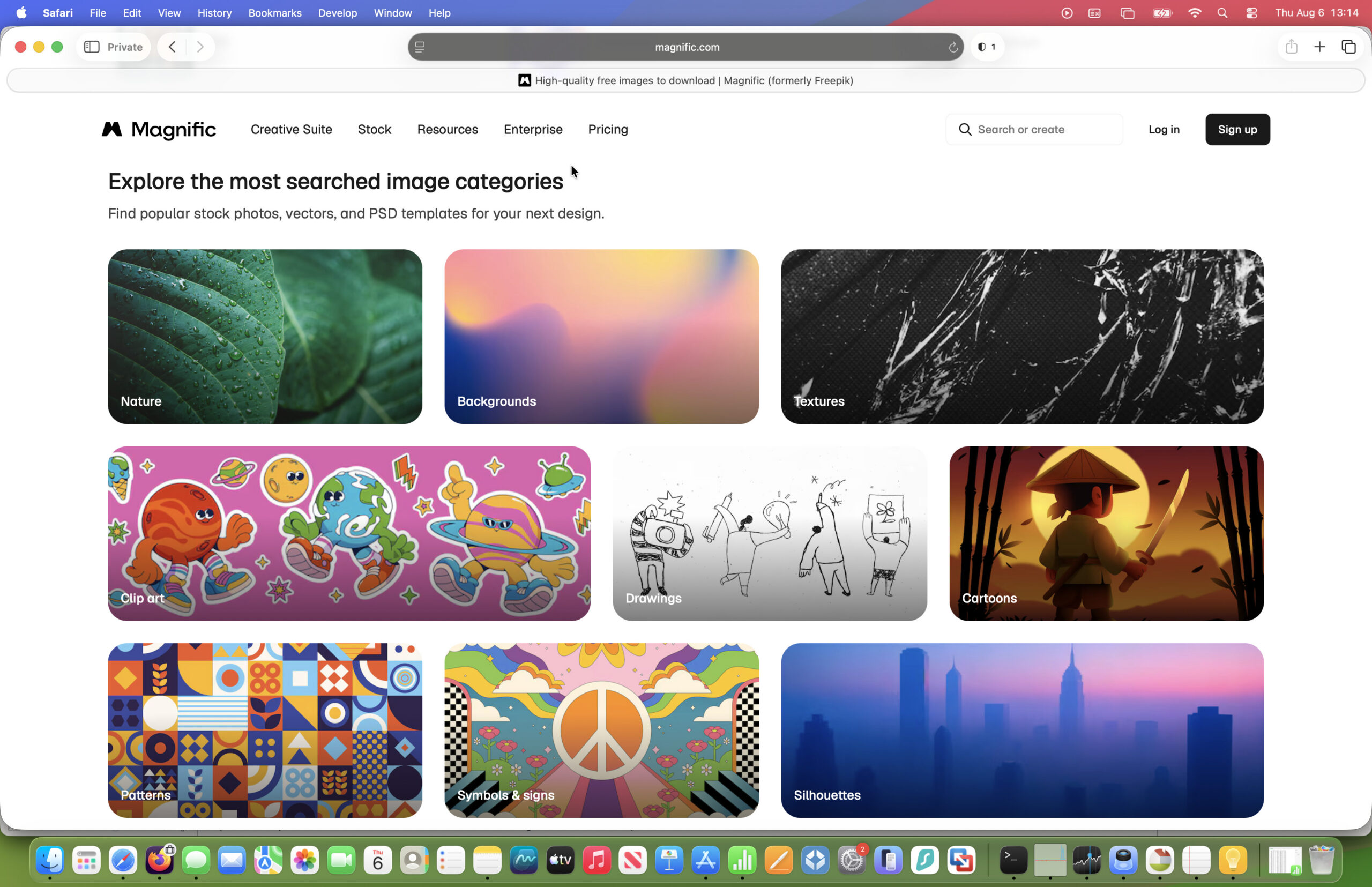
8. Magnific (formerly Freepik) – Best AI-Powered Creative Platform for Mac
Best for: Designers, marketers, content creators and anyone who wants stock assets and AI tools in one place.
Overall Rating: ⭐⭐⭐⭐☆ (4.5/5)
Pros
- Huge library of over 250 million creative assets
- Combines stock photography with AI image, video and audio generation
- Excellent collection of vectors, illustrations, icons and mockups
- Powerful AI image enhancement and editing tools
- Works entirely in your browser
- Strong integration of AI and traditional stock assets
Cons
- Photography isn’t quite as strong as Adobe Stock
- Credit-based AI tools can become expensive for heavy users
- The platform can feel overwhelming for beginners
Why I Recommend Magnific
Long-time MacHow2 readers may remember this service as Freepik, one of the web’s most popular sources of free vectors and design resources.
In 2026, the company rebranded as Magnific to reflect how much the platform has evolved. Rather than simply offering stock graphics, it now combines a library of more than 250 million photos, vectors, illustrations, icons, templates, videos and audio with an extensive suite of AI creative tools.
Most of this can be used for free with the premium version starting at $9/month.
For many designers, that’s a much more compelling proposition than subscribing to a stock photo library alone.
Why It’s Great on Mac
Magnific runs entirely in your browser, so there’s nothing to install and it works equally well on:
- MacBook Air
- MacBook Pro
- iMac
- Mac mini
- Mac Studio
Downloaded assets are compatible with virtually every popular Mac creative application, including:
- Adobe Photoshop
- Illustrator
- Affinity Designer
- Affinity Photo
- Pixelmator Pro
- Sketch
- Figma
- Canva
Whether you’re downloading a stock photo, editing an AI-generated image or working with layered PSD templates, everything integrates smoothly into a typical Mac graphic design software.
More Than Just Stock Photos
Although Magnific still includes millions of high-quality stock photographs, its biggest strength is the breadth of creative assets available.
Subscribers also have access to:
- Vector graphics
- Illustrations
- Icons
- PSD mockups
- Fonts
- Presentation templates
- 3D assets
- Video clips
- Audio
- AI-generated images
This makes it particularly useful if you regularly design websites, marketing campaigns or social media content.
AI Features
AI is now at the heart of the platform.
Magnific includes tools for:
- AI image generation
- Image upscaling and enhancement
- Background replacement
- Object removal
- AI video generation
- AI audio generation
- AI-assisted editing
Unlike the original Freepik service, which focused primarily on downloadable assets, Magnific now aims to be a complete creative workspace where you can generate, edit and export content without switching between multiple applications.
Who Should Choose Magnific?
Magnific is ideal if you:
✔ Create marketing materials
✔ Design websites
✔ Need vectors and editable graphics
✔ Regularly use AI image generation
✔ Want stock assets and AI tools in one subscription
If your priority is simply finding the best commercial stock photography, Adobe Stock still offers a more refined collection. However, if you want a broader creative platform that combines stock assets with AI-powered design tools, Magnific is one of the most capable options available today.
Verdict
Magnific has successfully transformed what was once Freepik into a much broader creative platform.
While it may no longer be the obvious choice for stock photography alone, its combination of AI tools, templates, vectors and an enormous asset library makes it an excellent resource for Mac users producing modern digital content.
For designers who regularly move between stock assets and AI-assisted creation, it’s one of the most interesting platforms to emerge over the past few years.
Rating: ⭐⭐⭐⭐☆ (4.5/5)
Honourable Mention: PicFindr
If you’ve searched for stock photo sites for Mac, you’ve probably come across PicFindr, a Mac application developed by Softorino.
Unlike the other services in this guide, PicFindr isn’t actually a stock photo library. Instead, it’s a desktop app that searches free image libraries such as Pexels and Pixabay from a single interface.
That’s an interesting idea, particularly if you frequently download free images and prefer using a dedicated Mac app instead of a browser.
However, for most users, I don’t think it’s an essential purchase.
All the stock photo websites I used already work extremely well in Safari, downloads are quick, and licensing information is clearly displayed. Unless you specifically want a desktop search interface, visiting the sites directly is usually just as convenient.
If you already use Softorino products or like keeping your creative work inside a Mac app, PicFindr is worth a look. Just remember that you’re still searching content from other stock libraries rather than accessing an exclusive image collection.
Free vs Premium Stock Photo Sites
At this point, you may be wondering whether you really need a paid service or whether you can just use a free one. Here’s a useful summary of the differences between them to help you decide.
| Feature | Free Sites (Pexels, Unsplash, Pixabay) | Premium Sites (Adobe Stock, Shutterstock, iStock) |
|---|---|---|
| Cost | Free | Monthly subscription or image packs |
| Image Quality | Excellent | Outstanding |
| Library Size | Large | Much larger |
| Commercial Photography | Good | Excellent |
| Editorial Images | Limited | Extensive |
| Videos | Good | Excellent |
| AI Tools | Limited | Advanced |
| Legal Protection | Basic | Stronger |
| Best For | Bloggers, students, hobbyists | Businesses, agencies and professionals |
Should You Pay for Stock Photos?
For many people, the answer is no.
If you’re running a personal blog, creating occasional social media posts or producing presentations, the combination of Pexels, Unsplash and Pixabay is likely to cover most of your needs.
However, once you’re creating client work, advertising campaigns or content that directly generates revenue, a premium service such as Adobe Stock, Shutterstock or iStock quickly becomes worthwhile. The higher-quality imagery, broader selection and stronger licensing often save time—and help your work stand out.
Which Stock Photo Site Should You Choose?
After comparing all of these services, my recommendations are straightforward:
🏆 Best Overall: Adobe Stock
The best all-round choice, combining premium-quality photos, videos, illustrations, AI-powered creative tools and seamless integration with Adobe Creative Cloud.
💰 Best Free Stock Photos: Pexels
A superb collection of free, high-quality photos and videos with a straightforward commercial licence that’s ideal for bloggers, students and small businesses.
📸 Best Free Photography: Unsplash
Beautiful, editorial-style photography that’s perfect for blogs, websites, travel articles and lifestyle brands.
🏢 Best for Businesses: Shutterstock
One of the world’s largest commercial stock libraries, with outstanding search tools and an enormous selection of professional creative assets.
📚 Best Free Creative Library: Pixabay
A fantastic all-round resource offering not only free stock photos, but also videos, illustrations, vectors, icons and music.
💼 Best Premium Value: iStock
Professional-quality stock photography at competitive prices, making it an excellent choice for freelancers and growing businesses.
🎨 Best for Content Creators: Canva
Combines millions of stock photos with an easy-to-use design platform that’s perfect for creating social media graphics, presentations and marketing materials.
🤖 Best AI Creative Platform: Magnific (formerly Freepik)
A powerful creative platform that combines stock photos, vectors, mockups and templates with AI image generation and editing tools.
Final Verdict
If you’re just getting started or only need images occasionally, Pexels, Unsplash and Pixabay provide an excellent selection of free, high-quality content.
However, if you create content professionally or need images for client work, Adobe Stock remains my top recommendation. Its superior image quality, extensive commercial library, powerful AI features and seamless integration with Photoshop, Illustrator and other Adobe Creative Cloud apps make it the best stock photo site for Mac users in 2026.