

Watching free live TV on a Mac is still possible with the right TV tuner and compatible software, even as streaming services dominate.
TV tuners provide access to over-the-air (OTA) digital channels through an antenna, making them a cost-effective alternative to a cable subscription if the channels you want are available locally.
To receive these broadcasts, you need a tuner that supports ATSC in the US or DVB-T/T2 in the UK and much of Europe. Live viewing can be subscription-free, although internet access may be required for programme guides and some recording features cost extra.
If you’re replacing an older EyeTV setup, checking compatibility with your Mac and macOS version is particularly important. In this guide, we look at the best current TV tuners for Mac, including network tuners that let you watch television on compatible devices around your home.
Why We Selected These Models
The HDHomeRun FLEX DUO is our top TV tuner recommendation for most Mac users in the US and Canada. It receives local antenna channels and makes them available around your home, with an official Mac app for watching TV and options for recording it.
For the UK, choose the DVB version of the HDHomeRun FLEX QUATRO. American ATSC tuners cannot receive UK Freeview broadcasts, so checking the exact model matters more than choosing the cheapest listing.
HDHomeRun’s current range offers a practical way to watch broadcast TV on a Mac without plugging a tuner directly into the computer. The tuner connects to your home network, and your Mac becomes one of the devices you can watch on.
Tablo’s 4th Generation tuner is not a recommended purchase for watching on a Mac. Tablo explicitly says this generation does not support PC or Mac viewing. We explain the distinction from older Tablo models below.
Our selections prioritize documented Mac support, regional compatibility, recording options, price and availability. Manufacturer specifications and support information were checked in September 2026.
Best TV Tuners for Mac Compared
| TV tuner | Best for | Broadcast standard | Tuners | Manufacturer-listed price |
|---|---|---|---|---|
| HDHomeRun FLEX DUO — HDFX-2US | Most US and Canadian Mac users | ATSC 1.0 | 2 | US$109.99 |
| HDHomeRun FLEX QUATRO — HDFX-4US | More simultaneous viewing and recording in North America | ATSC 1.0 | 4 | US$149.99 |
| HDHomeRun FLEX QUATRO — HDFX-4DT | UK Freeview and compatible DVB regions | DVB-T/T2; unencrypted DVB-C | 4 | £154.99 from the UK store |
| HDHomeRun FLEX 4K — HDFX-4K | US buyers with useful, unencrypted ATSC 3.0 broadcasts | ATSC 1.0 and ATSC 3.0 | 4 total; 2 support ATSC 3.0 | US$199.99 |
Prices are for the tuner hardware. Budget separately for an antenna and recording storage if needed. Retailer prices and availability vary.
1. HDHomeRun FLEX DUO — Best for Most US Mac Users
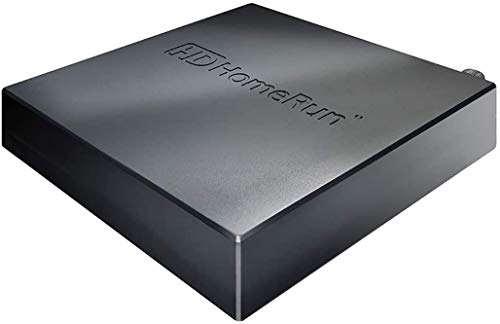
The FLEX DUO is the model we would start with for watching local news, sport and other antenna broadcasts on a Mac in the US or Canada.
Its two ATSC 1.0 tuners let you watch two different channels at once, or watch one while recording another. At US$109.99, it is the least expensive new FLEX model in SiliconDust’s US store.
The main buying decision is whether two tuners are enough. If you normally watch alone or record occasionally, the DUO is a sensible starting point. If several people watch different live channels while recordings run, consider the QUATRO below.
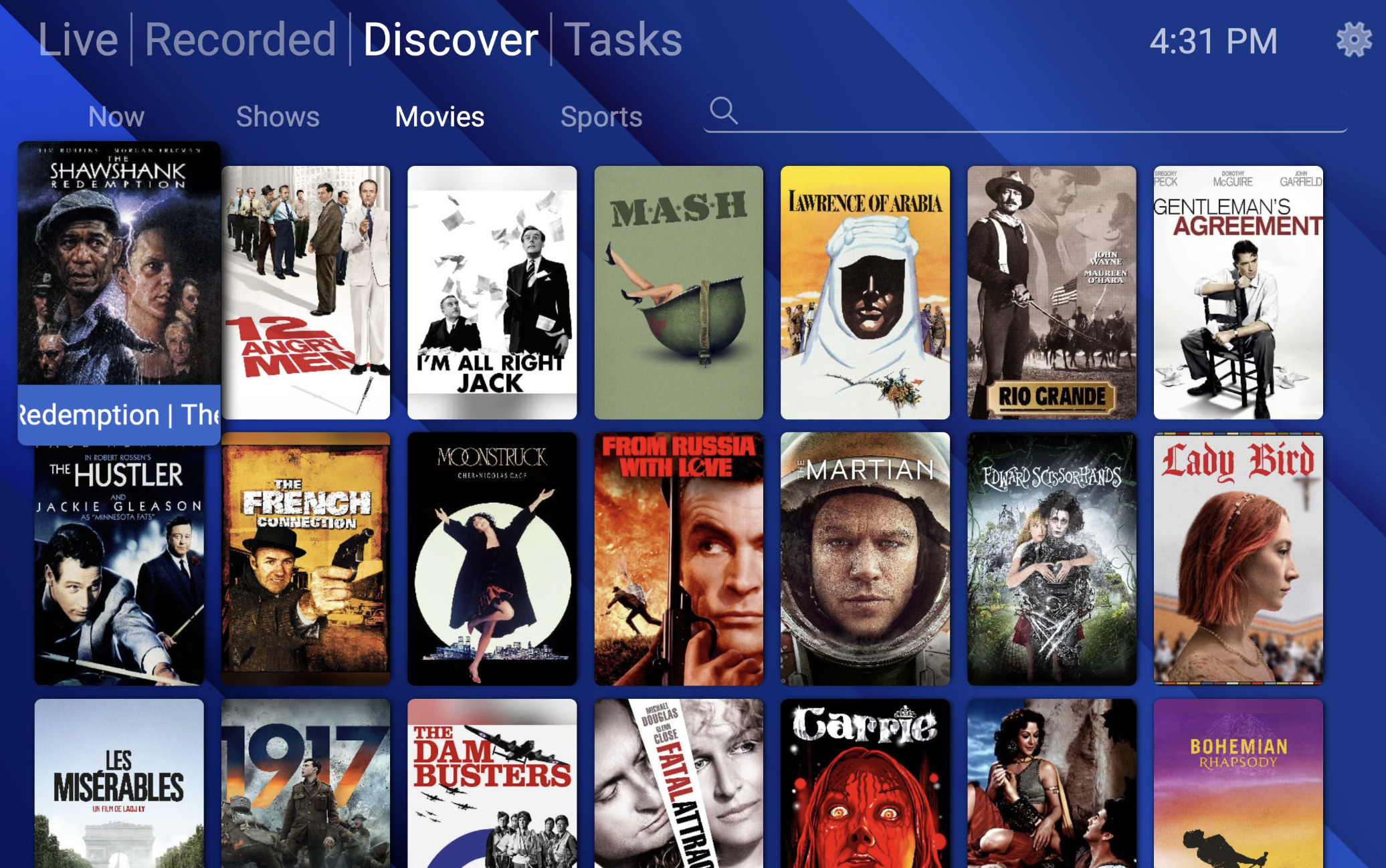
For playback, the free HDHomeRun Mac app currently requires macOS 11 or later. SiliconDust also confirms native Apple Silicon support, so an Intel Mac is not a requirement for watching HD television through this system.
Choose it if: You want an affordable antenna-TV setup for one or two simultaneous channels.
Main limitation: It receives ATSC 1.0, so it does not add ATSC 3.0 reception or work with UK Freeview.
2. HDHomeRun FLEX QUATRO — Best for Multiple Viewers and Recordings
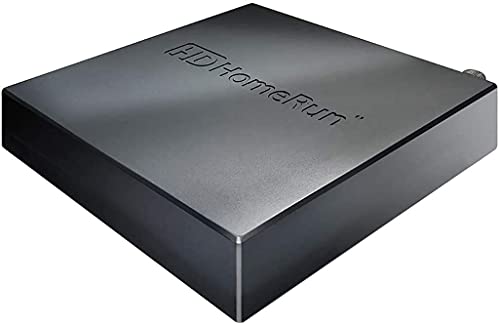
The North American FLEX QUATRO HDFX-4US increases the tuner count to four for US$149.99. That makes it a useful upgrade if recording clashes are likely to be a regular problem.
For example, you could record three different channels while watching a fourth. Watching an already completed recording does not require another live broadcast tuner.
Our view is that the extra US$40 over the DUO is worthwhile for households that record frequently. It buys more capacity, rather than a sharper picture from the same broadcast.
Like the DUO, this version receives ATSC 1.0 television. It is a good choice when the channels you want are available in that format and your priority is handling several programmes at once.
Choose it if: Multiple people watch different channels, or you regularly record overlapping programmes.
Main limitation: The HDFX-4US is the North American model. UK buyers need the HDFX-4DT version.
3. HDHomeRun FLEX QUATRO DVB — Best for UK Freeview
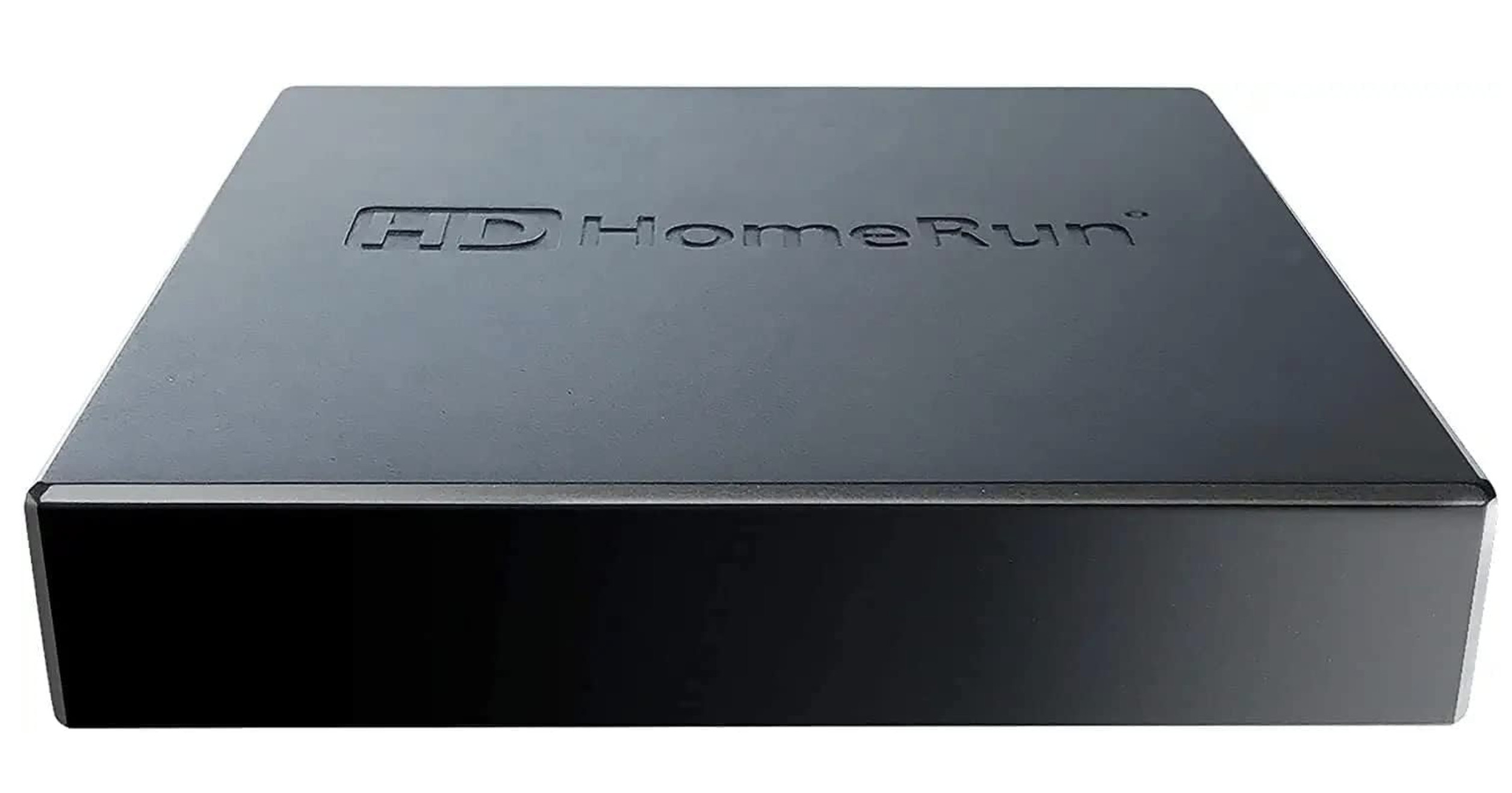
For watching Freeview on a Mac, our first choice is the HDHomeRun FLEX QUATRO HDFX-4DT, listed as HDFX-4DT(UK) in SiliconDust’s UK store.
It has four tuners supporting DVB-T and DVB-T2, plus unencrypted DVB-C. The UK store lists it at £154.99. This is the appropriate broadcast format for receiving UK terrestrial SD and HD channels through a suitable aerial.
SiliconDust also lists the DVB model in its international store at US$199.99, with import taxes and duties payable by the buyer where applicable.
For buyers elsewhere in Europe, Australia or New Zealand, check the local broadcast standard, supported channel formats and regional product listing before ordering.
Choose it if: You want to distribute aerial television to Macs and other devices in a UK household.
Main limitation: The similar-looking American FLEX models are not interchangeable with this DVB version.
4. HDHomeRun FLEX 4K — A Conditional ATSC 3.0 Upgrade
The FLEX 4K costs US$199.99 and has four tuners. All four support ATSC 1.0, while two also support ATSC 3.0, the US broadcast system marketed as NEXTGEN TV.
However, encrypted ATSC 3.0 channels remain a significant limitation. SiliconDust states that these channels will not work and that the FLEX 4K uses the ATSC 1.0 version instead where available.
The “4K” name also does not guarantee that your local stations broadcast programmes in 4K. Picture quality depends on what the station transmits and what your playback setup supports.
We would pay the extra over the QUATRO when there are specific, usable ATSC 3.0 broadcasts you want. For ordinary ATSC 1.0 viewing, the cheaper QUATRO already provides four tuners.
Choose it if: You have checked that the ATSC 3.0 channels you want are available and unencrypted.
Main limitation: It is not a guarantee of access to every NEXTGEN TV channel.
How HDHomeRun Works With a Mac
HDHomeRun separates the television receiver from the computer you watch on. To get started:
- Connect a suitable TV antenna or aerial to the tuner.
- Connect the tuner to your router or network switch with an Ethernet cable. If your Mac doesn’t have an Ethernet port, you may need a USB-C to Ethernet adapter.
- Connect your Mac to the same home network using Wi-Fi or Ethernet.
- Install the official HDHomeRun app, complete the channel scan and select a channel.
- Add recording storage if you want DVR features.
The FLEX’s USB port is for recording storage. It does not turn the box into a USB tuner that connects directly to your Mac. Your Mac can watch wirelessly through your router, but the tuner itself uses Ethernet.
This arrangement also lets you place the tuner near the aerial connection while watching elsewhere in the house. Your Mac does not have to sit beside the aerial cable.
For more on this, check out the FLEX hardware documentation.
Does HDHomeRun Recording Require a Subscription?
Basic recording is available without a paid subscription. The distinction is between recording an individual airing and setting up automatic recordings.
| Feature in HDHomeRun’s own DVR system | Free tier | Full guide subscription |
|---|---|---|
| Watch live TV | Yes | Yes |
| Record an individual airing from the guide | Yes, within the available guide window | Yes |
| Automatically record a series | No | Yes |
| Future programme listings | 3 days | 14 days |
| Recording storage included | No | No |
SiliconDust lists the full guide subscription at US$35 per year; its UK store lists £35 per year. It includes automatic recording and the extended guide.
For the simplest recording setup, attach a USB hard drive to the FLEX. An external SSD is supported, but a conventional hard drive is sufficient for recording several channels. SiliconDust recommends avoiding ordinary USB thumb drives for sustained recording.
You can alternatively store recordings using the HDHomeRun recording software on a Mac or supported NAS. If your Mac handles the recording, it must remain available during scheduled programmes. With storage attached to the FLEX, your Mac does not need to stay on to make recordings. For more check out the HDHomeRun recording and storage options.
Other Mac Software: Channels and Plex
Start with the official HDHomeRun app. Consider another DVR system if you want features such as remote viewing or a larger personal media library.
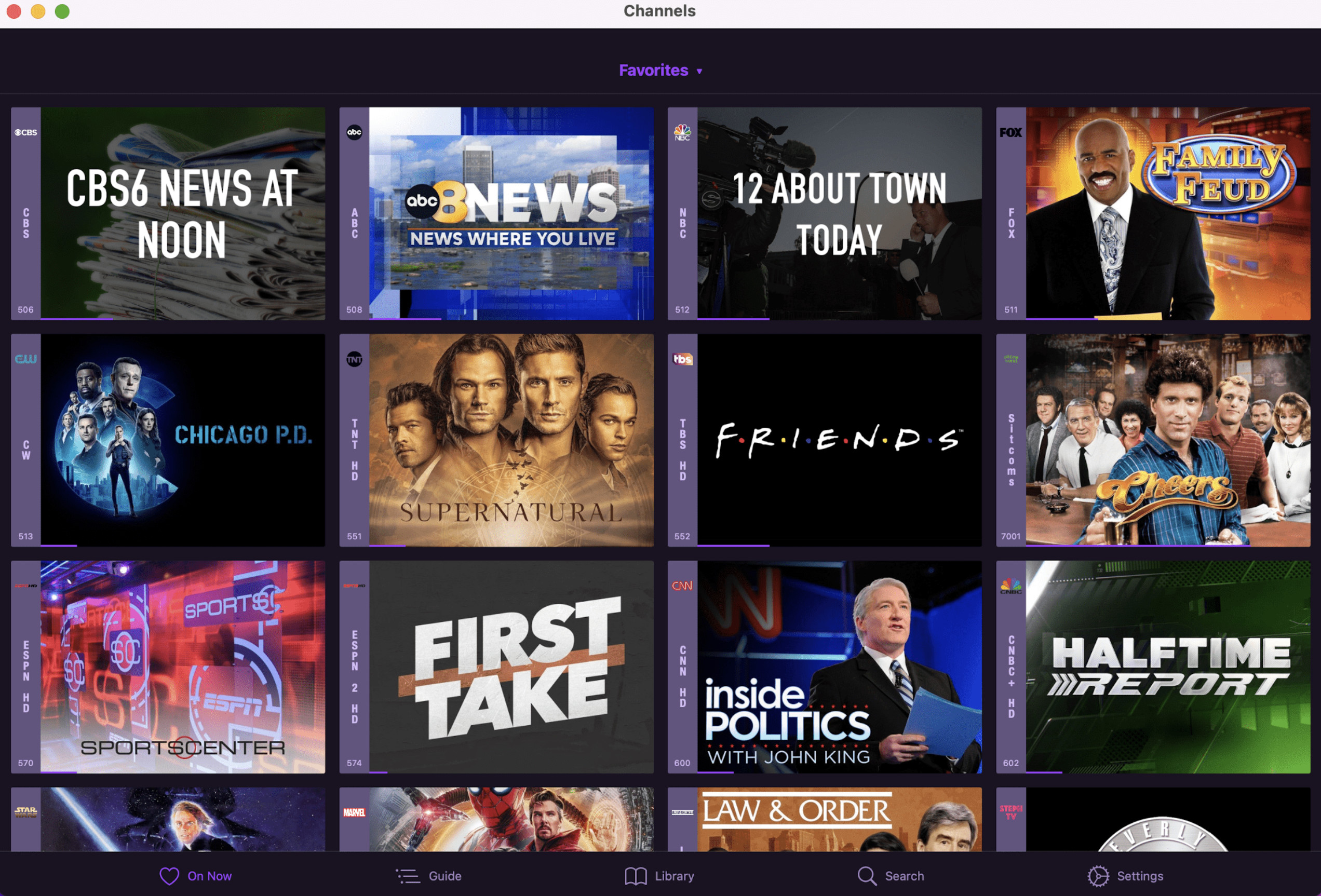
Channels DVR works with HDHomeRun and costs US$8 per month or US$80 per year. It provides series recording, viewing away from home and commercial skipping, with a separate DVR server running on an always-on computer or NAS.
On an Apple Silicon Mac, Channels also officially supports installing its iOS app from the Mac App Store. It uses the iPad layout and supports picture-in-picture. That playback option should not be confused with the separate Channels DVR server software.
Plex is another option for readers who already maintain a personal media collection. Its broadcast-TV recording features are included with Plex Pass, and require a compatible tuner and antenna.
These are alternative software choices. Choose one recording system and check its requirements; you do not need to buy every subscription mentioned here.
Why Tablo 4th Gen Is Not a Top Mac Recommendation
Tablo 4th Generation DVRs support a range of televisions, streaming devices, phones and tablets, including Apple TV and iOS devices. Apple TV support does not mean Mac support.
Tablo currently states that 4th Generation devices do not support PC or Mac, and that there are no short-term plans for a desktop app. The older Tablo web app should not be presented as a way to watch a 4th Gen tuner in Safari or Chrome. The 4th Gen apps also do not provide automatic commercial skipping.
There is another reason to be cautious about buying an older Tablo for Mac viewing: support for legacy apps ended on September 1, 2026. The legacy web app remains available with limited browser access, but is no longer maintained.
For a purchase specifically intended for watching on a Mac, we recommend HDHomeRun.
What About EyeTV and USB TV Tuners?

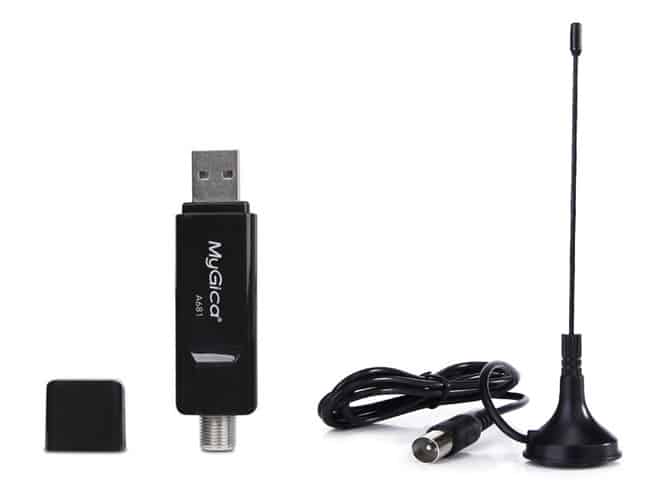
Geniatech still lists USB tuners such as the EyeTV U6 for ATSC broadcasts and EyeTV T2 models for DVB regions. However, its published Mac software compatibility needs careful attention.
The current EyeTV U6 product page lists an Intel processor requirement and gives macOS Mojave through Sonoma as the EyeTV 4 support range. Geniatech’s EyeTV 4 build 8532 release notes explicitly mention macOS 14 compatibility. However, neither is a sufficient basis for promising compatibility with every newer macOS release or Apple Silicon configuration so we would not rely on them.
Also, EyeTV 3 is 32-bit software, with Geniatech listing support only through macOS Mojave. It is not a solution for a current Mac running a newer operating system.
If you already own an EyeTV setup that works, assess that exact combination of tuner, software and macOS before changing it. For a new purchase, ask Geniatech to confirm support for your Mac and the HD channels you want to receive.
Budget MyGica tuners do not automatically avoid these software questions: Geniatech lists EyeTV as the Mac software for supported models, with an additional purchase required.
Our recommendation for a new Mac TV setup remains a network tuner with documented Mac playback support.
What About the Elgato EyeTV Hybrid?
The Elgato EyeTV Hybrid is an older USB TV tuner whose usefulness depends on the exact hardware model, regional broadcast standard and compatible software.
Check the software carefully though: EyeTV 3 is 32-bit and only supports macOS up to Mojave. EyeTV 4 is 64-bit, but buying a newer software licence does not automatically establish compatibility with your particular tuner and Mac.
If you already have a working EyeTV Hybrid setup, it may still meet your needs. For a new purchase, we recommend choosing a tuner with clearly documented support for your Mac and macOS version.
What to Check Before Buying
Check reception at your address. Use AntennaWeb in the US or the Freeview Channel Checker in the UK, TVFool in Canada, MySwitch in Australia and in New Zealand Freeview NZ. A tuner can only receive broadcasts your aerial installation picks up; a more expensive model does not guarantee more channels. In other countries you can try:
Match the regional model. Check the model number and broadcast standard in the retailer’s listing, especially when buying an imported HDHomeRun or an EyeTV variant.
Count simultaneous live channels and recordings. Two tuners suit lighter use; four provide more room for overlapping programmes. Choose based on the busiest period in your household.
Allow for network and storage needs. You need an Ethernet connection for the FLEX and a reliable connection to the Mac. Recording storage is an additional purchase unless you already have a suitable drive or server.
Check UK licensing requirements. A TV Licence is required to watch or record live television on a computer, and to use BBC iPlayer. Receiving free-to-air broadcasts does not remove that requirement.
Frequently Asked Questions
Can I watch HD television on an Apple Silicon Mac?
Yes. The current HDHomeRun Mac app supports Apple Silicon. Limitations involving a particular older USB tuner or EyeTV setup should not be treated as a general inability of M-series Macs to play HD television.
Do I need an internet connection?
The antenna receives the broadcast, and HDHomeRun sends the video across your local network. Its app uses an internet connection for programme-guide data, so plan for internet access as part of the normal setup. This differs from downloading the television stream from an online streaming service. Check out the full HDHomeRun app requirements for more.
Can these tuners receive satellite or encrypted cable television?
These FLEX models receive terrestrial broadcasts and compatible unencrypted cable signals. They do not replace a satellite receiver or unlock subscription channels.
Do I need a tuner just to watch television online?
No. Where a broadcaster or streaming service offers the channels you want in a supported Mac browser or app, you can watch through that service. A tuner is useful when you specifically want aerial reception, distribution around the home or local DVR recordings.