

Whether you’re documenting an office LAN, planning a hybrid cloud deployment, or managing a complex enterprise infrastructure, the right network diagram software makes it far easier to visualize and troubleshoot your systems.
Modern network topology tools can do far more than simply draw boxes and lines. Many now support:
- automatic network discovery
- AWS, Azure and Kubernetes diagrams
- live monitoring integrations
- Visio compatibility
- collaborative cloud editing
- compliance documentation for SOC 2, PCI DSS and GDPR
After extensively testing the leading network diagramming apps on macOS, we found that SmartDraw remains the best overall network diagram software for most Mac users thanks to its balance of ease of use, Visio compatibility, cloud infrastructure templates and fast diagram creation.
However, the best option for you will depend on whether you need:
- a native Mac desktop app
- automated topology mapping
- enterprise monitoring
- collaborative cloud-based diagramming
- or a completely free solution
Quick Picks
| Use Case | Recommended Tool |
|---|---|
| Best Overall | SmartDraw |
| Best Native Mac App | OmniGraffle |
| Best Free Option | Draw.io |
| Best For Teams | Lucidchart |
| Best For Automated Discovery | SolarWinds NTM |
| Best For MSPs & Monitoring | Domotz |
| Best Built-In macOS Option | Apple Freeform |
Comparison Table: Network Diagramming Software For Mac
Below is a detailed comparison of all the Mac compatible diagramming apps we looked at.
| Tool | Mac Desktop App | Auto Discovery | Visio Support | Best For |
|---|---|---|---|---|
| SmartDraw | Yes | AWS/Azure imports | Excellent VSDX support | Overall usability |
| Zoho OpManager | No | Yes | No | IT monitoring teams |
| SolarWinds NTM | No | Full automation | Yes | Enterprise topology mapping |
| Miro | Yes | No | Limited | Team collaboration |
| OmniGraffle | Yes | Manual only | Import support | Native macOS workflows |
| Lucidchart | No | Partial integrations | Import/export support | Cloud collaboration |
| Draw.io | Yes | No | Basic VSDX support | Free network diagrams |
| Netdisco | Web-based | Yes | No | Open-source network management |
| Domotz | Yes | Full automation | Export support | MSPs & remote monitoring |
| Intermapper | Yes | Automated monitoring | No | Real-time monitoring |
1. SmartDraw – Best Overall Network Diagram Software For Mac
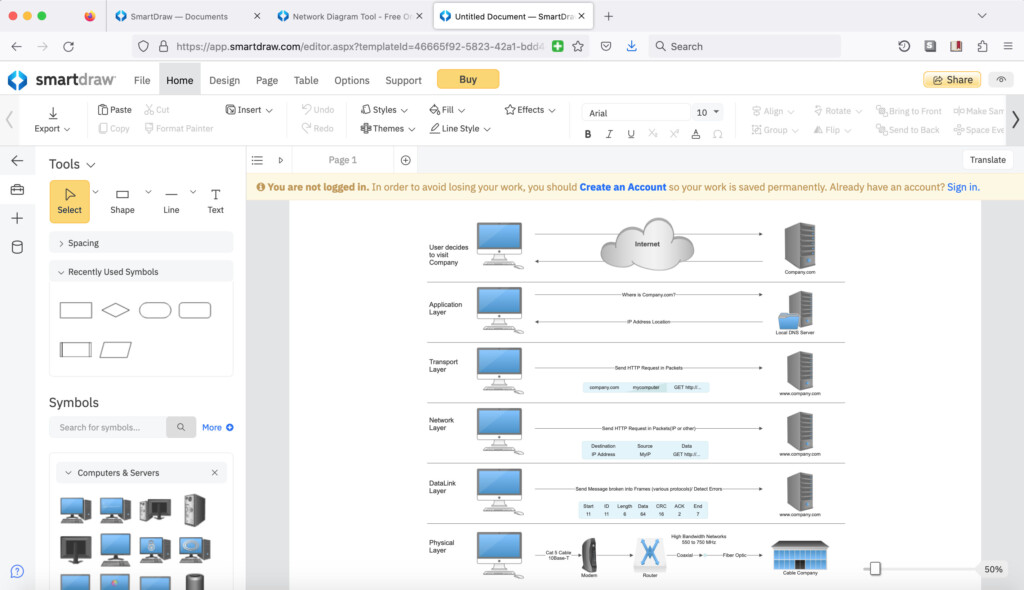
SmartDraw is the best overall network diagram software for Mac users thanks to its excellent balance of usability, Visio compatibility, intelligent formatting tools and cloud infrastructure support.
Unlike many diagramming apps that feel overly technical or require extensive manual formatting, SmartDraw makes it incredibly fast to build professional-looking network topology diagrams even if you’re relatively new to network documentation.
One of SmartDraw’s biggest advantages is that it’s still the best Visio alternative we’ve tested on a Mac. Importing and exporting Microsoft Visio VSDX files is far more reliable than in most competing apps, making it ideal for mixed Mac and Windows environments.
SmartDraw also supports automatic AWS and Azure imports, allowing IT teams to quickly generate cloud architecture and network infrastructure diagrams without building everything manually.
Best For
IT professionals, sysadmins and businesses that want an easy-to-use network diagramming tool with strong Visio compatibility and cloud infrastructure support.
Key Features
- Excellent Microsoft Visio VSDX import/export support
- AWS and Azure network imports
- Extensive Cisco, AWS, Azure and Google Cloud symbol libraries
- Intelligent auto-formatting connectors
- Real-time collaboration
- Mac desktop app
- Templates for:
- cloud infrastructure
- Kubernetes
- Cisco topology
- data centers
- DevOps documentation
- Exports to:
- PNG
- Microsoft Office
- Google Workspace
- Atlassian apps
SmartDraw is especially useful for businesses creating documentation for:
- SOC 2
- GDPR
- PCI DSS
- infrastructure audits
- disaster recovery planning
Its automatic alignment and connector tools also make large topology maps significantly easier to maintain as networks evolve.
Limitations
- No built-in live network monitoring
- Advanced automation features require integrations
Check out our SmartDraw review for more.
Pricing: FREE to start / $6.95 per month for teams of 3+ / $7.95 per month individuals / Enterprise plans start at $5 per user/month.
2. Zoho OpManager – Best For Integrated Network Management
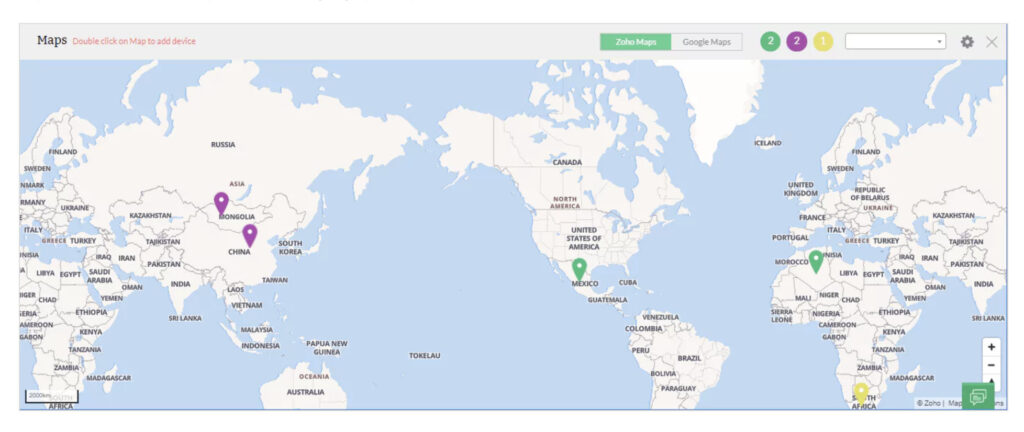
Zoho Corporation OpManager combines automated network topology mapping with live infrastructure monitoring, making it particularly useful for IT administrators managing active business networks.
Unlike traditional manual diagramming tools, OpManager automatically scans and maps your network infrastructure, displaying both Layer 2 and Layer 3 relationships in real time.
This makes it especially valuable for:
- troubleshooting
- capacity planning
- MSP work
- distributed office environments
Best For
IT teams that need both network monitoring and automated topology visualization in a single platform.
Key Features
- Automatic network discovery
- Real-time topology maps
- Layer 2 and Layer 3 visualization
- Live device health monitoring
- SNMP support
- Detailed device metrics including:
- CPU usage
- MAC addresses
- IP addresses
- bandwidth utilization
- Integration with broader ManageEngine network management tools
Unlike static diagramming apps, OpManager dynamically updates diagrams as your network changes.
Limitations
- Requires the full OpManager platform
- Less flexible for visual customization
- No Visio support
Pricing: Free trial available / Starts at $245 for 10 devices
3. SolarWinds Network Topology Mapper – Best For Enterprise Auto-Discovery
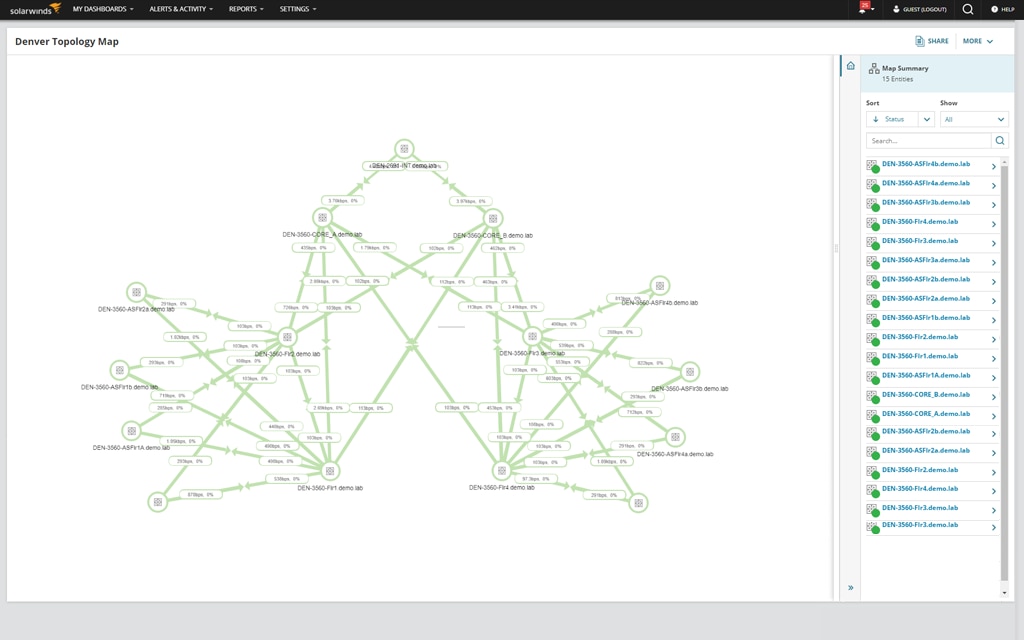
SolarWinds Network Topology Mapper (NTM) is one of the most powerful automated network mapping tools available for enterprise environments.
Rather than manually building topology diagrams, SolarWinds scans your infrastructure and automatically generates detailed network maps that update as devices and connections change.
For large enterprises, MSPs and distributed infrastructure environments, this can save enormous amounts of time.
Best For
Large organizations that need fully automated topology discovery and enterprise-scale network mapping.
Key Features
- Fully automated topology mapping
- Real-time network updates
- Scheduled rescans
- Large enterprise scalability
- Microsoft Visio VSDX export
- Cisco export support
- SNMP-based discovery
- Performance monitoring integrations
SolarWinds is particularly effective for documenting:
- hybrid cloud infrastructure
- SD-WAN deployments
- large campus networks
- multi-site enterprise environments
Limitations
- Expensive for smaller businesses
- Steeper learning curve
- More monitoring-focused than visual design-focused
Pricing: Free trial. Starts at $1,617
4. Miro – Best Collaborative Network Diagram Tool
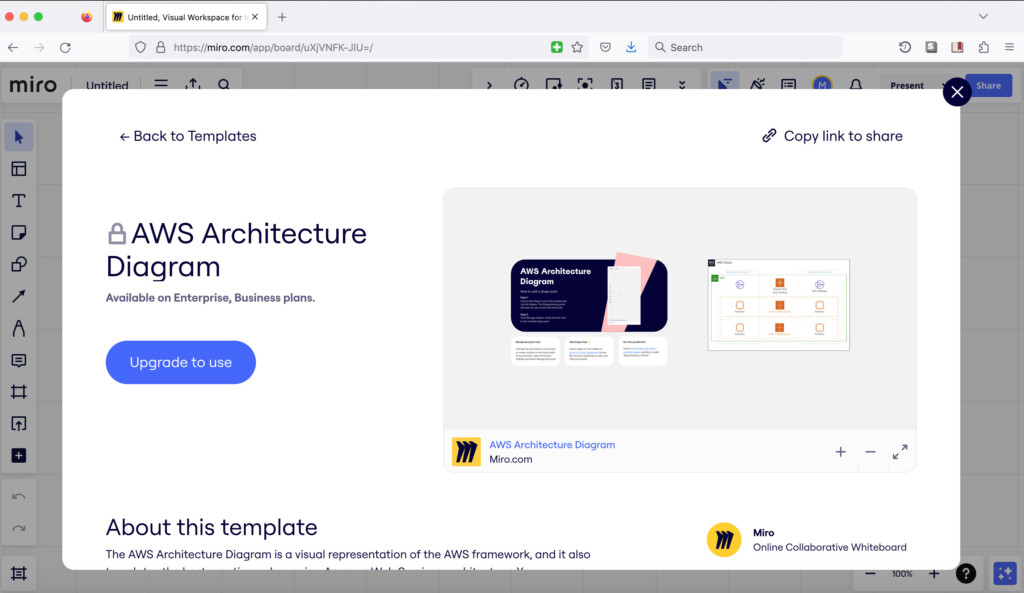
Miro has evolved far beyond a simple online whiteboard software and is now one of the best collaborative diagramming platforms available for Mac users.
Its infinite canvas and modern interface make it particularly well suited to distributed IT teams working on cloud infrastructure planning, DevOps tasks and architecture documentation.
Miro now includes both browser-based and desktop apps for macOS.
Best For
Remote teams and collaborative infrastructure planning.
Key Features
- Native Mac desktop app
- Infinite collaborative whiteboard
- AWS, Kubernetes and Azure templates
- Jira and Atlassian integrations
- Real-time commenting and collaboration
- Video collaboration tools
- AI-assisted diagram generation
Limitations
- Advanced templates locked behind higher-tier plans
- Less suited to enterprise auto-discovery
Pricing: Limited free version/Standard $8 per month/Business $16 per month
5. OmniGraffle – Best Native Mac Network Diagram Software
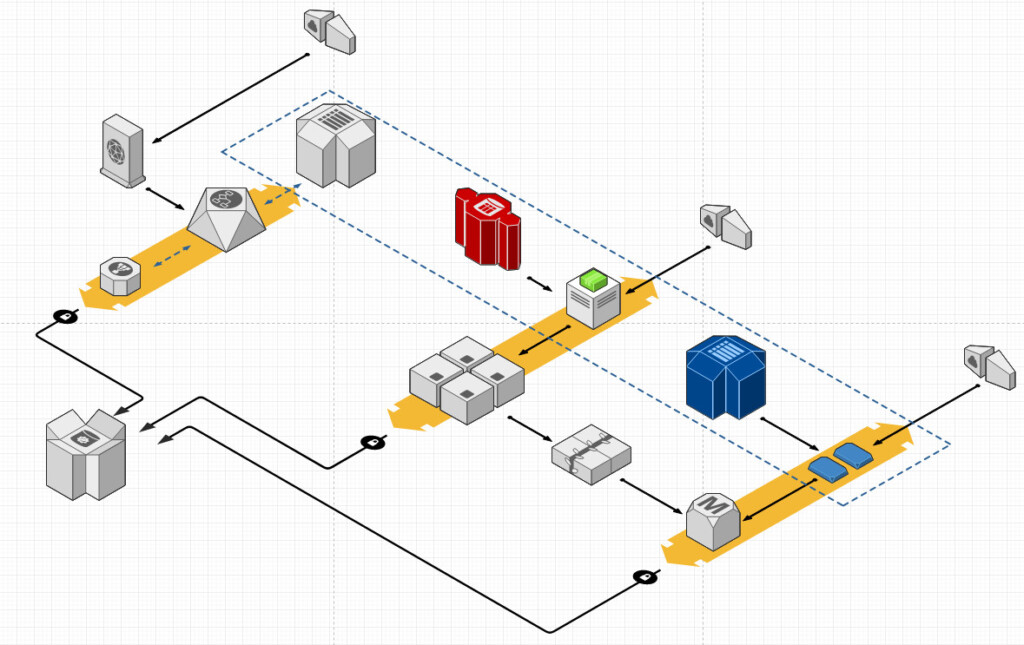
The Omni Group OmniGraffle remains the best fully native network diagramming app for macOS.
Unlike browser-based diagramming tools, OmniGraffle feels deeply integrated into the Mac ecosystem and offers exceptional precision for detailed topology layouts.
It’s particularly popular among experienced sysadmins, network engineers and technical illustrators who prefer complete manual control over diagram design.
Best For
Mac users who want a powerful native desktop network diagramming app.
Key Features
- Native macOS and iPadOS apps
- Offline diagramming
- Professional-grade layout tools
- Visio import support
- Extensive stencil ecosystem via Graffletopia
- Apple ecosystem integration
Limitations
- No automated discovery
- Limited built-in network templates
- No VSDX export support
You can also check out our full OmniGraffle review.
Pricing: $12.49/m or $149.99 for Standard version/$249.99 for Pro version
6. Lucidchart – Best For Cloud Collaboration
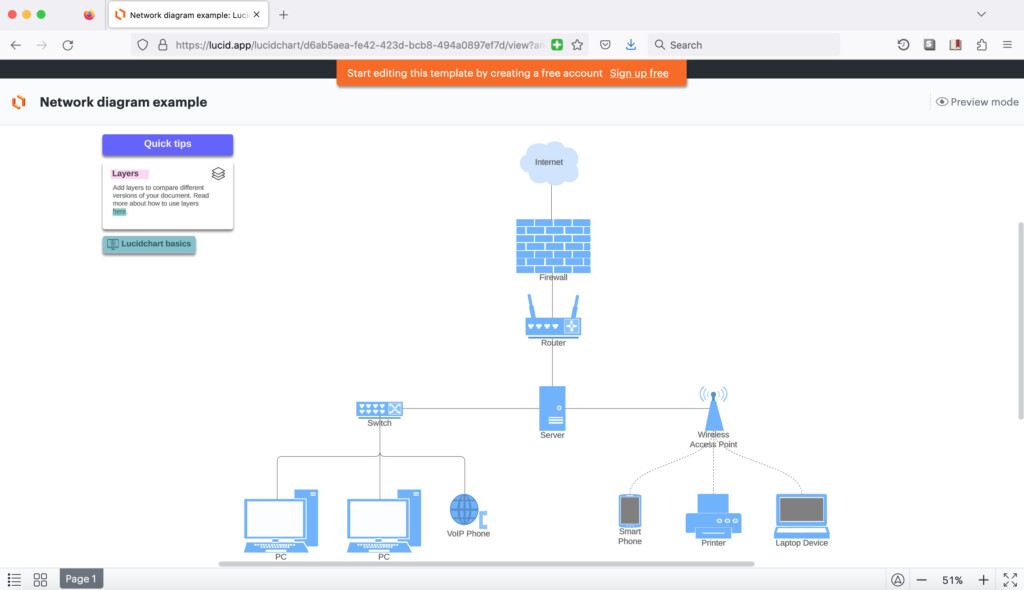
Lucid Software Lucidchart is one of the most widely used cloud-based diagramming platforms and remains an excellent choice for collaborative network topology design.
It’s particularly strong for teams already working across:
- Google Workspace
- Microsoft 365
- Atlassian
- remote DevOps environments
Best For
Teams that need collaborative browser-based network diagramming.
Key Features
- Excellent collaboration tools
- AWS, Azure and GCP libraries
- AI-assisted diagram generation
- Easy drag-and-drop editor
- Visio import/export support
- Real-time editing and commenting
- Integrations with Confluence, Slack and Jira
Limitations
- Free plan restrictions
- VSDX export limitations compared to SmartDraw
You can also check out our Lucidchart review for more.
Pricing: Limited free version/Plans start at $7.95 per month
7. Draw.io – Best Free Network Diagram Software For Mac
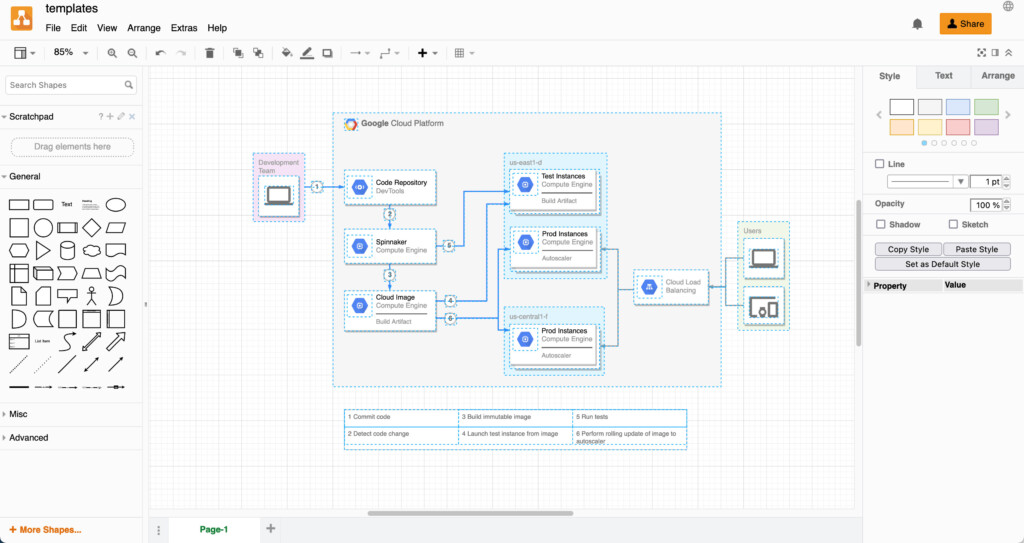
JGraph Draw.io (also known as diagrams.net) is still the best completely free network diagram tool available for Mac users.
Despite being free and open-source, it supports an impressive range of network topology templates and cloud infrastructure symbols.
Best For
Users that want a powerful free network topology tool.
Key Features
- Completely free
- Native desktop app for macOS
- AWS, Azure, Cisco and Kubernetes libraries
- GitHub and Google Drive integrations
- Offline editing support
- Mermaid diagram support
- Visio VSDX compatibility
Limitations
- No automated topology discovery
- Less polished than premium alternatives
- Visio formatting can require cleanup
Check out our full Draw.io review for more.
Pricing: Free
8. Apple Freeform – Best Built-In Option For Mac Users
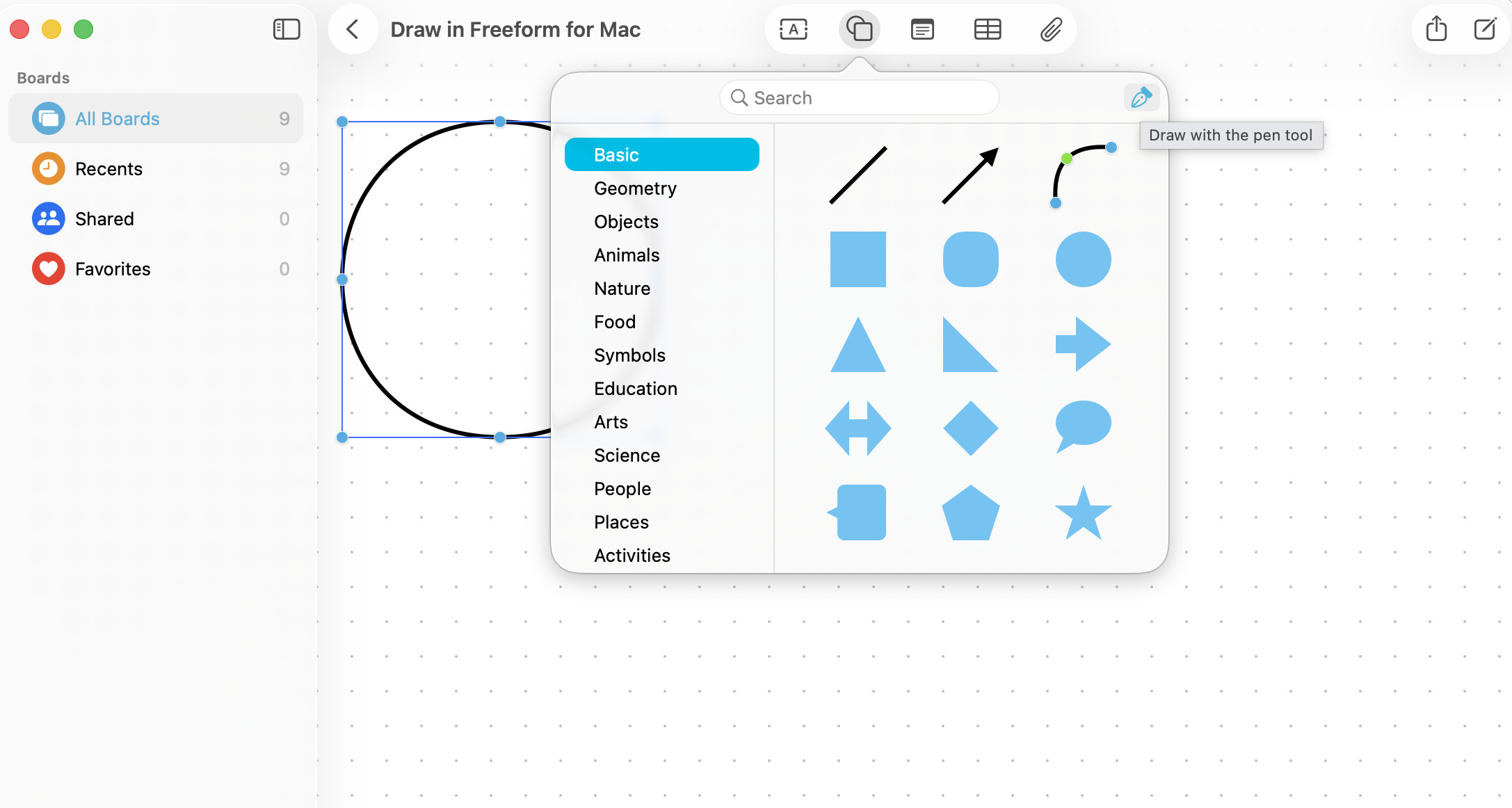
Apple Freeform comes included with macOS and provides a surprisingly useful lightweight option for quickly sketching basic network diagrams.
While it lacks professional topology tools, Visio support and automation, it’s convenient for:
- brainstorming
- quick office layouts
- small business network sketches
- collaborative planning sessions
Best For
Basic network sketches and quick collaborative diagrams.
Limitations
- No enterprise networking features
- No topology automation
- No network symbol libraries
- Not suitable for complex infrastructure documentation
Pricing: Free in macOS
9. Netdisco – Best Open-Source Network Mapping Tool
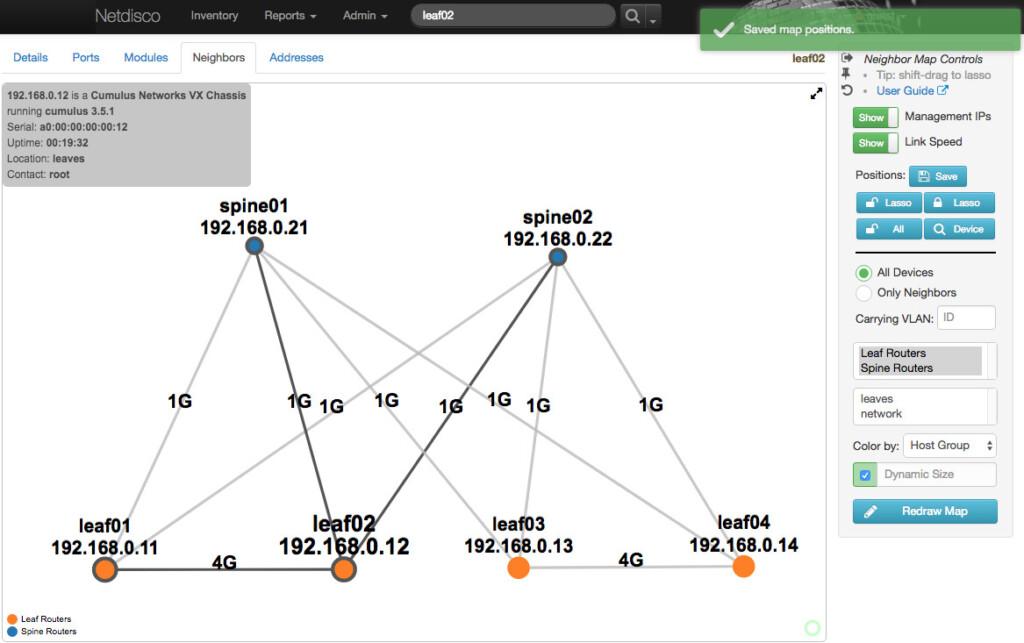
Netdisco is a powerful open-source network management and topology mapping platform that works on both macOS and Linux.
Designed primarily for network administrators and experienced IT professionals, Netdisco automatically discovers devices across a network using SNMP, CLI and device APIs, storing IP and MAC address data in a PostgreSQL database for long-term tracking and analysis.
Unlike traditional visual diagramming apps, Netdisco focuses more on network discovery, inventory management and infrastructure administration than presentation-style topology design.
Best For
Experienced IT admins looking for a free and highly capable open-source network discovery and management platform.
Key Features
- Completely free and open-source
- Automatic device discovery
- IP and MAC address tracking
- VLAN and PoE management
- Historical device and location tracking
- Network inventory by:
- vendor
- model
- operating system
- Web-based management interface
- Works on macOS and Linux
Netdisco is particularly useful for:
- switch port management
- infrastructure auditing
- troubleshooting large networks
- tracking device movement across networks
Advanced users may also want to explore LibreNMS, another popular open-source network monitoring platform that supports automated discovery on Unix-based systems including macOS.
Limitations
- Steeper learning curve for beginners
- Limited official documentation
- No native Mac desktop app
- More management-focused than visual diagram-focused
Pricing: Free
10. Domotz – Best Affordable Automated Network Monitoring Tool
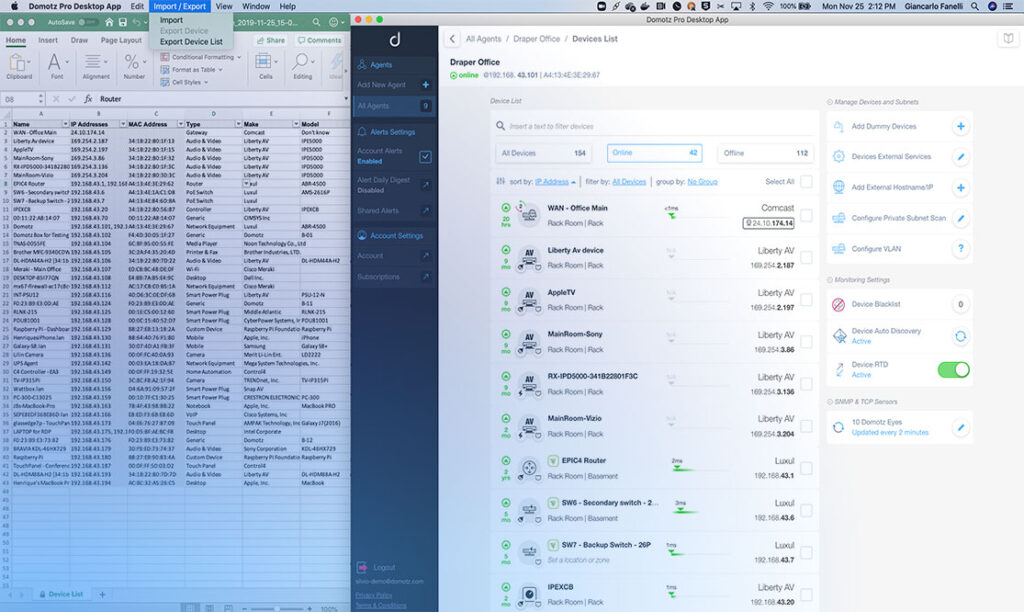
Domotz is one of the best affordable alternatives to enterprise platforms like SolarWinds for automated network mapping and remote infrastructure monitoring.
Designed for MSPs, IT teams and managed network environments, Domotz automatically discovers, maps and monitors devices in real time through a unified cloud dashboard.
Unlike many enterprise monitoring platforms that can be difficult to deploy and manage, Domotz is relatively straightforward to set up while still offering advanced monitoring and remote management capabilities.
Best For
MSPs and IT teams that need automated network discovery and remote monitoring without enterprise-level pricing.
Key Features
- Automated network topology mapping
- Real-time network monitoring
- Native Mac desktop app
- Remote device management
- AWS and Cisco integrations
- SNMP monitoring support
- Unified cloud dashboard
- Remote access and alerting
- Microsoft Visio export support
Domotz is widely used for:
- remote IT management
- distributed office networks
- MSP infrastructure monitoring
- smart building and IoT monitoring
- ongoing network documentation
Its automated device association and tracking tools also make it easy to maintain visibility across growing or constantly changing networks.
Limitations
- Advanced monitoring features can take time to master
- Less visually polished than dedicated diagramming apps
- Primarily focused on monitoring rather than presentation diagrams
Pricing: $35/month with Enterprise plans available
11. Intermapper – Best For Real-Time Network Monitoring On Mac

Fortra Intermapper is a long-established network monitoring and topology mapping platform that works particularly well in mixed business and enterprise environments.
Rather than focusing purely on static diagrams, Intermapper continuously monitors devices, servers, applications and interfaces across a network using SNMP and other monitoring protocols.
Its color-coded topology maps make it easy for administrators to quickly identify outages, bottlenecks and failing devices in real time.
Best For
Businesses and IT teams that need live network monitoring alongside topology visualization.
Key Features
- Automatic network discovery and mapping
- SNMP monitoring support
- Real-time device status monitoring
- Color-coded network maps
- Email, text and sound alerts
- Remote monitoring support
- Google Earth export integration
- Monitoring for:
- servers
- applications
- interfaces
- switches
- routers
Intermapper is especially useful for:
- monitoring distributed networks
- remote IT administration
- identifying outages quickly
- tracking network performance trends
The ability to export network data into Google Earth also makes it useful for visualizing geographically distributed infrastructure.
Limitations
- Pricing only available on request
- Interface feels more technical than modern cloud tools
- Learning curve for advanced monitoring configuration
Pricing: On Request
Other Network Diagram Options
This is by no means an exhaustive list of solutions that can be used on a Mac.
There are other options such as Cisco Packet Tracer, yEd Graph Editor and Lanflow although these were the best options for network mapping we’ve found that work on a Mac.
What Is Network Diagram Software?
Network diagram software helps visualize how devices, servers, switches, routers and cloud services connect within a network.
These diagrams are commonly used for:
- troubleshooting
- infrastructure planning
- cybersecurity documentation
- cloud architecture
- compliance audits
- capacity planning
- DevOps work
Modern tools may also include:
- automatic topology discovery
- live monitoring
- hybrid cloud mapping
- Kubernetes visualization
- SD-WAN documentation
Manual vs Automated Network Mapping
There are three main types of network topology software available on Mac:
Manual Diagramming Tools
These require you to build the network map yourself using templates and symbols. They offer the most flexibility but can become time-consuming for large infrastructures.
Examples:
- OmniGraffle
- Draw.io
- Lucidchart
Semi-Automated Tools
These can detect devices automatically but still require manual organization and editing.
Examples:
- SmartDraw
- Lucidchart
Fully Automated Network Mapping Tools
These automatically scan, discover and dynamically update network topology maps in real time.
Examples:
- SolarWinds NTM
- Domotz
- Zoho OpManager
- Intermapper
Conclusion
The best network diagram software for Mac ultimately depends on your needs and infrastructure requirements.
For most users, SmartDraw offers the best balance of usability, Visio compatibility and cloud infrastructure support.
However:
- OmniGraffle is the best native Mac app
- Draw.io is the best free solution
- SolarWinds NTM is best for enterprise auto-discovery
- Lucidchart is ideal for collaborative teams
- Domotz and Zoho OpManager are better suited to MSPs and live network monitoring
Choosing the right tool depends largely on whether you prioritize:
- manual diagramming
- automated discovery
- collaboration
- enterprise monitoring
- or native macOS software