

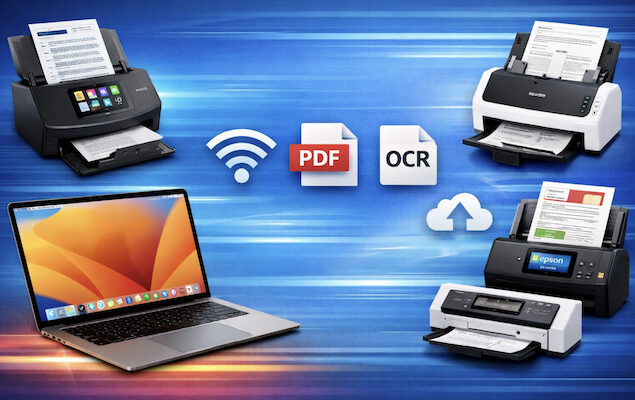
If you’re looking for the most Mac compatible document scanners, we’ve taken a look at the best models that work reliably with modern versions of macOS, including Apple Silicon Macs and the latest releases of macOS Tahoe and beyond.
While many all-in-one printers for Mac include a built-in scanner, their scan quality, speed, and OCR accuracy are usually nowhere near as good as a dedicated document scanner – especially if you regularly scan multi-page documents, contracts, receipts, or paperwork for long-term storage.
Dedicated document scanners are also far better suited to working alongside document management software for Mac, allowing you to create searchable PDFs that can be indexed, tagged, and archived automatically. This is particularly useful if you’re trying to go paperless on your Mac at home or in the office.
We’ve focused on scanners that:
- Work reliably on Apple Silicon Macs (M-series)
- Integrate well with macOS tools such as Preview and Image Capture
- Support modern PDF-based systems used by document management tools
- Offer fast duplex scanning with automatic document feeders
If your main goal is scanning photos or negatives, a dedicated photo scanner will give better results. The scanners below are designed specifically for documents, paperwork, and OCR scanning.
What We Looked For in These Document Scanners
When choosing the best document scanners for Mac users in 2026, we focused on real-world compatibility rather than marketing claims.
These are some of the non-negotiable features we looked for.
macOS & Apple Silicon Compatibility
All scanners listed work reliably on modern versions of macOS and support Apple Silicon Macs without relying on outdated drivers or Rosetta emulation.
Image Capture & Preview Support
Native compatibility with Image Capture and Preview is important, as these are built into macOS and provide a dependable fallback if manufacturer software is limited or bloated.
Automatic Document Feeders (ADF)
An ADF is essential for scanning multi-page documents efficiently. All recommended office scanners support batch scanning, while portable models are clearly labelled as such as they don’t have an ADF.
Duplex (Double-Sided) Scanning
The best document scanners can scan both sides of a page in a single pass, dramatically reducing scan times for contracts and paperwork.
OCR & PDFs
Rather than focusing solely on bundled OCR software, we prioritized scanners that produce high-quality PDFs that work well with:
- Document management software
- Cloud storage with built-in OCR
- macOS and third-party PDF editors
TWAIN Support (Where Relevant)
TWAIN support is still useful for some professional or legacy systems, but many modern Mac document management tools no longer rely on it. Scanners without TWAIN are clearly noted.
Network & Wireless Scanning
Wi-Fi and network scanning are useful in shared environments, but we avoided overstating technologies like AirPrint, which is not a true scanning standard on macOS.
With this in mind, here’s our selection of the best Mac compatible document scanners of 2026.
| Scanner Model | ADF Capacity | Duplex Speed (A4) | Connectivity | Best For |
|---|---|---|---|---|
| Ricoh ScanSnap iX2500 | 100 sheets | 45 ppm / ~90 ipm | Wi-Fi 6, USB-C | Best overall for home offices and going paperless |
| Ricoh fi-8170 | 100 sheets | 70 ppm / 140 ipm | USB | Enterprise and TWAIN-based document management software |
| Epson RapidReceipt RR-620W | 100 sheets | 35 ppm / 70 ipm | Wi-Fi, USB | Receipt, invoice and financial document scanning |
| Epson WorkForce ES-580W | 100 sheets | 35 ppm / 70 ipm | Wi-Fi, USB | Wireless office scanning with touchscreen |
| Epson WorkForce ES-400 II | 50 sheets | 35 ppm / 70 ipm | USB | Best value desktop scanner |
| Canon imageFORMULA DR-M260 | 100 sheets | 60 ppm / 120 ipm | USB | High-volume office scanning |
| ScanSnap iX1300 | 20 sheets | 30 ppm | Wi-Fi, USB | Compact desktop scanning |
| Canon imageFORMULA R10 | 20 sheets | 12 ppm / 24 ipm | USB-C | Portable multi-page scanning |
| Brother ADS-1700W | 20 sheets | 25 ppm / 50 ipm | Wi-Fi, USB | Budget wireless document scanning |
| Brother DS-640 | — | Single-sided | USB | Ultra-portable receipt and document scanning |
| Epson WorkForce ES-50 | — | Single-sided | USB | Lightweight mobile scanning |
- ADF capacity is one of the biggest differentiators for office use – 80–100 sheets is ideal for contracts and bulk paperwork. Obviously, portable document scanners don’t have an ADF.
- USB connections are generally more reliable and faster for heavy scanning, while Wi-Fi scanners offer more flexibility in shared or home offices.
- Duplex speed is best compared using ipm (images per minute), which reflects true double-sided scanning performance.
1. ScanSnap iX2500
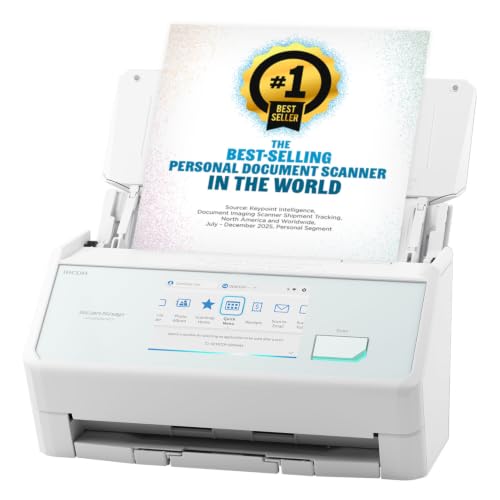
The ScanSnap iX2500 is the current flagship document scanner from Ricoh’s ScanSnap lineup, effectively replacing the older iX1600 which was our previous recommendation for Mac users.
Like its predecessor, the iX2500 delivers excellent scan speed, reliability, and support for the latest versions of macOS and Apple Silicon Macs.
The iX2500 scans up to 45 pages per minute in duplex mode and handles up to 100 sheets in the automatic document feeder, making it ideal for both home office and small business use.
Its 5 inch touchscreen (still not standard in many document scanners) makes setup and profile selection easy, and it supports both USB-C and Wi-Fi 6 connectivity for Macs, iPhones, iPads, and cloud services.
It also allows you to do handy things like scan to folder, scan to email, scan business cards, scan receipts and send scans to the cloud.
The ScanSnap Home software is also excellent and is frequently updated to support the latest versions of macOS – including macOS Golden Gate – which in our experience, isn’t always the case with document scanners.
Pros:
- Fast duplex scanning (45 ppm / 90 ipm)
- Large 100-sheet ADF
- Works well with ScanSnap Home and modern Macs running macOS Golden Gate
- Flexible wired and wireless options
Cons:
- Some advanced network folder features require configuration or updates
- Not ideally suited for photo scanning
2. Ricoh fi-8170
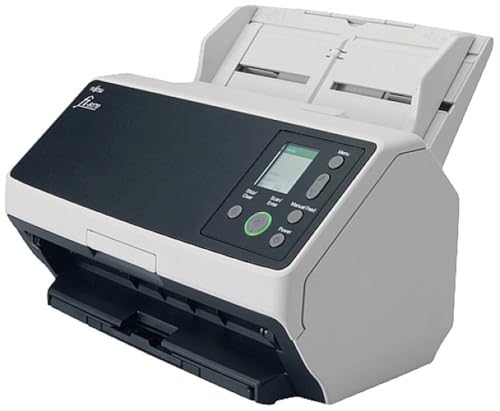
The Ricoh fi-8170 is a modern, enterprise-grade document scanner designed for reliability, speed, and compatibility with professional scanning on macOS. It replaces older Fujitsu fi-series models and is far better suited to Apple Silicon Macs and current versions of macOS.
With scanning speeds of up to 70 pages per minute (140 images per minute) and a 100-sheet automatic document feeder, the fi-8170 is built for high-volume scanning environments such as offices, legal firms, and accounts departments. It supports true hardware duplex scanning, advanced paper handling, and ultrasonic double-feed detection to prevent missed pages.
Unlike ScanSnap models, the fi-8170 includes full TWAIN and ISIS driver support, making it ideal for offices that rely on custom OCR solutions or document management systems rather than consumer scanning software. It integrates well with third-party Mac OCR and capture tools, as well as Preview and Image Capture.
The fi-8170 connects via USB and is designed as a workstation or department scanner rather than a wireless or mobile device, prioritising speed, accuracy, and long-term durability over convenience features.
Pros:
- Very fast duplex scanning (up to 70 ppm / 140 ipm)
- Large 100-sheet ADF for batch scanning
- Full TWAIN support for professional scanning software
- Excellent reliability and paper handling
Cons:
- No Wi-Fi or network scanning
- Overkill for casual or home use
- Larger and noisier than consumer scanners
3. ScanSnap iX1300

The ScanSnap iX1300 remains the best portable document scanner for Mac users in 2026, combining excellent scan quality with true portability. It’s ideal for users who need reliable scanning on a small desk or while traveling, without sacrificing duplex scanning or OCR accuracy.
Despite its compact size, the iX1300 can scan up to 30 double-sided pages per minute and includes a 20-sheet automatic document feeder, which is impressive for a portable scanner. It produces clean, high-quality PDFs that work well with document management software and cloud storage services.
The iX1300 works via USB or Wi-Fi, supports Apple Silicon Macs, and uses the same ScanSnap Home software found on larger models. It includes intelligent image processing features such as automatic deskewing, blank page removal, and orientation detection.
As with other ScanSnap models, there’s no TWAIN support, but for most Mac users relying on PDF-based scanning, this isn’t a limitation.
Pros:
- True duplex scanning in a compact form factor
- Fast scanning for a portable device
- Excellent PDF and OCR quality
- Works via USB or Wi-Fi
Cons:
- Small 20-sheet ADF
- No TWAIN support
- Not suitable for large batch jobs
4. Brother ADS-1700W

The Brother ADS-1700W is one of the best value document scanners for Mac users, offering a strong mix of features, reliability, and compatibility at a lower price than many competitors. It’s particularly well suited to small offices and home offices on a budget.
It supports duplex scanning at up to 25 pages per minute, includes a 20-sheet automatic document feeder, and offers both USB and Wi-Fi connectivity, making it easy to share between multiple Macs. Importantly, Brother provides TWAIN support on macOS, which is rare at this price point.
The ADS-1700W works well with Image Capture, Preview, and third-party document management software, although its bundled software is more functional than polished. Scan quality is very good for text documents, contracts, and receipts.
While it’s not designed for heavy daily scanning, it’s an excellent choice for users who want flexibility and compatibility without paying enterprise prices.
Pros:
- Very competitive pricing
- Duplex scanning with TWAIN support
- USB and Wi-Fi connectivity
- Good macOS compatibility
Cons:
- Slower than higher-end office scanners
- Small ADF capacity
- Software feels basic compared to ScanSnap
5. Canon imageFORMULA DR-M260
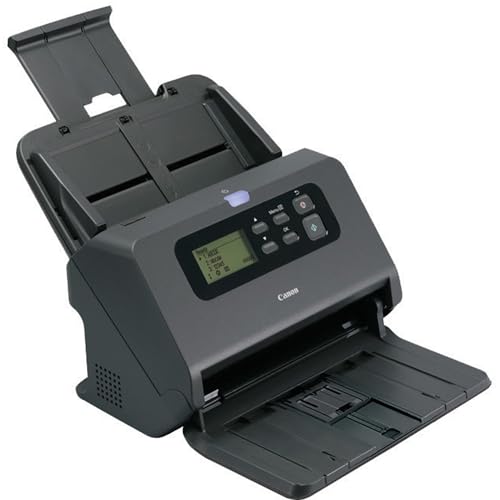
The Canon imageFORMULA DR-M260 is built for busy offices that need fast, reliable document scanning throughout the day. It’s designed for heavier workloads than entry-level scanners and performs consistently well on macOS.
It offers duplex scanning speeds of up to 60 pages per minute and includes a 100-sheet automatic document feeder, making it ideal for scanning large contracts, client files, and archived paperwork. Paper handling is excellent, with reliable feeding and strong image consistency.
Canon’s CaptureOnTouch software works smoothly on macOS and produces high-quality, searchable PDFs suitable for document management systems and cloud storage. OCR accuracy is strong, particularly for text-heavy documents.
The DR-M260 is USB-only and relatively large, but this is the trade-off for speed, durability, and long-term reliability.
Pros:
- Fast duplex scanning (up to 60 ppm)
- Large 100-sheet ADF
- Excellent OCR accuracy
- Designed for sustained daily use
Cons:
- USB-only, no Wi-Fi
- Large footprint
- Not portable or desk-friendly
6. Epson WorkForce ES-580W
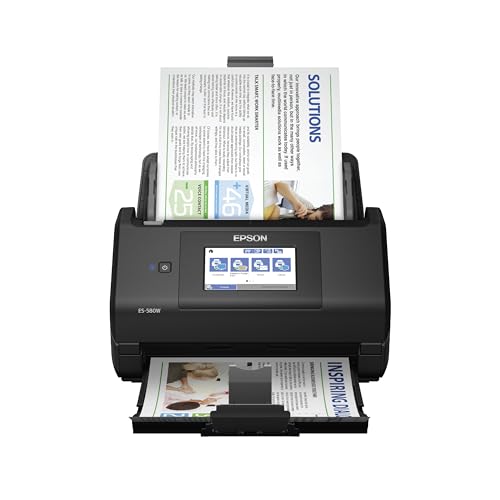
The Epson WorkForce ES-580W is a modern, Wi-Fi-enabled document scanner aimed at users who prefer a touchscreen interface and wireless scanning. It’s a significant improvement over older Epson models and is well suited to home offices and small teams.
The ES-580W supports duplex scanning at up to 35 pages per minute and includes a 100-sheet automatic document feeder. Its built-in touchscreen allows for direct scanning to cloud services, email, or network folders without needing to interact with a Mac for every scan.
It works reliably with Apple Silicon Macs and supports Image Capture, Preview, and third-party software via TWAIN. Epson’s ScanSmart software includes useful image enhancement tools, although it can feel heavier than alternatives.
This is a good choice if you want wireless scanning and a standalone feel, but it’s less streamlined than ScanSnap models.
Pros:
- Large 100-sheet ADF
- Touchscreen with direct cloud scanning
- Wi-Fi and USB connectivity
- TWAIN support on macOS
Cons:
- Software is more complex than ScanSnap
- Slower than high-end office scanners
- Bulkier than it looks
7. Epson WorkForce ES-400 II

The Epson WorkForce ES-400 II is one of the best mid-range desktop document scanners for Mac users, offering an excellent balance of speed, reliability, and affordability. It’s aimed at home offices and small businesses that need fast duplex scanning without paying premium prices.
It scans up to 35 pages per minute (70 images per minute in duplex mode) and features a 50-sheet automatic document feeder, making it ideal for invoices, contracts, receipts, and everyday paperwork. Epson’s ScanSmart software works well on Apple Silicon Macs and recent versions of macOS, while TWAIN support makes it compatible with many third-party document management applications.
Although it lacks Wi-Fi, the USB connection is fast and dependable for users who scan primarily from a single Mac.
Pros:
- Fast 35 ppm / 70 ipm duplex scanning
- Reliable 50-sheet ADF
- Excellent ScanSmart software
- TWAIN support for professional workflows
- Very good value
Cons:
- USB only
- No touchscreen
- Smaller ADF than premium office scanners
8. Epson RapidReceipt RR-620W
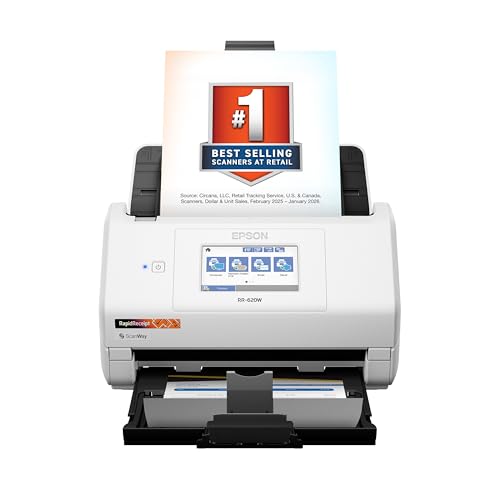
The Epson RapidReceipt RR-620W is one of the best document scanners for Mac users who regularly scan receipts, invoices, expense reports, tax records, and other financial paperwork. While it’s an excellent all-round document scanner, its biggest strength is the bundled RapidReceipt Plus software, which uses AI-powered OCR to automatically extract key information such as vendor names, dates, totals, payment methods, and tax details from receipts and invoices. The data can then be exported directly to popular accounting software, making it particularly useful for freelancers, bookkeepers, accountants, and small business owners.
The RR-620W scans up to 35 pages per minute (70 images per minute in duplex mode) and includes a large 100-sheet automatic document feeder, making it equally capable of handling everyday office documents as well as high volumes of receipts. A large 4.3-inch colour touchscreen makes it easy to scan directly to email, cloud storage, USB drives, or network folders without needing to use your Mac.
It supports both Wi-Fi and USB connectivity, works reliably with Apple Silicon Macs and the latest versions of macOS, and includes TWAIN support for compatibility with document management software and professional scanning workflows. If you’re looking to digitise both paperwork and financial records, it’s one of the most capable document scanners available.
Pros:
- Excellent AI-powered receipt and invoice recognition
- Fast 35 ppm / 70 ipm duplex scanning
- Large 100-sheet automatic document feeder
- 4.3-inch touchscreen with direct cloud scanning
- Wi-Fi and USB connectivity
- TWAIN support and excellent macOS compatibility
Cons:
- More expensive than standard document scanners
- RapidReceipt software may be unnecessary if you only scan general documents
- Larger footprint than portable models
9. Canon imageFORMULA R10

The Canon imageFORMULA R10 is one of the best portable document scanners for Mac users who regularly work away from the office. Unlike many compact scanners, it includes a built-in 20-sheet automatic document feeder, allowing you to scan multi-page documents without feeding each sheet manually.
It scans up to 12 pages per minute in duplex mode and connects via USB-C, drawing power directly from your Mac without needing an external adapter. Canon’s CaptureOnTouch Lite software can even run directly from the scanner, making it useful on shared computers or when travelling.
While it isn’t as fast as the ScanSnap iX1300, it’s lighter and easier to carry in a laptop bag.
Pros:
- Built-in 20-sheet ADF
- Compact and lightweight
- USB-powered
- Good OCR quality
- Works well with Apple Silicon Macs
Cons:
- Slower than desktop scanners
- USB only
- No Wi-Fi connectivity
10. Brother DS-640
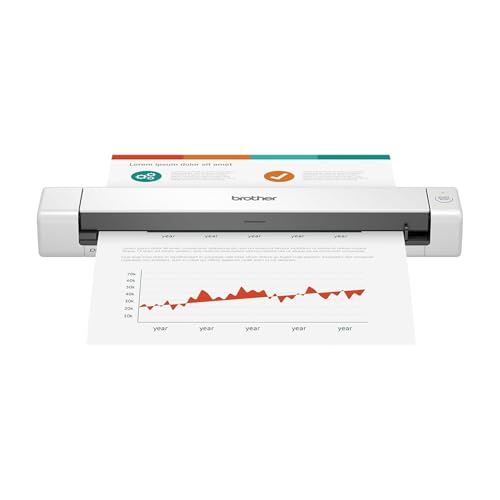
The Brother DS-640 is an excellent ultra-portable document scanner designed for users who only need to scan occasional documents while travelling or working remotely. Weighing under 500 grams, it’s small enough to fit in most laptop bags.
Unlike larger desktop models, the DS-640 is a single-sheet scanner rather than an ADF scanner, making it better suited to receipts, signed contracts, invoices, and expense claims than large batches of paperwork. It connects via USB and works well with Brother’s iPrint&Scan software on modern Macs.
For occasional scanning on the move, it’s one of the simplest and most affordable options available.
Pros:
- Extremely lightweight
- USB-powered
- Affordable
- Good scan quality
- Easy to carry
Cons:
- No automatic document feeder
- Single-sheet scanning only
- No duplex scanning
11. Epson WorkForce ES-50

The Epson WorkForce ES-50 is one of the smallest document scanners available for Mac users and is ideal for scanning receipts, business cards, invoices, and occasional paperwork while travelling.
It weighs just under 300 grams and is powered entirely via USB, making it easy to use anywhere with a MacBook. Epson’s ScanSmart software provides automatic image correction and searchable PDF creation, while support for recent versions of macOS ensures reliable compatibility.
Because it scans one page at a time, it’s best suited to light-duty use rather than regular office workloads.
Pros:
- Extremely compact
- Very lightweight
- USB-powered
- Good OCR support
- Reliable macOS compatibility
Cons:
- Single-sheet scanner
- No duplex scanning
- Not suitable for batch scanning
Quick Buyer’s Guide: Which Document Scanner Is Right for You?
| If you want to… | You should choose… | Why |
|---|---|---|
| Go paperless at home or in a small office | Ricoh ScanSnap iX2500 | The best all-round combination of speed, software and macOS compatibility. |
| Scan large batches of documents every day | Ricoh fi-8170 | Enterprise-grade performance with excellent paper handling and TWAIN support. |
| Digitise receipts, invoices and expenses | Epson RapidReceipt RR-620W | AI-powered receipt recognition and direct export to accounting software. |
| Scan wirelessly without always using a Mac | Epson WorkForce ES-580W | Large touchscreen with direct cloud and network scanning. |
| Get the best value desktop scanner | Epson WorkForce ES-400 II | Fast duplex scanning at a more affordable price than premium models. |
| Share a scanner in a busy office | Canon imageFORMULA DR-M260 | Built for sustained, high-volume scanning with excellent OCR accuracy. |
| Save space on your desk | ScanSnap iX1300 | Compact design with fast duplex scanning and Wi-Fi. |
| Scan multi-page documents while travelling | Canon imageFORMULA R10 | Portable scanner with a built-in 20-sheet ADF. |
| Get a budget wireless scanner | Brother ADS-1700W | Affordable, reliable and supports Wi-Fi and TWAIN. |
| Scan occasional documents on the move | Brother DS-640 | Extremely portable and USB-powered for travel. |
| Carry the smallest possible scanner | Epson WorkForce ES-50 | Tiny, lightweight scanner for receipts and single-page documents. |
Tip: If you’re using document management software on a Mac, prioritize scanners that produce clean, high-quality PDFs quickly – advanced OCR is often handled later by the software itself.
FAQ
What is the best document scanner for Mac in 2026?
For most Mac users, the Ricoh ScanSnap iX2500 is the best all-round document scanner in 2026. It offers fast duplex scanning, excellent macOS compatibility, a large automatic document feeder, and reliable OCR via ScanSnap Home. It’s ideal for home offices and going paperless on a Mac.
Do document scanners work with Apple Silicon Macs?
Yes. All of the document scanners featured in this guide are compatible with Apple Silicon Macs (M-series chips) and work with recent versions of macOS. We avoided scanners that rely on outdated drivers or poor Rosetta compatibility.
Is a document scanner better than an all-in-one printer scanner?
Yes, in most cases. Dedicated document scanners are faster, more accurate, and better suited to batch scanning than all-in-one printer scanners. They also handle duplex scanning and OCR far more efficiently, which is important if you scan paperwork regularly.
Do I need TWAIN support on a Mac?
Not always. TWAIN support is useful if you rely on custom OCR software or enterprise document management systems. However, many modern Macs use PDF-based scanning combined with document management software, which does not require TWAIN. ScanSnap scanners deliberately avoid TWAIN in favor of a simpler, faster solution.
Can I scan documents on a Mac without installing scanner software?
Often, yes. Many document scanners work with Image Capture and Preview, which are built into macOS. However, manufacturer software usually provides better batch scanning, OCR, and automation features, especially for larger documents.
What’s the best portable document scanner for Mac?
The ScanSnap iX1300 is the best portable document scanner for Mac users. It supports duplex scanning, produces high-quality PDFs, and works well with macOS via USB or Wi-Fi, making it ideal for travel or small desks.
Are wireless document scanners reliable on macOS?
Wireless scanning works well for light to moderate use, especially in home offices. However, for high-volume or business-critical scanning, a USB connection is usually faster and more reliable. Many scanners offer both options.
Can document scanners scan directly to cloud services?
Yes. Most modern document scanners can scan directly to services such as Dropbox, Google Drive, OneDrive, or email, either via their software or built-in touchscreen interfaces. This is especially useful when combined with cloud-based document management systems.
Are document scanners good for scanning photos?
Not really. Document scanners are optimised for text and paperwork. If you want to scan photos or negatives, a dedicated photo scanner will usually deliver much better image quality and color accuracy.
What’s the best scanner for document management software on Mac?
Scanners that produce clean, consistent PDFs quickly work best with document management software. Models like the ScanSnap iX2500, Ricoh fi-8170, and Canon DR-M260 integrate well with document management tools on macOS.