

Professional CAD software is notoriously expensive, and for Mac users the choice can feel even more limited.
The good news is that in 2026 there are more genuinely free CAD tools for macOS than ever before – including open‑source projects, student editions of industry standards, and powerful browser‑based CAD platforms that run perfectly on Apple Silicon Macs.
That said, not all “free” CAD software is equal. Some tools are completely unrestricted, others are free only for students or personal use, and some impose important limitations such as public projects or reduced export options.
To save you time, we tested and researched the best free CAD software for Mac, focusing on Apple Silicon compatibility, real‑world usability, file support, and whether the free version is actually practical long‑term.
Best Free CAD Software for Mac (Quick Summary)
- Best Overall Free CAD for Mac: FreeCAD
- Best for Students & Education: AutoCAD Education, Fusion
- Best Browser‑Based CAD: Onshape
- Best Beginner‑Friendly CAD: TinkerCAD, Shapr3D
- Best Free 2D CAD: QCAD, LibreCAD
- Best Parametric / Script‑Based CAD: OpenSCAD
- Best Free Windows Only CAD Software: nanoCAD (requires a virtual machine)
Contents
- Comparison Table: Free CAD Software for Mac (2026)
- Free CAD Software vs 3D Modeling Software
- 1. FreeCAD
- 2. AutoCAD (Education Edition)
- 3. SketchUp Free
- 4. OnShape
- 5. Fusion
- 6. Shapr3D
- 7. BRL-CAD
- 8. QCAD
- 9. OpenSCAD
- 10. LibreCAD
- 11. LeoCAD
- 12. DesignSpark Explorer
- 13. TinkerCAD
- 14. nanoCAD Free
- Running Windows Free CAD Software On A Mac
- Final Verdict
- FAQ
Comparison Table: Free CAD Software for Mac (2026)
| Software | 2D / 3D | Commercial Use Allowed? | Free Limitations | Best For |
|---|---|---|---|---|
| FreeCAD | 2D & 3D | Yes | None | Mechanical & product design |
| AutoCAD (Education) | 2D & 3D | No | Students & educators only | Industry-standard CAD |
| SketchUp Free | 2D & 3D | No | Browser-only, limited export | Home & concept design |
| Onshape | 3D | Yes (with restrictions) | Public projects only | Collaborative CAD |
| Fusion | 3D | No | Feature limits, non-commercial | Prototyping & manufacturing |
| Shapr3D | 3D | No | 2 designs / limited export | Beginners & sketching |
| QCAD | 2D | Yes | 2D only | Drafting & floor plans |
| LibreCAD | 2D | Yes | 2D only | Lightweight CAD |
| OpenSCAD | 3D | Yes | Script-based workflow | Parametric parts |
| BRL-CAD | 3D | Yes | Steep learning curve | Engineering research |
| LeoCAD | 3D | Yes | LEGO-based modeling | Education & kids |
| DesignSpark Explorer | 3D | Limited | Registration required | Beginners |
| TinkerCAD | 3D | No | Basic features | Education & beginners |
| nanoCAD | 2D & 3D | No | Doesn’t support DWG files after 2013 | Mac users comfortable running a virtual machine |
Free CAD Software vs 3D Modeling Software
In this guide, we focus specifically on CAD (Computer‑Aided Design) tools used for architectural drafting, mechanical engineering, and product design.
While some tools overlap, CAD software differs from general 3D modeling apps like Blender:
- CAD software prioritizes precision, measurements, constraints, and manufacturable geometry.
- 3D modeling software focuses more on visual realism, rendering, and animation.
However, if you’re interested in the latter, we strongly recommend checking out our guide to the best 3D modeling software for Mac too.
If you’re creating floor plans, machine parts, or technical drawings for free, the following CAD software are the better choice.
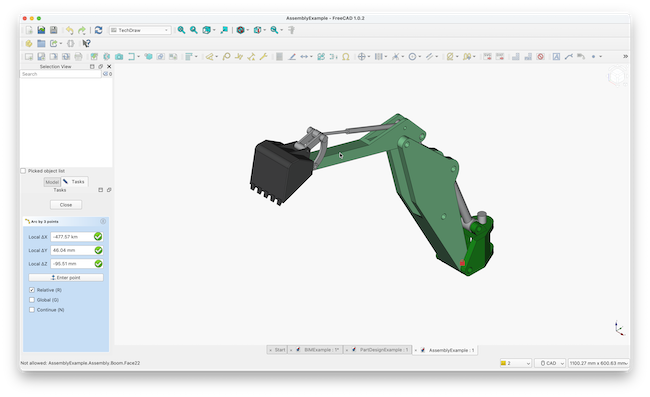
1. FreeCAD
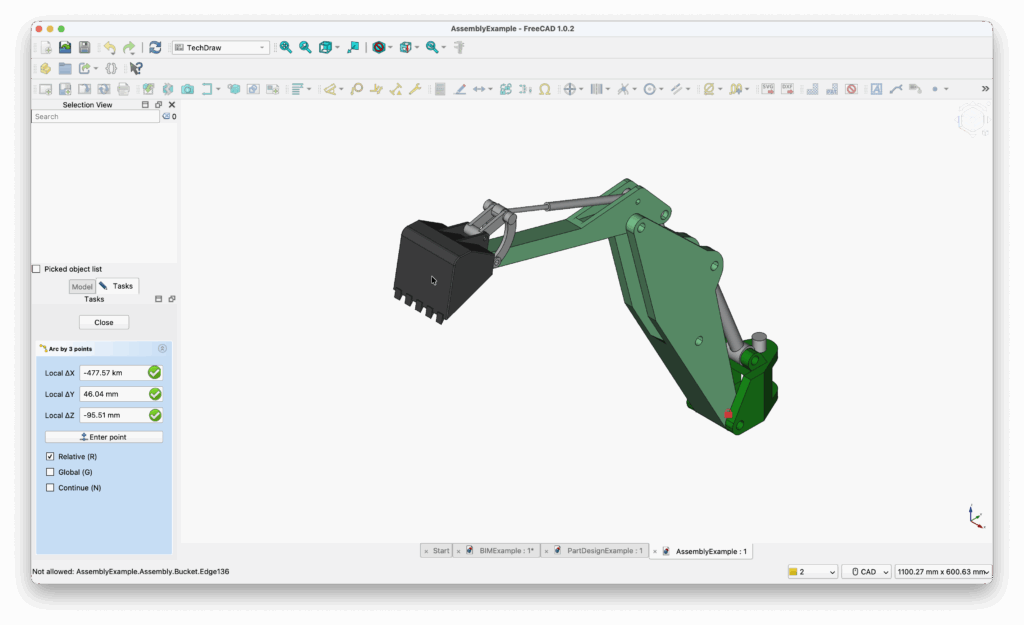
As the name suggest, FreeCAD is a free 2D and 3D CAD software which uses Parametric modelling to create designs.
If you’re already comfortable with complex CAD software, FreeCAD is about as powerful as it gets for free solutions.
It can import files in STEP, IGES, STL, SVG, DXF, OBJ, IFC and DAE format and is aimed mainly at those in mechanical engineering and product design fields.
FreeCAD features some of the tools found in major industry leading CAD applications such as SolidWorks but relies more on modules and scripts to design things like OpenSCAD.
Check out our full FreeCAD review for more.
Pricing: Free
2. AutoCAD (Education Edition)
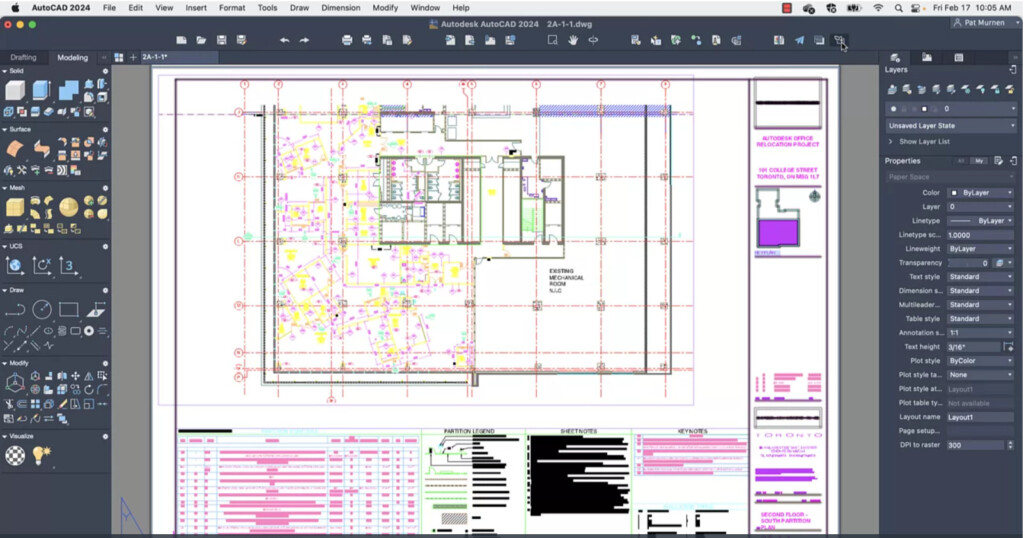
AutoCAD is a leading CAD application worldwide, and Autodesk offers an Educational Edition for free.
You can use AutoCAD on a Mac through the desktop client or access it via the online web app.
The full version of AutoCAD supports both 2D and 3D design, while AutoCAD LT is designed specifically for 2D design work.
Despite its reputation as a powerful CAD tool, recent updates have made AutoCAD’s interface more user-friendly and accessible.
The latest release, AutoCAD 2024 for Mac, includes enhancements like a faster 3D graphics engine, a trace tool, a blocks counting tool, and improved integration with the web version.
For professionals in architecture, engineering, and construction, AutoCAD remains the top choice in Computer-Aided Design, and the free educational version is an incredible opportunity.
Check out our full AutoCAD For Mac review for more.
Pricing: Educational Edition Free /AutoCAD LT $60/month, AutoCAD $245/month
3. SketchUp Free

SketchUp Free (previously known as Google SketchUp) is a robust online design tool that has developed into a capable 2D and 3D CAD software.
While it’s widely used for 3D modeling, many also turn to it as a free alternative to AutoCAD for Mac and other commercial CAD programs due to its powerful features.
The professional version of SketchUp, SketchUp Pro, is priced at $349 per year, with a more basic version, SketchUp Go, available for $119 per year.
However, SketchUp Free remains entirely free for non-commercial use, offering both 2D and 3D CAD capabilities with 10GB of included online storage.
This free version is ideal for hobbyists, but professionals in fields like architecture, construction, and engineering will likely require the more advanced features of SketchUp Pro.
Read our SketchUp Review for more.
Pricing: Free for personal use, SketchUp Go starts from $10.75/month
4. OnShape
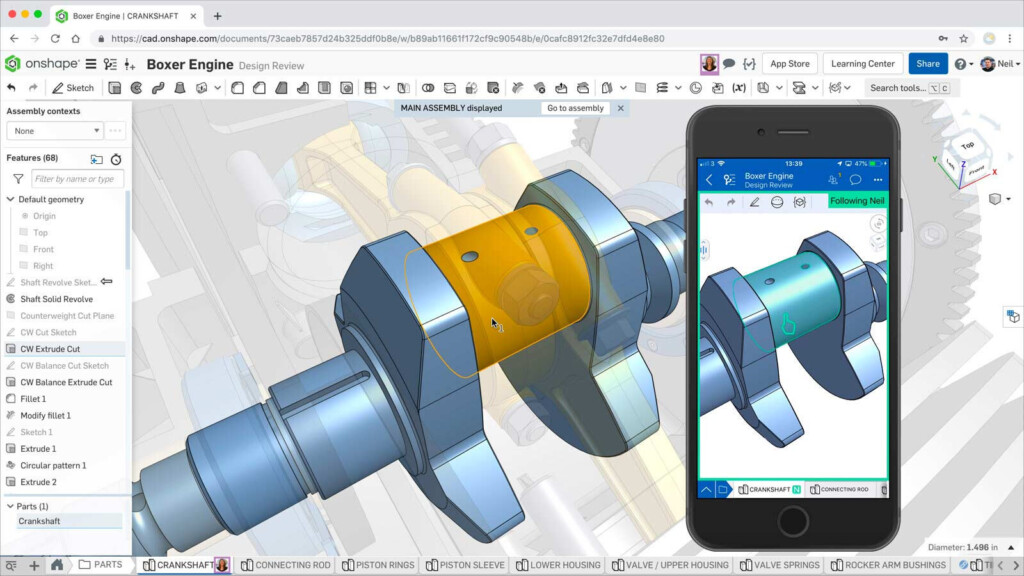
Onshape has been designed by the team behind the popular SolidWorks 3D CAD design software and is 100% free for personal use.
Solidworks is Windows only and although you can run SolidWorks on Mac using a virtual machine, it doesn’t work as well as on a PC.
Enter Onshape which works in any Mac in a browser and allows you to do pretty much anything you can do in Solidworks for free.
Onshape is one of the first ever Cloud native 3D CAD and PDM tools and allows teams to design in real time together.
Onshape allows you to c
Note that the although OnShape is free for non-commercial use, your projects will be made publicly available.
Professionals and businesses plans start at $1,500 per year.
Pricing: Free / Plans starting from $1,500/year.
5. Fusion
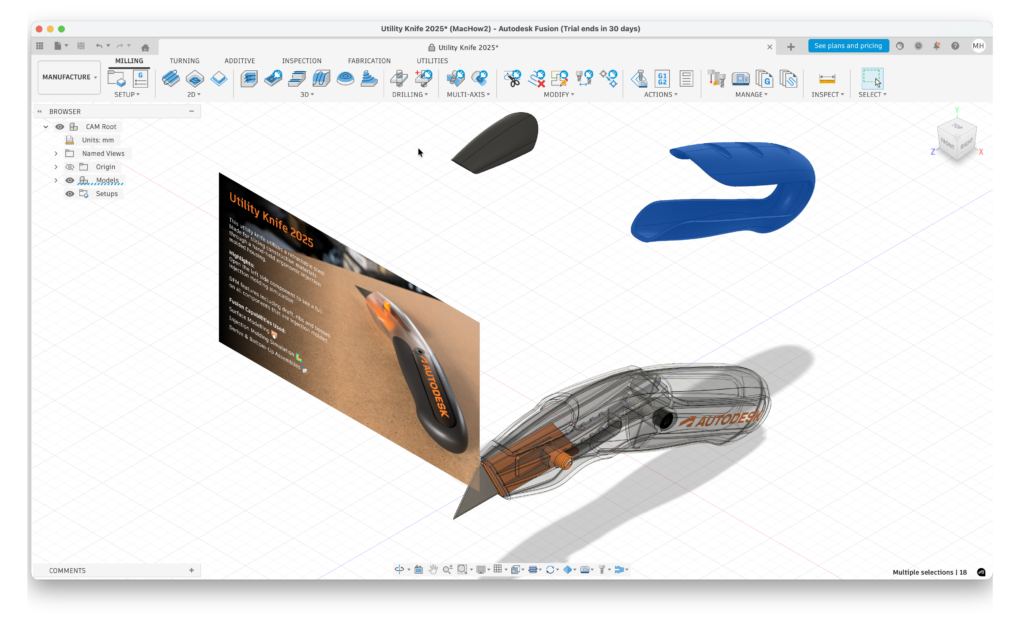
Like AutoCAD, Autodesk Fusion (formerly Fusion 360) is also made by Autodesk and is free for non-commercial, personal use for users that are generating less than $1,000 in revenue per year.
Fusion 3D is mainly a 3D modelling software although its frequently used alongside CAD software to create product prototypes.
Whereas AutoCAD is focused on 2D and 3D CAD, Fusion is oriented around taking blueprints to create prototypes and ultimately, manufacture the final product.
Like OnShape, Fusion works in any browser on a Mac although a native desktop app for Apple Silicon Macs is currently in testing.
Read our full Autodesk Fusion review for more.
Pricing: Free for non commercial or personal use / Commercial license $85 per month
6. Shapr3D
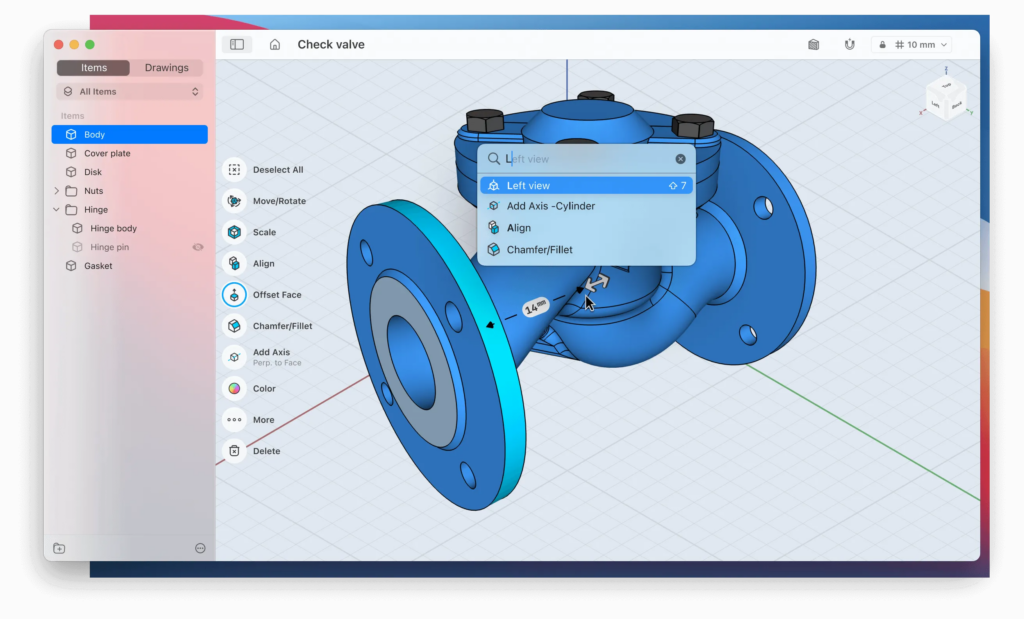
Shapr3D is a well-crafted 3D CAD application with a free Mac desktop app, available for students or anyone who needs to create up to two designs.
It’s tailored for beginners in 3D CAD, and the fundamentals can be mastered in just over an hour.
Shapr3D is compatible with most major drawing tablets, like Wacom, allowing you to sketch and create 3D models with ease.
On tablets, it supports pressure-sensitive input from the Apple Pencil, making it an excellent tool for CAD work on the iPad.
Shapr3D is designed to guide users from initial sketches to detailed industrial blueprints, though many prefer to use it for quick idea sketches before refining them in more advanced tools like Fusion.
The app syncs across macOS, Windows, and mobile devices, so you can start designing on a Mac and seamlessly continue on an iPad or Surface Pro when on the go.
Shapr3D is free to use for up to two designs and is also available at no cost for students and educators.
Pricing: Free for students or 2 designs, Commercial plans start at $25/m
7. BRL-CAD
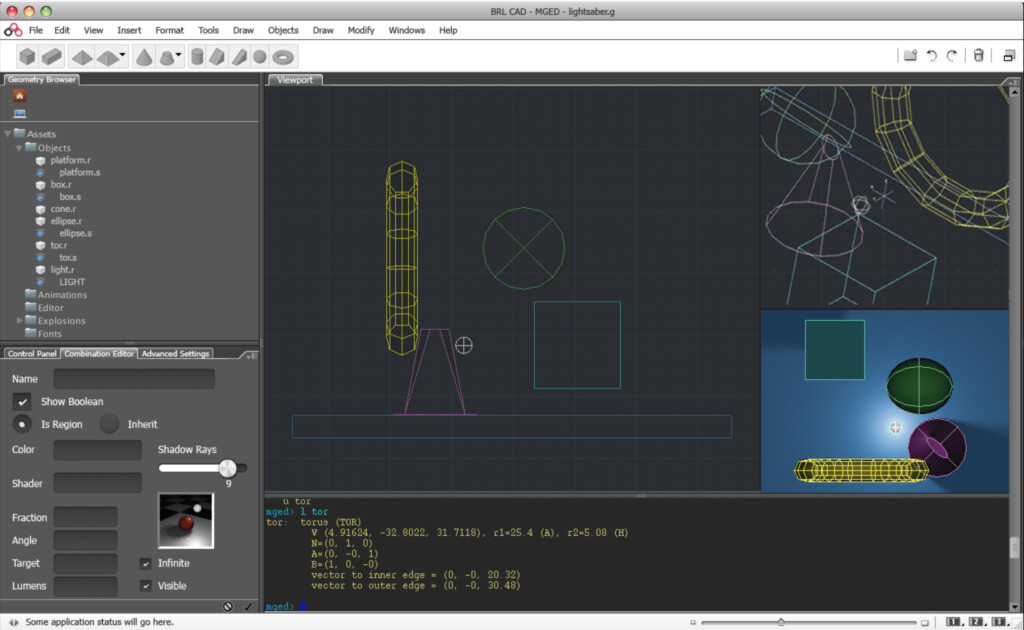
BRL-CAD was first designed back in 1979 and is a powerful free open source CAD modeling software that works on both Mac and Windows PCs.
BRL-CAD has even been used by the U.S. military to model weapons systems for vulnerability and lethality.
BRL-CAD features advanced features such as interactive geometry editing, high-performance ray-tracing for rendering and geometric analysis.
It also features a performance analysis benchmark suite and geometry libraries for application developers.
Pricing: Free
8. QCAD
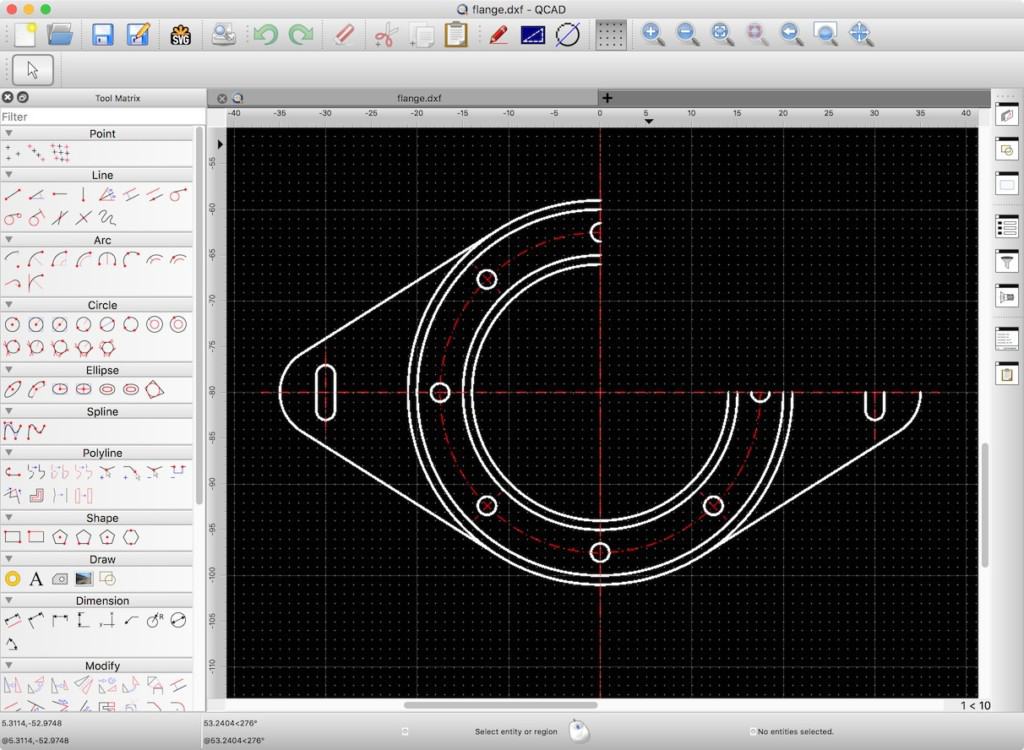
QCAD is a basic, free open source 2D Computer Aided Drafting application for Mac, Windows and Linux which allows you to create technical drawings for buildings, interiors, mechanical parts, schematics and diagrams.
QCAD is a great starting point for novices in CAD design with a simplified, clear interface but plenty of features.
QCAD can import and open DWG and DXF files and also has a special add-on for Computer Aided Manufacturing (CAM).
There’s also a professional version of QCAD which costs less than $40 and adds extra features although it doesn’t support 3D CAD.
If you’re new to CAD and need something easy to get started with at zero cost, QCAD is an excellent beginners CAD package for Mac users.
Pricing: Free
9. OpenSCAD
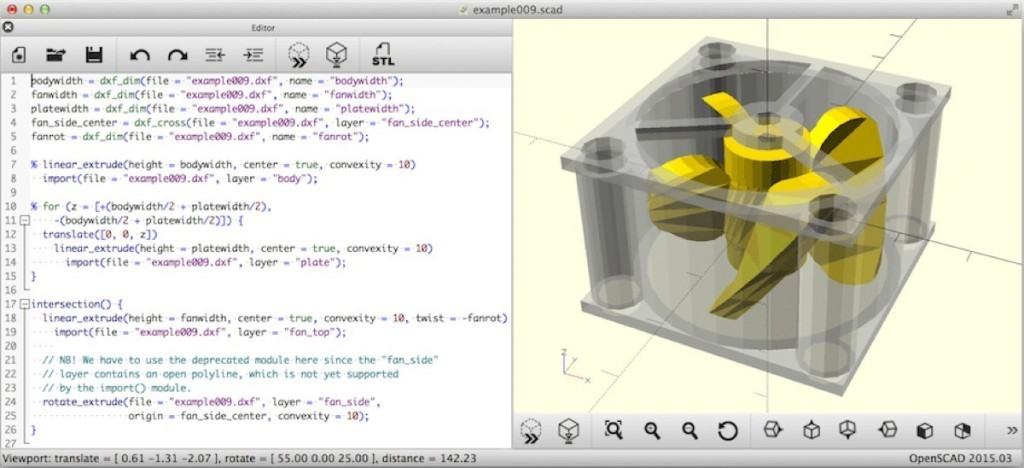
OpenSCAD is a free open source 3D modelling application which can create 3D CAD models.
Unlike similar 3D modelling software such as Blender, it’s less focused on the aesthetics of 3D modelling but more on the CAD aspects.
OpenSCAD is aimed at those that need to create 3D models of machine parts for example but not those that want to create 3D computer-animated movies.
OpenSCAD requires some knowledge of deep nesting and writing in modules because it’s a 3D compiler that reads scripts and then renders the model from that file.
If you know what you’re doing with scripts, OpenSCAD is a powerful tool and costs nothing.
Pricing: Free
10. LibreCAD
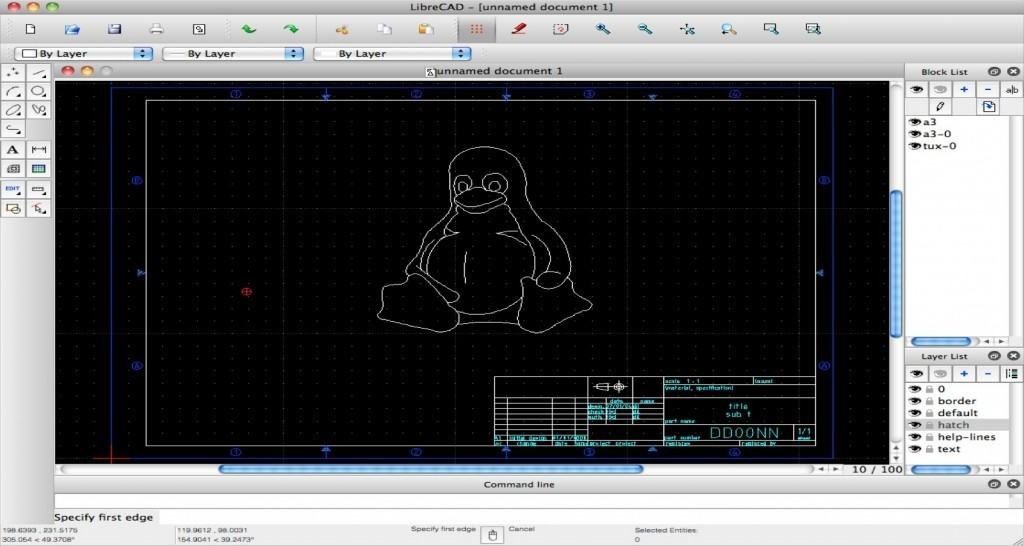
LibreCAD is a 2D drawing software based on the community edition of QCad. LibreCAD might not be suitable for professional needs but is an excellent primer for those new to CAD.
LibreCAD can import DXF and DWG files and can export DXF, SVG, JPG, PNG, PDF and other files.
LibreCAD has all the basic tools you need to draw 2D designs including layers, blocks, splines and advanced tangent line & circle tools.
Since it isn’t bloated with 3D features, LibreCAD is extremely fast and lightweight and because it’s open source, doesn’t cost a cent.
Pricing: Free
11. LeoCAD
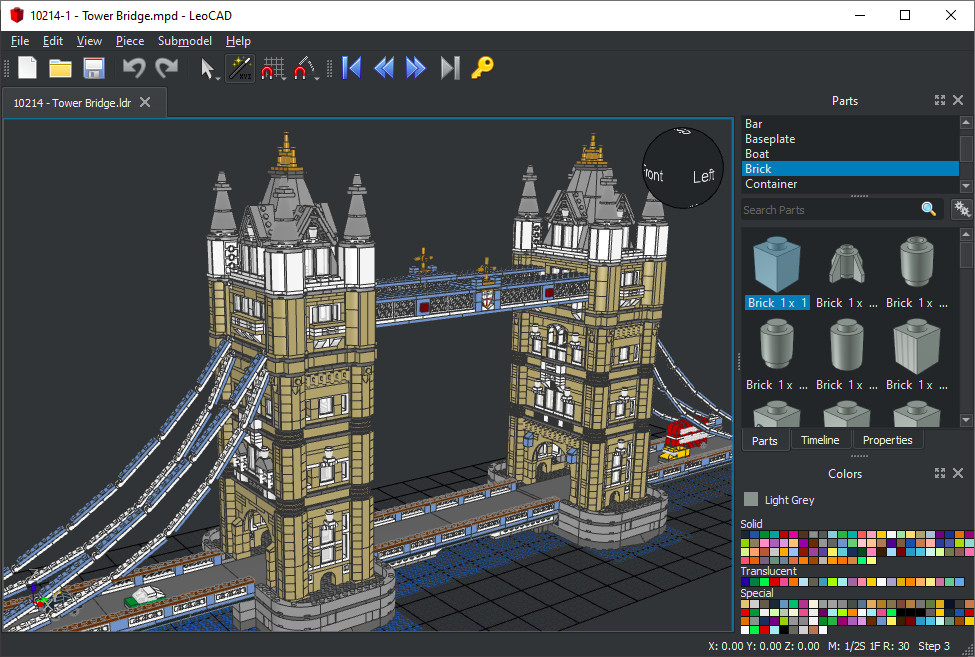
LeoCAD is an unusual CAD tool that’s based on Lego building blocks. It works via a free Mac desktop app and there’s also a version for Windows and Linux.
This makes LeoCAD not only easy to use but fun for beginners including children and young students.
Despite this you can build some pretty complex models with LeoCAD and its fully compatible with the LDraw Standard.
The software can read and write LDR/MPD files so that you can share and download models from other users.
LeoCAD also integrates with the LDraw parts library which has over 10,000 parts to choose from.
Pricing: Free
12. DesignSpark Explorer
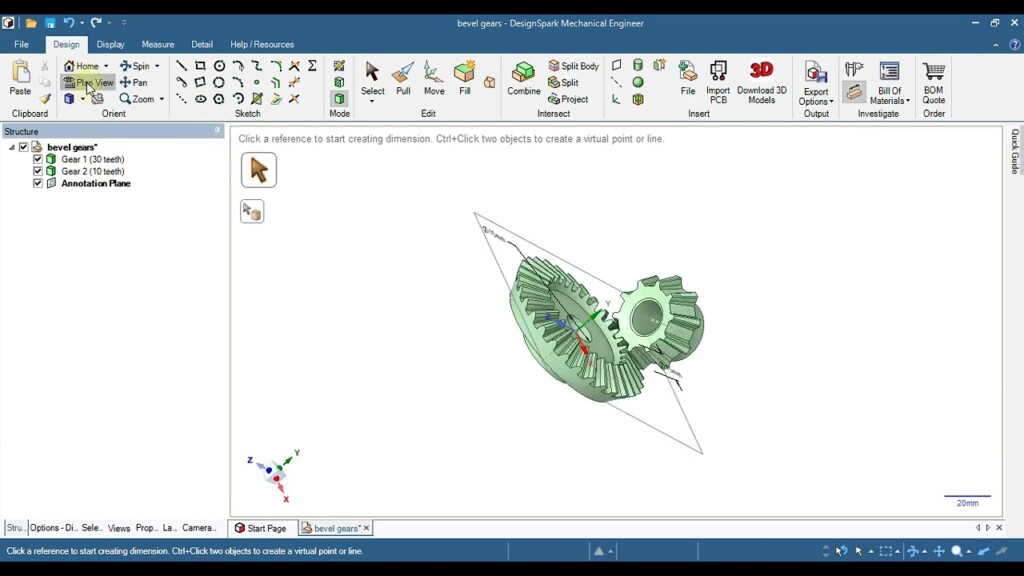
DesignSpark Explorer is a powerful free gesture based CAD software that’s aimed at students and beginners to CAD.
Although DesignSpark Mechanical isn’t free, the Explorer edition gives you many of the features that are available within it and allows you to create complex geometry.
The Explorer edition can also import Solidworks, AutoCAD and CATIA files.
The free version of DesignSpark Explorer supports:
- Unlimited projects and design size
- Pull, blend, fill and combine tools for complex shapes and geometry manipulation
- Generate Bill of Materials and get quotes
- Import PCBs in the IDF format
- Measure and quality tools (check mass properties, draft angles, curvature, deviation, etc.)
- Equation and constraint-based sketching tools
You only need to create a DesignSpark account and get verified to start using it for free.
Pricing: Free
13. TinkerCAD
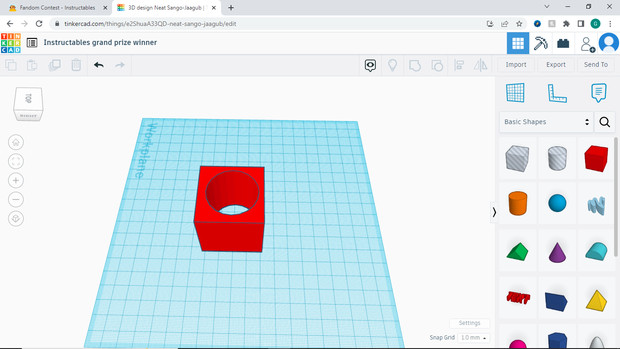
TinkerCAD is another free Autodesk product aimed at beginners to 3D modelling, electronics and coding.
The Cloud based tool is aimed mainly at teachers and young students that are learning about how to create in 3D.
It can also be used as an electrical design software to create circuits and teaches basic programming via “blocks” that are easy enough for kids to use.
Other handy features in TinkerCAD include support for importing and exporting STL, OBJ and SVG files. You can even use TinkerCAD with an iPad as a drawing tablet as it supports the Apple Pencil.
Pricing: Free
14. nanoCAD Free
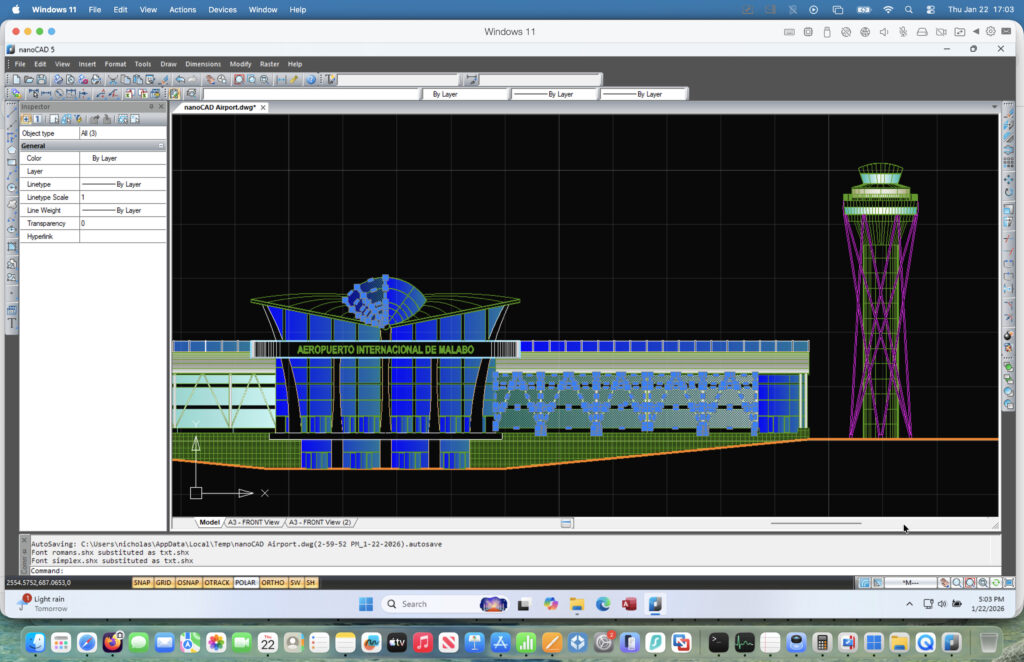
As the name suggests, nanoCAD Free is a free professional 2D CAD software designed primarily as a lightweight alternative to AutoCAD on Windows.
If you’re already familiar with AutoCAD-style drafting, nanoCAD has a very gentle learning curve and offers many of the same core tools for creating, editing, and annotating technical drawings.
It uses DWG as its native file format and can open and edit DWG and DXF files (up to the AutoCAD 2013 format), making it particularly useful for users working with legacy CAD drawings.
nanoCAD is aimed mainly at 2D drafting tasks such as architectural plans, engineering schematics, and technical documentation, rather than complex 3D modelling.
The main limitation is that nanoCAD does not run natively on macOS and must be used via a virtual machine (for example with Parallels Desktop on a Mac).
Check out our full how to run nanoCAD on a Mac guide to learn how to run it on macOS.
Pricing: Free
Running Windows Free CAD Software On A Mac
There are some free CAD apps like the excellent NanoCAD that are Windows only.
In this case, the only thing to do is run Windows on your Mac and usually the best method for CAD apps is by using a virtual machine.
This is what we used to run Revit on a Mac as you can see in the video below and as long as your Mac is powerful enough, it works pretty well.
Final Verdict
If you want a truly free, unrestricted CAD application on a Mac, FreeCAD remains the best overall choice in 2026.
Students should take full advantage of AutoCAD Education and Fusion, while beginners will find TinkerCAD, QCAD, and Shapr3D far easier to learn.
For modern, collaborative CAD projects with no installs, Onshape proves that browser‑based CAD is no longer a compromise.
FAQ
Is there truly free CAD software for Mac?
Yes. Some CAD software for Mac is completely free with no feature or usage restrictions. Open-source tools like FreeCAD, LibreCAD, QCAD, OpenSCAD, and BRL-CAD can be used indefinitely without paying or upgrading.
Other popular options such as Fusion, AutoCAD, and Shapr3D are free only for students, educators, or personal (non-commercial) use.
What is the best free CAD software for commercial use on a Mac?
The best free CAD software that allows commercial use on macOS includes:
- FreeCAD – Best overall option for professional-grade work
- LibreCAD – Excellent for 2D drafting and floor plans
- QCAD (Community Edition) – Simple and reliable for technical drawings
- OpenSCAD – Ideal for parametric and script-based design
These tools do not restrict paid or client work.
Can I open and edit DWG files on a Mac for free?
Yes. Several free CAD tools can open and edit DWG and DXF files on macOS, including FreeCAD, QCAD, LibreCAD, and DesignSpark Explorer.
However, complex AutoCAD files with advanced annotations or plugins may not import perfectly.
Is Autodesk Fusion still free in 2026?
Yes, Fusion still offers a free personal-use license in 2026, but it comes with important limitations. It cannot be used for commercial work, and some advanced features such as certain export formats and simulation tools are restricted.
What is the easiest free CAD software for beginners on a Mac?
For complete beginners, the easiest free CAD tools to learn on a Mac are:
- TinkerCAD – Best for absolute beginners and education
- Shapr3D – Intuitive sketch-based 3D CAD (limited free plan)
- QCAD – Simple and approachable 2D drafting
These tools prioritize usability over advanced engineering features.
Is browser-based CAD safe for professional work?
Yes. Cloud CAD platforms like Onshape use enterprise-grade security and version control. However, the free version of Onshape requires projects to be public, which makes it unsuitable for confidential or client work unless you upgrade to a paid plan.
Can I run Windows-only free CAD software on a Mac?
Yes. Windows-only CAD applications such as nanoCAD can be run on a Mac using virtualization software like Parallels Desktop or VMware Fusion.
On Apple Silicon Macs, virtualization is the only option (Boot Camp is not supported). Performance is generally good for 2D CAD and light 3D work, but native Mac CAD software performs better for complex projects.