


If you need to open an AutoCAD file on your Mac but don’t have AutoCAD installed, here we show some easy ways to view DWG files in macOS for free.
AutoCAD is one of the best CAD software for Macs but you don’t have to pay for it just to view AutoCAD drawings.
Many of the best free CAD software for Mac also open AutoCAD files in macOS and we’ve highlighted a few options here.
Note that AutoCAD’s DWG TrueView for Mac is not available – the only way to use it is to install Windows on your Mac but we don’t recommend it when the following options are available.
So whether you’re dealing with a DWG, DXF, or other AutoCAD file format, here are the best ways to open them for free on a Mac without the need for AutoCAD.
1. Autodesk Viewer (Free Web-Based Viewer)
Pros: Free, No installation required, Allows annotation, supports layers
Cons: Requires an internet connection and Autodesk account, limited editing tools
For those who prefer a quick, no-install solution, Autodesk Viewer is by far the best option to open AutoCAD files on a Mac.
It’s a completely free online tool from the makers of AutoCAD that supports a wide range of file formats, including DWG and DXF but also other native Autodesk formats like RVT and IPT, plus many other common CAD/BIM files such as STEP, FBX, IFC, OBJ, 3DS and CATPART.
You can view, share, and even annotate AutoCAD DWG and DXF files in it with any web browser.
Note that it doesn’t support editing files without a subscription to AutoCAD although you can leave comments and view by layers.
Here’s how to use Autodesk Viewer:
- Go to the Autodesk Viewer website.
- Create a free Autodesk account if you don’t already have one.
- Upload your DWG or DXF file.
- Once uploaded it takes a few seconds to process the blueprint and then you can view, zoom in, leave comments, annotate, measure, view layers and more.
2. DWG TrueView in a Virtual Machine
Pros: Reliable, Official AutoCAD viewer, works on your desktop
Cons: Requires Windows installation with a virtual machine on a Mac
AutoCAD’s official viewer, DWG TrueView, is completely free and allows you to open, view, and convert DWG files on your desktop.
The only catch is that DWG TrueView is Windows-only.
You can however still use it by running Windows on a Mac. For DWG TrueView, we recommend using a virtual machine such as Parallels for this.
It works really well and enables you to to do everything you can in the Windows version of DWG TrueView (see our video above).
There are also free virtual machines such as VMware Fusion Pro you could use.
Parallels is the better option though and offers a 14-day free trial, giving you time to set up and view AutoCAD files without purchasing the software. Check out our full review on why it’s the best virtual machine for running CAD software like DWG TrueView.
Here’s how you can do it:
- Download a virtual machine to install Windows on your Mac.
- Install Windows within Parallels. It’s pretty straightforward as Parallels downloads and installs Windows automatically but if you need any help, follow the instructions here.
- Download and install DWG TrueView within Windows.
- Open your AutoCAD file in DWG TrueView.
3. eDrawings Viewer (Free Desktop Viewer)
Pros: Free, works on Mac desktops, supports DWG and DXF files
Cons: No editing tools
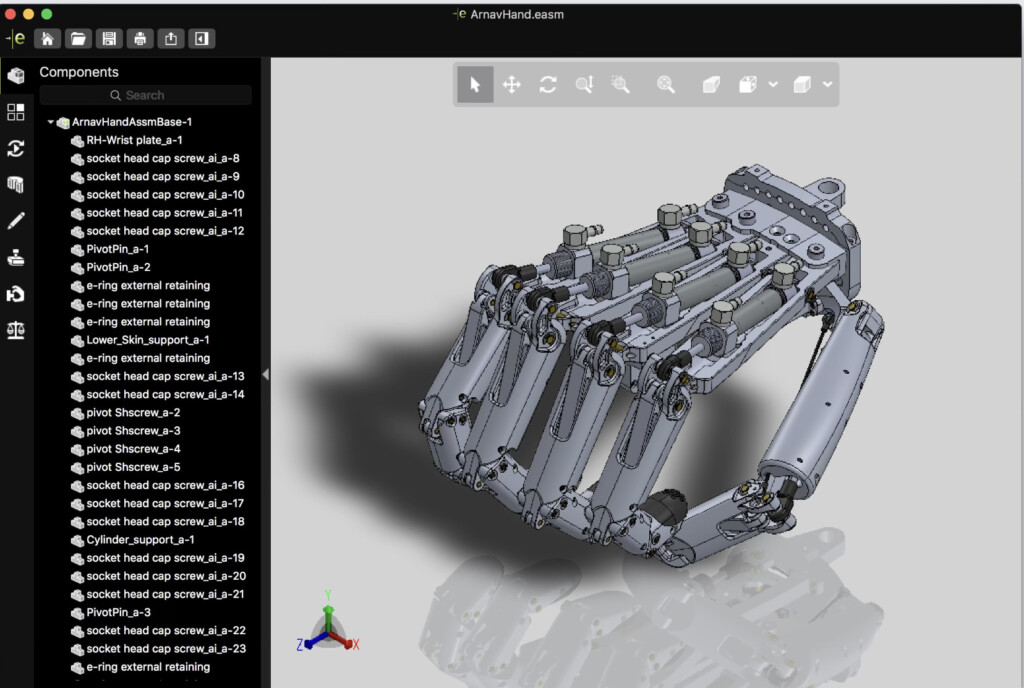
eDRawings Viewer is by Dassault Systems the makers of the DraftSight CAD software.
It’s a free tool designed to view, print, and review AutoCAD DWG and DXF files on a Mac.
The app offers support for both 2D and 3D CAD files and allows you to easily measure dimensions, create markups, and collaborate through sharing eDrawings files.
To open an AutoCAD file with it, just download eDrawings Viewer from the Mac App Store.
4. LibreCAD (Free Open Source CAD Software)
Pros: Free, Open-source, no sign-ups required
Cons: Limited to 2D viewing, AutoCAD file support can be unreliable
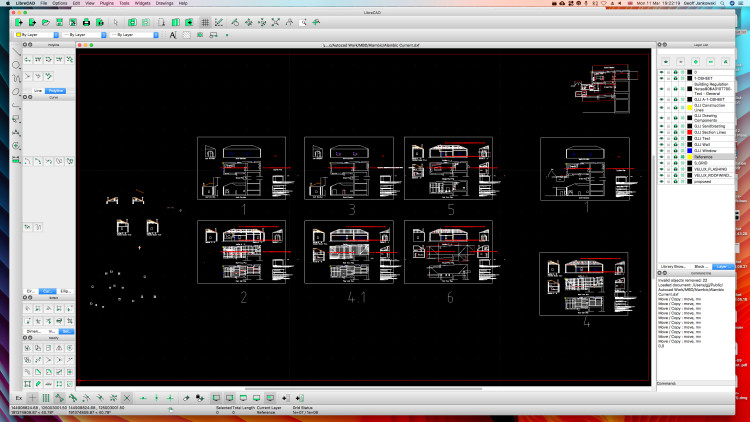
LibreCAD is a free and open-source CAD software alternative to AutoCAD for Mac.
It allows you to open and view DWG files natively on macOS without the need for any emulators or virtual machines.
While it’s only able to do 2D CAD, it’s perfect for those who just need to inspect or print drawings without needing full AutoCAD functionality.
If you need 3D support then we’d recommend using FreeCAD which can also open AutoCAD files on Macs but also supports both 2D and 3D.
Note that DWG support is an experimental feature in LibreCAD so you may find it doesn’t work for all files.
To use LibreCAD to view AutoCAD files:
- Download LibreCAD from the official website.
- Open the app and upload your DWG file.
5. Oda File Converter (Free DWG to PDF Converter)
Pros: Free, Simple file conversion
Cons: No native DWG viewing
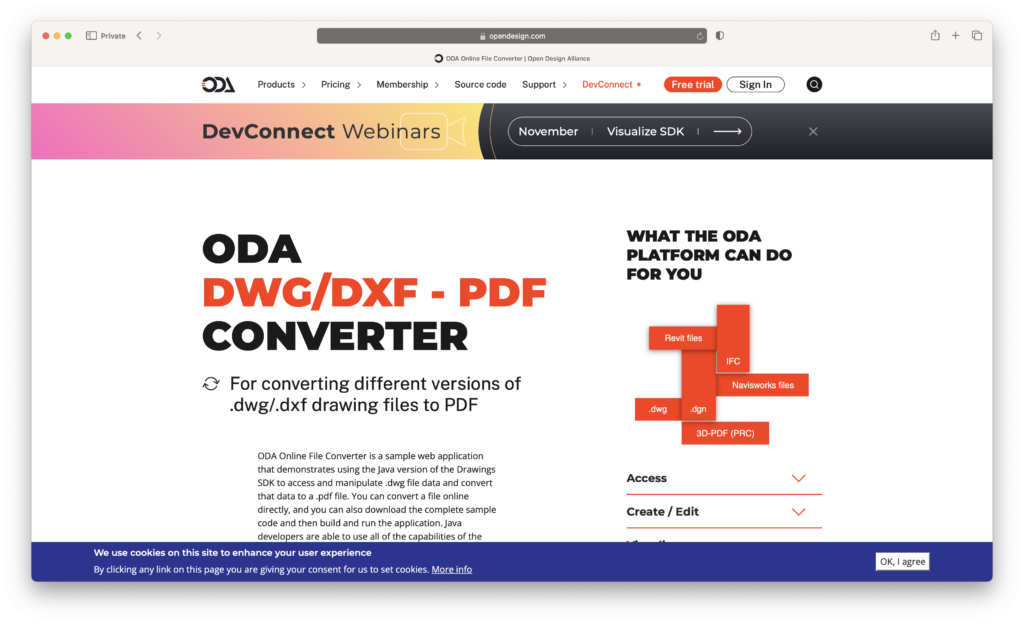
If it’s enough for you to just view AutoCAD files as PDFs, Oda File Converter is a free tool that converts DWG files to PDF format.
This allows you to open them in any PDF viewer on your Mac without needing any specialized CAD software.
This method doesn’t let you interact with the design as you would with a CAD viewer, but it’s a quick and effective way to get a readable version of the file.
Here’s how to use it:
- Download the Oda File Converter from the ODA website.
- Convert your DWG file to PDF.
- Open the PDF on your Mac using Preview or any other PDF viewer.
FAQ
Can I use DWG TrueView on a Mac?
No, DWG TrueView is only available for Windows. The only way to install it on a Mac is with a virtual machine. However, there are alternative ways to view and edit DWG files on a Mac which we’ve outlined above.
What are the best free ways to open DWG files on a Mac?
All of the above methods offer free ways to open DWG files in macOS but Autodesk Viewer is the easiest way.
What paid software can I use to open and edit DWG files on a Mac?
AutoCAD for Mac is the obvious options although most of the best CAD software for Mac can open DWG files.
Can I convert DWG files to another format on a Mac?
Yes, you can use online converters like Oda File Converter (see above) to convert DWG files to PDF or DXF, which can be opened in other CAD programs.
Are there any desktop DWG viewers available for Mac?
Yes, some popular DWG viewers for Mac include:
- eDrawings Viewer for Mac – A simple tool to view DWG and DXF files.
- LibreCAD – Open source CAD software for Macs but only supports 2D
- FreeCAD – Free CAD software for Mac which supports both 2D and 3D
How can I open DWG files without installing any software?
You can use Autodesk Viewer in your web browser to view DWG files without downloading or installing anything.
Can I use Parallels or Boot Camp to run DWG TrueView on a Mac?
Yes, if you need DWG TrueView specifically, you can use Parallels Desktop or Boot Camp (on Intel Macs only) to run Windows on your Mac and install DWG TrueView. However, using a Mac-compatible viewer is more convenient and much quicker.