


Meta has confirmed plans to retire its standalone Messenger desktop applications for both macOS and Windows, effective December 15, 2025.
After that date, users will no longer be able to log into the apps; instead, they will be redirected to Facebook’s web interface to access Messenger.
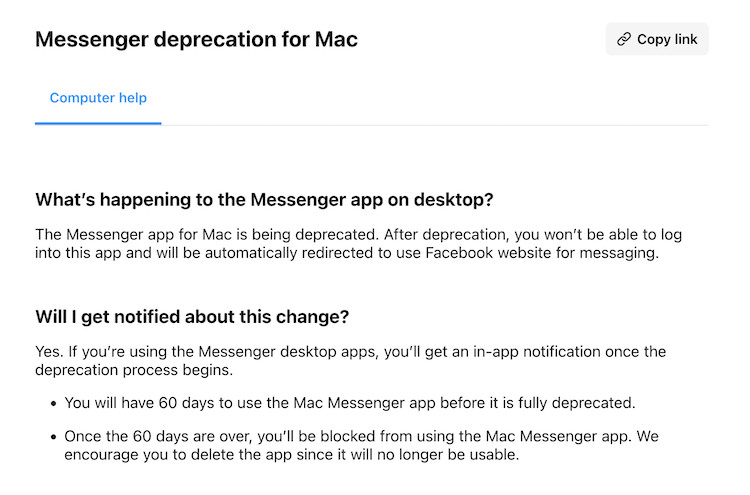
The company says the change is part of a shift in focus toward its web app. In its help center Meta says:
“You will have 60 days to use the Mac Messenger app before it is fully deprecated. … We encourage you to delete the app since it will no longer be usable.”
Mac and Windows users are both being nudged to migrate to messenger.com, though Windows users will retain access to a Facebook desktop app alternative.
Meta is also urging users to activate “secure storage” and set a PIN before the shutdown to preserve chat history.
What prompted the decision?
This isn’t a brand-new move: Meta already transitioned users to a Progressive Web App (PWA) version of Messenger in September 2024.
The removal of the full native apps seems to be the final step in consolidating all usage onto the web version.
For Meta, this will likely reduce maintenance costs, streamline feature updates, and centralize data handling (such as user sessions, updates, analytics).
Of course it may not be so good for users as web apps are often inferior and less functional than native apps – particularly when it comes to notifications, system integration, offline modes, and resource usage.
Community Reaction
Not surprisingly there’s been quite a backlash on reddit from disgruntled users mainly because they’ll miss the convenience/functionality of the app and fears that it will mean a lot more advertising on the web version.
There are also many users with privacy concerns as Meta will have more access to your browser now that the web app is the only way to use Messenger on a Mac.
Alternatives To Messenger for Mac
If you mainly communicate with iPhone, iPad and other Mac users on your Mac, then Apple Messages is probably the best alternative to use.
However, there are some other third party apps worth checking out which we’ve compared below.
| App | Mac Desktop App | Strengths | Drawbacks / What to Consider |
|---|---|---|---|
| Signal | Yes | Very strong on privacy (end-to-end encryption), open source, widely trusted. Works across phone and Mac. | Need your contacts to use it; fewer social features compared to Facebook; if mostly your friends use Messenger, switching means asking them to use a new app. |
| Wire | Yes | Secure, useful for both personal and business communication; good support for encryption, voice/video, file sharing. | Smaller user base; some features may be behind paid plans; possibly less mainstream, so fewer people you know use it. |
| Yes | Very popular, so chances are many of your contacts already use it; good multimedia support; end-to-end encryption. | Requires a phone number; desktop app often works as an extension of your phone; privacy under Meta ownership is a concern for some; has limits (e.g. file size, encryption features) compared to apps like Signal. | |
| Telegram | Yes | Good for large group chats, bots, multi-device sync, relatively fast; many features. | Not always end-to-end encrypted by default for all chat types; may have different privacy trade-offs; again, adoption among your contacts matters. |
| Threema | Yes | Very privacy-focused; allows more anonymity; good portable apps. | Less widely used; might require purchase; fewer features (especially social or “bells and whistles”); smaller network of contacts. |