

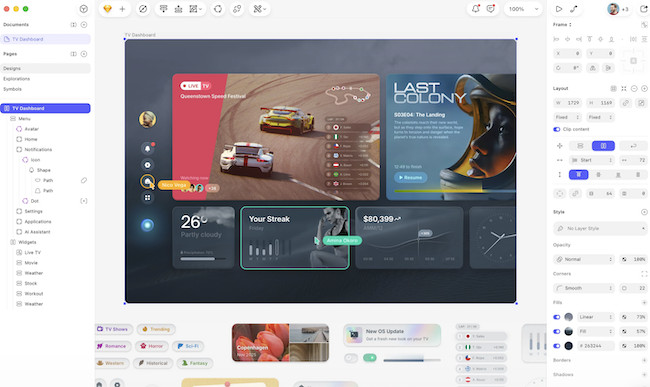
Designing an app or website always starts with structure which is exactly what wireframe tools care for.
Whether you’re mapping out user flows, designing screens, or planning entire digital products, choosing the right wireframe software can dramatically speed up how long it takes.
But with so many wireframing tools now browser-based or Windows-only, there are less options open to Mac users often need to look a bit harder.
Here I’ve taken a closer look at the the best wireframe tools that work on macOS for all budgets, including both native Mac apps and Cloud based options.
What Is a Wireframe?
A wireframe is a simplified visual outline of a webpage, app screen, or user flow. One way to think of it is the same as a CAD blueprint but for a digital product rather than a building. A good wireframe strips out colors, branding, and visual elements and focuses purely on:
- Layout
- Hierarchy
- Navigation
- Interaction patterns
- User flows
Wireframes help teams plan interfaces before committing time (and money) to detailed UI design or writing any code. They also act as communication tools between designers, developers, and stakeholders.
What Makes the Best Wireframe Tool?
Not all design tools are built for wireframing, and not all wireframing tools suit every project. When selecting options for Mac users, I looked for:
- macOS or Apple Silicon optimization
Native apps like Sketch or OmniGraffle typically perform better on Macs than browser tools because they are designed specifically for macOS.
- Fast, intuitive layout tools
Wireframing should feel lightweight and flexible, not like full-blown pixel-perfect graphic design software.
- Built-in UI libraries or templates
Pre-made elements help you draft screens quickly and hit the road running.
- Ability to scale from low- to high-fidelity
Many designers want to start simple but later add interaction, logic, or prototyping.
- Collaboration features
If you work with developers or product teams, real-time collaboration and easy sharing are important features.
- Value for money
Some tools try to be a jack-of-all-trades all-in-one suite while others stick strictly to wireframes. The right tool for your depends on whether you need to do more than just wireframing and your budget.
Here then are our picks for the best wireframe tools for Mac of 2025.
| Software | Best for | Pricing |
|---|
| Sketch | Mac-based designers needing a full-featured, Mac-native wireframe and UI design tool, with the option to go from low-fidelity wireframes to full UI/UX work | Standard subscription: US $12/editor/month (billed yearly) or Mac-only licence one-time US $120/year (per seat) |
| Adobe XD | Designers or teams using the Adobe ecosystem and wanting good wireframing + interactive prototyping + collaboration | Subscription-based; approximate standard pricing starts around US $9.99–$19.99/month (depending on region and plan) |
| Justinmind | Teams or individuals needing interactive, high-fidelity wireframes and prototypes (with logic, forms, user-flow simulation) | Free for basic (1 project), or paid plans: US $19/editor/month (Standard) or US $29/editor/month (Professional) |
| OmniGraffle | People focused on diagrams, flows, information architecture, early-stage planning or structural wireframes on Mac | Perpetual Mac license: Standard US $149.99 or Pro US $249.99 (one-time) |
| Balsamiq | Quick, low-fidelity wireframes and early-stage brainstorming, especially for non-designers or early-phase UX planning | Desktop license: US $89–129 (one-time per user) Web-based: starting from US $9–12/month for a small number of projects. |
1. Sketch – Best All-Around Wireframe Tool for Macs
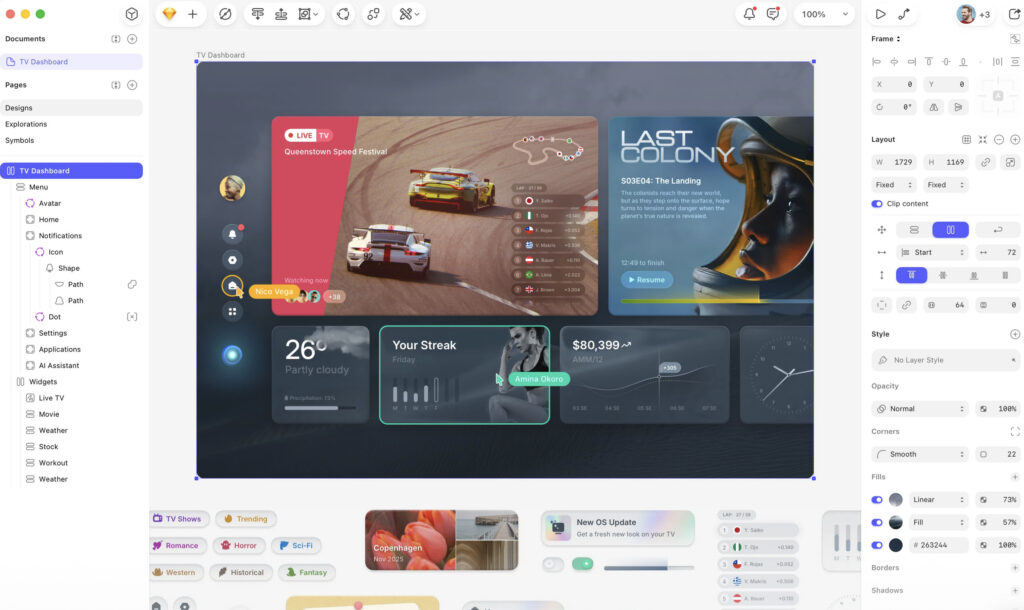
Sketch remains one of the most popular wireframe design tools among Mac users – and for good reason. It’s a native macOS app, runs beautifully on Apple Silicon, and offers a uniquely fluid UI for building wireframes, UI layouts, and detailed interface designs. Unlike browser-based tools, Sketch feels fast, lightweight, and integration with macOS includes everything from shortcuts to file management.
While Sketch is powerful enough for full UI and UX design, it’s also ideal for simple wireframing. Its vast library of UI kits, reusable components, symbols, and plugins helps you design fast while keeping designs consistent. Teams can collaborate through Sketch’s Cloud platform, but you can also work entirely offline – a big advantage over browser-only tools.
Pros
- Fully native Mac app with excellent performance
- Huge range of UI kits and plugins
- Easy to scale from simple wireframes to full UI/UX design
- Works offline
Cons
- Collaboration features require Sketch Cloud
- Mac-only – not ideal for teams that use a mix of macOS and Windows
2. Adobe XD – Best for Prototyping and Interactive Wireframes
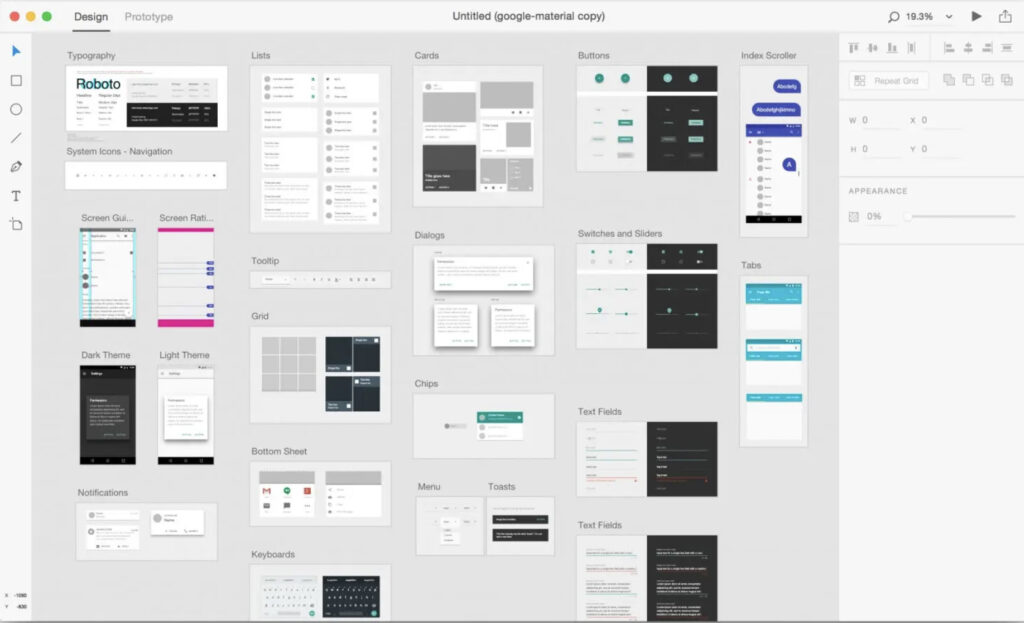
Adobe XD is Adobe’s streamlined UX/UI design tool built for both macOS and Windows. It excels at turning wireframes into interactive, clickable prototypes that simulate real user journeys. XD lets you link screens, animate transitions, and preview flows on mobile or desktop – making it great for app and responsive-web projects.
For Mac users who already subscribe to Adobe Creative Cloud, XD integrates perfectly with Illustrator, Photoshop, and Lightroom. Assets can be shared between apps, which is incredibly useful if your wireframes later evolve into polished UI designs.
Pros
- Excellent for clickable prototypes and animated flows
- Works seamlessly with other Adobe tools
- Familiar interface for existing Adobe users
- Strong collaboration and sharing features
Cons
- Best features are tied to Adobe subscriptions
- Not as lightweight as Sketch for simple wireframes
3. Justinmind – Best for Advanced, High-Fidelity Prototypes
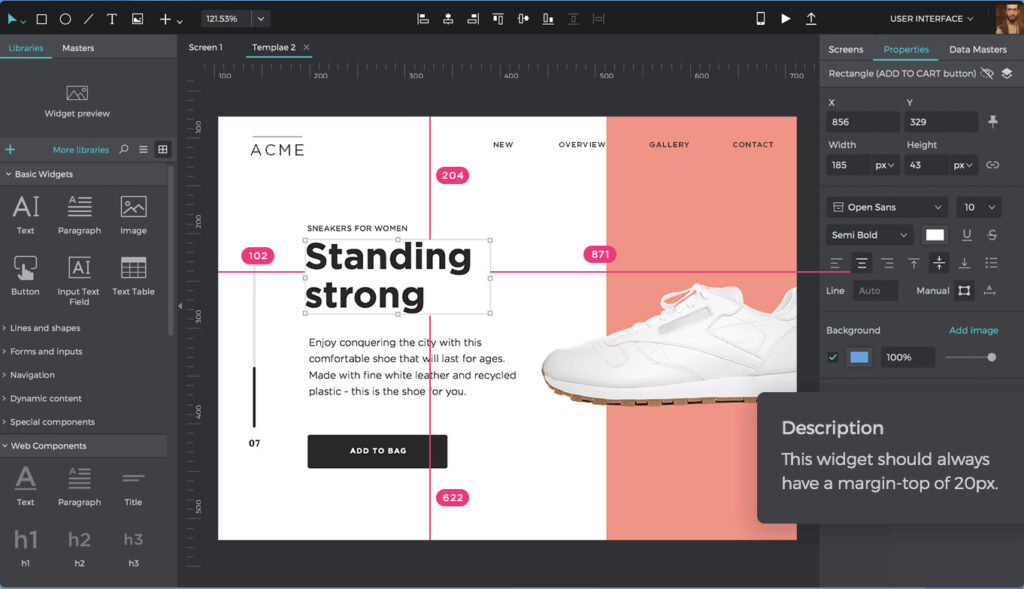
Justinmind offers one of the most feature-rich environments for prototyping and wireframing complex apps. While you can create basic wireframes, the real strength of Justinmind lies in high-fidelity interactions – input fields, menus, logic-based flows, form validation, gestures, transitions, responsive layouts, and more.
This makes it ideal for teams building mobile apps or SaaS products where user testing is essential. The macOS version runs smoothly and stores projects locally, making it a strong option if you want more control than cloud-only tools offer.
Pros
- Supports extremely detailed, interactive prototypes
- Built-in logic tools for realistic user flows
- Ideal for usability testing
- macOS app available (not just browser-based)
Cons
- Steeper learning curve than simpler wireframe tools
- Overkill for early-stage sketches
4. OmniGraffle – Best for Diagrams, Flows and Structural Wireframes
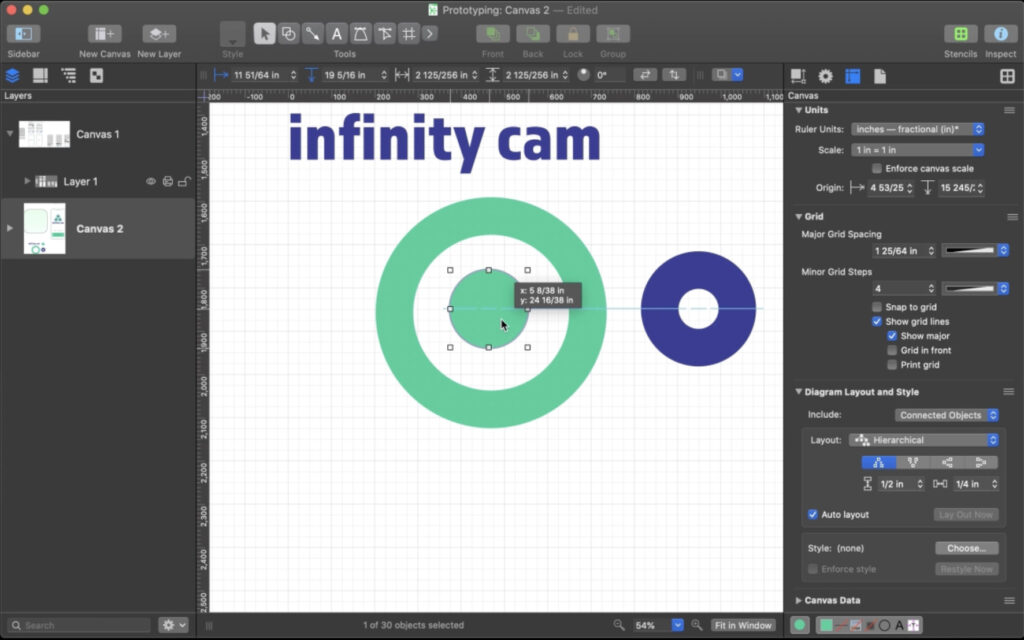
OmniGraffle is a well known Mac-native diagramming tool used for everything from flowcharts to screen layouts. It isn’t a dedicated UI design suite like Sketch, but that simplicity is part of its charm. If your process begins with mapping flows, architecture, and relationships, OmniGraffle is incredibly intuitive.
You can build wireframes using stencils, grids, alignment tools, and layers – and it’s excellent for hybrid documents that mix diagrams with interface layouts. Many UX designers use OmniGraffle for the planning stage before moving into Sketch or Adobe XD for detailed UI work.
Pros
- Native macOS app with superior performance
- Perfect for flows, diagrams, IA maps, and early wireframes
- Easy to use with a low learning curve
- Works offline and integrates with macOS features
Cons
- Not ideal for detailed UI design
- Limited interactive prototyping features
5. Balsamiq – Best for Low-Fidelity, Quick Wireframes
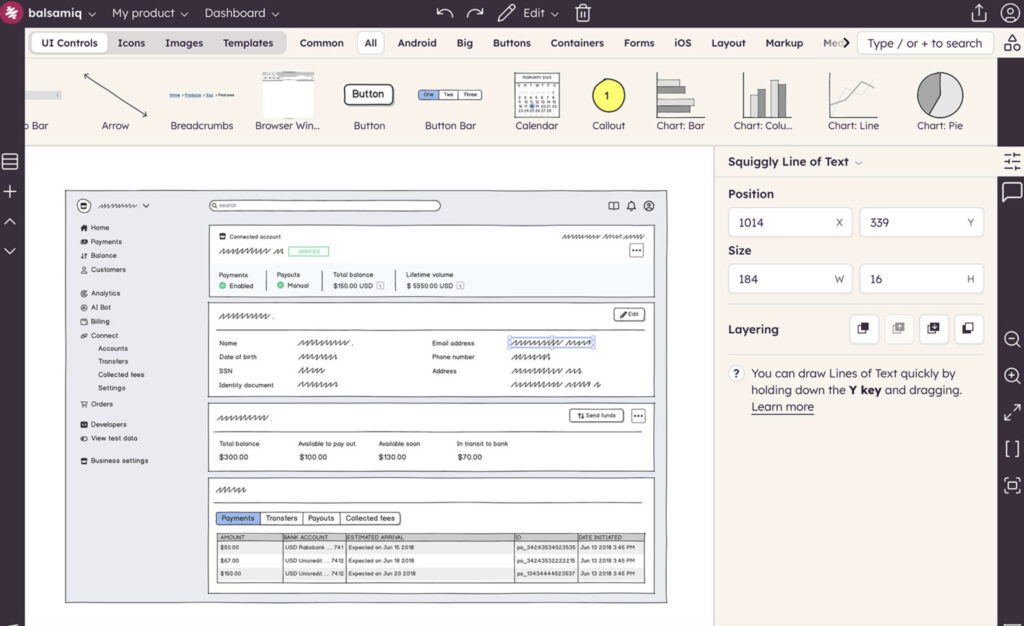
Balsamiq is designed for speed. Its sketch-style interface intentionally avoids polish, helping teams focus on structure instead of colors or typography. This makes it a favorite during brainstorming sessions, product planning, and early-stage UX work.
The macOS app is simple, lightweight, and easy for non-designers to use. Stakeholders tend to find Balsamiq’s rough sketch look less intimidating, which can make collaboration smoother during the early design phase.
Pros
- Fastest tool for quick wireframes
- Very low learning curve
- Sketch-style look helps teams focus on structure
- macOS app available (in addition to browser version)
Cons
- Not suited for high-fidelity UI design
- Limited interaction or animation capabilities
Which Wireframe App Should I Use?
Choosing the right wireframe tool depends on your style and the stage of the project. Here’s a quick guide:
- If you want the best all-round Mac app: Sketch
- If you’re already using Adobe’s ecosystem: Adobe XD
- If you need interactive or clickable prototypes: Justinmind
- If you prefer diagramming and flow charts with occasional wireframes: OmniGraffle
- If you want fast, low-fidelity sketch-style wireframes: Balsamiq
Conclusion
For most Mac users – especially those who want a polished, fast, and Mac-native wireframe app, Sketch is the best all-round tool. It strikes the perfect balance between simplicity for early wireframes and power for full design systems.
If you need clickable prototypes or work heavily with Adobe tools, Adobe XD is the standout choice. For advanced app flows and testing, Justinmind cannot be beaten. And if your workflow starts with diagrams and layouts, OmniGraffle is hard to match. For quick sketches and early-stage thinking, Balsamiq remains the fastest way to put ideas onto the page.
Further Reading
If you’re planning to use wireframes in your broader design workflow, you may also find our guide to the best CAD software for Mac useful.
For more general diagramming needs, check out our look at the best flowchart and diagramming software for Mac.
For teams working on complex design projects, our review of the best project management software for Mac covers tools that integrate with modern UX pipelines.
If you’re using these tools on a MacBook, see our guide to the best 5k monitors for Mac to maximize your workspace.
Frequently Asked Questions (FAQ)
1. What is the best wireframe software for Mac?
For most Mac users, Sketch is the best choice because it’s Mac-native, fast, and versatile, supporting everything from low-fidelity wireframes to full UI/UX design. Other options include Adobe XD for interactive prototypes, Justinmind for high-fidelity wireframes, OmniGraffle for diagram-heavy layouts, and Balsamiq for quick, low-fidelity sketches.
2. Can I use Windows wireframe tools on a Mac?
Yes, some Windows tools can run on a Mac using virtual machines or compatibility layers (like Parallels or Crossover). However, Mac-native tools like Sketch, OmniGraffle, and Adobe XD offer better performance, closer macOS integration, and offline functionality.
3. Are these wireframe tools suitable for beginners?
Yes. Balsamiq and OmniGraffle are the easiest for beginners because they focus on structure rather than polish. Tools like Sketch and Adobe XD have steeper learning curves but offer more advanced features as your skills grow.
4. Can I create clickable prototypes with these tools?
Yes. Adobe XD and Justinmind allow you to build interactive, clickable prototypes. Sketch supports prototyping as well, although often via plugins or integrated features. Tools like Balsamiq focus on static wireframes and early sketches, so interactivity is limited.
5. Do I need an internet connection to use these apps?
Most Mac-native tools (Sketch, OmniGraffle, Balsamiq desktop, Justinmind) can work fully offline. Adobe XD requires internet for some collaboration and cloud features, but you can still work on local projects offline.
6. How much do these tools cost?
Pricing varies by tool:
- Sketch: $12/month subscription or $120/year per editor
- Adobe XD: $9.99–$19.99/month (subscription)
- Justinmind: Free for basic, $19–$29/month for advanced plans
- OmniGraffle: Standard $149.99, Pro $249.99 (one-time)
- Balsamiq: Desktop $89–$129 one-time, web $9–$12/month
7. Which tool is best for team collaboration?
For team projects and real-time collaboration, Adobe XD and Justinmind are the best choices, due to cloud syncing and built-in collaboration features. Sketch offers collaboration through Sketch Cloud, while Balsamiq and OmniGraffle are better for individuals or small-teams.
8. Can I integrate these wireframe tools with other design or project software?
Yes. Many of these tools integrate with graphic design, prototyping, or project management platforms:
- Sketch: Plugins for Figma, Zeplin, Jira
- Adobe XD: Works seamlessly with Photoshop, Illustrator, Jira, Slack
- Justinmind: Exports to HTML or integrates with Jira and Trello
- OmniGraffle: Can export diagrams to PDF, PNG, SVG for other tools
- Balsamiq: Integrates with Confluence, Jira, or Google Drive