

If you want to play Counter-Strike 2 on a Mac, there is still no native macOS version—but there are several workarounds that genuinely work.
I tested the main options and found that Pixel Port is now the easiest free way to run CS2 locally on an Apple Silicon Mac. CrossOver is the more mature and reliable paid option, while GeForce Now lets you stream the game without installing it on your Mac.
Is Counter-Strike 2 Available for Mac?
Counter-Strike 2 is not available for macOS. The CS2 Steam page only lists Windows and SteamOS/Linux versions.
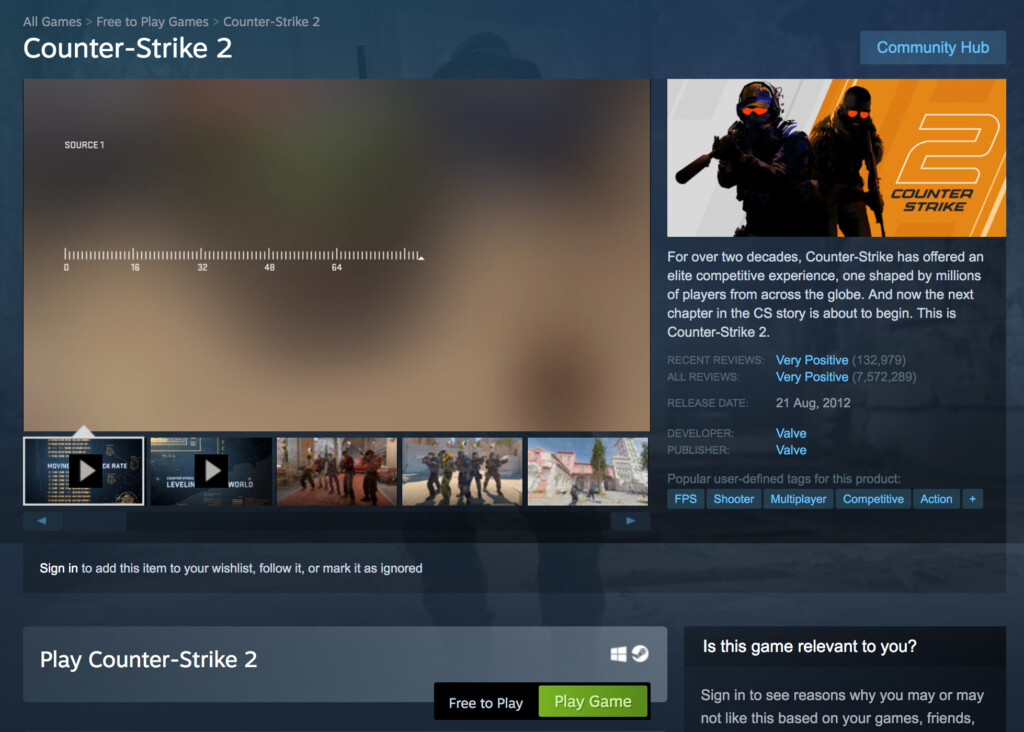
Valve ended Mac support when Counter-Strike 2 replaced CS in September 2023. The company said that macOS users, 32-bit systems and older DirectX 9 hardware together represented less than one percent of active CS players.
Valve has not announced a native Mac version since then, so Mac users must use a compatibility layer, cloud gaming service or Windows on an older Intel Mac.
The Best Ways to Play Counter-Strike 2 on a Mac
These are the three methods I recommend in 2026:
| Method | Best for | Cost | Mac support | Main drawback |
|---|---|---|---|---|
| Pixel Port | The easiest free local method | Free during beta | Apple Silicon, macOS 14 or later | Still in beta and can have bugs or be unstable |
| CrossOver | The most established local method | 14-day trial, then paid | Intel and Apple Silicon | Costs money and game updates can cause problems |
| GeForce Now | Playing without a large download or powerful Mac | Free and paid plans | Intel and Apple Silicon | Requires fast internet and adds latency |
Although there are other ways to play Windows games on a Mac, these are the most practical options for CS2.
1. Pixel Port: The Easiest Free Method
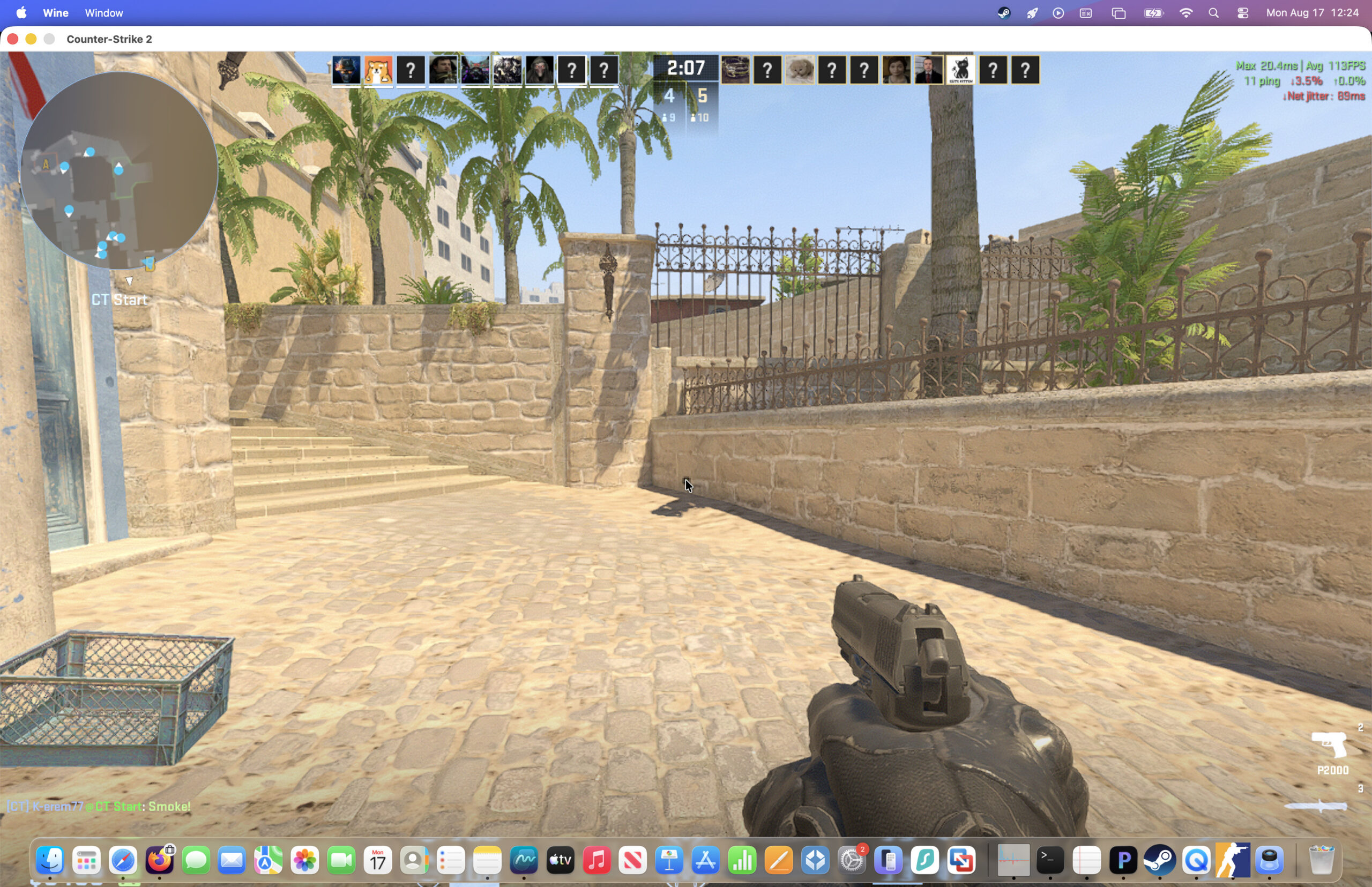
Pixel Port is the simplest way I have tried to play Counter-Strike 2 locally on an Apple Silicon Mac.
It is a free macOS app that automatically sets up the compatibility components needed to run supported Windows Steam games. Unlike Wine-based tools that require you to create bottles and experiment with graphics settings, Pixel Port handles almost everything for you.
Most importantly, I tested Counter-Strike 2 with Pixel Port and confirmed that it works. Once everything was installed, CS2 launched successfully and gameplay was smooth, with virtually no manual configuration required.
Pixel Port currently requires:
- An Apple Silicon Mac with an M-series chip
- macOS 14 Sonoma or later
- A Steam account
- At least 85 GB of free storage for CS2, although I recommend leaving more space for updates and temporary files
How to Install CS2 With Pixel Port
- Download Pixel Port and move it to your Applications folder.
- Open the app and allow it to download Prism, its Windows-game compatibility runtime.
- Sign in to Pixel Port and connect your Steam account. The QR-code option using the Steam mobile app worked better for me than entering a username and password.
- Find Counter-Strike 2 in the Pixel Port catalogue and click Install & Play or Install via Steam.
- Once the download has finished, launch CS2 from the Pixel Port library. It works amazingly well as you can see in my demo video below.
When I first tested Pixel Port in its early days, the Prism download stalled at 8%. However, when I tried again later it completed within seconds and everything worked normally. It is worth retrying if the initial setup appears to be stuck.
Pixel Port is still in beta, so it may occasionally suffer from download, Steam login or compatibility problems. A CS2 or macOS update could also temporarily stop the game working until Pixel Port is updated.
Even with those caveats, I would try Pixel Port first if you have an Apple Silicon Mac and want a free, straightforward way to play CS2.
For a closer look, see my full Pixel Port for Mac review.
2. CrossOver: The Most Established Local Method
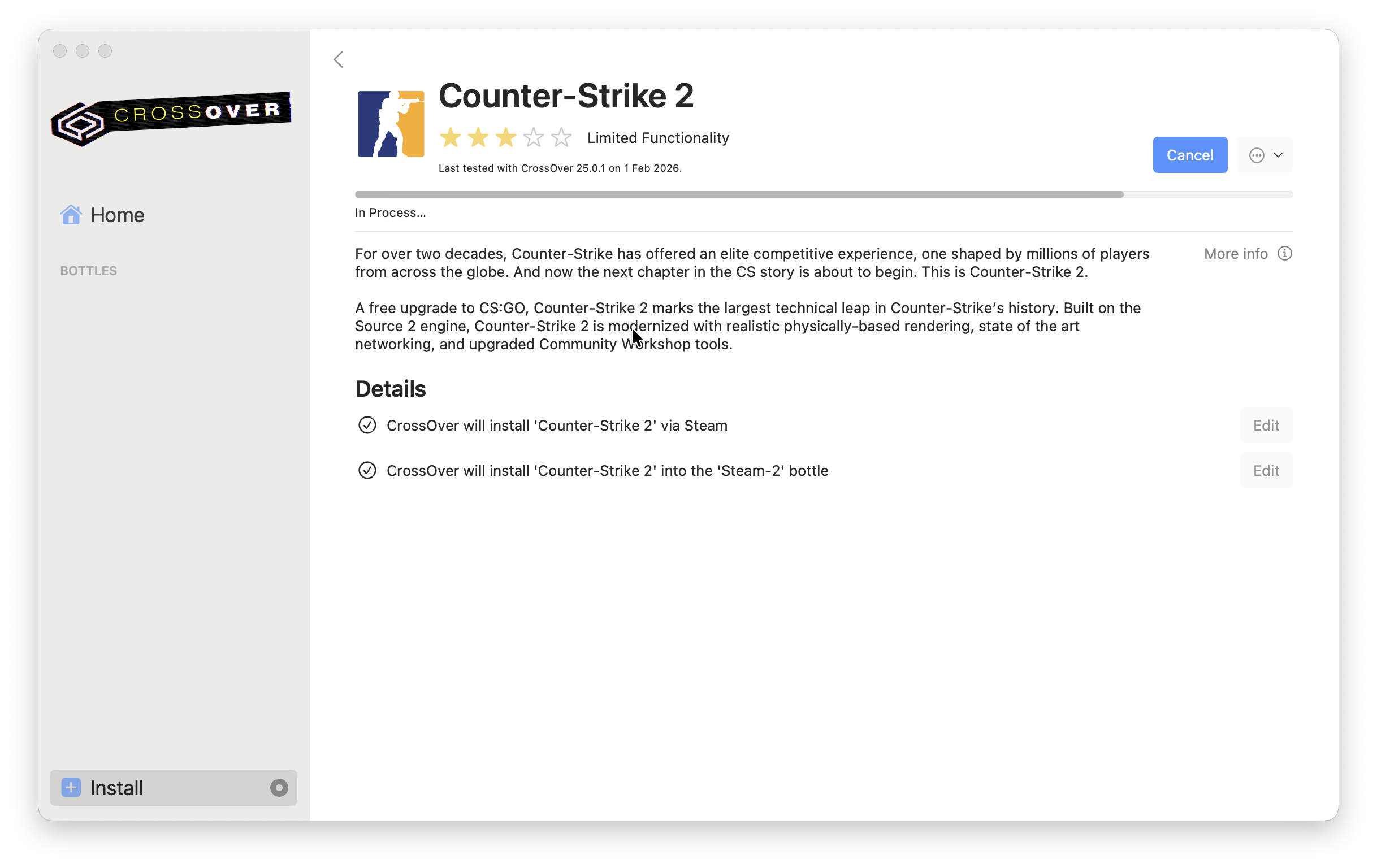
CrossOver is a commercial Windows compatibility layer that runs the Windows version of CS2 directly in macOS. It does not install a full copy of Windows, so you do not need a Windows licence or a virtual machine.
CodeWeavers currently rates Counter-Strike 2 as “Runs Well” on Mac with CrossOver 26.3. This makes CrossOver the more mature choice if Pixel Port does not work on your Mac or if you want technical support and frequent compatibility updates.
To install CS2 with CrossOver:
- Download the 14-day CrossOver trial and install it on your Mac.
- Search for Counter-Strike 2 in CrossOver’s installation window. If prompted, install the Windows version of Steam into the bottle CrossOver creates.
- Sign in to Steam, open your Library and install Counter-Strike 2.
- Launch CS2 from Steam inside CrossOver.
CrossOver now chooses the recommended graphics backend automatically for supported games, so I would leave the bottle’s graphics setting on Auto initially. If the game stutters or crashes, try lowering the resolution and changing advanced graphics settings from High to Medium or Low.
CS2 updates can occasionally cause temporary performance or compatibility problems, even when the game worked previously. Keeping CrossOver updated and checking its Counter-Strike 2 compatibility page is therefore important.
CrossOver is not free after its 14-day trial, but it is better supported than experimental or discontinued Wine wrappers. It also works with many other Windows games and applications, which makes it better value if you need more than just CS2.
For more, see my full CrossOver for Mac review.
3. GeForce Now: Best for Cloud Gaming
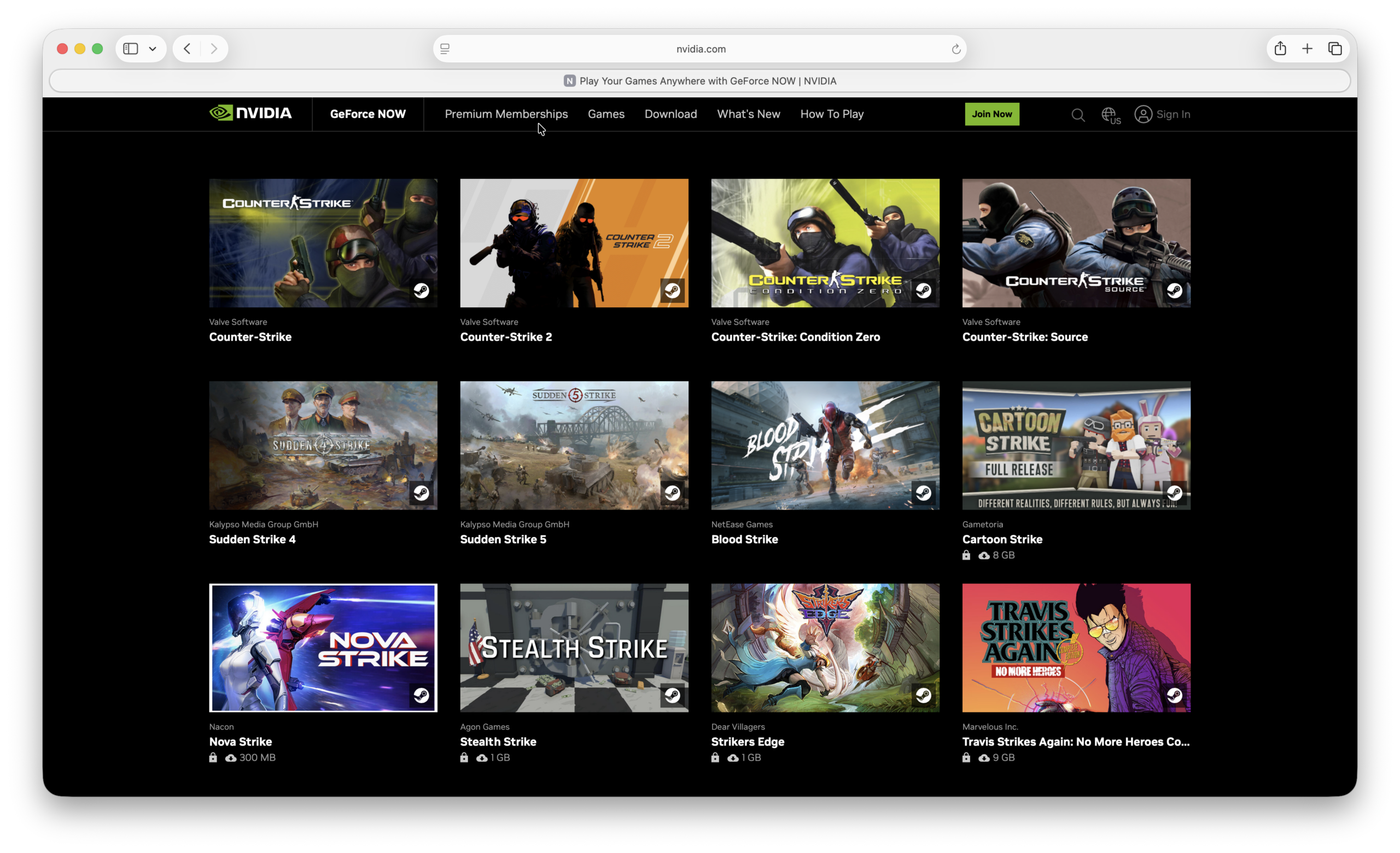
GeForce Now streams Counter-Strike 2 from NVIDIA’s servers to your Mac. This means the game is not running on your Mac’s processor or graphics chip, so it can work well even on an older Intel Mac.
It also avoids the 85 GB local download required by Pixel Port and CrossOver.
To play CS2 with GeForce Now:
- Add the free-to-play Counter-Strike 2 to your Steam library.
- Create a GeForce Now account and install the Mac app.
- Link your Steam account to GeForce Now.
- Search for Counter-Strike 2 and select Play.
A free GeForce Now membership is available in supported regions, although it uses basic gaming rigs and is subject to queues and session limits. Paid Performance and Ultimate plans provide longer sessions, faster servers and higher streaming quality.
NVIDIA now limits most paid plans to 100 hours of premium playtime per month, with up to 15 unused hours rolling over. Additional hours can be purchased if needed.
In terms of convenience, GeForce Now is excellent. The drawback is latency: every keyboard and mouse input must travel to NVIDIA’s server and the video must then stream back to your Mac. With a fast wired or 5 GHz/6 GHz Wi-Fi connection, the game can feel responsive, but cloud streaming is still less suitable for serious competitive play than running CS2 locally.
For more setup help, see my guide to playing Steam games on a Mac with GeForce Now.
Which Method Should You Use?
For most Apple Silicon Mac users, I recommend trying Pixel Port first. It is free during its beta period, requires almost no configuration and successfully ran CS2 in my testing.
If Pixel Port does not work, CrossOver is the best established local alternative. It is updated regularly, officially lists CS2 as running well and provides proper technical support, but you must buy it after the trial.
Choose GeForce Now if you do not want to install an 85 GB game, have an older or less powerful Mac, or simply prefer cloud gaming. Just bear in mind that network latency matters more in a fast competitive shooter such as CS2 than it does in many other games.
Counter-Strike 2 Mac Requirements
There are no official Mac system requirements because Valve does not make a macOS version of CS2.
For Pixel Port, you need an Apple Silicon Mac running macOS 14 or later. A Mac with at least 16 GB of unified memory will generally provide more headroom than an 8 GB model, particularly because CS2 is much more demanding than the old CS.
The official Windows minimum requirements for CS2 are:
- Windows 10
- A processor with at least four hardware CPU threads
- 8 GB of RAM
- A DirectX 11-compatible graphics processor with at least 1 GB of video memory and Shader Model 5.0 support
- 85 GB of available storage
These Windows requirements are only a rough guide when using Pixel Port or CrossOver because macOS must also translate the game’s Windows graphics calls.
GeForce Now has much lower local hardware requirements because CS2 runs in the cloud. Your internet connection, distance from an NVIDIA server and network stability are more important than the age of your Mac.
Does Whisky Still Work With CS2?
Whisky may still work for some users who already have it installed, but I no longer recommend setting it up for CS2.
The Whisky project was archived in May 2025 and is no longer actively maintained. It is also based on a much older CrossOver release, so future Steam, CS2 and macOS changes may break it without any official fix.
Pixel Port is now the better free option for a new setup, while CrossOver is the safer choice if you want a maintained and supported compatibility layer.
Does CS2 Work in Parallels?
Parallels is not a reliable way to play Counter-Strike 2 on an Apple Silicon Mac. It must run the x86 Windows game inside Windows 11 for Arm while also virtualizing its graphics, which adds several layers of compatibility and performance overhead.
Even if you manage to install it, CS2 updates, graphics translation and anti-cheat compatibility can prevent it from launching or make performance too inconsistent. Pixel Port, CrossOver or GeForce Now are much better options.
Can You Play CS2 With Boot Camp?
You can install Windows with Boot Camp and run the Windows version of CS2 natively, but only on an Intel Mac. Boot Camp is not available on Apple Silicon Macs.
This can provide better compatibility than a virtual machine because the game runs directly in Windows. However, Intel Macs are now relatively old and performance depends heavily on the processor and graphics card in your model. You will also need a large Windows partition with enough room for Windows, Steam, CS2 and game updates.
Can You Play Counter-Strike 2 in the Cloud?
Yes. GeForce Now is the simplest cloud option because CS2 is already supported and links directly to Steam.
Full cloud PCs such as Shadow may also allow you to install the Windows version, but they are usually more expensive and require more setup. Whichever cloud service you use, latency and connection stability will affect competitive gameplay.
Will Counter-Strike 2 Be Released for Mac?
Valve has not announced any plans to release Counter-Strike 2 for macOS. CS had a native Mac version, but Valve withdrew Mac support when CS2 replaced it in 2023.
That does not make a future Mac version impossible, but there is currently no sign that Valve intends to develop one. For now, Pixel Port, CrossOver and GeForce Now remain the most practical ways to play it on a Mac.
Why Is Counter-Strike 2 Not Available for Mac?
Valve’s stated reason was the small number of Mac players. When it ended macOS support, the company said that Mac users, older 32-bit systems and DirectX 9 hardware together accounted for less than one percent of active CS players.
Supporting macOS would also require Valve to maintain a Metal-compatible version of the Source 2 engine alongside its Windows and Linux builds. With such a small proportion of players using Macs, Valve appears to have decided that the development and testing effort was not worthwhile.