

If you want to run Windows or other operating systems on a Mac, two of the most popular choices in 2025 are Parallels Desktop and more recently, UTM.
I’ve used them both and they’re two of the best virtual machines for Mac on the market.
Both let you run Windows on Apple Silicon and Intel Macs, but they take very different approaches and the right one for you depends on performance needs, budget, graphics support, and how much time you want to spend configuring things.
In this guide, I take a closer look at Parallels vs UTM in-depth, based on my own experience, community feedback, and the real-world opinions shared by other users.
Contents
Quick Summary
If you want the easiest, fastest, most compatible way to run Windows 11 on Apple Silicon, Parallels is the clear winner. You can watch me installing Windows with it below:
If on the other hand you want something completely free, open-source, or you want to emulate other architectures such as x86 or legacy OSes on ARM, I found UTM really impressive as you can see in my tests below:
Comparison Table
| Feature | Parallels Desktop | UTM |
|---|---|---|
| Price | Paid (annual subscription or one-time license) | Free (or low-cost App Store version) |
| Performance (Windows 11 ARM) | ★★★★★ Near-native speed | ★★★☆☆ Good for ARM, slow for x86 emulation |
| Graphics Support | DirectX 11 & OpenGL via Metal | Very limited, no full 3D acceleration |
| Ease of Use | Extremely easy; auto-installs Windows | More manual setup; requires ISOs |
| macOS Integration | Excellent: Coherence Mode, drag-and-drop, shared folders | Basic clipboard and folder sharing |
| x86 App Support | Excellent via Microsoft’s x86-to-ARM translation | Slow (via QEMU emulation) |
| Operating System Support | Windows 11, Linux, older Windows (ARM-compatible only) | Almost anything: Windows, Linux, FreeBSD, DOS, old macOS |
| Stability | Commercial level stability | Good but inconsistent depending on build |
| Best For | Productivity, Windows apps, workflows, business use | Hobbyists, developers, OS emulation, budget users |
What’s the Difference Between Parallels & UTM?
The biggest distinction is how they run guest operating systems. Here’s a breakdown of how they differ.
Parallels Desktop
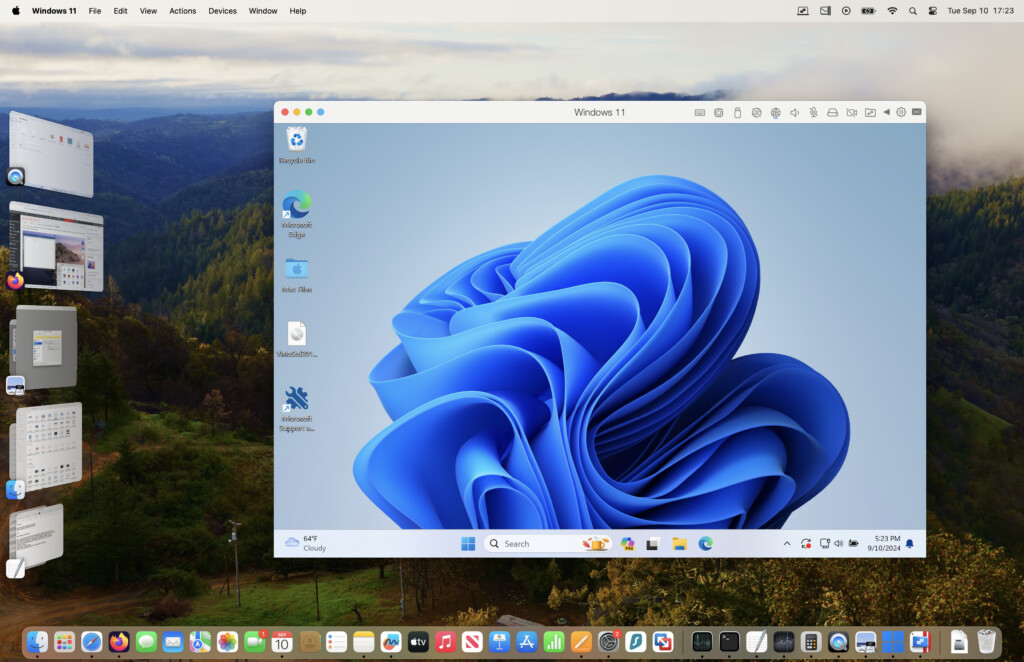
- Uses near-native virtualization
- Optimized for Apple Silicon performance
- Seamlessly supports Windows 11 ARM
- Excellent graphics support (DirectX 11 via Metal)
- Fully polished, commercial, reliable
UTM
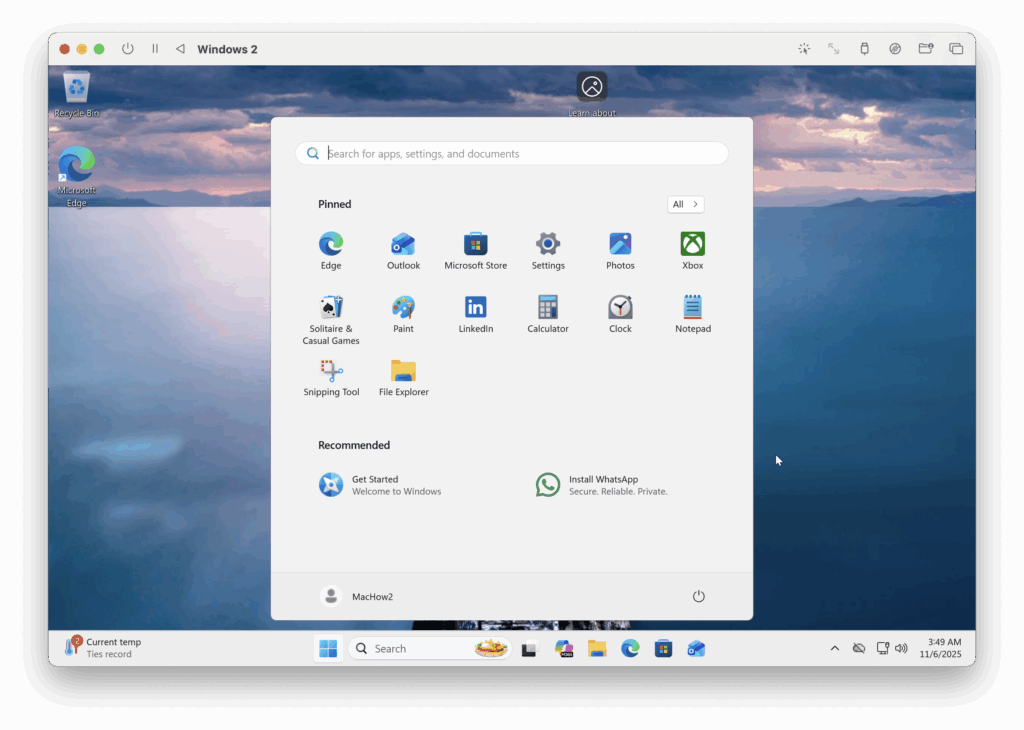
- Based on QEMU – supports both virtualization and emulation
- Runs ARM OSes natively and x86 OSes via emulation
- Free (open-source) or inexpensive via the Mac App Store
- Limited 3D acceleration
- Much slower when emulating non-native architectures
- Less polished and more manual to configure
Installation & Ease of Use
Parallels Takes Just a Few Clicks
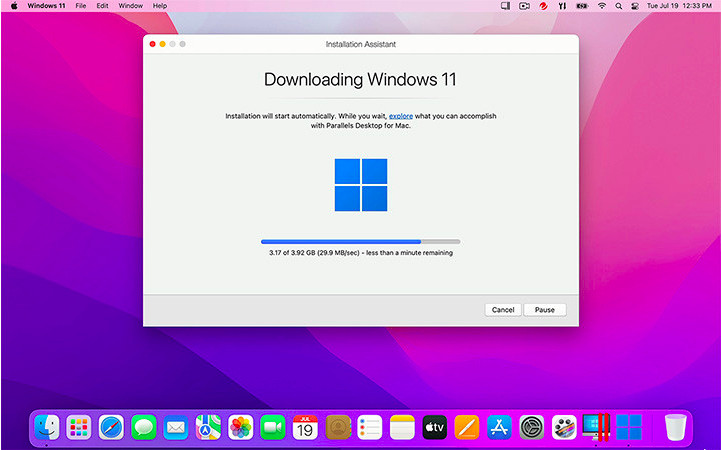
One thing that’s undeniable is that Parallels is far easier to install. These days, installing Windows on a Mac is pretty much just a few clicks with Parallels.
- It automatically downloads Windows 11 ARM for you
- Shared folders, copy/paste and drag-and-drop just work
- You can suspend and resume in seconds
- Coherence mode lets Windows apps run like native Mac apps
- Time Machine handles VM snapshots incrementally, not the entire image
For non-technical users, Parallels is the “set it up once and forget about it” option.
Recommended: How To Install Windows 11 on a Mac with Parallels
UTM: More Manual, But Flexible
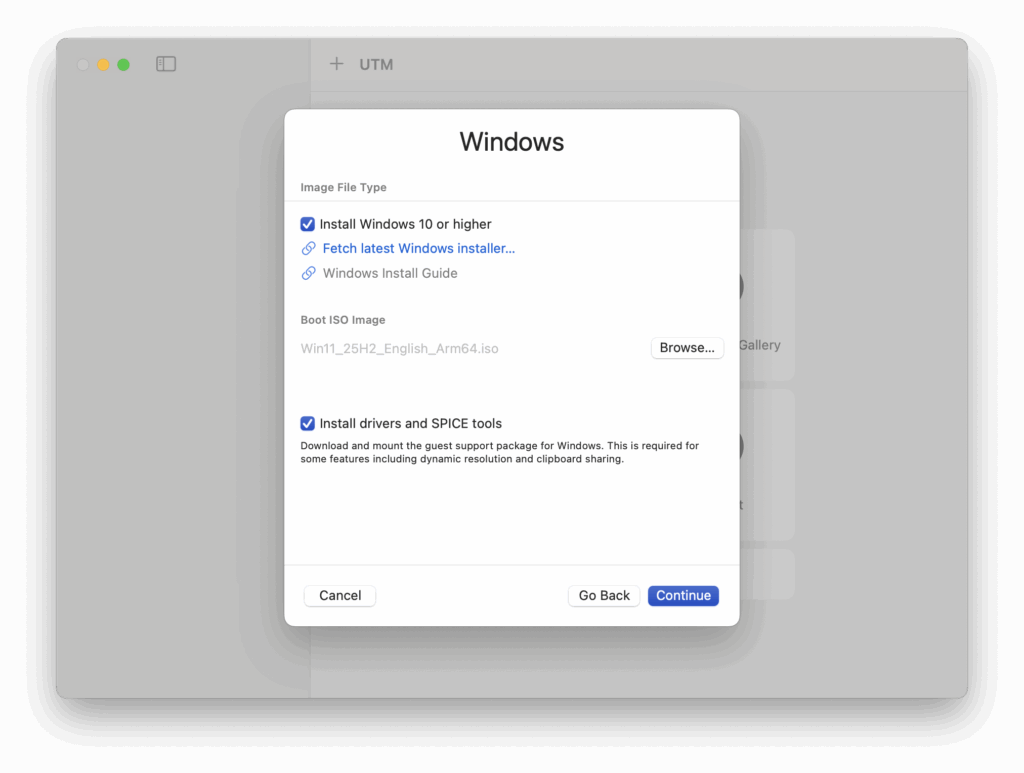
UTM has improved a lot since earlier versions, but it still requires more hands-on setup:
- You need to supply your own ISO or VHDX
- You must choose between “Virtualize” vs “Emulate”
- File-sharing and clipboard syncing are not as seamless
- Creating snapshots, resizing disks, or tweaking CPUs/cores takes more clicks
- Installation has quirks (e.g. Windows setup audio not working at first)
Experienced Mac users may be able to navigate this but beginners might struggle.
Recommended: How To Install Windows on a Mac with UTM
Performance Comparison
Parallels Is Extremely Fast
Parallels is heavily optimized for Apple Silicon. In daily use:
- Windows 11 boots in around 10–12 seconds
- Apps open instantly
- Resuming from suspended state takes 2–3 seconds
- Multitasking is fluid even on base M-series chips
- CPU-intensive tasks (development, debugging, automation) run near-native
UTM: Great for Native ARM, Slow for Emulation
UTM has two wildly different modes:
1. Virtualization (ARM → ARM)
Running ARM Linux, ARM Windows, or ARM-based OSes under virtualization performs surprisingly well – I’d say even close to Parallels for light tasks.
2. Emulation (ARM → x86)
This is where performance drops dramatically.
Running Windows x86 or older Intel-only OSes through QEMU emulation in my tests with it were:
- Much slower
- Not suited for heavy apps
- Not responsive enough for serious productivity
- Not compatible with many x86 apps
It’s fantastic for hobbyists, tinkerers, or developers needing multi-architecture testing – but not for someone needing a reliable way of using Windows on a Mac.
Graphics & Gaming
Parallels Has Real GPU Acceleration
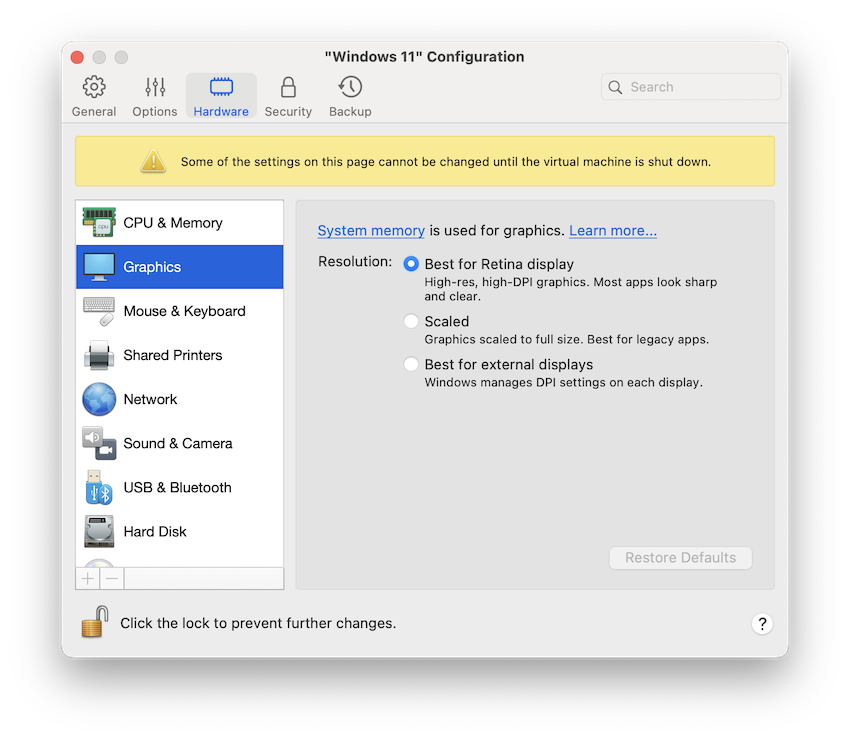
Parallels supports:
- DirectX 11
- OpenGL 4.x (via Metal translation)
- Many 2D and older 3D games
- Some light modern titles (not AAA)
That means if you need to run CAD apps like:
- AutoCAD LT
- SolidWorks viewer
- 3D modelling apps
- Windows gaming
Parallels is by far the best choice.
UTM Has Almost No 3D Acceleration
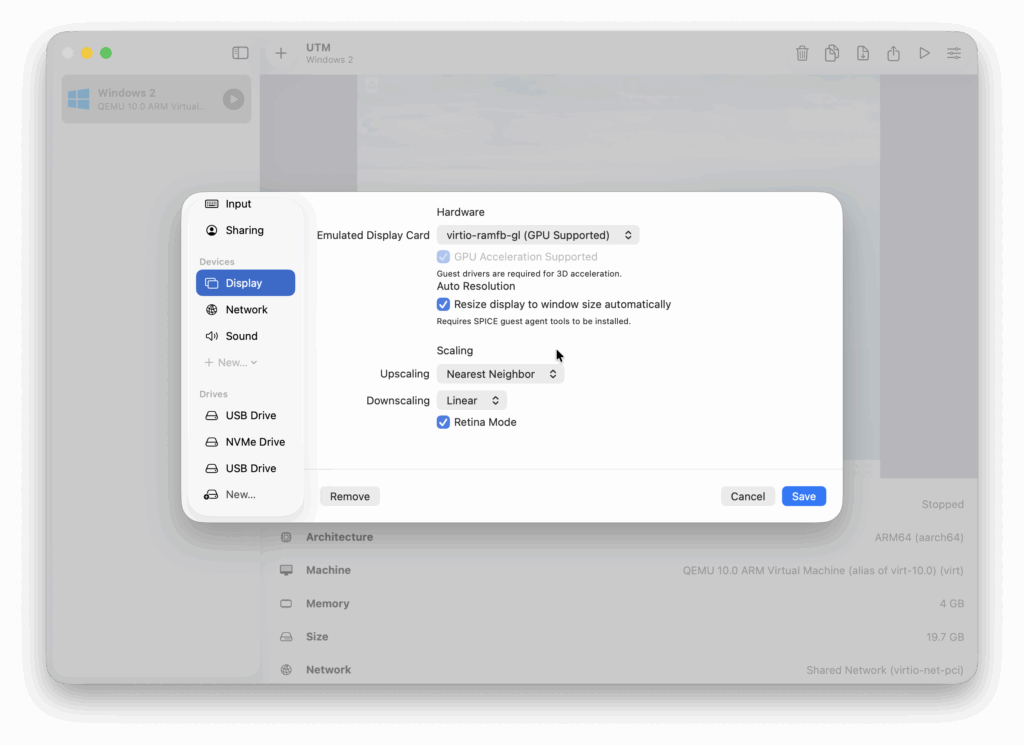
U
TM’s graphics capabilities are limited because QEMU doesn’t provide full GPU passthrough on macOS.
This means:
- No DirectX 11
- No serious 3D acceleration
- Very slow 3D apps
- Not suitable for gaming
- Many apps simply fail to launch
Light 2D drawing apps are fine, but anything graphical should be considered Parallels-only.
Compatibility
Parallels
- Best Windows 11 ARM compatibility of any virtual machine
- Supports x86 apps via Microsoft’s translation layer
- Excellent support for Linux distros
- macOS Sonoma/Sequoia/Tahoe compatible
- Great integration with macOS (printing, networking, USB passthrough)
UTM
- Supports Windows ARM, Linux ARM
- Can emulate Windows 7/10 x86 (slow)
- Supports unusual/legacy OSes (FreeBSD, ReactOS, older macOS etc.)
- Limited USB passthrough
- No printer sharing
If your goal is simply running Windows, Parallels is far better.
If you want to emulate weird or old operating systems for fun, UTM wins.
Stability & Updates
Parallels
- Commercial level reliability – Parallels is used by enterprises and developers
- Regular updates tied to new macOS releases
- Professional support
- Mature development pipeline
UTM
- Community-supported, open-source
- Can be unstable depending on build
- Documentation varies
- Support depends on GitHub and forums
- Rapid development, but not always predictable
Cost Comparison
Parallels Desktop
- Requires a one time purchase of $219.99 (£154.99) or subscription starting at $99.99 (£99.99) a year
- Standard Edition is the cheapest
- Pro/Business editions add more CPU/RAM options, network controls, Docker support etc.
UTM
- Free (download via the UTM website)
- $9.99 (£9.99) via Mac App Store to support development
- No recurring fees
- No licensing required
If cost is your biggest factor, UTM wins easily. But for professional use, Parallels is worth paying for.
Which Should You Choose?
Choose Parallels if you want:
- The fastest way to run Windows on a Mac
- Fully working DirectX/OpenGL
- Perfect integration with macOS
- Drag-and-drop file sharing with macOS
- A polished, stable experience
- A tool that “just works” for work
Download a free trial of Parallels to try it for yourself.
Learn more: Parallels for Mac review
Choose UTM if you want:
- Completely free virtualization
- The ability to emulate x86 OSes
- Lightweight Linux VMs
- Testing multiple architectures
- A privacy-friendly, open-source tool
- Something inexpensive for occasional use
Learn more: UTM For Mac Review
Parallels vs UTM: Conclusion
Parallels is the fastest and most reliable way to run Windows 11 on a Mac, offering near-native performance, DirectX 11 graphics, seamless macOS integration, and excellent compatibility with x86 apps. UTM is a free, open-source alternative based on QEMU that’s ideal for running ARM Linux or emulating older x86 operating systems, but it lacks GPU acceleration, is slower with Windows apps, and requires more manual setup. Choose Parallels for performance and productivity; choose UTM for cost-free virtualization, experimentation, or multi-operating system testing.
UTM is an excellent free alternative for:
- hobbyists
- ARM Linux users
- developers
- anyone needing to emulate exotic operating systems
…but in my opinion, it’s not yet a like-for-like replacement for Parallels.