

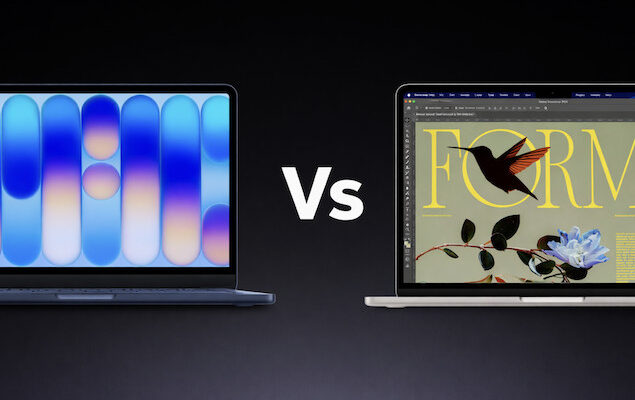
Apple’s new $599 MacBook Neo has set tongues wagging across the internet, with some calling it the “13-inch Air killer” and others dismissing it as underpowered and compromised.
At almost half the price of the M5 MacBook Air announced yesterday by Apple, it may look like a strange move.
Is it even better than getting a second hand or refurbished M1 MacBook Air for less than $500?
Is the budget MacBook Neo really a threat to the MacBook Air – or is it simply a different kind of machine?
Here’s how they compare.
Contents
The Big Difference: 8GB vs 16GB RAM
The most common criticism of the MacBook Neo is simple:
It’s locked to 8GB of RAM.
The MacBook Air now starts with 16GB of unified memory, giving it significantly more scope for multitasking, creative apps, and long-term usability.
While some users argue that 8GB is perfectly fine for basic tasks (web browsing, email, documents, streaming), others point out that:
- macOS is increasingly memory-hungry
- AI features and background processes use more RAM
- 8GB may feel limiting in a few years
For light users, 8GB works. For anyone doing photo editing, light video work, coding, or heavy multitasking, the Air clearly wins.
Winner: MacBook Air
Performance: M-Series vs Mobile-Chip
The Air uses Apple’s full Apple Silicon M-series chip architecture, while the Neo appears positioned closer to iPad-class performance.
There’s no way to A18 chip (the same one used in the iPhone 16 Pro) will outperform the new M5 chip
The Air offers:
- Much higher sustained performance
- Better GPU power
- Stronger external display support
- Better long-term performance scaling
The Neo is designed for basic computing, not intensive creative work
Winner: MacBook Air
Ports: A Surprising Compromise
This is where the Neo gets controversial in my opinion.
The Neo includes:
- 2 USB-C ports
- One is USB 3 (with DisplayPort support)
- One is USB 2 only
That means:
- Only one port supports external displays
- Only one offers high-speed data transfer
- One port is often tied up charging (no MagSafe)
This is definitely confusing and limiting – especially since both ports look identical.
The Air, by comparison, offers:
- Thunderbolt ports
- Proper high-speed support
- MagSafe charging (so ports stay free)
Winner: MacBook Air
Build & Features
When you look at some of the key specs side-by-side, the Air is the clear winner.
| Feature | MacBook Neo | MacBook Air |
|---|---|---|
| RAM | 8GB only | 16GB standard |
| Ports | USB 3 + USB 2 | Thunderbolt |
| MagSafe | No | Yes |
| Keyboard Backlight | No (base) | Yes |
| Touch ID | Not on base | Yes |
| Speakers | Spatial Audio | Spatial Audio |
| Display | Liquid Retina XDR | Liquid Retina XDR |
| Battery Life | 16 hours | 18 hours |
The Air is clearly positioned as the more premium Mac.
But Here’s Where the Neo Wins
At $599 – and with an education discount $499 for students – the Neo could be a game changer.
For many buyers, this isn’t about specs. It’s about:
- Getting macOS at Chromebook pricing
- Replacing an iPad + keyboard setup
- A first Mac for students
- A simple family laptop
For light users, especially those already using Apple products, the Neo could be incredibly popular.
Is It Better Than a Used Air?
Considering you can get a second-hand or refurbished M1 MacBook Air for little more than $500, that could be a more compelling buy.
A used M1 Air in the $400–$500 range likely:
- Has better performance
- Better ports
- Better display
- More flexibility
But buying used isn’t for everyone. The Neo offers:
- Brand new hardware
- Full warranty
- Longer software support runway
The Real Answer: Different Markets
My thoughts are, the Neo isn’t trying to kill the Air. It’s positioned as:
- Apple’s Chromebook competitor
- The new “default student Mac”
- The entry ramp into macOS
Meanwhile, the good old MacBook Air remains:
- The best all-round thin-and-light laptop Apple makes
- A very capable creative machine
- A smarter long-term investment
So Which Should You Buy?
Buy the MacBook Neo if:
- You only do basic tasks
- You want the cheapest possible new Mac
- You’re replacing an iPad + keyboard
- You’re a student on a tight budget
Buy the MacBook Air if:
- You multitask a lot
- You edit photos or video
- You use external monitors
- You want better longevity
- You care about performance and RAM
Summary: The Air Lives On
No – the MacBook Neo hasn’t killed the MacBook Air but what it has done is something arguably more important:
It’s made macOS accessible at a price point Apple hasn’t touched in years.
For many people, that’s a huge deal.
But for power users, creatives, and anyone thinking 3–5 years ahead, the MacBook Air is still in a completely different league.
The Neo isn’t an Air killer. It’s Apple’s colorful, accessible new entry-level Mac.