

We voted Voibe one of the best dictation software for Mac especially for those that are seeking privacy, simplicity and integration with a wide range of Mac apps. In this review, I test it out and see what makes it a great app for dictating offline.
What Is Voibe?
Voibe is a local, offline dictation app built specifically for macOS that uses optimized Whisper AI models to convert speech to text in real time.
It’s definitely one of the easiest to use dictation tools I’ve used on a Mac, with impressive accuracy. Because it runs entirely offline using on-device AI models, it feels almost instant, without the lag or privacy concerns you get with cloud-based tools such as Notta (see my Notta review for an example of a Cloud based dictation app).
Voibe will be especially attractive to developers, technical writers, and anyone that needs to do long-form dictation.
However, it’s not a “real-time” dictation app like many as I’ll explain.
Privacy First
One of the biggest concerns many users have with any dictation software, is whether it works offline or not. After all, many times you’re dictating confidential information from meetings, business plans or ideas that could be compromised if stored online.
Up until now, the best offline dictation tools I’ve used on a Mac are macOS dictation and MacWhisper but Voibe now offers another welcome option.
Voibe runs entirely on your Mac, meaning:
- No internet connection required
- No audio data sent to external servers
- Faster response times
It works across all apps on macOS (I was unable to find one that it didn’t work with) so you can dictate into any app with a text field – from browsers to code editors.
Setup and First Impressions
Getting started with Voibe is very simple:
- Download and install the app. You simply have to provide an email address and confirm the verification code sent to you to get started.
- You then need to Grant microphone and keyboard permissions in macOS which you do simply by clicking on “Grant” next to Microphone Access and Accessibility Access.
- You can also configure which hotkey you want to activate Voibe in “Push-to talk mode” (by default it’s the “Fn” key). This means that you must hold-down the key all the time while you talk which can get annoying after a while. Alternatively, you can configure a “Hands-free mode” which means once you’ve pressed it, the microphone is active until you press it again to stop.
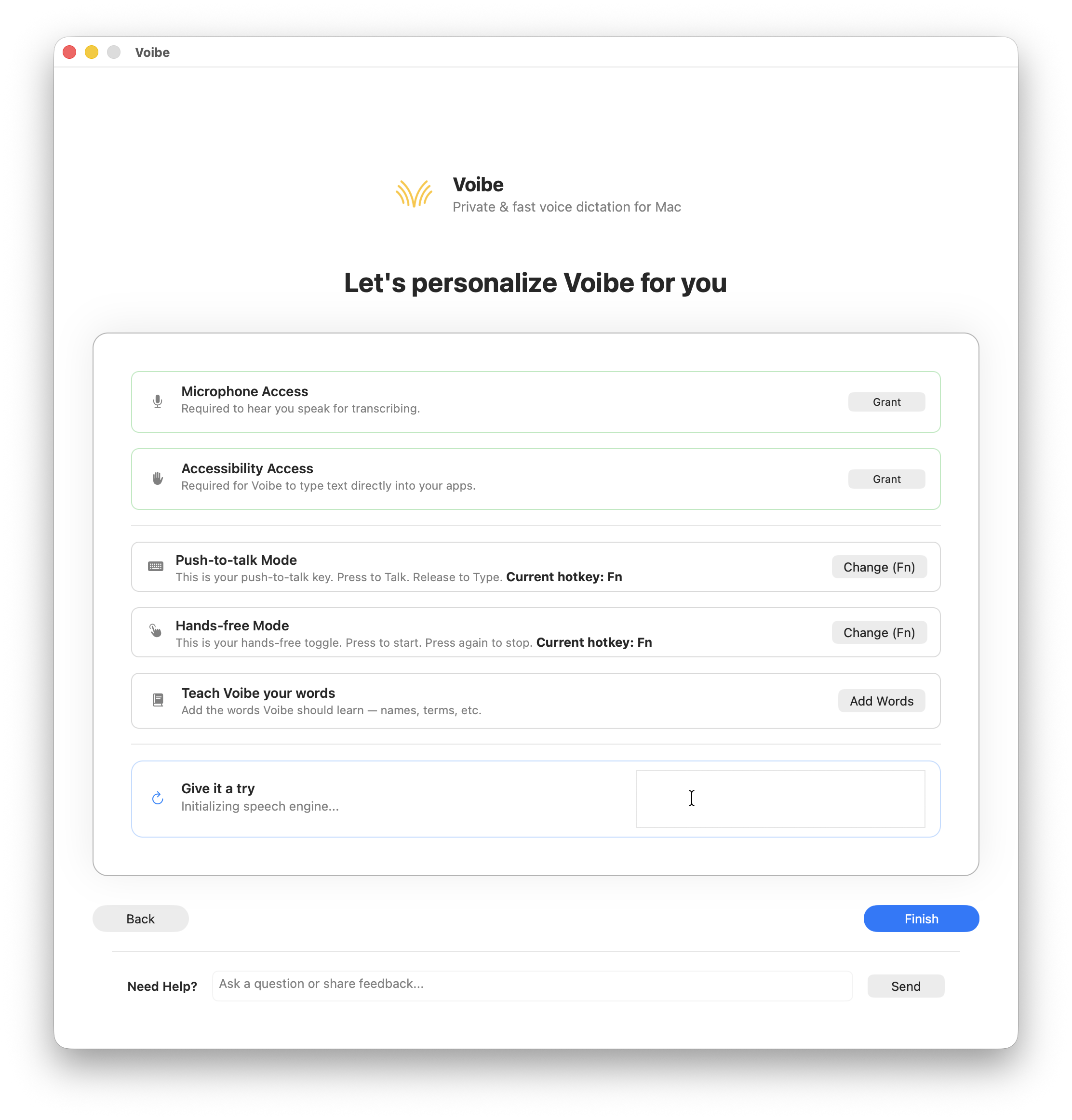
- Once permissions are granted in macOS, you can test Voibe.
By default, Voibe works by listening to what you say while you hold down the Fn key and then outputting the text when you release it.
So far so good.
Performance and Accuracy
Voibe only activates the microphone when you use one of the keyboard shortcuts either in push to talk or handfree mode.
It then listens to what you say but doesn’t output the text until you either release the key (in push to talk mode) or press the key again (in handfree mode). It’s therefore important to be aware that Voibe doesn’t perform “real time” instantaneous dictation that appears as you speak. The text only appears after you’ve finished speaking.
This is a little bit like “dictating blind” as you don’t know how accurate the transcription is going to be until you’ve finished speaking and hit the keyboard again.
However if this isn’t a problem for you (and some people actually prefer it because it’s less distracting), in my tests, the accuracy was superb. Voibe recognized exactly what I was saying with no errors.
I did experience occasional misinterpretation of uncommon words but this is totally normally with dictation apps.
Voibe does allow you to manually add uncommon or unusual words to its dictionary however if this is a frequent problem.

Voibe also needs clear speech for best results. I speak with a fairly clear English accent but I’m not sure how it would perform with stronger accents or non-native speakers.
The offline privacy aspect is one of the best features of Voibe. I like the fact that no voice data leaves your Mac and there’s no subscription tied to usage limits like Cloud based dictation apps.
Using It Across Apps
Another thing I liked is that Voibe works with pretty much any app. At least, I was unable to find an app it didn’t work with. All you need to do is hold down the hotkey to activate Voibe and talk.
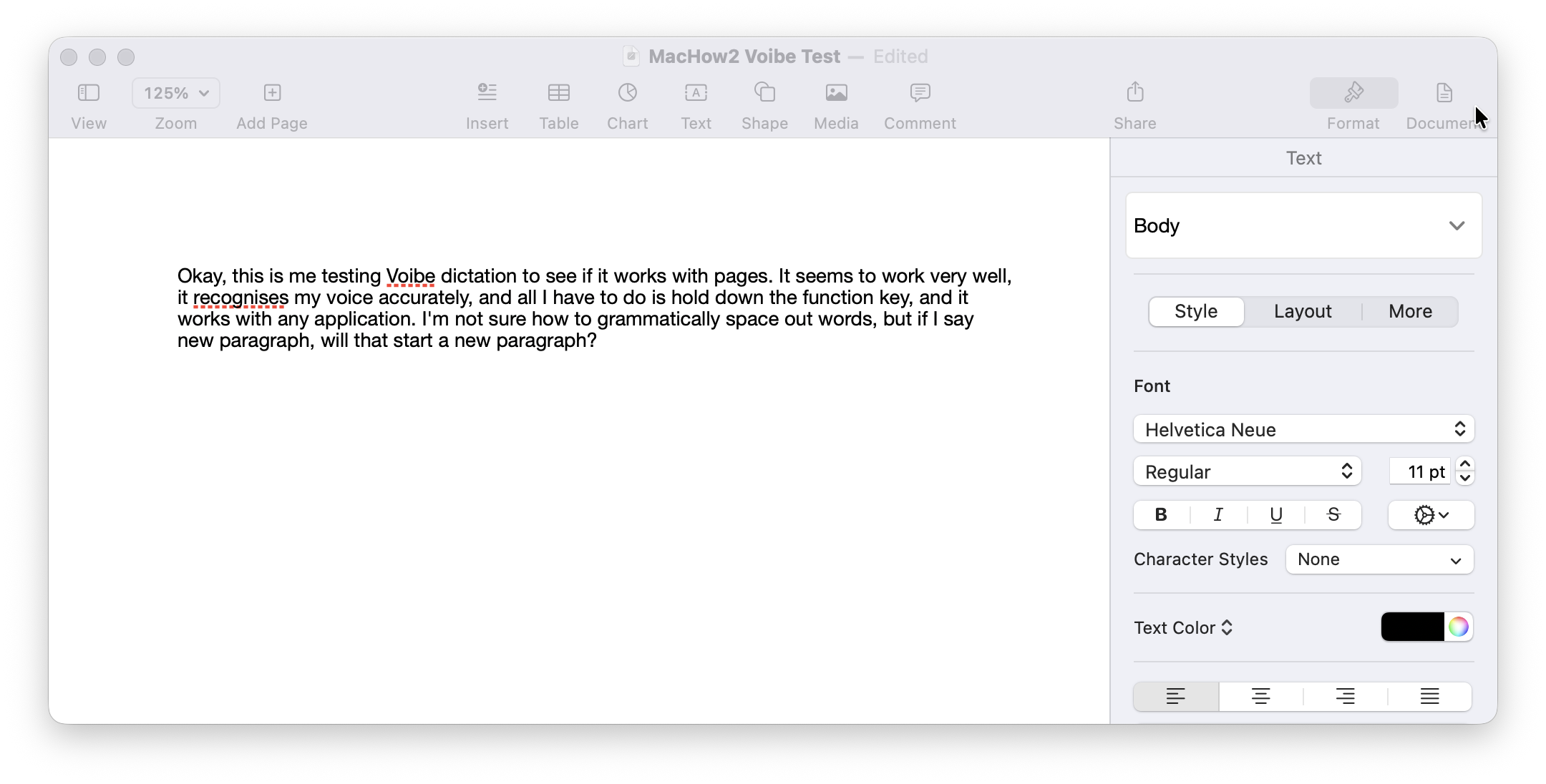
I tried this with a range of Mac browsers, word processors and desktop publishing software and Voibe activated the microphone as soon as I hit the Fn hotkey.
This is the test I did in Apple Pages for example:
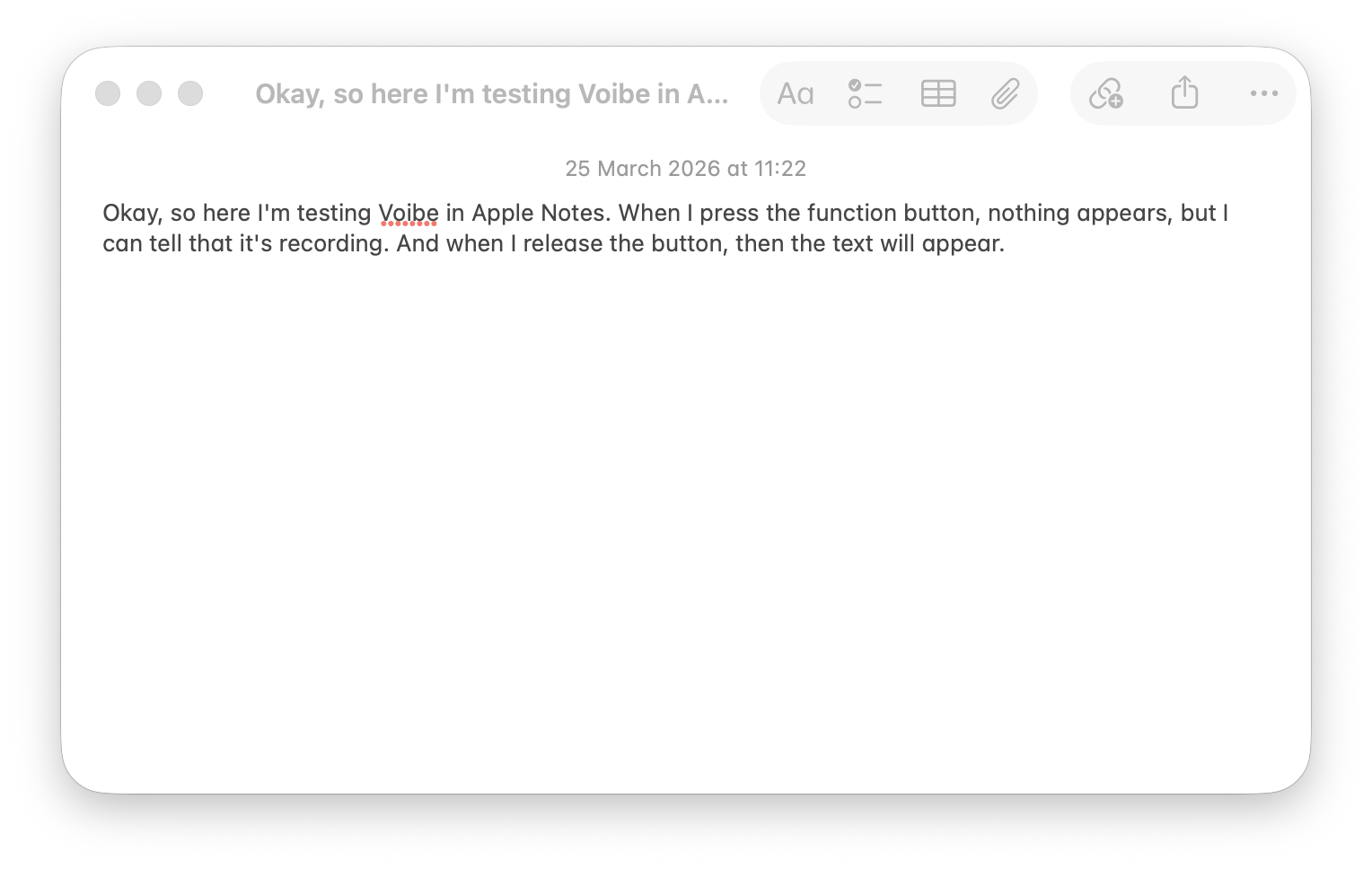
I did the same test in Apple Notes and again, it recognized what I said perfectly.
Once you’ve done a few dictations, Voibe also gives you a neat summary of how many words you’ve dictated, dictated words per minute and how much time it claims to have saved you.
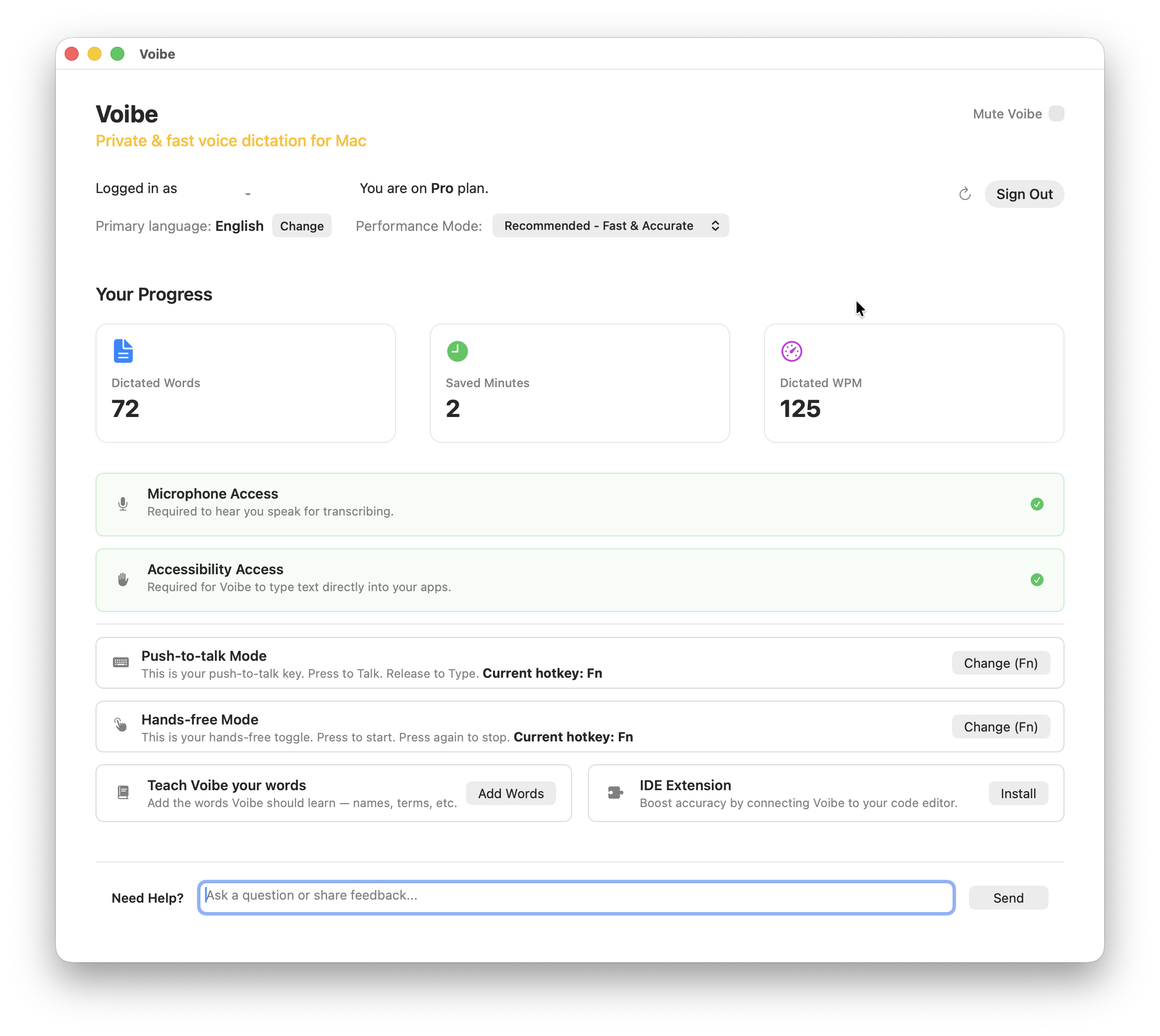
If you do find the accuracy isn’t great, you can also switch here to “Advanced” performance mode which is supposed to be more accurate.
Coding and Development
I’m not a programmer but Voibe works with text editors like Cursor and VS Code. In fact, it has its own extension for them that allows it to interpret code commands. You can install this from the Voibe icon that sits at the top of your Mac in the Menu Bar by selecting “Install IDE Extension…” or from the Voibe dashboard.
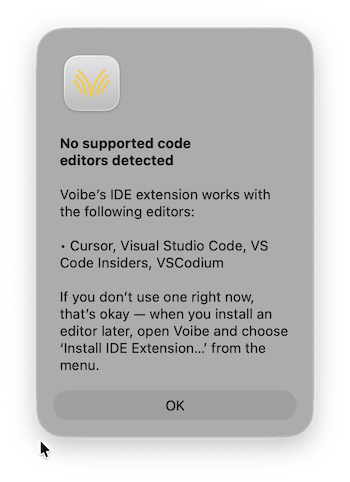
It allows you to dictate File names, Folder structures and Code-related terminology which is something that most dictation tools struggle with.
Voibe vs Apple Dictation and MacWhisper
The other two big offline dictation apps for Mac are Apple Dictation and MacWhisper.
I’ve used both and I think that it’s a close call. Apple Dictation wins out purely on the fact that it’s free to use forever but I would say that Voibe has the edge over both Apple Dictation and MacWhisper in terms of accuracy.
| Feature | Voibe | Apple Dictation | MacWhisper |
|---|---|---|---|
| Dictation style | Push-to-talk | Continuous live dictation | Push-to-talk |
| Text appears while speaking | ❌ No | ✅ Yes | ❌ No |
| Speed feel | Instant after speaking | Real-time (can lag) | Slight delay |
| Accuracy | Very high | Good | Very high |
| Best for | Writing & development/coding | Casual dictation | Transcription |
| Offline | ✅ Yes | ✅ (Apple Silicon) | ✅ Yes |
Pricing
Voibe is relatively affordable compared to other dictation software.
- Lifetime plan: $99.99 (limited-time offer)
- Monthly plan: $4.90/month
- Annual plan: $44.10/year
- Refund: 30-day guarantee
For a one-time purchase, the lifetime option offers excellent value, especially if you use dictation regularly although Voibe claims licenses for this are limited.