

Apple’s new MacBook Pro range is finally available from today and it is an unusually split update.
The 14-inch MacBook Pro gets Apple’s brand-new M6 chip, while the more expensive 14-inch and 16-inch M5 Pro and M5 Max models receive a major redesign with a tandem OLED touchscreen, a new Dynamic Island and a much lighter body.
The important thing to be aware of is that the redesigned machines do not introduce M6 Pro or M6 Max chips. They use the same M5 Pro and M5 Max silicon that Apple introduced earlier this year. That makes deciding between them more nuanced than usual: the new flagship models have a genuinely better screen and a more portable design, but the existing M5 Pro and M5 Max MacBook Pros remain on sale for $400/£400 less in each comparable configuration.
The new MacBook Pro lineup at a glance
| Model | UK price from | US price from | What you get | Best for |
|---|---|---|---|---|
| 14-inch MacBook Pro with M6 | £1,999 | $1,999 | 12-core CPU, 12-core GPU, 16GB memory, 1TB SSD, Liquid Retina XDR display | Most professionals, students, developers and creators who do not need a workstation-class GPU or lots of memory |
| 14-inch MacBook Pro with M5 Pro or M5 Max | £2,499 / £4,099 | $2,499 / $4,099 | Existing Mini-LED design, Thunderbolt 5, up to 128GB memory | Buyers who need more power but want the best value |
| 16-inch MacBook Pro with M5 Pro or M5 Max | £2,999 / £4,399 | $2,999 / $4,399 | Existing Mini-LED design, larger screen and battery | People who want the big-screen experience for less |
| New 14-inch MacBook Pro with PROLED XDR display | £2,899 with M5 Pro / £4,499 with M5 Max | $2,899 with M5 Pro / $4,499 with M5 Max | Tandem OLED touchscreen, Dynamic Island, lighter design | Mobile professionals and creators who will benefit from the new display and Touch |
| New 16-inch MacBook Pro with PROLED XDR display | £3,399 with M5 Pro / £4,799 with M5 Max | $3,399 with M5 Pro / $4,799 with M5 Max | Larger tandem OLED touchscreen, Dynamic Island, lighter design | High-end video, photography, 3D and production work |
Note: Prices are Apple’s UK and US starting prices at launch. UK prices include VAT; US prices are before any applicable state and local sales tax. The new PROLED XDR models are available in Space Black or Silver, as are the M6 and conventional M5 Pro/M5 Max models.
The 14-inch M6 MacBook Pro: the sensible new default
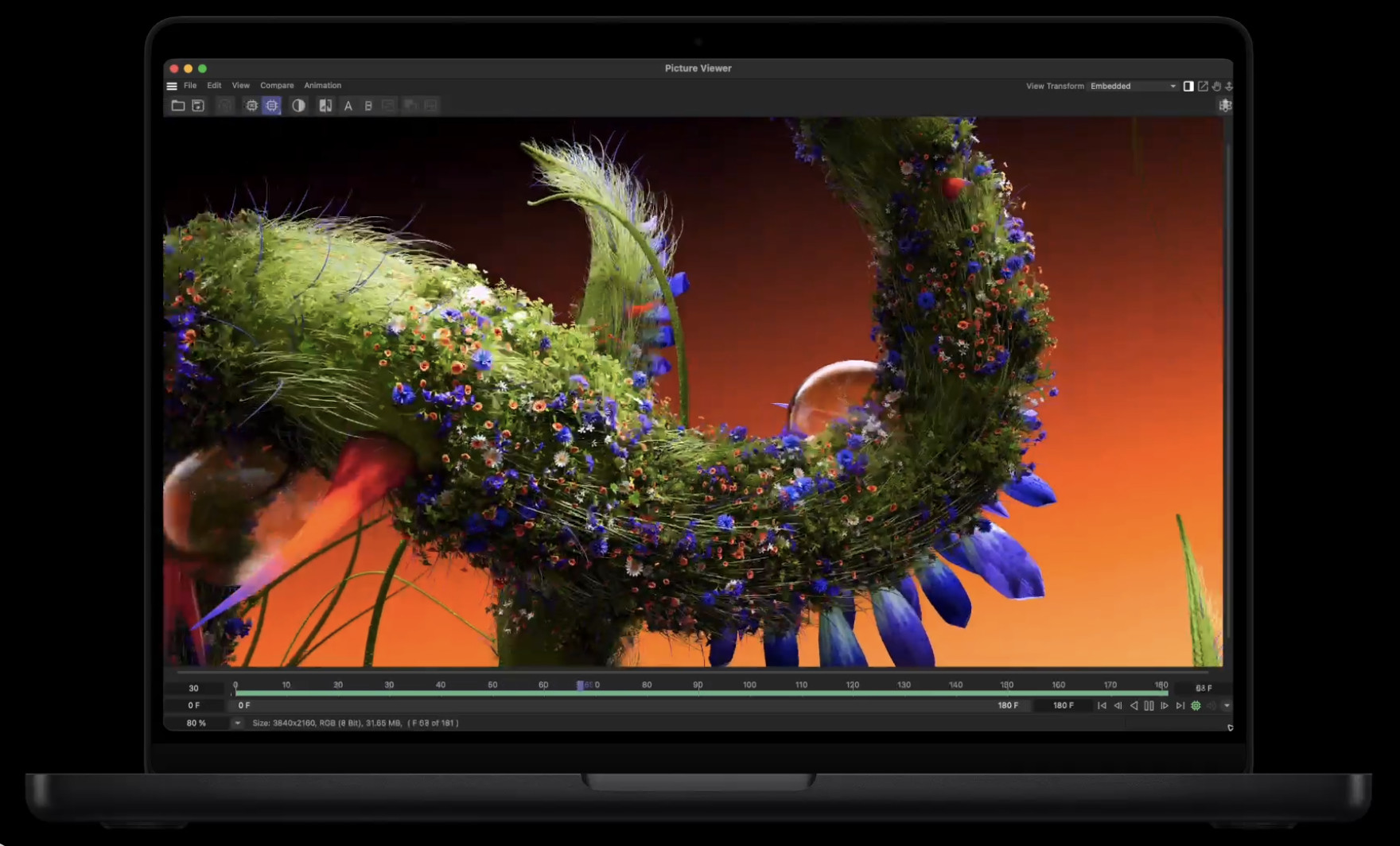
The M6 MacBook Pro replaces the base M5 model as Apple’s most affordable Pro notebook. It retains the familiar 14.2-inch Liquid Retina XDR Mini-LED display, three Thunderbolt 4 ports, HDMI, an SDXC card slot, MagSafe 3 and a headphone socket, but brings a meaningful chip update.
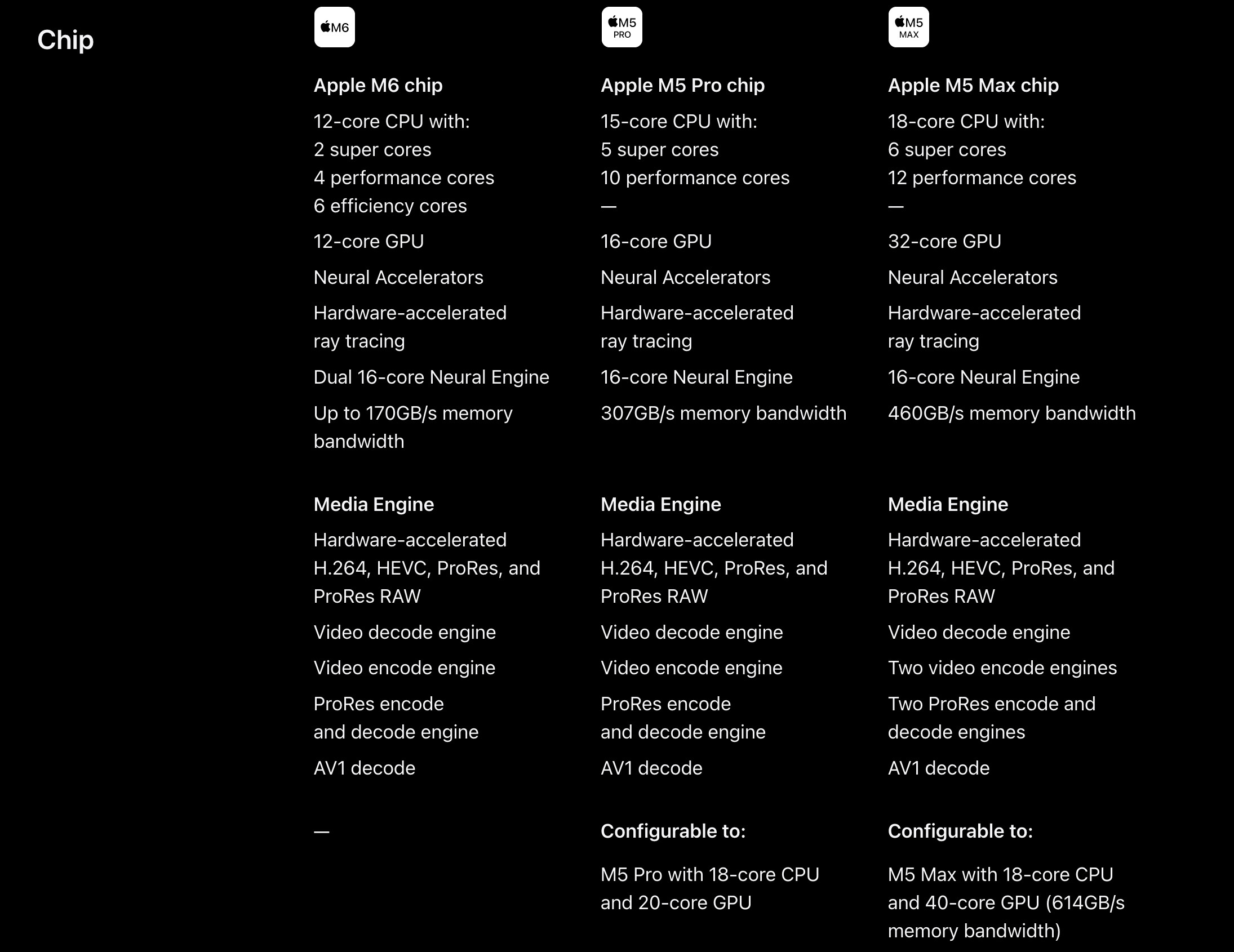
The M6 has a 12-core CPU, 12-core GPU and Dual 16-core Neural Engine. Apple says it delivers up to 30% faster graphics and up to 25% faster on-device AI performance than M5. It also has Wi-Fi 7, Bluetooth 6, 1TB of storage as standard and up to 24 hours of video-streaming battery life.
For most people who previously looked at the entry MacBook Pro, this is the machine to start with. It is powerful enough for demanding office work, software development, large photo libraries, music production, editing typical 4K projects and running local AI tools without moving into the much more expensive M5 Pro tier.
It is also a better option than an M5 Pro model for buyers whose workload is mostly short bursts of work rather than long, GPU-heavy rendering sessions. The M6 has newer CPU and AI architecture, exceptional battery life and a substantially lower entry price.
Where the M6 model falls short
The M6 is not a replacement for M5 Pro or M5 Max if your work relies on sustained multicore performance, high-end graphics, very large projects or lots of external displays. It starts with 16GB of unified memory and tops out at 32GB, while M5 Pro goes to 64GB and M5 Max reaches 128GB.
It also has Thunderbolt 4 rather than Thunderbolt 5, and supports up to two external displays. M5 Pro supports up to three displays, while M5 Max supports up to four. That matters for desk-based professionals using several 4K or 6K monitors, as well as anyone investing in Thunderbolt 5 storage or dock hardware.
The M6 is therefore the best value new MacBook Pro, but it is not the new flagship.
The redesigned M5 Pro and M5 Max MacBook Pros
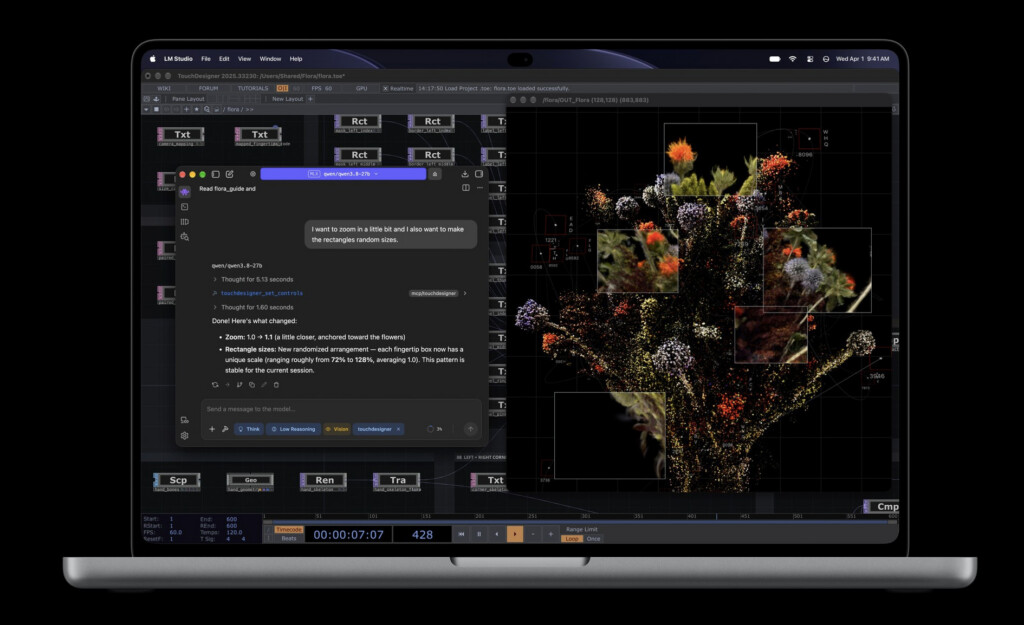
The headline feature of the new 14-inch and 16-inch M5 Pro and M5 Max models is Apple’s new PROLED XDR display. It is a tandem OLED panel rather than the Mini-LED display used by the rest of the MacBook Pro range.
Apple rates it at up to 2,000 nits of peak HDR and outdoor SDR brightness, with 1,000 nits of sustained full-screen brightness and a 10,000,000:1 contrast ratio. It supports both P3 and Adobe RGB wide colour gamuts, has adaptive refresh rates up to 120Hz and is available with a nano-texture finish for working under difficult lighting.
On paper, it should be a major improvement for photographers, colour-sensitive designers, filmmakers and anyone who spends all day looking at a laptop display. OLED’s per-pixel illumination should also eliminate the blooming that can occasionally be visible around bright objects against dark backgrounds on Mini-LED screens.
Touch comes to the MacBook Pro for the first time
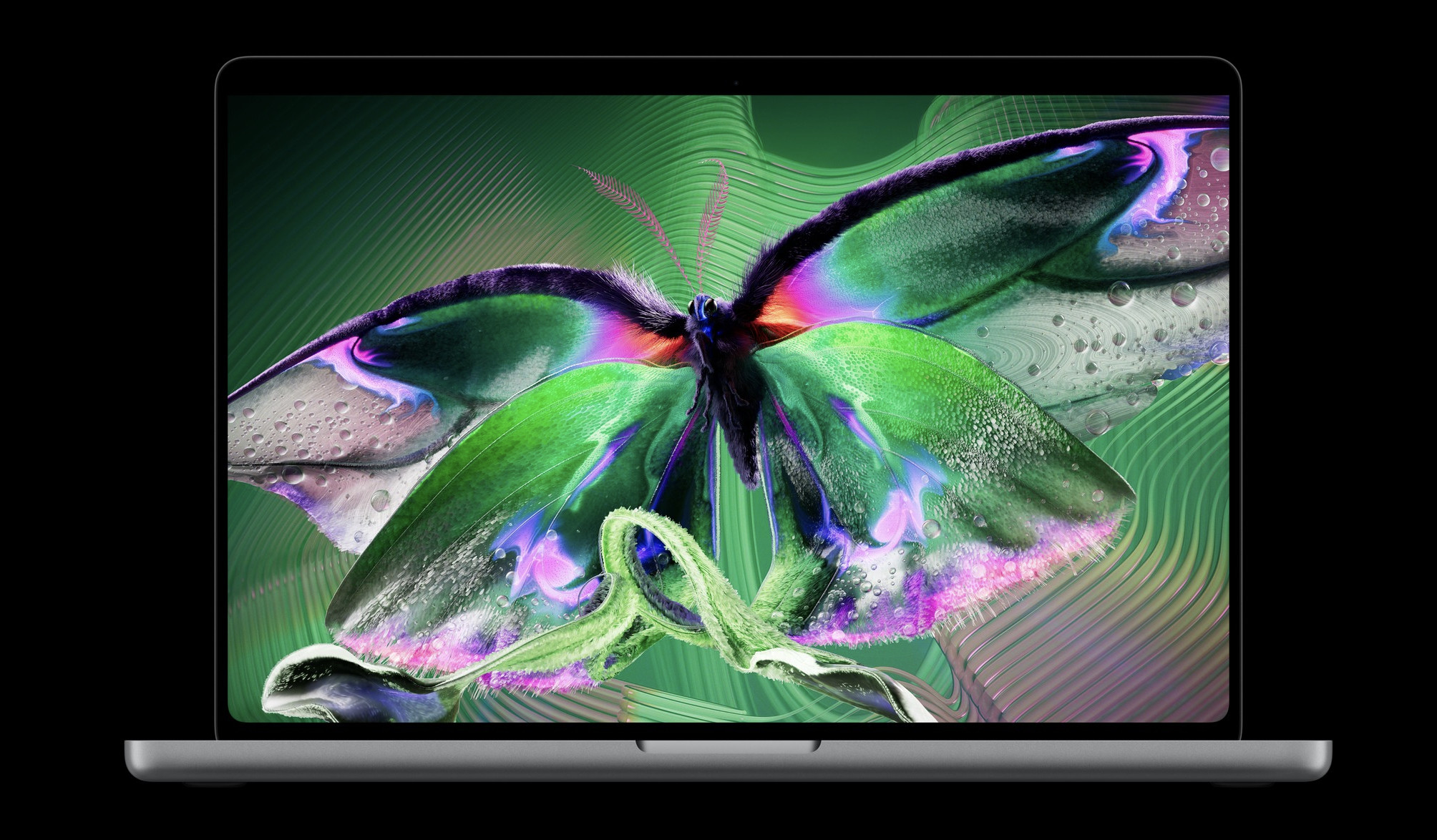
The PROLED XDR models are also the first Macs with a touchscreen. You can scroll, pinch, rotate, draw and manipulate content directly on the screen, while still using the keyboard and trackpad as normal.
Apple has built Touch support into its own creative apps: Pixelmator Pro can be used directly on the canvas, Logic Pro gains a multi-touch musical keyboard and pads, and Final Cut Pro lets editors mark ranges, move clips and zoom into edits by touch.
This will be especially useful for creative professionals but Touch is not automatically a reason for every MacBook Pro owner to upgrade. Much of macOS is still designed around a trackpad and keyboard, and the value of Touch outside Apple’s own apps will depend on how quickly third-party developers adopt it. It also makes fingerprints more likely on a screen that many professionals will want to keep immaculate, even with Apple’s fingerprint-resistant coating.
A lighter, slimmer design
The redesigned models are materially easier to carry. The 14-inch M5 Pro version weighs 1.38kg, down from 1.60kg for the existing 14-inch M5 Pro. The 16-inch M5 Pro weighs 1.82kg, down from 2.14kg. Both are thinner too, despite retaining the same pro-oriented selection of ports.
| Model | Existing M5 Pro design | New PROLED XDR design | Difference |
|---|---|---|---|
| 14-inch M5 Pro | 1.60kg | 1.38kg | 220g lighter |
| 16-inch M5 Pro | 2.14kg | 1.82kg | 320g lighter |
That is not a cosmetic change. A 16-inch MacBook Pro that weighs just over 1.8kg is far more realistic to carry every day, while the 14-inch model moves much closer to MacBook Air territory without sacrificing the ports, speakers and sustained performance of a Pro machine.
The redesigned models also add a Dynamic Island at the top of the display. It houses Spotlight, Live Activities and Siri AI controls, letting you see and act on calls, music, AirDrop requests and other live information without leaving your current app.
M5 Pro and M5 Max performance remains serious
Although the new flagship models do not have new chips, M5 Pro and M5 Max are still Apple’s most capable laptop processors.
M5 Pro offers up to an 18-core CPU, a 20-core GPU, up to 64GB of unified memory and 307GB/s of memory bandwidth. It is the right choice for serious coding, large RAW-photo editing, professional audio work, software development, multi-monitor desks and regular 4K or more demanding video editing.
M5 Max adds a 32-core or 40-core GPU, up to 128GB of unified memory, up to 614GB/s of memory bandwidth and two video encode engines. It is aimed at people whose work genuinely scales with GPU power and memory: 3D artists, VFX professionals, engineers running simulations, editors working with complex high-resolution projects and developers running large local AI models.
The new PROLED XDR M5 Max models can also be configured with up to 16TB of internal storage, double the 8TB maximum on the conventional M5 Max MacBook Pro. That is useful for a narrow group of high-end users, but external Thunderbolt storage will be far better value for most people.
Apple has redesigned the cooling system for the new chassis and says it maintains the same sustained M5 Pro and M5 Max performance while directing warm air away from the display. That means existing M5 Pro and M5 Max benchmark results remain useful for judging raw chip performance, but the new machines should be more pleasant to live with if you travel with a high-end configuration.
What is not so good about the new range
The most obvious downside is price. The new PROLED XDR models cost £400 / $400 more than the otherwise comparable conventional M5 Pro and M5 Max MacBook Pros:
| Configuration | Conventional model (UK / US) | New PROLED XDR model (UK / US) | Premium (UK / US) |
|---|---|---|---|
| 14-inch M5 Pro | £2,499 / $2,499 | £2,899 / $2,899 | £400 / $400 |
| 16-inch M5 Pro | £2,999 / $2,999 | £3,399 / $3,399 | £400 / $400 |
| 14-inch M5 Max | £4,099 / $4,099 | £4,499 / $4,499 | £400 / $400 |
| 16-inch M5 Max | £4,399 / $4,399 | £4,799 / $4,799 | £400 / $400 |
That premium is easy to justify if a brighter, more accurate OLED touchscreen and a lighter body will make a difference to your working day. It is much harder to justify if you use an external monitor most of the time or simply want the fastest M5 Pro/M5 Max performance for the money.
The new range is also more confusing than it needs to be. The newest chip, M6, sits below M5 Pro and M5 Max for memory, graphics, connectivity and external-display support. A newer number does not necessarily mean the better choice for a professional workload.
Finally, UK buyers should factor in the cost of a power adapter. The new M6 and PROLED XDR MacBook Pros include a MagSafe cable but no power adapter in the box. Apple’s 70W, 96W and 140W adapters cost extra, so use an existing USB-C PD charger if it is powerful enough or allow for the additional cost.
Should you buy the new M6, M5 Pro or M5 Max MacBook Pro?
Buy the 14-inch M6 MacBook Pro if…
You want the most capable all-round MacBook Pro for under $2000/£2,000. It is the best fit for developers, business users, students, photographers, musicians and video creators who do not need more than 32GB of memory or more than two external displays. It is also the choice for anyone who values battery life more than a touchscreen.
Buy a conventional M5 Pro or M5 Max MacBook Pro if…
You need the extra memory, GPU power, Thunderbolt 5 or additional display support, but the new OLED screen and Touch do not matter enough to pay $400/£400 more. These models remain extremely powerful and, because the chips are the same, they are the value choice for performance-led buyers.
Buy the new PROLED XDR MacBook Pro if…
You work on the built-in display every day and can make real use of OLED’s contrast, brightness and broader colour support. The lighter design is a strong reason to choose it if you travel often, particularly with the 16-inch model. It is also the only MacBook Pro to buy if direct touch interaction will improve how you edit, draw, make music or manipulate visual content.
Choose M5 Max only if your work needs it
For normal photo editing, coding, office work, web design, music production and most 4K video editing, M5 Pro will be more than enough. M5 Max is worthwhile when it saves real, billable time on complex rendering, visual effects, 3D work, large local AI models or multiple high-resolution video streams. Otherwise, put the money towards more storage, a better external display or a longer AppleCare+ plan.
Is it worth upgrading from an existing MacBook Pro?
Owners of an M5 Pro or M5 Max MacBook Pro from earlier in 2026 should not upgrade for speed alone. The processor is unchanged. Upgrade only if the new OLED display, Touch support or lower weight solves a real problem with your current machine.
If you have an M4 Pro or M4 Max MacBook Pro, the decision is similar: the new screen and design are much more compelling reasons than an incremental performance gain. People with an M1 Pro or M1 Max model, however, will see a more substantial overall jump in performance, AI capability, display quality, battery life and portability. Intel MacBook Pro owners will see the largest upgrade of all.
The bottom line
Apple now offers three distinct MacBook Pro propositions rather than one straightforward range. The $1,999/£1,999 M6 model is the sensible choice for most people. The existing M5 Pro and M5 Max models are the performance bargains. The new PROLED XDR models are the premium choice for people who will actually benefit from the OLED touchscreen, lighter chassis and best-ever MacBook display.
For most buyers, the key question is not whether the new models are impressive — they are — but whether you will use the advantages that cost an extra £400. If you will, the redesigned 14-inch and 16-inch models are the most complete MacBook Pros Apple has made. If not, the conventional M5 Pro and M5 Max range remains one of the smartest buys in Apple’s current lineup.