

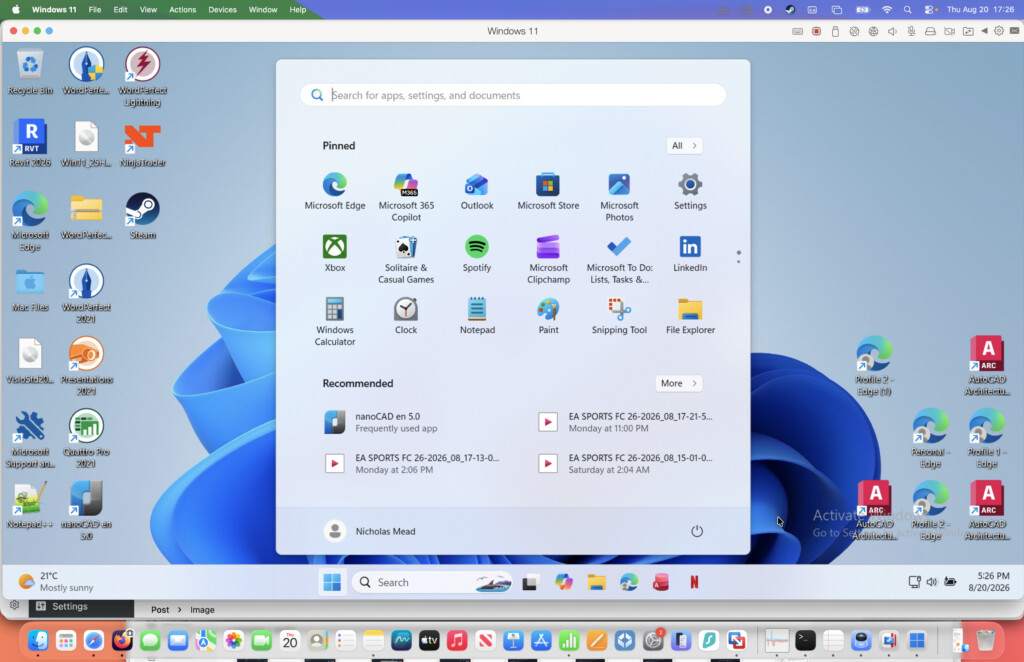
Parallels has released Parallels Desktop 27 for Mac, bringing official support for macOS 27 Golden Gate, a major OpenGL graphics upgrade and faster local AI workloads on newer Apple Silicon Macs.
However, this isn’t an essential upgrade for every Parallels user. The biggest improvements are aimed at engineers, designers, GIS users and developers rather than those who simply use Parallels to run Microsoft Office, Access or other everyday Windows software.
Our quick verdict: If you have an active Parallels subscription, upgrading makes sense because version 27 is included. If you own a perpetual Parallels 26 license, you probably only need to pay for the upgrade if you use demanding graphics software, develop local AI tools or plan to install macOS Golden Gate. Intel Mac users cannot install Parallels Desktop 27 at all.
You can download a free 14-day trial of Parallels Desktop 27 to test it with your own Windows applications before buying.
You May Also Like:
- Parallels Desktop for Mac Review
- Best Virtual Machines for Mac
- macOS Golden Gate Compatibility Guide
Parallels Desktop 27: What’s New At a Glance
The most important changes in Parallels Desktop 27 are:
- OpenGL 4.3 support: Windows virtual machines can now run more graphics-intensive professional software, including ArcGIS Pro, ZWCAD and Blender 4.3.
- Faster OpenGL performance: Parallels reports up to 160% faster OpenGL performance on M3 and newer Macs, depending on the application and workload.
- Local AI acceleration: M4 and newer Macs can use Arm’s Scalable Matrix Extension instructions inside compatible Windows and Linux virtual machines.
- macOS Golden Gate support: Both Standard and Pro editions are officially compatible with macOS 27.
- Apple Silicon only: Parallels Desktop 27 no longer supports Intel Macs.
- Security and Linux improvements: The release patches several virtualization-related security vulnerabilities and adds support for newer Linux distributions.
- Enterprise and DevOps tools: Business users get improved deployment, management and CI/CD features.
1. OpenGL 4.3 Is the Biggest Upgrade
The standout change in Parallels Desktop 27 is a new graphics driver that translates OpenGL through Apple’s Metal graphics technology.
Previous versions of Parallels supported up to OpenGL 4.1 in Windows virtual machines. Version 27 raises this to OpenGL 4.3, which is more significant for application compatibility than the small increase in the version number might suggest.
Some professional Windows applications require a specific version of OpenGL before they will launch or display complex models correctly. The new driver allows Parallels to support applications such as ArcGIS Pro, ZWCAD and Blender 4.3 more effectively on a Mac. It is particularly relevant to CAD, GIS, architecture, engineering and scientific-visualization work.
Parallels says its internal testing recorded up to 160% faster OpenGL performance on Macs with an M3 chip or newer. It also measured up to 35% faster 3D rendering in selected ArcGIS Pro tasks and a reduction of up to 24% in the overall tested workflow time.
Those are Parallels’ own benchmark results rather than figures we have independently verified, and the improvement will depend heavily on the Mac, virtual-machine configuration and application being used.
Parallels’ current version 27 feature comparison lists the new OpenGL 4.3 driver under the Pro edition, with Business and Enterprise editions also inheriting the professional features. Standard remains the edition intended for everyday Windows applications.
Parallels says OpenGL 4.3 requires macOS Sequoia 15 or later as the host operating system, while full hardware acceleration requires an M3 or newer Mac.
Does Parallels 27 Improve Gaming?
This is not primarily a gaming update. Most modern Windows games use DirectX rather than OpenGL, and version 27 does not introduce a newer version of DirectX or remove the problems caused by anti-cheat systems. Some OpenGL games may benefit, but gaming alone is not a compelling reason to upgrade from a stable Parallels 26 installation.
2. Faster Local AI on M4 and Newer Macs
The second major addition is support for Arm’s Scalable Matrix Extension instructions inside compatible Windows and Linux virtual machines.
These instructions speed up the matrix calculations used by AI and machine-learning software. This can benefit developers running local tools such as Ollama and llama.cpp inside a virtual machine without sending their work to a cloud service.
The feature only works on M4 and newer Macs. Parallels reports up to seven times faster matrix operations and up to 1.75 times faster neural-network inference, but those results came from Ubuntu running on an M4 Pro Mac. Users should not assume that every model, operating system or AI tool will produce the same gains.
Like the new OpenGL driver, Parallels currently positions this as a Pro feature. It is therefore mainly relevant to developers and technical users rather than someone who occasionally opens a Windows productivity application.
3. Official Support for macOS Golden Gate
Parallels Desktop 27 is officially compatible with macOS 27 Golden Gate on supported Macs. Both the Standard and Pro editions can run on Golden Gate, and existing Windows virtual machines should continue working without needing to reinstall Windows.
This will become one of the most practical reasons to upgrade once Apple releases the final version of Golden Gate. A current subscription or version 27 perpetual license provides the clearest route to ongoing compatibility with Apple’s next major macOS release.
Golden Gate is still in beta at the time of writing, so I would not install it on a production Mac purely because Parallels now describes version 27 as compatible. Other Windows applications, Mac utilities, plug-ins and peripherals may still have their own beta compatibility problems.
4. Parallels Desktop 27 Drops Intel Mac Support
Parallels Desktop 27 is designed exclusively for Apple Silicon Macs. It supports M-series Macs as well as Apple’s A18 Pro-powered MacBook Neo, but it cannot be installed on an Intel Mac.
Intel Mac owners will remain on Parallels Desktop 26, which Parallels says will continue receiving periodic security and compatibility updates. The change also means that version 27 has removed support for using Windows from an existing Boot Camp partition.
This mirrors Apple’s own move away from Intel hardware because macOS Golden Gate is also restricted to Apple Silicon Macs. Version 27 additionally drops installation support for macOS Ventura, Travel Mode and the unread-email badge and new-message notifications used by Classic Outlook. Anyone who depends on one of those features should check the complete Parallels 27 release notes before upgrading.
5. Security, Linux and Enterprise Improvements
All editions contain fixes for vulnerabilities affecting virtual networking, GPU command processing and the VirtIO subsystem. Linux users also get support for Ubuntu 26.04 LTS, Fedora 44, Debian 13.6 and Kali Linux 2026.2.
For business and enterprise customers, Parallels has added a graphical interface for its DevOps Service, Jenkins-based dynamic provisioning, improved SSO reporting and more deployment controls. These will have little effect on the typical home user.
Is Parallels Desktop 27 Worth Upgrading To?
Whether Parallels Desktop 27 is worth it depends more on how you use Windows than on the age of your Mac.
| Type of user | Should you upgrade? | Why? |
|---|---|---|
| Active Standard or Pro subscriber | Yes | Version 27 is included with an active subscription and contains compatibility and security updates. |
| ArcGIS Pro, ZWCAD, Blender or professional OpenGL user | Yes, particularly with Pro | OpenGL 4.3 can improve both application compatibility and graphics performance. |
| Developer running local AI in a VM on an M4 or newer Mac | Yes, with Pro | The new matrix instructions can significantly accelerate compatible AI workloads. |
| Planning to install macOS Golden Gate | Recommended | Version 27 is the release officially designed for Golden Gate, although the OS should still be treated cautiously while in beta. |
| Perpetual Parallels 26 user running Office or simple Windows apps | Probably not yet | The everyday Windows experience has not changed dramatically. Upgrade when you need newer macOS support. |
| Mac gamer | Not for gaming alone | There is no major DirectX upgrade and existing game and anti-cheat limitations remain. |
| Intel Mac owner | No | Version 27 cannot be installed. Continue using Parallels Desktop 26. |
How to Upgrade to Parallels Desktop 27
If you have an active Standard or Pro subscription, Parallels Desktop 27 is available at no additional cost. You can download and install the latest version using your existing license.
Owners of an older perpetual license must purchase a discounted upgrade or continue using the version they already own. Standard is available as either a subscription or one-time purchase, while Pro is subscription-only.
Before upgrading, shut down Windows completely and back up the .pvm virtual-machine file. Parallels says existing VMs can be used without reinstalling Windows, but a backup gives you a way back if an application or driver behaves differently.
Verdict
Parallels Desktop 27 is a substantial release for a relatively small but important group. For engineers, architects, GIS professionals and designers, the move from OpenGL 4.1 to 4.3 could determine whether a specialist Windows application works properly on a Mac at all. Developers with an M4 or newer Mac may also see worthwhile AI performance gains.
For everyone else, the update is more evolutionary. If your subscription includes it, there is little reason not to install version 27 after backing up your VM. If you have a perpetual Parallels 26 license, it is reasonable to wait until you need Golden Gate support or one of the new professional features.
For a more detailed look at installation, Windows performance, gaming, Coherence Mode and the differences between editions, see our full Parallels Desktop for Mac review.