

Whether you’re a general contractor, quantity surveyor, estimator, architect or subcontractor, digital takeoff software can dramatically speed up measuring plans, calculating material quantities and producing accurate estimates.
The challenge for Mac users is that many of the industry’s best-known takeoff applications – including Bluebeam Revu and PlanSwift – were originally developed for Windows. Fortunately, that’s no longer a major limitation. Today there are excellent browser-based platforms that work perfectly on macOS, several native Mac applications, and even reliable ways to run Windows-only software on Apple Silicon Macs.
We’ve tested the leading options to find the best takeoff software that genuinely works well on a Mac, evaluating each for macOS compatibility, Apple Silicon support, ease of use, measuring tools, estimating features, collaboration and overall value.
If you’re specifically looking for PDF markup tools, you may also want to read our guide to the Best Bluebeam Alternatives for Mac. If you need to create or edit technical drawings before performing takeoffs, see our roundup of the Best CAD Software for Mac.
Comparison Table
| Software | Type | Starting Price* | Best For |
|---|---|---|---|
| STACK | Cloud | Custom quote | Best overall |
| CostMiner | Cloud | Custom quote | Integrated estimating |
| Buildxact | Cloud | From $169/month | Residential builders |
| Countfire | Cloud | Custom quote | Electrical contractors |
| Forma Takeoff | Cloud | Custom quote | Autodesk users |
| Construction Takeoff | Native macOS | From $39.99 | Simple desktop takeoffs |
| Protakeoff | Native macOS | Custom quote | Professional Mac users |
| Bluebeam Revu + Parallels | Windows via Parallels | From $249/year + Parallels subscription | Existing Bluebeam users |
1. STACK
Best Overall Takeoff Software for Mac
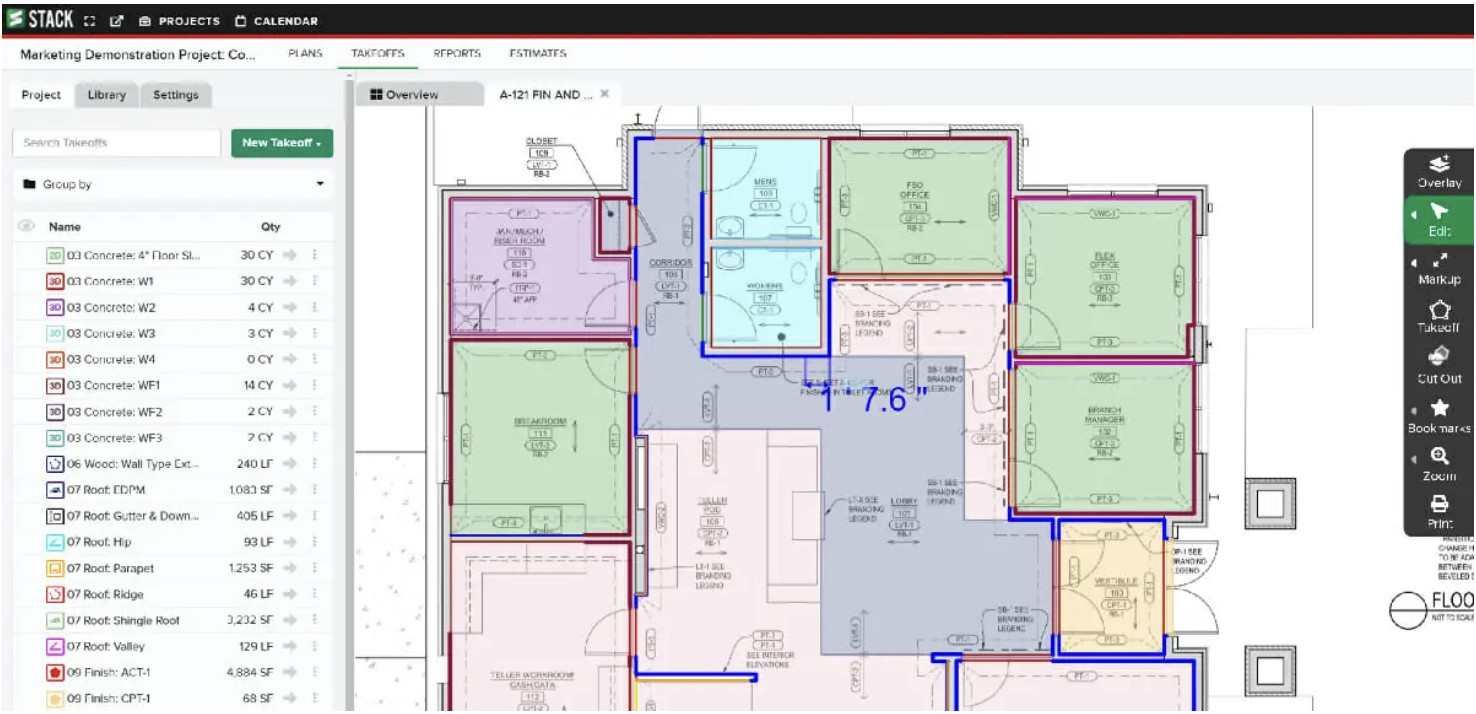
STACK has become one of the most popular cloud-based takeoff platforms because it combines accurate digital takeoffs with estimating and collaboration tools in a browser-based application that works flawlessly on macOS.
Since everything runs online, there’s nothing to install and it works equally well in Safari, Chrome and Edge. Upload PDF plans, calibrate drawings, create measurements for areas, lengths and counts, then build reusable assemblies for faster estimating.
The collaboration features are particularly strong, allowing multiple estimators to work on the same project without version conflicts.
Why we picked it
STACK offers the best balance of ease of use, professional features and excellent Mac compatibility.
Pros
- Excellent browser experience
- No Windows required
- Fast PDF takeoffs
- Team collaboration
- Integrated estimating
Cons
- Subscription only
- Internet connection required
2. CostMiner
Best for Integrated Estimating
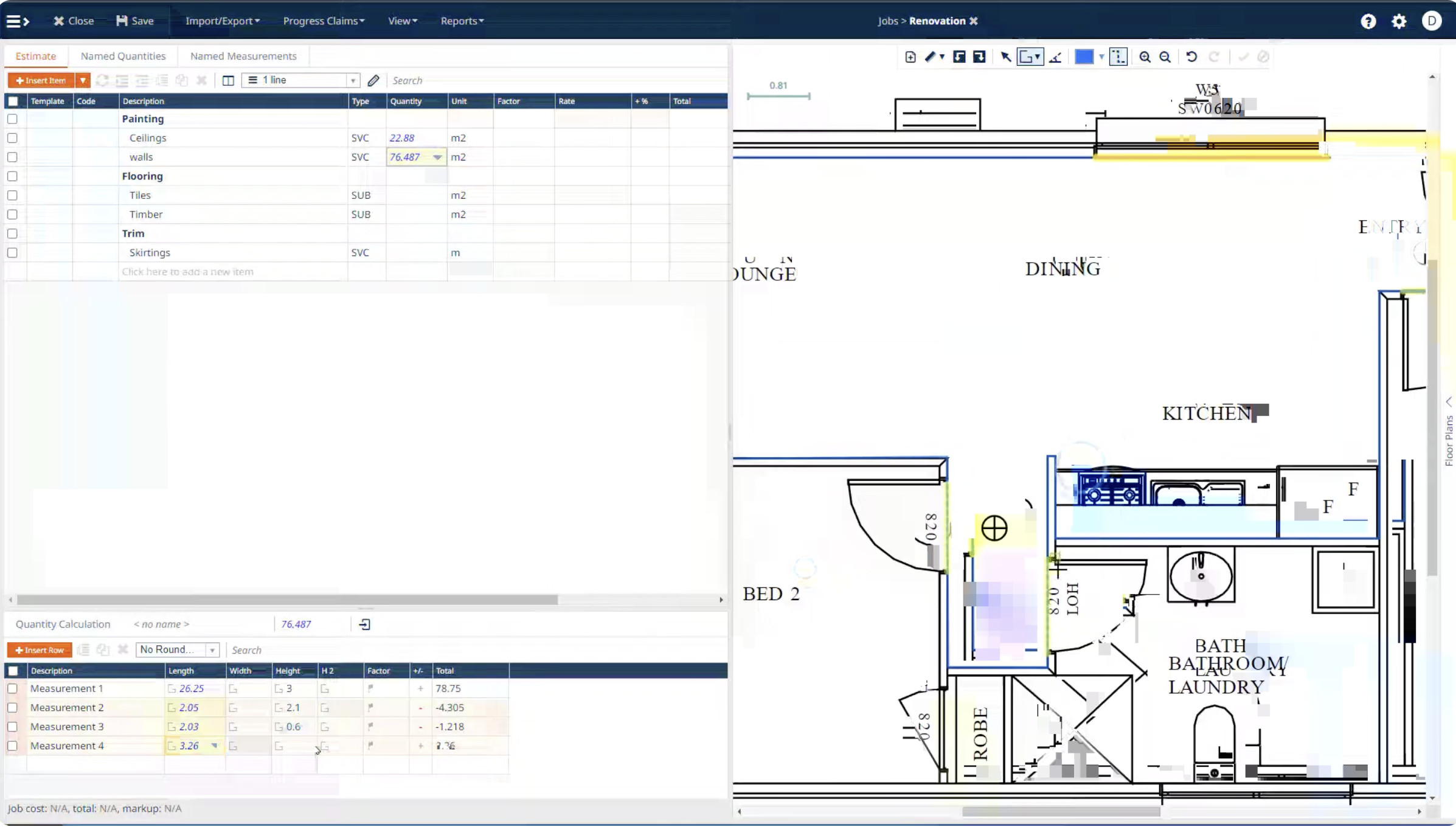
CostMiner combines digital takeoffs with estimating, quoting and project costing in one cloud platform.
Rather than simply measuring drawings, it lets contractors generate complete cost estimates immediately after completing takeoffs. It supports multiple trades and includes material databases, labour calculations and client quotations.
For Mac users this means no compatibility concerns whatsoever since the entire platform runs through your web browser.
Why we picked it
An excellent all-in-one solution for contractors wanting estimating and takeoffs together.
Pros
- Built-in estimating
- Cloud-based
- Easy collaboration
- Suitable for multiple trades
Cons
- Learning curve
- More features than smaller contractors may need
3. Buildxact
Best for Residential Builders

Buildxact is designed specifically for residential construction companies and remodelers.
Its takeoff tools are tightly integrated with estimating, scheduling, purchasing and project management, making it particularly attractive for builders managing projects from quotation through completion.
Automatic quantity calculations save considerable time compared to manual measurements.
Why we picked it
Ideal for builders wanting one platform to manage the entire construction process.
Pros
- Excellent estimating
- Supplier integrations
- Project management included
- Fully Mac compatible
Cons
- Better suited to residential construction than commercial projects
4. Countfire
Best for Electrical Takeoffs
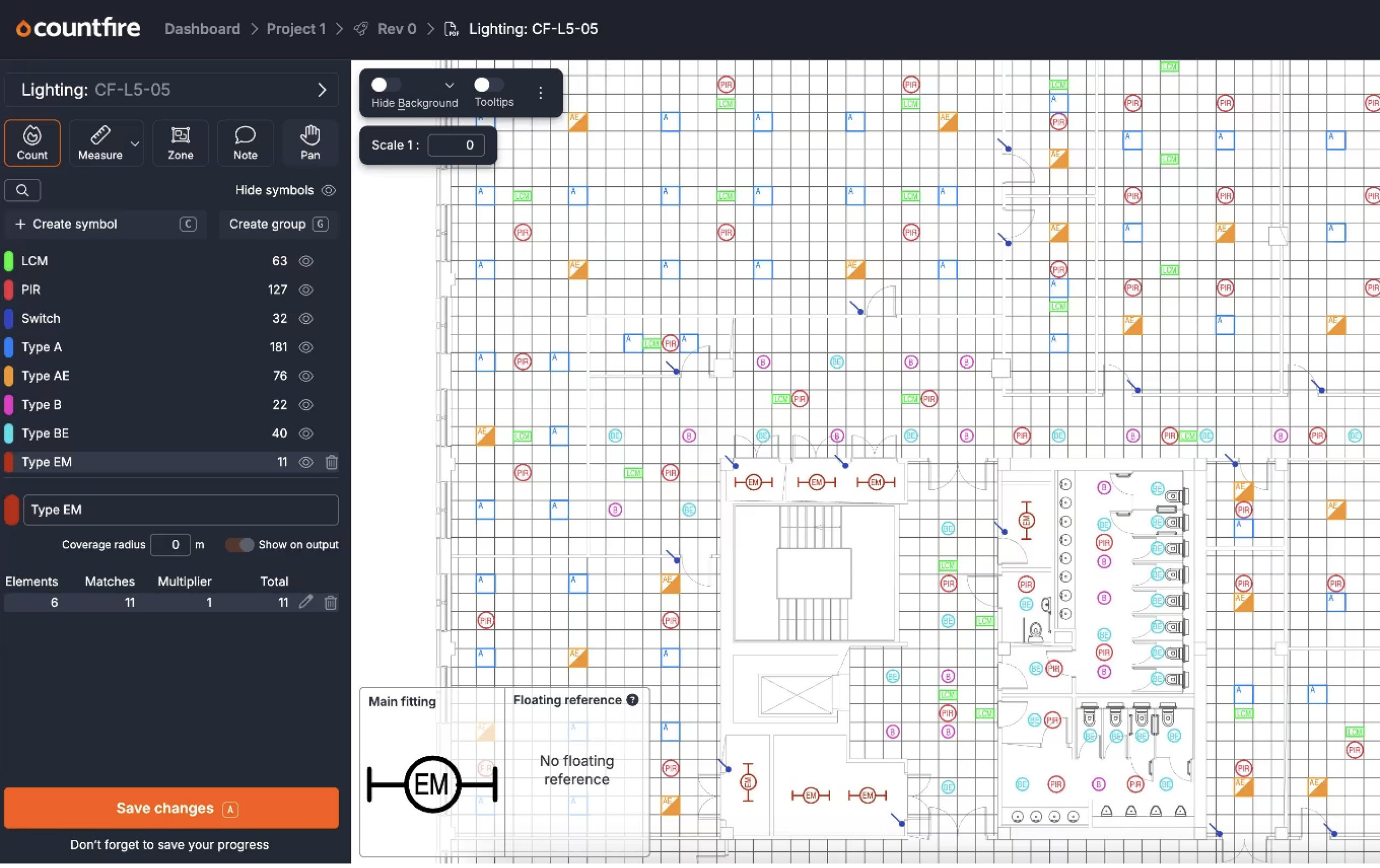
Electrical estimating involves thousands of symbols, fixtures and outlets, making manual counting incredibly time consuming.
Countfire automates much of this process using intelligent symbol recognition that can identify and count electrical components directly from drawings.
This can reduce takeoff times from hours to minutes while improving consistency across projects.
Why we picked it
The most specialised solution for electrical contractors using a Mac.
Pros
- Automatic symbol counting
- Excellent electrical features
- Browser based
- Highly accurate
Cons
- Primarily designed for electrical contractors
5. Forma Takeoff
Best for Autodesk Users

Forma Takeoff (formerly Autodesk Takeoff) is Autodesk’s cloud-based quantity takeoff solution for construction estimators. It enables users to perform accurate 2D takeoffs from PDF drawings while automatically generating quantities from 3D BIM models within a single workspace.
If your business already uses AutoCAD, Revit or other Autodesk products, Forma Takeoff integrates seamlessly with the wider Autodesk Forma platform, allowing estimating teams to work from a central source of truth and reduce duplication between design and preconstruction workflows. Because it’s entirely browser-based, it works equally well on both Intel and Apple Silicon Macs without requiring any additional software.
Why we picked it
Forma Takeoff is the best choice for construction firms already using Autodesk products, combining 2D and 3D quantity takeoffs with excellent cloud collaboration and BIM integration.
Pros
- Performs both 2D and automated 3D quantity takeoffs
- Excellent BIM and Autodesk integration
- Cloud-based with full Mac compatibility
- Strong document management and version control
- Scales well for larger estimating teams
Cons
- Best suited to companies already using Autodesk software
- Can be more expensive than standalone takeoff solutions
- Some advanced features require the wider Forma ecosystem
6. Construction Takeoff
Best Native macOS App
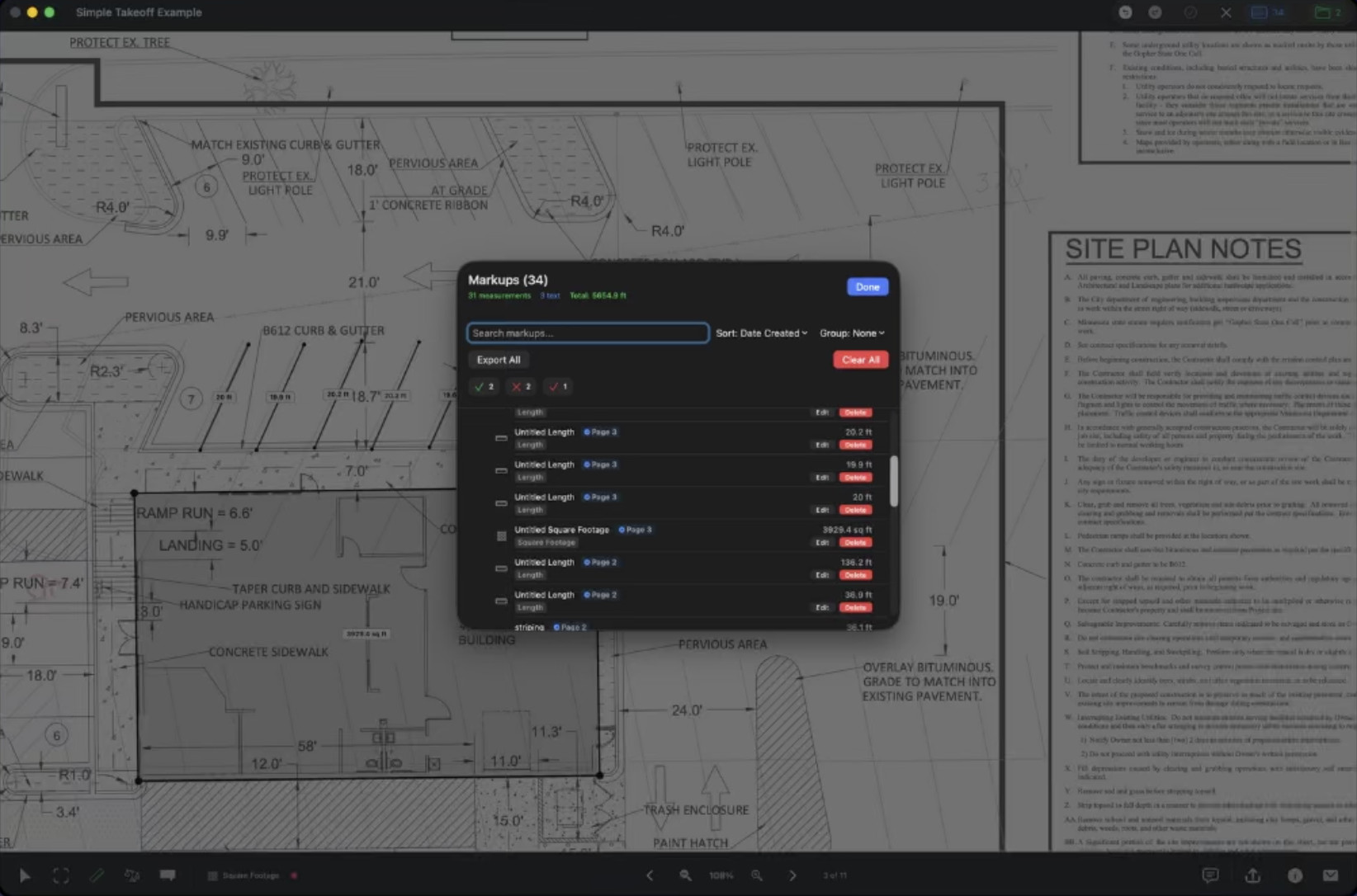
Unlike many competitors, Construction Takeoff is a genuine Mac application rather than a web platform.
Available through the Mac App Store, it allows users to measure lengths, areas, counts and volumes directly from PDF drawings while exporting results to CSV or JSON.
Its interface feels at home on macOS and performs well on Apple Silicon Macs.
Why we picked it
One of the few genuine native Mac takeoff applications.
Pros
- Native Mac app
- Simple interface
- Offline working
- Fast performance
Cons
- Less feature-rich than enterprise cloud platforms
7. Protakeoff
Best Professional Desktop Application

Protakeoff is another desktop application built specifically for macOS.
It supports PDF measurements, overlays, automatic counting tools and multiple measurement types while offering a traditional desktop option preferred by many estimators.
Support for both Intel and Apple Silicon Macs makes it one of the few desktop alternatives to browser-based solutions.
Why we picked it
A strong desktop alternative for users who prefer locally installed software.
Pros
- Native performance
- Apple Silicon support
- Overlay tools
- Auto counting
Cons
- Smaller ecosystem than cloud competitors
8. Bluebeam Revu (via Parallels Desktop)
Best Windows Takeoff Software on a Mac

Although Bluebeam Revu still isn’t available as a native Mac application, many contractors continue using it successfully by running Windows through Parallels Desktop.
On Apple Silicon Macs, Parallels provides excellent performance while allowing Bluebeam Revu to run alongside macOS applications.
If you’re already familiar with Bluebeam’s measurement tools, markups and Studio collaboration features, this can be an easier transition than switching to entirely new software.
For more options, see our guide to the Best Bluebeam Alternatives for Mac.
Why we picked it
Still one of the industry’s strongest takeoff platforms when run through virtualization.
Pros
- Industry standard
- Excellent PDF tools
- Powerful markups
- Mature feature set
Cons
- Requires Windows licence
- Requires Parallels Desktop
- Not native to macOS
How We Tested
We evaluated each application using the criteria most important to Mac users, including:
- Native macOS compatibility
- Apple Silicon support
- Accuracy of measurement tools
- PDF and CAD file support
- Estimating capabilities
- Collaboration features
- Ease of use
- Pricing
- Overall value
Preference was given to software that runs natively on macOS or in a browser without requiring Windows.
What to Look for in Takeoff Software for Macs
Native App vs Cloud Platform
Cloud-based platforms generally provide the best experience on a Mac because they work in any modern browser and receive continuous updates without requiring installation.
Native desktop applications may appeal to users who prefer offline working or traditional software interfaces.
However, when it comes to Takeoff Software, the only serious native solutions we found were Construction Takeoff and Protakeoff.
PDF and CAD Support
Most estimators perform takeoffs from PDF drawings, but some work requires DWG, DXF or BIM models. Check that your chosen software supports the file formats used by your architects or engineers.
If you also need to edit technical drawings, it’s worth pairing your takeoff software with one of the Best CAD Software for Mac.
Apple Silicon Compatibility
If you use an M1-M5 Mac, make sure your software is fully compatible. Browser-based platforms generally work flawlessly, while native applications should ideally be optimised for Apple Silicon.
Collaboration
Modern construction projects often involve multiple estimators and stakeholders reviewing the same plans. Cloud platforms usually provide better version control, sharing and team collaboration than desktop software.
Estimating Features
Some products only perform measurements, while others include complete estimating systems with labour rates, material databases, supplier pricing and quotations.
FAQ
What is takeoff software?
Takeoff software measures quantities from construction drawings, allowing contractors to calculate areas, lengths, counts and material requirements for accurate project estimates.
Does Bluebeam work on Mac?
Not natively. However, it runs very well on modern Macs using Parallels Desktop and Windows 11 for ARM. Alternatively, there are several excellent cloud-based and native Mac alternatives.
Is cloud-based takeoff software better than desktop software?
For most Mac users, yes. Cloud platforms require no installation, work on any Mac, update automatically and usually provide superior collaboration features.
Can I use takeoff software on an iPad?
Many cloud platforms offer mobile apps or browser access, making it possible to review drawings and perform simple takeoffs on an iPad. However, detailed estimating is generally easier on a Mac with a larger display especially on 4K or 5K external monitors.
Do I need CAD software as well?
Not necessarily. Most takeoff applications measure directly from PDF plans. However, if you need to create or edit drawings before estimating, dedicated CAD software will be a better choice.