

If you are deciding between the BenQ MA320UG and Apple Studio Display, both are unusually good external monitors for a Mac — but they make very different compromises.
The BenQ MA320UG is the larger and much less expensive option. However, it is only a 4K display. It has a 31.5-inch 4K Nano Gloss panel, a 120Hz refresh rate, Thunderbolt 4, HDMI inputs, Smart KVM and a highly adjustable stand.
The 2026 Apple Studio Display is a much higher resolution 5K display and easily the more integrated Apple option. Its 27-inch 5K Retina panel is dramatically sharper for text, it is brighter, and it adds Thunderbolt 5, a 12MP Centre Stage camera, studio-quality microphones, six speakers and macOS reference modes.
However, it is also a smaller 60Hz display that starts at more than twice the price of the BenQ in the UK.
For most people, this is not a simple case of the Apple display being better because it costs more. The Studio Display is the better choice if 5K Retina sharpness, Apple-native features and a built-in webcam/audio system are central to your desk setup. The MA320UG is the better choice if you want a larger screen, noticeably smoother 120Hz motion, a flexible Mac-and-PC setup or substantially better value.
This comparison is for the standard 2026 Apple Studio Display, not the much more expensive 120Hz Studio Display XDR.
We have tested the MA320UG extensively with an M3 MacBook Pro. We have not yet had the 2026 Studio Display in for hands-on testing, so the Studio Display-specific observations below are based on Apple’s current specifications and feature set rather than a physical review.
For other options, check out our comprehensive look at the best Apple Studio Display alternatives.
Quick Verdict
BenQ MA320UG 31.5-inch 4K 120Hz Nano Gloss Monitor: £699.99 / $829.99: A larger, smoother and more flexible Mac monitor for users who value 120Hz, HDMI, Smart KVM, Thunderbolt 4 and a fully adjustable stand without paying Apple Studio Display money.
Apple Studio Display 27-inch 5K Retina Monitor: £1,499 / $1,599: The better choice for Mac users who place the highest value on 5K Retina text sharpness, a brighter display, built-in camera/audio, macOS reference modes and Apple’s most seamless desktop experience.
Prices and retailer discounts change regularly. The important comparison is whether the Studio Display’s roughly added £800/$770 starting-price premium is worthwhile for its 5K panel and integrated Apple hardware — or whether the MA320UG’s larger 120Hz screen and broader connectivity better suit the way you work.
BenQ MA320UG vs Apple Studio Display: Comparison Table
| Feature | BenQ MA320UG | Apple Studio Display | Best For |
|---|---|---|---|
| Screen size | 31.5-inch | 27-inch | MA320UG for a physically larger workspace |
| Resolution | 3840×2160 | 5120×2880 | Studio Display for more pixels and finer detail |
| Pixel density | 140 PPI | 218 PPI | Studio Display for Retina-level text sharpness |
| Panel / display | IPS | 5K Retina display | Both are designed for Mac work; Apple is much denser |
| Screen finish | Nano Gloss | Standard glass or optional nano-texture glass | Depends on room lighting and finish preference |
| Refresh rate | 120Hz | 60Hz | MA320UG for smoother motion |
| Brightness | 450 nits typical | 600 nits | Studio Display for a brighter SDR image |
| HDR | HDR10, DisplayHDR 400 | Not positioned as an XDR/HDR display | Neither is the ideal high-end HDR choice |
| Native contrast | 2000:1 | Not published by Apple | MA320UG on published specifications |
| Colour | 99% sRGB, 98% P3 | Wide colour (P3), 1 billion colours | Both for wide-gamut Mac work; Studio has reference modes |
| Main laptop connection | Thunderbolt 4, up to 96W | Thunderbolt 5, up to 96W | Both for a tidy one-cable MacBook setup |
| Additional display output | Thunderbolt 4 out, 15W | Thunderbolt 5 out | Both for daisy chaining, subject to Mac support |
| Other video inputs | 2 × HDMI 2.1 | None | MA320UG for a PC, console or other HDMI source |
| USB hub | 2 × USB-A and 1 × USB-C, up to 10Gbps | 2 × USB-C, up to 10Gbps | Depends on the peripherals you use |
| Smart KVM | Yes | No | MA320UG for Mac-and-PC or two-computer use |
| Camera and microphones | No | 12MP Centre Stage camera, three-mic array | Studio Display for calls and Desk View |
| Speakers | 2 × 3W | Six speakers with Spatial Audio | Studio Display by a large margin |
| Stand | 150mm height, tilt, swivel and pivot | Tilt only as standard; 105mm height-adjustable option | MA320UG for included ergonomics |
| Best for | Larger 120Hz Mac and mixed-device setups | Retina text, Apple integration and built-in media hardware | Depends on needs and budget |
Design & Build Quality
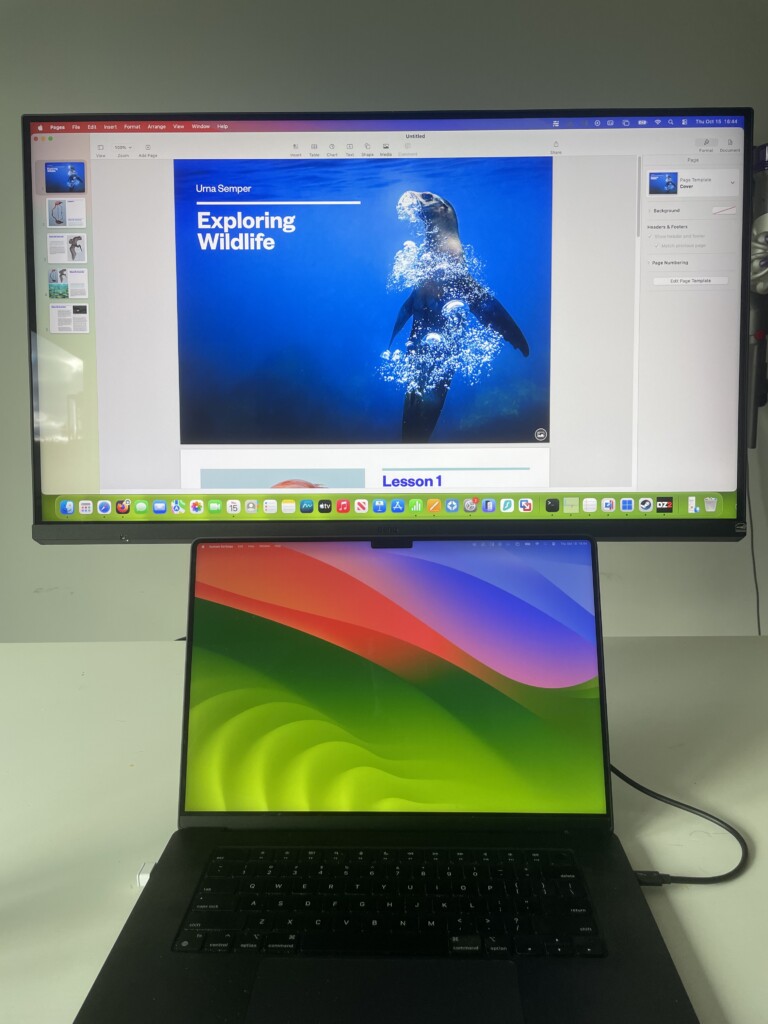
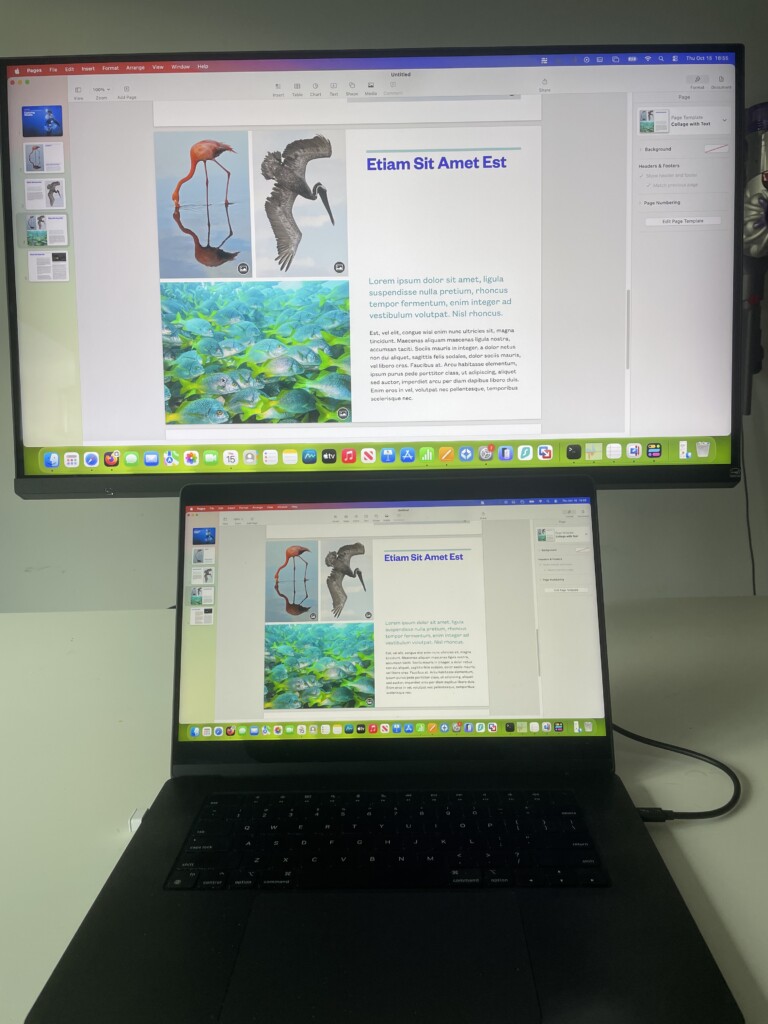
The MA320UG and Studio Display are both designed to look at home next to a MacBook, Mac mini or Mac Studio, rather than like a conventional black office monitor.
The BenQ has a silver stand, slim modern bezels and a Nano Gloss surface that gives it a more Mac-like look than most 32-inch 4K displays. The Studio Display is the more recognisably Apple product: its aluminium enclosure, compact 27-inch proportions and neatly integrated camera, microphones and speaker system make it feel like a single desktop appliance rather than just a panel on a stand.
The physical size difference is important. The MA320UG is 31.5 inches and 714.7mm wide, while the Studio Display is 27 inches and 623mm wide. Because both are 16:9 displays, the BenQ gives you roughly 36% more physical screen area.
That can be excellent for a desk where you want two documents, a large spreadsheet, a wide timeline or several browser windows visible at once. It also means the MA320UG feels much more dominant on a desk. The Studio Display takes up less space and can be easier to position in a smaller office, but it does not give you the same big-screen feeling.
The main ergonomic difference is the stand. The MA320UG includes 150mm of height adjustment, tilt, swivel and 90-degree pivot as standard. The standard Studio Display stand only tilts. Apple does offer a tilt-and-height-adjustable stand, but it adds to the price, gives 105mm of travel rather than 150mm, and does not add swivel or portrait orientation.
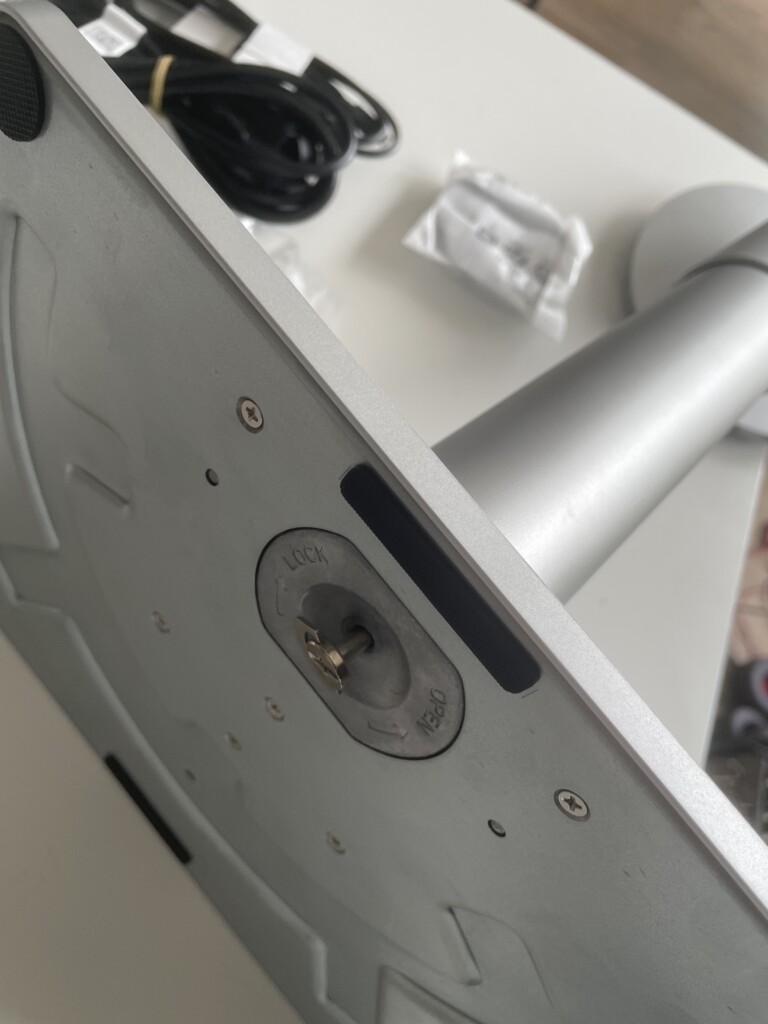
If you need the display high enough to sit comfortably at eye level, share a desk with a laptop stand, or regularly adjust your setup, the BenQ is substantially more accommodating at its base price. The Studio Display can of course be ordered with a VESA mount adapter for a monitor arm (for an extra cost of course).
Neither display feels cheaply made. The Studio Display is the more refined and compact object, while the MA320UG is the more practical choice if screen size and adjustment matter more than having an Apple-branded enclosure.
120Hz vs 60Hz: The Biggest Difference
The biggest difference between the MA320UG and Studio Display is not screen size, resolution or finish.
It is refresh rate.
The MA320UG runs at up to 120Hz, while the standard Studio Display is a 60Hz monitor.
That means the MA320UG can update the image twice as often. It does not make text sharper, but it makes movement look and feel noticeably more fluid.
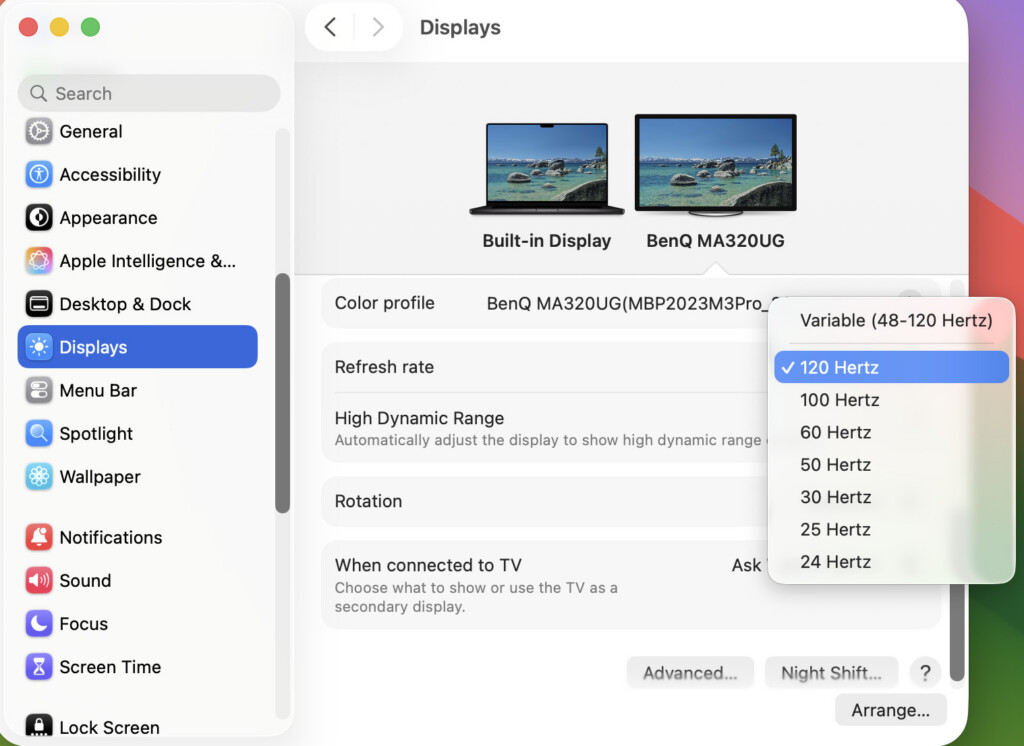
When I used the MA320UG with an M3 MacBook Pro, scrolling through long web pages, moving windows around the desktop and navigating timelines all felt appreciably smoother than on a conventional 60Hz display. It is not just a gaming specification: once you are used to ProMotion on a MacBook Pro, returning to a 60Hz external monitor can feel slightly sluggish.
The Studio Display is not a poor choice because it is 60Hz. For email, documents, spreadsheets, web browsing, writing, photo work and most day-to-day creative tasks, 60Hz remains perfectly usable. Its 5K panel makes text and fine interface detail look much sharper than the BenQ; it simply does not preserve the same sense of motion fluidity as the MA320UG.
The difference matters most if you:
- use a 120Hz MacBook Pro display every day
- work with long web pages, code, documents or timelines
- edit video or move through media frequently
- use the monitor for a Mac and a PC or console
- value a desktop setup that feels as fluid as your laptop
For a static Mac mini workspace, or if display sharpness, video calls and Apple integration matter more than fast motion, the Studio Display’s 60Hz refresh rate is much less likely to be a deciding factor.
Display Quality
This is where the Studio Display has its clearest advantage.
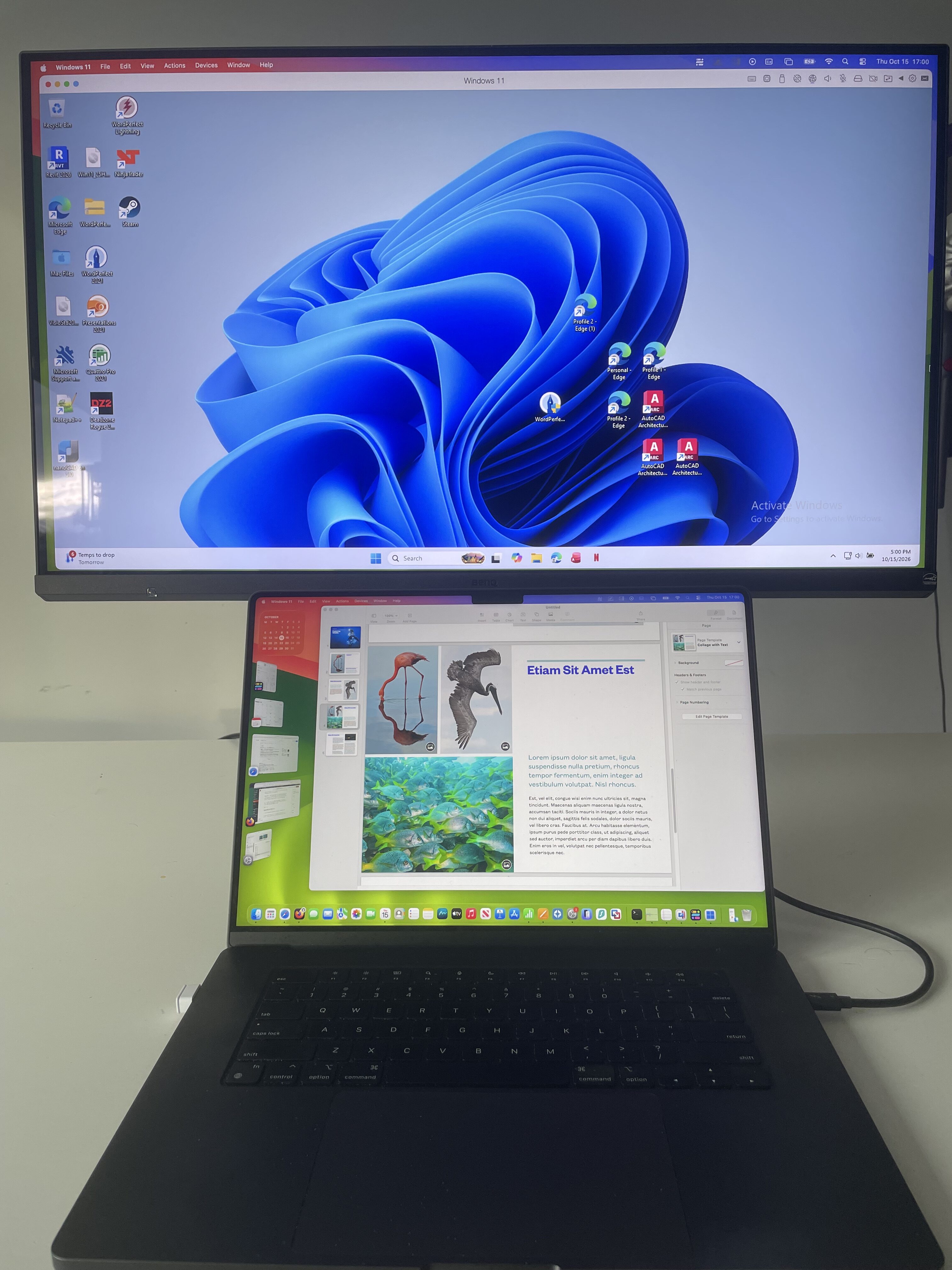
The MA320UG uses a 31.5-inch 4K panel with a pixel density of 140 PPI. It gives you a large, comfortable canvas for multiple windows, documents, browser tabs and creative apps, but it does not have Retina-style text sharpness at a typical desk distance.
The Studio Display is physically smaller, but its 5120×2880 resolution gives it a 218 PPI pixel density. Text, menus, icons and fine photo detail look appreciably crisper, particularly if you spend all day writing, coding, reading or working in detailed design interfaces.
That does not mean the MA320UG looks poor. It is a good-looking 4K display, and its larger physical size can make interface elements more comfortable without relying so heavily on scaling. However, choosing the BenQ means accepting that its text clarity cannot match the Studio Display, BenQ MA270S or another 27-inch 5K monitor.
It is also worth separating screen size from pixel count. The BenQ has around 36% more physical panel area, while the 5K Studio Display has roughly 78% more pixels. The MA320UG is better if you want a larger canvas; the Studio Display is better if you want the finest possible detail within a more compact 27-inch screen.
Nano Gloss vs Standard Glass and Nano-texture
The MA320UG uses BenQ’s Nano Gloss coating. It is designed to deliver the richer contrast and vivid appearance that many Mac users prefer over a conventional matte monitor, while being more practical in everyday rooms than a highly reflective glossy panel.
Apple offers the Studio Display with standard glass or optional nano-texture glass. The nano-texture option is intended for rooms with difficult lighting and can be worthwhile if bright windows or lights are regularly reflected in your screen, although it increases the already considerable cost of the Studio Display.
The right choice depends more on your room than on a specification sheet:
- choose the MA320UG if you prefer the more vivid, glossy-leaning Nano Gloss look and can control direct reflections
- choose the Studio Display with standard glass if you want Apple’s conventional display finish
- consider the Studio Display with nano-texture only if reflections are a persistent, real-world problem rather than a theoretical concern
Brightness, Colour and HDR
On paper, the Studio Display is brighter. Apple rates it at 600 nits, compared with 450 nits typical brightness on the MA320UG.
That gives the Studio Display an advantage in bright rooms and for SDR creative work. It also supports P3 wide colour, one billion colours, True Tone and a useful range of macOS reference modes for video, photography, print, web and design.
The MA320UG is still well specified for general creative use. It covers 99% sRGB and 98% P3, supports 1.07 billion colours and has a higher quoted native contrast ratio of 2000:1. Apple does not publish an equivalent native contrast figure for the standard Studio Display, so it is not useful to declare an overall contrast winner from the specification sheets alone.
The BenQ also supports HDR10 and VESA DisplayHDR 400. That is useful for compatible media, but it is not a reason to buy it specifically for serious HDR work. The standard Studio Display is not positioned by Apple as an XDR or high-end HDR monitor either. If HDR performance is the priority, the relevant Apple comparison is the much more expensive Studio Display XDR, not the standard Studio Display.
The practical split is straightforward:
- choose the Studio Display for the sharper 5K image, higher SDR brightness and Apple reference modes
- choose the MA320UG for very similar wide-gamut coverage, higher quoted contrast and smoother 120Hz motion at a much lower price
Mac Features & Integration
Both displays are Mac-friendly, but they take different approaches.
The MA320UG is part of BenQ’s MA range, which is designed specifically around Mac users rather than simply treating a Mac as another USB-C source. It includes Mac-focused colour modes, M-book mode, ICCsync support, Display Pilot 2 software and the ability to control display brightness and volume from a compatible Mac keyboard.
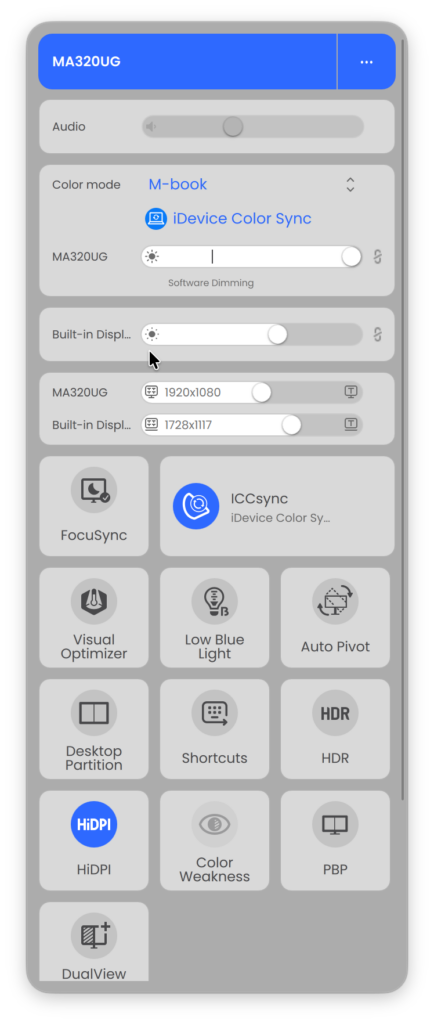
With the MA320UG, I found those touches make a genuine difference. The display feels less like a generic PC monitor connected to a Mac and more like an extension of the MacBook Pro. Brightness control and colour matching are particularly useful when you move between the MacBook display and the external screen throughout the day.
The Studio Display goes further because it is integrated directly into the Apple ecosystem. It has True Tone, reference modes available through macOS, firmware updates through the Mac, a 12MP Centre Stage camera with Desk View, a three-mic array and a six-speaker system with Spatial Audio.
For someone who uses FaceTime, Zoom or Teams regularly, the Studio Display can replace a webcam, desktop speakers and external microphone in a way the BenQ cannot. That helps explain part of its price premium and can make a Studio Display setup much tidier.
The MA320UG has an advantage of its own: Smart KVM. With Display Pilot 2 installed on both systems, you can use one keyboard and mouse across a connected Mac and Windows PC, or between two compatible computers, without manually reconnecting peripherals.
If you use only one Mac, Smart KVM may be a feature you never touch. If you work across a MacBook and desktop PC, or a MacBook and Mac mini, it can be genuinely useful. The Studio Display has no integrated KVM and no HDMI inputs, so it is far less natural for a mixed-device desk.
Apple’s current compatibility list for the 2026 Studio Display is centred on Apple-silicon Macs running macOS Tahoe 26.3.1 or later, so owners of an older Mac should check their exact model before buying. The MA320UG is the less restrictive option when you need a monitor to serve a Mac alongside standard HDMI equipment.
Connectivity
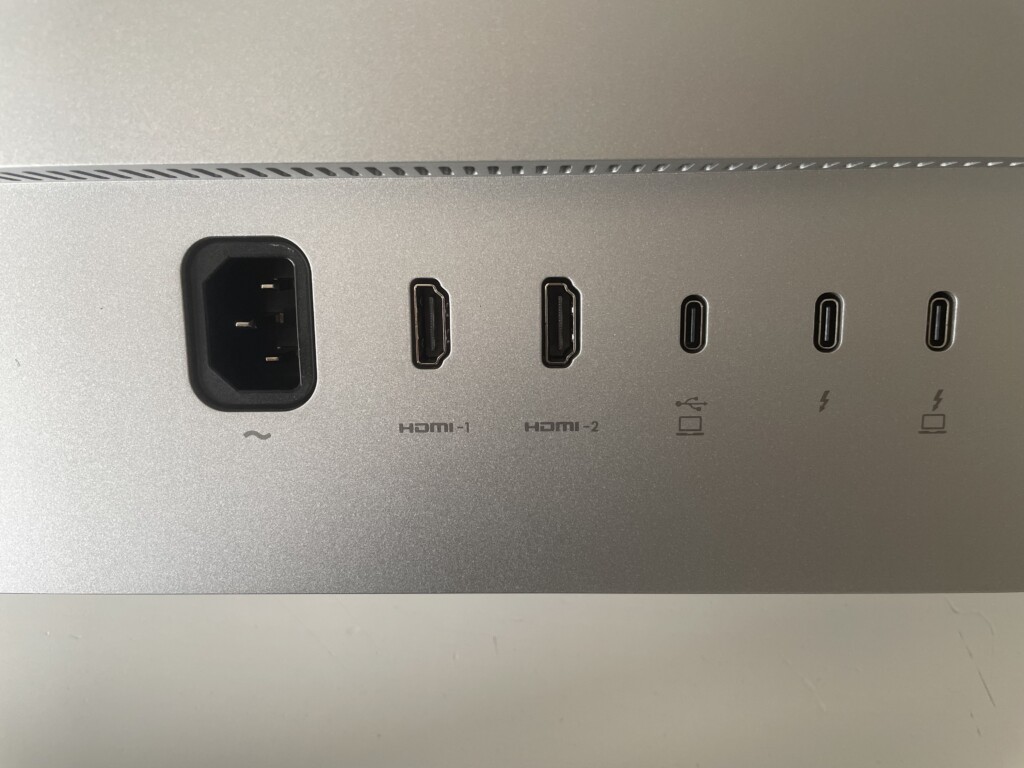
Connectivity is much closer than it was with the previous Studio Display, because Apple has added Thunderbolt 5 and a downstream Thunderbolt port.
| Connection | BenQ MA320UG | Apple Studio Display |
|---|---|---|
| HDMI | 2 × HDMI 2.1 | No HDMI |
| Main laptop connection | Thunderbolt 4, 96W | Thunderbolt 5, 96W |
| Second Thunderbolt port | Thunderbolt 4 out, 15W | Thunderbolt 5 out for high-speed accessories or another display |
| Extra USB-C | USB-C with DisplayPort Alt Mode and up to 35W | 2 × USB-C, up to 10Gbps |
| USB-A | 2 × USB 3.2 Gen 2, 10Gbps | No USB-A |
| USB-C downstream | 1 × USB 3.2 Gen 2, 10Gbps | 2 × USB-C, up to 10Gbps |
| Daisy chaining | Yes, over Thunderbolt | Yes, over Thunderbolt 5 |
| Smart KVM | Yes | No |
Both displays can create a clean one-cable MacBook setup: one Thunderbolt cable carries video, data and up to 96W of charging power. That is enough for most 13-inch and 14-inch MacBook Pro or MacBook Airs, although a 16-inch MacBook Pro can draw more power under sustained heavy load.
The Studio Display has the newer Thunderbolt 5 standard, with up to 120Gbps bandwidth, and Apple says its downstream port can daisy-chain additional Studio Displays. That is useful for a high-end multi-monitor Mac setup. The connected Mac still determines how many displays it can run and at what resolution, so do not assume a Thunderbolt chain bypasses your Mac’s external-display limitations.
The MA320UG remains the more versatile desk hub for most people. Its Thunderbolt 4 connection, second Thunderbolt port, USB-A ports, USB-C downstream port and two HDMI 2.1 inputs make it much easier to connect a PC, console, external SSDs and legacy accessories without adapters.
The MA320UG is also the only one of the two with Smart KVM, which makes the connectivity difference much more meaningful if you switch between computers. Thunderbolt 5 is a real advantage for a compatible Apple-centric setup, but HDMI and KVM are likely to be more useful for a mixed setup.
Real World Usage
Coding & Productivity
For writing, coding, spreadsheets, browser work and general productivity, the Studio Display’s 218 PPI 5K panel is the more comfortable display to look at for long periods. Text, code and UI elements look more like they do on a MacBook Retina screen, and the 600-nit brightness helps in a light home office.
The MA320UG is the better option if you want a physically bigger workspace or you prefer smoother desktop interaction. Its 31.5-inch panel is excellent for keeping several windows visible, and its 120Hz refresh rate makes scrolling and window movement more responsive. The trade-off is lower 140 PPI text sharpness.
For most people who spend almost all day reading and writing, the Studio Display is easier to justify than its specification table might suggest. For people who value screen size, fluidity and price more than Retina density, the MA320UG is much better value.
Photo & Video Editing
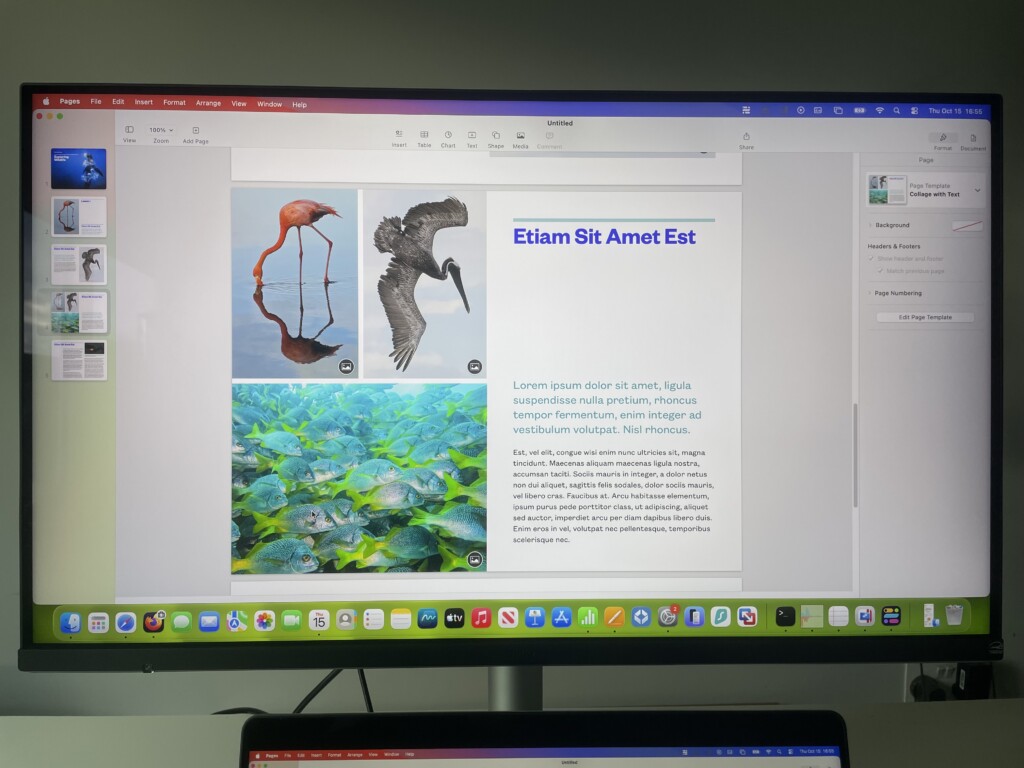
The Studio Display has the edge for photographers, designers and editors who value fine detail, reference modes, P3 colour and a sharp 5K image. It is particularly appealing for editing photos, layout work and detailed interface design, where its high pixel density is visible all day.
The MA320UG remains a very capable display for general photo editing, content creation and video work. Its 98% P3 coverage, Mac colour features and larger panel are useful, while 120Hz makes timeline navigation and on-screen movement feel more responsive.
Neither monitor is the natural first choice for serious HDR grading. The MA320UG is only DisplayHDR 400, while the standard Studio Display is not an XDR monitor. Users doing colour-critical HDR, high-end grading or print projects should also compare the Studio Display XDR and BenQ’s dedicated PD or SW ranges.
Gaming & Media Consumption
The MA320UG is clearly the better monitor for motion and external video sources.
Its 120Hz refresh rate, FreeSync Premium support and HDMI 2.1 inputs make it more capable for supported games, faster-paced video and a Mac-plus-console setup. It is not a specialist gaming monitor, but it feels substantially more responsive than the 60Hz Studio Display.
The Studio Display has one major entertainment advantage: its six-speaker Spatial Audio system is vastly better than the MA320UG’s basic 3W speakers. It is excellent for music, video calls, YouTube and casual media without needing desktop speakers.
If you already use proper speakers or headphones, the MA320UG’s 120Hz panel and HDMI inputs are likely to matter more. If you want a single, clean Mac setup with very good built-in audio, the Studio Display has an obvious appeal.
Mac and PC or Two-Computer Setups
This is where the MA320UG earns its value advantage most easily.
Smart KVM, HDMI inputs, Thunderbolt 4 daisy chaining and a more varied USB hub make it much better suited to sharing a keyboard, mouse and peripherals between systems. If you routinely move between a MacBook and a Windows PC, the MA320UG can reduce cable swapping and desk clutter.
The Studio Display is excellent when it is the centre of an Apple-only desk, but it is not designed around a Mac-and-PC setup. It has no HDMI input, no integrated KVM and fewer practical options for older USB-A accessories or consoles.
Problems & Drawbacks
No monitor is perfect, and both displays have compromises worth considering.
MA320UG Drawbacks
- 4K at 31.5 inches cannot match the Studio Display’s 218 PPI 5K text sharpness
- 450-nit brightness is lower than the Studio Display’s 600-nit rating
- No built-in webcam, microphones or meaningful speaker system
- Its DisplayHDR 400 support is not comparable to a true XDR or high-end HDR display
- Nano Gloss can show reflections in a bright room
- Display Pilot 2 is useful, but the integration is not as native or seamless as Apple’s own display features
- The larger 32-inch footprint may be too dominant for a shallow desk or a small office
Studio Display Drawbacks
- Starts at roughly £800/$770 more than the MA320UG
- Limited to 60Hz, so it cannot match the MA320UG’s smoother scrolling and movement
- Smaller 27-inch screen gives less physical workspace
- No HDMI inputs, Smart KVM or USB-A ports
- Height adjustment costs extra and offers less range than the BenQ’s included stand
- Standard Studio Display is not an XDR or 120Hz display; do not confuse it with Studio Display XDR
- Apple’s compatibility list is focused on Apple-silicon Macs, so owners of older hardware need to check support carefully
Which Monitor Should You Buy?
Buy the MA320UG If:
- you want the larger 31.5-inch screen and do not need 5K Retina-level text sharpness
- you use a 120Hz MacBook Pro and want an external display that feels similarly fluid
- you want smoother scrolling, window movement, media and supported gaming
- you want to save roughly £800/$770 compared with the entry-level Studio Display
- you need HDMI for a PC, console or another source alongside your Mac
- you work across a Mac and Windows PC, or two computers, and will use Smart KVM
- you want height, swivel and portrait adjustment included rather than paying extra for a more limited height-adjustable stand
- you connect USB-A accessories, fast external storage or several peripherals
Buy the Studio Display If:
- you want the sharpest text, icons and fine image detail possible from a 27-inch Mac display
- you mainly use an Apple-silicon Mac and want the most seamless Apple-native experience
- you value a brighter 600-nit 5K panel, True Tone and macOS reference modes
- you want an excellent built-in webcam, microphone array and speaker system without cluttering your desk with separate hardware
- you prefer a smaller, more compact display even if it has less physical screen area
- you need Thunderbolt 5 for an Apple-centric high-speed or multi-display setup
- you are happy to pay a considerable premium for the panel sharpness and integrated hardware rather than 120Hz or screen size
Conclusion
The BenQ MA320UG is the better value monitor for most buyers who want a large, capable Mac display.
It gives you a materially bigger 31.5-inch screen, 120Hz fluidity, Thunderbolt 4, HDMI, Smart KVM, a strong USB hub and a far more adjustable stand for less than half the starting price of the Studio Display. Having used it with an M3 MacBook Pro, the smoothness of 120Hz and the Mac-focused controls are genuinely compelling.
However, the Apple Studio Display is not simply an overpriced 60Hz alternative.
Its 5K 218 PPI panel makes text and detail noticeably sharper, while the 600-nit brightness, reference modes, camera, microphones, six-speaker system and Thunderbolt 5 connectivity create a more complete and elegant Mac desktop experience. If you spend all day reading, writing, coding, designing or taking calls, those advantages can be worth paying for.
Ultimately, the decision comes down to this:
- choose the MA320UG for a larger screen, 120Hz fluidity, mixed-device flexibility and much stronger value
- choose the Studio Display for 5K Retina sharpness, Apple-native integration and an all-in-one desktop display experience
For more, see our full BenQ MA320UG review, our guide to the best Apple Studio Display alternatives and our guide to the best 4K monitors for Mac.