

Choosing legal document management software for a Mac involves more than finding somewhere to store contracts and PDFs.
A law firm’s documents need to stay connected to the correct client and matter. Staff need to find earlier drafts, file correspondence and control who can access sensitive files. The software also needs to work with the Mac versions of the applications your firm uses every day.
For a dedicated legal document system, LexWorkplace is the best starting point we found in our research.
DocMoto is a great option if you want a dedicated Mac desktop application, while Clio Manage makes sense if you also need practice management.
NetDocuments is worth considering for firms with more extensive document governance and integration requirements.
Below, we explain the strength and weaknesses of each, its current pricing and the full Mac compatibility details.
If you mainly want to digitise personal paperwork or organise a home office, see our broader guide to paperless document management software for Mac.
Legal Document Management Software for Mac Compared
| Software | Best fit | How you work on a Mac | Published pricing |
|---|---|---|---|
| LexWorkplace | Dedicated legal document and email management | Browser interface, with a Mac launcher and Office/email integrations | Core: $395/month including 3 users; Advanced: $595/month including 3 users |
| DocMoto | Firms wanting a dedicated Mac client and deployment choices | Mac desktop application and DocMoto Drive integration with Finder | On request only |
| Clio Manage | Document management alongside wider practice management | Browser and desktop options; the new Desktop App differs from Clio Drive | US plans advertised from $49/user/month; confirm the required tier and billing terms |
| NetDocuments | Firms needing a configurable legal document platform | Web access with Mac desktop components such as ndClick | On request only |
How We Selected These Options
This shortlist is based on the developer’s published product documentation, support information and pricing. We prioritised those solutions with documented Mac access, document and email organisation, version management, access controls and a connection between the document system and desktop applications.
What Makes a Document System Suitable for a Law Firm?
A legal document management system, usually shortened to DMS, should help staff work from an organised record of a matter.
For example, a dispute might involve correspondence, several versions of an agreement, scanned evidence and internal notes. The more important question is whether the system helps the right people find the right material and understand its history.
When comparing products, we looked for:
- Client and matter organisation: Documents and correspondence can be connected to the work they belong to.
- Version management: Staff can identify the current draft and retrieve an earlier version.
- Email filing: Important correspondence and attachments can be retained alongside the documents.
- Search: Users can find content, with a clear explanation of which file types and scanned documents are searchable.
- Permissions and activity records: The firm can restrict access and review relevant actions.
- Sharing and export: Files can be shared appropriately and retrieved when a matter closes or the firm changes systems.
Not every firm will need the same depth in each area. A solo practitioner and a firm with multiple departments will have very different needs!
Here then is our selection of the best legal document management software for Mac.
1. LexWorkplace — Best Starting Point for a Dedicated Legal DMS
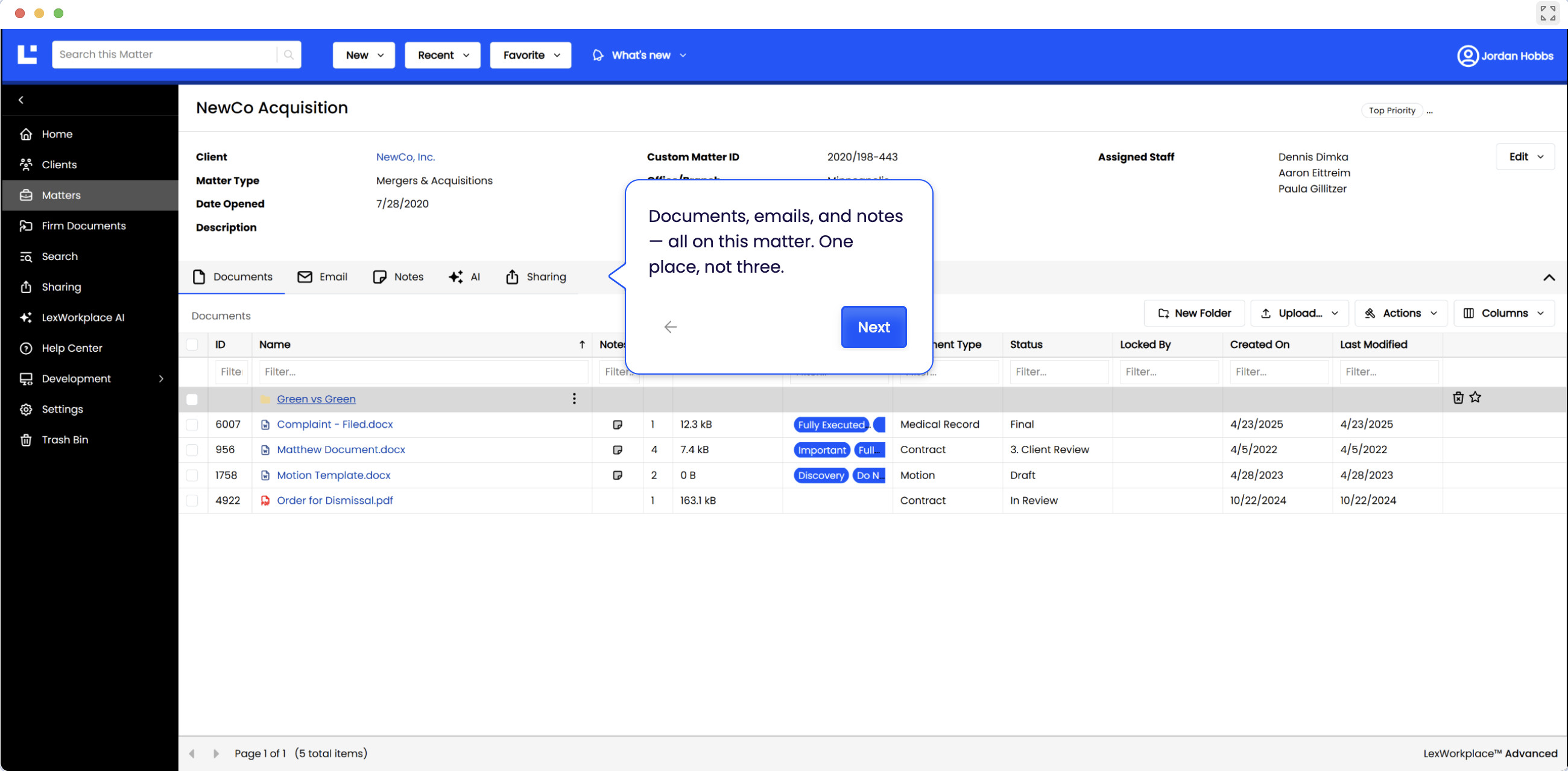
Best for: Firms looking for a document and email system organised around legal matters.
LexWorkplace is designed specifically for law firms. It brings documents and correspondence together by client and matter, rather than relying on staff to maintain separate collections of files and inbox folders.
Its document management features include version history, matter-specific access controls and document search. This makes it a relevant candidate when the firm’s main problem is managing its working files.
The Mac platform combines a browser interface with additional components. LexWorkplace’s Microsoft 365 documentation describes a launcher that transfers files between the computer and the service, plus Office and Outlook add-ins. The Outlook integration supports saving messages to a matter and checking for duplicates.
Check the supported browser carefully. The current system requirements currently specify Chrome as supported; Safari, Firefox and Edge are described as potentially working but unsupported. The same page lists New Outlook for Mac.
Pricing and Limitations
Core costs $395 per month for three users, with additional users at $50 per month. Advanced costs $595 per month for three users and adds integrated OCR and document comparison features.
Starter is available without a separate charge to eligible Uptime Manage or Uptime Cloud customers; it is not a general free plan. Onboarding and migration can incur additional charges.
Also make sure you check hosting requirements. LexWorkplace’s public information lists US or Canadian hosting. Firms requiring another location should establish suitability before arranging a migration.
Our assessment: Put LexWorkplace on your shortlist if you want a dedicated legal DMS and its browser, email and hosting arrangements fit your firm.
2. DocMoto — Best for a Dedicated Mac Desktop App
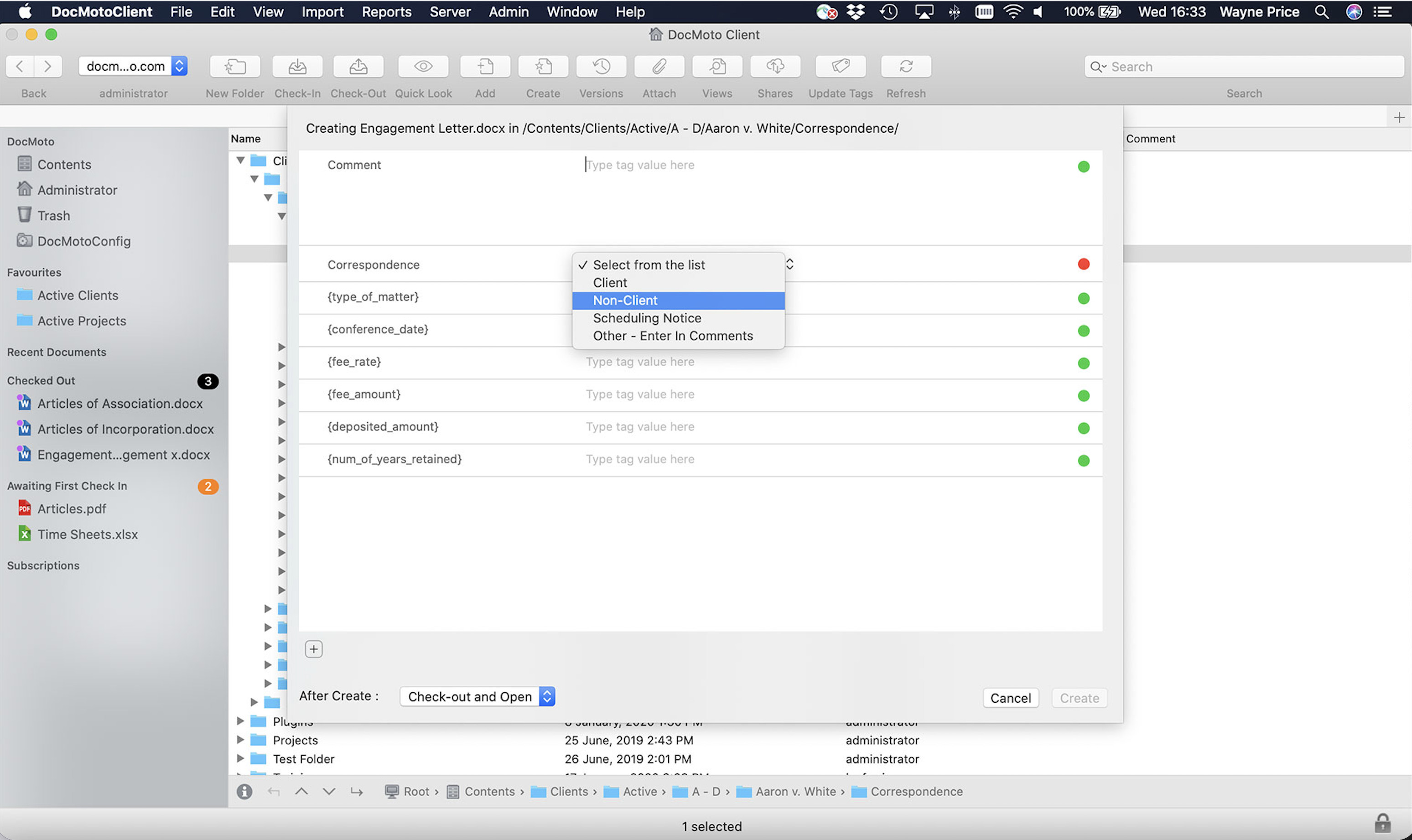
Best for: Teams that prefer a Mac application and want to consider cloud or on-premises deployment.
DocMoto stands out because it offers dedicated applications for both Mac and Windows. Its strength is the ability to manage shared documents through a desktop interface.
The feature lowdown describes DocMoto Drive access through Finder, document tagging and a central repository. Cloud and on-premises deployments are available, giving firms a choice over how the system is hosted.
DocMoto also provides revision history for stored files and activity reporting. Those are useful features if you have several members of staff working on the same material.
Its email tools include Outlook and Gmail integrations, automated filing methods and drag and drop. Ask for a demonstration using your exact email application and version.
Pricing and Limitations
DocMoto requires a quote. The developer recommends it primarily for firms with 5–500 users, so a solo practitioner should establish whether its costs and setup are worth it.
The technical FAQ lists macOS Monterey 12 or later for the Mac client so you will need to confirm support for your firm’s actual macOS version before considering it.
Our assessment: DocMoto is particularly worth trying if your team wants a dedicated desktop interface, Finder access and a choice of hosting arrangements.
3. Clio Manage — Best for Document Management Within Practice Management
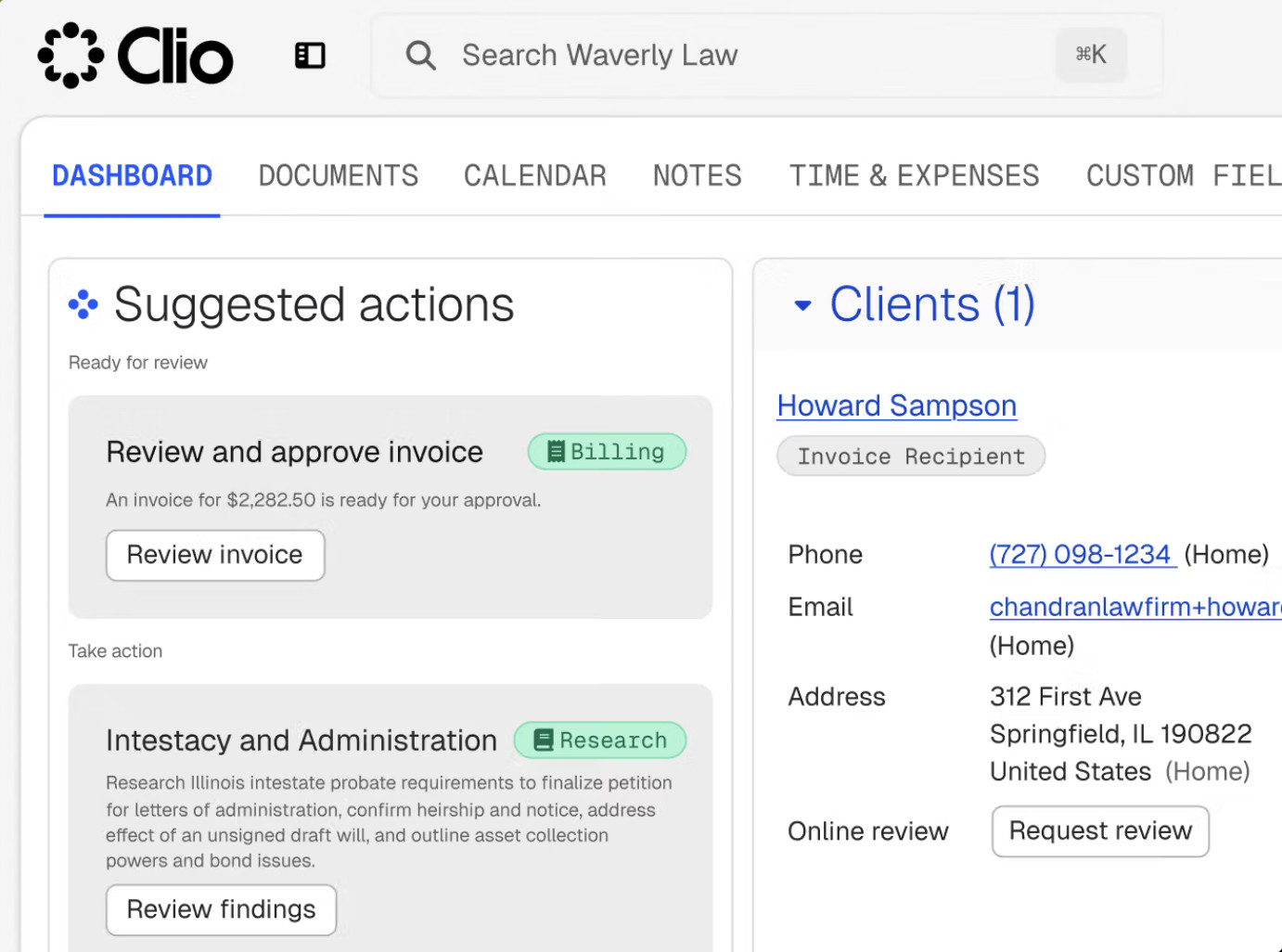
Best for: Firms wanting documents connected to their wider matter administration.
Clio Manage combines document management with broader practice management capabilities. It is a logical option to evaluate if you are also choosing a system for managing matters, time and billing.
Clio’s document features include matter-based storage, version history, search and access controls. The advantage to investigate is how easily staff can move between a document and the other information associated with that matter.
A Mac Change to Understand in 2026
Clio’s desktop options need careful explanation because Clio Drive and the new Clio Desktop App are different products.
Clio Drive provides a Finder-based view of documents. However, Clio’s Desktop App setup instructions says the newer application uses its own window and does not add a drive to Finder.
The documentation also says installing the new Desktop App removes Clio Drive. Establish which option is available and appropriate for your account before changing an existing setup.
For a firm accustomed to working through Finder, this could materially affect its choice.
Pricing and Limitations
The US pricing page advertises plans starting at $49 per user per month. Obtain pricing for the features, region and billing term you need; the starting price does not establish the cost of every capability described across Clio’s website.
Our assessment: Evaluate Clio first if you want document management as part of a wider practice system. If the firm already has practice management software, compare its document tools with a separate DMS before deciding to migrate.
4. NetDocuments — Best for Firms With More Extensive Platform Requirements
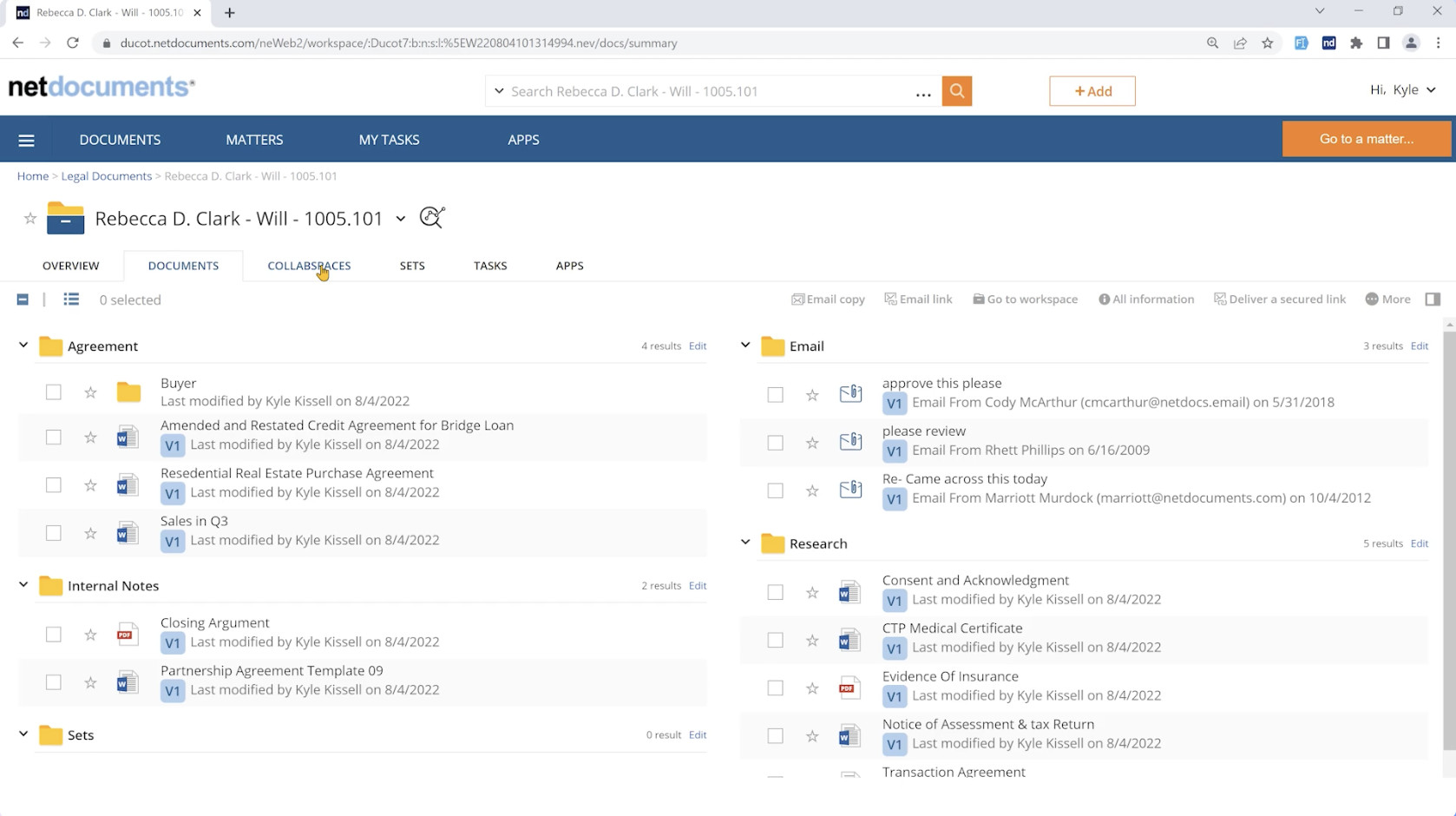
Best for: Firms evaluating document management alongside broader governance, collaboration and integration needs.
NetDocuments offers a legal document platform with version management, search and collaboration tools. Its product range also includes governance and workflow capabilities.
Mac Compatiblity
NetDocuments provides Mac components, including ndClick for Mac. This helps connect the web service with desktop document work.
Request a demonstration specifically on macOS. Its Microsoft integration overview describes a range of connections, but firms should confirm how it integrates and the availability of each integration they intend to use on a Mac.
A Windows demonstration alone will not establish the Mac experience.
Pricing and Limitations
Pricing is supplied by quotation. The developer says factors include team size, selected products, security requirements, implementation and migration.
When requesting a quote, ask for an itemised proposal covering the desktop components, email tools, OCR, storage, training and support you require. You will need to establish which costs recur and which relate to implementation.
Our assessment: Include NetDocuments when your requirements justify a configurable platform and a structured rollout.
What About DEVONthink, Acrobat and OCR Software?
A law firm may also need specialist tools for individual tasks.
DEVONthink is worth considering for personal research and local document archives. Its developer documents local databases, indexing of existing folders and export in standard formats. Test it against your actual collaboration and administration requirements before choosing it as a firm’s main system.
A PDF editor for Mac serves another purpose: preparing and working on the PDF itself. A DMS helps organise the file and its relationship to the matter. Your firm may need both.
Likewise, OCR software for Mac can prepare searchable scans before they enter the document system. Check whether OCR is included in your chosen DMS plan, supplied separately or unnecessary because your existing capture process already creates searchable PDFs.
What to Check Before Moving Your Firm’s Documents
1. Word and Email Integration
Ask to see the Mac versions of the applications you actually use.
Can a member of staff open a document, edit it and save it to the correct matter without manually managing downloaded copies? How are emails, attachments and duplicate messages handled?
Check whether the software depends on a particular browser, Microsoft 365 subscription, email service or Outlook version.
2. Search and Scanned Documents
Test a phrase that appears inside a document but not in its filename. Repeat the test with a searchable PDF, an image-only scan and an email attachment.
This helps separate content search from filename search, and existing searchable text from newly performed OCR. If you are digitising paper files, test the complete process with your Mac document scanner.
3. Permissions and Activity Records
Ask how staff access is granted, changed and removed. Where relevant, check whether a restricted matter stays restricted in search, desktop access, sharing and AI answers.
Look at what the activity log records and how an administrator can retrieve it. Establish which controls are included in the proposed subscription.
4. Export, Retention and Recovery
Ask for an example of a complete matter export. Check whether it includes correspondence, attachments, metadata and earlier versions, or only the current documents.
Also establish how deleted files are recovered, how long recovery remains possible and what happens when the subscription ends.
5. Total Cost
Compare the same requirements across vendors: users, storage, email integration, OCR, migration, training and ongoing support.
A published starting price is useful, but the relevant figure is the cost of the configuration your firm will actually use.
Apple Silicon and macOS Golden Gate Compatibility
Mac compatibility has several parts: the website, desktop client or launcher, Office add-ins, email integration and any scanner connection.
Check all the components your firm needs on its actual hardware and macOS version. Ask whether installed components run directly on Apple silicon or require Rosetta, and whether your current macOS release is supported.
For macOS Golden Gate, you should obtain confirmation for the exact desktop components you intend to deploy. Broad Mac support or an older minimum system requirement does not mean that the developer has validated a newer release.
For example, LexWorkplace’s published requirements page currently lists macOS 12–15. Confirm newer-version support with the vendor before committing.
Record the browser, Office version and component versions during a trial so that any findings remain useful to other Mac users.
Is AI Useful for Legal Document Management?
AI can help readers locate information within a document collection, but it should be evaluated alongside filing, permissions and version management.
LexWorkplace advertises document and matter questions with source citations. Clio describes document summaries and question answering with links to supporting passages. NetDocuments also offers AI tools within its document platform. Availability and limits depend on the product and package.
A useful evaluation should check:
- Whether the answer points to the correct document and passage.
- Whether staff access restrictions also apply to AI results.
- What happens when the requested information is absent or appears in conflicting drafts.
- Where document content is processed and which contractual terms apply.
- Whether the output can be retained with the relevant matter.
Use AI to help find and examine source material, with a person checking the result before relying on it.
Which Should You Choose?
Start with the job you need the software to do:
- You need a dedicated legal document and email system: Evaluate LexWorkplace.
- You want a dedicated Mac application and hosting choices: Try DocMoto.
- You are choosing practice management as well as document tools: Start with Clio Manage.
- You need a more extensive document platform and implementation: Include NetDocuments in the evaluation.
- You mainly need a personal archive: Start with the options in our paperless document management guide.
The deciding evidence should come from completing your firm’s everyday tasks with representative files. A system that makes those tasks straightforward for your staff is a stronger candidate than one selected from a feature checklist alone.
FAQ
Can Legal Document Management Software Run on a Mac?
Yes. The options above document Mac access through browsers, desktop applications or supporting components. The exact way they work varies, so check the browser, desktop and email requirements for the product you are considering.
Is There a Dedicated Mac Application?
DocMoto offers a dedicated Mac client. Clio also provides desktop software, although its newer Desktop App works differently from Clio Drive. LexWorkplace and NetDocuments use supporting desktop components alongside their web apps.
Is Clio Drive the Same as the Clio Desktop App?
No. Clio Drive exposes documents through Finder. The newer Clio Desktop App uses its own window, and Clio’s setup documentation says installing it removes Clio Drive. Check the current instructions before changing an existing installation.
Is There a Free Option for a Law Firm?
The main products here are paid services or require a quotation. LexWorkplace Starter is available to eligible customers of particular Uptime services; it is not a general free subscription.
If you are considering a free or self-hosted alternative, evaluate its access controls, backup, maintenance and export arrangements against your firm’s requirements.
Does a Cloud Drive Replace a Legal DMS?
It depends on what your firm requires. Some firms build document management systems around Microsoft 365 or another existing platform. Compare the complete configured system for matters, email, permissions, versions and export with the specialist products before deciding.
Can These Products Handle All Legal Compliance Requirements?
Software provides particular controls, and those controls need to be assessed and configured for the firm. Establish the applicable requirements with the people responsible for the firm’s professional obligations, then check the vendor’s contract, hosting arrangements and documented capabilities against them.