

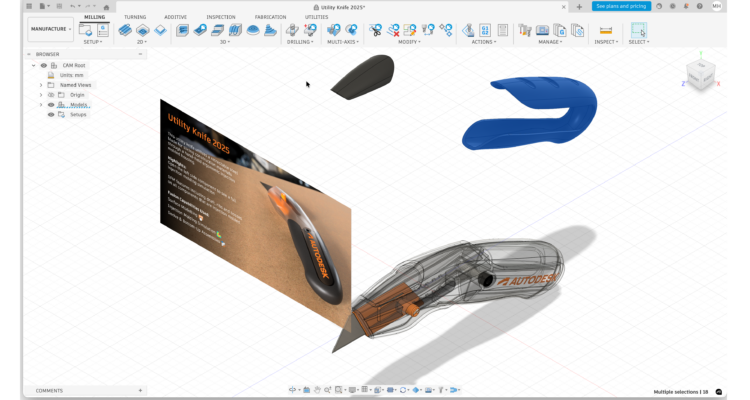
Autodesk Fusion (formerly “Fusion 360”) has firmly established itself as one of the best all-in-one CAD/CAM/CAE platforms available for Macs.
It’s a popular tool with engineers, product designers, 3D printing enthusiasts, and makers.
Here I take a closer look at it, especially how it performs on the latest Apple Silicon Macs.
Contents
What Is Autodesk Fusion?
Autodesk Fusion combines parametric CAD, freeform modeling, assembly design, simulation, CAM and even PCB design on one platform. Rather than a single focus on CAD drafting or 3D modeling, it lets you take a project from concept to manufacture, all without leaving the app.
This biggest draws of Fusion are:
- Parametric and direct modeling
- Integrated CAM and simulation
- Cloud collaboration and version control
- Cross-platform (Windows + macOS) support
Is It Suitable For Professional Design?
If you’re working within the CAD industry, you may find many professionals look-down a bit on Fusion.
The reason is because traditionally it has been seen as lightweight when compared to big hitters like Solidworks, Inventor and Catia.
The reality is that Fusion has come a long way and while it may be a stretch to say it can compare like-for-like with Solidworks or Catia, it’s still very competent and definitely suitable for professional design.
Fusion is superb at building early prototypes and CNC machining them. The fact that you can use it free for non-commercial use and collaborate in the Cloud is also a big plus compared to some of the more established packages.
However, if you need to scale up and develop within a QMS system for lots of different companies, Fusion falls short of competitor products like Solidworks and Catia that are designed for bigger scale operations.
My opinion is, as long as you’re not planning to use it on a grand-scale for production, it’s more than suitable for professional design.
Apple Silicon: Native Support Means Better Performance
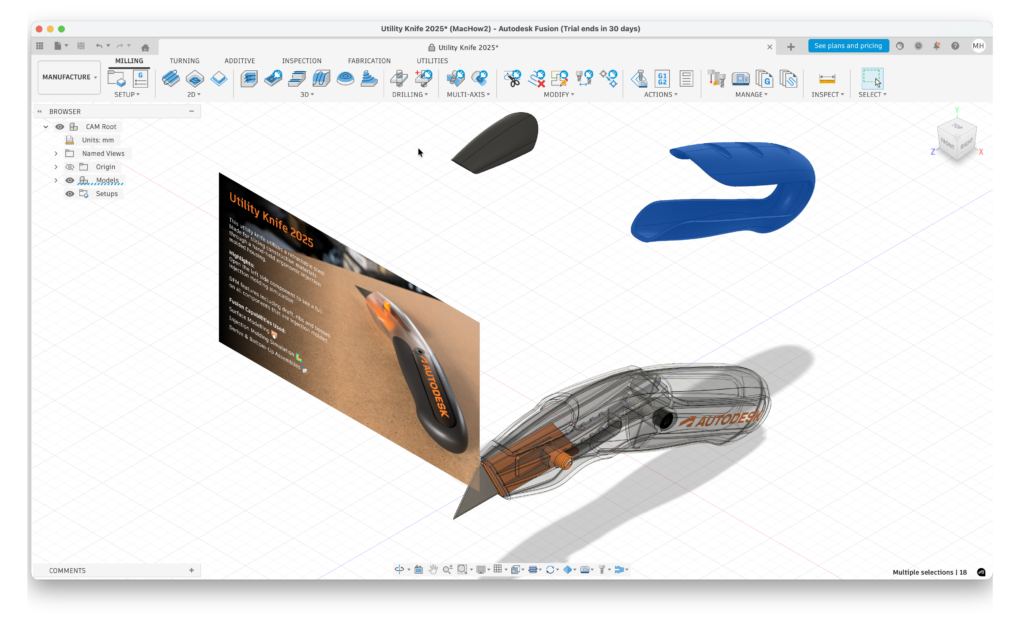
One of the biggest improvements to Fusion recent years has been native Apple Silicon support, introduced in Fusion updates in mid-2023. The app now automatically detects M-series chips and runs natively rather than through Rosetta translation as it did before.
It can work offline on your Mac desktop for up to two weeks at a time although after that it requires an internet connection to sync and validate licenses periodically.
The biggest improvements I’ve noticed are:
- Faster computation: modeling and assembly tasks are roughly 30% faster compared to with Intel/Rosetta
- Better battery life native ARM64 builds use significantly less power on Apple Silicon than when using Rosetta emulation.
- Improved rendering local renders are noticeably quicker with native code.
- Display clarity high-DPI and scaling support provide better images quality on Retina screens and external displays.
I would say Fusion can now genuinely compete with the Windows version in terms of speed and responsiveness.
However, I have read various reports from other Mac users complaining there are still issues with the Apple Silicon version of Fusion.
Some of the most common complaints are laggy panning/rotating and occasional stuttering, even when using Apple Silicon Macs with plenty of RAM.
Some users report this can be improved by adjusting settings such as turning off high-resolution canvas graphics.
I honestly don’t think you’ll have any problems if you’re using one of the Pro chips with at least 32 GB of RAM like I was but anything less than this may not perform as well.
You can see how smoothly I was able to rotate and manipulate object below in Fusion below.
Fusion Core Features
Parametric & Direct Modeling
Fusion parametric timeline lets you edit earlier decisions easily. Its direct editing and T-Spline tools also handle organic shapes for product UI parts and enclosures.
Collaboration & Cloud Tools
Cloud-based versioning and multi-user collaboration (unless you’re offline) make working with remote teams possible. Changes sync seamlessly, and version history lets you roll designs back easily. However, some features are dependent on Cloud access and so if you are working on a bad connection or lose your internet connection, some features may not work properly (including of course collaboration).
Simulation & CAM
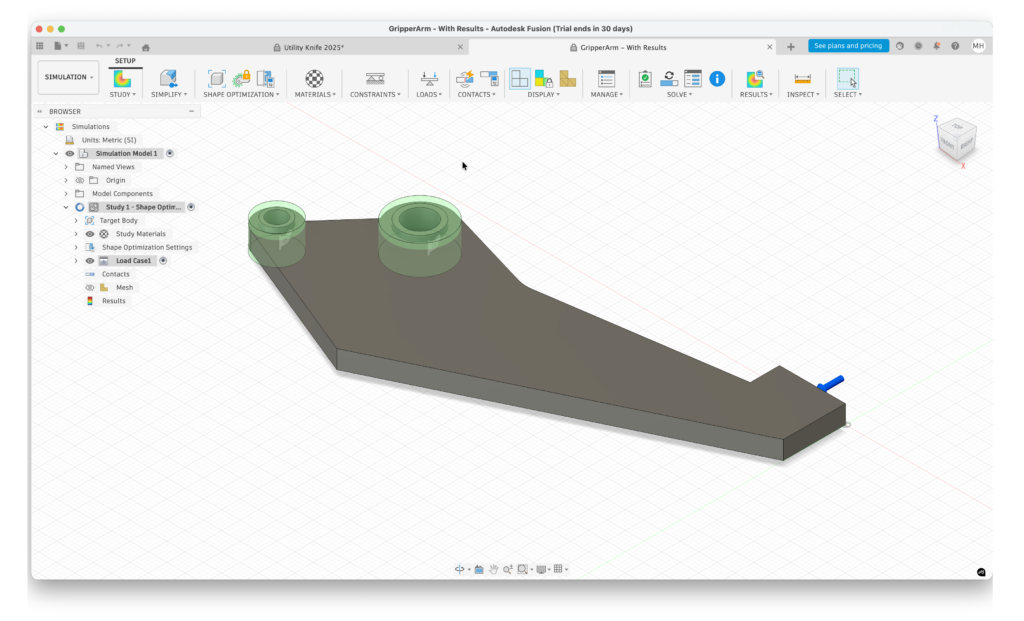
The ability to simulate loads, motion, and toolpaths inside the same app you design in is one of the best things about Fusion for me. This integration shortens development time and reduces errors during manufacture.
Circuit Design
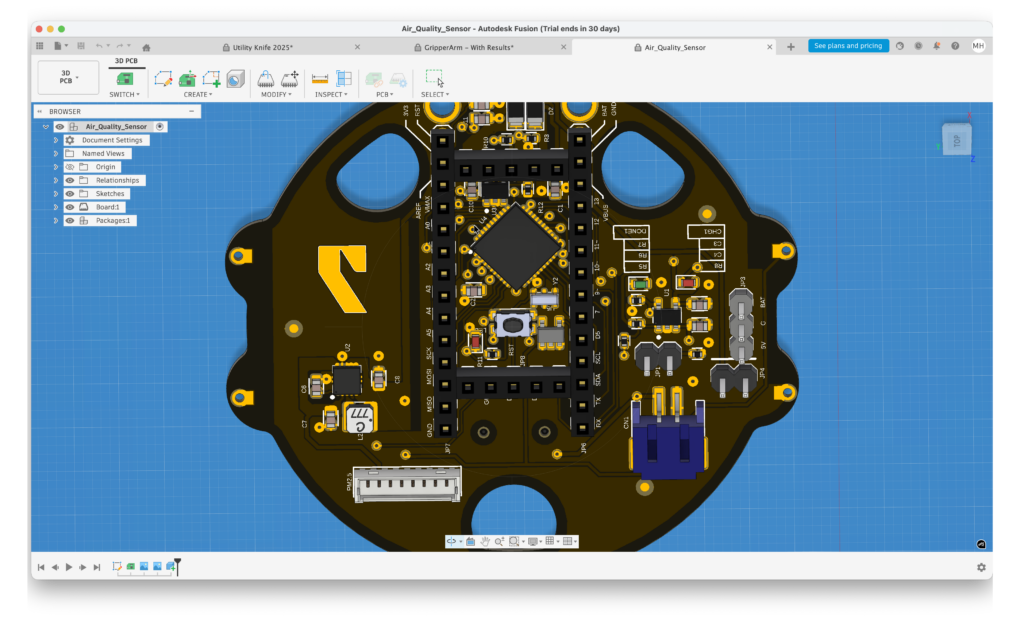
Fusion can also be used for Electrical design and although there are better dedicated PCB design software for Mac out there, it’s very capable at this too.
macOS Integration
Autodesk have made an effort to make Fusion feels at home on Macs with smooth touchpad gestures, support for Retina resolution, and decent keyboard shortcut. However, because at heart its still a Windows product, some of the interface feels like it has just been ported across and not very macOS.
Who Should Use Fusion on Mac?
I would say that Fusion is ideal for:
- Product designers and mechanical engineers who need CAD + CAM + simulation in one environment
- Makers and 3D printing enthusiasts needing parametric control
- Teams that value cloud collaboration and version history
It might not the right choice/overkill for:
- Users on lower level Apple Silicon Macs with less than 32GB RAM
- Those needing consistently smooth viewport interaction
- Artists focused solely on freeform, organic 3D modeling (Blender, Rhino, or ZBrush are stronger here)
Fusion Pricing
Fusion uses a subscription model but remains one of the most accessible professional CAD tools thanks to its free personal license.
Free Personal Use (Non-Commercial)
Autodesk offers Fusion for Personal Use completely free for hobbyists and individuals working on non-commercial projects. It includes core 3D CAD tools and basic CAM features, with some limits on advanced manufacturing, collaboration, and export options. This license is renewable and ideal for learning, 3D printing, and personal design work.
Commercial Subscription
For professional or business use, Fusion requires a paid subscription:
- Monthly: ($85/month) £70 per month
- Annual: ($680) £540 per year
Paid plans unlock advanced CAD, CAM, simulation, electronics design, cloud collaboration, and priority support.
Other Licenses
- Educational: Free for students and educators
- Startup: Discounted or free for qualifying early-stage companies
Bottom line: Fusion is one of the few professional CAD platforms that offers a genuinely useful free version, while remaining competitively priced for commercial users.
Autodesk Fusion for Manufacturing
There is also the more expensive Autodesk Fusion for Manufacturing ($170/month) which is a manufacturing-focused extension of the core Fusion platform that brings even more advanced CAM and machining capabilities to the table. While regular Fusion already integrates CAD, CAM, simulation, and basic CNC toolpaths, the Manufacturing tier is aimed at industrial production.
I’d say that unless you are a manufacturer, machinist or production engineer who needs something that bridges parametric design and shop-floor production, it’s not necessary.
Fusion vs SolidWorks vs AutoCAD
Fusion is most commonly compared to SolidWorks and sometimes AutoCAD even though the latter is a slightly different product.
Note that SolidWorks isn’t availble for Macs although you can run SolidWorks on a Mac using a virtual machine.
Here’s how Fusion compares side-by-side with both products.
| Feature / Category | Fusion | SolidWorks | AutoCAD |
|---|---|---|---|
| Main Purpose | All-in-one CAD/CAM/CAE for product design & manufacturing | Professional mechanical CAD with deep simulation & industrial strength | Industry-standard 2D drafting & general 3D design |
| Best For | Startups, small teams, makers, integrated workflows | Mechanical engineers, professional manufacturing | Architects, drafters, engineers (2D/3D focus) |
| Platforms Supported | Windows, macOS (native Apple Silicon), cloud | Windows (native only); cloud/browser options exist | Windows, macOS, Web |
| Parametric Modeling | Yes (full parametric & direct) | Yes (industry-leading parametric) | Basic 3D (no parametric history) |
| Assembly Modeling | Yes (joint-based multi-component) | Yes (separate file assembly focus) | Limited (not core functionality) |
| CAM (Toolpath/Machining) | Built-in 2.5–5 axis CAM | Add-on required (SolidWorks CAM/3rd party) | None (no integrated CAM) |
| Simulation / Analysis | Built-in (basic to advanced with plans) | Deep, advanced simulation (multi-physics) | Limited (requires add-ons/external tools) |
| Cloud Collaboration | Native cloud storage & versioning | Requires PDM (e.g., 3DEXPERIENCE) | Cloud file sync and mobile/web apps |
| Learning Curve | Moderate, beginner-friendly | Steep (professional) | Moderate to steep (2D power tools) |
| Pricing | Free tier for hobbyists/students; $495–$545/yr | $3,995+ annual; higher tiers much more | $1,690–$1,975/yr (or higher) |
| Native Apple Silicon | Yes (optimized) | Not native (via cloud/browser or VM) | Yes on macOS (2D focused) |
| Ideal Hardware | Mid-to-high Apple Silicon (M-series) | High-end Windows workstations | Standard professional PC/Mac (lighter) |