

Business process mapping and BPMN software help organizations visualize, document, analyze and improve workflows. Unlike standard flowchart applications, BPMN (Business Process Model and Notation) tools use standardized symbols to represent business processes, making them easier to understand across teams and organizations.
While many enterprise BPM solutions have traditionally focused on Windows environments, Mac users now have access to several excellent BPMN and process mapping tools that work natively on macOS or run entirely in the browser.
After testing numerous solutions, these are the best process mapping and BPMN tools for Mac in 2026.
Best BPMN Software for Mac Compared
| Software | Best For | BPMN 2.0 Support | Mac App | Free Plan | Starting Price |
|---|---|---|---|---|---|
| Lucidchart | Teams and collaboration | Yes | Web | Yes | $9/month |
| Camunda Modeler | Developers and automation | Full | Native | Yes | Free |
| draw.io/diagrams.net | Free BPMN diagrams | Yes | Desktop/Web | Yes | Free |
| Visual Paradigm | Professional modeling | Full | Native | Yes | $6/month |
| Miro | Collaborative workshops | Limited | Native | Yes | $8/user/month |
| Creately | Process documentation | Yes | Web | Yes | $8/user/month |
| SmartDraw | Business diagramming | Yes | Desktop/Web | Trial | $7.95/month |
| Signavio | Enterprise BPM | Full | Web | No | Custom |
| Decisions | Workflow automation | Full | Web | Limited | Custom |
| OmniGraffle | Mac-native diagramming | Limited | Native | Trial | $149 one-time |
1. Lucidchart
Best for collaborative process mapping
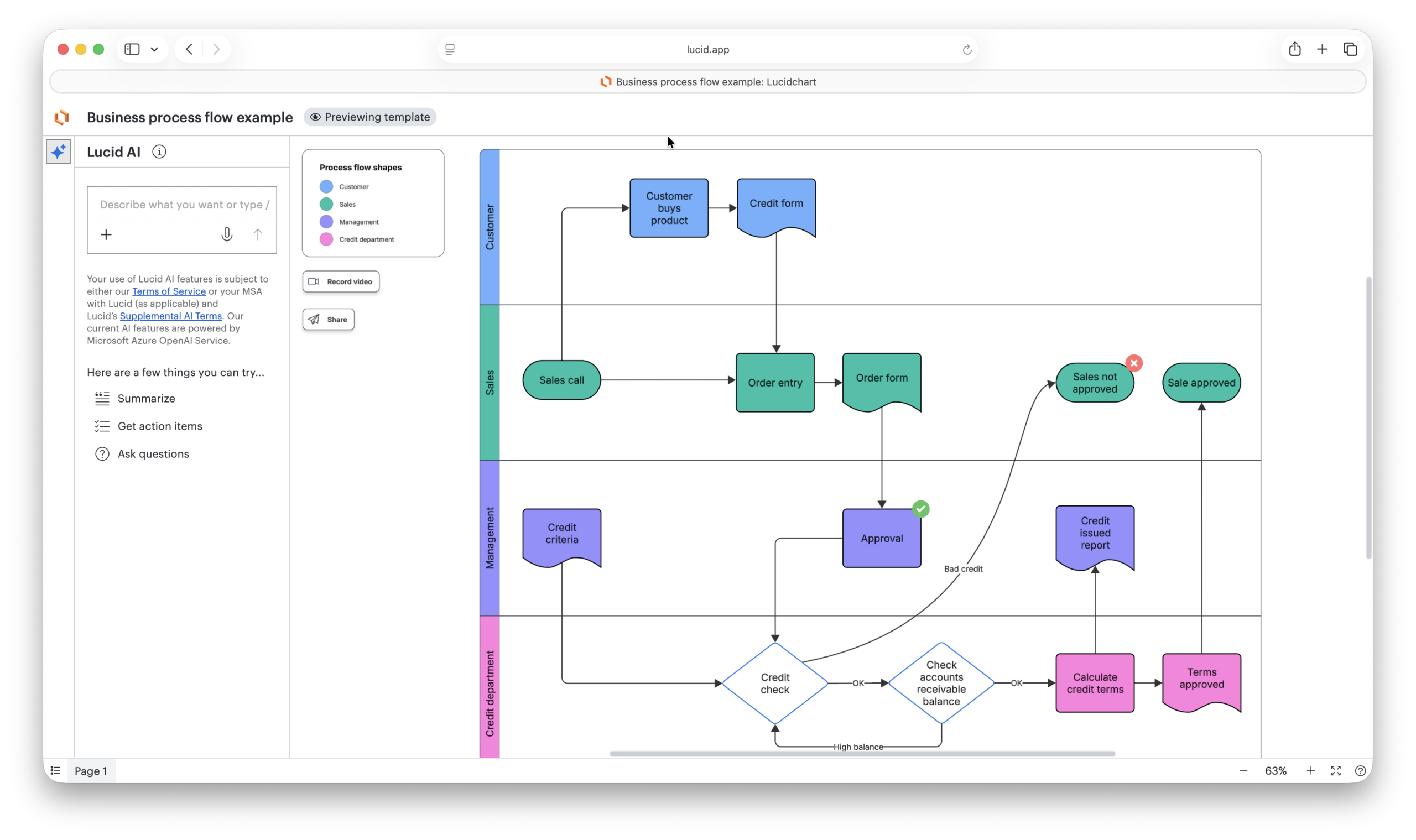
Lucidchart has become one of the most popular BPMN tools because it combines ease of use with extensive process modeling capabilities.
The dedicated BPMN shape libraries make it simple to create compliant diagrams while its real-time collaboration features allow multiple stakeholders to work simultaneously.
Read our Lucidchart review for more.
Pros
- Full BPMN 2.0 libraries
- Excellent collaboration tools
- Strong Jira and Confluence integrations
- Runs perfectly on Mac browsers
- Large template library
- Easy to learn
Cons
- Advanced features require paid plans
- Large diagrams can become expensive for teams
Pricing: From $9/month.
2. Camunda Modeler
Best for BPMN automation and developers
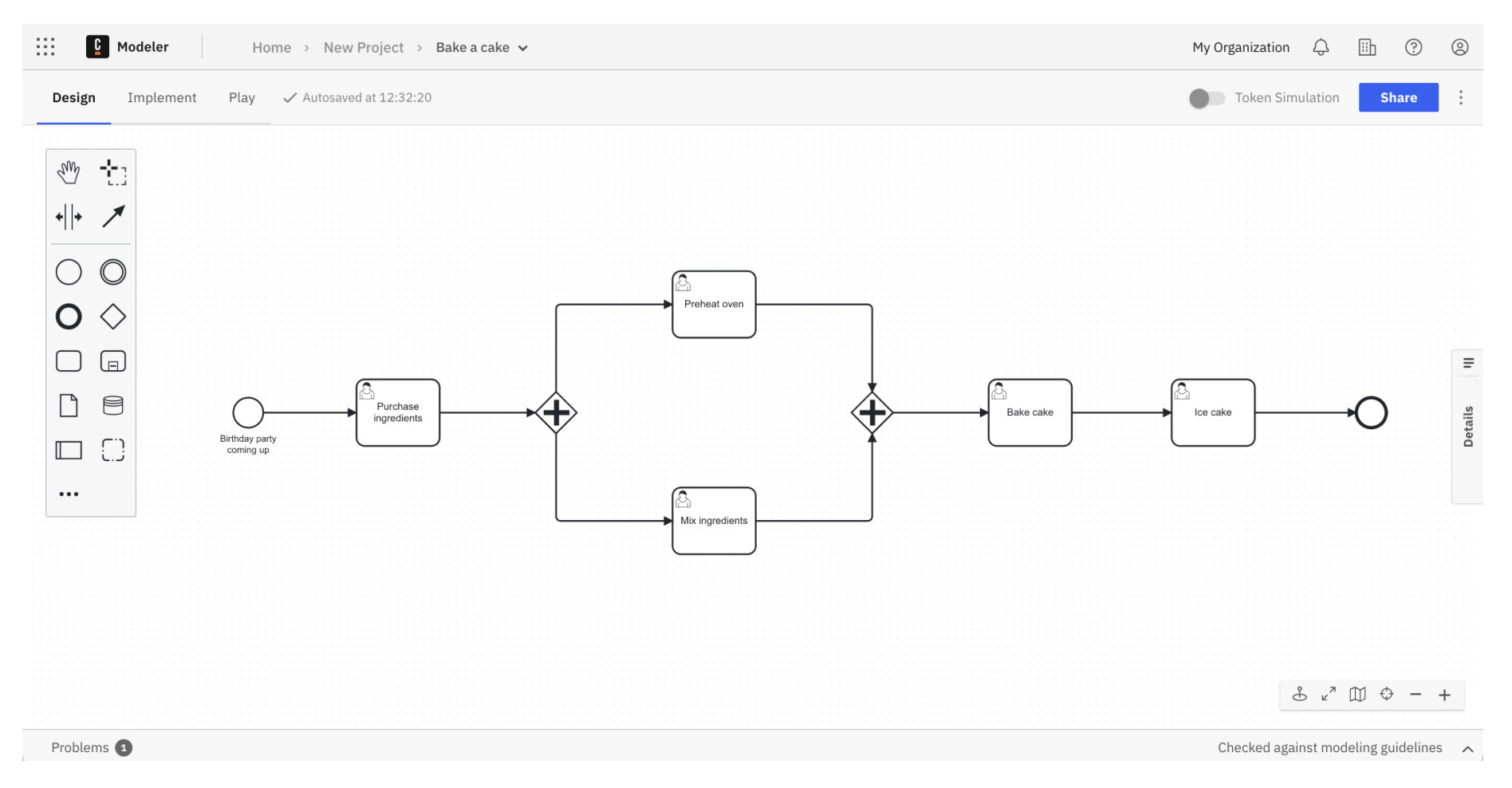
Camunda Modeler is one of the few dedicated BPMN applications available as a native macOS application.
Unlike general diagramming tools, Camunda focuses entirely on standards-compliant BPMN 2.0 diagrams that can eventually be executed within workflow automation environments.
This makes it particularly appealing to developers, business analysts and automation teams.
Pros
- Native Mac application
- Completely free
- Full BPMN 2.0 support
- Generates BPMN XML files
- Excellent for workflow automation
- Lightweight and fast
Cons
- Steeper learning curve
- Less suitable for casual users
- Limited general diagramming features
Pricing: Free.
3. diagrams.net (draw.io)
Best free BPMN software for Mac
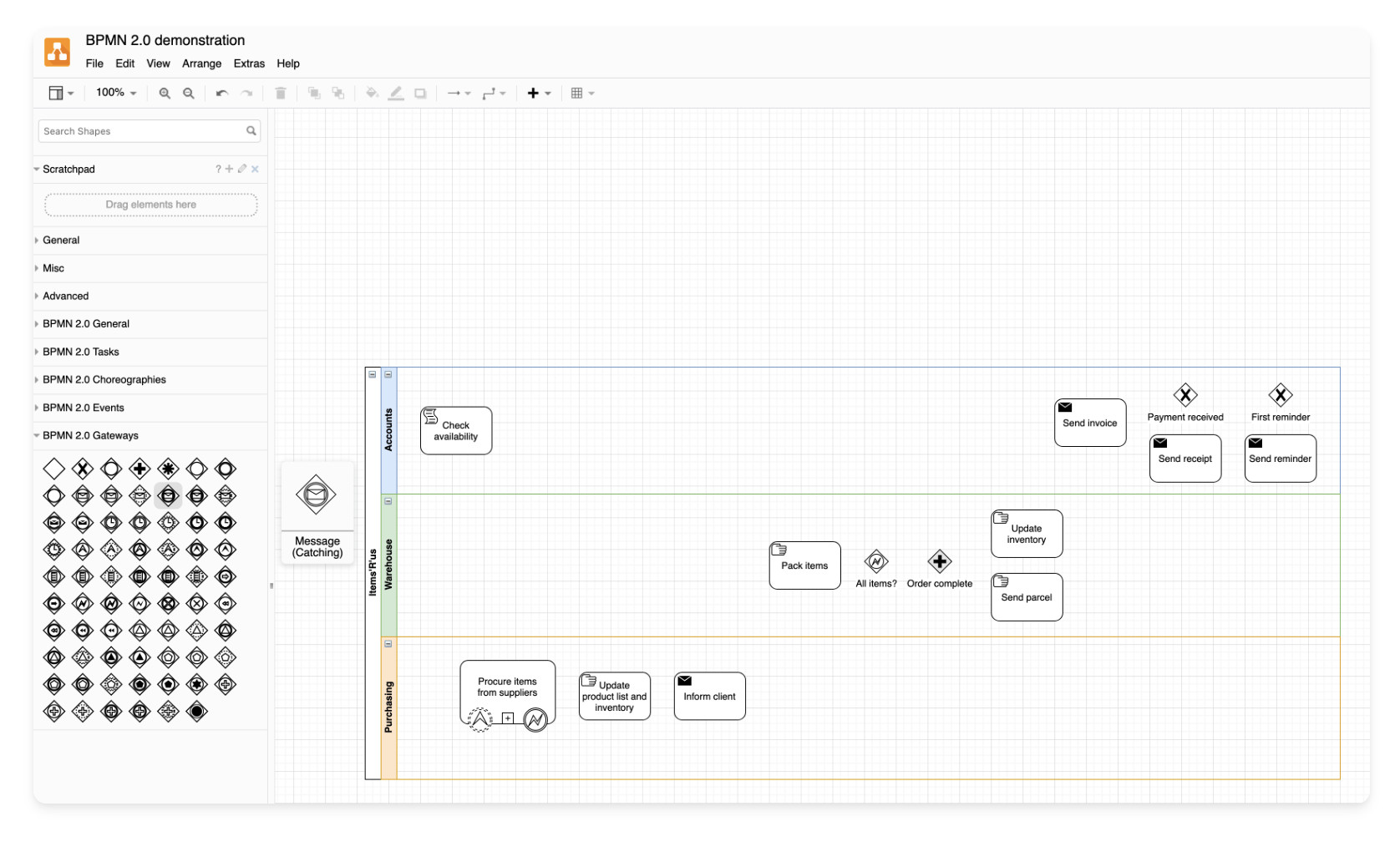
Formerly known as draw.io, diagrams.net offers surprisingly strong BPMN capabilities completely free of charge.
It runs in any browser and also offers a desktop version for macOS.
The software includes BPMN stencils, cloud storage support and local file saving.
Read our full draw.io review for more.
Pros
- Completely free
- BPMN templates included
- Desktop and browser versions
- Google Drive and OneDrive support
- Fast and lightweight
Cons
- Interface feels technical
- Collaboration features are basic
Pricing: Free.
4. Visual Paradigm
Best for professional business analysts
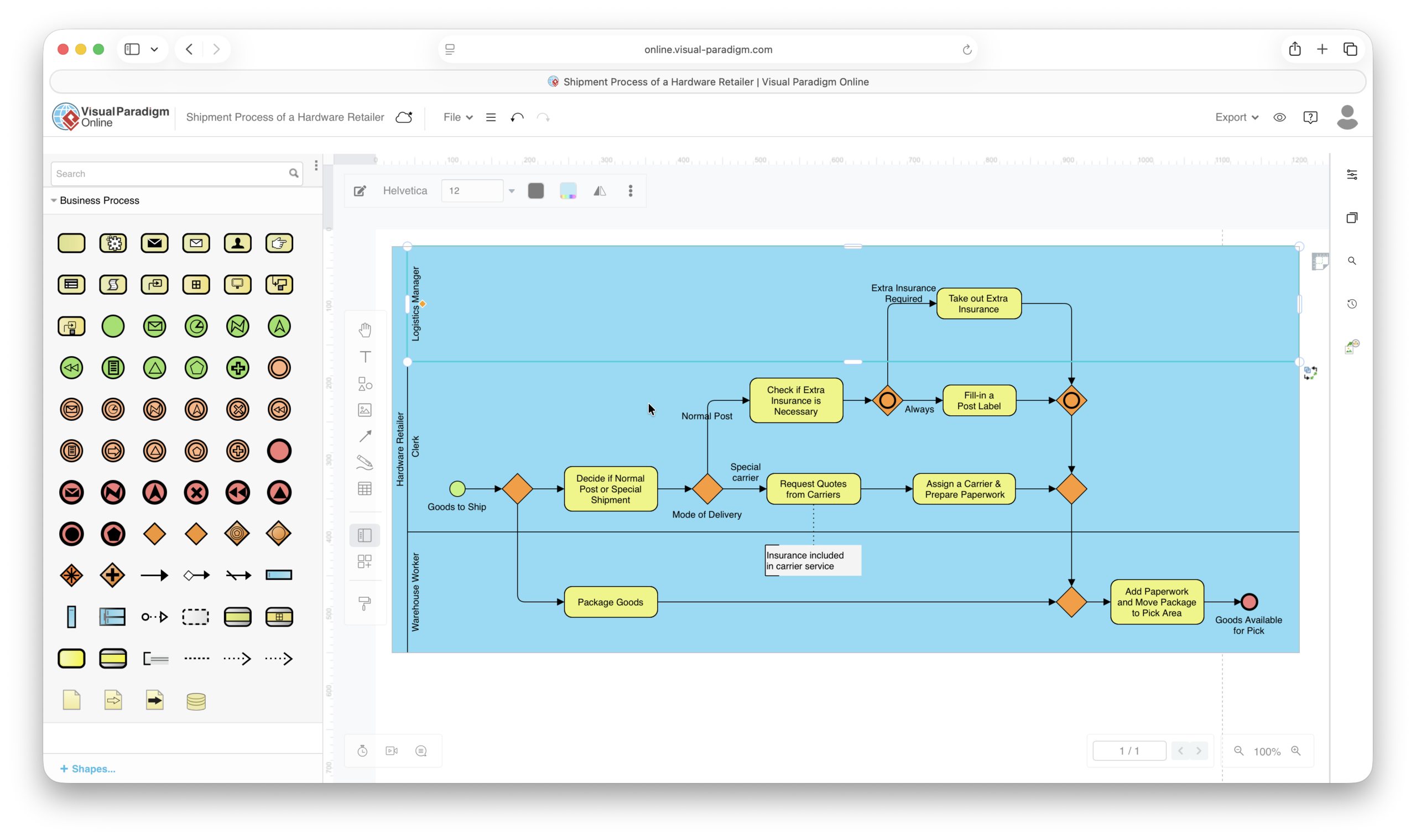
Visual Paradigm goes far beyond diagramming by creating intelligent process models.
Relationships between objects are maintained throughout the project, allowing automatic documentation generation and consistency checking.
This makes it particularly valuable for consultants and analysts working on large process improvement projects.
Pros
- Full BPMN 2.0 support
- UML and enterprise modeling
- Automatic documentation
- Process analysis tools
- Native Mac application
Cons
- Interface can feel overwhelming
- Advanced editions become expensive
Pricing: From approximately $6 per month.
5. Miro
Best for collaborative workshops
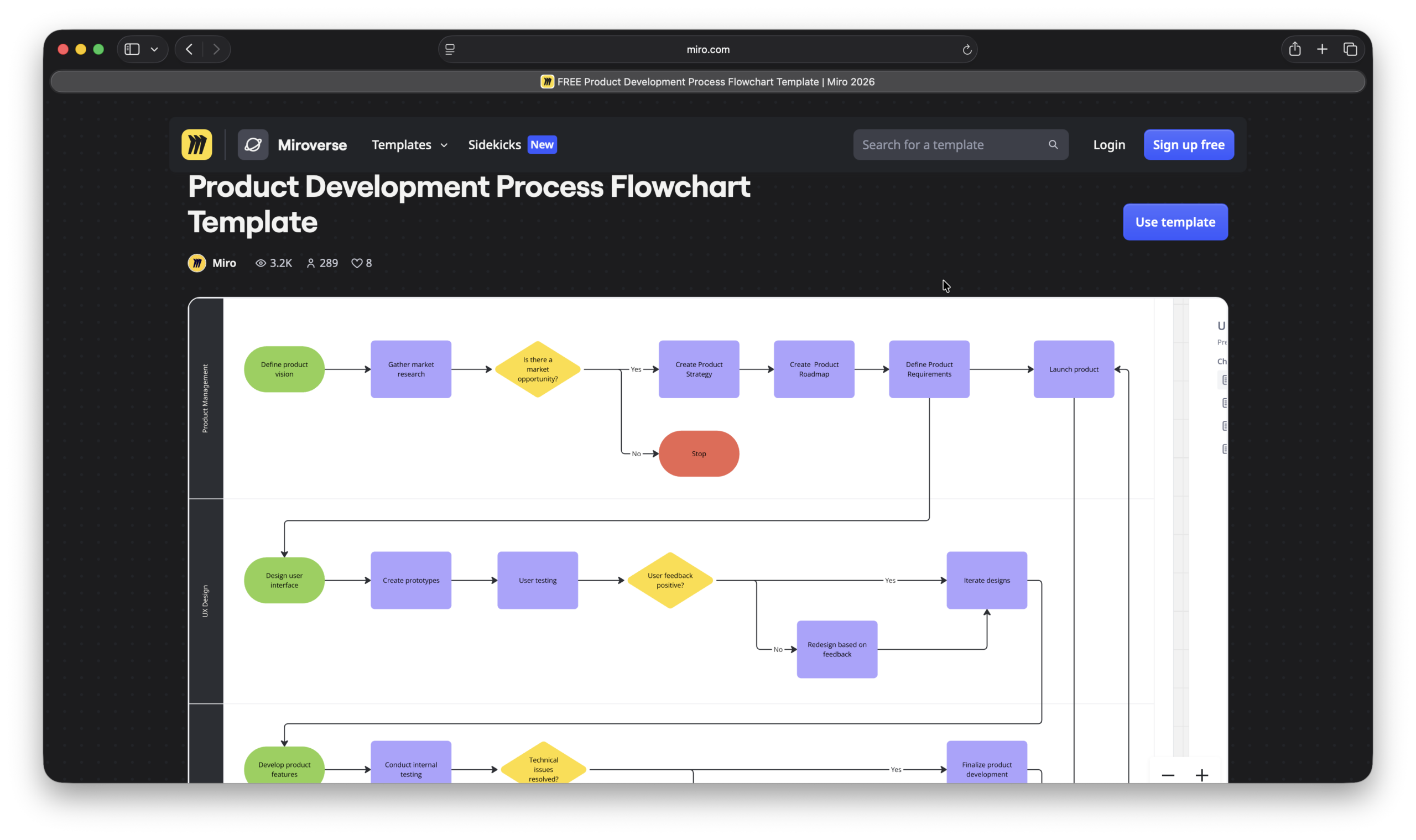
Although Miro isn’t a dedicated BPMN tool, many organizations use it for process workshops and collaborative mapping sessions.
Teams can brainstorm processes together before converting them into formal BPMN diagrams – in fact its one of the best mind mapping software we’ve tried on Macs.
Read our full Miro review for more.
Pros
- Excellent collaboration
- Whiteboard approach
- Large template library
- Native Mac application
- Strong integrations
Cons
- Limited BPMN validation
- Not ideal for strict BPM standards
Pricing: From $8 per user per month.
6. Creately
Best for visual process documentation
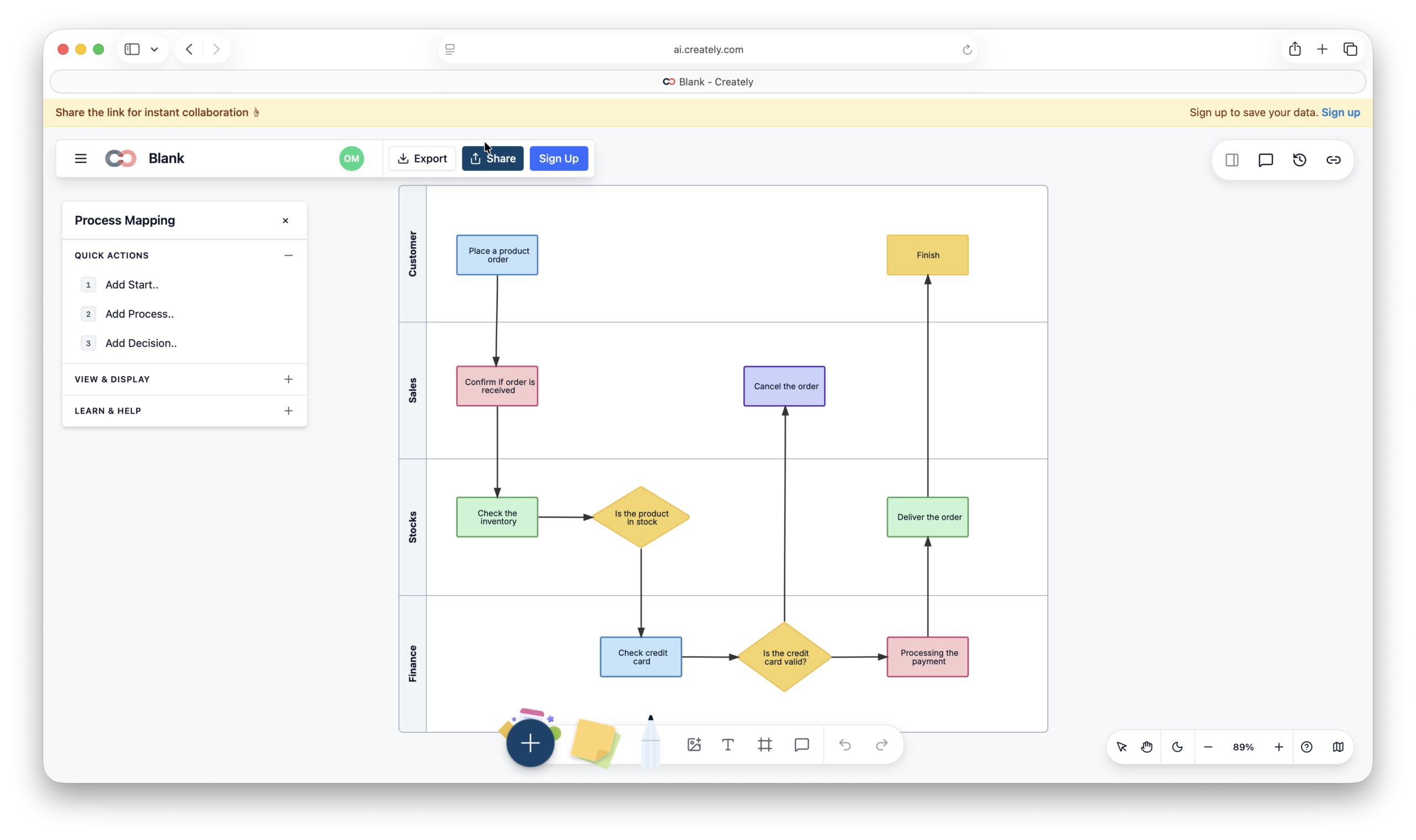
Creately combines diagramming with documentation and collaboration features.
Its process mapping templates make it easy to document workflows, responsibilities and operational procedures.
Read our Creately review for a closer look.
Pros
- Process mapping templates
- Real-time collaboration
- Easy to learn
- Good presentation options
Cons
- Limited advanced BPM capabilities
- Enterprise features cost extra
Pricing: From $8 per user monthly.
7. SmartDraw
Best for business diagramming
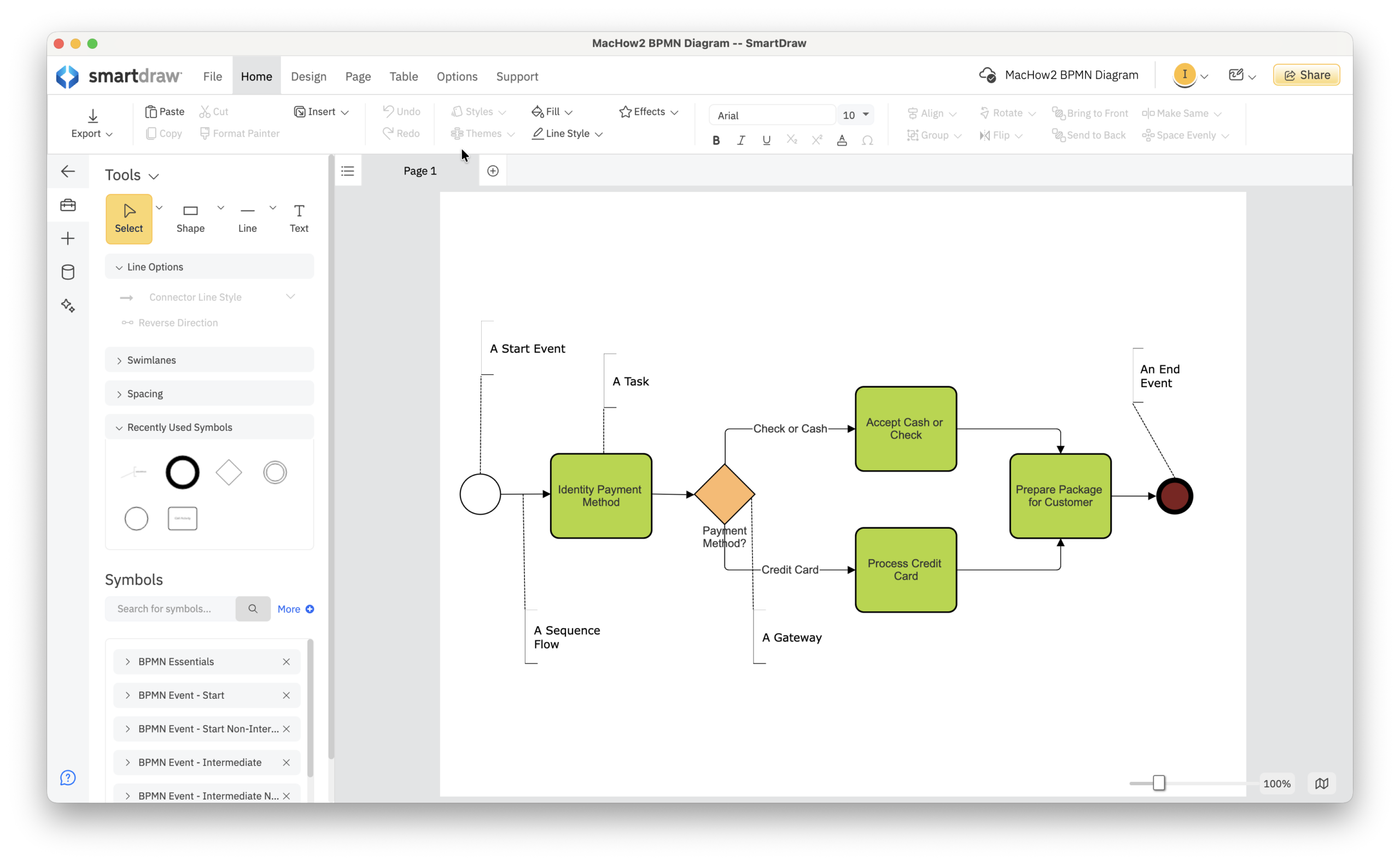
SmartDraw includes BPMN templates alongside hundreds of other business diagram types.
For organizations that need process maps as well as organizational charts, floor plans and project diagrams, it provides excellent versatility.
It’s also one of the few Cloud based solutions that also offers a dedicated Mac desktop app.
Read our full SmartDraw review for more.
Pros
- Large template library
- BPMN support
- Microsoft integration
- Easy to use
- Mac desktop app
Cons
- Browser-based on Mac
- Not a dedicated BPM platform
Pricing: From $7.95 per month or $6.95 per month for teams
Best for enterprise process management
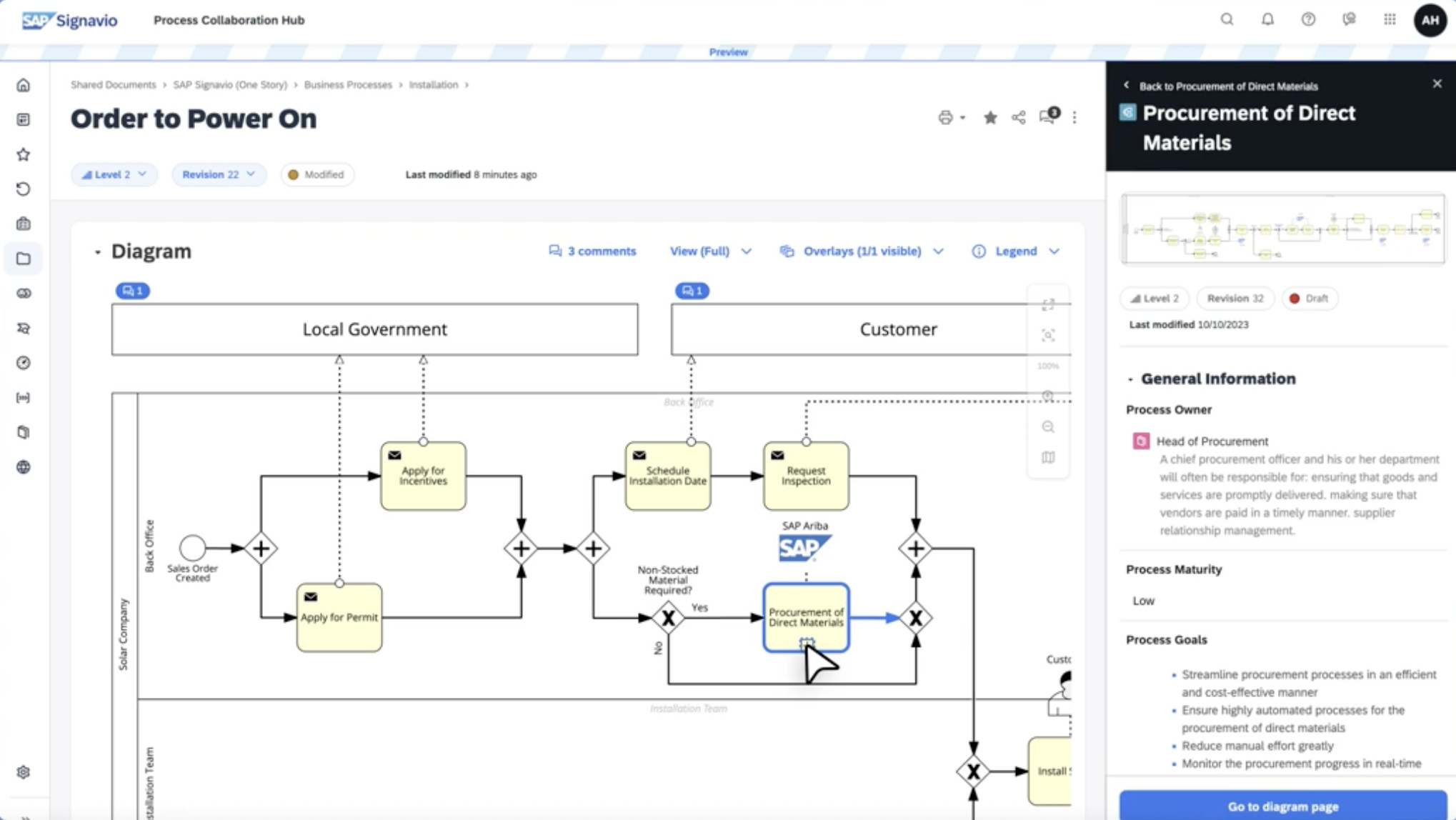
Signavio focuses on enterprise process transformation and governance.
Large organizations use it to model, analyze and optimize complex processes across departments.
Pros
- Full BPMN support
- Process governance tools
- Collaboration features
- Enterprise analytics
Cons
- Expensive
- Overkill for small businesses
Pricing: Custom quotes.
9. Decisions
Best for workflow automation

Decisions combines process design with workflow automation and decision management.
Organizations can create process models and then automate approval workflows, routing and business rules.
Pros
- Workflow automation
- Low-code tools
- Business rules engine
- Cloud deployment
Cons
- Higher learning curve
- Enterprise pricing
Pricing: Custom pricing.ing.
10. OmniGraffle
Best native Mac diagram software
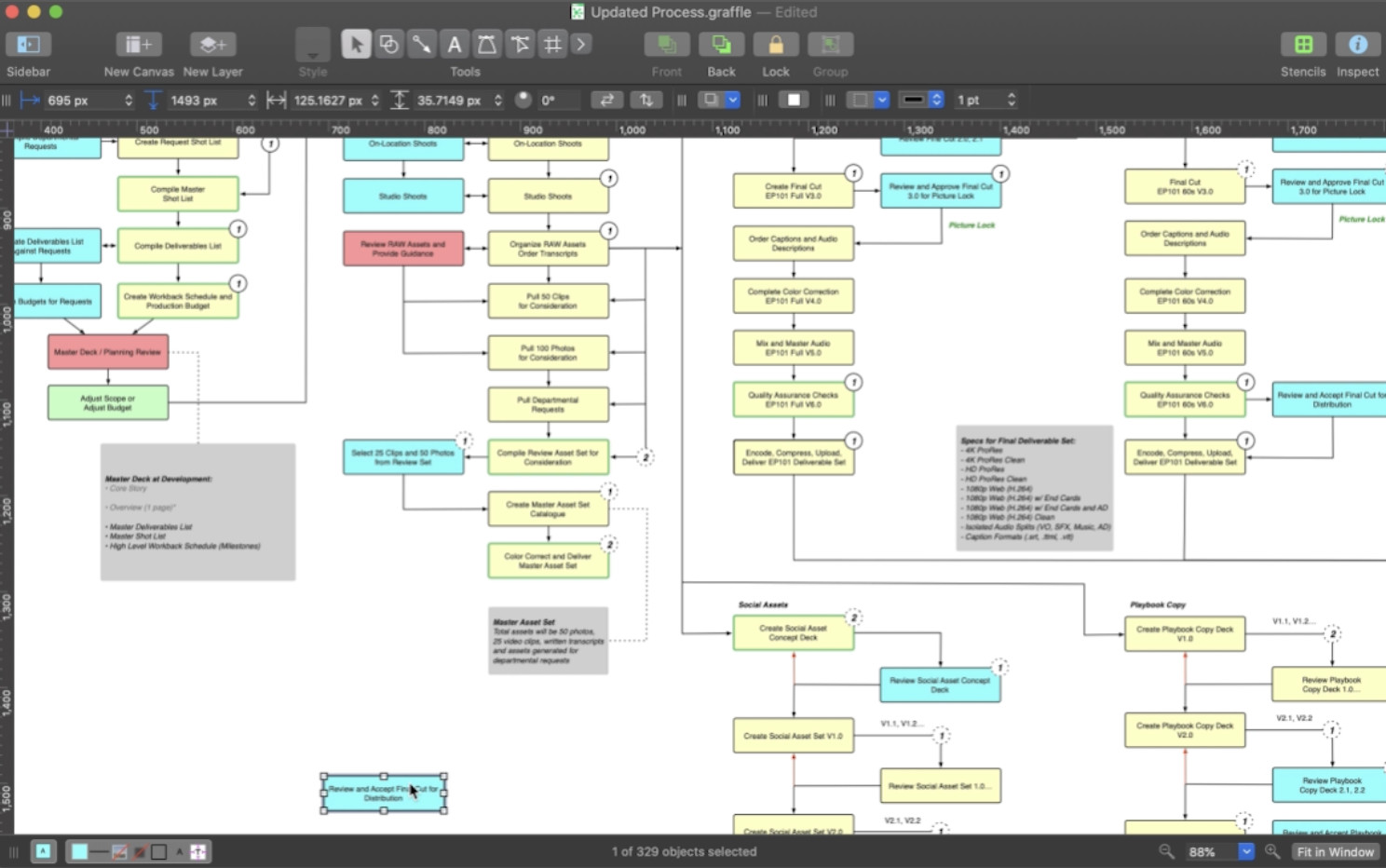
OmniGraffle remains one of the best diagramming applications available exclusively for Apple users.
Although it is not a dedicated BPMN tool, it offers stencils and customization options that make process mapping possible.
Read our OmniGraffle review for more.
Pros
- Native Mac application
- Excellent drawing tools
- One-time purchase
- Beautiful interface
Cons
- Limited BPMN functionality
- No process automation
Pricing: From $149.
What Is BPMN Software?
BPMN stands for Business Process Model and Notation.
It provides a standardized method for documenting business workflows using symbols such as:
- Events
- Tasks
- Gateways
- Swimlanes
- Sequence flows
- Message flows
Because BPMN is standardized, diagrams can be understood by business users, analysts and developers alike.
Process Mapping vs BPMN
Although the terms are often used interchangeably, they are not identical.
| Process Mapping | BPMN |
| Informal workflows | Formal notation standard |
| Easier to learn | More technical |
| General business use | Business analysis and automation |
| Flexible symbols | Standardized symbols |
| Presentation-focused | Execution-focused |
Many businesses start with process mapping and later adopt BPMN as their requirements become more sophisticated.
How We Tested
We evaluated each tool using the following criteria:
- Mac compatibility
- BPMN 2.0 support
- Ease of use
- Collaboration features
- Automation capabilities
- Pricing
- Performance on Apple Silicon Macs
All of the software listed works well on modern Macs including M1 to M5 models.
Which BPMN Software Is Best For Mac?
- Best overall: Lucidchart
- Best free option: diagrams.net
- Best for developers: Camunda Modeler
- Best for business analysts: Visual Paradigm
- Best for teams: Miro
- Best native Mac app: OmniGraffle
For most Mac users, Lucidchart offers the best balance between ease of use, collaboration and BPMN functionality.
However, organizations looking for workflow automation should strongly consider Camunda or ProcessMaker, while professional analysts may benefit most from Visual Paradigm.
FAQ
Does Visio support BPMN on Mac?
Microsoft Visio does not have a native Mac version. Mac users typically use Lucidchart, SmartDraw or Visual Paradigm as alternatives.
For more options, check our guide to the best Visio alternatives for Mac.
What is the best free BPMN software for Mac?
diagrams.net and Camunda Modeler are the strongest free options.
Is BPMN difficult to learn?
Basic BPMN diagrams can be learned relatively quickly, although advanced notation and process automation concepts take longer to master.
Can I run BPMN software on Apple Silicon Macs?
Yes. Most modern BPMN applications either run natively or through the browser and work well on M1-M5 Macs.