

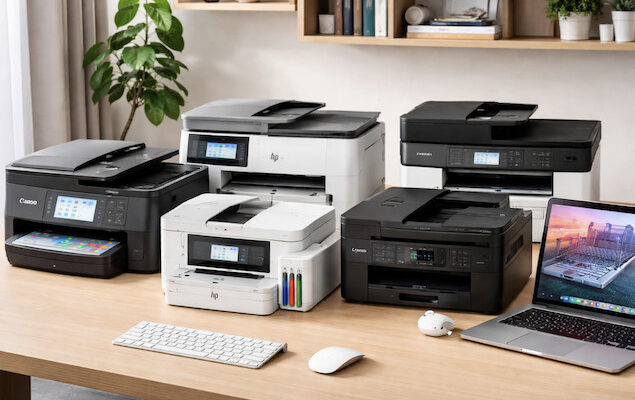
If you’re looking for an all-in-one printer that works seamlessly with Macs, we’ve taken an in-depth look at the best options for home and office use in 2026. We’ve reviewed inkjet, laser, and wireless multi-function printers that handle printing, scanning, copying, and faxing, all with hassle-free macOS compatibility.
Each printer featured here supports Apple AirPrint, ensuring you can print from any Mac, iPhone, or iPad without worrying about drivers or software updates. We also highlight models that include dedicated macOS apps for extra control over scanning, ink management, and advanced print settings.
Whether you need high-quality photo printing, fast office productivity, or low-cost bulk printing, this guide will help you find the perfect all-in-one printer for your Mac setup.
All printers listed here have also been checked for continued compatibility with Apple Silicon Macs.
Contents
- Key Considerations for Mac Compatibility
- Best All In One Printer For Mac Comparison Table
- 1. Canon PIXMA TS9520a (Best Overall)
- 2. Canon Pixma TR8620a (Best For Print, Fax & Copying)
- 3. Epson EcoTank ET-3850 (Best For Ink Usage)
- 4. HP OfficeJet Pro 9135e (Best For Home Offices)
- 5. HP Color LaserJet Pro MFP 4301fdw (Best Laser Printer)
- 6. Brother Work Smart 1360 Color Inkjet (Best Budget Printer)
- Also Consider: Worthwhile Alternatives for Mac Users
- FAQ
Key Considerations for Mac Compatibility
When selecting an all-in-one printer for Mac, it’s useful to consider the following factors:
- AirPrint Support: We really can’t emphasize this feature enough. Apple’s AirPrint technology makes it easy to add a printer to a Mac wirelessly without installing additional drivers. Printers with AirPrint work seamlessly with all versions of macOS. The reason this is so important is that updates to macOS can often suddenly break compatibility and your printer will stop working. With AirPrint, your printer won’t be affected by updates to macOS and you won’t have to wait around until the manufacturer releases updated drivers.
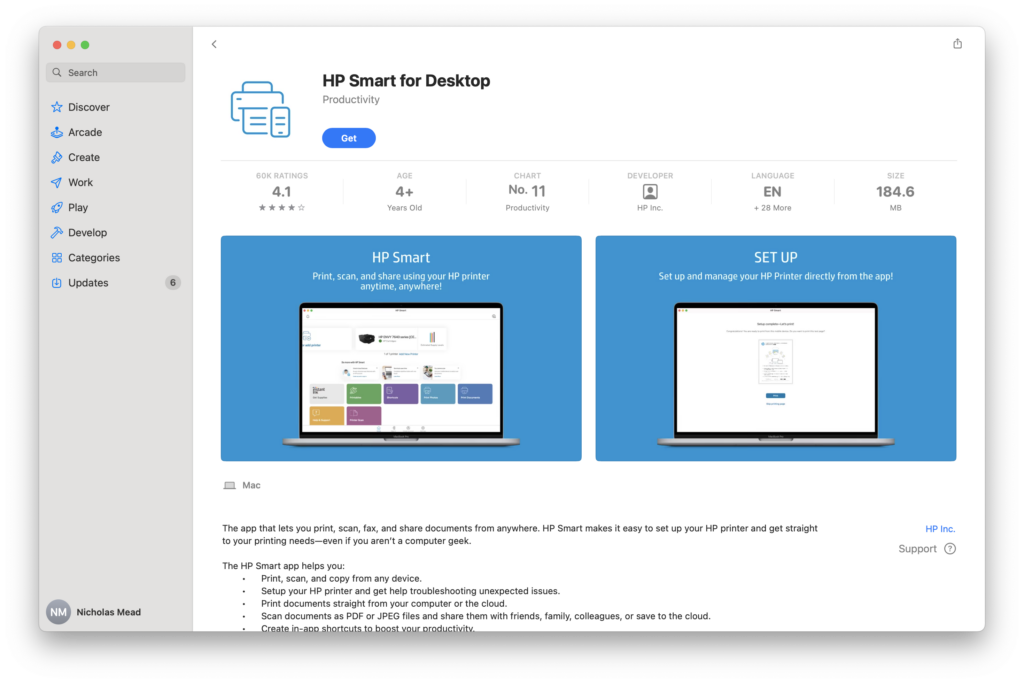
- Mac Software Compatibility: Some printers offer dedicated macOS apps for managing scanning, maintenance, and advanced print settings, such as checking ink levels or configuring document settings. However, while these apps can be useful, they’re not essential. macOS updates can sometimes break manufacturer software, whereas AirPrint continues to work reliably regardless of macOS version (currently Tahoe). For example, HP no longer provides drivers for Macs but HP printers still work (albeit with less functionality in some cases) thanks to AirPrint. For this reason, we ranked AirPrint support far more important than bundled printer software.
- Ink & Running Costs: Consider both upfront and long-term costs. Traditional inkjets like the Canon PIXMA series offer excellent photo quality but can become expensive if you print frequently. Epson EcoTank models use refillable ink tanks, drastically reducing running costs and avoiding subscription services, while laser printers like the HP Color LaserJet Pro offer low per-page costs and no ink drying issues.
- Paper Handling & Features: Check the printer’s paper capacity, automatic document feeder (ADF), duplex printing, and support for various media sizes. Compact home-office models like the Canon TR8620a or Brother Work Smart 1360 may have smaller trays, while office-focused models such as the HP OfficeJet Pro 9135e or HP Color LaserJet Pro 4301fdw can handle larger workloads with higher-capacity trays and faster speeds.
- Photo & Specialty Printing: If you print photos or creative projects, look for printers with multi-color ink systems, wide-format support, or photo-specific features. The Canon PIXMA TS9520a, for example, supports tabloid-sized prints and vibrant photo quality, making it ideal for creative Mac users.
- Faxing: Most multifunction printers support faxing, although you’ll need a traditional phone line connected to use this feature. Nowadays however, we strongly recommend using an online fax service to fax from a Mac as it’s much easier, faster and doesn’t require a phone line.
Best All In One Printer For Mac Comparison Table



1. Canon PIXMA TS9520a (Best Overall)
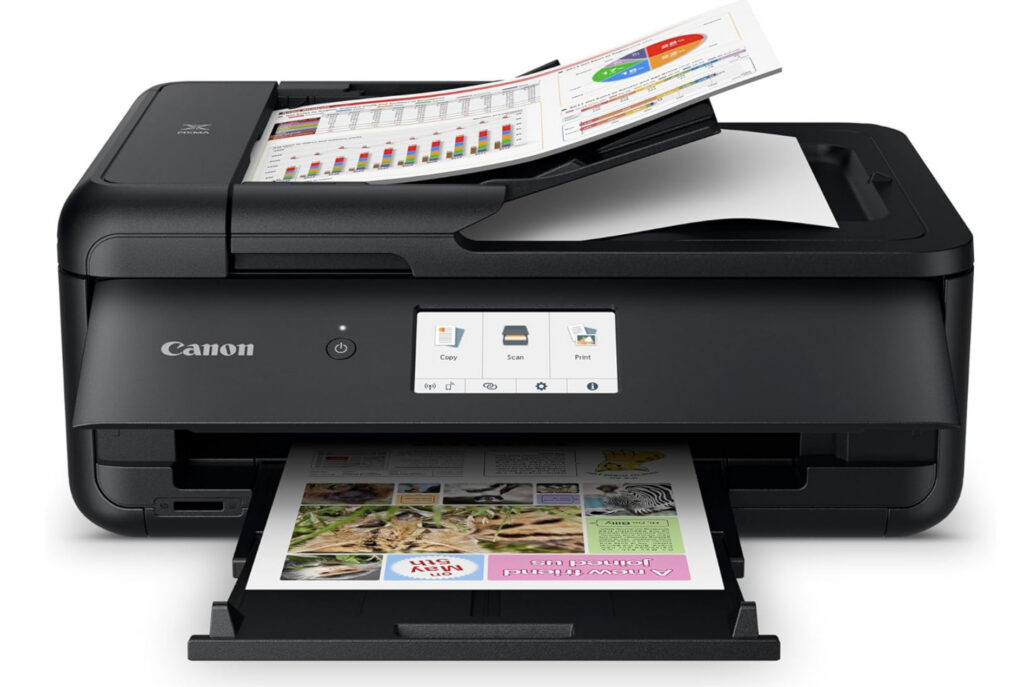
The Canon PIXMA TS9520a stands out as the best all-in-one printer for Macs thanks to its excellent macOS compatibility, dependable performance, value for money yet high-quality printing.
The Canon PIXMA TS9520a is ideal for Mac based teachers, designers, and creatives that require moderate volume printing.
This inkjet printer connects easily to Macs, iPhones, and iPads using AirPrint, so there’s no need to install drivers or fuss with cables. It also supports USB for a direct wired connection if preferred.
A standout feature is its 5-inch color touchscreen, which offers an intuitive interface for easy navigation and control of all functions.
The TS9520a uses a 5-color individual ink system that produces sharp text and vibrant color prints. Ink refills are relatively affordable compared to similar printers in its class.
It offers print, scan, and copy functionality, with high-resolution printing up to 4800 x 1200 dpi.
The flatbed scanner includes a 35-sheet automatic document feeder (ADF) for multi-page scanning and copying.
A major plus for design professionals is its support for wide-format printing, including sizes up to 11″ x 17″ (tabloid) which is ideal for graphic design, presentations, or large spreadsheets.
Printing and scanning speeds are solid for an inkjet at this price, although duplex (two-sided) printing can be a bit slower.
The printer also includes software for designing and printing onto CDs, DVDs, and Blu-rays, and features a fun HD Movie Print option that lets you print still images from HD video clips taken on compatible Canon cameras.
Canon supports the TS9520a with a range of useful macOS PIXMA software, including Canon IJ Scan Utility and Easy-PhotoPrint Editor. Importantly, Canon is typically quick to update its drivers for the latest versions of macOS – something not all manufacturers do.
Note: The PIXMA TS9520a is functionally identical to the PIXMA TS9520. The difference lies only in their regional availability – the TS9520a is generally sold only in the US and Canada, while the TS9520 is sold globally.
You can check our Canon Pixma TS9520a review for more on why we rated this excellent all-in-one printer so highly.
Pros:
- Supports AirPrint
- Attractive touch screen
- 5 color ink system for hi-resolution printing
- Relatively cheap cartridge refills
- Drivers quickly updated for new versions of macOS
- Various Canon Pixma printer software available
Cons:
- Slow print speed of 15ppm
- Small paper tray
2. Canon Pixma TR8620a (Best For Print, Fax & Copying)
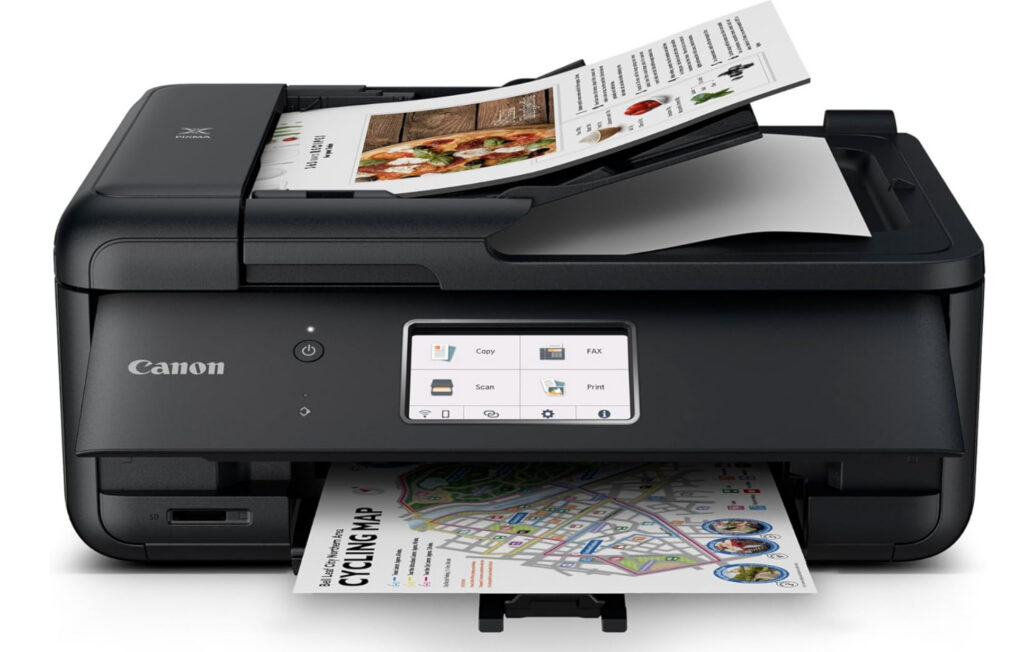
The Canon PIXMA TR8620a is a versatile, compact all-in-one printer designed for home offices and creative users who need printing, scanning, copying, and faxing in a single device.
It supports Apple AirPrint, allowing seamless wireless printing from MacBooks, iMacs, iPhones, and iPads without installing drivers. For users who want additional control, Canon’s Easy-PhotoPrint Editor and Canon PRINT apps are fully compatible with macOS, though they are optional for basic printing tasks.
The printer handles a wide range of paper sizes, from 4×6 photos to legal documents, and includes an automatic document feeder (ADF) and automatic duplex printing for convenient double-sided printing. Unlike the TS9520a, it does not support 11″×17″ tabloid printing, so it’s less suited to large-format graphic design tasks.
A five-color individual ink system ensures sharp text and vibrant photo prints, and individual cartridges can be replaced as needed. While print speeds are moderate for both color and black-and-white documents, the TR8620a provides reliable quality for typical home or small office use.
Keep in mind that ink costs can add up if you print frequently in color, but for moderate printing needs, this printer offers excellent value, solid Mac compatibility, and compact convenience.
Check out our full Canon PIXMA TR8620a review for a closer look.
Pros:
- Supports AirPrint for seamless Mac printing
- Works with Canon’s macOS print apps
- Compact and easy to fit in small spaces
- Automatic document feeder and duplex printing
- Five-color ink system for sharp photo and document prints
Cons:
- Moderate print speeds
- Color cartridges can be expensive over time
- No support for 11″×17″ tabloid printing
3. Epson EcoTank ET-3850 (Best For Ink Usage)
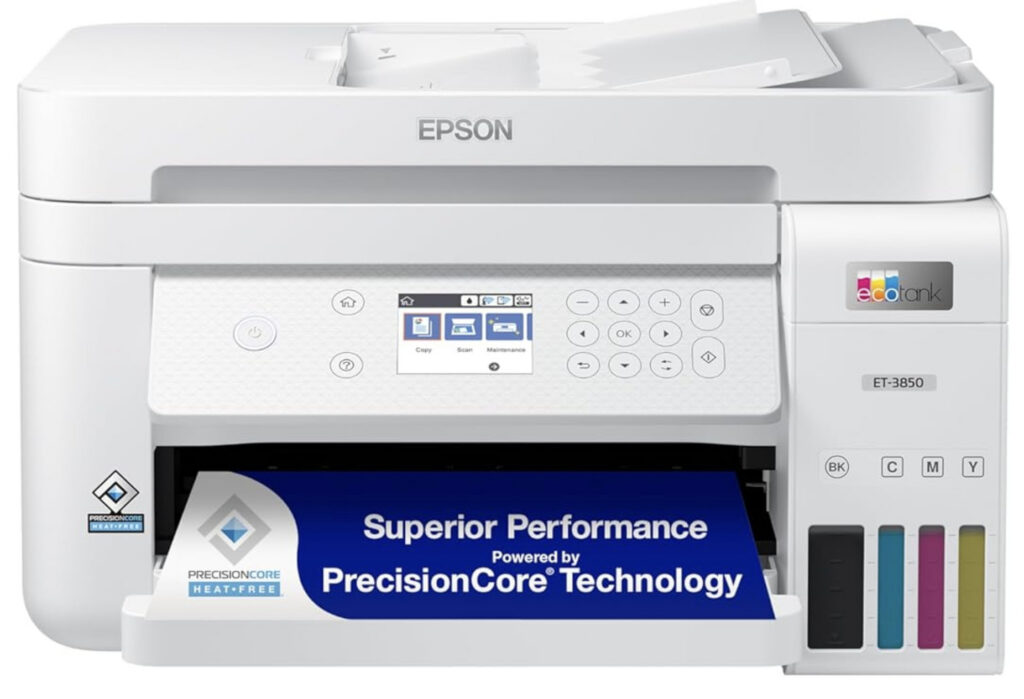
The Epson EcoTank ET-3850 is an excellent choice for Mac users who print regularly and want to minimize long-term ink costs. Instead of traditional cartridges, it uses Epson’s refillable ink tank system, which dramatically reduces running expenses and waste.
Epson claims the included ink can last up to 7,500 black pages or 6,000 color pages, making it far more economical than cartridge-based printers over time. Unlike standard inkjets, EcoTank printers are also less prone to ink drying out, as the tanks hold a much larger volume of ink and are designed for frequent or semi-frequent use.
The ET-3850 works well with Macs thanks to AirPrint support, meaning it prints reliably without needing drivers or Epson software. While Epson does offer the iPrint app, it’s primarily aimed at iOS and Android devices and isn’t essential for macOS users.
Print speeds are decent for an inkjet, with up to 15 ppm for black-and-white documents (although only 8.5 ppm for color), and it supports automatic duplex printing. The 250-sheet paper tray is generous for home office use, and scan quality is sharp and accurate for documents and occasional photo scanning.
That said, EcoTank printers aren’t ideal for everyone. The upfront cost is higher than cartridge printers, and if you only print occasionally or a few pages per month, you’re unlikely to see the cost savings that make EcoTank worthwhile. In those cases, a standard inkjet or even a laser printer may make more sense.
Compared philosophically to HP Instant Ink, EcoTank takes the opposite approach: instead of paying a monthly subscription tied to page limits, you buy ink in bulk and stay fully independent. For many Mac users, this lack of subscriptions and account requirements is a big plus.
If you need additional features, Epson also offers closely related models:
- EcoTank ET-4850 – Adds fax support and Ethernet, making it better suited to traditional home offices
- EcoTank ET-2850 – More affordable budget EcoTank option for lighter workloads, though with fewer features
Pros:
- Extremely low running costs
- Refillable ink tanks reduce drying issues
- Supports AirPrint
- High page yield for frequent printing
- Automatic duplex printing
- Large 250-sheet paper tray
Cons:
- Higher upfront purchase cost
- Not ideal for very low-volume users
- No fax on the ET-3850 model
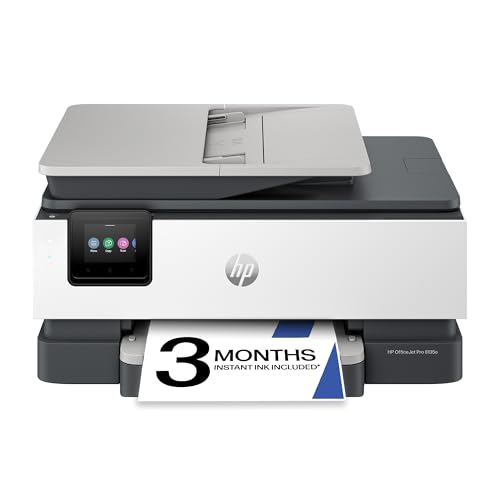
4. HP OfficeJet Pro 9135e (Best For Home Offices)
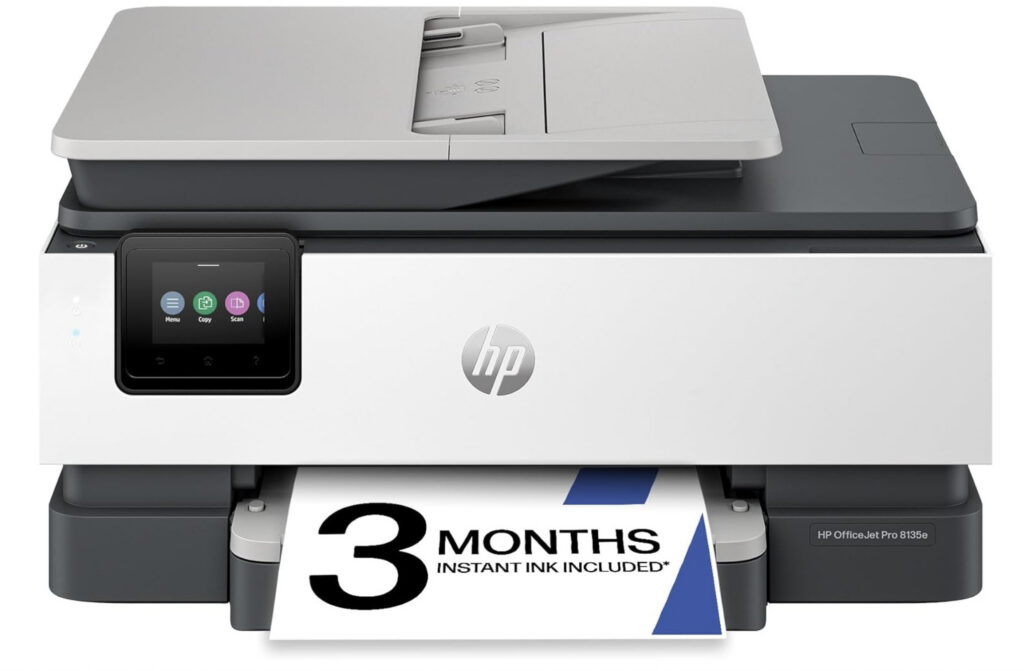
The HP OfficeJet Pro 9135e is a powerful all-in-one inkjet printer that’s well-suited to Mac users who need fast, feature-rich printing in a home or small office environment. It combines printing, scanning, copying, and faxing with excellent connectivity with Macs via AirPrint.
These “e” models are very similar in hardware to older models (such as the HP OfficeJet Pro 9025) but introduce an important change: they initially require an HP account and internet connection during setup. HP also strongly encourages users to sign up for HP Instant Ink, although the subscription itself is optional after setup.
Thanks to Apple AirPrint support, it integrates smoothly with Macs, iPhones, and iPads without needing additional drivers. It also works with the HP Smart app for macOS, which lets you configure settings, scan documents, and monitor status straight from your Mac.
Performance is surprisingly good for an inkjet: print speeds reach up to approximately 25 ppm for black-and-white and 20 ppm for color, and duplex printing and scanning are supported out of the box. There’s also a Dual 250 sheet trays that make it capable of handling large print jobs without constant refills.
In terms of connectivity, it supports both dual-band Wi-Fi and Ethernet, plus wireless direct printing and security features to protect your documents over shared networks. The printer is also eligible for HP Instant Ink, which can help reduce running costs through automated cartridge delivery if you print frequently.
Overall, the OfficeJet Pro 9135e is an excellent choice for Mac users who want fast, reliable all-round office performance with excellent media handling and app support. Just be mindful that ongoing subscription services (like Instant Ink) are optional but beneficial for heavy printing.
Pros:
- AirPrint support for seamless macOS and iOS printing
- Excellent all-in-one performance with ADF and duplexing
- Dual 250-sheet trays for larger jobs
- Flexible networking (Wi-Fi and Ethernet)
- HP Smart app for macOS configuration
Cons:
- Ink costs may be higher without Instant Ink
- Bit bigger than compact home models
- “e” models require HP account to setup
5. HP Color LaserJet Pro MFP 4301fdw (Best Laser Printer)
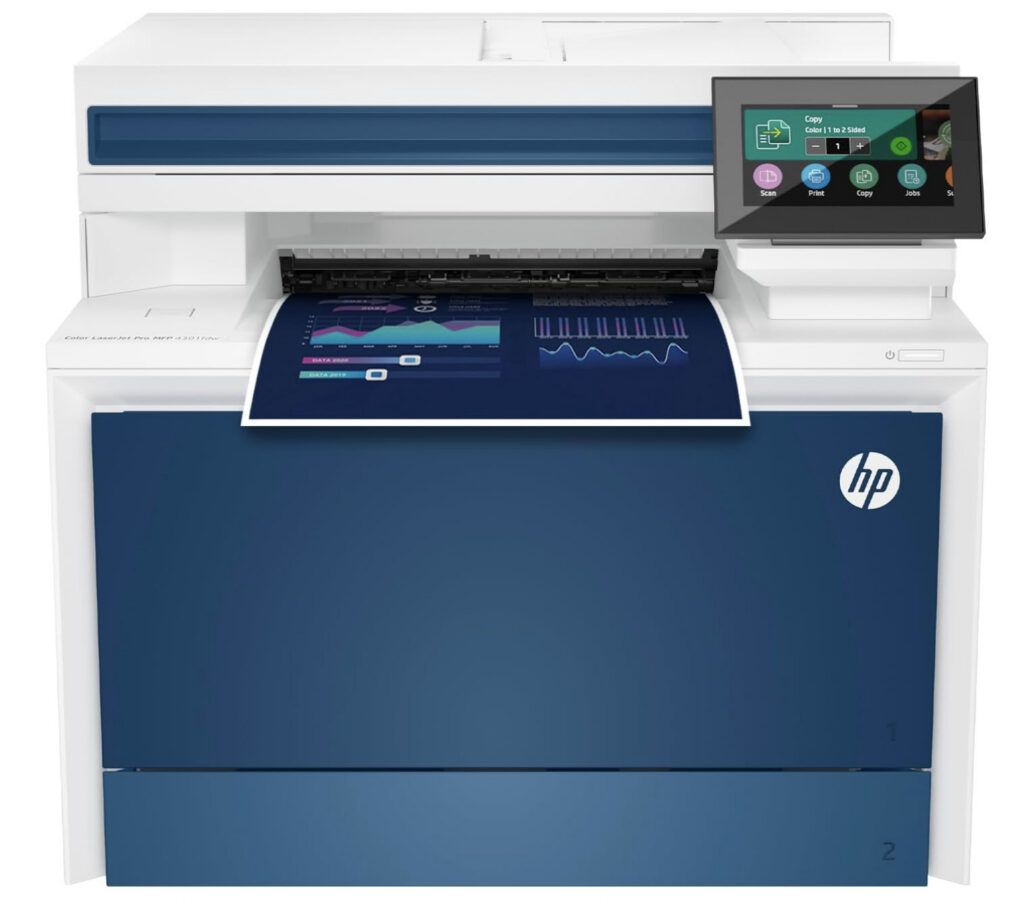
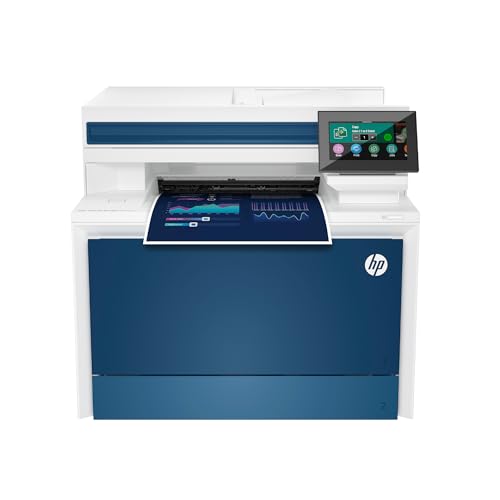
The HP Color LaserJet Pro MFP 4301fdw is a powerful all-in-one color laser printer designed for Mac-based home offices and small businesses that need fast, reliable laser printing with scanning, copying, and faxing all in one machine. It’s a better alternative to inkjet models when you’re printing higher volumes or want laser durability and toner longevity.
This model supports Apple AirPrint, so you can print directly from your Mac, iPhone, or iPad without installing drivers. It also includes a color touchscreen for easier on-device control and integrates well into mixed macOS and iOS usage.
Performance is solid for a colour laser: it prints up to 35 pages per minute in both black and color and includes duplex printing. The automatic document feeder (ADF) handles multi-page scanning and copying without having to load it manually. Laser printing also gives you lower long-term running costs than inkjets for text documents and high volumes because toner doesn’t dry out between uses.
There are a few trade-offs to consider. Like many laser printers, color photo quality isn’t as rich or smooth as inkjet models, and color toner cartridges can be expensive if you print lots of graphics or marketing materials. Some users report occasional software or connectivity quirks, although many find the overall speed and reliability excellent once set up.
Pros:
- Fast laser output with up to 35 ppm in black and color
- Supports AirPrint for seamless Mac and iOS printing
- All-in-one scan/copy/fax with 50 sheet capacity ADF
- Good for high-volume print jobs
Cons:
- Laser color isn’t ideal for photo printing compared to inkjets
- Toner can be expensive for heavy color use
- Some users report occasional software/connectivity issues
6. Brother Work Smart 1360 Color Inkjet (Best Budget Printer)
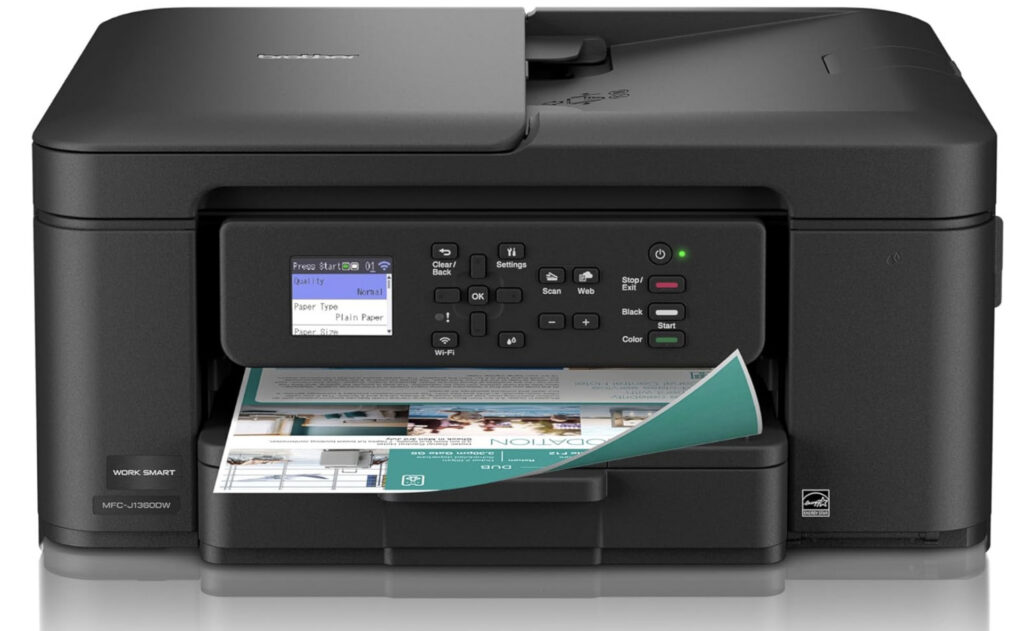
The Brother Work Smart 1360 is a compact all-in-one inkjet printer designed for home offices and small businesses that need reliable everyday printing on a Mac.
It offers printing, scanning, copying, and faxing in a space-saving design, while still including productivity features such as an automatic document feeder (ADF) and automatic duplex printing.
The printer fully supports Apple AirPrint, allowing you to print wirelessly from MacBooks, iMacs, iPhones, and iPads without installing any additional drivers. This makes it particularly well-suited to macOS users who want hassle-free compatibility with the latest versions of macOS.
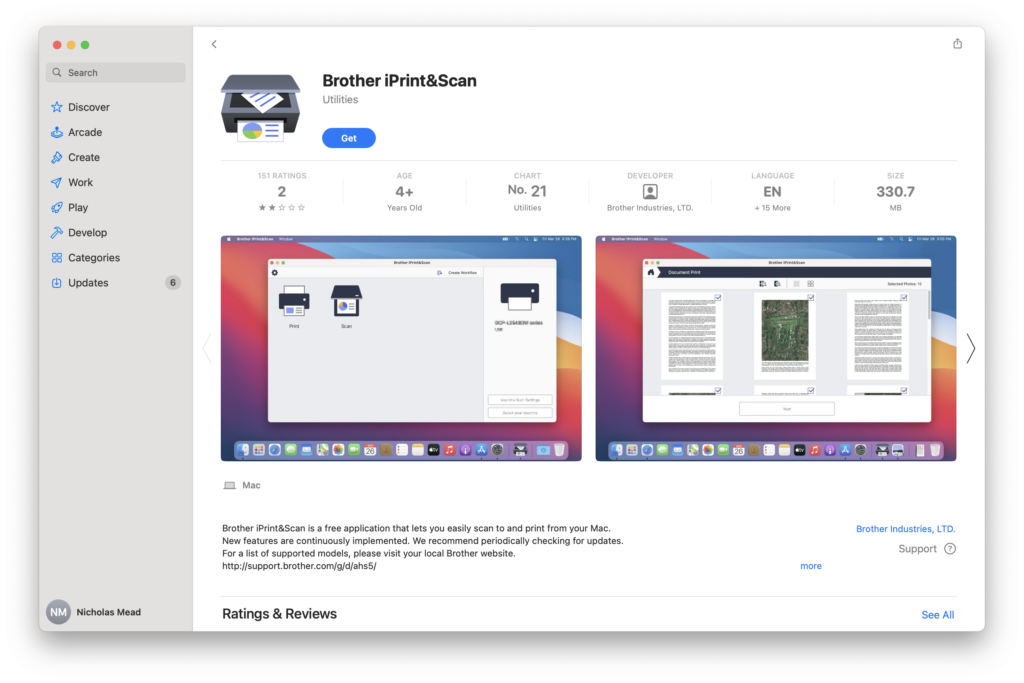
Brother also provides its Brother iPrint&Scan software for macOS, which can be used to manage scans, monitor ink levels, and access additional printer settings if needed, although it’s not essential for basic printing.
The Work Smart 1360 uses an individual ink cartridge system, meaning you only need to replace the color that runs out. This helps keep running costs down compared to printers that rely on combined color cartridges.
Print quality is solid for documents, spreadsheets, and general office work, with good text sharpness and respectable color output for charts and simple graphics. While it’s not aimed at professional photo printing, it performs well for everyday business and home office use.
Print speeds are reasonable rather than class-leading, but for most Mac users printing documents, invoices, and reports, performance is perfectly adequate.
Overall, the Brother Work Smart 1360 is a reliable, affordable all-in-one printer with excellent Mac compatibility at a very low price.
Pros:
- Apple AirPrint support
- Automatic duplex printing
- Automatic document feeder
- Individual ink cartridges
- Compact and home-office friendly
Cons:
- Not designed for high-end photo printing
- Moderate print speeds compared to business-class models
Also Consider: Worthwhile Alternatives for Mac Users
If your needs or budget differ from the main picks above, these additional printers are also worth considering for 2026.
Ink Tank & Budget-Friendly Inkjet Options
These models offer low running costs via refillable tanks, strong Mac compatibility with AirPrint, and good everyday performance:
- HP Smart Tank 7001 / HP Smart Tank 7602 – HP’s refillable ink tank printers with solid print quality, wireless connectivity, and lower running costs than traditional cartridge models.
- Epson EcoTank ET-2850 / Epson EcoTank ET-2800 – Great entry-level tank printers that keep long-term ink costs down while handling most home printing needs comfortably.
These super-tank and ink tank options can be especially cost-effective if you print frequently and want to avoid HP Instant Ink or similar subscriptions.
Smaller & Lower-Cost All-in-One Printers
If you just need light printing, scanning, or occasional documents without the advanced features of higher-end models:
- HP ENVY 6155e / HP ENVY 6555e – Basic all-in-ones with AirPrint and wireless connectivity, ideal for light home or student use.
Mono & Laser Alternatives
If your printing is mostly black-and-white documents or text, a separate mono laser can be a very reliable, low-maintenance choice, especially for infrequent use:
- Brother DCP-L2640DW – All-in-one monochrome laser with scanning and copying, excellent for text-heavy workflows.
- Brother HL-L2460DW – Compact laser option with low running costs and reliable AirPrint support.
- HP LaserJet MFP M140w – Affordable laser multifunction printer with fast text output and simple setup.
FAQ
Do all printers work with the latest versions of macOS?
Not all printers immediately support the latest macOS releases, especially if they rely on manufacturer drivers rather than AirPrint. Driver-based printers can sometimes lag behind macOS updates or temporarily lose advanced features after an OS upgrade.
To avoid issues, it’s best to choose printers that support Apple AirPrint, as AirPrint works natively with macOS and continues to function even if manufacturer software hasn’t yet been updated. Always check the manufacturer’s website to confirm compatibility with the latest version of macOS.
Do I need to install drivers for AirPrint-compatible printers?
No. AirPrint-compatible printers do not require drivers to print from macOS, iPhones, or iPads. They work straight out of the box using Apple’s built-in printing system.
Some manufacturers offer optional macOS apps for scanning, maintenance, or advanced settings, but these are not required for basic printing and can safely be skipped if you prefer a simpler setup.
Can I print from my iPhone or iPad using these printers?
Yes. All the printers in this guide support Apple AirPrint, which allows you to print wirelessly from iPhones, iPads, and Macs without installing any additional apps or drivers.
As long as your printer and Apple device are connected to the same Wi-Fi network, printing is quick and straightforward.
What’s the best all-in-one printer for photo printing on a Mac?
The Canon PIXMA TS9520a and Canon PIXMA TR8620a remain the best choices for photo printing. Both use Canon’s five-colour individual ink system, which have excellent color accuracy and smooth gradients for photos.
The TS9520a is better suited for creative users who need larger paper support, while the TR8620a offers a more compact design with strong photo quality for home offices and light design work.
Which printer is the most cost-effective for high-volume printing?
For high-volume inkjet printing, the HP OfficeJet Pro 9135e is the most cost-effective option in this guide. It offers fast print speeds, automatic duplexing, a large paper capacity, and relatively efficient ink usage for an inkjet printer.
If you print very frequently or want to minimize long-term running costs even further, the HP Color LaserJet Pro MFP 4301fdw is also worth considering, as laser toner does not dry out and typically lasts much longer than ink cartridges.
Do inkjet printers dry out if they’re not used?
Yes, inkjet printers can suffer from dried or clogged print heads if they are left unused for long periods. To avoid this, it’s recommended to print at least a few pages every few weeks to keep the ink flowing properly.
This issue does not affect laser printers, which makes models like the HP Color LaserJet Pro MFP 4301fdw a better choice for users who print infrequently but still want reliable printing at any time.
Are laser printers better for Macs than inkjets?
Both laser and inkjet printers work well with Macs, provided they support AirPrint. Inkjet printers are generally better for photo printing and colour graphics, while laser printers excel at fast text printing, durability, and low maintenance.
For home offices, models like the Brother Work Smart 1360 and HP OfficeJet Pro 9135e strike a good balance, while laser printers are ideal for business users that do a lot of printing.