

Apple has released over 20 major versions of macOS since the first public beta in 2000. These range from early releases like Cheetah and Tiger to the latest version Golden Gate which only supports Apple Silicon Macs (yes, that’s goodbye Intel Macs and the beginning of the end of many Intel based apps!).
This complete macOS versions list includes every release in order, from Mac OS X Cheetah (2001) to the latest macOS Golden Gate (2026), along with release dates, features, and compatibility.
What Is The Latest Version of macOS?
The latest official version of macOS is macOS 27 Golden Gate, released by Apple on 14 September 2026.
Golden Gate was updated to version 27.0.1 shortly after its release to fix bugs.
If your Mac is compatible with Golden Gate, it is the newest major upgrade available. However, Apple has also released security updates for people staying on earlier versions:
- macOS Tahoe 26.7.1 for Macs running Tahoe
- macOS Sequoia 15.8.1 for Macs running Sequoia
macOS Tahoe was first released on 15 September 2025. Apple changed its numbering system with Tahoe, moving from the expected macOS 16 to macOS 26 so that macOS aligned more closely with the year-based numbering used across its other operating systems. Golden Gate followed as macOS 27 in 2026.
macOS Sonoma 14 received version 14.8.9 in August 2026, but did not receive Apple’s September security update. Apple does not formally announce end-of-support dates, but Sonoma should now be regarded as outside the current security-update cycle.
macOS Golden Gate was released publicly following several months of developer and public beta testing. It requires an Apple-silicon Mac; Intel Mac owners should remain on Tahoe or Sequoia and install the latest available security updates.
Quick List of macOS Versions
- macOS 27 Golden Gate (2026)
- macOS 26 Tahoe (2025)
- macOS 15 Sequoia (2024)
- macOS 14 Sonoma (2023)
- macOS 13 Ventura (2022)
- macOS 12 Monterey (2021)
- macOS 11 Big Sur (2020)
- macOS 10.15 Catalina (2019)
- macOS 10.14 Mojave (2018)
- macOS 10.13 High Sierra (2017)
- macOS 10.12 Sierra (2016)
- OS X 10.11 El Capitan (2015)
- OS X 10.10 Yosemite (2014)
- OS X 10.9 Mavericks (2013)
- OS X 10.8 Mountain Lion (2012)
- OS X 10.7 Lion (2011)
- OS X 10.6 Snow Leopard (2009)
- OS X 10.5 Leopard (2007)
- OS X 10.4 Tiger (2005)
- OS X 10.3 Panther (2003)
- OS X 10.2 Jaguar (2002)
- OS X 10.1 Puma (2001)
- OS X 10.0 Cheetah (2001)
- Mac OS X Public Beta Kodiak (2000)
macOS Evolution Timeline (2001–2026)
Here’s a visual overview of the evolution of macOS from 2001 to 2026 showing the transition from PowerPC to Intel and the current day Apple Silicon Mac era.
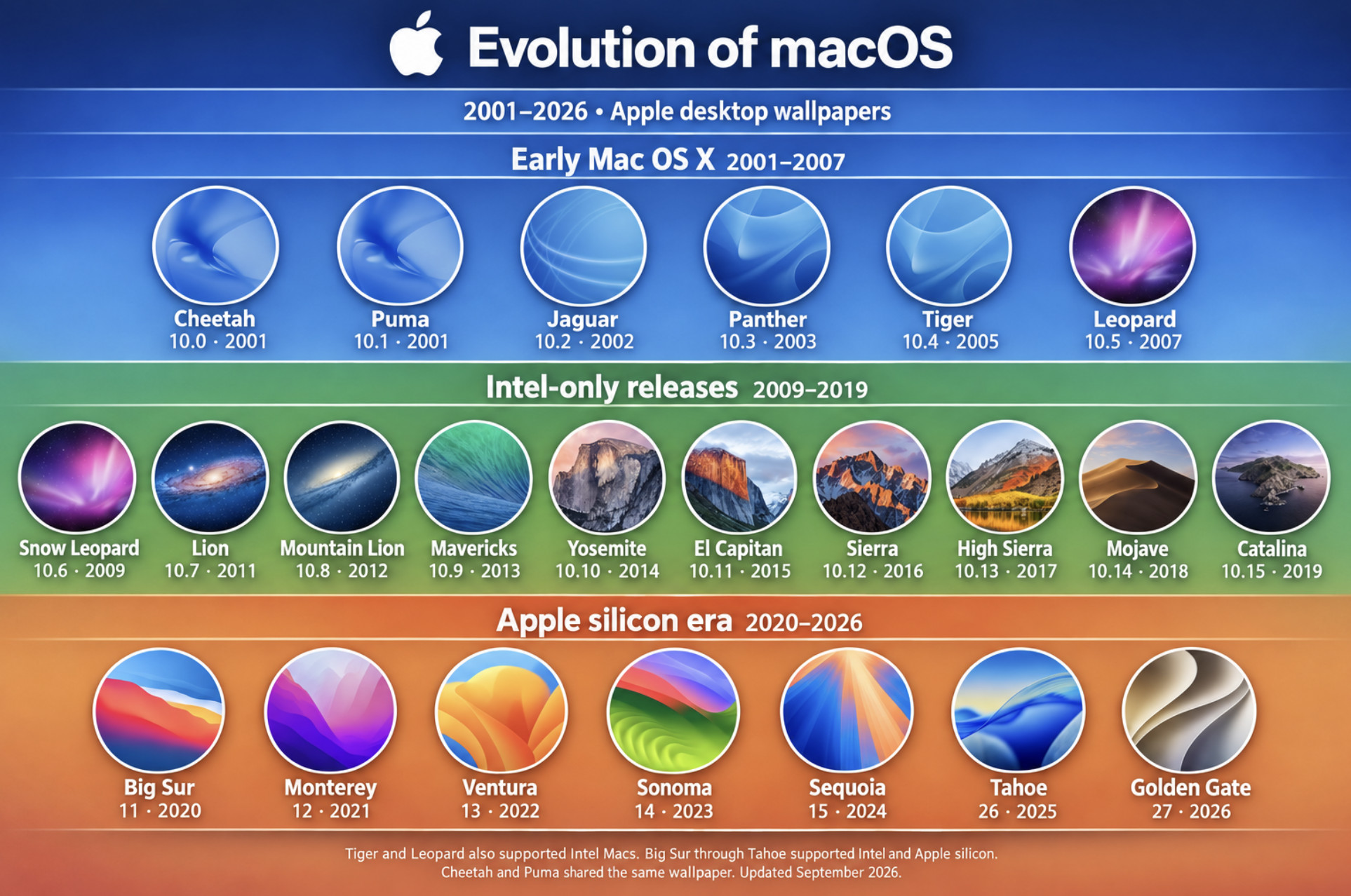
macOS Evolution Explained
macOS development can be divided into four key eras:
1. Early OS X (2000–2005)
The transition from classic Mac OS to a Unix-based system, introducing the Aqua interface and core architecture still used today. A beta version called Kodiak was released in 2000 followed by Cheetah, the first official version of OS X in 2001.
2. Intel Era (2006–2012)
Apple switched from PowerPC to Intel processors, dramatically improving performance and compatibility.
3. Refinement & iCloud Integration (2013–2019)
Apple made macOS updates free and introduced tighter integration with iPhone and iPad.
4. Apple Silicon Era (2020–Present)
With the introduction of M1 chips, macOS became faster, more efficient, and deeply integrated with iOS and iPadOS. The release of macOS Golden Gate in September 2026 will officially mark the end of Intel Mac support as it only works with Apple Silicon Macs.
macOS Versions: Comparison Table
| Version | Release Date | Key Feature | Processor Support | Still Supported |
|---|---|---|---|---|
| macOS 27 Golden Gate | 14th September 2026 | Siri AI, Enhanced Spotlight, refined interface + dropping of support for Intel Macs | Apple Silicon only | Yes |
| macOS 26 Tahoe | 15 September 2025 | Apple Intelligence + major redesign | Some Intel models + Apple Silicon | Yes |
| macOS 15 Sequoia | 16 September 2024 | AI features + iPhone Mirroring | Intel + Apple Silicon | Yes |
| macOS 14 Sonoma | 26 September 2023 | Desktop widgets + Game Mode | Intel + Apple Silicon | Yes |
| macOS 13 Ventura | 24 October 2022 | Stage Manager + Spotlight improvements | Intel + Apple Silicon | Limited |
| macOS 12 Monterey | 25 October 2021 | Universal Control + AirPlay to Mac | Intel + Apple Silicon | Limited |
| macOS 11 Big Sur | 12 November 2020 | Apple Silicon support + UI redesign | Intel + Apple Silicon | No |
| macOS 10.15 Catalina | 7 October 2019 | 64-bit only + Sidecar | Intel | No |
| macOS 10.14 Mojave | 24 September 2018 | Dark Mode + Dynamic Desktop | Intel | No |
| macOS 10.13 High Sierra | 25 September 2017 | APFS file system | Intel | No |
| macOS 10.12 Sierra | 20 September 2016 | Siri on Mac | Intel | No |
| OS X 10.11 El Capitan | 30 September 2015 | Split View + performance improvements | Intel | No |
| OS X 10.10 Yosemite | 16 October 2014 | Major UI redesign + Continuity | Intel | No |
| OS X 10.9 Mavericks | 22 October 2013 | First free macOS update | Intel | No |
| OS X 10.8 Mountain Lion | 25 July 2012 | Notification Center + iCloud integration | Intel | No |
| OS X 10.7 Lion | 20 July 2011 | Mac App Store + Launchpad | Intel | No |
| OS X 10.6 Snow Leopard | 28 August 2009 | Performance + 64-bit support | Intel | No |
| OS X 10.5 Leopard | 26 October 2007 | Time Machine + Spaces | PowerPC + Intel | No |
| OS X 10.4 Tiger | 29 April 2005 | Spotlight + Dashboard | PowerPC + Intel | No |
| OS X 10.3 Panther | 24 October 2003 | Exposé + FileVault | PowerPC | No |
| OS X 10.2 Jaguar | 23 August 2002 | Quartz Extreme + iChat | PowerPC | No |
| OS X 10.1 Puma | 25 September 2001 | Performance improvements | PowerPC | No |
| OS X 10.0 Cheetah | 24 March 2001 | Aqua interface | PowerPC | No |
As you can see, newer versions of macOS focus heavily on Apple Silicon performance and AI features, while older versions were more focused on system stability and foundational tools
Which macOS versions are still supported in 2026?
Which macOS versions are still supported in 2026?
As of September 2026, Apple is actively issuing security updates for the three newest major versions of macOS:
- macOS 27 Golden Gate (2026) – the latest version, with new features and security updates
- macOS 26 Tahoe (2025) – still supported with security updates; the latest release is macOS Tahoe 26.7
- macOS 15 Sequoia (2024) – still supported with security updates; the latest release is macOS Sequoia 15.8
macOS 14 Sonoma (2023) received its most recent update, macOS Sonoma 14.8.9, in August 2026, but did not receive Apple’s September security update. Apple does not normally announce a formal end-of-support date, but Sonoma should now be treated as outside its current security-update cycle.
Older releases, including Ventura, Monterey and earlier versions, no longer receive regular Apple security updates.
For the best security and software compatibility, use Golden Gate, Tahoe or Sequoia whenever your Mac and essential apps support them. Intel Mac owners should normally remain on Tahoe or Sequoia, because Golden Gate requires Apple silicon.
All macOS Versions Explained
Here’s a closer look at each version of macOS in more detail, starting with the very first public beta followed by every official version 2001 to 2026.
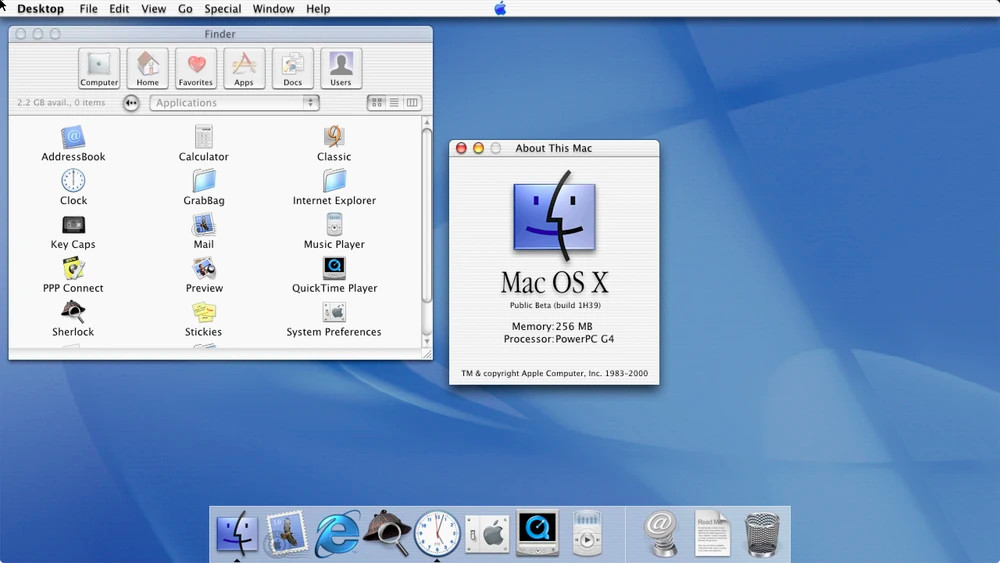
OS X Public Beta Kodiak (2000)
| 13 September 2000 |
Before the official launch of OS X, Apple released a public beta version, codenamed Kodiak, in September 2000.
It was built under the guidance of Steve Jobs who had returned to Apple in order to build an operating system to compete with Microsoft Windows.
Kodiak allowed developers and early adopters to test the operating system and provide feedback before the full release.
Why it mattered: Kodiak was the first glimpse of Apple’s move to a Unix-based operating system, with its Aqua interface and new under-the-hood technologies. It cost $29.95 and provided users with a first look at what would soon become OS X.
1. OS X 10.0 Cheetah (2001)
| 24 March 2001 |
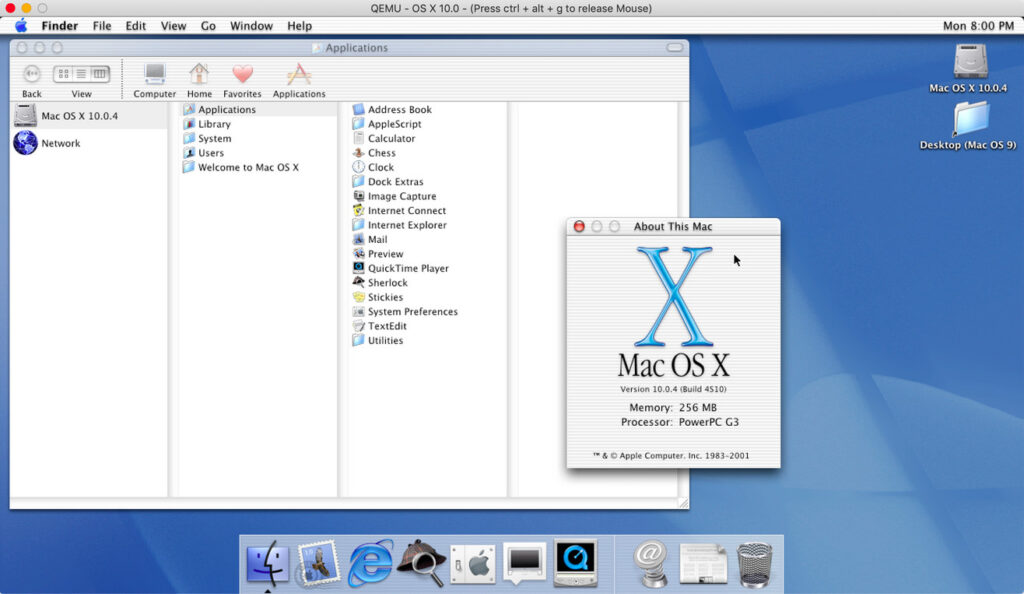
The first official version of macOS, originally named OS X, was Cheetah.
Released in March 2001, it introduced the Aqua interface, featuring smooth graphics and the iconic “dock.”
Though visually appealing, Cheetah was known for its lack of speed, so it quickly evolved with later updates.
Why it mattered: Cheetah laid the groundwork for future macOS versions with its Unix-based structure, making it both powerful and secure.
2. OS X 10.1 Puma (2001)
| 25 September 2001 |
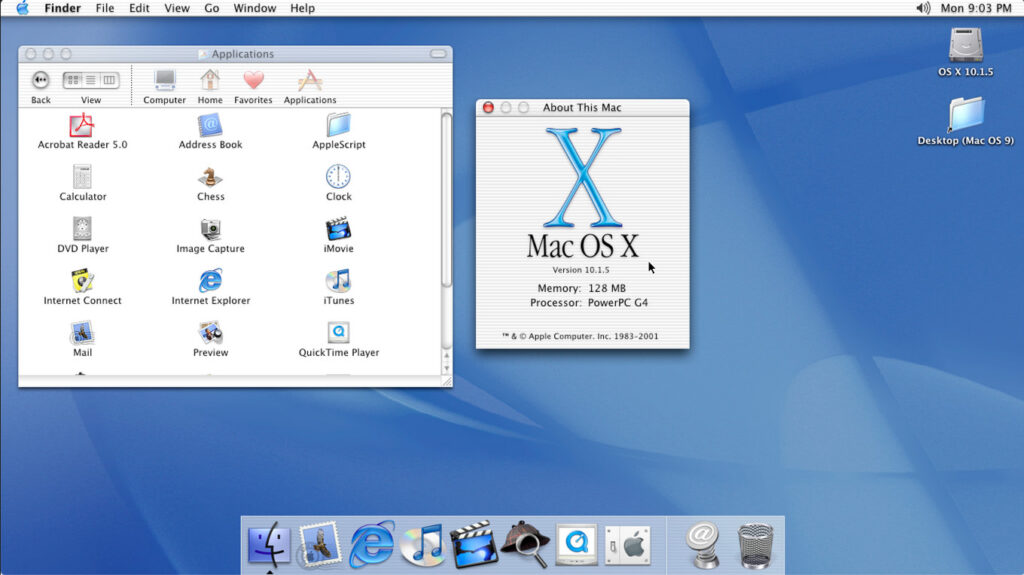
Later in 2001, OS X 10.1 Puma addressed performance issues and added support for more peripherals.
It was a notable improvement in system stability and speed over Cheetah.
How it went down: Early adopters saw real improvements here, but it was still a work-in-progress.
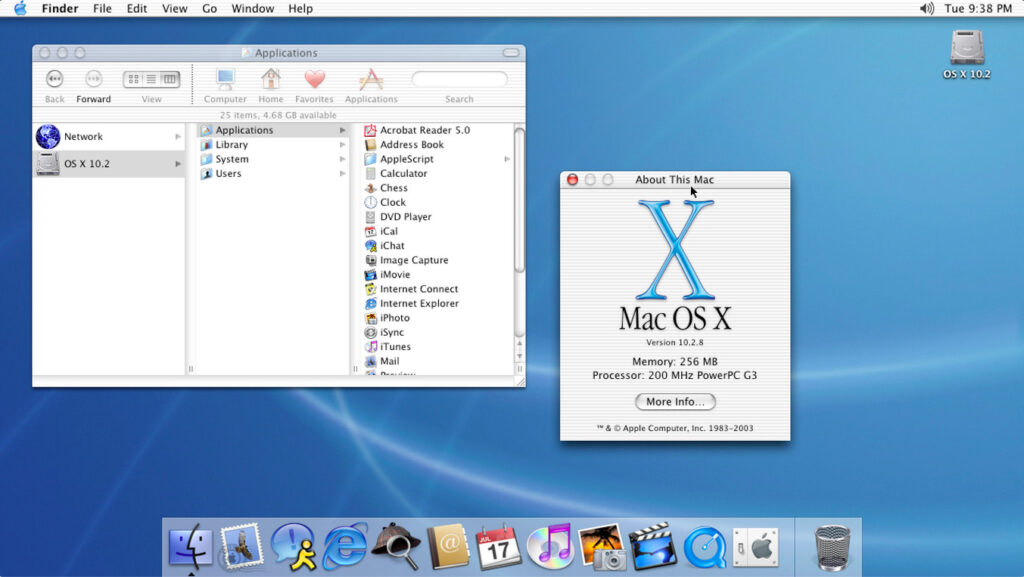
3. OS X 10.2 Jaguar (2002)
| 23 August 2002 |
Jaguar improved performance, introduced Quartz Extreme for better graphics performance, and was the first macOS to support Apple’s newly launched apps like iChat and Address Book.
Why it was useful: This is where macOS started to really come into its own as a system optimized for both casual users and professionals alike.
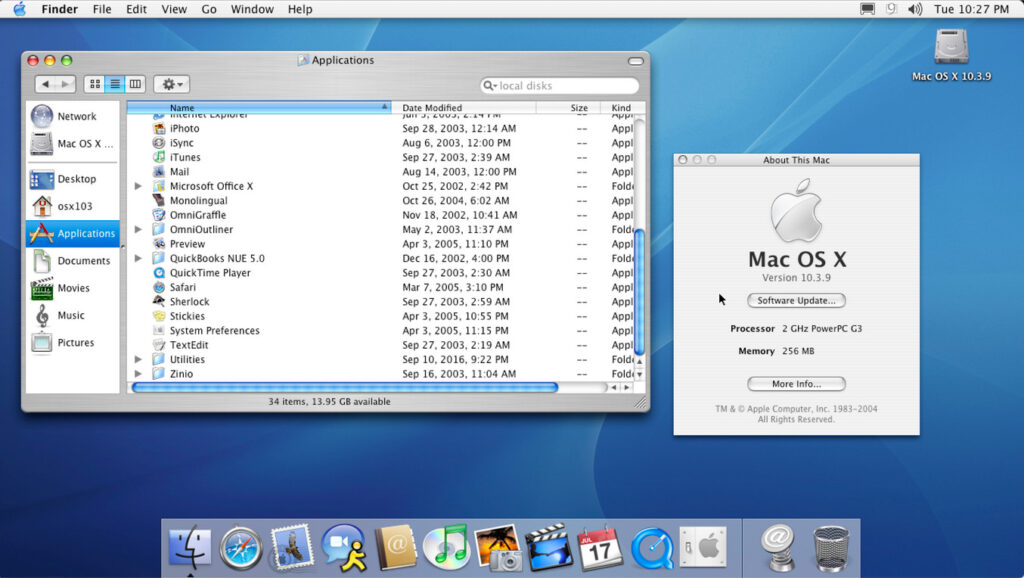
4. OS X 10.3 Panther (2003)
| 24 October 2003 |
Panther was faster, smoother, and featured Exposé, a new way to navigate windows quickly, still a key macOS feature today. Panther also introduced FileVault for encrypting user data.
Notable addition: FileVault was a critical feature for users who cared about security on their Macs.
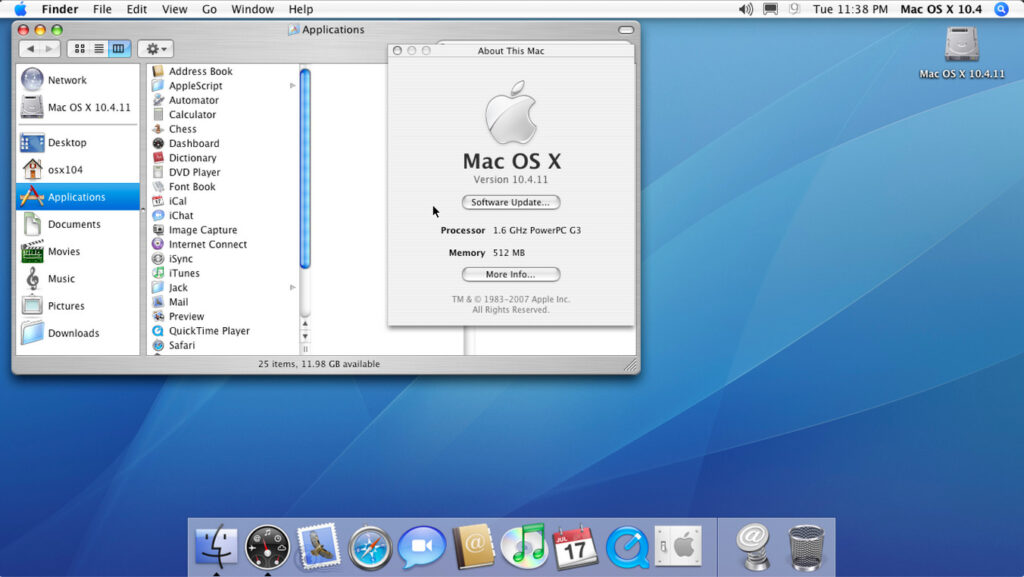
5. OS X 10.4 Tiger (2005)
| 29 April 2005 |
Tiger brought more than 200 new features, including Spotlight for fast file searches and Dashboard for widgets.
It was also the first macOS to introduce support for Intel processors, as Apple transitioned from PowerPC chips.
Highlight: Spotlight is still an essential tool in the latest macOS versions for quickly finding documents, files, and apps.
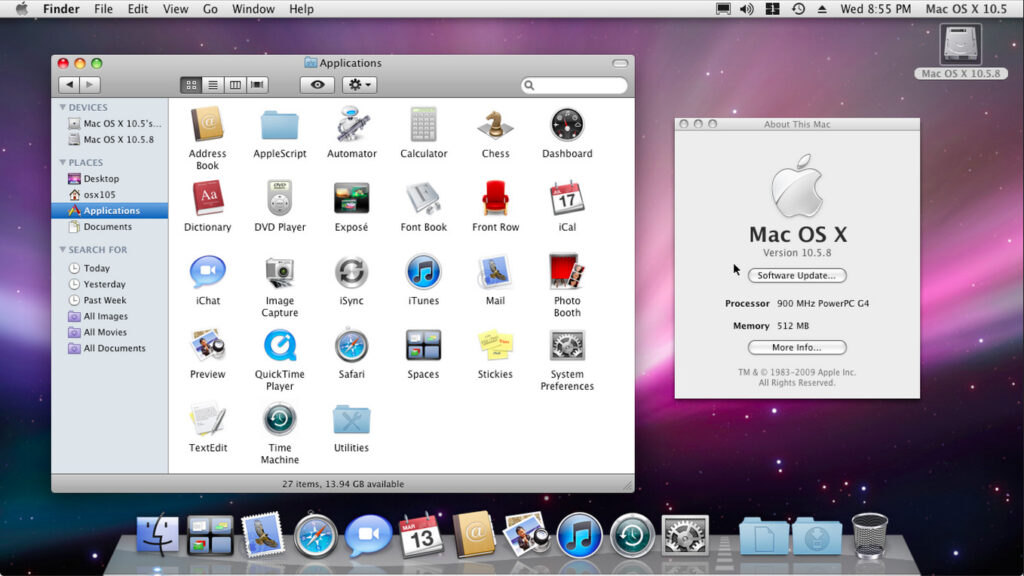
6. OS X 10.5 Leopard (2007)
| 26 October 2007 |
Leopard introduced Time Machine for backups, and Spaces for virtual desktops, two crucial features for organization and data protection.
Best feature: Time Machine remains one of the easiest ways to back up your Mac, and it’s still in use today.
7. OS X 10.6 Snow Leopard (2009)
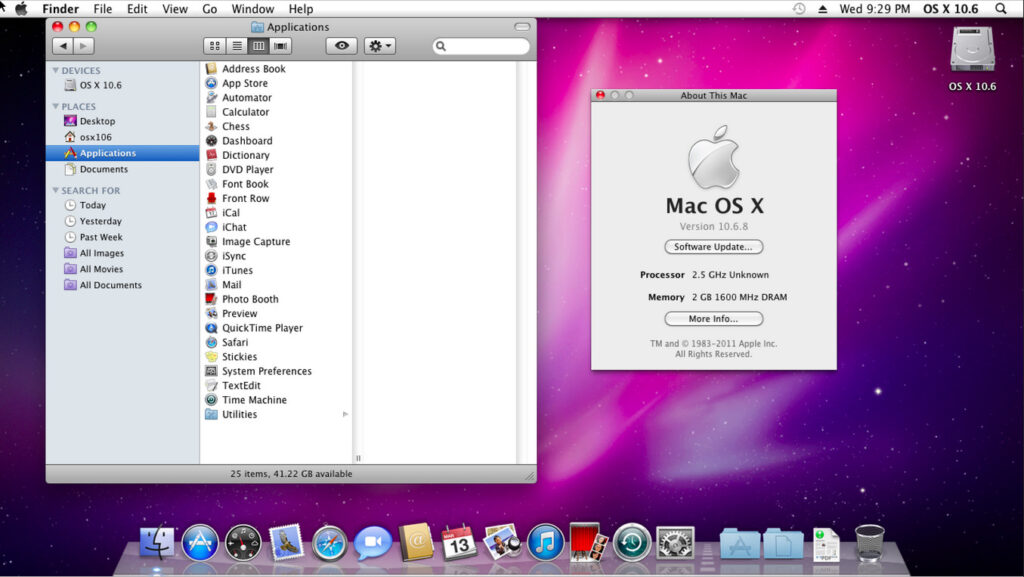
| 28 August 2009 |
Snow Leopard focused on performance enhancements and stability rather than adding new features.
It was a key version for Intel-based Macs and marked the beginning of 64-bit app support.
Why it mattered: Snow Leopard’s focus on refinement became a hallmark for future versions, setting the stage for smoother user experiences.
8. OS X 10.7 Lion (2011)
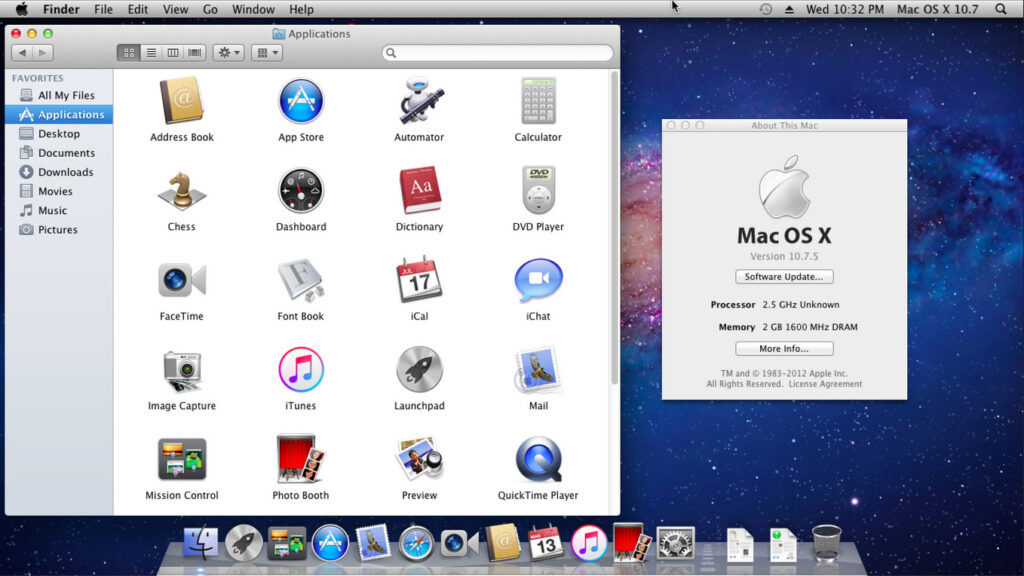
| 20 July 2011 |
Lion brought multi-touch gestures to Mac, along with the Mac App Store, Mission Control, and Launchpad for easier navigation.
Most notable for: The Mac App Store has evolved into a one-stop shop for apps, making it easier to discover and install essential tools.
9. OS X 10.8 Mountain Lion (2012)
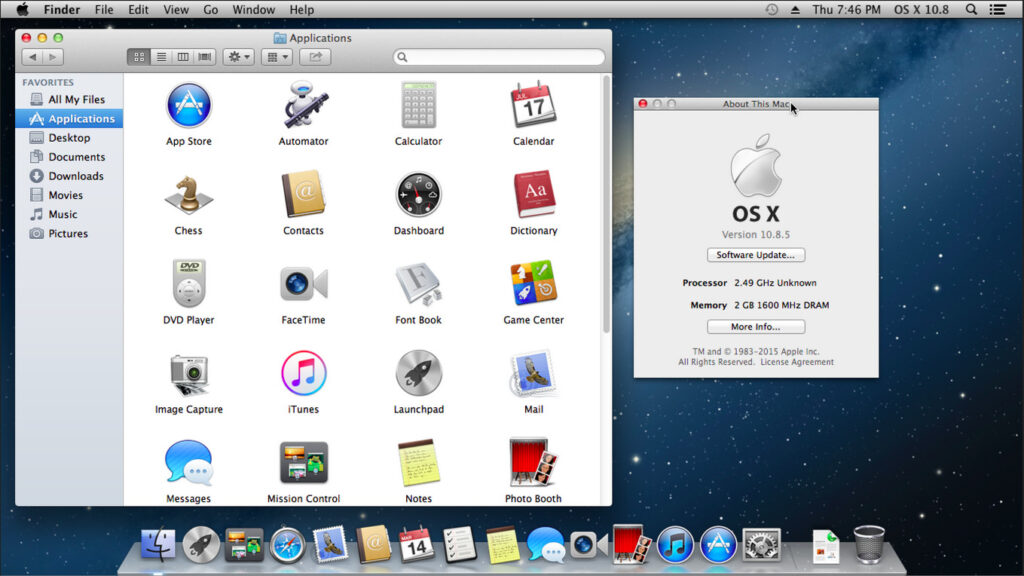
| 25 July 2012 |
Mountain Lion continued the theme of refinement and introduced Notification Center, Game Center, and integration with iCloud.
Highlight: iCloud is now used for instant data management and syncing between Apple devices.
10. OS X 10.9 Mavericks (2013)
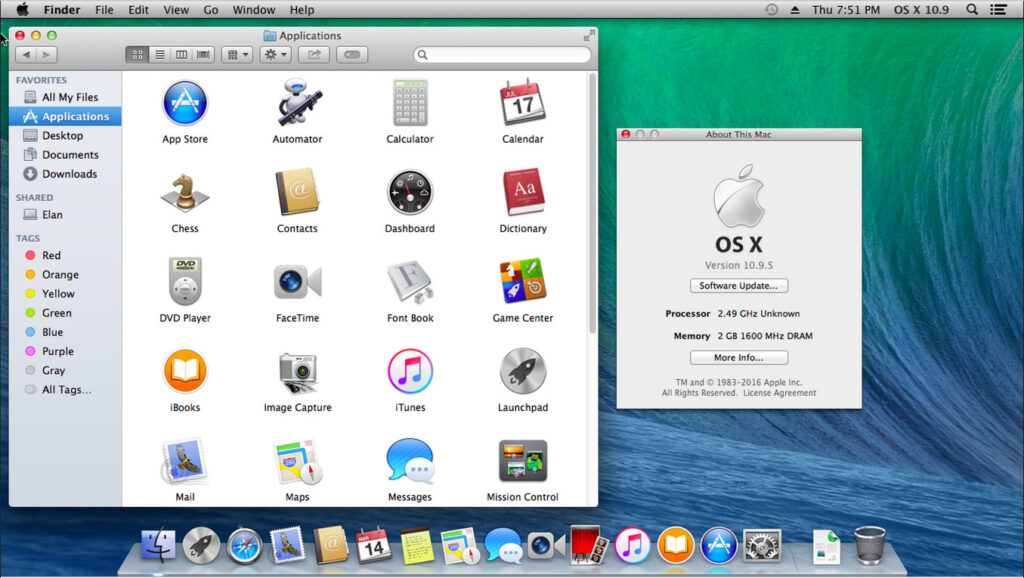
| 22 October 2013 |
Mavericks focused on power efficiency and introduced features like Finder Tabs, iBooks, and Maps.
Highlight: Even in 2025, using Finder Tabs can make organizing files and navigating multiple windows a lot more efficient.
11. OS X 10.10 Yosemite (2014)
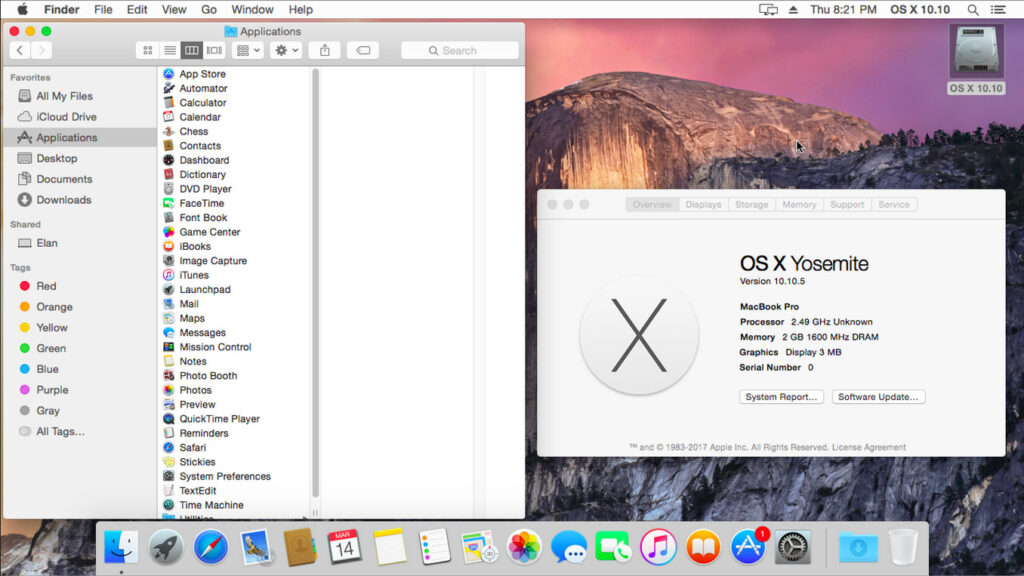
| 16 October 2014 |
Yosemite introduced a completely overhauled design with flatter visuals, Continuity, and Handoff, allowing faster communication between Mac and iPhone or iPad.
Why it’s still relevant: Handoff lets you start a task on your iPhone and finish it on your Mac – especially useful in work-from-home setups.
12. OS X 10.11 El Capitan (2015)
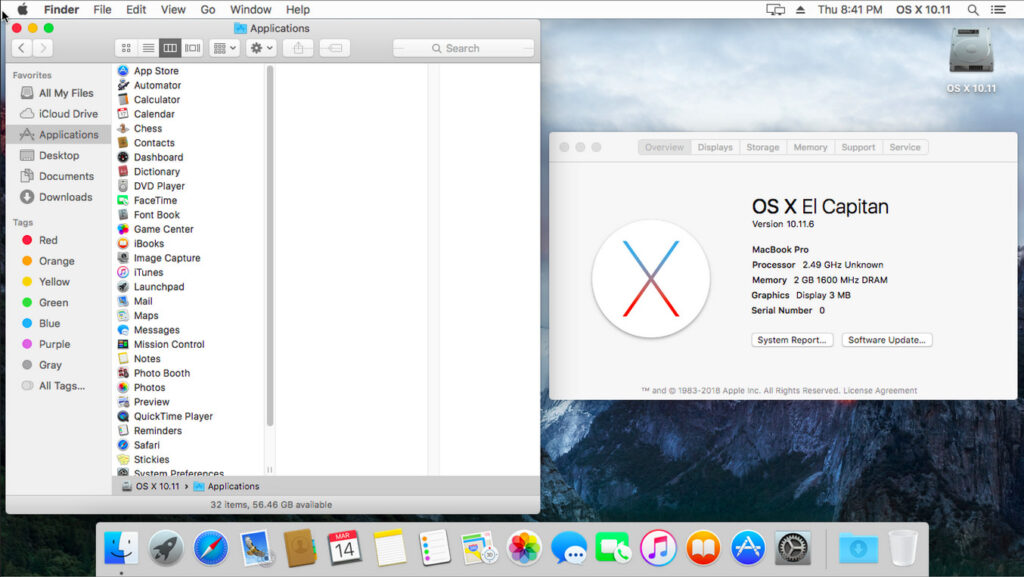
| 30 September 2015 |
El Capitan refined the design and performance introduced in Yosemite, focusing on efficiency and introducing Split View for managing two apps side-by-side.
Highlight: Split View is excellent for multitasking, particularly when using project management software.
13. macOS 10.12 Sierra (2016)
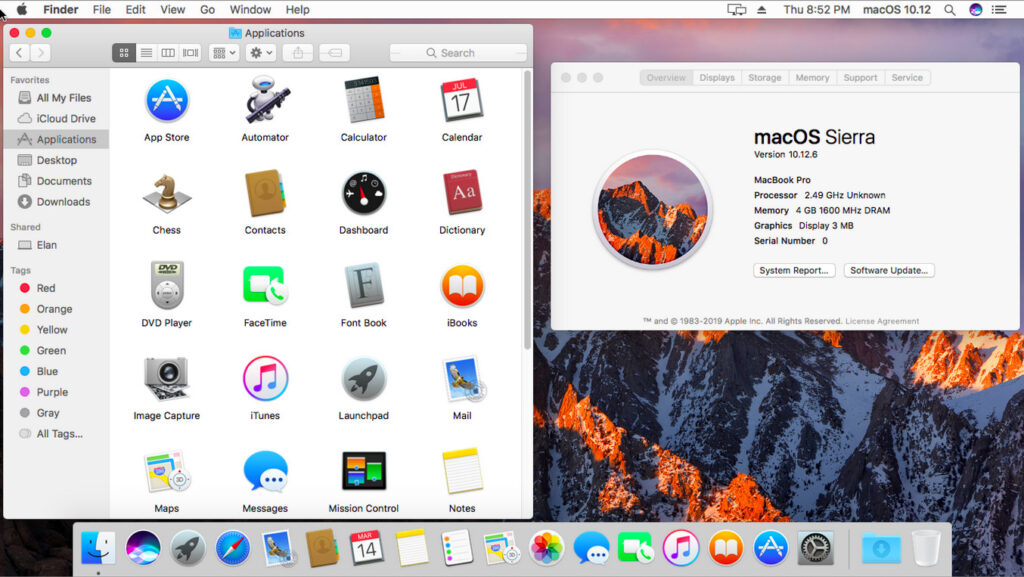
| 20 September 2016 |
Sierra was the first version officially rebranded to “macOS” and introduced Siri for Mac.
Why it mattered: Siri’s integration helps with voice commands for productivity, something that’s only gotten better in the latest versions with the introduction of Apple Intelligence.
14. macOS 10.13 High Sierra (2017)
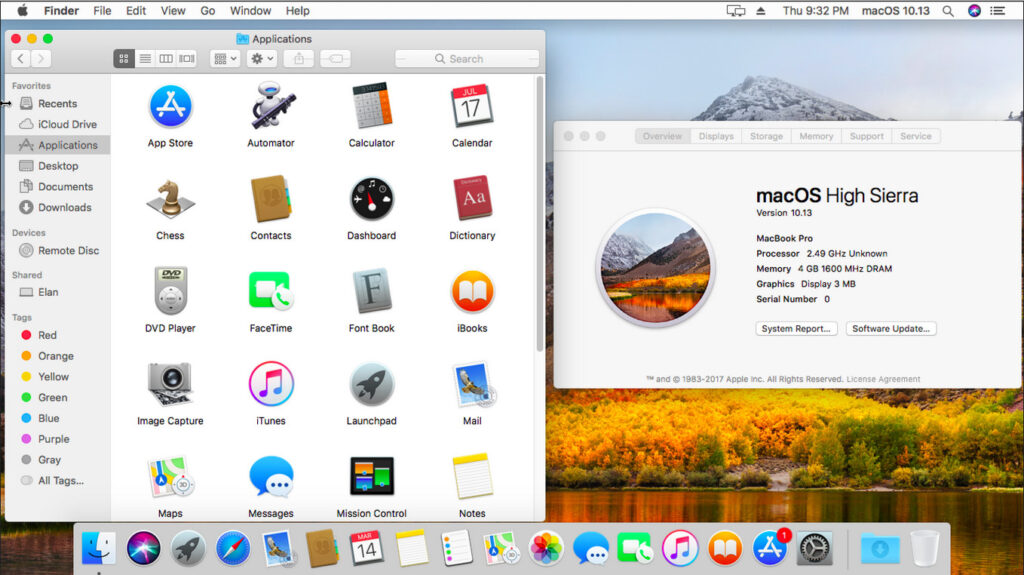
| 25 September 2017 |
High Sierra introduced the Apple File System (APFS), a more modern file system that improved performance and security.
Highlight: APFS is optimized for solid-state drives, giving your Mac faster boot times and app launches.
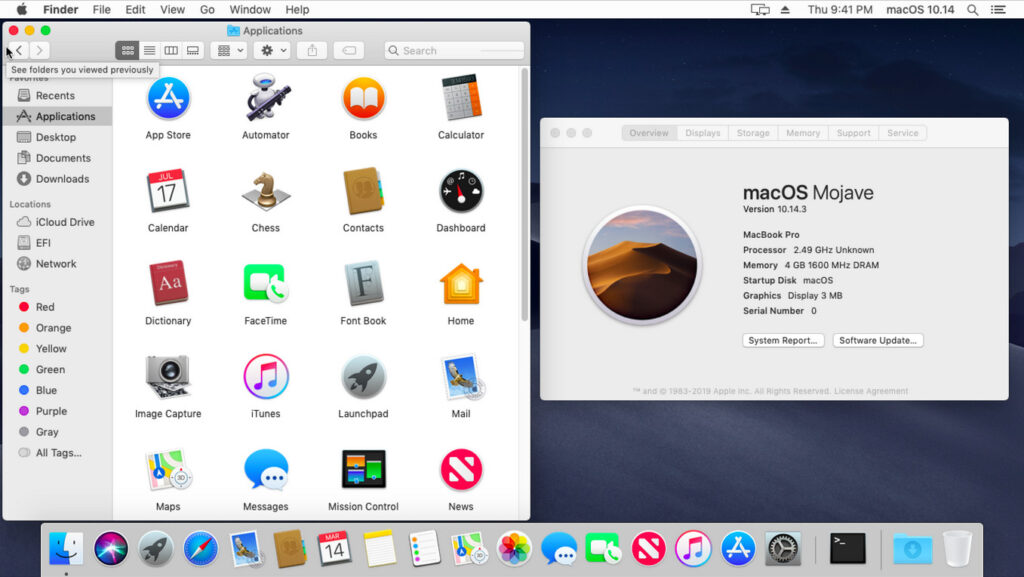
15. macOS 10.14 Mojave (2018)
| 24 September 2018 |
Mojave brought Dark Mode and Dynamic Desktop, allowing users to customize the appearance of their desktops based on the time of day.
Tip: Dark Mode can help reduce eye strain and enhance focus during late-night work sessions.
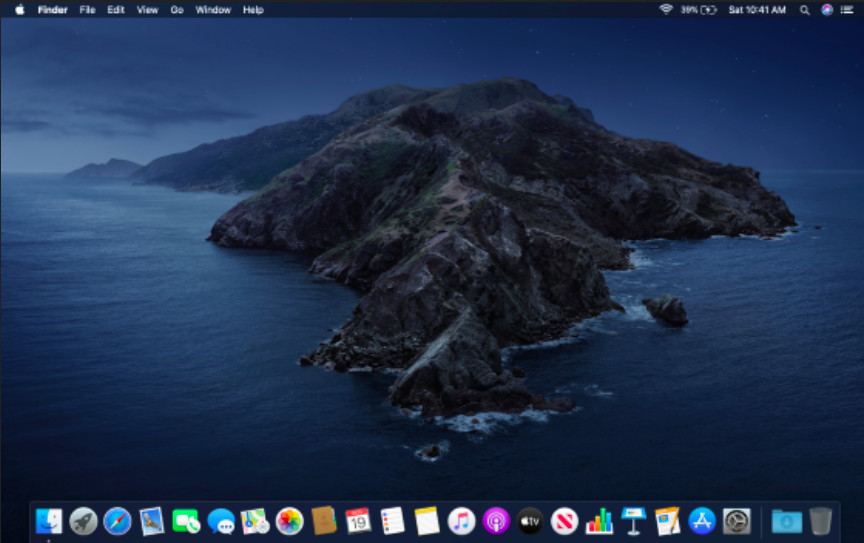
16. macOS 10.15 Catalina (2019)
| 7 October 2019 |
Catalina dropped support for 32-bit apps, introduced Sidecar for using an iPad as a second display, and added Screen Time.
Why it mattered: If you haven’t yet transitioned to 64-bit apps, Catalina forced that shift, something users must keep in mind for future macOS versions. There are still ways to run 32-bit apps on a Mac though.
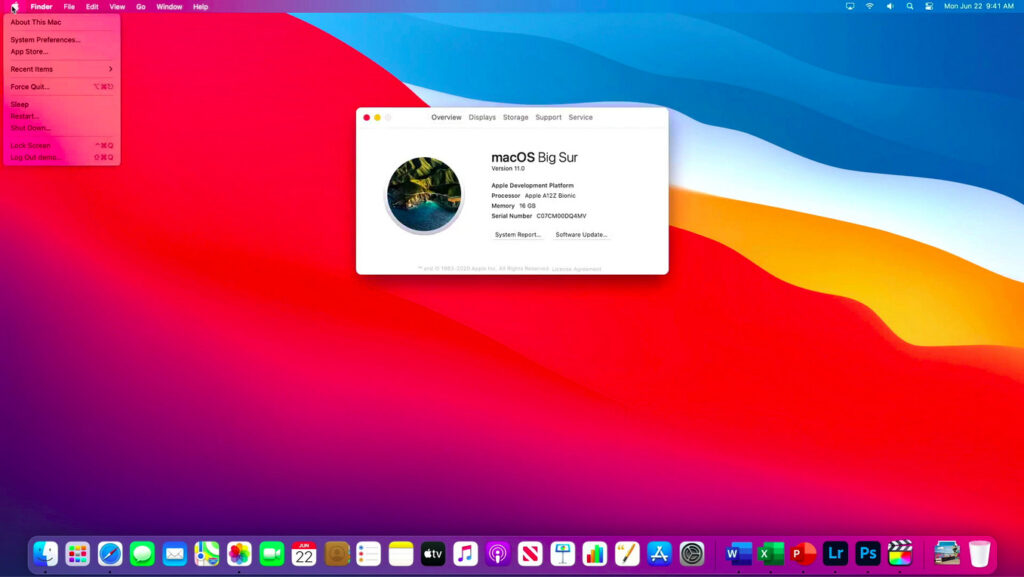
17. macOS 11 Big Sur (2020)
| 12 November 2020 |
Big Sur marked the transition to macOS 11 and supported Apple’s new M1 silicon chips.
It also featured a redesigned user interface, with more vibrant colors and updated widgets.
Why it mattered: The shift to Apple Silicon meant huge performance gains for those on the latest MacBook and Mac mini models.
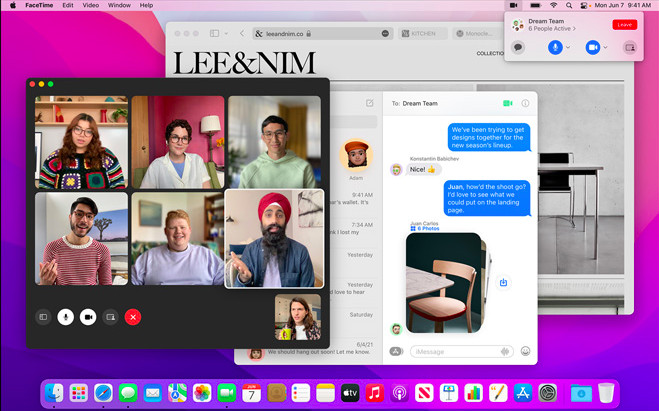
18. macOS 12 Monterey (2021)
| 25 October 2021 |
Monterey added Universal Control, allowing users to control multiple Apple devices with a single keyboard and mouse.
Other features included AirPlay to Mac and Focus modes.
Highlight: If you’re using multiple Apple devices, Universal Control is a game-changer for productivity.
19. macOS 13 Ventura (2022)
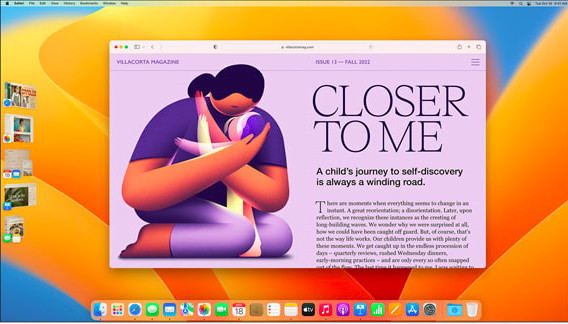
| 24 October 2022 |
Ventura introduced Stage Manager for window management and improvements in Spotlight search, Mail, and Safari.
Highlight: Stage Manager helps keep your desktop clutter-free by organizing windows into a single view, perfect for multitaskers.
20. macOS 14 Sonoma (2023)
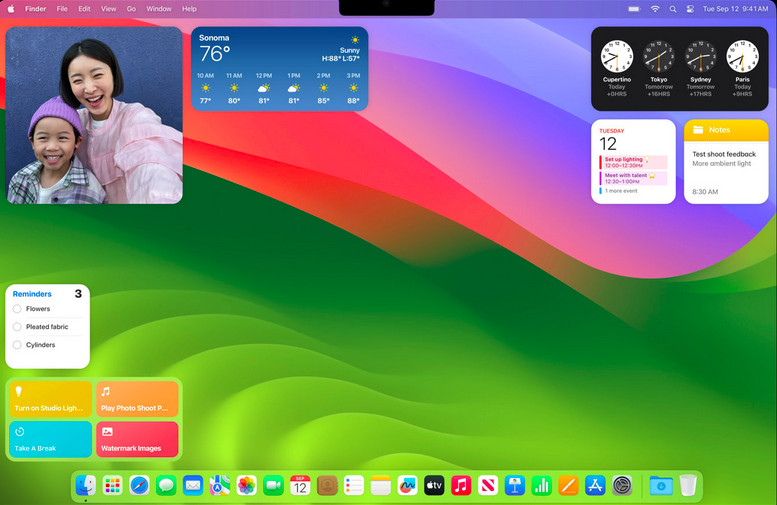
| 26 September 2023 |
Sonoma focused on gaming features, adding Game Mode and improving graphics performance on Apple Silicon Macs.
Reasons to upgrade: If you’re into gaming on your Mac, Sonoma optimizes your Mac for better performance, especially when paired with the latest M-series chips.
21. macOS 15 Sequoia (2024)
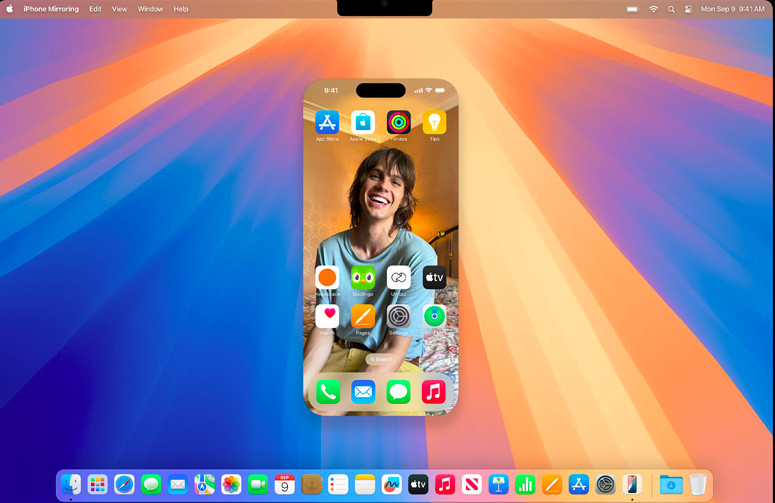
| 16 September 2024 |
The latest release of macOS, which came out in 2024, builds on the success of Apple Silicon, adding AI-powered features such as Apple Intelligence, to improve user productivity, real-time collaboration tools, and deeper integration with iOS.
Highlight: AI is now embedded in every corner of macOS, from enhancing security to improving work processes with voice commands.
22. macOS 26 Tahoe (2025)

| September 15th 2025 |
The most recent version of macOS, released on September 15th 2025, is macOS Tahoe which brings iOS and macOS closer together than ever before.
macOS Tahoe features one of the biggest overhauls to the look of macOS since Big Sur with a Liquid Glass Redesign, enhanced Spotlight with Apple Intelligence a full iPhone app and gaming enhancements.
Apple also changed the numbering system for macOS (calling it macOS 26) to bring it closer to iOS/iPadOS/watchOS and tvOS version numbers.
The bad news for Intel Mac users is that it leaves most of them behind meaning unless you’ve got an Apple Silicon M-series Mac, you can’t use macOS Tahoe.
Only a very small number of late-model Intel Macs are supported by Tahoe, including the 2019 Mac Pro, 2019 16-inch MacBook Pro, 2020 13-inch MacBook Pro (those with four Thunderbolt 3 ports), and 2020 27-inch iMac.
There will also be some hardware and feature that may become obsolete with Tahoe too.
Highlight: The new Apple Glass redesign with translucent and transparent touches.
23. macOS 27 Golden Gate (2026)
| September 14th 2026 |
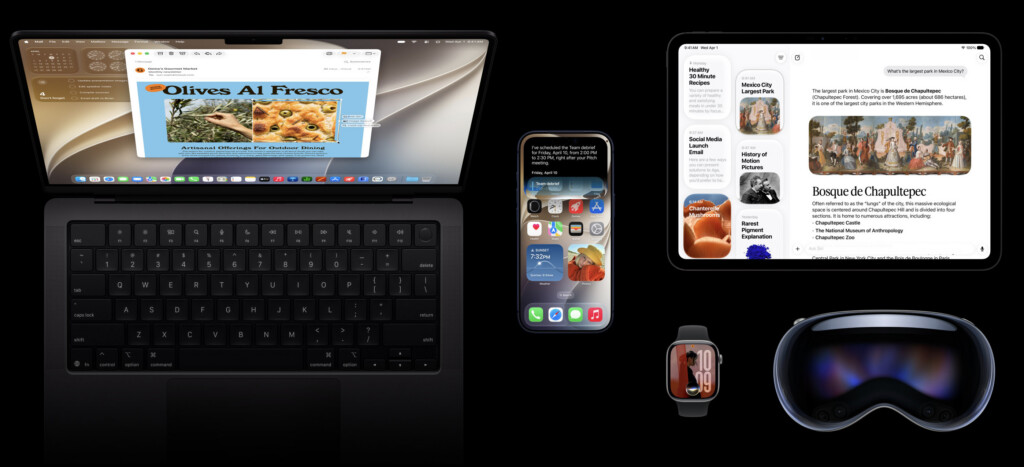
The latest version of macOS is macOS 27 Golden Gate, released on 14 September 2026.
Golden Gate is a major update for Apple-silicon Macs, with a redesigned Siri AI, Visual Intelligence, more capable Apple Intelligence tools and refinements to Apple’s Liquid Glass design.
The headline feature is Siri AI, Apple’s redesigned assistant. It is integrated into Spotlight, enabling you to search your Mac as usual or ask open-ended questions; it can use personal context from Mail, Messages, Photos and other supported apps to find information and complete tasks.
Siri AI also has its own Mac app, with saved conversations that sync across Apple devices. You can use Ask Siri from supported contexts to get help with selected text, images, files and onscreen content.
Golden Gate also adds Visual Intelligence on Mac, improved Writing Tools and photo-editing features, plus smarter Safari tools. These include Notify Me for tracking price drops, restocks and other webpage changes, automatic tab organisation and the ability to describe a Safari extension in natural language.
Apple has also refined the Liquid Glass interface introduced in Tahoe, with cleaner menus, more consistent windows and controls, updated icons, and clearer active-window treatment.
For Mac users with external displays, Golden Gate adds broader high-resolution and high-refresh-rate support, improved HDR handling and better restoration of display arrangements and window positions after reconnecting a monitor.
The biggest compatibility change is that macOS Golden Gate ends support for Intel Macs. Every Mac officially compatible with Golden Gate uses Apple silicon:
- MacBook Neo (2026)
- MacBook Air with Apple silicon (2020 or later)
- MacBook Pro with Apple silicon (2020 or later)
- iMac with Apple silicon (2021 or later)
- Mac mini with Apple silicon (2020 or later)
- Mac Studio (2022 or later)
- Mac Pro with Apple silicon (2023)
All Golden Gate-compatible Macs can use Apple Intelligence, although some of the most demanding on-device features require newer hardware and more unified memory. Feature availability also varies by language and region, and some server-based AI features may have usage limits.
Apple has not promised a fixed period of future security updates for Intel Macs. However, Tahoe and Sequoia continue to receive security updates, so Intel owners do not need to replace a working Mac simply because Golden Gate has launched.
Rosetta 2 remains available in Golden Gate for running many Intel-only Mac apps on Apple silicon. However, Apple has said that Golden Gate will be the final macOS release with broad Rosetta support; later versions will restrict it mainly to older games that rely on Intel frameworks.
For a look at what will and will not work with macOS 27 Golden Gate, see our full macOS Golden Gate compatibility guide.
Highlight: Siri AI in Spotlight, Safari’s new Notify Me tool, improved external-display support and the end of Intel Mac compatibility.
How To Download Older Versions of macOS
To download to an older version of macOS, you need to do the following:
- Mac App Store: If you’ve previously downloaded an older version, it might still be available in your App Store purchase history.
- Apple’s Support Website: Apple offers direct download links for older macOS versions like Mojave, High Sierra, and Catalina on its support page. You’ll need to create a bootable USB drive to install them on your Mac.
- Internet Recovery Mode: Restart your Mac and press Shift-Option-Command-R during startup. This re-installs the version of macOS that originally came with your Mac or the closest available version.
- Time Machine Backup: If you’ve created backups of your Mac, you can restore your system to a previous macOS version using Time Machine.
Things To Consider Before You Update macOS
Sometimes Apple doesn’t always please users with updates to macOS prompting some to downgrade back to an older version of macOS.
With some releases, entire models of Macs are unable to update such when macOS Sonoma dropped support for most Intel Macs (tip: there are workarounds to get around this).
And some releases are definitely more interesting than others – including the naming of them.
From the very beginning, Apple named versions of OS X after big cats but from 2013 onwards, it switched to famous places in California and in 2016, changed the official name to macOS.
However, like them or loathe them, there’s no getting away from the fact that Mac users who stay updated with the latest versions usually benefit from enhanced security, better app compatibility, and interesting new features that make everyday tasks easier and improve productivity.
FAQ
What is macOS?
macOS is Apple’s proprietary operating system for Mac computers. Initially known as Mac OS X and later OS X, the name changed to macOS in 2016 to align with Apple’s other operating systems like iOS and watchOS.
Why are the names of macOS so weird?
Apple initially named OS X after big cats but in 2013, switched to naming them after places in California (where Apple is based). Internally however, Apple uses types of wine and apples to refer to versions of macOS while they are in development.
How often are macOS updates released?
Major macOS updates are typically released annually, introducing new features, performance improvements, and security enhancements. They are often announced at Apple’s WWDC in June and then released in September.
How can I check which version of macOS I’m using?
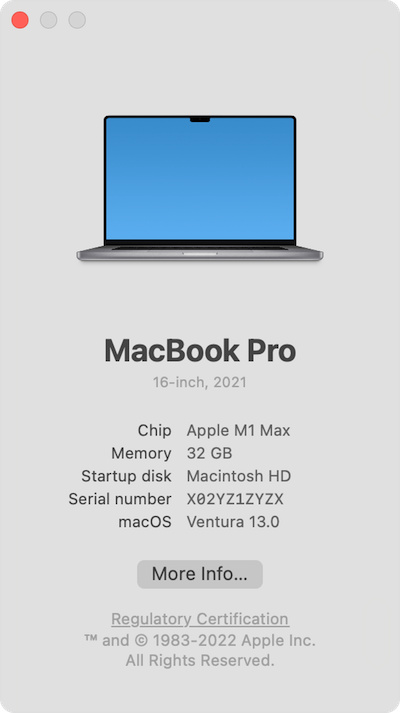
Go to the Apple menu > About This Mac. The version number is listed under the macOS name.
Are older macOS versions still supported?
Apple typically supports the three most recent macOS versions with security updates.
Can I upgrade directly to the latest macOS?
If your Mac is compatible, you can upgrade directly via System Settings > Software Update. You don’t have to upgrade to versions of macOS in the order they were released.
How many versions of macOS have there been?
There have been 22 major versions of Mac OS X/macOS from Cheetah (2001) to Tahoe (2025), plus the public beta Kodiak.
Which versions of macOS were the most important?
Here are some of the most notable and important macOS versions and why they stand out:
- Mac OS X Cheetah (10.0): Marked the official debut of the macOS lineage, introducing the Aqua interface and modern Unix-based underpinnings.
- Mac OS X Tiger (10.4): Introduced support for Intel chips and groundbreaking features like Spotlight search, Dashboard widgets, and better 64-bit support.
- Mac OS X Snow Leopard (10.6): Focused on performance and optimization, becoming one of the most stable and popular releases.
- Mac OS X Lion (10.7): Brought major user experience changes with Launchpad, Mission Control, and Auto Save, starting the transition toward a more iOS-like experience.
- OS X Mavericks (10.9): Was the first free macOS update, focusing on energy efficiency and productivity with apps like Maps and iBooks.
- macOS Sierra (10.12): Introduced Siri to the Mac, alongside features like optimized storage and Apple Pay integration.
- macOS Big Sur (11): Marked the transition to Apple Silicon with a redesigned UI and modernized architecture.
- macOS Sonoma (14): Enhanced interactivity with widgets and improved gaming performance, reflecting Apple’s increasing focus on user engagement and productivity.
- macOS Sequoia (15): Introduced Artificial Intelligence (AI) in the form of Apple Intelligence to macOS for the first time along with iPhone mirroring.
- macOS Tahoe (26): Dropped support for most Intel Macs meaning its the first Apple Silicon only version of macOS to be released. Apple also changed the numbering system for macOS with Tahoe to bring it in-line with iOS and iPadOS.
- macOS Golden Gate (27): Officially dropped support for Intel Macs making it the first version of macOS to be Apple Silicon only.
Can a Mac be too old to update?
Yes, Apple sets hardware compatibility limits for each macOS release. Older Macs may not meet the requirements for newer versions due to hardware limitations. For example, a Mac that cannot run the required processor, memory, or graphics standards won’t be able to install the latest macOS. macOS Tahoe was mainly compatible with Apple Silicon Macs and dropped support for most Intel Macs. The release of macOS 27 Golden Gate will completely drop support for Intel Macs as it is Apple Silicon only.
What’s the most common version of macOS currently used worldwide?
At the time of writing in September 2026, macOS 26.6 is the most widely used individual macOS release in TelemetryDeck’s dataset, accounting for 54.34% of recorded devices at the end of August 2026. macOS 26.5 accounted for 25.24%, while macOS 27 Golden Gate had reached 1.26% before its public release. These figures are based on TelemetryDeck’s anonymised app-telemetry dataset and should not be treated as a definitive worldwide market share.