

Contents
- TL;DR: Can You Download Netflix on a Mac in 2026?
- Is There A Netflix App For Mac?
- Can You Run Windows on a Mac To Download Netflix?
- Why Netflix Removed Desktop Downloads
- Can You Use AirPlay to Stream Downloaded Content To a Mac?
- Unsupported or High-Risk Methods (Not Recommended)
- PlayCover on Apple Silicon Macs
- Recording Netflix With Screen Recording Software
- Watching Netflix Downloads on an iPhone or iPad Using a Mac as a Screen
- Summary
- FAQ: Netflix Offline Viewing on a Mac
TL;DR: Can You Download Netflix on a Mac in 2026?
No. Netflix no longer allows downloads on either Macs or Windows computers.
Offline viewing is now limited to iPhones, iPads, Android devices, and Amazon Fire tablets. Macs can only stream Netflix when online or display playback from a mobile device.
Disclaimer: This article does not promote or recommend tools that violate Netflix’s terms of service.
Unfortunately there’s no Netflix app for Macs (yes, even in 2026) and therefore no official way to download and watch Netflix offline on macOS.
There are however still many guides claiming that you can watch Netflix shows offline on a Mac by running Windows on a Mac and other dubious methods.
However, none of these methods work anymore for watching Netflix offline on a Mac and here we explain why to save you valuable time and money exploring methods that simply no longer work.
Is There A Netflix App For Mac?
There is no official Netflix app for Macs. There are Netflix apps for Windows and mobile devices but Netflix downloads for offline viewing remain limited to:
- iOS and iPadOS devices
- Android devices
- Amazon Fire tablets
There is no way to download Netflix shows or movies directly on a Mac using Safari, Chrome, Firefox, or any other workaround.
Can You Run Windows on a Mac To Download Netflix?
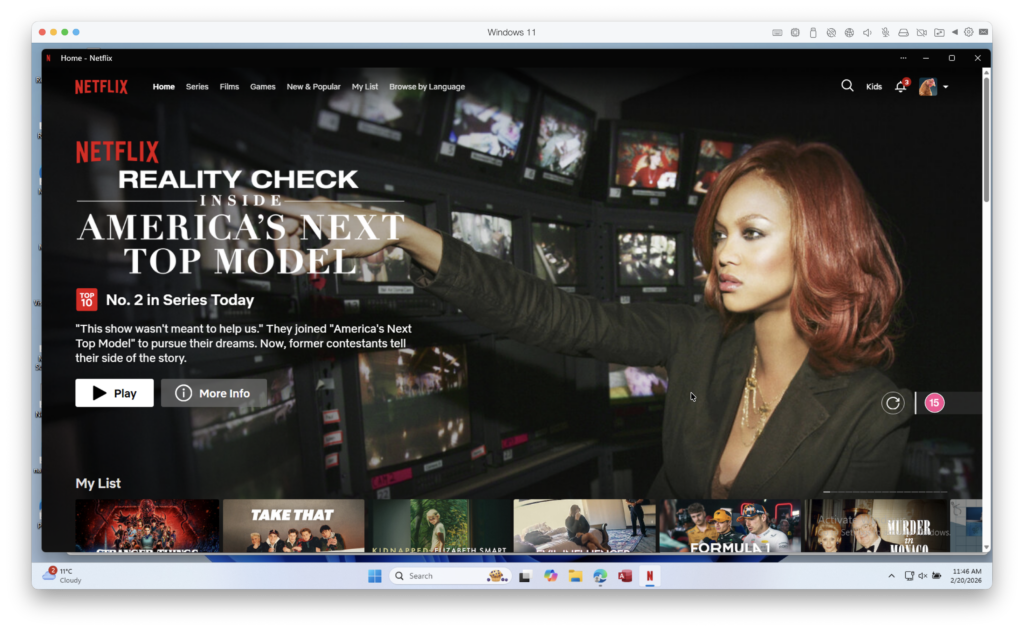
It’s important to debunk the myth (claimed by many sites and AI overviews) that you can use a virtual machine or Boot Camp to run Windows and then download Netflix shows on a Mac.
While you can run Windows on a Mac using a virtual machine or Boot Camp (the latter on Intel Macs only) and install the Windows Netflix app on it, you can’t download shows and movies on it.
Although it used to be possible to download Netflix shows and movies in the Windows app, this is no longer possible. Netflix makes it explicitly clear that this downloading Netflix content is only possible on mobile devices.
Why Netflix Removed Desktop Downloads
Netflix has increasingly restricted offline viewing to mobile platforms to simplify DRM enforcement, reduce piracy risk, and standardize playback environments. Desktop operating systems like macOS and Windows are treated as general-purpose computers, which makes enforcing content protection significantly harder.
Can You Use AirPlay to Stream Downloaded Content To a Mac?
You cannot use AirPlay to stream offline Netflix content from an iPhone or iPad to a Mac.
Netflix killed this feature in April 2019 saying “there isn’t a way for us to distinguish between devices” and as a result the company could not ensure that its “standard of quality for viewing is being met”.
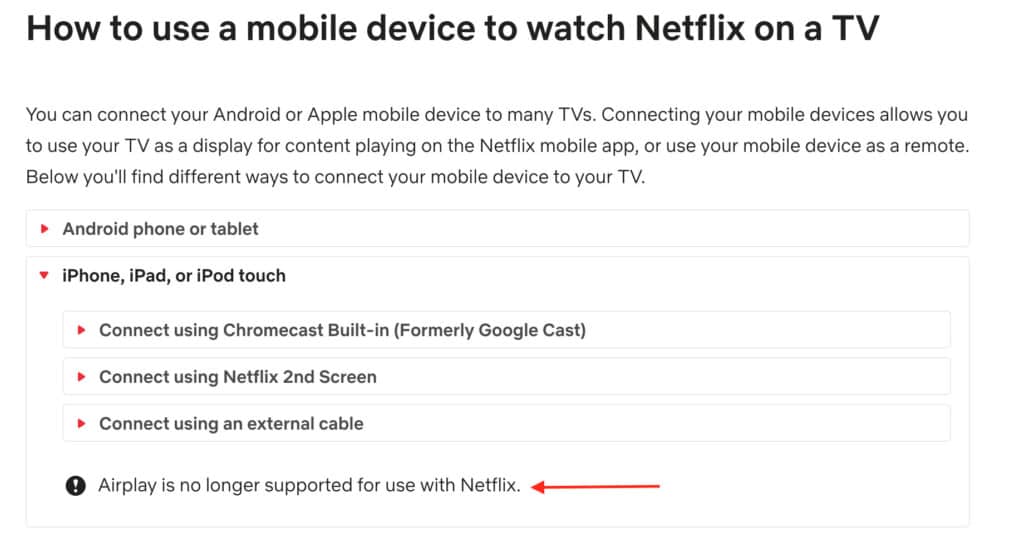
Netflix has now made it clear on its website that “Airplay is no longer supported for use with Netflix”.
Unsupported or High-Risk Methods (Not Recommended)
You may still see various guides online claiming there are ways to download Netflix shows on a Mac using unofficial tools. While some of these methods may appear to work temporarily, they are not supported by Netflix, are unreliable, and may violate Netflix’s terms of service.
For clarity and accuracy, here’s how these methods stand in 2026.
PlayCover on Apple Silicon Macs
Some users attempt to use PlayCover, an open-source tool that allows certain iOS apps to run on Apple Silicon Macs by sideloading IPA files.
While Netflix may occasionally launch in PlayCover if a compatible decrypted IPA file is used, this method has serious limitations:
- Requires decrypted (third-party) IPA files
- Violates Netflix’s terms of service
- Frequently breaks when Netflix updates its app
- May result in account restrictions or suspension
- Not reliable or future-proof
Although PlayCover can be useful for testing or development purposes, it is not a legitimate or recommended way to download or watch Netflix offline on a Mac.
Recording Netflix With Screen Recording Software
Another commonly suggested workaround is to record Netflix playback using screen recording tools such as QuickTime Player or third-party capture software.
In practice, this method is no longer viable:
- Netflix uses DRM protection that typically results in a black screen or muted audio
- Recording must occur in real time
- Video quality is poor and files are extremely large
- Screen recording Netflix content violates Netflix’s terms of service
Even when recording appears to work, it provides a poor viewing experience and is not a safe or reliable solution.
Watching Netflix Downloads on an iPhone or iPad Using a Mac as a Screen
If you already own an iPhone or iPad, you can still watch Netflix downloads on that device while using your Mac as a display.
This works by connecting the iPhone or iPad to your Mac with a cable and using QuickTime Player to mirror the device’s screen.
Important clarifications:
- Netflix content is not downloaded to the Mac
- Playback still occurs on the iPhone or iPad
- Downloads remain locked to the mobile device
- This does not enable offline viewing on macOS itself
This method can be useful if you prefer a larger screen, but it does not change Netflix’s mobile-only download policy.
Summary
Netflix does not allow offline downloads on Macs – or even on Windows computers – anymore.
As of 2026:
- Netflix downloads are supported only on mobile devices
- macOS does not support Netflix offline downloads
- Windows computers no longer support Netflix downloads
- Any method claiming to download Netflix directly on a Mac is outdated or unsupported
If you want to watch Netflix offline:
- You must use a mobile device
- Macs are now streaming-only devices for Netflix
- There are no legal or reliable workarounds
If a guide claims you can download Netflix on a Mac in 2026, it is outdated.
Your best option is to download content on an iPhone, iPad, or Android device and watch it there while offline, then stream on your Mac when you have an internet connection.
FAQ: Netflix Offline Viewing on a Mac
Can Netflix downloads return to Macs in the future?
It’s possible, but unlikely. Netflix has steadily reduced offline download support on desktop platforms and now restricts downloads entirely to mobile devices. As of 2026, there has been no indication from Netflix that offline downloads will return to macOS or Windows.
Do third-party Netflix downloaders work on a Mac?
Some tools may appear to work temporarily, but they are unreliable and violate Netflix’s terms of service. These tools frequently stop working due to DRM updates and can pose security risks. They are not a safe or legitimate solution.
Why does Netflix allow downloads on mobile devices but not Macs?
Netflix treats mobile devices as controlled playback environments that are easier to secure with DRM. macOS and Windows are general-purpose operating systems, which makes enforcing content protection significantly more difficult.
Can I transfer Netflix downloads from my iPhone or iPad to a Mac?
No. Netflix downloads are encrypted and locked to the device they were downloaded on. They cannot be transferred, copied, or played directly on a Mac.
Can I watch Netflix offline on a Mac using AirPlay or screen mirroring?
No. Netflix does not support AirPlay or screen mirroring to Macs, and even if it did, AirPlay requires an active network connection and would not enable true offline viewing.