

The BenQ TK705i is marketed primarily as a home entertainment projector, but after testing it with an M3 MacBook Pro, it’s clear that it also fills a surprisingly useful niche for Mac users who want something bigger, more flexible and more immersive than a traditional 4K or 5K monitor setup.
While most reviews focus on console gaming or movie performance, what makes the TK705i interesting for Mac owners is how it transforms a MacBook into a giant collaborative workspace, portable cinema or casual gaming setup without requiring a dedicated home theater room.
After using it with an M3 MacBook Pro, I’m certainly converted. Here’s why I’ll find it hard to going back to conventional external displays.
Why Mac Users Would Want A Projector Like The TK705i
MacBooks already have excellent displays. The Retina Displays in modern MacBooks are some of the best laptop displays available, and Apple’s external Studio Display and Pro Display XDR are still benchmarks for color accuracy and sharpness.
Mac users are also spoiled for choice when it comes to high resolution 4K and 5K displays including BenQs own PD2730S and the superb 5K MA270S.
So why would anyone connect a Mac to a projector?
The answer is scale.
The TK705i can project up to a 150-inch image, creating an experience that simply isn’t possible with a monitor.
Whether you’re editing photos, watching Apple TV+, gaming with friends, giving presentations or even using your Mac outdoors to broadcast sports, the sheer size offers a more immersive experience than a monitor.
For many Mac users, the projector becomes less of a “replacement monitor” and more of a second environment for entertainment, collaboration and creative work.
What’s In The Box?
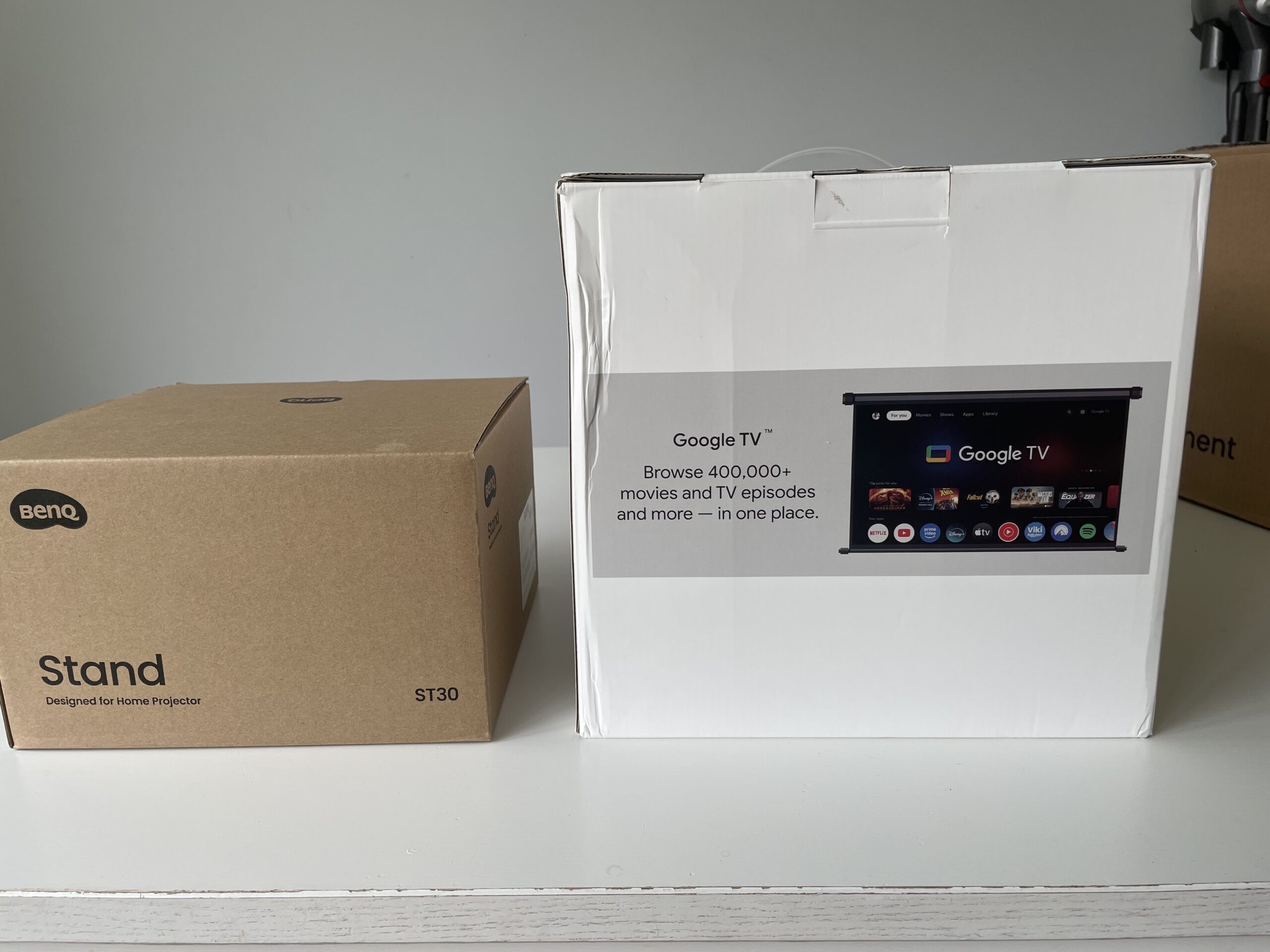
The BenQ TK705i does not come included with a stand but I do recommend it for an extra £99 ($99). It allows you to angle the projector far more easily which is very important when trying to find the perfect fit on a wall or projector screen.
I found that the BenQ TK705i does an amazing job of auto adjusting to whatever surface you point it at but without that ability to angle it up and down, your placement options will be limited. However you can use it without the stand if you want to.
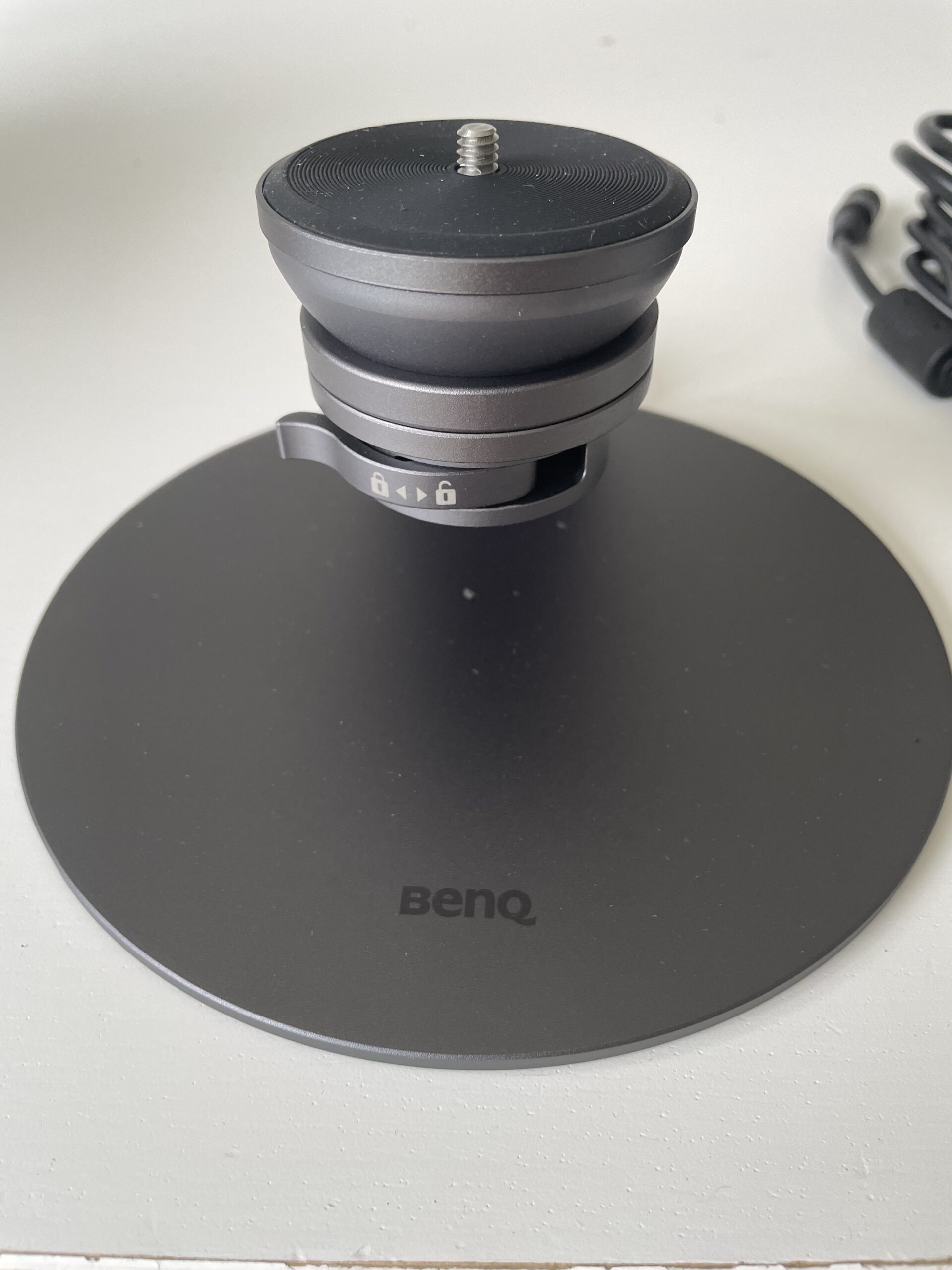
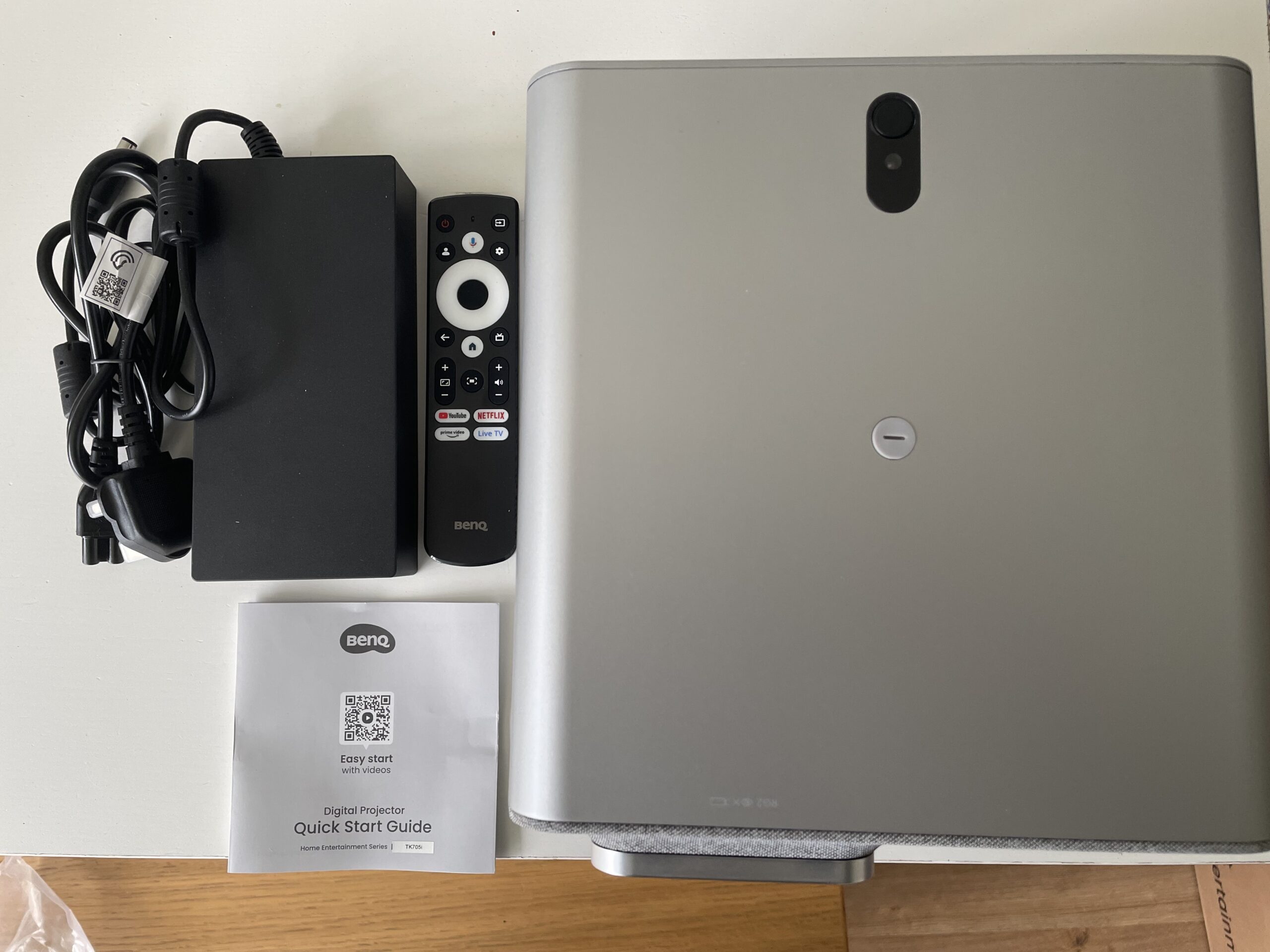
In the main projector box you get the projector, a pretty heavy power supply brick, the remote, and a quick start guide.
Setup With A MacBook Pro
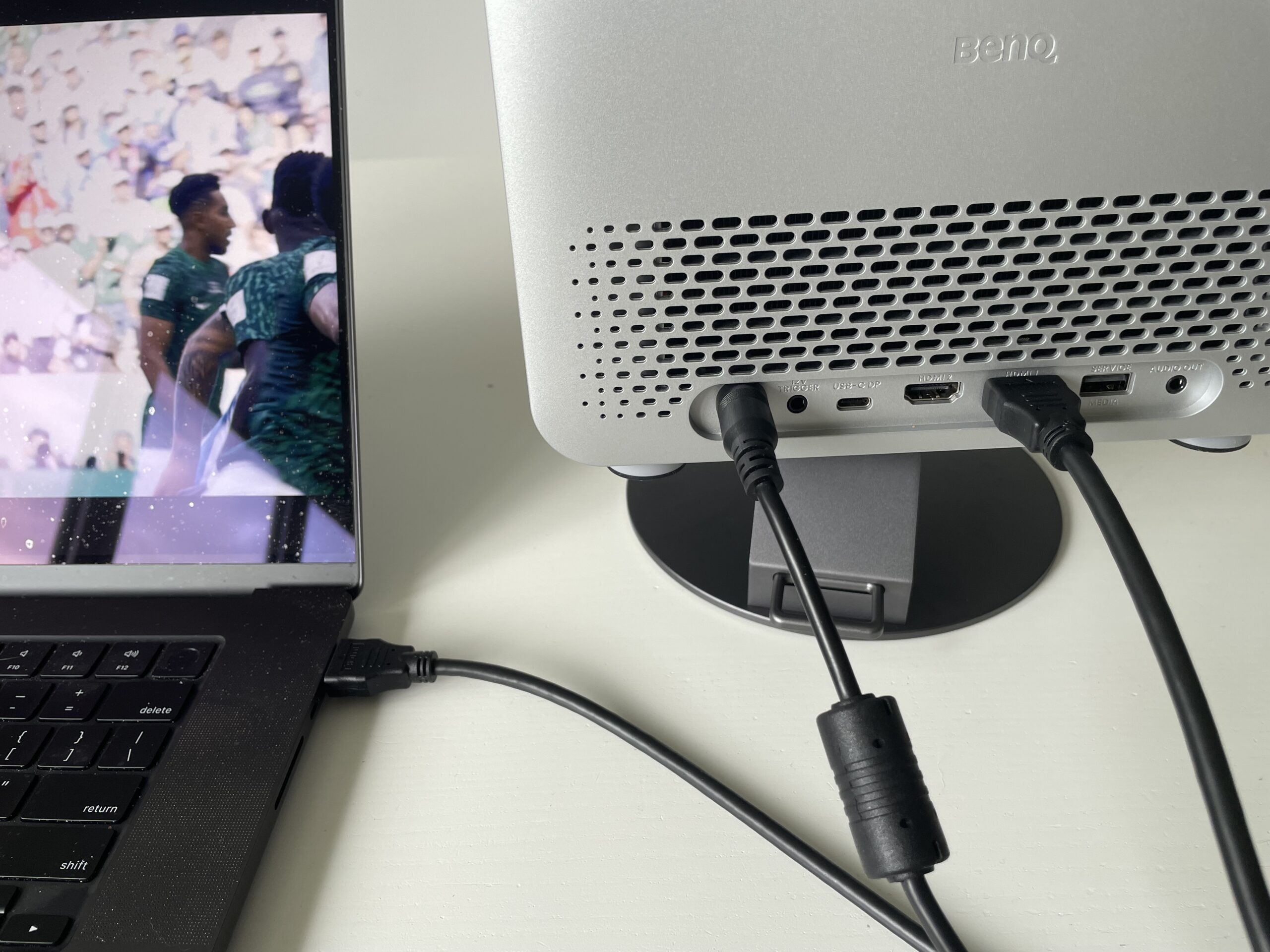
Connecting the TK705i to a MacBook Pro is straightforward via HDMI.
In testing with an M3 MacBook Pro, HDMI worked immediately with no configuration required. macOS detected the projector automatically and mirrored the display without any issues.
USB-C connectivity was less consistent.
The projector technically supports USB-C DisplayPort Alt Mode and 30W charging (and it did charge the MacBook), but compatibility depends heavily on the cable being used. A standard USB-C charging cable often won’t carry video at all, which can make it appear as though the projector is unsupported.
The USB-C port can be used to connect gaming devices however such as a Nintendo switch allowing you to play the game and charge it at the same time.
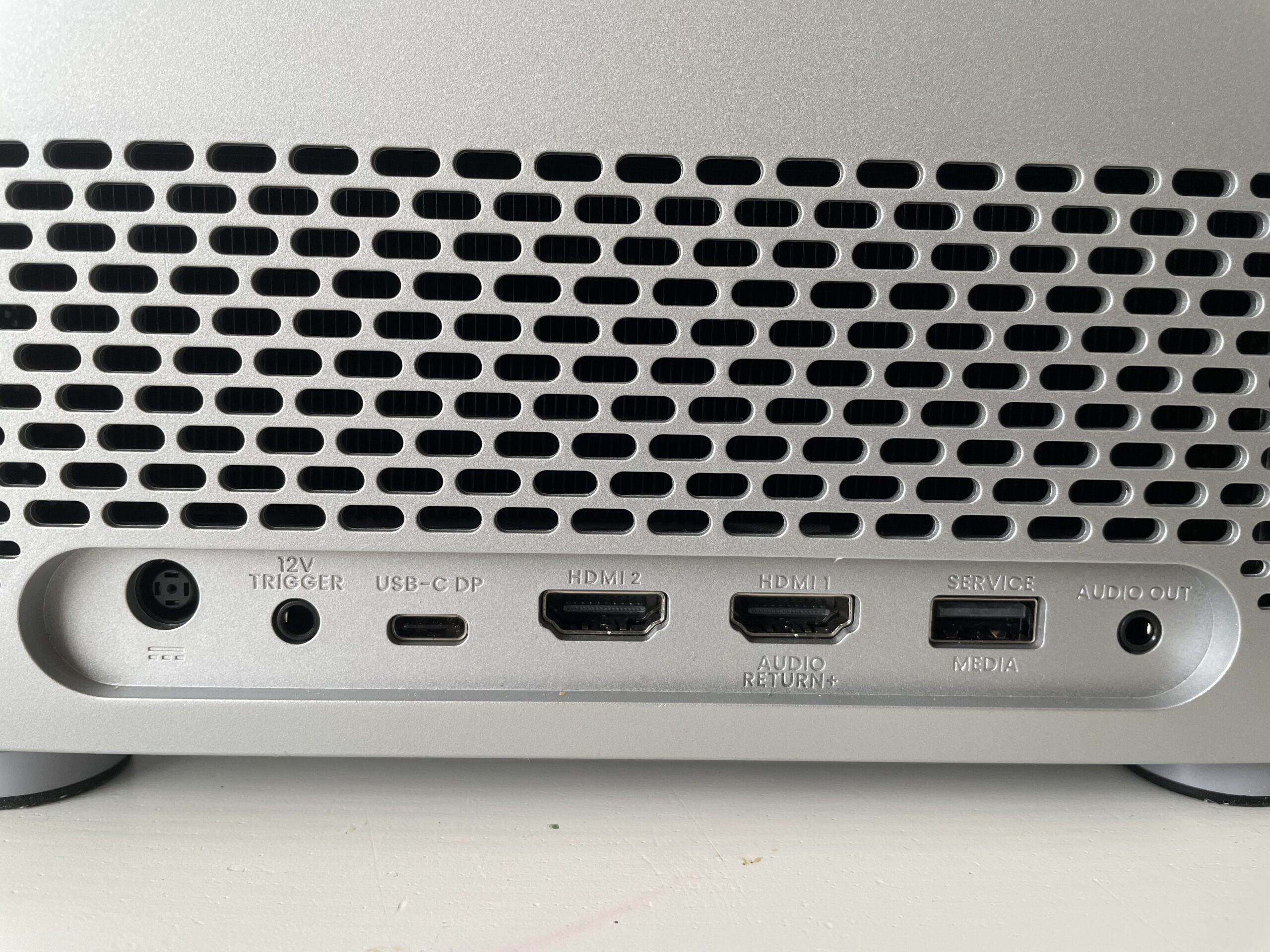
In practice, HDMI remains the most reliable option for Mac users and is what I used.
That’s not necessarily a drawback though. Apple reintroduced HDMI 2.1 on modern MacBook Pro models specifically because it remains a stable, high quality connection for TVs and projectors.
You’ll also find a 12V Trigger port which allows you to connect peripherals such as motorized projection screens which will then go up and down when the projector is turned on and off.
The Service/Media USB port is mainly for firmware updates by BenQ technicians if there are any issues with it. However, it may also accept streaming devices with USB connections although I didn’t try this.
Finally, there’s an audio out port to connect speakers and sound bars. I strongly recommend using this as built-in speakers on the BenQ TK705i are poor.
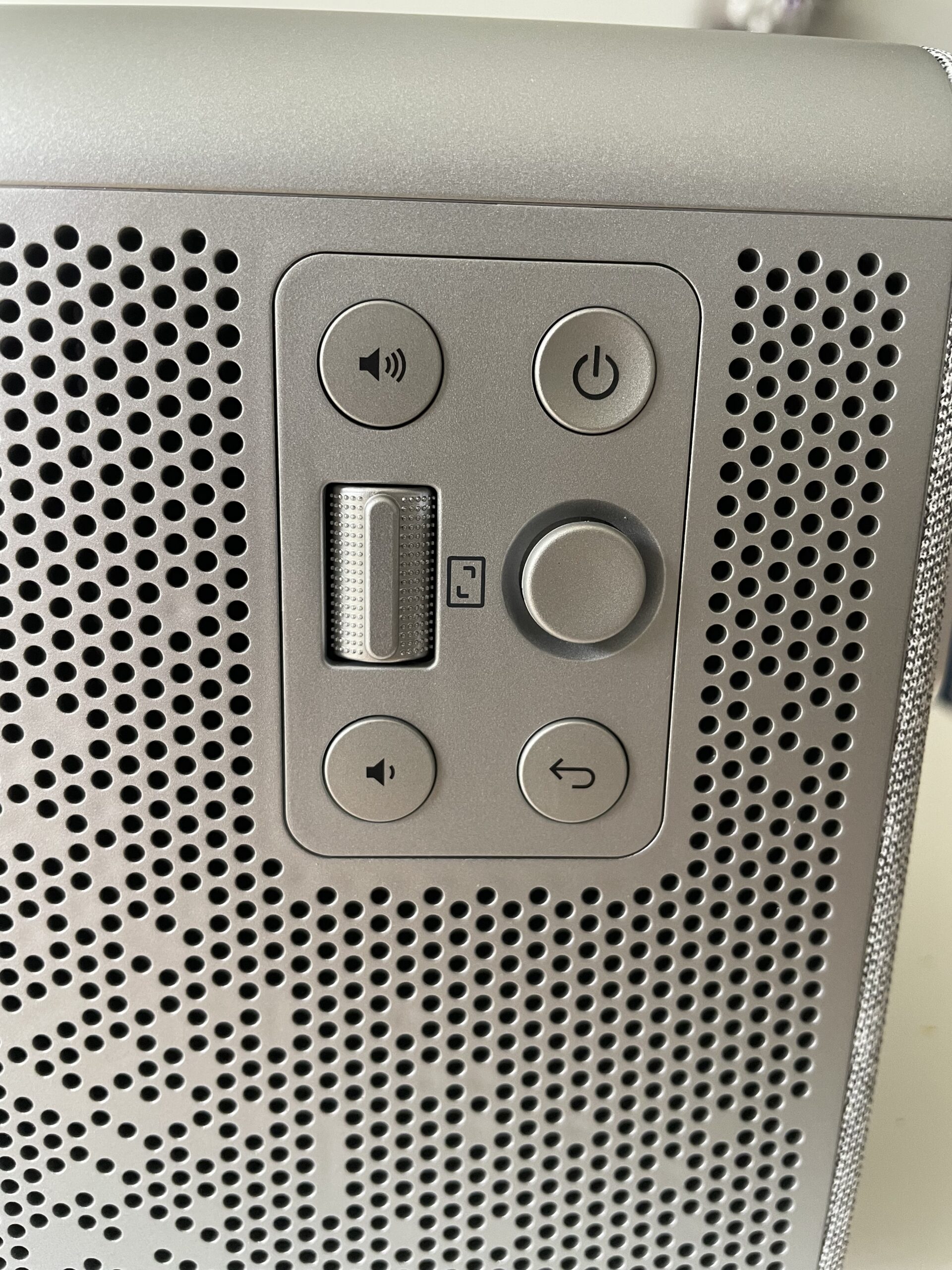
On the side of the projector are a few controls for adjusting the position of the screen, volume and power although I didn’t use any of these as everything can be controlled from the remote anyway.
Setting-Up The TK705i
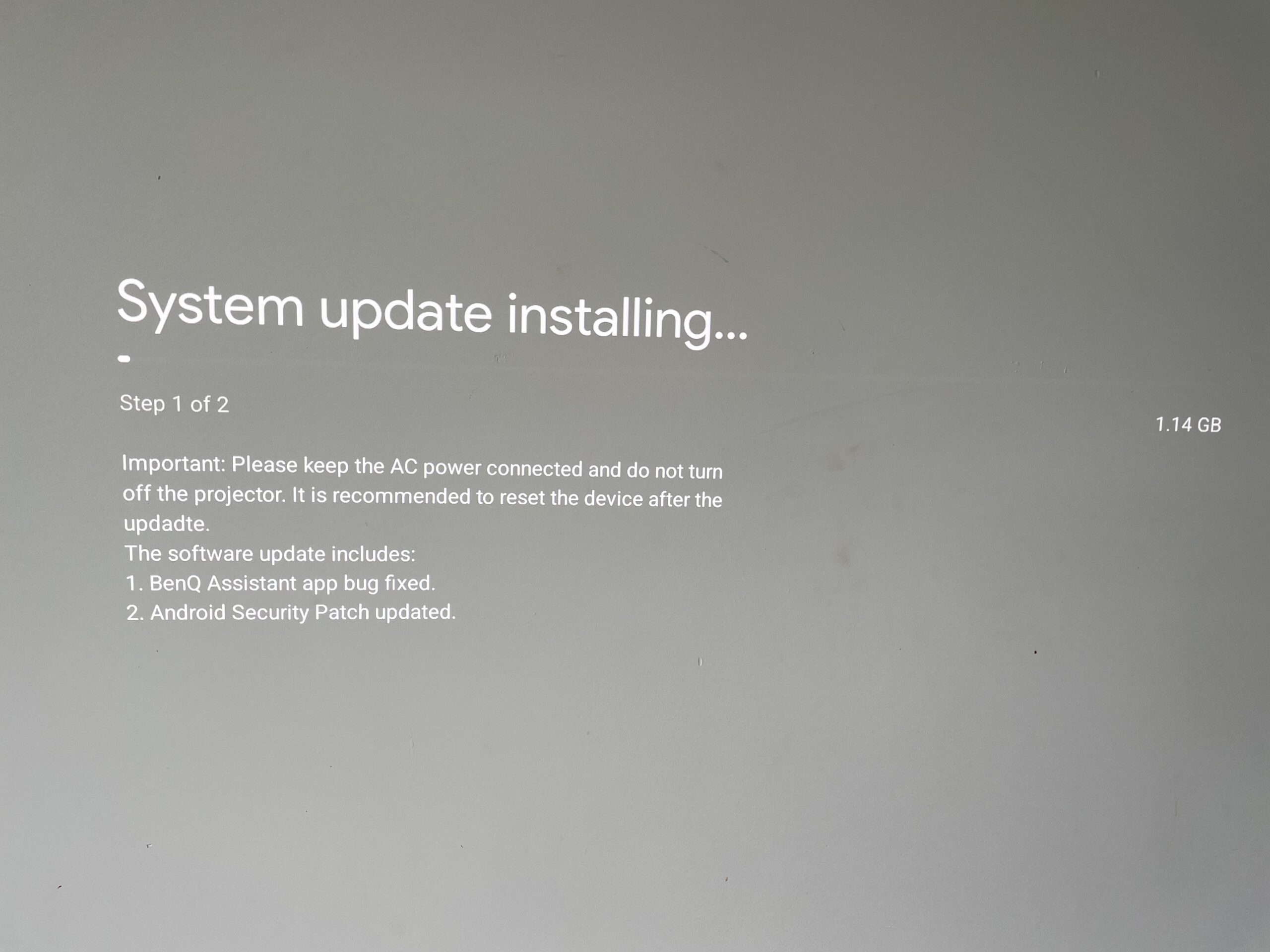
Once you’ve connected it to your WiFi network, the first thing the projector will do is update the firmware to the latest version which can take a while as mine was over 1GB.
The TK705i comes bundled with Google TV so when you initially set it up, it will ask you to sign-into your Google account.
I did find this slightly annoying as I don’t use Google TV and it appeared that there’s no way of bypassing it.
However, after a lot of clicking around on the remote, I found that the only button that would get round it was the “Live TV” button.
For some reason, I did experience various issues with the remote not responding when I tried the Netflix, YouTube, Prime Video and Settings buttons. I downloaded the BenQ remote control app which worked better so for most of the time, I used that with the projector.
However, I had constant problems accessing the settings with both remotes and found that often, I simply could not get them to appear on the projector.
macOS Scaling And Resolution Behavior
One thing that may confuse Mac users initially is that changing resolutions in macOS doesn’t dramatically alter the image quality the way it does on a Retina monitor – but that’s completely normal.
The TK705i accepts a 4K signal but like many modern projectors, internally scales and processes the image. macOS also applies its own display scaling, so different “Looks Like” resolutions may still output a 4K signal underneath.
The projector itself uses pixel-shifting DLP technology rather than a native 4K imaging chip, which is common for projectors in this price range.
As a result, the image looks sharp for movies, games and presentations, but text rendering doesn’t have the same razor-sharp Retina clarity as a Studio Display or even a good 5K monitor.
For video consumption and gaming, this isn’t an issue but for spreadsheet office work or long writing sessions, you’ll probably still prefer a dedicated monitor.
Surprisingly Good For Creative Collaboration
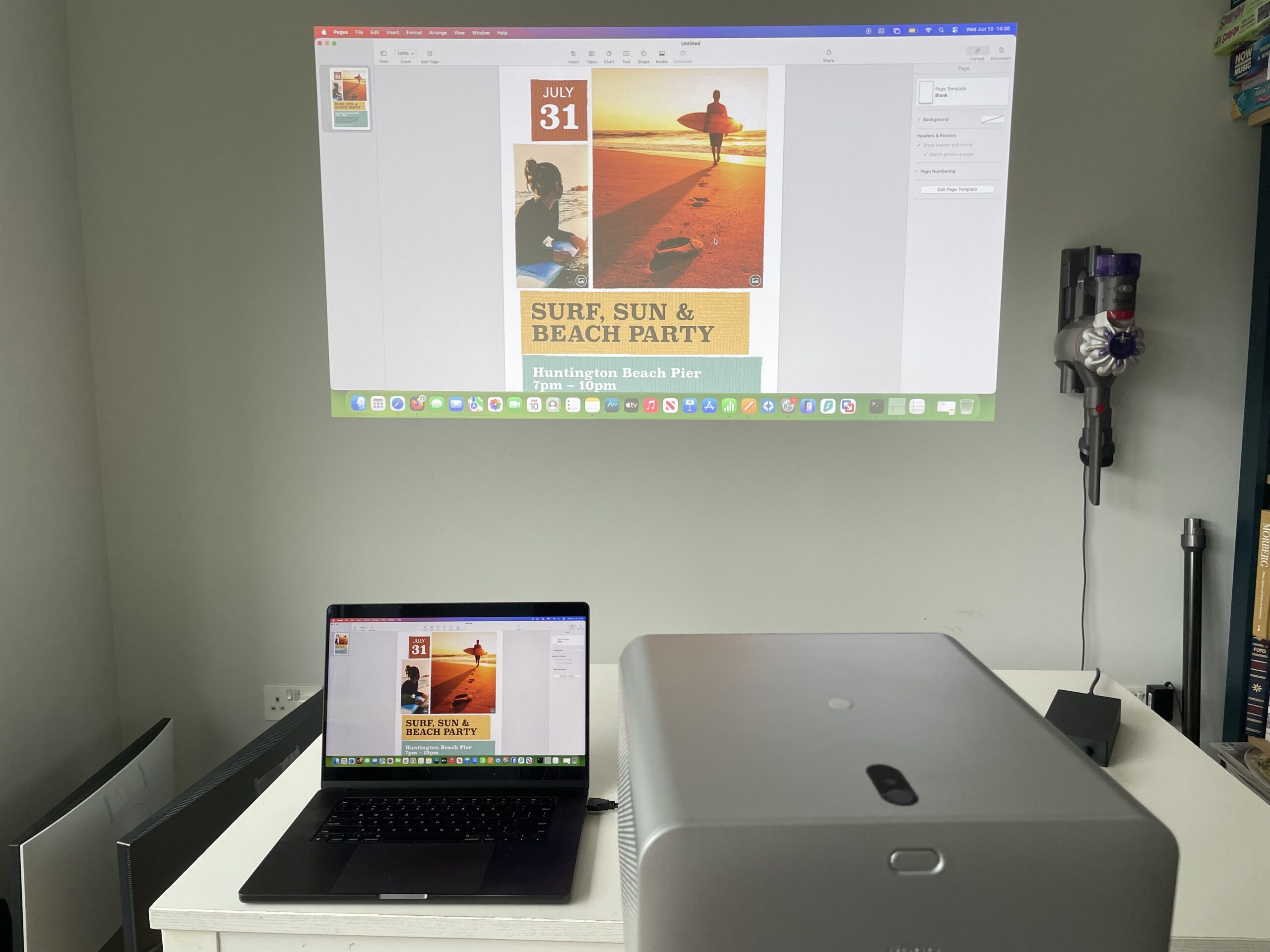
One area where the TK705i excels with a Mac however is collaborative work.
I can imagine the projector would be incredibly useful for:
- Client presentations
- Design reviews
- Lightroom photo slideshows
- Final Cut Pro playback
- Brainstorming and creative planning
- Collaborative editing sessions
- Teaching or online courses
A 120-inch projected desktop creates a much more natural group viewing experience than crowding around a 16-inch MacBook Pro display or even using a relatively small external monitor.
For photographers and videographers especially, the projector also becomes a great way to preview creative work at a much larger scale before publishing.
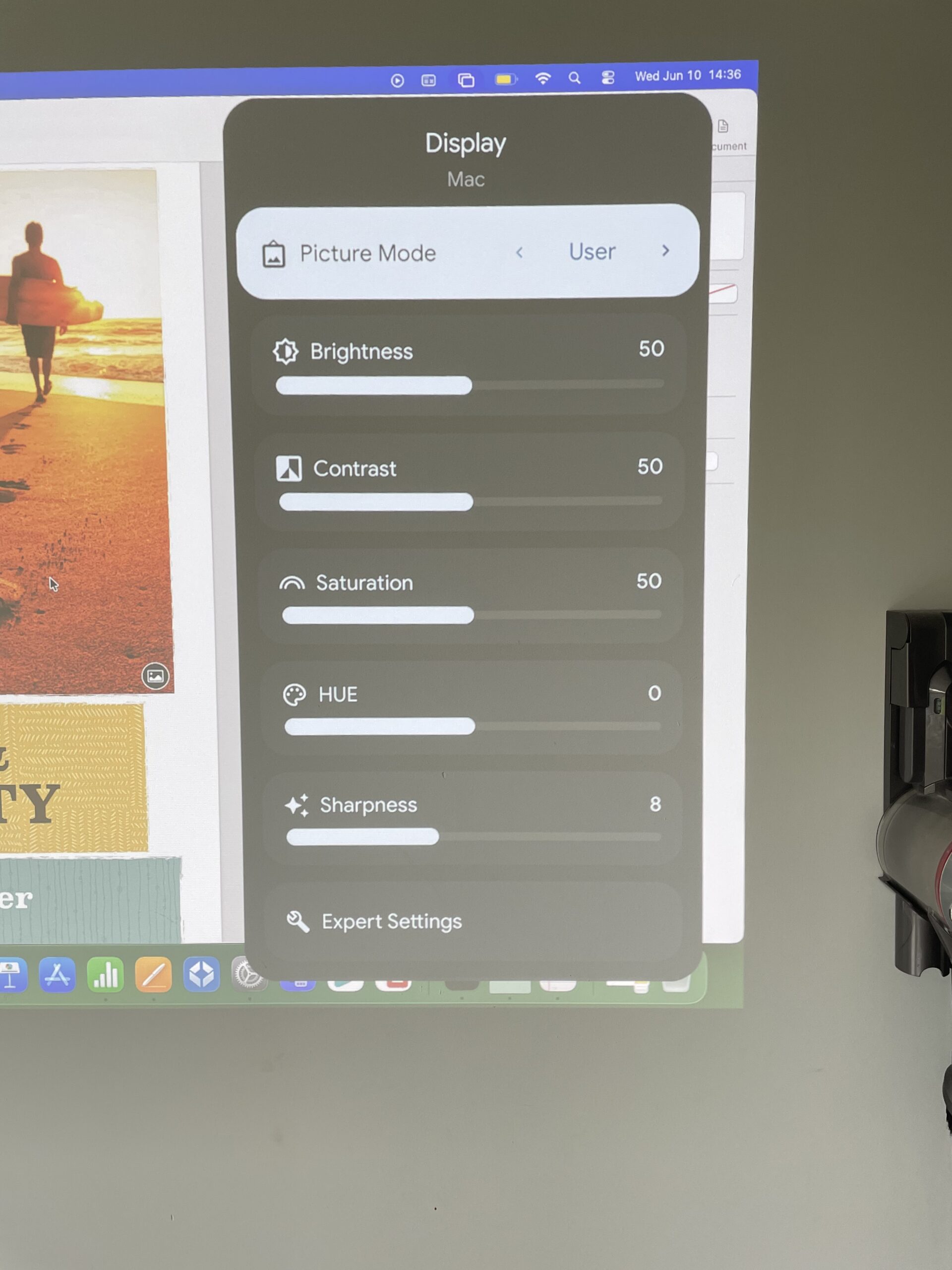
You can control the display settings via the remote which include different picture modes depending on what you are viewing or watching, plus brightness, contrast, saturation, hue and sharpness.
Excellent For Netflix, Prime Video & YouTube Streaming
You don’t have to use a Mac with the TK705i. The projector comes pre-installed with Netflix, Prime Video and YouTube. Any content that is available in 4K on these services will also be streamed in 4K by the TK705i.
To use it with other services such as Apple TV+, you can simply connect it to your Mac (like I did) and it works fine.
Shows like Severance, Foundation and Silo look genuinely cinematic at large sizes, and the projector’s 3000-lumen brightness means you don’t need a perfectly blacked-out room to enjoy them.
In fact, I was really surprised at how well this projector displays in daylight – and of course, there’s no screen glare to worry about.
However, as with any projector, for best results you need to use it in a dark room.
I was really surprised at how good the image quality was and how much more immersive watching content is with a projector compared to a TV. It feels much closer to a cinematic experience than using a TV or external display as you can see below (make sure you switch the quality on YouTube to 4K to really appreciate it).
The colors in particular are vivid and bright in common with many of BenQ’s monitors.
As you will notice however, the sound is poor and I’d strongly recommend connecting the projector to a soundbar for better results (or listening to the sound through your MacBook’s speakers which are much better).
Gaming On A Mac Is Better Than Expected
Mac gaming has improved significantly thanks to Apple Silicon chips, and I found the TK705i unexpectedly works very well for casual gaming from a MacBook Pro.
Games tested through Steam and Apple Silicon-native titles felt responsive and immersive on a large projected image. The low input lag and HDMI 2.1 support help the projector feel much snappier than older home cinema projectors.
The experience feels closer to console gaming than desktop gaming, which makes the MacBook Pro surprisingly effective as a living room gaming machine.
As you can see though, the image isn’t quite as strong in daylight as it is in a darkened room – which is normal for any projector compared to using an external monitor.
You can also hear that the sound is also much better when its coming through the MacBook rather than the projector
If you’re planning to use the projector for just gaming, I’d strongly recommend taking a look at our review of the BenQ Mobiuz EX271UZ which, with a 240Hz refresh rate, is much better suited to gaming and is a lot cheaper.
Better For Living Rooms Than Most Monitors
One of the biggest advantages of the TK705i is flexibility. A large monitor permanently dominates a desk.
A projector however, disappears when not in use. So if you’re working in smaller apartments or shared living spaces, that really matters.
The TK705i can transform a lounge wall (which is what I used in my tests) into a temporary giant workspace or cinema, then disappear afterward without taking up the space of a 32-inch or 49-inch ultrawide monitor.
However, to get the biggest 150 inch image, the projector will need to be 2.7m away from the wall or projector screen.
In the business, this is what’s known as a 0.8 “throw ratio” which basically means, its capable of big projections, even at short distances.
That flexibility makes much more sense for many MacBook users than having a permanent desktop setup.
Not to mention, it’s also cheaper than buying a decent high resolutions ultrawide monitor.
Things Mac Users Should Know Before Buying
The TK705i isn’t perfect.
There are a few important caveats for Mac users specifically:
- HDMI works more reliably than USB-C with Macs
- Text sharpness is noticeably softer than a Retina display
- Keystone correction can reduce image clarity
- The built-in speakers are not great at all – you really need to pair it with a soundbar
- The fan is quite noisy and especially noticeable if you’re just typing on your Mac. For watching content, it’s less noticeable due to the external sound.
- The black levels aren’t as deep as premium OLED TVs or dedicated monitors
It’s also important to understand that this is not a replacement for a color-accurate Mac editing monitor like the BenQ PD2730S.
Instead, it works best as a secondary large-format display for entertainment, collaboration and immersive viewing.
Pricing And Value Compared To Alternatives
At around £1,200–£1,400 in the UK and roughly $1,400–$1,600 in the US, the BenQ TK705i sits in a highly competitive part of the 4K projector market. Depending on promotions, it’s often cheaper than some of its closest rivals while offering more modern features.
For Mac users, the most obvious competitors are the Epson Home Cinema 3800 and BenQ’s own TK710 laser projector.
The Epson offers greater installation flexibility thanks to its extensive lens shift and zoom controls, making it easier to position in dedicated home theatre rooms. However, it relies on a traditional lamp-based light source, is significantly larger and lacks many of the smart features and modern connectivity options that make the TK705i appealing for casual Mac users.
The BenQ TK710 is arguably the stronger technical competitor. It uses a laser light source rather than LED, offers slightly higher brightness and is generally positioned as the more premium model in BenQ’s lineup. However, it also typically costs a few hundred pounds more than the TK705i. For Mac users primarily interested in streaming, presentations, Apple TV+, casual gaming and occasional productivity use, the difference in real-world experience does not justify the additional cost in my opinion.
Where the TK705i delivers is in the combination of features rarely found together at this price. You get 4K HDR projection, HDMI 2.1 support, Streaming service integration, USB-C connectivity, automatic image adjustment, low gaming latency and a long-life LED light source that eliminates the ongoing bulb replacement costs associated with older projector designs.
From a Mac perspective, that’s an important distinction. Many competing projectors in this price range are designed primarily for home cinema enthusiasts. The TK705i feels more versatile, functioning as a giant wireless presentation display, a living room entertainment hub and a large-format screen for Macs.
If your priority is the absolute best black levels for movie watching in a dark room, there are better home theatre-focused projectors available. But if you’re looking for the best balance of price, brightness, smart features and Mac-friendly versatility, the TK705i represents one of the better value options currently available in the mid-range 4K projector market.
Is The BenQ TK705i Better Value Than Apple’s Studio Display?
It might seem odd comparing a projector to Apple’s Studio Display.
One is a 27-inch 5K monitor designed for creative professionals, while the other is a 4K projector capable of producing a 100 to 150-inch image on a wall. Yet with both products costing roughly the same amount, many Mac users could realistically find themselves choosing between them.
Although its hard to argue it a genuine alternative to the Studio Display, the answer ultimately comes down to how you use your Mac.
If your day revolves around writing, coding, spreadsheets, graphic design or any task that involves staring at text for hours at a time, the Studio Display remains the better investment. Its 5K Retina resolution delivers exceptional sharpness, color accuracy and brightness, making it ideal for productivity and creative work.
The TK705i simply can’t compete with the pixel density of a Retina display. Even when fed a 4K signal from a MacBook Pro, text appears softer and less refined than it does on Apple’s monitor.
However, that’s only half the story.
The TK705i offers something the Studio Display never can: scale.
Watching a Keynote presentation on a 120-inch projected screen feels entirely different from viewing it on a 27-inch monitor. The same applies to movies, gaming, photo slideshows and collaborative work sessions.
For photographers, videographers and content creators, projecting content at large sizes can even reveal details and composition issues that might not be obvious on a desktop display.
There’s also the question of flexibility.
A Studio Display occupies permanent desk space and is designed for a fixed workstation. The TK705i can transform a living room, meeting room, garden office or spare wall into a giant display whenever needed – then disappear when you’re finished.
For MacBook users who already rely on the laptop’s built-in Liquid Retina XDR display, that flexibility may actually provide more value than adding another monitor.
The cost comparison is also surprisingly close.
A Studio Display starts at £1,499 in the UK ($1,599 in the USA) before adding optional upgrades. The TK705i typically sells for several hundred pounds less while including Google TV streaming features, gaming-focused HDMI 2.1 connectivity and the ability to create a screen several times larger than any monitor currently available from Apple.
Viewed purely as a productivity display, Apple’s Studio Display wins comfortably.
Viewed as an entertainment, presentation and collaboration tool for Mac users, the TK705i offers a compelling alternative that delivers a completely different experience for roughly the same outlay.
In many ways, the choice isn’t really projector versus monitor.
It’s whether you’d rather add another screen to your desk or add a giant display to your entire home.