

If you’re looking for the best checkbook software for Mac (also known as check register apps), you probably don’t need full personal finance software for your Mac like budgeting apps or investment trackers. Instead, you likely just want a simple way to record transactions, balance your accounts, and keep things under control – like a digital version of a traditional check register.
Unlike fully featured personal finance apps, these tools focus purely on tracking income and expenses – making them faster, simpler, and easier to maintain.
In this guide, we’ve reviewed the best checkbook-style software for macOS that focuses on simplicity, offline use, and manual financial tracking without the complexity of full finance platforms.
We tested both native Mac apps and cross-platform tools to find the simplest and most reliable options.
Checkbook Software vs Full Personal Finance Apps
Before choosing a tool, it’s important to understand the difference between checkbook software and fully comprehensive personal finance apps.
Checkbook software is designed for simple, manual money tracking. It works like a digital version of a traditional check register, allowing you to record transactions, monitor balances, and stay in control of your spending without relying on bank syncing or automation.
Full personal finance apps like Quicken or Banktivity, on the other hand, offer features like automatic bank feeds, investment tracking, bill payments, and financial forecasting.
In summary:
- Checkbook apps: Best for simplicity, privacy, and manual control
- Finance apps: Best for automation, investments, and all-in-one money management
If you prefer hands-on control and fewer syncing issues, checkbook software is often the better choice.
Why Choose Checkbook Software? (Manual Control & Privacy)
One of the biggest advantages of checkbook software is the level of control and privacy it offers.
Unlike cloud-based finance apps that connect to your bank accounts, tools like CheckBook Pro and Moneyspire allow you to manage your finances entirely offline if you choose.
This has several key benefits:
- No bank syncing issues – Avoid broken connections and duplicate transactions
- Greater accuracy – Every transaction is entered and verified by you
- Complete privacy – Your financial data stays on your Mac, not on third-party servers
- Better awareness – Manually tracking spending can improve financial habits
For many users, especially those frustrated with syncing errors or concerned about data privacy, this more intentional approach to money management is a major advantage.
Who Checkbook Software Is (And Isn’t) For
Checkbook software is ideal for:
- Users who prefer manual transaction tracking
- Those who want a simple, distraction-free interface
- Anyone concerned about privacy and data security
- People managing basic personal finances (not investments)
However, it may not be the best choice if you:
- Want automatic bank syncing
- Need investment tracking or net worth analysis
- Prefer fully automated budgeting tools
- Want features like bill pay or tax reporting
In these cases, a full finance app like Quicken or YNAB may be more suitable.
Best Checkbook Software for Mac (Quick Overview)
| Software | Key Features | Best For |
|---|---|---|
| CheckBook Pro | Simple check register, offline tracking, reports, iCloud sync | Everyday checkbook-style money tracking |
| Money Manager Ex | Free, offline budgeting, manual entry | Users wanting a free basic checkbook alternative |
| SEE Finance 3 | Advanced tracking, Quicken imports, reports | Users upgrading from Quicken |
| MoneyWell | Envelope budgeting, visual spending system | Users who want structured spending control |
| Moneyspire | Offline finance tracking, budgeting tools | Users wanting a simple all-in-one offline app |
1. CheckBook Pro
⭐ Why We Picked It
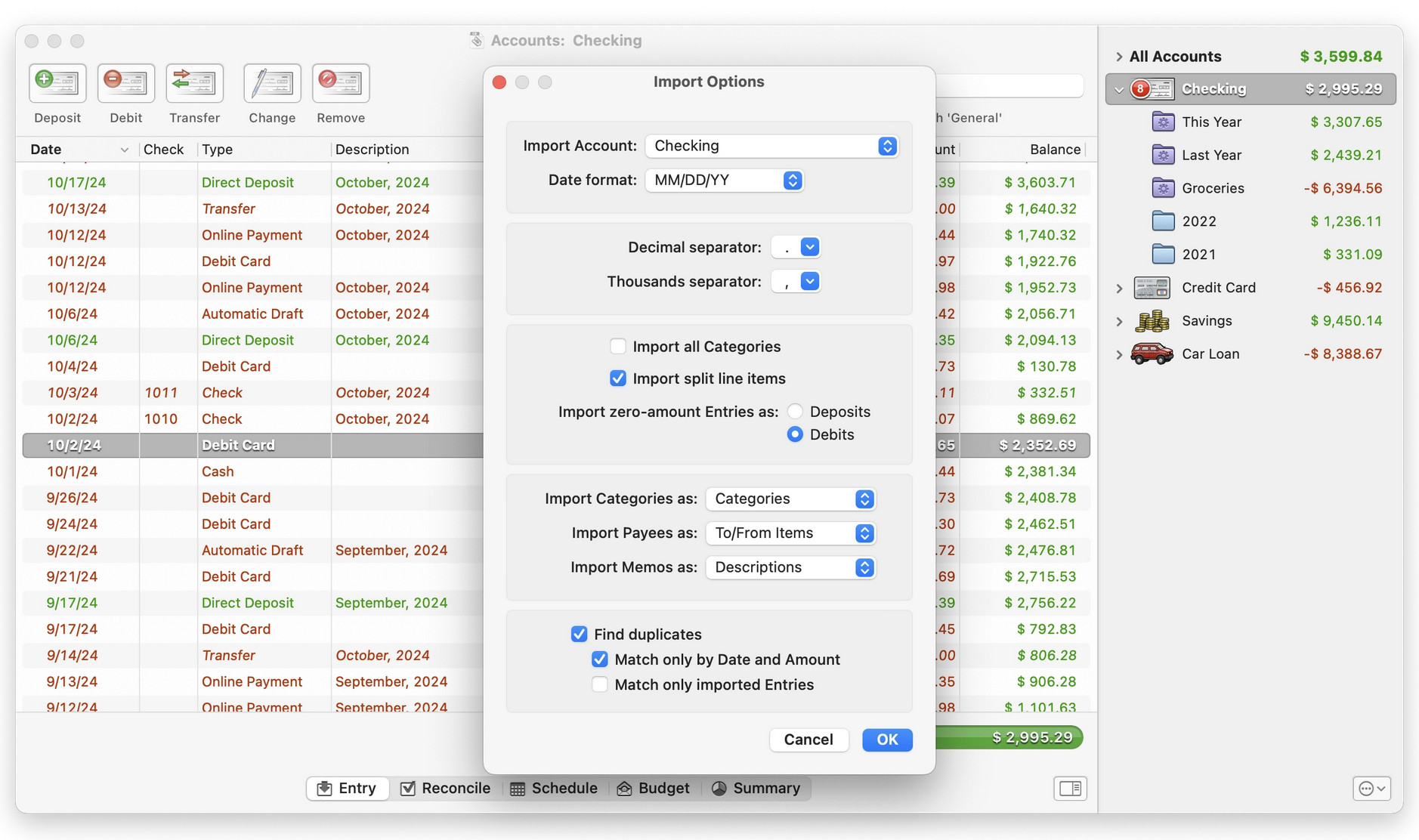
CheckBook Pro is a no-frills check register app for Mac that does exactly what it promises – tracks your money without the complexity or cost of full finance suites. It’s ideal for users who want a simple, offline solution without subscriptions or cloud dependency.
👤 Who It’s Aimed At
- CheckBook Pro is perfect for:
- Users who prefer manual checkbook-style budgeting
- Anyone who wants a lightweight, offline money tracker
- Those migrating from Quicken or similar tools using standard formats like QFX, OFX, or CSV
Pricing: $29.99 from the Mac App Store and there’s a free trial.
Pros & Cons
Pros:
- One-time purchase (no subscription)
- Very easy to use
- Strong Quicken import support (QFX/OFX/CSV)
- Generates clear financial reports
- Optional iCloud sync and check printing
Cons:
- No automatic bank syncing
- Best suited for small account setups
- Manual entry required for transactions
- Importing large datasets can take time
2. Money Manager Ex (Free)
⭐ Why We Picked It
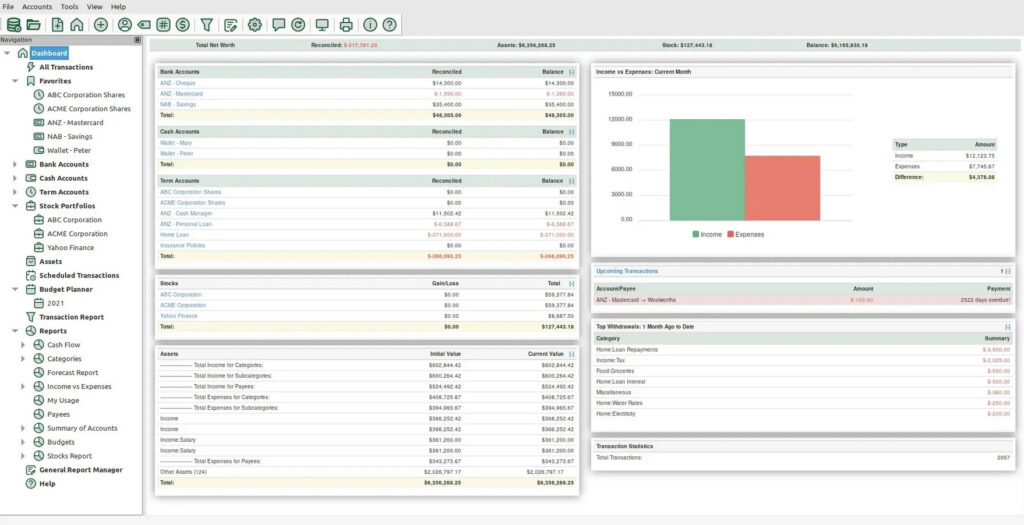
Money Manager Ex is a completely free, open-source checkbook-style app for Mac. It focuses on manual tracking and offline data storage, making it ideal for users who want full control over their finances without cloud syncing or subscriptions (although cloud syncing is available if you want it).
👤 Who It’s Aimed At
Perfect for:
- Users who want a free checkbook alternative
- Offline finance tracking without bank connections
- Simple budgeting and expense logging
👉 Read our full Money Manager Ex review for more.
Pricing: Free
Pros & Cons
Pros:
- Completely free and open source
- Works fully offline
- Supports manual budgeting and tracking
- Imports CSV and QIF files
Cons:
- No bank syncing
- Basic, dated interface
- No official customer support
- Limited features compared to paid apps
3. SEE Finance 3
⭐ Why We Picked It
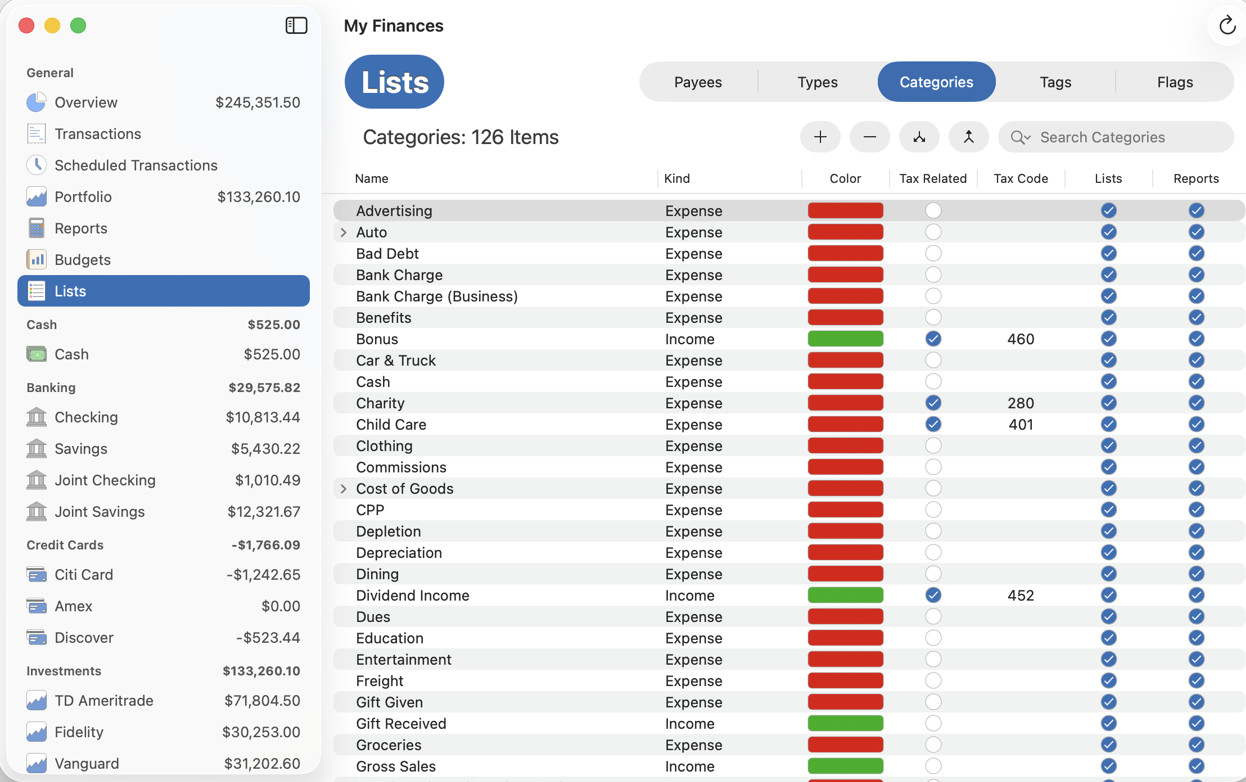
SEE Finance 3 is a powerful, Mac-native budgeting app that builds on earlier versions with a redesigned interface for modern macOS, improved customization, and continued focus on privacy and local data control. It works well as a checkbook alternative for users who want deeper reporting and investment tracking. It’s particularly strong for users migrating from Quicken thanks to its import capabilities.
👤 Who It’s Aimed At
- SEE Finance 3 is ideal for:
- Former Quicken users
- Users with multiple accounts or currencies
- Those who want detailed financial reports
Pricing: $49.99 from Mac App Store, $59.99 direct from publisher (free trial available)
Pros & Cons
Pros:
- Strong Quicken import support
- Advanced reporting tools
- Supports 150+ currencies
- Native Mac app
Cons:
- No bill payment features
- Setup can take time
- Bank syncing is limited
- More complex than basic checkbook apps
4. MoneyWell
Source: MoneyWell
⭐ Why We Picked It
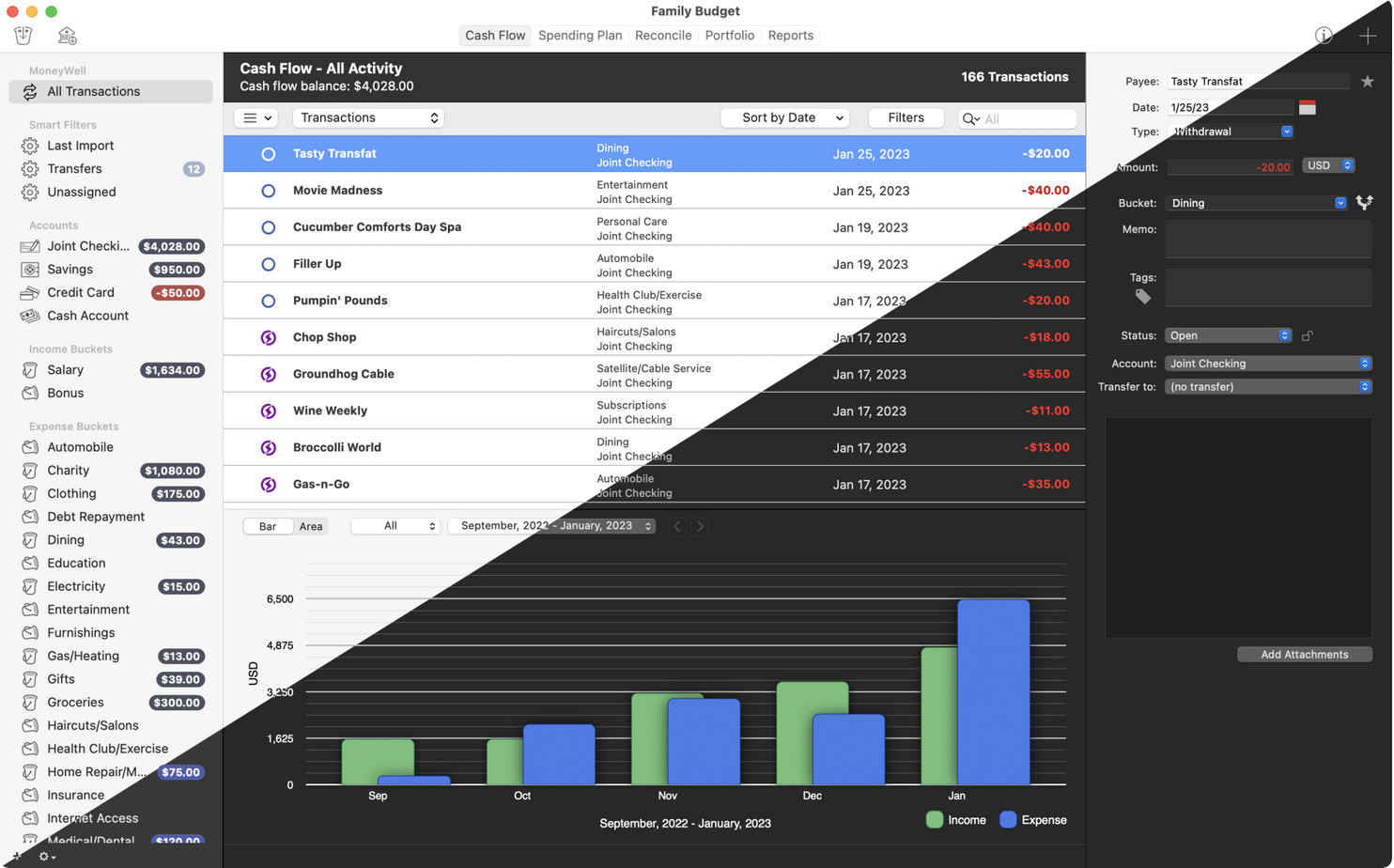
MoneyWell uses an envelope budgeting system rather than a traditional check register, but it still works well as a checkbook-style alternative for users who want more structure around spending. It’s visually focused and helps users see where their money is going in real time.
👤 Who It’s Aimed At
MoneyWell is perfect for:
- Users who want envelope-style budgeting
- People who prefer visual spending control
- Mac users who want a simple but structured system
Pricing: $5.99/month or $49.99/year
Pros & Cons
Pros:
- Envelope budgeting system
- Clean Mac interface
- Good visual reports
- Helps control overspending
Cons:
- Subscription required
- No full bank syncing support (modern standards limited)
- Limited investment features
- Not a pure check register tool
5. Moneyspire
⭐ Why We Picked It
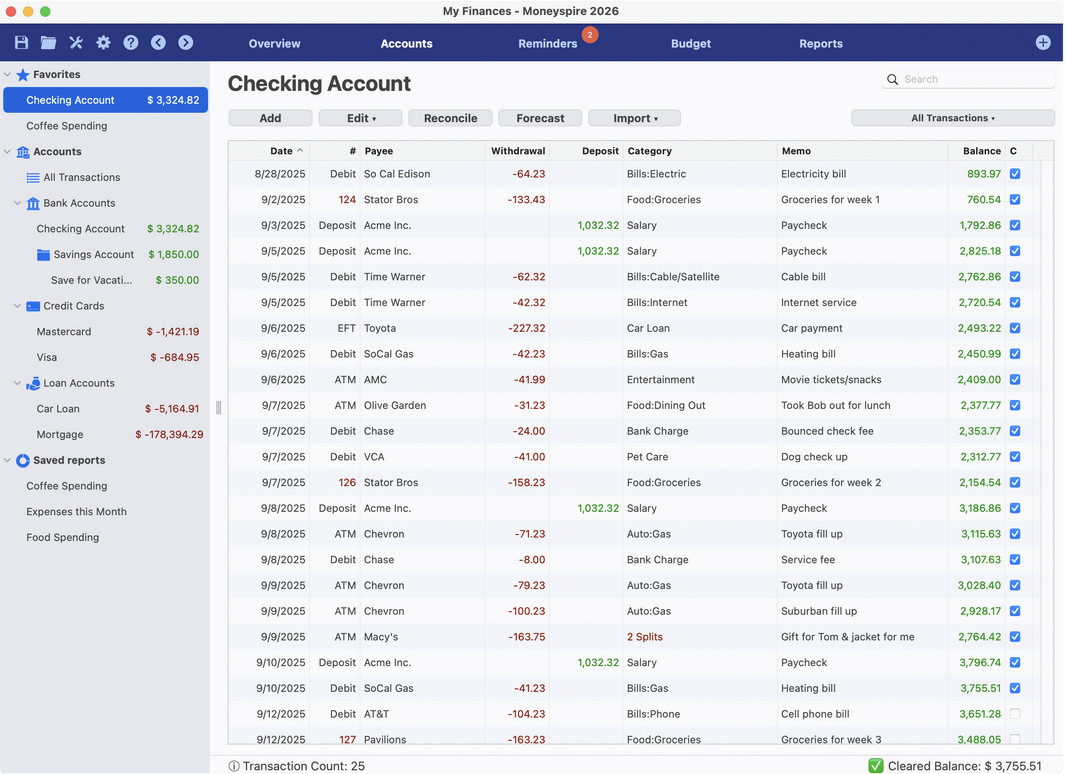
Moneyspire is a simple offline finance app that also works well as a checkbook alternative. In fact, we ranked it the best personal finance software for Mac overall thanks to its excellent Mac app and blend of simplicity plus features. While it offers more features than a traditional register app, it still keeps things relatively simple and supports manual tracking, budgeting, and reporting without relying on cloud syncing.
👤 Who It’s Aimed At
Moneyspire is ideal for:
- Users wanting an all-in-one offline finance tool
- People migrating from Quicken
- Those who prefer manual financial control
👉 Read our full Moneyspire review for more.
Pricing: $59.99 one-time (Free trial available)
Pros & Cons
Pros:
- One-time purchase option
- Offline usage supported
- Budgeting + reporting included
- Quicken file import support
Cons:
- More complex than pure checkbook apps
- No automatic bank syncing
- Investment features are limited
- Some features require paid upgrades
Other Checkbook Apps for Mac Worth Considering
If you want something slightly different – such as web-based tools, more advanced accounting, or hybrid finance apps – these alternatives are also worth considering:
- CountAbout – A lightweight browser-based finance tool with strong Quicken import support. Simple and affordable, but not a native Mac app.
- Moneydance – A full finance app that can also function as a check register for users who want more control and offline usage.
- GnuCash – A free, double-entry accounting tool. Powerful but best suited for experienced users comfortable with accounting-style software.
- GreenBooks – A lightweight and clean budgeting app for Mac that focuses on simplicity and ease of use. Ideal if you want a clutter-free alternative to more complex finance tools.
- ClearCheckbook – A simple, web-based checkbook register that works well on Mac browsers. Great for quick, no-install transaction tracking, although it lacks native macOS features.
- CheckBook – The standard version of CheckBook Pro with fewer advanced features, offering an even simpler check register experience for basic use.
These tools don’t offer the same depth as full finance apps, but they can be excellent choices for fast, straightforward money tracking.
Conclusion
The best checkbook software for Mac really depends on how simple you want things to be.
- If you want the closest traditional check register experience get CheckBook Pro
- If you want free and offline get Money Manager Ex
- If you want more structure and visuals get MoneyWell
- If you want something more powerful long-term get Moneyspire or SEE Finance 3
FAQ
What is checkbook software on a Mac?
Checkbook software is a simple app that lets you manually track income, expenses, and account balances – similar to a traditional paper check register. Unlike full finance tools like Quicken, it doesn’t rely on automatic bank syncing or complex features.
Do I need checkbook software if I use online banking?
Not necessarily – but many users prefer checkbook software for better control and accuracy. It helps you track spending across multiple accounts, avoid errors, and maintain a clear overview without relying on bank data alone.
What’s the difference between checkbook software and budgeting apps?
Checkbook software focuses on recording transactions and balances, while budgeting apps like YNAB are designed to help you plan and allocate your money. Checkbook apps are simpler and more manual, whereas budgeting tools are more automated and goal-focused.
Is there any free checkbook software for Mac?
Yes. Money Manager Ex is a popular free option that works offline and supports manual tracking. It’s a good choice if you want a basic check register without paying for a subscription.
Can checkbook software connect to my bank account?
Most checkbook-style apps don’t support automatic bank syncing by design. This is intentional, as they prioritize privacy and manual control. If you need bank feeds, you’ll need a full finance app like Banktivity instead.
What is the best checkbook software for Mac?
For most users, CheckBook Pro is the best option thanks to its simplicity, offline support, and reliable reporting. However, the right choice depends on whether you want something free, more visual, or more advanced.