

The UPerfect 18.5-inch 120Hz monitor is a portable display that’s mainly aimed at gamers although it can be used by anyone that needs a convenient display to use with their Mac on the move.
The biggest appeal for most users is the price – $199.99 – although its frequently discounted for less than this making it one of the best value portable displays you’ll find.
With only 1920 x 1080 full HD resolution, it’s not as sharp as the 2.5K UPerfect K118 that I reviewed a while back, but it is much nicer to work (and game) on due to the NxtLED anti glare screen.
I tested it out to see how it performs with a MacBook Pro.
What’s In The Box?
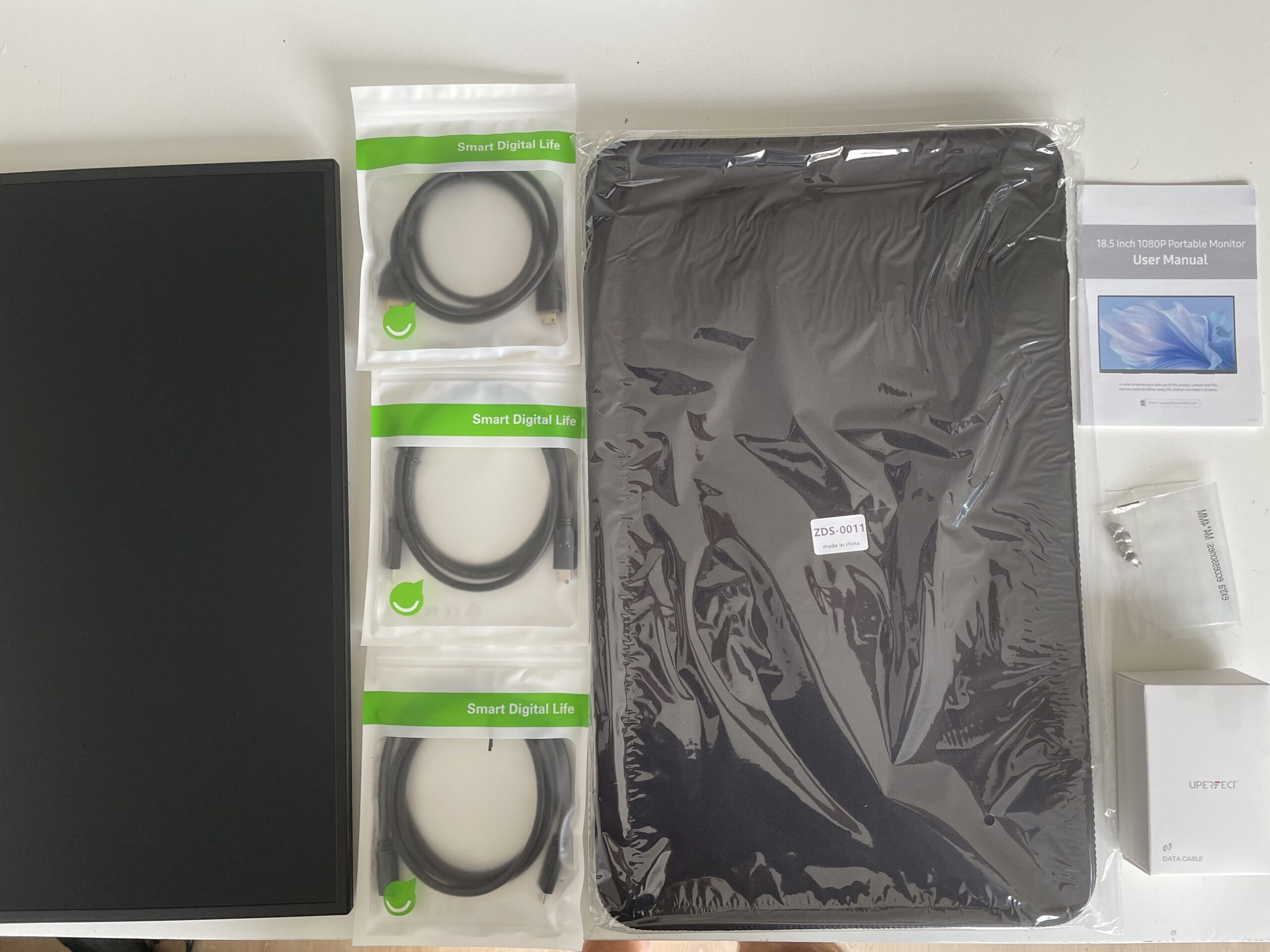
The UPERFECT 18.5-inch NxtLED portable monitor comes with everything you need to get started straight away with a Mac or PC. Inside the box you’ll find:
- UPERFECT 18.5-inch NxtLED Portable Monitor
- Protective cover
- USB-C to USB-C cable (for video, data and power)
- Mini HDMI to HDMI cable
- USB-A to USB-C power cable
- Power adapter
- Quick Start Guide and user manual
It would have helped if the cables were labelled but as long as you know what you’re looking for, it isn’t too difficult to work out.
I was able to connect the monitor to my MacBook using just the included USB-C cable, with no drivers or additional software required.
It’s a nice touch that UPERFECT includes both USB-C and HDMI cables in the box, making it easy to use the monitor with everything from Apple Silicon Macs to older Intel Macs without needing to buy any extra accessories.
Note: The exact contents can vary slightly depending on the retailer and region, but the core accessories listed above are included with the UK model I tested.
Easy Setup With a Mac
Using the monitor with macOS is very simple.
Connecting via USB-C instantly provided both video and power from my MacBook, meaning I only needed a single cable although an external power supply is provided if you need it.
macOS immediately recognized it as an external display, allowing me to arrange displays, change scaling and enable 120Hz from System Settings without installing any drivers.
If your Mac only has one USB-C port available or can’t provide enough power, you can also connect external power while still using USB-C for video.
The monitor also includes Mini HDMI for connecting older Macs, Windows PCs or games consoles.
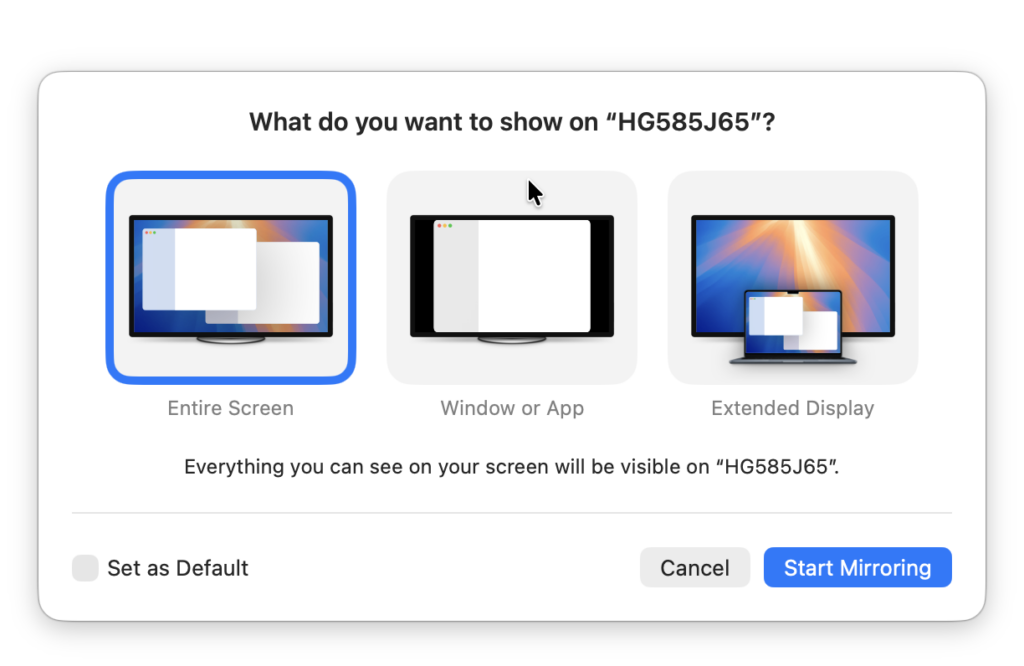
When you connect the monitor, macOS immediately recognizes it although with a generic name “HG585J65” (which is pretty common with many types of accessories).
It’s quite handy that it asks you immediately whether you want to use it as an extended display, main display or mirrored display without even having to go into the Display settings in macOS.
Bigger Really Is Better
Most portable monitors fall somewhere between 15 and 16 inches, but the UPERFECT gives you a bit extra with 18.5 inches.
The additional screen space makes a surprising difference when working with two documents side-by-side, editing photos or simply extending your Mac desktop.
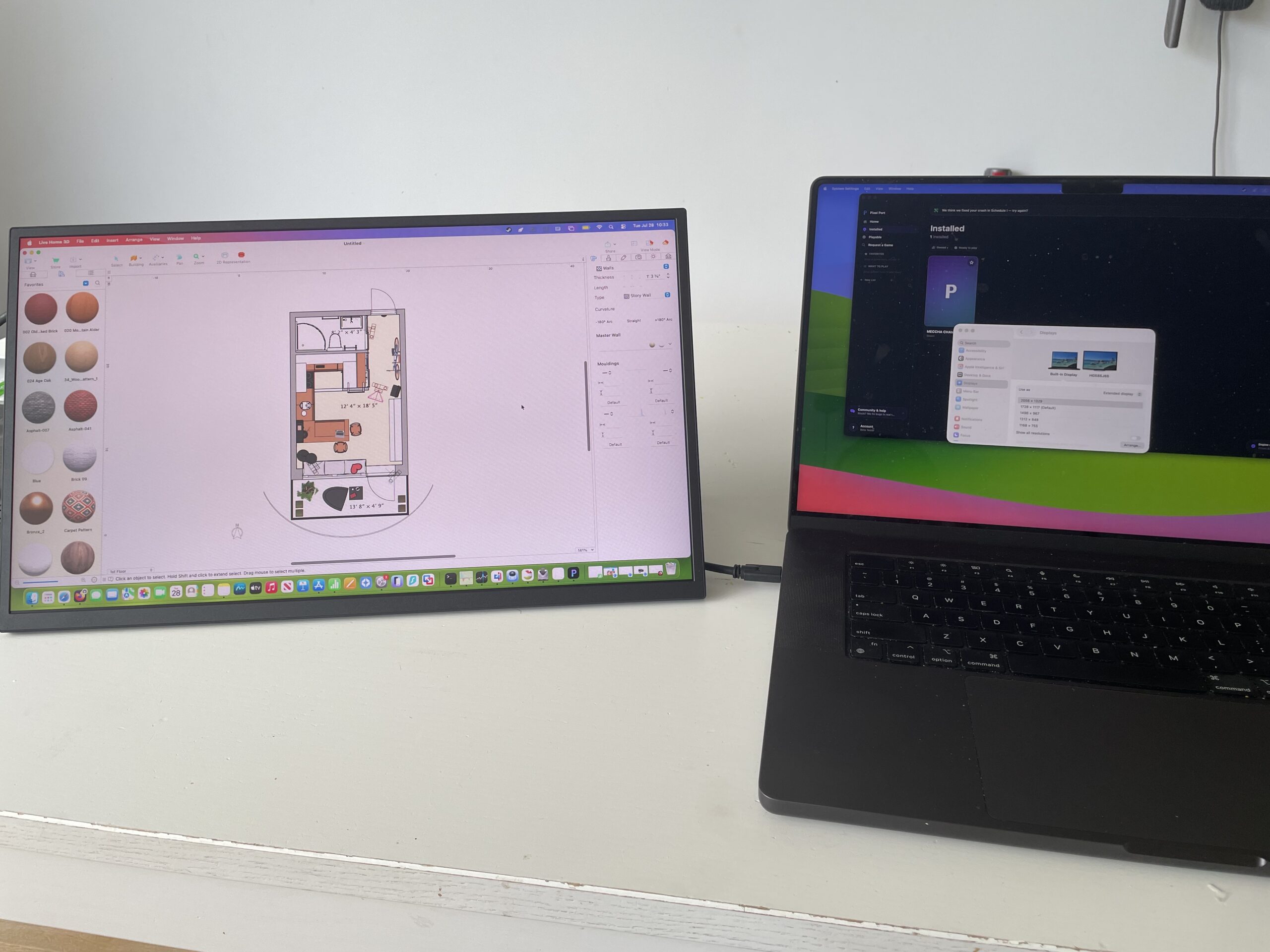
Despite the larger size, it should still fit comfortably in a reasonably sized backpack alongside a MacBook Air or MacBook Pro.
120Hz For Gaming
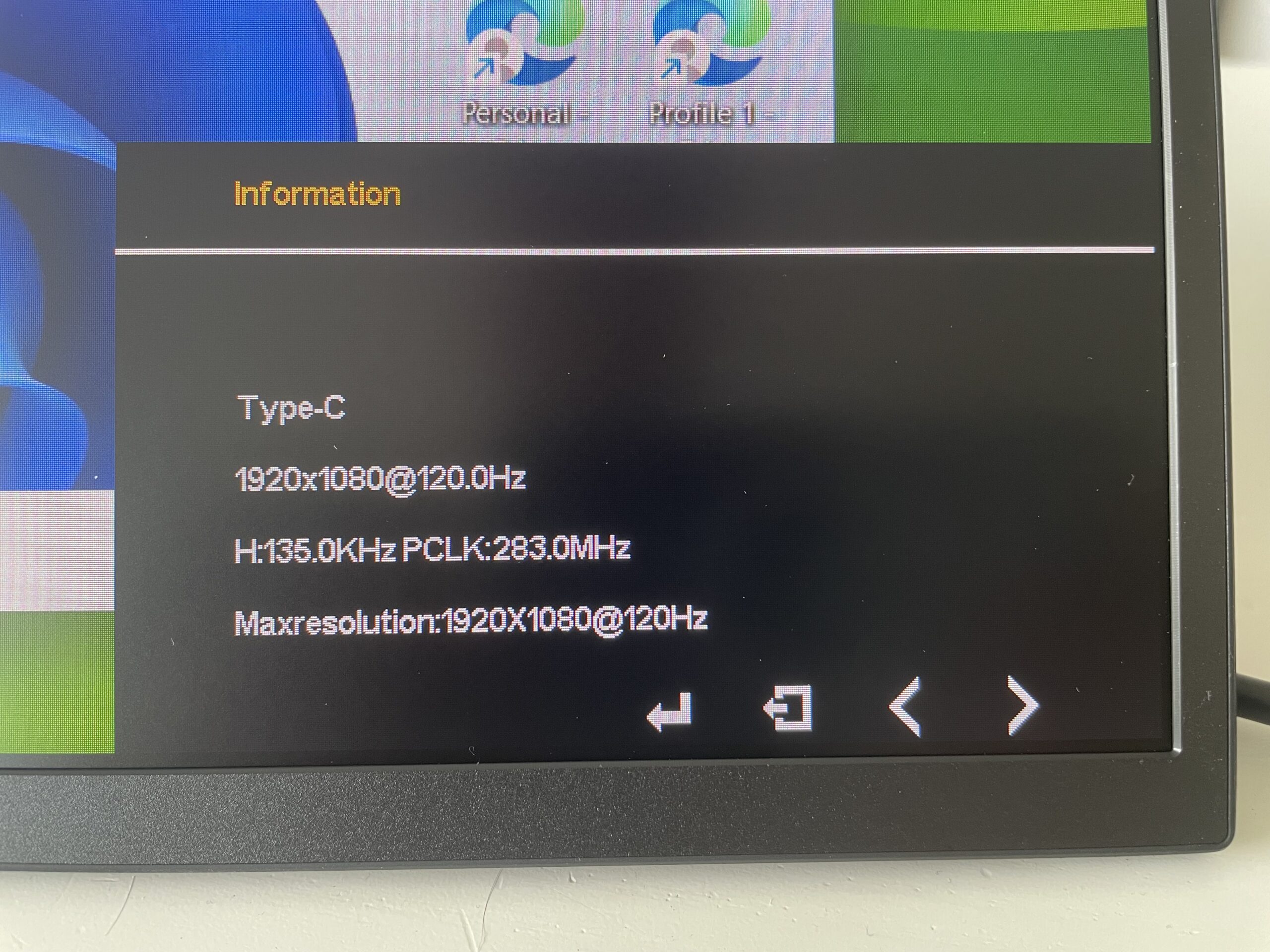
Although portable monitors are often marketed towards business users, the 120Hz refresh rate with the UPERFECT display is clearly aimed at gamers.
I read one user review complaining that the monitor does not achieve a refresh rate of 120Hz when connecting via HDMi but on my USB-C connection, it definitely did (see below).
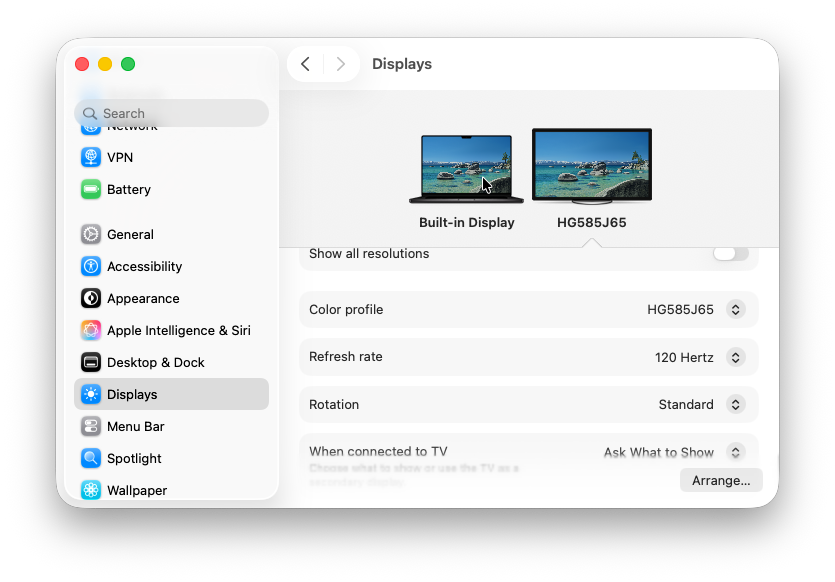
Even for none gaming, this means that scrolling through web pages is smoother, Mission Control animations feel more fluid and the monitor is also well suited to gaming if you connect a Steam Deck, Nintendo Switch, PlayStation or Xbox.
I tried playing Meccha Chameleon using Pixel Port and the graphics were smooth and vibrant as you can see below.
Non gaming users won’t always benefit from 120Hz in every application, but the overall desktop experience definitely feels more responsive.
NxtLED & Screen Glare
The headline feature is UPERFECT’s NxtLED display technology, which aims to improve readability while reducing eye fatigue. According to UPERFECT, it combines a matte surface with hardware-based eye-care features including low blue light and flicker-free DC dimming.
Marketing aside, during testing I found that the screen coped very well with bright rooms, including in direct sunlight.
Unlike many glossy portable monitors, reflections were kept to a minimum and I found it much easier to work near windows without constantly adjusting the angle.
The screen also has a slightly softer, paper-like finish which makes reading documents more comfortable during long sessions.
Image Quality
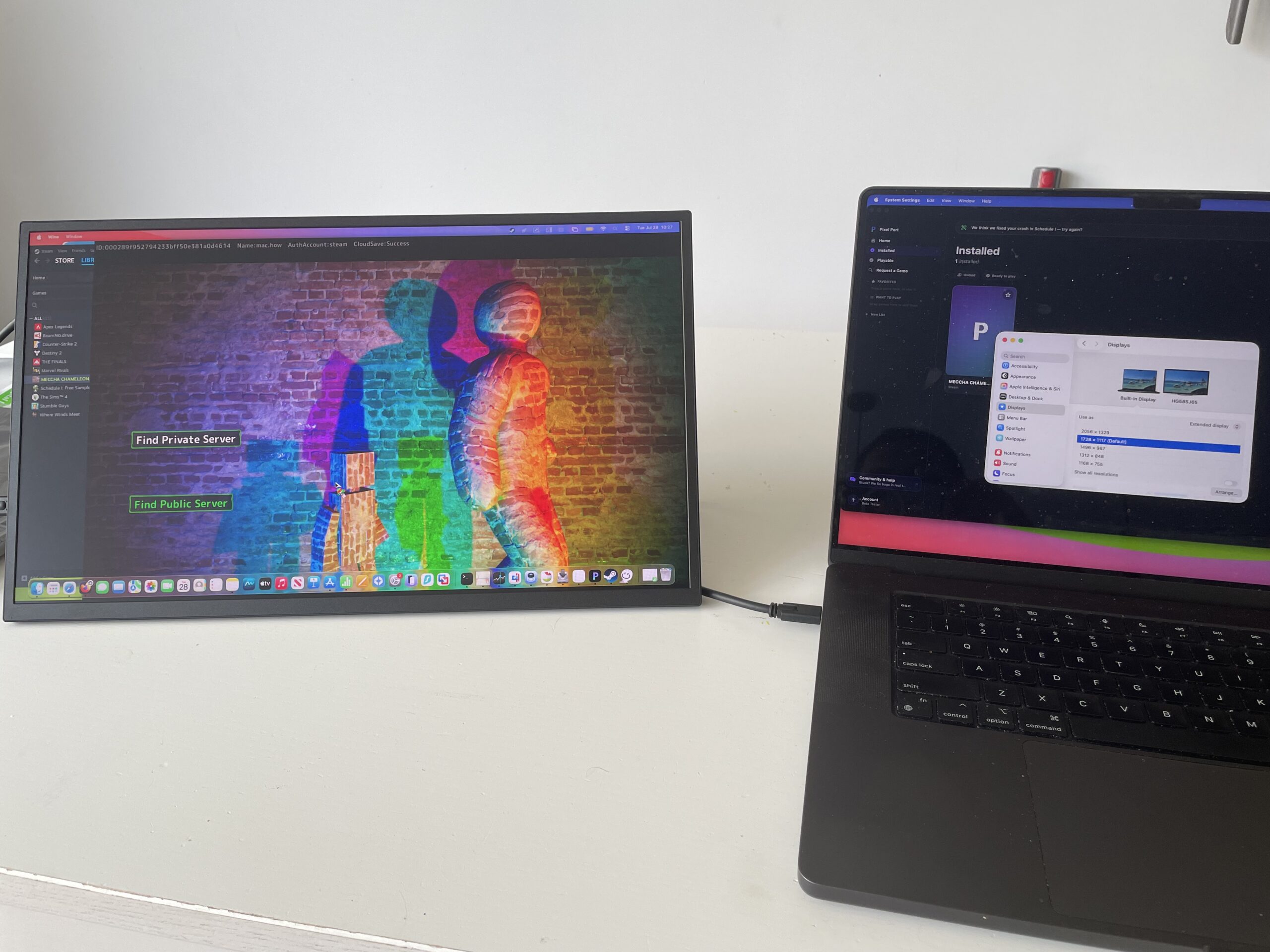
For productivity, the display looks excellent.
Colors appear vibrant without looking oversaturated, viewing angles are wide and brightness is more than adequate indoors.
UPERFECT advertises a very wide colour gamut alongside HDR support, although this monitor isn’t intended for professional color-critical editing.
I did find the screen a bit too dim when I unboxed it but using the OSD controls on the side of the monitor, you can easily adjust this.
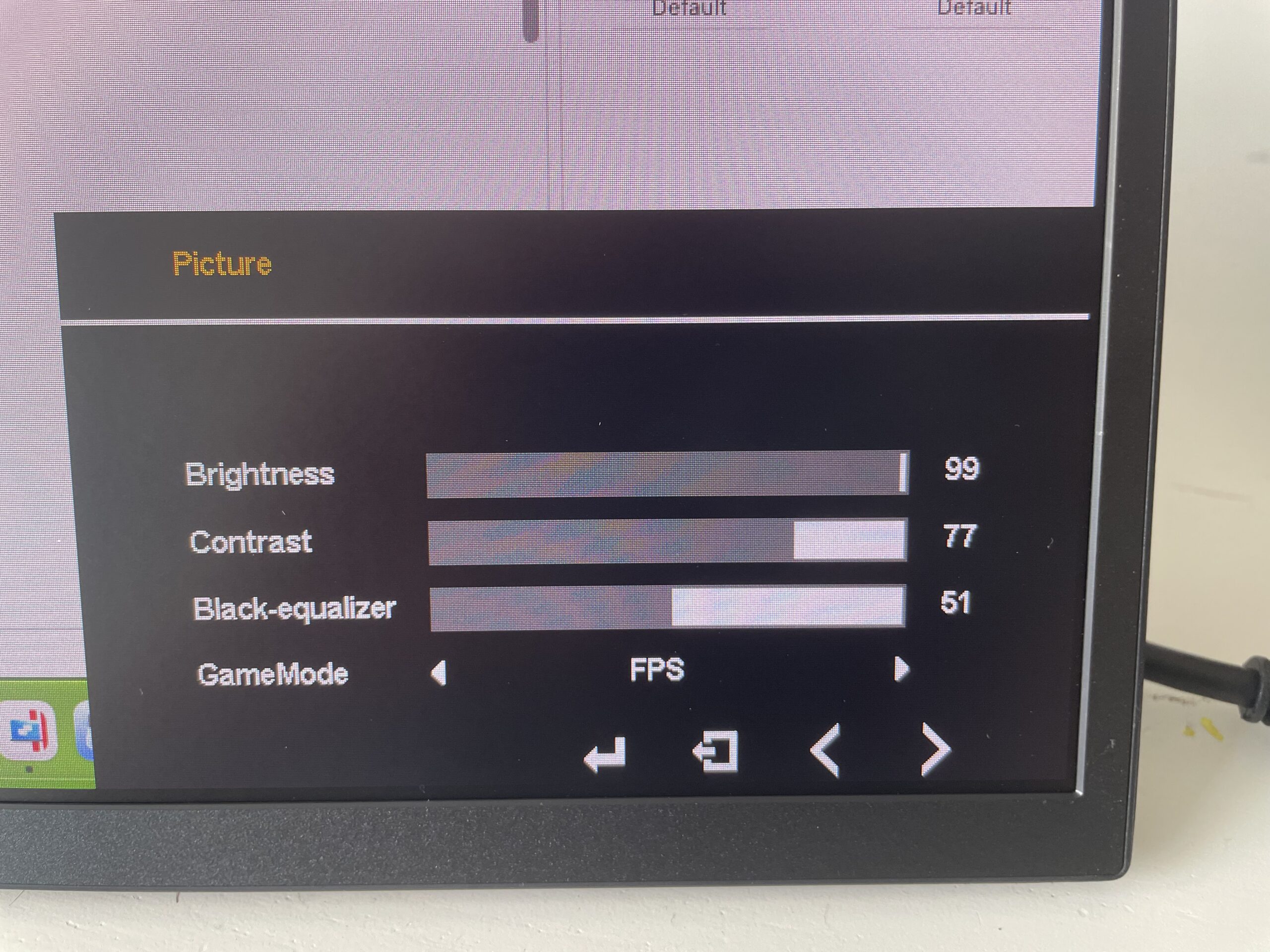
There’s also a special Game Mode which prioritizes the frame rate for smoother graphics.
For editing photos, browsing, office work and watching video, image quality is very good.
The Full HD resolution works well enough, although at 18.5 inches the pixel density is nowhere near as sharp as Apple’s Retina displays.
Coming directly from a MacBook Pro, text isn’t quite as crisp, but after a few minutes it becomes much less noticeable.
Build Quality
The chassis combines metal with plastic, feels solid and doesn’t flex much when being carried.
The integrated kickstand is sturdy enough to support the larger screen, while VESA mounting gives extra flexibility if you want to use it on a monitor arm.
There are also screw points (with screws included in the box), if you want to attach it to a stand.
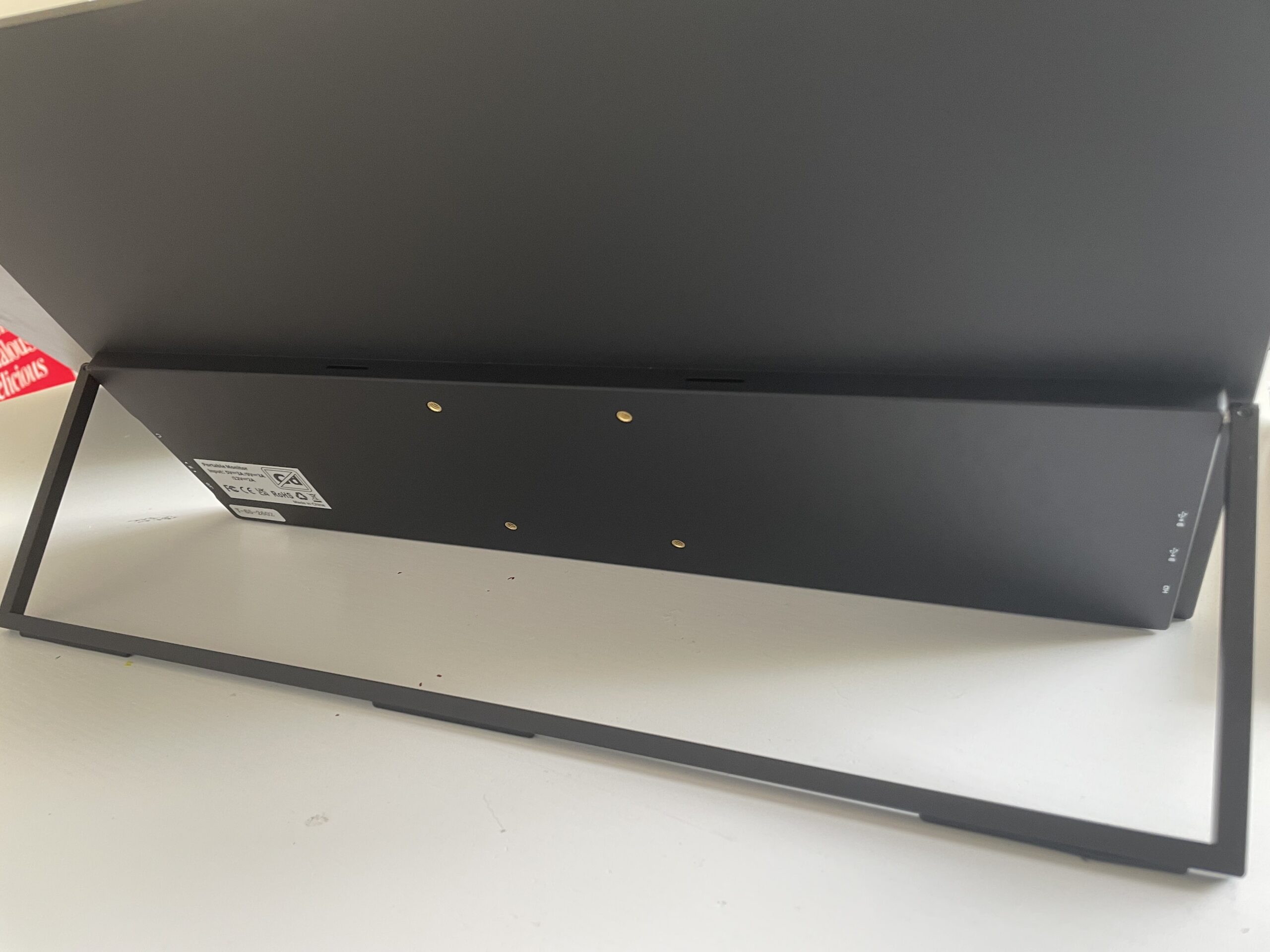
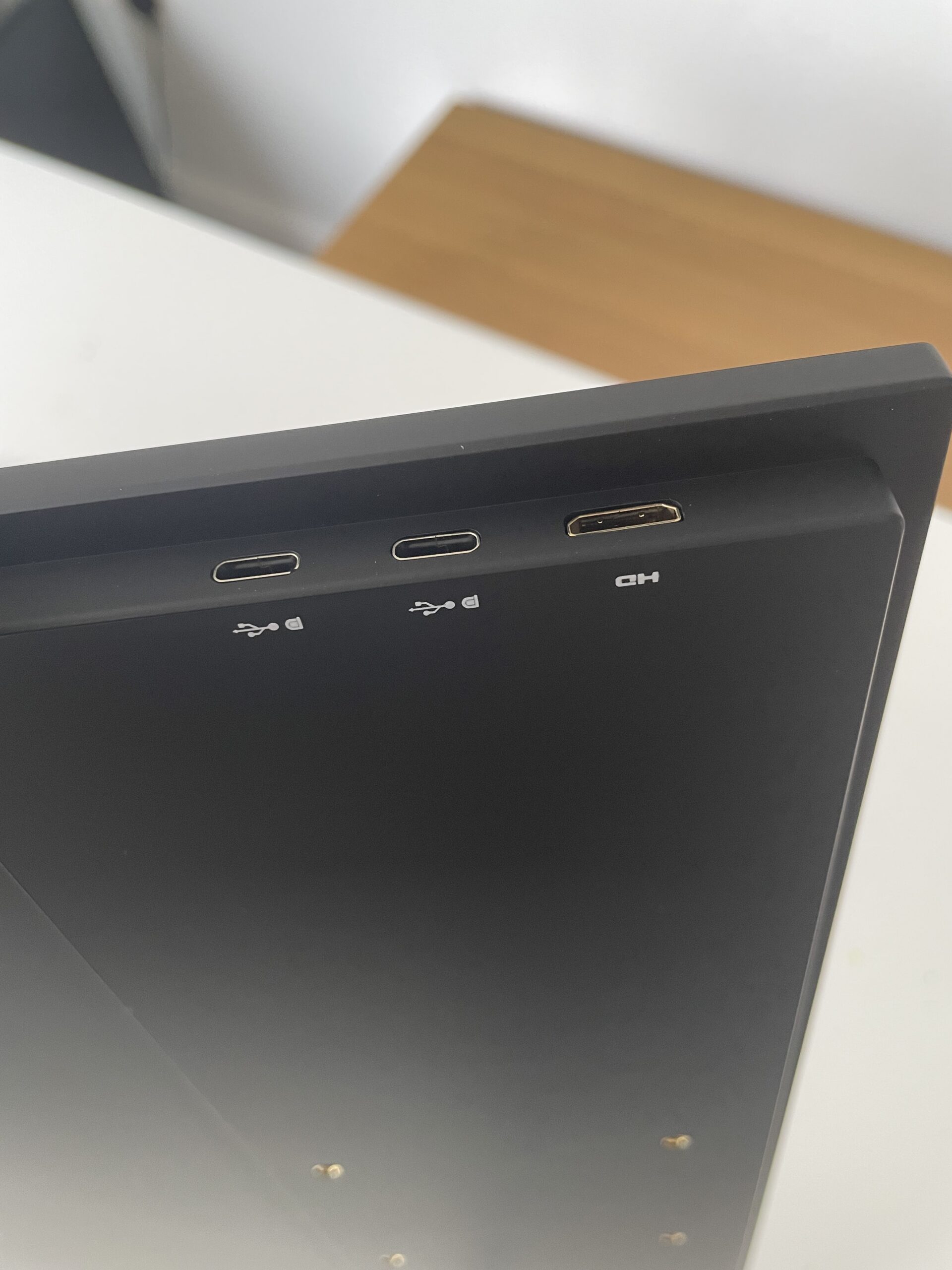
Ports on the side of the display include:
- Two full-function USB-C ports
- Mini HDMI
- 3.5mm headphone jack
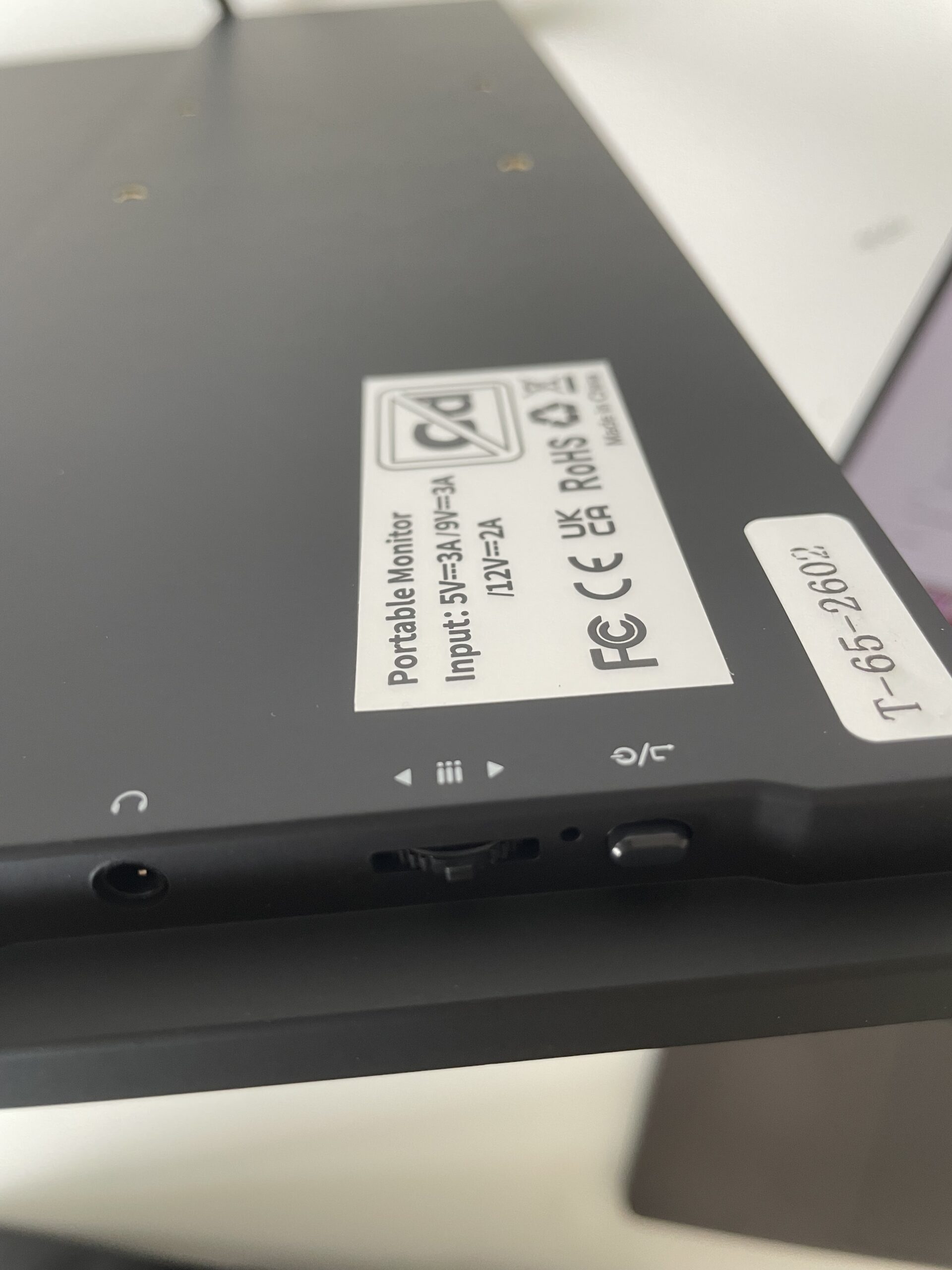
On the other side of the display you have:
- OSD control wheel to control Brightness, Contrast etc – which does feel a bit flimsy
- Headphone Jack
- Power button
Audio
Like almost every portable monitor, the built-in speakers are adequate but not great.
They’re perfectly adequate for YouTube videos or Zoom meetings but lack bass and don’t get particularly loud.
For movies, music or gaming I’d still recommend using your MacBook speakers (like I did), AirPods or external speakers.
Performance With macOS
After extensive testing using it as a second display with an M3 MacBook Pro, I had no compatibility issues.
It worked immediately in both mirrored and extended desktop modes.
Sleep and wake behavior was reliable, color settings were remembered after reconnecting and I experienced no signal dropouts during testing.
There is no additional software to install and it works with Macs out of the box.
Should You Buy It?
If you’re looking for a portable monitor for productivity or gaming on the go, the 18.5 inch UPERFECT NxtLED Portable Monitor is one of the better value options currently available.
The larger 18.5-inch screen makes working away from a desk much easier, while the 120Hz refresh rate is great for gaming and overall smoothness when browsing online or editing graphics and documents.
Creative professionals needing Retina-level sharpness or highly accurate color may want to look elsewhere, but for travelling professionals, students, remote workers and anyone wanting a second screen for their MacBook, the UPERFECT offers an excellent balance between portability, features and price.