

There are many ways to play Windows only games on a Mac but a new entrant onto the scene is Pixel Port.
Pixel Port promises to be easier than almost any other method – it automates everything so there’s less configuration that more established methods like Crossover, Whisky, Sikarugir (formerly Kegworks), UTM and Parallels.
Watch our video review below or read on for the full lowdown on how it works.
What is Pixel Port?
Pixel Port is a free macOS app that aims to make playing Windows games on Apple Silicon Macs as simple as possible. Instead of manually setting up compatibility tools such as Whisky, Wine or CrossOver, it automates the installation process and lets you launch supported Steam games with just a few clicks.
It’s also designed primarily for Apple Silicon Macs running modern versions of macOS.
Limited Games Catalog
Browsing through the Catalog there are some big titles on there that are classed as “Playable” such Half Life, Age of Empires II, Lethal Company and more.
However, at the time of writing the app shows that there are only 55 games that are actually “playable” – i,e. can be installed on Pixel Port.
August 2026 Update: This has now gone up to 172 games playable although this is still a small fraction of the Steam catalog.
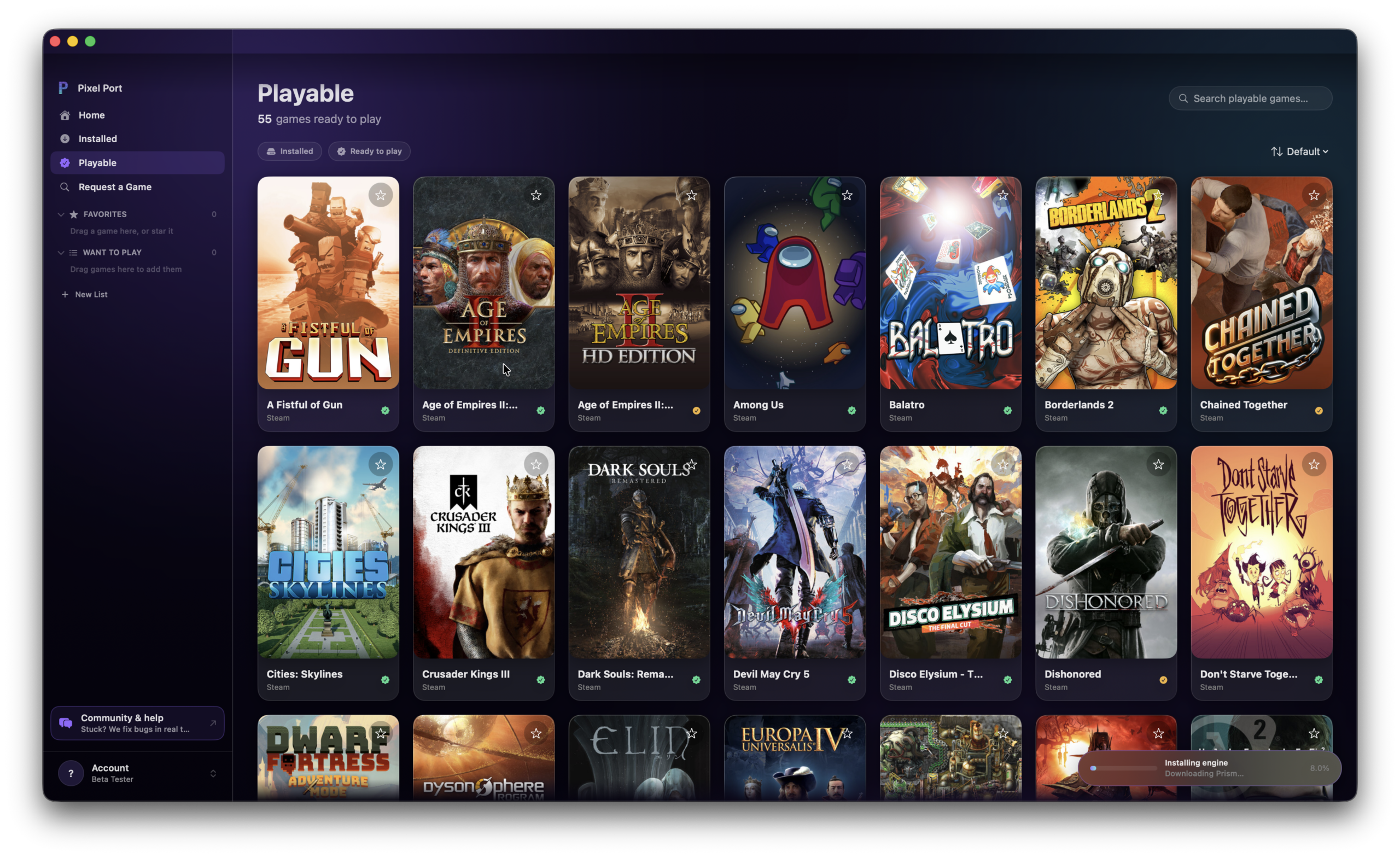
At the moment, it seems that the number of titles playable is low while the beta is rolled out and bugs are fixed but it’s likely more games will be playable on Pixel Port soon and the number is already increasing daily.
Easy To Get Started
When I originally tested it, Pixel Port struggled to download the components required to get started.
When you download and drag Pixel Port to your Applications folder and open it you link your Google or Apple account – so far so good.
Pixel Port first needs to download its own compatibility layer, called Prism, which is what allows Windows games to run on macOS.
Originally this download was painfully slow and eventually it just got stuck at 8% and I gave up.
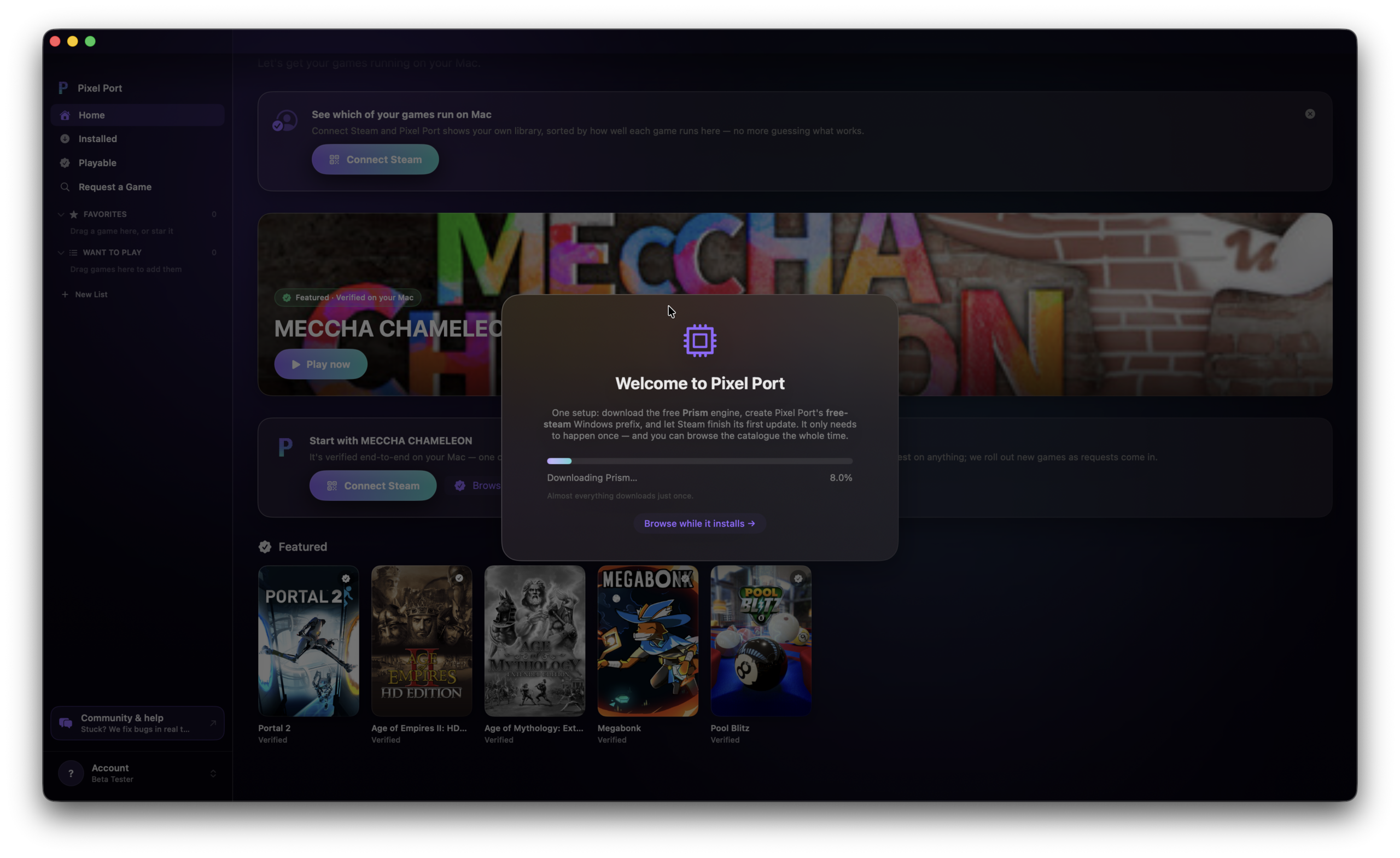
However, I tried again the next day and everything downloaded within seconds.
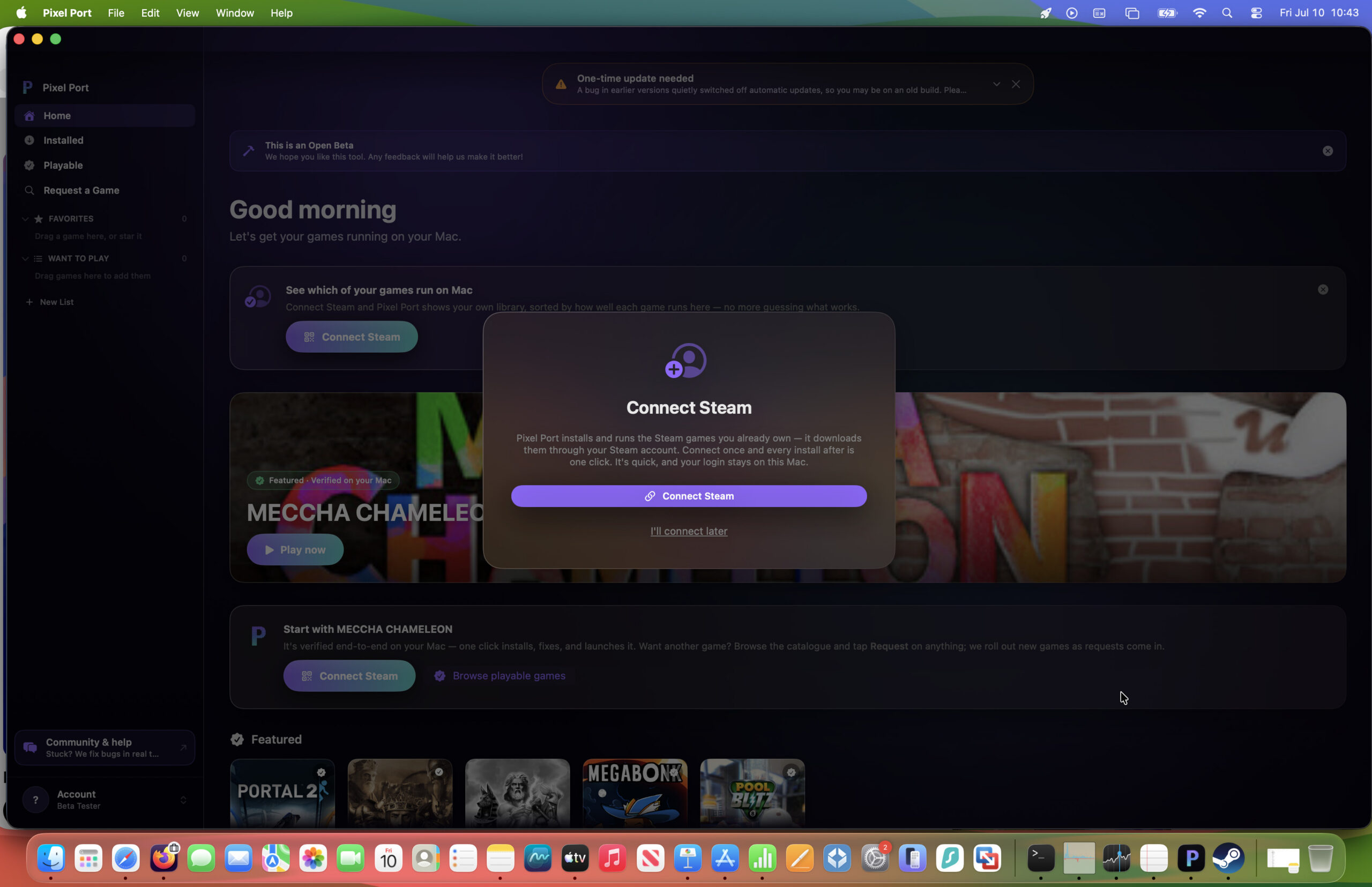
The next thing is to connect your Steam account which you need to do via the Steam mobile app using a QR code. There is a legacy method to enter your username and password but it wouldn’t work for me.
You then have to scan yet another QR code to enable downloads from Steam via Pixel Port.
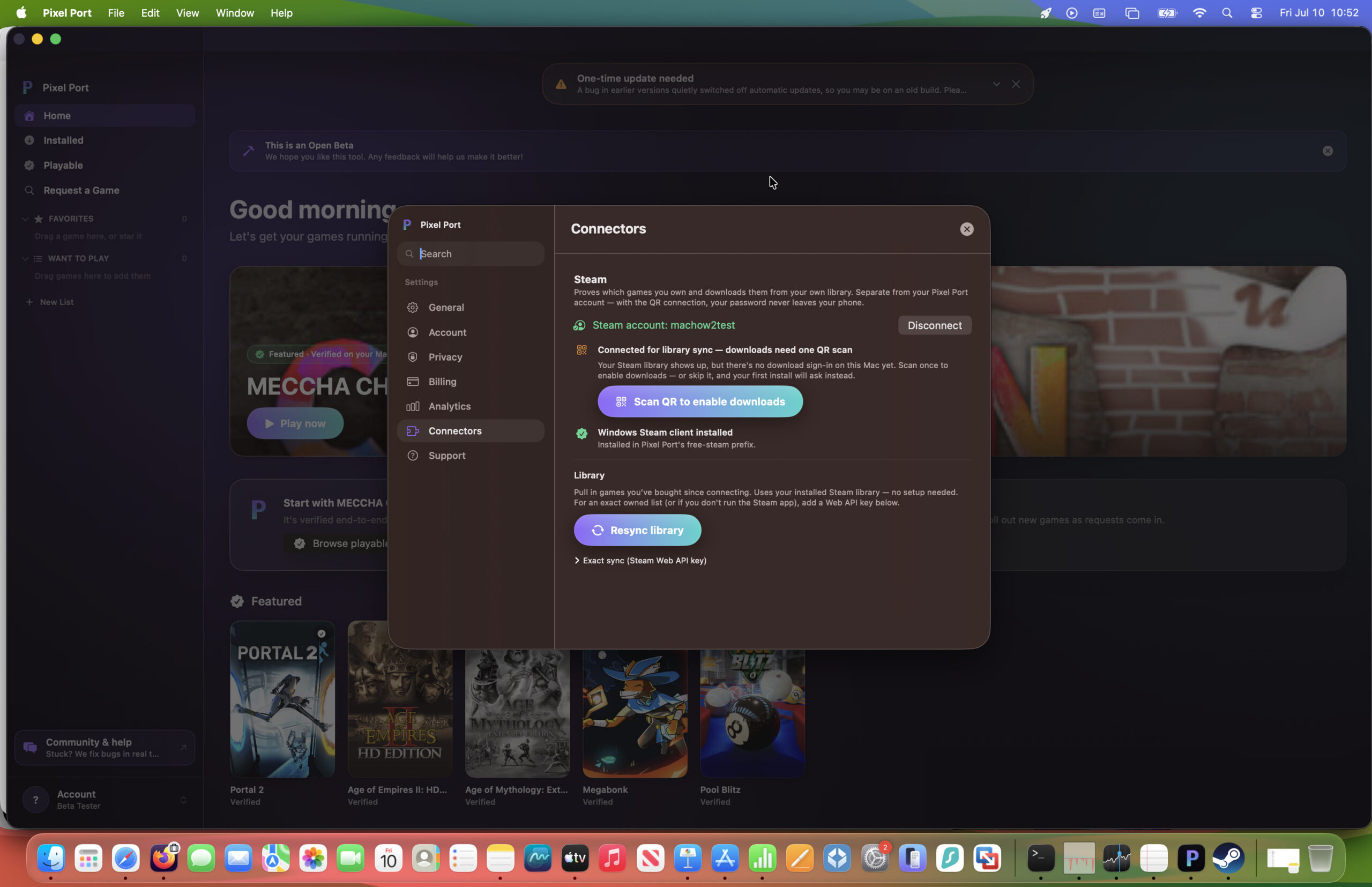
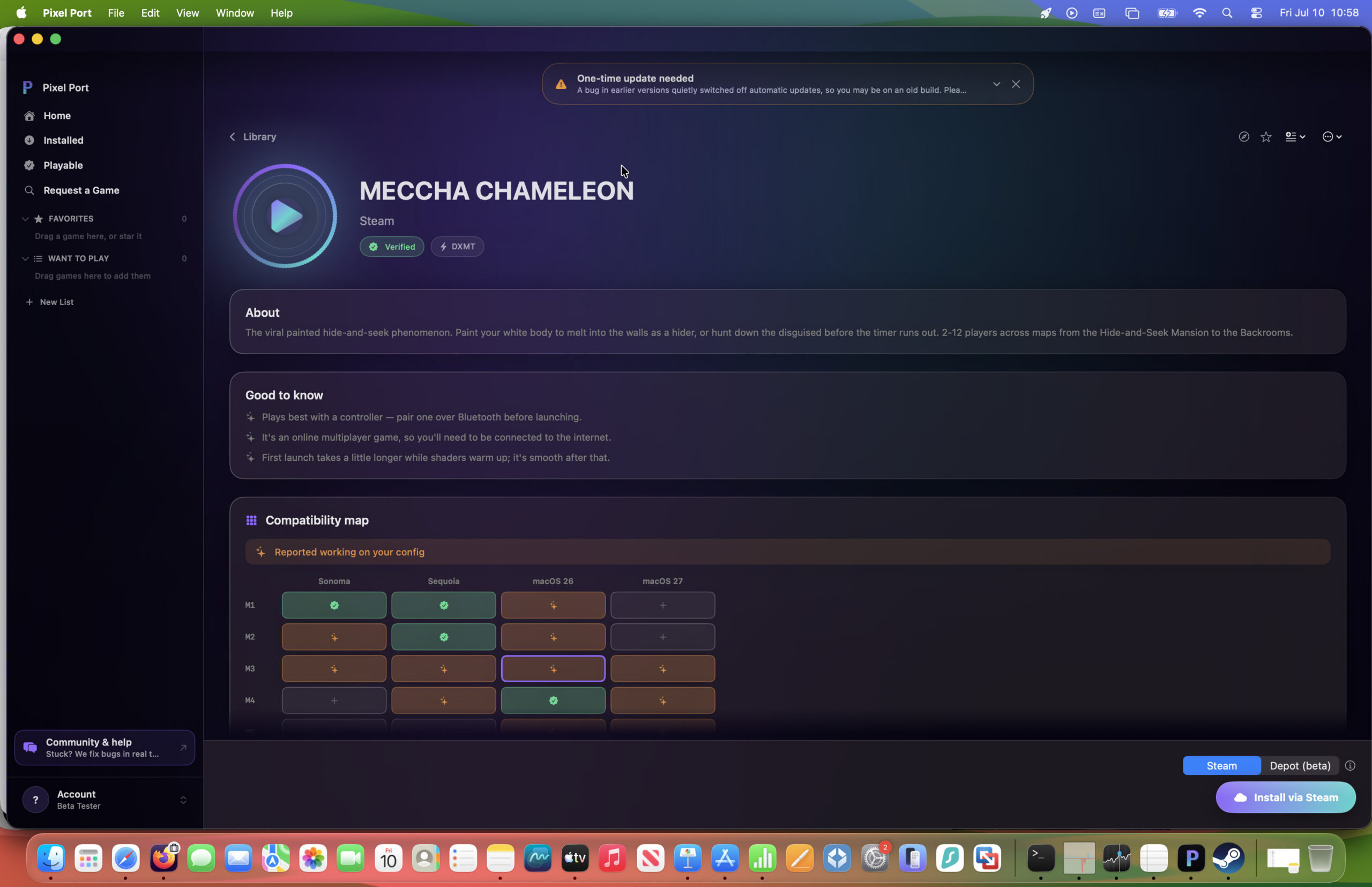
Once you’ve down that, you can access your Steam Library in Pixel Port and click on “Install via Steam” in the bottom right corner. There’s also a handy compatibility map to show you which versions of macOS the game is known to work with via Pixel Port – in this case Meccha Chameleon.
Once installed, Steam will launch and you’ll be able to play the game instantly – no further configuration required!
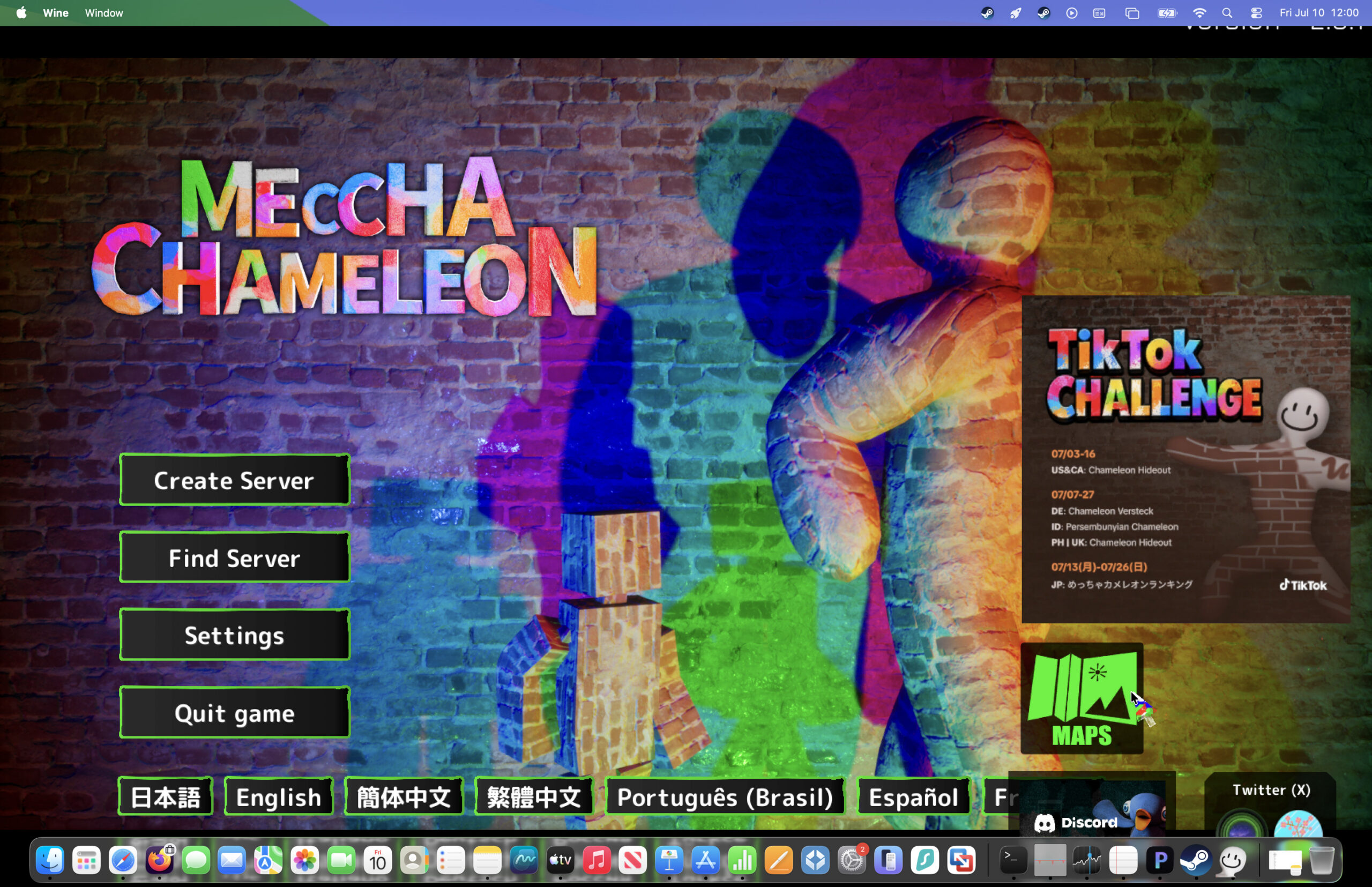
As you can see in the video below, the gameplay is really smooth and no different to using Crossover.
You can also see below how well it handles more fast paced games like Counter Strike 2 on a Mac.
What I really like overall about Pixel Port is the hands-off approach – even someone with no experience of using compatibility layers would be able to use it. Although Crossover is still the more reliable solution with a much wider catalog of games supported, it does require more fiddling around with graphics and acceleration settings with many games.
CrossOver vs Pixel Port
If you’re deciding between CrossOver and Pixel Port, the main difference is the amount of games supported and of course, the price.
CrossOver is the more polished and beginner-friendly option but costs $74 (although you can get 15% off that). It includes a large compatibility database, one-click installers for a wide range of Windows applications and games (not just from Steam), and commercial support from CodeWeavers. It’s also updated frequently to keep pace with new versions of macOS.
Pixel Port, by comparison, is a free, lightweight wrapper around Apple’s Game Porting Toolkit that’s aimed primarily at running Windows only Steam games on Apple Silicon Macs. It’s simpler than CrossOver for gaming but doesn’t support as many Windows applications or games, lacks CrossOver’s compatibility database, and doesn’t include technical support.
If you mainly want to play Windows games for free, Pixel Port is worth trying first. However, if you need the best overall compatibility for both Windows software and games, CrossOver remains the better choice.
Check out our full Crossover review for more.
Support
There is a discord help channel and the developer “Seanny” (real name Sean Ellul) seems to be very responsive to any issues.
However, this is a beta project and you should expect various instability and incompatibility issues with many games.
Overall, Pixel Port looks like an exciting project and could be, excuse the pun, a real game changer for those that want a simple way to play Windows only Steam games on a Mac.
For non Steam games and other solutions, check out our guide on how to play Windows games on a Mac for more options.
FAQ
Why is Pixel Port stuck downloading Prism?
If Pixel Port gets stuck downloading the Prism engine, it may be due to a temporary server issue, a bug in the app or a problem with your internet connection. In my original testing, the download repeatedly stalled at 8% and never completed, preventing me from linking my Steam account or installing any games.
If you encounter the same issue, try restarting Pixel Port, reinstalling the app or checking the official Discord server to see if other users are reporting similar problems.
Why won’t Pixel Port connect to Steam?
Some users have reported difficulties linking their Steam account to Pixel Port. In discussions on the Pixel Port Discord server, problems include Steam authentication failing, owned games not appearing in the library and purchases not syncing correctly.
If Steam won’t connect, make sure you’re signed into the correct Steam account and check whether there’s an ongoing issue before trying again. Also make sure you are using the Steam mobile app to scan QR codes as the username and password option often does not work.
Does Pixel Port work on Apple Silicon Macs?
Yes, Pixel Port is designed for Apple Silicon Macs (M1-M5) and aims to make it easy to play supported Windows games without having to manually configure compatibility tools such as CrossOver or Whisky.
However, because the project is still relatively new, compatibility and stability may vary depending on the game and the version of macOS you’re running.
Is Pixel Port free?
Yes. Pixel Port is free to download and use although only while it is in Beta. However, you’ll still need to own any Windows games you want to play through your Steam account.
Is Pixel Port safe?
From what I’ve seen, Pixel Port appears to be a legitimate project that allows you to sign in using your Apple or Google account before connecting to Steam. I haven’t encountered any evidence that it’s malicious.
As with any new software, it’s worth downloading it from the official Pixel Port website and checking the community Discord if you run into problems.
What games can you play with Pixel Port?
Pixel Port includes a growing catalogue of supported Windows games, including titles such as Half-Life, Age of Empires II and Lethal Company. Not every Windows game is supported, however, so you’ll need to check the catalogue to see whether the game you want to play is currently available.
Is Pixel Port better than CrossOver?
Pixel Port’s biggest advantage is simplicity. It aims to automate the installation and configuration process so that you can launch supported Windows games with very little setup.
CrossOver is currently a more mature and reliable solution, supports a much wider range of Windows applications and games, and generally offers better stability. If Pixel Port continues to develop, it could become a great alternative for users who want the easiest possible way to play Windows games on a Mac.
Does Pixel Port use Apple’s Game Porting Toolkit?
Pixel Port appears to build on Apple’s Game Porting Toolkit to run supported Windows games on macOS, but it hides most of the technical setup from the user. Instead of manually installing compatibility layers or configuring Wine, Pixel Port aims to automate the process so you can simply sign in, connect your Steam account and install supported games. This makes it much more beginner-friendly than many existing Windows gaming solutions for Mac.