

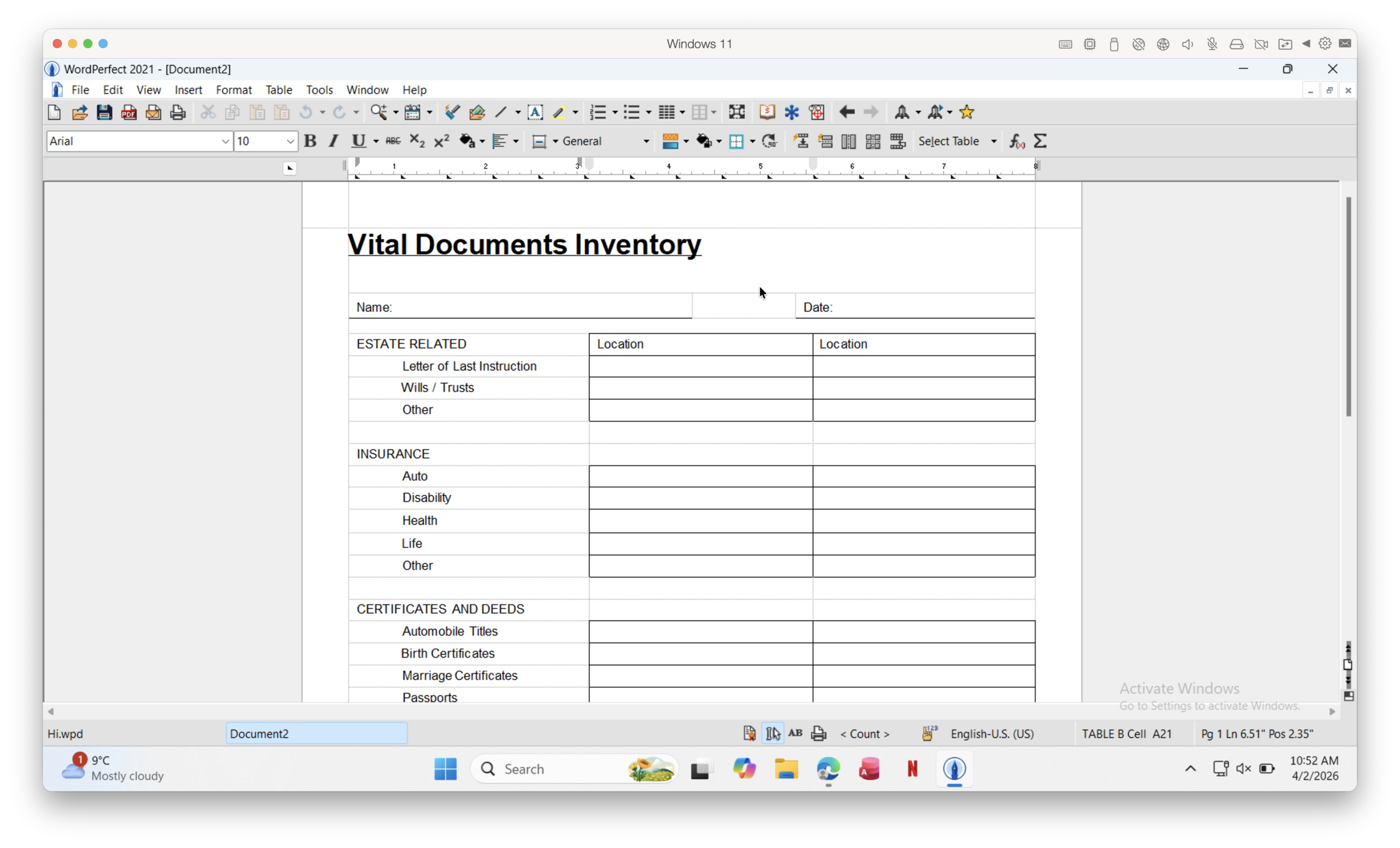
Although WordPerfect is still widely used in legal and government environments, there’s still no native Mac version in 2026.
But the good news? You now have far better, faster, and easier ways to run it on a Mac – or at least open WPD files – than in the past including on Apple Silicon Macs (M1-M5 Macs).
Here are the best ways to use WordPerfect on a Mac, depending on what you need.
Contents
- Quick Answer (2026)
- Best Ways To Run WordPerfect on Mac: Comparison
- How To Run WordPerfect On a Mac With Parallels
- How To Open WPD Files Without Installing Windows
- 1. Open WPD Files With LibreOffice (Best Free Option)
- 2. Try Apple Pages
- 3. Use Online Converters
- Alternative: Run WordPerfect Without Windows
- Methods That No Longer Work in 2026
- Why There’s No WordPerfect For Mac
- Best Alternatives To WordPerfect On Mac
- FAQ
Quick Answer (2026)
- Best full solution: Run WordPerfect using the Parallels Desktop virtual machine
- Best free alternative: Use the free office suite LibreOffice to open WPD files
- Best for quick viewing: Use an online converter or viewer
- Avoid: Outdated tools like WPDOS or legacy Mac versions which don’t work properly
Best Ways To Run WordPerfect on Mac: Comparison
| Method | Can Edit WPD Files | Formatting Accuracy | Works on Apple Silicon | Best For |
|---|---|---|---|---|
| Parallels Desktop + Windows | ✅ Yes | ✅ Excellent | ✅ Yes | Full WordPerfect use |
| LibreOffice | ⚠️ Limited | ❌ Inconsistent | ✅ Yes | Free file opening |
| Apple Pages | ⚠️ Limited | ❌ Unreliable | ✅ Yes | Quick viewing |
| Online converters | ❌ No | ❌ Poor | ✅ Yes | One-off use |
| CrossOver | ⚠️ Sometimes | ⚠️ Mixed | ✅ Yes | Advanced users |
How To Run WordPerfect On a Mac With Parallels
If you need full compatibility, the only reliable solution is to run Windows on your Mac and use the Windows version of WordPerfect. To do this, you’ll need to use a virtual machine, the best ones for running WordPerfect being Parallels (requires a subscription) and VMware Fusion (free).
We recommend Parallels because it’s easier to both setup and use and just works better than Fusion but both of them will allow you to run Windows on your Mac.
Step-by-step:
- Download and install the free trial of Parallels Desktop. If you’re new to this, check out our full guide to installing Windows on a Mac using Parallels Desktop.
- Follow the prompts and Parallels will automatically download and install Windows 11 on your Mac.
- Download the free trial of WordPerfect for Windows. If you want to purchase it straightaway, nowadays WordPerfect is sold as a complete office suite, currently called WordPerfect Office Standard costing $249.99.
- The download and setup process takes about 5 minutes in Parallels on your Mac. You don’t need a license key if you’re using the free trial but you need to provide your email to register with Corel to use it.
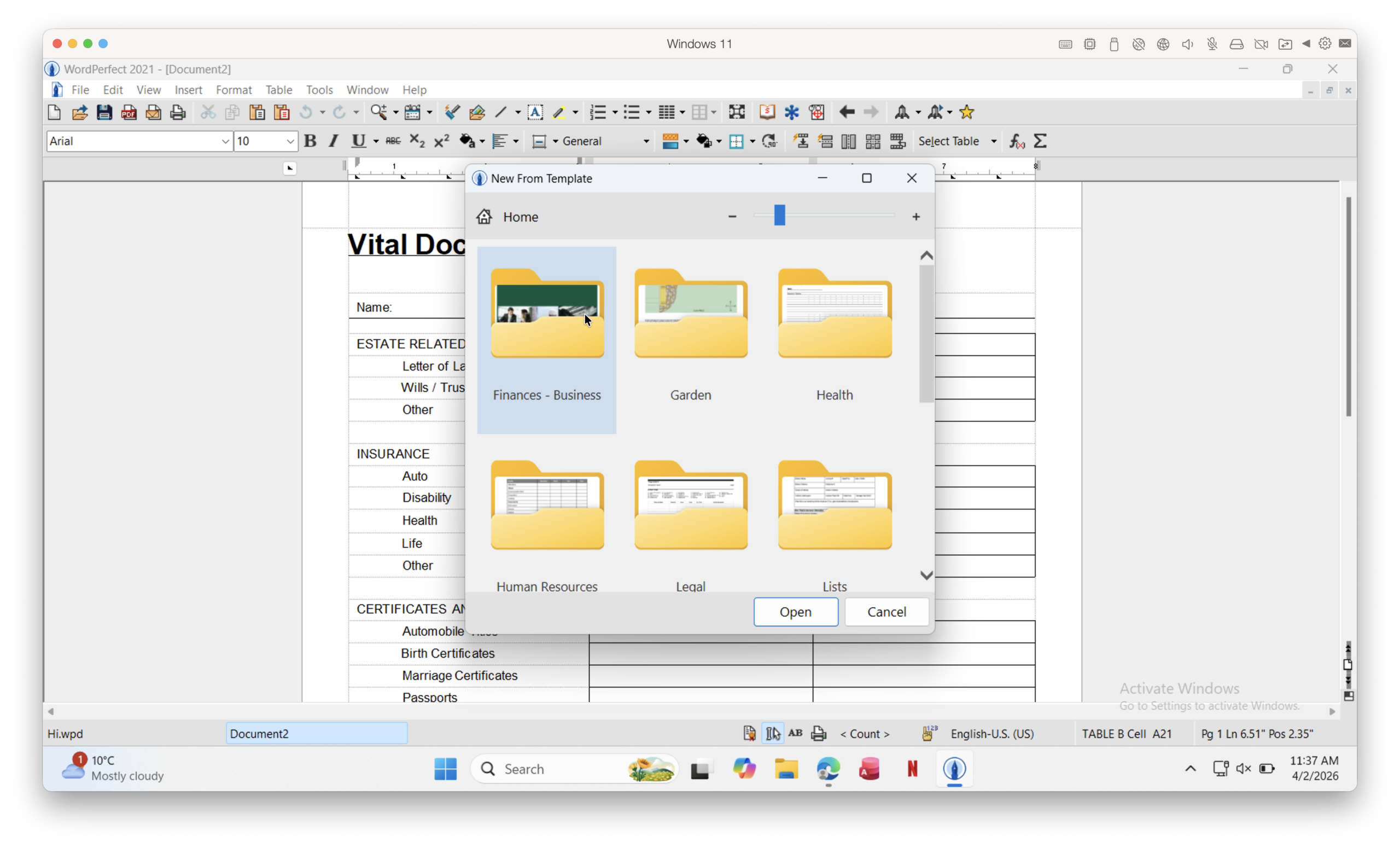
- Once installed, you simply have to Open and edit WPD files normally. Everything that’s available in the Windows version is accessible on your Mac including WordPerfect templates.
Why this works so well in 2026:
- Fully optimized for Apple Silicon Macs
- Near-native performance
- Seamless switching between macOS and Windows
Tip: If you use Coherence Mode in Parallels, WordPerfect runs like any other normal Mac app accessible from your Dock as you can see below.

How To Open WPD Files Without Installing Windows
If you don’t need full WordPerfect functionality, there are simpler options.
1. Open WPD Files With LibreOffice (Best Free Option)
LibreOffice is the best free way to open a WPD files on a Mac. Although it may not work with all WPD files, it’s usually reliable for simply WordPerfect documents as you can see in the video above.
Pros:
- Free and actively maintained
- Works on all modern Macs
- Can convert files to DOCX or PDF
Cons:
- Formatting often breaks
- Cannot reliably save back to WPD format
2. Try Apple Pages
Apple Pages may be able to open a WPD files if you convert to MS Word format first. However, in our experience, this doesn’t work well with complex WordPerfect files. Compatibility is inconsistent and complex documents usually need reformatting.
3. Use Online Converters
Online tools can convert WPD files to Word or PDF which is best for one-off documents and quick access. However, we don’t recommend this for uploading sensitive documents (especially legal files).
Alternative: Run WordPerfect Without Windows

CrossOver allows some Windows apps to run on macOS without installing Windows. However as you can see from the Crossover WordPerfect compatibility page above, the application is unrated which means it may not be reliable.
When we tried to install it as an unlisted application, it hung for ages and never completed it as you can see below suggesting that it’s not a serious option.

Methods That No Longer Work in 2026
We recommend avoiding outdated solutions such as:
- DOS emulators (e.g. WPDOS)
- Classic Mac versions of WordPerfect
- Legacy tools like OpenOffice or NeoOffice
These are:
- Incompatible with modern versions of macOS
- Unreliable on Apple Silicon Macs
- No longer maintained
Why There’s No WordPerfect For Mac
Corel discontinued the Mac version many years ago. The main reasons are:
- Low demand compared to Windows users
- Competition from:
- Microsoft Word
- Google Docs
- Focus on legal and enterprise Windows environments
There’s currently no indication a Mac version is coming back.
Best Alternatives To WordPerfect On Mac
If you’re considering switching, there are some excellent word processors for Macs, many of which are free.
- Microsoft Word – Best all-round compatibility
- LibreOffice – Best free alternative
- Apple Pages – Best for macOS users
For more, check out our guides to the best word processors for Mac and Office for Mac alternatives, including many which are free.
FAQ
Can you install WordPerfect on a Mac?
No, there is no native macOS version of WordPerfect. You must run it via Windows using tools like Parallels Desktop.
What is a WPD file?
A WPD file is a document format created by WordPerfect.
What is the best free way to open WPD files on Mac?
LibreOffice is the best free option, although formatting may not be perfectly preserved.
Can Microsoft Word open WPD files on Mac?
No, modern versions of Microsoft Word for Mac do not support WPD files.