

If you use two 4K or 5K monitors with your Mac, lighting the entire workspace evenly can be difficult. A conventional monitor light normally illuminates one display, while desk lamps can create reflections, uneven coverage and dark areas between two screens.
The new BenQ ScreenBar Max is a 33-inch desk light designed specifically to illuminate dual-monitor workspaces from a single fixture.
Unlike other BenQ ScreenBars, it doesn’t clip onto a monitor. Instead, it clamps to the desk behind the displays and extends above them, providing both downward-facing desk lighting and a rear ambient backlight.
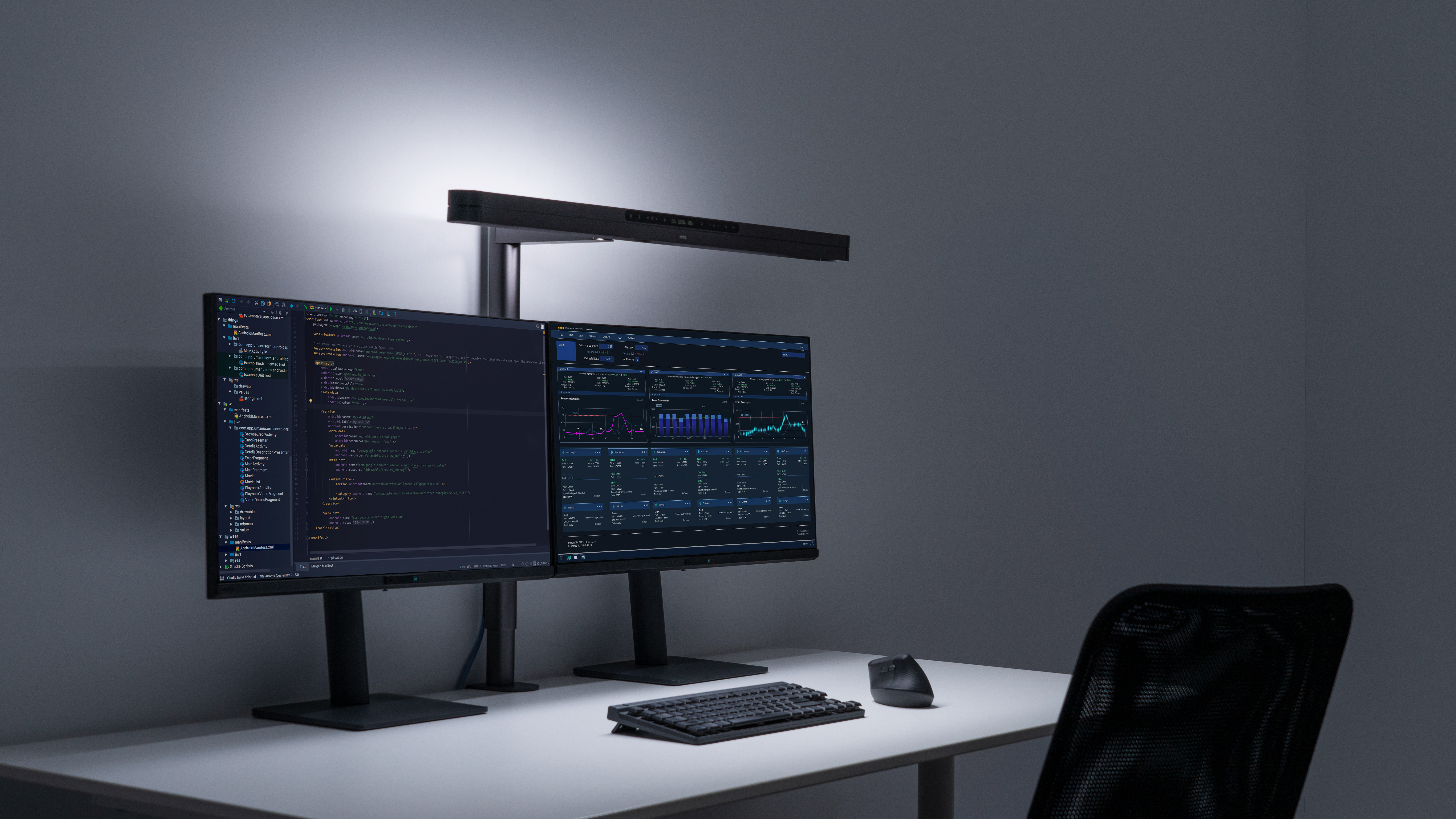
It also includes automatic brightness adjustment, presence detection, three height positions and a sliding lamp head that can be positioned to suit different monitor arrangements.
The ScreenBar Max is available in the US for $289 from BenQ and Amazon. UK pricing and availability have not yet been confirmed.
We’ll be testing the ScreenBar Max with a Mac and dual-monitor setup shortly. This article will then be updated with our photographs, measurements, hands-on observations and final verdict.
ScreenBar Max: Overview
The ScreenBar Max is BenQ’s widest desk light so far. Its 85cm or approximately 33-inch lamp head is designed to illuminate the working area in front of two displays, including the gap that can remain dark when a conventional light bar is mounted on only one monitor.
Its main specifications include:
- 85cm/33-inch lamp head
- Designed for dual-monitor workspaces
- 135 × 58cm illumination area at 500 lux
- Up to 1,400 lux central illumination
- 2700K–6000K adjustable colour temperature
- Stepless brightness adjustment
- Front desk light and rear ambient backlight
- Three height positions
- Sliding lamp-head adjustment
- Integrated touch display
- Automatic brightness adjustment
- Presence detection
- Screen Reading Mode
- Favourite lighting preset
- Desk clamp for surfaces up to 6cm thick
- Optional freestanding base
- 36W maximum power consumption
- $289 US price
The ScreenBar Max is finished in dark grey and measures approximately 85 × 37.4 × 75.5cm at its maximum dimensions. It weighs 2.65kg without its packaging.
Why Dual Monitors Need Different Lighting
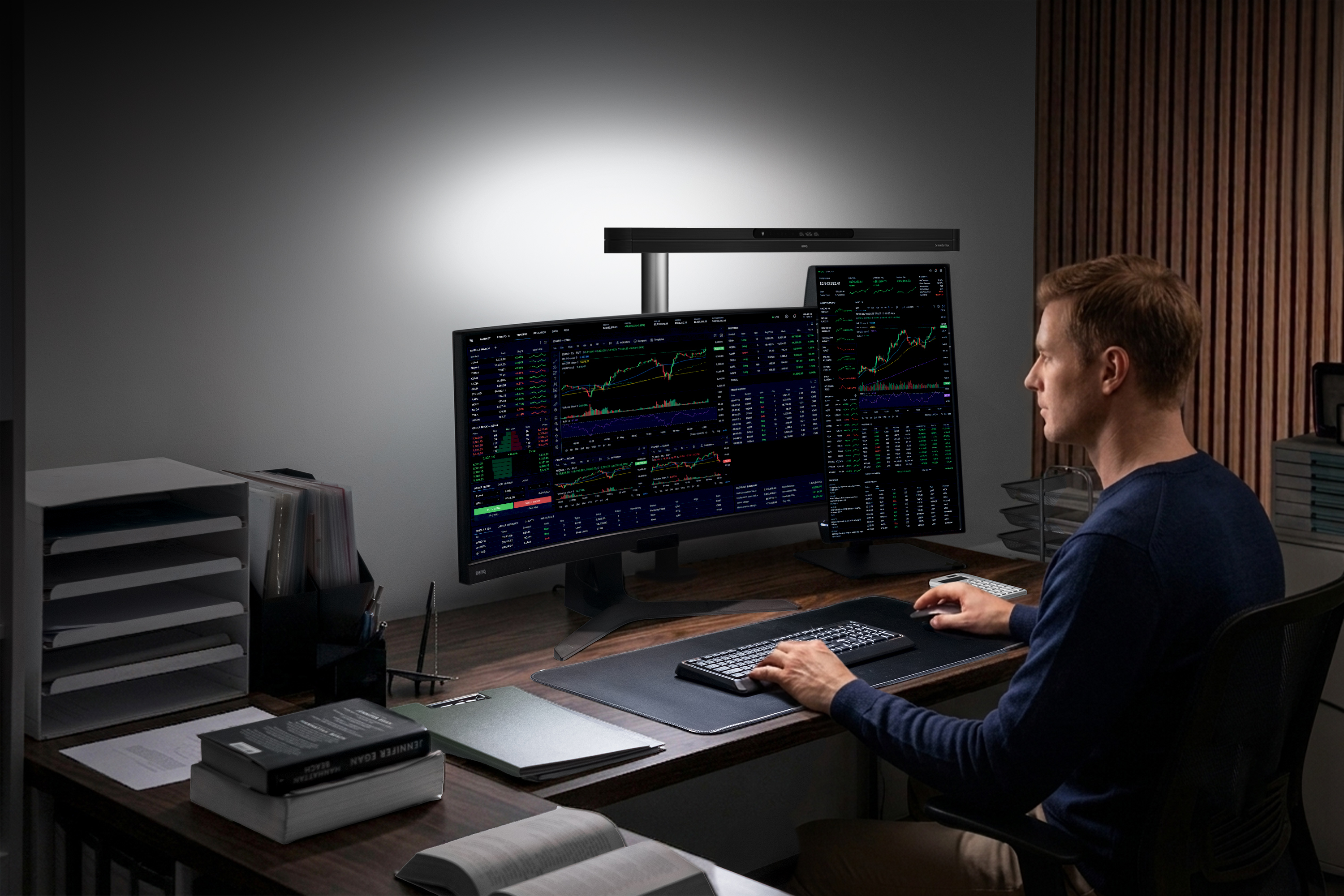
Most monitor lights are designed to sit on one display and illuminate the desk immediately in front of it.
This works well with a single monitor, but the light may be noticeably off-centre in a dual-display configuration. Installing the light on one screen can illuminate one side of the desk more strongly than the other, while positioning it close to the gap may still leave the outer edges poorly lit.
Using two separate light bars is another option, but this means buying, powering and controlling two devices. It can also be difficult to match the brightness and colour temperature of both lights exactly.
The ScreenBar Max attempts to solve this with one much wider light source positioned centrally above the complete workspace.
Its coverage should make it suitable for Mac users working with configurations such as:
- Two matching 27-inch monitors
- Two Apple Studio Displays
- A 5K display paired with a secondary 4K monitor
- One horizontal and one vertical display
- A MacBook used alongside one or two external monitors
- A dual-display setup attached to a Mac mini or Mac Studio
Because it clamps to the desk instead of either display, the ScreenBar Max is not dependent on the thickness or shape of a monitor’s enclosure.
However, the size, height and positioning of the displays will still determine whether the lamp can be placed at the correct angle. We’ll examine this carefully during our testing.
ASYM-TriZone Lighting
The ScreenBar Max uses what BenQ calls ASYM-TriZone Light, a wider version of the asymmetric optical system used in its other ScreenBar products.
Instead of spreading light in every direction like a traditional desk lamp, the optics are designed to project a controlled, triangular beam down and forwards across the desk.
BenQ claims this keeps light away from the displays and the user’s eyes while illuminating the keyboard, mouse and other working areas.
The ScreenBar Max is rated for:
- 1,400 lux central illumination when positioned 71cm above the desk
- At least 500 lux across an area measuring 135 × 58cm
- Ra 95 or higher colour rendering
- Rf 96 or higher colour fidelity
The 135cm width is the most important figure for dual-monitor use. It should allow the light to cover a large desk without producing the bright centre and much darker edges associated with smaller lamps.
However, manufacturer lighting diagrams don’t always reflect a real workspace containing monitor stands, keyboards, speakers and other equipment. We’ll therefore be looking for visible hot spots, shadows and differences in brightness between the two sides of the desk.
Will It Reflect on Glossy Mac Displays?
Avoiding reflections will be especially important for Mac users with glossy displays such as the Apple Studio Display or other 5K monitors designed for Macs.
BenQ’s asymmetric lighting is intended to direct the beam away from the display surface, with the lamp head positioned approximately 5cm in front of the monitors.
The ScreenBar Max also uses a shielding angle intended to prevent the LEDs from shining directly into the user’s eyes.
BenQ says this arrangement provides desk lighting without screen reflections or direct glare. We’ll need to verify that claim with both glossy and matte displays, as well as at different lamp heights and seating positions.
We will also check whether raising the lamp enough to clear two large monitors makes the LEDs visible from a normal seated position.
Adjustable Height and Positioning
Dual-monitor workspaces can vary considerably. Some people position both displays horizontally at the same height, while others use a vertical secondary monitor or mount the screens on adjustable arms.
To accommodate these differences, the ScreenBar Max has three fixed height settings.
A sliding rail also allows the 85cm lamp head to move forwards or backwards. BenQ recommends positioning the head approximately 5cm in front of the display surface, although the best position will depend on the height and angle of the monitors.
This adjustability should help with:
- Displays of different sizes
- Monitors positioned at different heights
- One horizontal and one vertical display
- Displays mounted on arms
- Desks with deep monitor stands
- Curved or angled dual-monitor arrangements
The lamp does not attach to either display, so adjusting a monitor shouldn’t destabilise the light. On the other hand, the stand must fit behind the monitors and may need to compete for space with monitor-arm clamps and cable-management systems.
This is one of the areas we’ll examine during installation.
Desk Clamp and Optional Base
The included clamp supports desks up to 6cm or 2.4 inches thick.
Its contact area measures approximately 9 × 7cm, which is relatively compact, but you’ll still need access to the rear edge of the desk. This may be an issue if your desk sits flush against a wall or already has two monitor arms attached to the back.
BenQ also sells an optional freestanding base for $39.
The base measures approximately 16.8 × 23.4cm, so it takes up considerably more desk space than the clamp. However, it could be useful with:
- Desks that are too thick for the clamp
- Desks with a rear panel or enclosed edge
- Glass desks
- Workspaces where clamping is not permitted
- Setups where the lamp needs to be moved regularly
The base is not included with the standard $289 ScreenBar Max package.
Front and Rear Lighting
The ScreenBar Max combines two types of lighting.
The front light illuminates the working area in front of the monitors, while the rear ambient light illuminates the wall or surrounding area behind them.
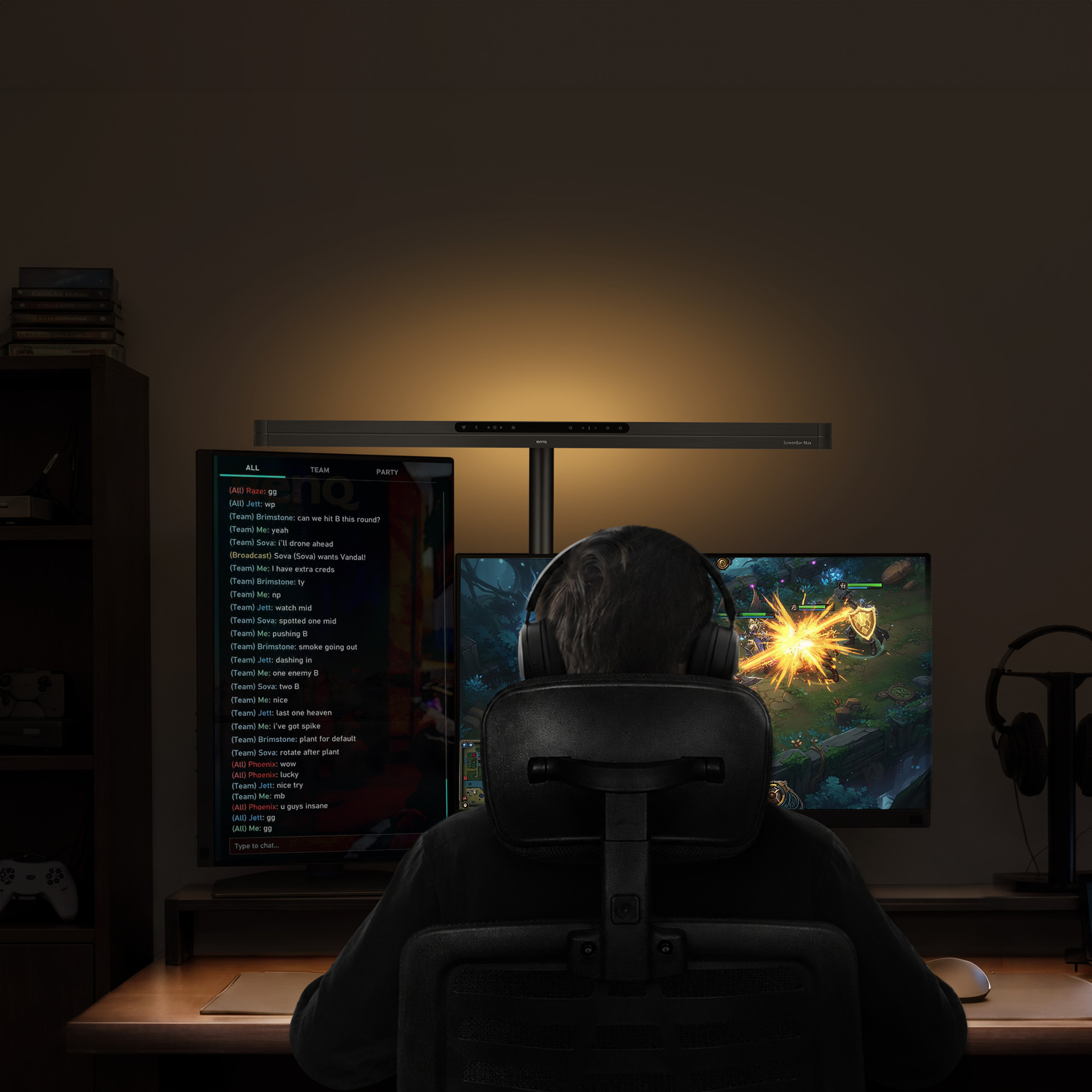
Rear lighting—sometimes called bias lighting—can reduce the perceived contrast between a bright display and a dark room. It can also give the workspace a softer appearance when working in the evening.
The touch controls allow you to switch between the front and rear lights, so you don’t have to use both at the same time.
The effectiveness of the backlight is likely to depend heavily on how close the monitors are to a wall. It may be less noticeable in an open room or where shelves and other objects obstruct the light behind the displays.
We’ll also check whether the backlight is wide enough to illuminate the wall behind two monitors evenly or whether it produces a noticeably brighter central area.
Adjustable Brightness and Colour Temperature
The ScreenBar Max provides stepless brightness adjustment from 1% to 100%.
Its colour temperature can be adjusted between:
- 2700K for warm evening lighting
- 4000K for neutral lighting
- 6000K for a cooler daylight appearance
The integrated touch display shows the selected brightness and colour-temperature values, making it easier to return to a previous setting.
There is also a Favourite Mode for saving a preferred lighting combination.
Adjustable colour temperature is useful, but it requires additional care if you use a Mac for photography, design or video editing. Ambient lighting can affect how colours appear on a display, even if the light isn’t shining directly onto the screen.
For colour-sensitive work, we would normally avoid changing the room lighting while making critical colour decisions. We’ll assess whether the ScreenBar Max has any visible effect on perceived screen colours during our testing.
Screen Reading Mode
Screen Reading Mode combines automatic brightness adjustment with a fixed 4000K colour temperature.
When activated, the ScreenBar Max measures the surrounding light and automatically adjusts its output. BenQ has chosen 4000K because it provides a relatively neutral balance between warmer evening light and cooler daylight settings.
This mode is intended to provide a set-and-forget option for general computer work, reading and office tasks.
It will be interesting to see whether Screen Reading Mode selects a comfortable brightness in both bright daylight and a darker evening environment. Automatic lighting modes can sometimes be brighter or dimmer than individual users prefer.
Presence Detection
The ScreenBar Max can automatically switch on when you approach the desk and turn off when you leave.
This means it can operate without being manually switched on and off throughout the day. The light should also retain its previous mode and colour-temperature setting.
Presence detection sounds useful, but its effectiveness depends on how accurately it distinguishes between an occupied desk and an empty one.
We’ll test whether it:
- Activates reliably when sitting down
- Switches on when someone simply walks past
- Remains on while reading or watching video
- Turns off after leaving the desk
- Detects other people or movement elsewhere in the room
A sensor that turns the light off while you remain relatively still would quickly become annoying, so this will be an important part of the review.
Touch Controls
Unlike the ScreenBar Halo 2, the ScreenBar Max does not use a separate wireless control puck.
Its controls are integrated into a touch-sensitive display on the lamp. From here, you can adjust:
- Power
- Front and rear lighting
- Brightness
- Colour temperature
- Automatic dimming
- Presence detection
- Screen Reading Mode
- Favourite Mode
The advantage is that there is no separate controller occupying space on the desk or requiring charging.
The disadvantage is that the controls are positioned above the monitors. Depending on the height of the lamp and your seating position, they may be less convenient to reach than a desktop controller.
We’ll assess both the responsiveness and accessibility of the controls during the full review.
Does ScreenBar Max Work With a Mac?
The ScreenBar Max operates independently of the computer and does not require macOS software.
It is powered by its own adapter rather than a USB port, so it doesn’t use any of the limited ports on a MacBook or Mac desktop.
This also means there are no specific Mac system requirements. Compatibility is determined by the physical monitor and desk arrangement rather than the version of macOS or the type of Mac being used.
It should therefore work with displays connected to:
- MacBook Air
- MacBook Pro
- Mac mini
- Mac Studio
- Mac Pro
- iMac
It does not provide any display connectivity and won’t allow a Mac to support more monitors than the computer would normally support. It is simply a lighting system positioned around the existing displays.
ScreenBar Max vs ScreenBar Pro and Halo 2
The Max isn’t necessarily the best BenQ ScreenBar for every desk.
| Feature | ScreenBar Max | ScreenBar Pro | ScreenBar Halo 2 |
|---|---|---|---|
| Best suited to | Dual-monitor workspaces | Single and ultrawide monitors | Single monitors in darker rooms |
| Mounting | Desk clamp | Attaches to monitor | Attaches to monitor |
| Front lighting | Yes | Yes | Yes |
| Rear backlight | Yes | No | Yes |
| Lighting coverage | 135 × 58cm | 85 × 50cm | 85 × 50cm |
| Maximum central brightness | 1,400 lux | Over 1,000 lux | Up to 1,000 lux |
| Colour temperature | 2700K–6000K | 2700K–6500K | 2700K–6500K |
| Presence detection | Yes | Yes | Yes |
| Automatic dimming | Yes | Yes | Yes |
| Controller | Integrated touch display | Integrated touch controls | Wireless desktop controller |
| macOS app | No announced support | No | No |
The ScreenBar Pro is likely to be sufficient if you use one conventional or ultrawide monitor.
The ScreenBar Halo 2 is better suited to users who want front and rear lighting for one display, especially in a darker room. Its desktop controller is also more accessible than controls positioned above the monitor.
The Max makes the most sense when you want one coordinated light across two displays and don’t want to install and control two separate monitor light bars.
ScreenBar Max vs Two Separate Light Bars
The most obvious alternative to the ScreenBar Max is placing one conventional light bar on each monitor.
Two light bars offer some advantages:
- Each light can be positioned for its individual monitor
- The setup can adapt to displays at different heights
- One light can be used independently
- The lights remain usable if you return to a single-monitor setup
However, there are also disadvantages:
- Two power connections are required
- Brightness and colour temperature must be matched
- Two sets of controls are needed
- The combined price may be higher
- Light coverage can overlap unevenly in the centre
- Two monitor-mounted lights can complicate webcam placement
The ScreenBar Max is intended to provide more consistent illumination from a single centrally controlled lamp. Whether that is better than two smaller ScreenBars will be one of the central questions in our review.
Price and Availability
The BenQ ScreenBar Max has an MSRP of $289 and is available in the US from:
- BenQ
- Amazon.com
- B&H
- Adorama
It will also be sold through Best Buy in Canada.
The optional freestanding base costs an additional $39.
At the time of writing, BenQ has not announced UK pricing or availability.
At $289, the ScreenBar Max is considerably more expensive than a conventional desk lamp or many single-monitor light bars. Its value will therefore depend on whether it can genuinely replace multiple lights while providing noticeably better coverage and reducing screen reflections.
What We’ll Test
We’ll update this article after testing the ScreenBar Max with a Mac-controlled dual-monitor setup.
Our tests will focus on:
- Ease of assembly and installation
- Space required by the desk clamp
- Compatibility with monitor arms
- Stability of the stand and lamp head
- Coverage across two monitors
- Brightness at the centre and edges of the desk
- Lighting across the gap between the displays
- Reflections on glossy and matte screens
- Whether the LEDs are visible from a seated position
- Compatibility with monitors of different sizes
- Horizontal and vertical monitor arrangements
- Webcam clearance
- Effectiveness of the rear backlight
- Responsiveness of the touch controls
- Accuracy of automatic brightness adjustment
- Reliability of presence detection
- Noise or heat during extended use
- Whether it offers better value than two separate light bars
We’ll also test it during normal office work, evening use and colour-sensitive tasks such as photo or video editing.
What About the BenQ iScreenBar for iMac?
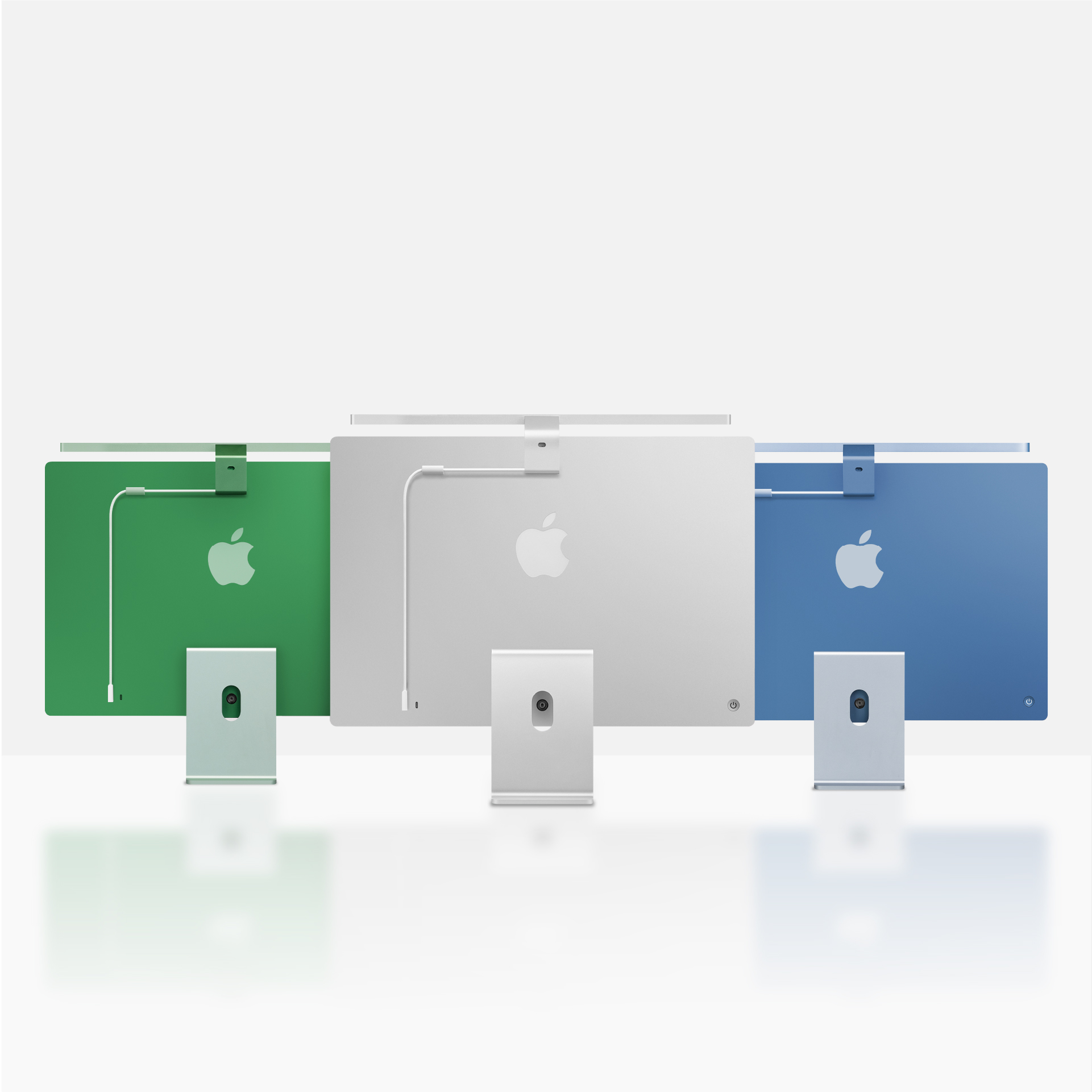
BenQ launched the ScreenBar Max alongside the new iScreenBar for iMac.
The iScreenBar is designed specifically for 24-inch Apple Silicon iMacs from 2021 onwards. It uses a magnetic mount and includes macOS software control and a dedicated video-call lighting mode.
It is available in silver for $189, with blue and green versions planned for later in 2026.
The iScreenBar has a very different purpose from the ScreenBar Max: it is designed to blend into a single iMac setup, whereas the Max is intended to cover two separate displays.
We won’t be testing the iScreenBar at this stage, so we aren’t making any recommendation on its performance.
Our Early Verdict
The ScreenBar Max is an interesting solution to a genuine weakness of conventional monitor lights.
Instead of mounting a light on one display and accepting uneven coverage—or buying two separate ScreenBars—it provides one centrally controlled 85cm lamp intended to illuminate the complete dual-monitor workspace.
The wide lighting area, adjustable stand, ambient backlight and automatic controls all sound promising. We also like that it uses its own power adapter and doesn’t consume a USB-C port on the Mac.
However, it is a large and expensive accessory.
At $289, the ScreenBar Max needs to offer more than simply making a desk brighter. It must illuminate both sides evenly, avoid reflections on glossy displays, fit around existing monitor arms and remain convenient to control despite being positioned above the screens.
For now, we would treat it as a promising specialist product rather than an automatic purchase for every dual-monitor user.
We’ll update this article with our complete hands-on review and final recommendation once we have tested it.
Frequently Asked Questions
Does the ScreenBar Max attach to a monitor?
No. The ScreenBar Max attaches to the back of the desk using a clamp and extends above the monitors. This allows one light to cover two displays without resting on either one.
How wide is the ScreenBar Max?
The lamp head is 85cm or approximately 33 inches wide.
What size area does it illuminate?
BenQ claims coverage of 135 × 58cm at 500 lux, with central brightness reaching 1,400 lux when the lamp is positioned 71cm above the desk.
Can the ScreenBar Max be used with a Mac?
Yes. It operates independently and does not require macOS software or a connection to the Mac.
Will it work with two Apple Studio Displays?
There is no electronic compatibility requirement because the lamp does not connect to the displays. However, its practical suitability will depend on the height, spacing, stands and webcam position of the two displays. We’ll examine glossy-display reflections and camera clearance during testing.
Can it be used with monitor arms?
Potentially, but the ScreenBar Max clamp and monitor-arm mounts must all fit along the rear edge of the desk. This is one of the areas we’ll test in the full review.
Does it include the freestanding base?
No. The desk clamp is included, but the optional base is sold separately for $39.
Does the ScreenBar Max need a USB connection?
No. It uses its own mains power adapter and has a maximum rated power consumption of 36W.
Does it have rear bias lighting?
Yes. The ScreenBar Max includes a rear ambient light that can be used independently or together with the front desk light.
What colour temperatures does it support?
The colour temperature can be adjusted continuously between 2700K and 6000K.
Is the ScreenBar Max available in the UK?
BenQ has announced US availability at $289, but UK pricing and availability had not been confirmed at the time of writing.