

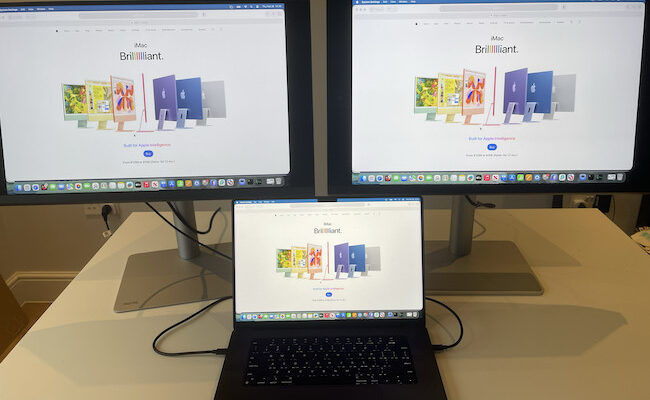
If you want the best 4K monitor for a Mac in 2026, our top recommendation for everyday use is the BenQ MA270U or its glossy MA270UP counterpart. They combine Mac-friendly color modes, convenient keyboard controls and 90W USB-C charging in a practical 27-inch display.
The Dell S2725QC is our budget pick if you want a smooth 120Hz desktop for less money, while the Dell UltraSharp U2725QE is worth paying more for if you need Thunderbolt, Ethernet and a more capable docking setup.
For a larger screen, the newer BenQ MA320UG brings 120Hz and Thunderbolt 4 to BenQ’s Mac-focused range. Creative professionals should also consider the BenQ PD3226G, while the BenQ MOBIUZ EX271UZ is our specialist OLED gaming pick.
Is 4K a Good Choice for a Mac?
A good 4K monitor can be an excellent match for a Mac. Compared with 5K displays, there is a much wider choice of affordable models, larger screens and monitors with refresh rates above 60Hz.
However, 4K and 5K do not look identical on a Mac, especially when you are reading small text.
A 27-inch 4K display has approximately 163 pixels per inch, compared with 218 PPI on a 27-inch 5K monitor. A 31.5-inch 4K display has approximately 140 PPI: the larger screen spreads the same number of pixels over a bigger area.
On a 4K display, macOS can use clean 2× scaling to show a workspace that looks like 1920 × 1080. Text is sharp, but buttons and windows can feel rather large. Choosing a workspace that looks like 2560 × 1440 gives you more room, although the image must be rescaled to fit the panel and fine text can look slightly softer.
Many people are perfectly happy using a 27-inch 4K monitor at a scaled setting. If you are particularly sensitive to text clarity or are replacing a 5K iMac, our guide to the best 5K monitors for Mac is the better starting point.
This guide covers conventional 3840 × 2160, 16:9 4K monitors. For a wider range of resolutions and screen types, see our guide to the best Apple Studio Display alternatives.
Best 4K Monitors for Mac at a Glance
| Monitor | Best for | Screen size | Refresh rate | Main MacBook connection | Charging | Price guide |
|---|---|---|---|---|---|---|
| BenQ MA270U / MA270UP | Everyday Mac use; matte or glossy | 27-inch | 60Hz | USB-C | 90W | MA270U: around $550 MA270UP: around $550 |
| Dell S2725QC | Budget 4K and 120Hz | 27-inch | 120Hz | USB-C | 65W | Around $350 |
| ASUS ProArt PA279CRV | Affordable photo and design work | 27-inch | 60Hz | USB-C | 96W | Around $429 |
| Dell UltraSharp U2725QE | Thunderbolt docking and office work | 27-inch | 120Hz | Thunderbolt 4 | Up to 140W | Around $630 |
| BenQ MA320UG | A larger glossy Mac display | 31.5-inch | 120Hz | Thunderbolt 4 | 96W | Around $830 |
| BenQ PD3226G | Creative work with 144Hz | 31.5-inch | 144Hz | Thunderbolt 4 | 90W | Around $900 |
| BenQ MOBIUZ EX271UZ | OLED gaming and HDR entertainment | 26.5-inch, sold as 27-inch | 240Hz | USB-C; HDMI for compatible high-refresh setups | 90W over USB-C | Around $1,050 |
Prices are reference figures from the linked manufacturers or retailers, checked in September 2026, rather than live Amazon quotes. Regional prices, stock and offers vary. Refresh rates are the monitors’ maximum specifications; the available resolution, refresh rate and charging power depend on your Mac and connection. None of these main picks includes a webcam.
How We Chose These Displays
We prioritized the features that make a practical difference when you connect a monitor to a Mac:
- Clear text and useful macOS scaling options
- Suitable color modes for everyday use or creative work
- USB-C or Thunderbolt with video, data and laptop charging
- A sensible choice of 60Hz, 120Hz or faster panels for different needs
- Adjustable stands and useful accessory ports
- Current alternatives to older, less competitive models
The recommendations combine MacHow2’s published hands-on reviews with manufacturer specifications and buying research. Our existing reviews cover the BenQ MA270U, ASUS PA279CRV and BenQ PD3225U. The newer models are research-based selections, and testing the matte MA270U does not mean we have also tested the glossy MA270UP.
1. BenQ MA270U / MA270UP (Best Overall 4K Monitors for Mac)
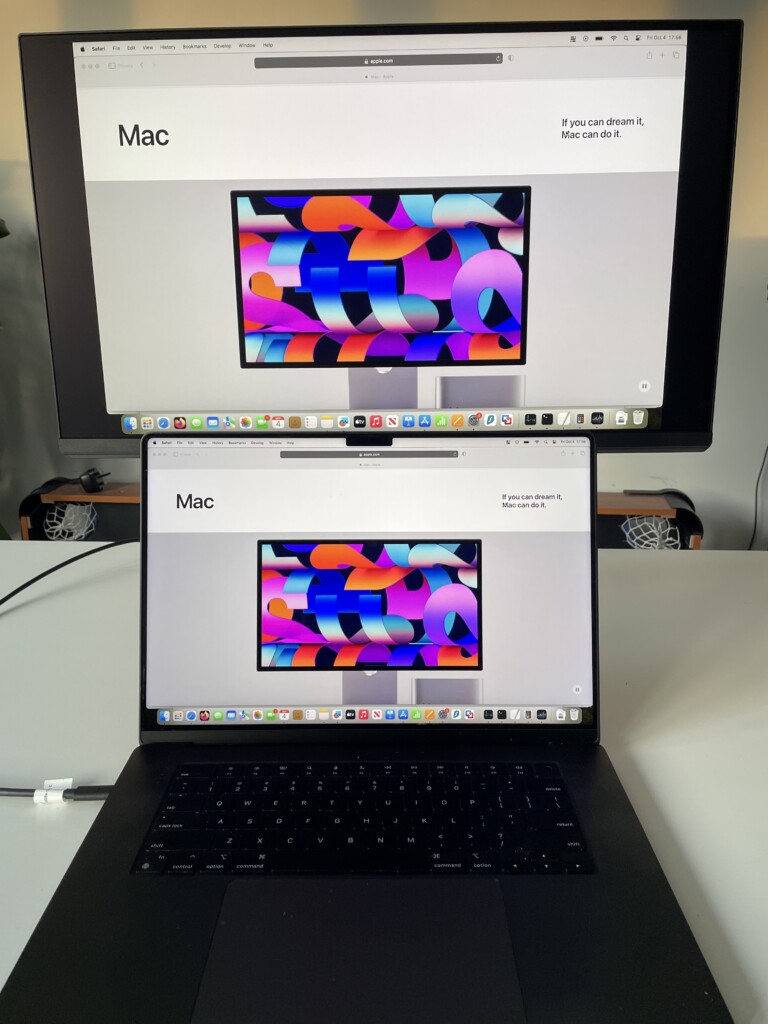
Why we recommend them: These are straightforward choices for Mac users who value convenient controls and a consistent-looking desktop more than gaming features.
The BenQ MA270U remains one of our favorite everyday 4K displays for a Mac. Its M-Book mode helps bring its appearance closer to a MacBook screen, while Display Pilot 2 enables brightness and volume adjustments from a Mac keyboard.
BenQ now offers a useful choice of finishes. The MA270U uses a Nano Matte coating, while the MA270UP uses Nano Gloss. Choose the matte version for a desk where reflections are difficult to control, or the glossy version if you prefer a more glass-like image and can position it away from strong light sources.
Both provide a 27-inch 4K IPS panel, 60Hz refresh rate, 95% P3 coverage and up to 90W charging over the video connection. These specifications are listed on BenQ’s MA270U specification page and MA270UP product page.
Our experience with the MA270U is the reason this family remains near the top of our Mac recommendations. The software controls and color matching are useful every day, and the included adjustable stand makes it easy to find a comfortable position.
The biggest limitation is 60Hz. The cheaper Dell below feels smoother when its 120Hz mode is available, so BenQ’s premium is mainly paying for Mac integration and, with the MA270UP, the glossy finish. Neither model has Thunderbolt, and neither delivers the text definition of a 27-inch 5K screen.
Read our full BenQ MA270U review for our experience with the matte model.
Price: BenQ lists the glossy MA270UP at around $550. Compare the two finishes before buying.
Pros
- Useful Mac keyboard controls through Display Pilot 2
- M-Book color mode and wide P3 coverage
- Choice of matte or glossy finish
- USB-C with 90W charging
- Adjustable stand and basic built-in speakers
Cons
- Limited to 60Hz
- No Thunderbolt or display daisy-chaining
- Some Mac controls require BenQ’s software
- More expensive than basic 4K USB-C monitors
2. Dell S2725QC (Best Budget 4K Monitor for Mac)
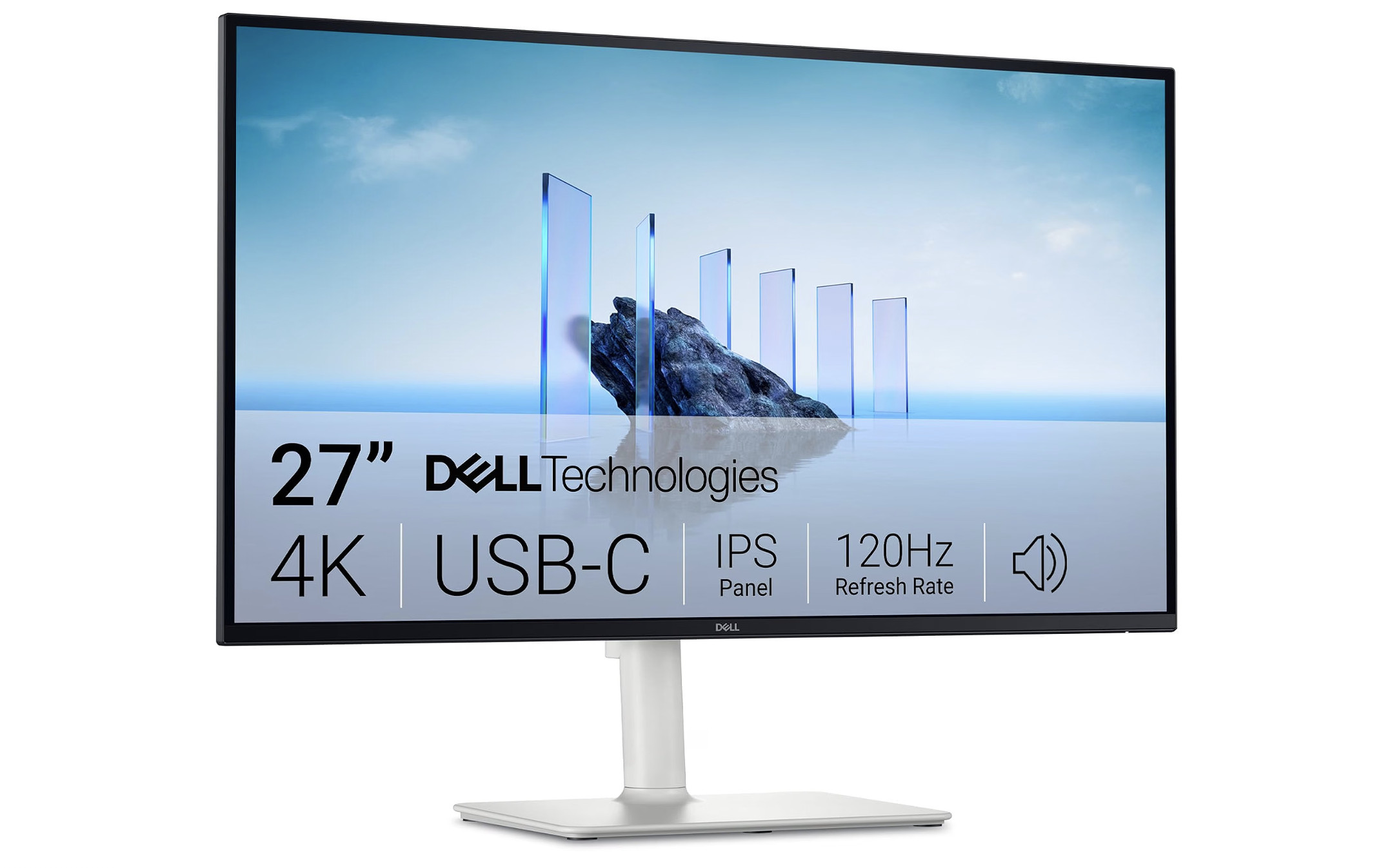
Why we recommend it: It covers the essentials of a Mac desk setup while adding 120Hz at a considerably lower price than premium Thunderbolt displays.
The Dell S2725QC makes a strong case for spending less. You get a 27-inch 4K IPS screen, up to 120Hz, a height-adjustable stand, a USB hub and two built-in 5W speakers.
Its main USB-C port carries video and data while providing 65W of charging. Dell also specifies 350-nit brightness, 99% sRGB coverage and two HDMI inputs. See the official S2725QC specifications.
For browsing, writing, spreadsheets and general office work, that is a useful combination. If you are choosing between more expensive Mac color-matching features and smoother scrolling, the Dell deserves serious consideration.
The compromises matter mainly to demanding users. It is an sRGB-focused display rather than a wide-gamut creative monitor, and 65W is better suited to a MacBook Air or lighter laptop workloads than sustained, power-hungry MacBook Pro use. Its HDR support should not be the reason you buy it.
Connect it directly to your Mac with an appropriate video-capable cable and check the refresh-rate options in macOS. A monitor supporting 120Hz does not guarantee that every Mac, adapter or dock will deliver it.
Also check the model suffix: S2725QC is the USB-C version. The similarly named S2725QS is a different connectivity option and should not be bought on the assumption that it includes laptop charging.
Price: Dell’s US listing is around $350.
Pros
- Good value for 4K with up to 120Hz
- USB-C video, data and 65W charging
- Adjustable stand included
- Built-in speakers and USB hub
Cons
- Limited appeal for demanding wide-gamut color work
- 65W charging may be insufficient for heavier MacBook Pro workloads
- No Thunderbolt
- Basic HDR performance
3. ASUS ProArt PA279CRV (Best Affordable 4K Monitor for Creatives)

Why we recommend it: Its wide color coverage and factory calibration are more useful to photographers and designers than the entertainment features found on many similarly priced screens.
The ASUS ProArt PA279CRV remains a strong choice for creative work on a sensible budget.
ASUS specifies 99% Adobe RGB and 99% DCI-P3 coverage, factory calibration to Delta E below 2, and Calman verification. The USB-C connection supports video, data and up to 96W charging. These are the specifications for the PA279CRV, which should not be confused with the older PA279CV. See ASUS’s product details.
The broad Adobe RGB coverage is particularly relevant if your photography work includes a managed print workflow. For ordinary web publishing, using an appropriate sRGB mode and color-managed software is more useful than simply selecting the widest available gamut.
You also get HDMI, DisplayPort, a USB hub and a fully adjustable stand. Its anti-glare surface is practical in an office with windows or overhead lighting.
This is a 60Hz monitor, so it does not have the fluid desktop movement of the Dell S2725QC. Its conventional IPS contrast and entry-level HDR also make it a poor substitute for an OLED or mini-LED display when HDR is the priority.
There is a DisplayPort output, but its MST daisy-chaining is not a route to two independent Mac desktops. Plan separate display connections or a suitable Thunderbolt setup for that purpose.
Read our ASUS ProArt PA279CRV review for a closer look.
Price: Around $429
Pros
- Wide Adobe RGB and DCI-P3 coverage
- Factory-calibrated creative display
- USB-C with up to 96W charging
- Good selection of inputs and an adjustable stand
Cons
- Limited to 60Hz
- Modest contrast and HDR performance
- No Thunderbolt
- DisplayPort MST cannot provide two extended Mac desktops
4. Dell UltraSharp U2725QE (Best 4K Monitor for Thunderbolt Docking)
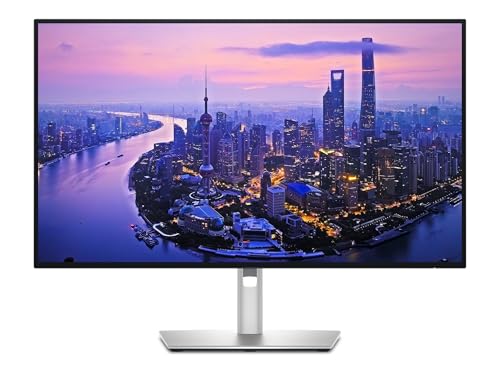
Why we recommend it: Its combination of 120Hz, improved IPS contrast and extensive docking connections can replace several separate desk accessories.
The Dell UltraSharp U2725QE is the stronger choice when a monitor also needs to be the center of a MacBook workstation.
Dell specifies an enhanced IPS Black panel with 3000:1 native contrast, 99% DCI-P3 coverage and a 120Hz refresh rate. A Thunderbolt 4 upstream connection supplies up to 140W, while the hub includes downstream Thunderbolt, USB ports, 2.5Gb Ethernet and KVM switching. See Dell’s U2725QE specifications.
That makes it particularly useful if you regularly connect a laptop to wired networking, storage and other peripherals. Compare its price with the cost of a cheaper screen plus the dock you would otherwise need.
For a larger version, the 31.5-inch U3225QE offers the same core 4K, 120Hz and Thunderbolt proposition. It makes content physically larger without adding pixels.
There are two important limits. The quoted 140W is the monitor’s maximum output, not a promise that every MacBook will accept that wattage through USB-C. And although DisplayHDR 600 adds some HDR capability, this remains an edge-lit office display rather than a mini-LED or OLED specialist.
It also lacks speakers and a webcam. Budget for these if they are not already part of your setup.
Dell includes both DisplayPort and Thunderbolt outputs. For a compatible Mac display chain, use the Thunderbolt route and check the Mac’s display limits; the DisplayPort MST output is not interchangeable with it. Dell explains the distinction in its Mac compatibility guidance.
Price: Dell’s US listing is around $850.
Pros
- 120Hz and improved IPS Black contrast
- Thunderbolt 4 with up to 140W output
- Ethernet, USB hub and KVM
- Fully adjustable stand
- Available in a larger 31.5-inch version
Cons
- Expensive if you do not need the docking features
- No speakers or webcam
- Limited HDR compared with OLED or mini-LED
- Maximum charging power depends on the connected MacBook
5. BenQ MA320UG (Best Large 4K Monitor for Everyday Mac Use)
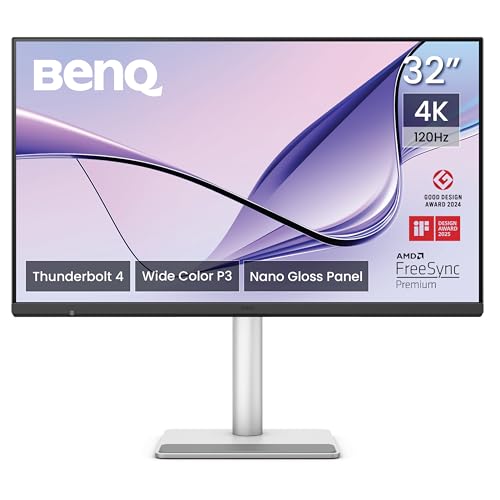
Why we recommend it: It combines the Mac controls of BenQ’s MA range with a larger glossy screen, 120Hz and Thunderbolt 4.
The BenQ MA320UG is one of the most relevant additions to this guide for 2026. It addresses two reasons to outgrow the cheaper MA270U: wanting a larger display and wanting smoother movement than 60Hz.
Its 31.5-inch Nano Gloss IPS panel runs at up to 120Hz, with 98% P3 coverage, 450-nit specified brightness and a 2000:1 contrast ratio. BenQ also provides an adjustable stand, basic speakers and Display Pilot 2 support. See the official MA320UG specifications.
Thunderbolt 4 carries video, data and 96W charging through one cable. A downstream Thunderbolt port supports compatible accessories or a display chain, while a separate USB-C video input and KVM are useful when sharing the monitor between computers. BenQ describes these Mac features on its MA320UG product page.
For an everyday Mac setup, we would consider it before paying a similar amount for an older 32-inch 60Hz monitor. The larger screen can make a scaled workspace more comfortable to read, and 120Hz adds a useful improvement to ordinary scrolling and window movement.
The tradeoff is pixel density. At approximately 140 PPI, it will not reproduce the fine text of a 27-inch 5K monitor. Choose it because you want a larger, smoother screen with convenient Mac controls.
The glossy surface also needs thoughtful placement, and its DisplayHDR 400 rating does not make it a professional HDR display. This is a specification-based recommendation; our MA270U testing should not be taken as a hands-on review of the MA320UG.
Price: US pricing is around $830 from BenQ.
Pros
- Large glossy display with 120Hz
- Mac-oriented controls through Display Pilot 2
- Thunderbolt 4 with 96W charging
- Useful connections and KVM
- Adjustable stand included
Cons
- Lower pixel density than a 27-inch 4K or 5K screen
- Glossy finish can reflect windows and lamps
- Basic speakers and no webcam
- Limited HDR performance
6. BenQ PD3226G (Best 4K Monitor for Creative Work and 144Hz)

Why we recommend it: It combines a professional creative feature set with the smoother response normally associated with gaming monitors.
The BenQ PD3226G is worth considering if you work in design, animation or video and want a large matte display that also feels fluid in everyday use.
BenQ specifies a 31.5-inch 4K IPS panel, 144Hz, 95% P3 coverage and 100% sRGB and Rec.709 coverage. The monitor provides 90W Thunderbolt 4, a KVM and an adjustable stand. See the PD3226G specifications.
Its appeal is the complete working setup: dedicated creative color modes, Display Pilot 2 and a wireless Hotkey Puck for changing settings without repeatedly using the monitor’s buttons. BenQ also offers calibration software for supported external colorimeters. These features are described on its PD3226G product page.
The 144Hz refresh rate helps with responsive interaction, including drawing and moving around a busy workspace. It does not mean a conventional 24fps or 30fps video suddenly contains more detail, and 60Hz is still adequate for many editing jobs.
The PD3225U still has advantages in contrast and gamut coverage. The older model specifies a 2000:1 contrast ratio and 98% P3 coverage, compared with 1200:1 and 95% P3 here. The PD3226G’s advantages are chiefly its higher refresh rate, Thunderbolt 4 and updated controls.
Choose it for those features, rather than assuming the higher model number guarantees better picture quality in every situation. For serious HDR grading, its 400-nit, DisplayHDR 400 panel is not the appropriate tool.
Price: BenQ lists the PD3226G at around $899.
Pros
- 144Hz for responsive creative work
- Thunderbolt 4 with 90W charging
- Creative color modes and calibration software support
- Wireless Hotkey Puck and KVM
- Large matte panel and adjustable stand
Cons
- Expensive for a 4K display
- Lower specified contrast than the PD3225U
- Limited HDR performance
- Many creative workflows do not require 144Hz
7. BenQ MOBIUZ EX271UZ (Best 4K OLED Monitor for Gaming on Mac)
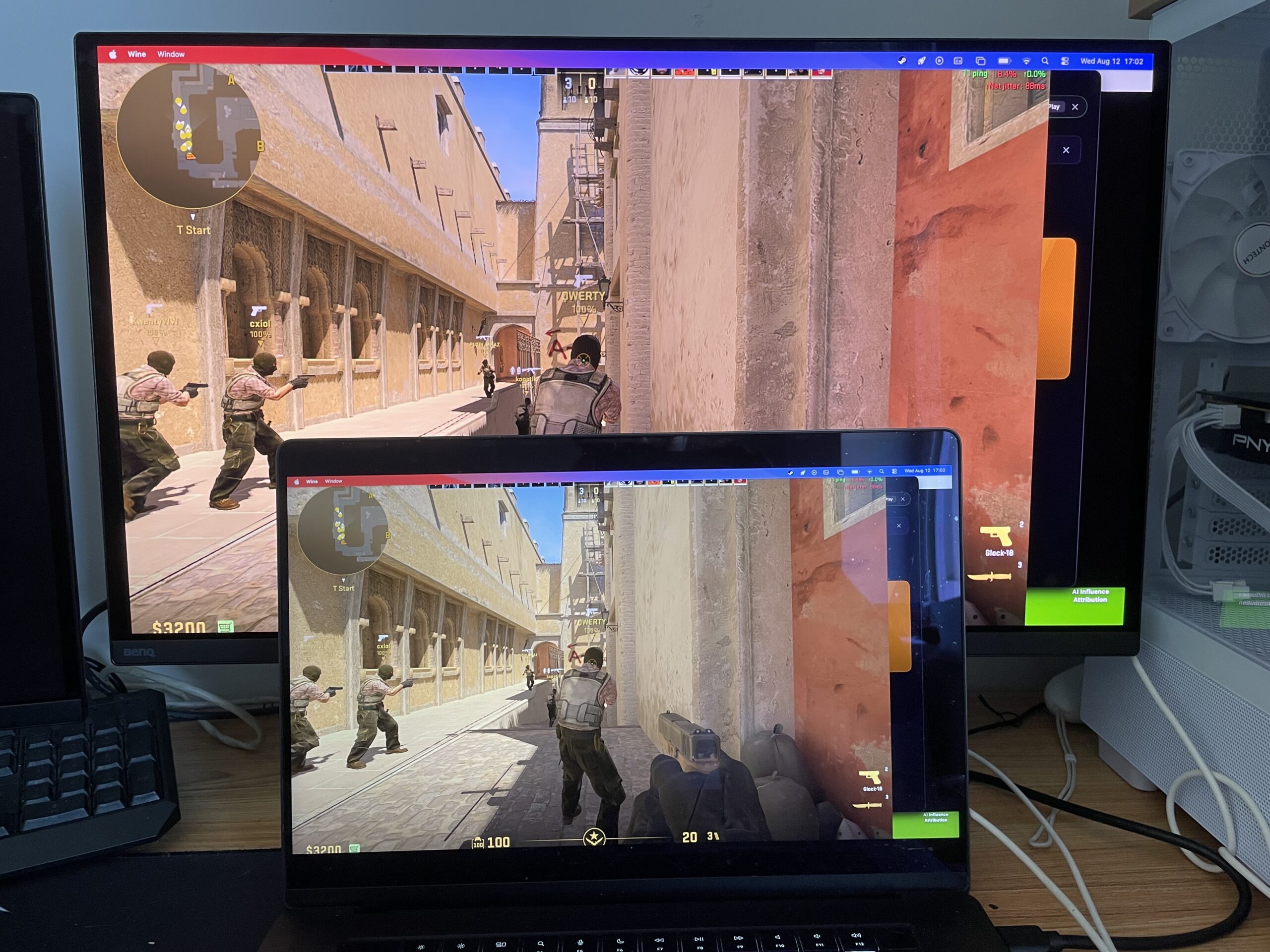
Why we recommend it: Its OLED contrast, fast pixel response and USB-C charging make it a useful specialist option for a desk shared between a Mac and gaming hardware.
The BenQ MOBIUZ EX271UZ is aimed at people who want to enjoy games and HDR video as well as use macOS.
Its QD-OLED panel has a viewable diagonal of 26.5 inches, a 3840 × 2160 resolution and approximately 166 PPI. BenQ specifies up to 240Hz, 99% P3 coverage, 90W USB-C charging, HDMI 2.1 and DisplayPort 1.4. See the EX271UZ specifications.
OLED’s individually controlled pixels make this a more convincing choice for dark scenes and HDR entertainment than the entry-level HDR modes on ordinary office monitors. However, the quoted 1,000-nit HDR peak is not sustained full-screen brightness; BenQ’s typical brightness specification is 250 nits.
The USB-C connection is useful for docking a MacBook, while HDMI offers another route for a compatible Mac, console or PC. Do not assume that one USB-C cable will deliver 4K at 240Hz from every Mac. Check your specific Mac’s output limits and the supported modes for the connection you plan to use.
For a desk used mostly for static documents, an IPS display remains our default recommendation. OLED brings image-retention and burn-in considerations, and its pixel structure can affect the appearance of fine text. Even a high-density 4K OLED is not a substitute for a 27-inch 5K display if text sharpness is the overriding priority.
You will also need separate audio: the EX271UZ has a headphone connection but no built-in speakers.
Price: BenQ lists the EX271UZ at around $1,050. Check current pricing and availability at BenQ.
Pros
- OLED black levels and strong contrast
- Up to 240Hz with a suitable source and connection
- USB-C with 90W charging
- Useful choice for a shared work and gaming desk
Cons
- Full-screen brightness is much lower than the HDR peak figure
- OLED care and burn-in considerations
- No built-in speakers or webcam
- Maximum refresh rate depends on the Mac and connection
Other 4K Monitors Worth Considering
BenQ PD3225U: Still a Good Choice for a Matte Creative Display
The BenQ PD3225U remains one of the strongest 32-inch creative monitors we have reviewed. Its IPS Black panel, M-Book mode and Hotkey Puck are still useful, and the 2000:1 contrast ratio gives it a reason to exist alongside the faster PD3226G.
Its specifications include 60Hz, 98% P3 coverage and 85W Thunderbolt 3 charging, as confirmed by BenQ.
We would still consider it for photography, design and ordinary video editing, especially at a worthwhile discount. It is no longer our automatic first recommendation for every Mac user: compare its actual price with the MA320UG, PD3226G and Dell’s 120Hz UltraSharp models before buying.
BenQ MOBIUZ EX321UX: A Mini-LED Alternative to OLED
The EX321UX is worth considering if you want a larger gaming and HDR display while avoiding OLED. It combines a 31.5-inch 4K panel with 144Hz and a 1,152-zone mini-LED backlight.
There are important differences from the EX271UZ: USB-C charging is 65W, and there are no built-in speakers. BenQ specifies 99% P3 and 99% Adobe RGB coverage, plus 1,000-nit peak HDR brightness. See its official specifications.
It makes most sense when its current price is competitive and you want to combine desktop work with bright HDR entertainment. Local dimming can produce halos around bright objects, so it does not behave exactly like OLED.
ASUS ProArt PA329CRV: A Larger 60Hz Creative Option
The PA329CRV remains a sensible alternative if you want a 31.5-inch creative display without paying for Thunderbolt or a high refresh rate. ASUS specifies 98% DCI-P3 coverage and 96W USB-C charging on its specification page.
Compare the actual price with the 27-inch PA279CRV. The larger model is useful for comfortable viewing, but size alone does not make it sharper or more color-capable.
MSI PRO MAX 271UPXW12G: Another Mac-Focused OLED to Compare
MSI’s PRO MAX 271UPXW12G is another relevant 2026 option for buyers interested in a 4K QD-OLED with Mac controls. Its official product page describes USB-C charging, keyboard controls, KVM switching and integrated speakers.
We have not tested it. It is worth comparing if OLED is your priority, but check the exact regional model, local availability and warranty before choosing it over an established alternative. Its 4K OLED panel also does not provide the same pixel density as a 27-inch 5K monitor.
Older 4K Monitors We Would Only Buy at a Discount
ASUS ROG Swift PG32UQX
The PG32UQX still has capable mini-LED hardware, but it is difficult to justify as a default Mac recommendation. Its official specifications list DisplayPort 1.4 and HDMI 2.0 rather than USB-C video and charging.
For a MacBook desk, the newer options above offer more convenient connections. We would only consider the ASUS when a substantial discount and a specific HDR use case outweigh those limitations.
Dell UltraSharp U2723QE
The older U2723QE can still be a good 4K office monitor if it costs substantially less than the U2725QE. However, it is a 60Hz USB-C model, rather than a 120Hz Thunderbolt monitor. Dell lists the distinction in its Mac monitor compatibility table.
Compare the exact model numbers when shopping: a discounted older UltraSharp and a current Thunderbolt model are different propositions.
What to Look for in a 4K Monitor for a Mac
Size and Scaling
Choose 27 inches if you want a compact screen with relatively high pixel density. Choose 31.5 or 32 inches if you prefer content to appear physically larger or sit farther from the display.
Both sizes have the same number of pixels at 4K. The amount of usable workspace depends on your scaling setting, rather than the diagonal measurement alone.
In System Settings > Displays, select the external monitor and try a couple of text-size options. Apple explains how to change a display’s resolution. Pick the setting you can comfortably read throughout the day.
USB-C vs Thunderbolt
You do not need Thunderbolt for a single-cable MacBook setup. A USB-C port supporting video, data and sufficient Power Delivery can provide that convenience too.
Thunderbolt is more useful when you need a capable accessory hub or a compatible display chain. It does not automatically improve the image on an otherwise identical panel.
For more detail, see our comparison of Thunderbolt and USB-C. Always check the function of the specific port: a USB-C socket may support video, charging, data only or a combination of these.
MacBook Charging
For a MacBook Air and everyday work, 65W is a useful starting point. A 90W or 96W connection gives more headroom for many MacBook Pro setups, although a demanding workload may still justify using the laptop’s own power adapter.
Higher advertised wattage does not guarantee fast charging on every MacBook. The computer, port and cable must support the relevant charging mode.
Charging wattage is irrelevant to powering a Mac mini or Mac Studio. Those desktops use their own mains supply, so prioritize image quality and useful ports instead.
Refresh Rate and Mac Compatibility
60Hz remains adequate for office work, photography and much video editing. Moving to 120Hz or 144Hz makes scrolling, pointer movement and supported games feel smoother.
Before paying for a faster screen, check the display specifications for your exact Mac, including the port you intend to use. A dock, adapter or cable can impose a lower limit than either the Mac or the monitor.
Where possible, start with a direct connection. You can then add a dock once you know the desired resolution and refresh rate work. Apple notes that display limits depend on both the Mac and the resolution and refresh rate of its connected screens in its Mac mini display guidance.
Color and HDR
For general work and web content, accurate sRGB reproduction is usually sufficient. P3 and Adobe RGB coverage become more relevant when your projects use those color spaces.
A wide gamut is not the same thing as accuracy. Appropriate presets, calibration and the way your applications manage color matter too.
Treat entry-level HDR support as a bonus on an office monitor. For convincing HDR, look more closely at an OLED or a display with effective local dimming. Even then, a monitor suitable for enjoying HDR films is not automatically suitable for professional HDR mastering.
Cameras, Speakers and Desk Setup
None of the main recommendations includes a webcam. If you make video calls with a MacBook closed, or use a desktop Mac, include a camera and suitable audio in your budget.
Also allow enough depth for the stand, check height adjustment and consider where windows will reflect on the panel. These practical details often matter more than small differences in advertised specifications.
FAQ
Is 4K Sharp Enough for a Mac?
Yes, for many people. It is a substantial improvement over a similarly sized 1080p display and works well for general productivity and creative applications. A 27-inch 5K monitor remains the better choice if you want the finest text at a comfortable 1440p-sized workspace.
What Scaling Should I Use on a 27-Inch 4K Monitor?
Try the option that looks like 2560 × 1440 if you want more workspace. Choose a larger-text option if that feels too small. The 1920 × 1080-sized workspace allows exact 2× scaling, but its interface may feel large on a 27-inch screen.
Is a 32-Inch 4K Monitor Sharper Than a 27-Inch One?
No. Both contain 3840 × 2160 pixels, so the smaller monitor has higher pixel density. The larger screen’s advantage is physical size and readability at a greater viewing distance.
Can a Mac Run a 4K Monitor at 120Hz or 144Hz?
Many can, but support depends on the specific Mac, display connection and any adapters or docks. Check the Mac’s external-display specifications, then select the available refresh rate in System Settings > Displays. Do not assume every Apple Silicon Mac offers the same output modes.
Can I Daisy-Chain Two 4K Monitors From a Mac?
Compatible Thunderbolt setups can support this within the Mac’s display and bandwidth limits. Ordinary DisplayPort MST chains generally cannot provide two independent extended desktops in macOS. A separate connection for each display is often the simplest arrangement.
Is OLED a Good Choice for Mac Office Work?
It can be, especially if gaming and HDR video are also important. For a screen showing static toolbars, spreadsheets and documents throughout the day, we would normally choose IPS for its predictable desktop behavior and lack of OLED burn-in considerations.
Can These Monitors Work With a Mac mini or Mac Studio?
Yes, when the Mac supports the selected connection, resolution and refresh rate. USB-C charging is simply unused by the desktop Mac. Choose the connection for its display support and the peripherals you want to use.
Should I Buy 4K or Pay More for 5K?
Choose 4K when budget, a larger screen, gaming or a higher refresh rate is more important. Choose a 27-inch 5K display when fine text, reading and a Retina-like desktop are the priorities. Neither resolution is the right answer for every Mac desk.
Verdict
For a straightforward everyday Mac setup, the BenQ MA270U or MA270UP remains our preferred starting point. Choose the finish that suits your room and compare the current prices.
The Dell S2725QC is the better-value option if you mainly want a capable 4K screen with smoother scrolling. The U2725QE earns its higher price when Thunderbolt docking, networking and accessory connections are useful to you.
For a larger Mac display, choose the MA320UG for its glossy finish and everyday Mac controls, or the PD3226G for a matte creative workspace with 144Hz. The EX271UZ is the specialist choice when OLED gaming and HDR entertainment matter most.
If none of those advantages matters as much as text sharpness, move up in resolution rather than simply spending more on 4K: our 5K monitor guide covers the stronger options for that purpose.