

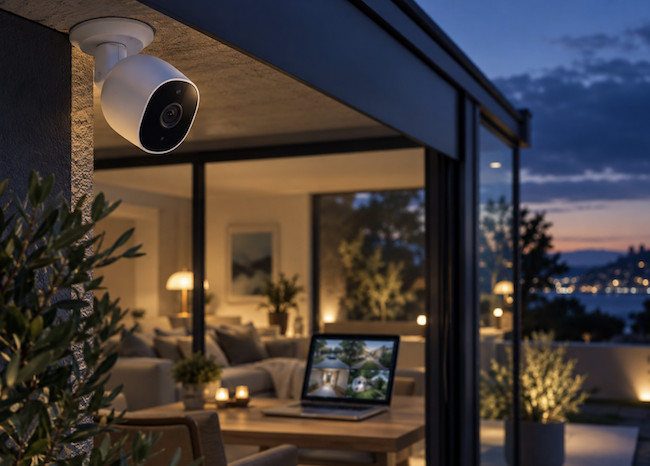
There are now plenty of security cameras that you can view from a Mac, but a genuinely Mac-friendly setup in 2026 should do more than offer a basic browser page.
For most Mac, iPhone and iPad owners, the best answer is a camera that works natively with Apple Home and, ideally, HomeKit Secure Video. It puts live views, recordings, notifications and automations in the Home app you already use across your Apple devices, rather than splitting them between several camera-maker apps.
We have therefore made Apple Home cameras the focus of this guide. We have also included a small number of non-HomeKit alternatives for people who need a multi-camera NVR, continuous local recording or more professional surveillance features.
Quick Answer: The Best Security Cameras For Mac
| Recommendation | Best for | Why we recommend it |
|---|---|---|
| Aqara Camera Hub G5 Pro | Best overall | Flexible outdoor/indoor camera with HomeKit Secure Video, Wi-Fi or PoE, local storage and NAS support |
| Aqara Camera Hub G350 | Best indoor camera | 4K dual-lens camera with pan and tilt, local storage, HomeKit Secure Video and a physical privacy mode |
| Eve Outdoor Cam | Best HomeKit floodlight camera | Privacy-first, hardwired outdoor camera with an integrated floodlight and no separate Eve account |
| Eve Cam | Best privacy-first indoor camera | Simple Apple Home-only indoor camera with no vendor account or separate cloud service |
| eufy Indoor Cam E220 | Best value indoor camera | Pan and tilt, local microSD/NAS recording and HomeKit Secure Video at a lower price |
| Reolink | Best non-HomeKit alternative | Broad choice of Wi-Fi, PoE and NVR cameras with a proper Mac client and browser access |
| SecuritySpy | Best security camera software for Mac | Powerful native macOS NVR software for compatible IP cameras |
Why Apple Home Is The Best Choice For Most Mac Users
Apple Home is not just a way to view a camera on a Mac. With a compatible HomeKit Secure Video camera, it can also record motion events, recognise people, pets, vehicles and packages, send richer notifications, and let you decide separately what happens when you are home and away.
Your Mac can show live video, play back recordings and manage camera notifications in the Home app. However, it is important to understand two limits that many older guides get wrong:
- You must use an iPhone or iPad to add a security camera to Apple Home. The Mac Home app is for viewing, sharing and managing it afterwards.
- A HomePod or Apple TV is required as the home hub for HomeKit Secure Video. A Mac is not a home hub, and its built-in webcam cannot be turned into an Apple Home security camera.
For HomeKit Secure Video recordings, you also need iCloud+. Apple currently includes 10 days of event history, does not count that video against your iCloud storage allowance, and supports one camera on the 50GB plan, up to five on the 200GB plan and unlimited cameras on 2TB plans and above.
The main caveat is that Apple Home does not always expose every advanced feature or the full native resolution of a camera. A 2K or 4K model may deliver its best-quality live view, continuous recording or specialist AI features in the manufacturer’s app. That is why the best choices below combine strong Apple Home support with a good fallback for local storage or advanced settings.
The Best Apple Home Security Cameras For Mac
1. Aqara Camera Hub G5 Pro – Best Overall
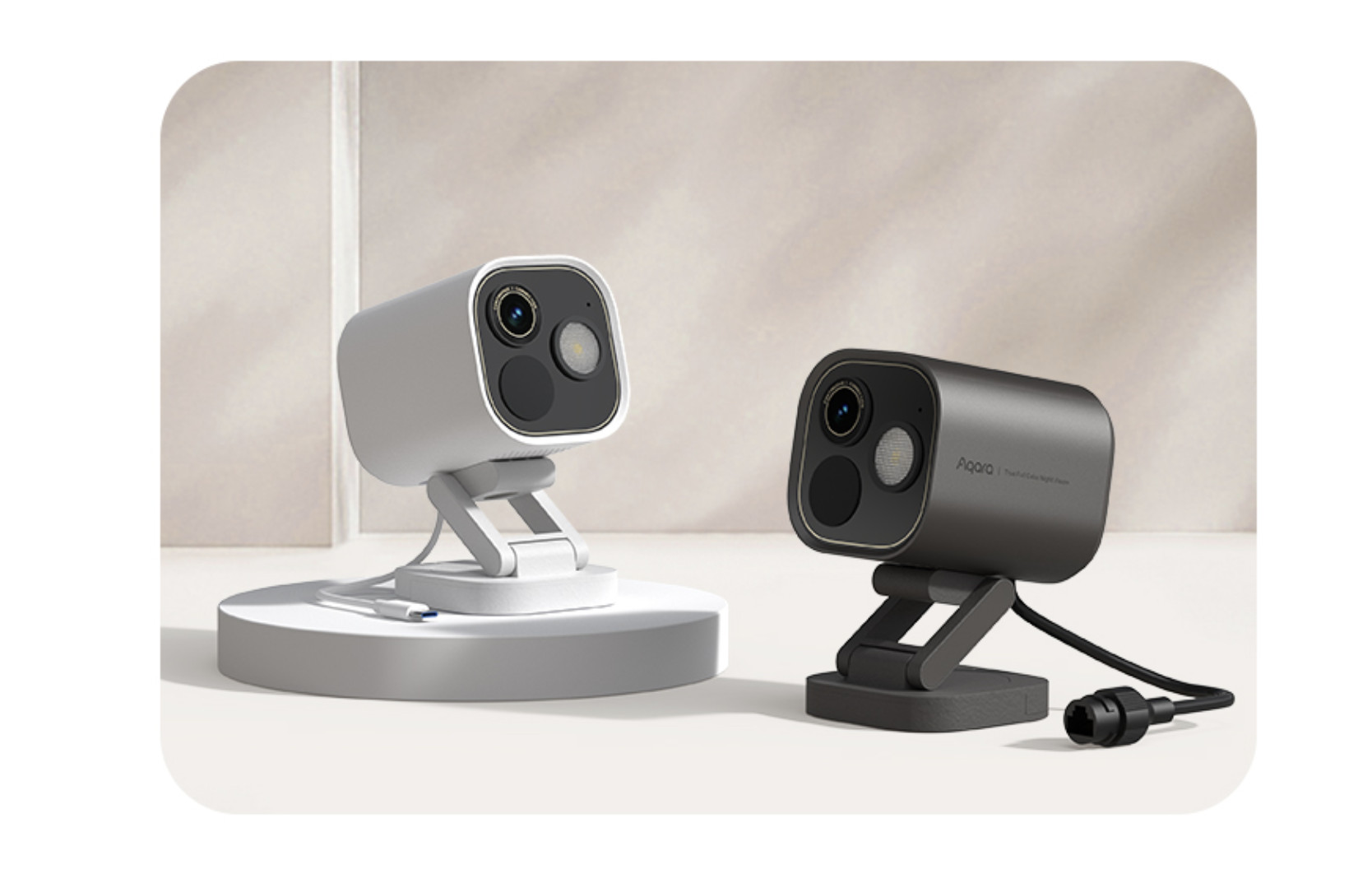
The Aqara Camera Hub G5 Pro is the best all-round security camera for Mac users because it works well as a straightforward Apple Home camera while offering far more flexibility than most HomeKit-only models.
It is suitable for indoor or outdoor use thanks to its IP65 weatherproof design, supports HomeKit Secure Video, and is available in both Wi-Fi and Power over Ethernet (PoE) versions. If you can run a network cable to the camera, the PoE version is the better long-term choice: one cable supplies both power and data, which is usually more reliable than outdoor Wi-Fi.
The G5 Pro records at up to 2.6K resolution and includes colour night vision, two-way audio, a built-in speaker and on-device detection for relevant events. It also has encrypted local eMMC storage, RTSP streaming and NAS support, so you are not locked into a monthly cloud plan.
It is particularly good for a driveway, garden, side entrance or office exterior where reliability matters more than a completely wire-free installation. You can use it in Apple Home for everyday viewing and notifications, while keeping the Aqara app available if you want its native-resolution footage or more detailed local controls.
Best for: Mac users who want one high-quality camera that can grow into a wider Apple Home or local-storage setup.
Bear in mind: It is powered, not battery-operated. The Wi-Fi and PoE versions need planning before installation, and some Aqara-specific AI features are only available in the Aqara app.
2. Aqara Camera Hub G350 – Best Indoor Camera
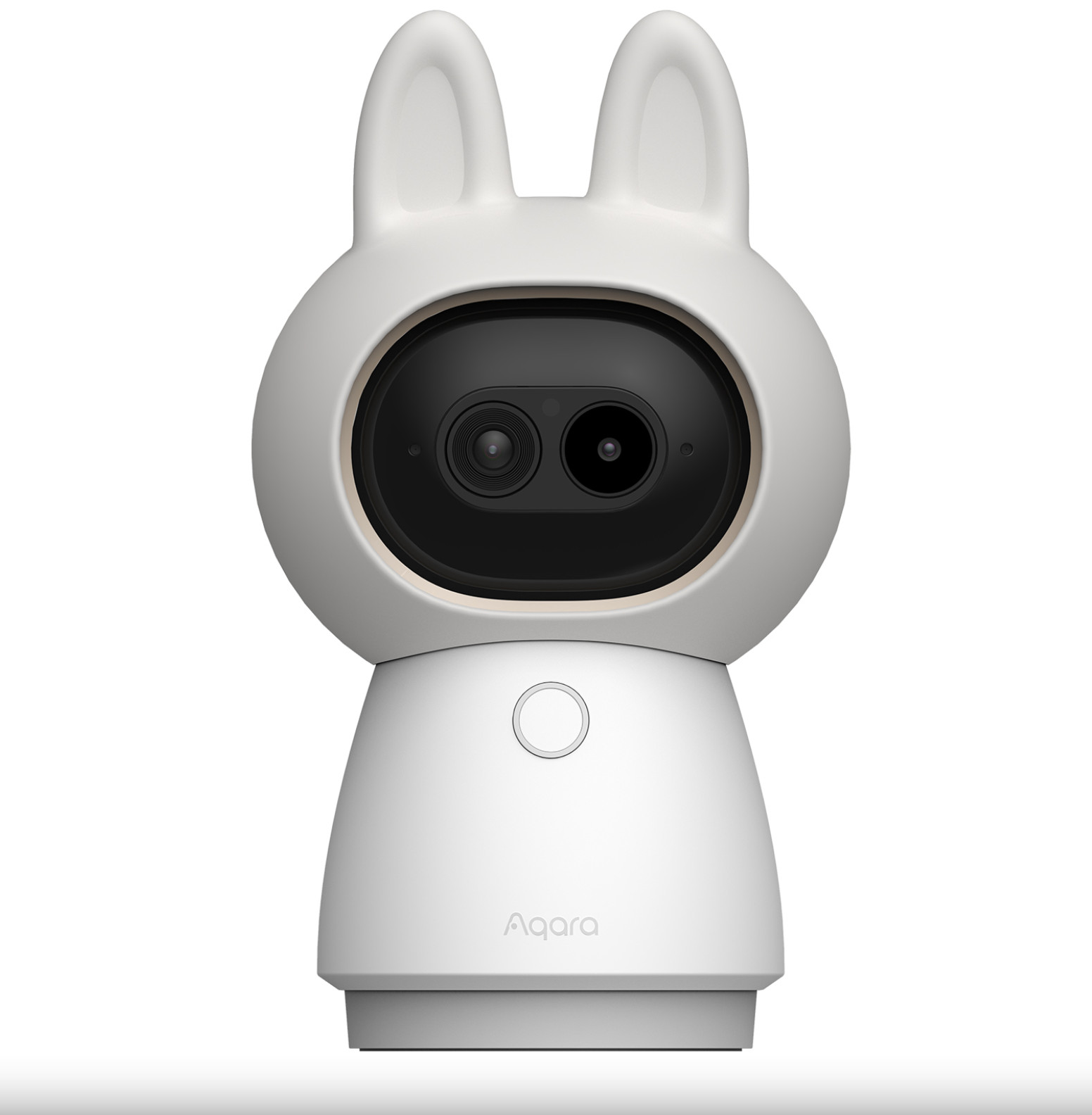
The Aqara Camera Hub G350 is the most capable indoor Apple Home camera here. It combines a 4K wide-angle camera with a 2.5K telephoto camera, up to 9x hybrid zoom and motorised 360-degree pan and tilt coverage.
That makes it a much more useful indoor camera than a fixed 1080p model if you need to cover a large room, hallway, home office or pet area. It can track people and pets, uses local AI detection, has two-way audio and offers a genuine physical privacy mode that shuts down the camera when it is turned off.
The G350 supports HomeKit Secure Video as well as Matter, Home Assistant, Google Home, Alexa and SmartThings. It also records continuously to a microSD card of up to 512GB and can back up footage to a NAS, so there is a sensible local alternative to cloud recording.
One important limitation is that Apple Home currently limits the G350’s camera feed to 1080p. Its 4K and telephoto advantages are best used in Aqara Home or through local storage. That is not a fault with the camera, but it means you should not buy a 4K model expecting the Home app alone to provide the full experience.
Best for: A living room, playroom, office or other indoor area where pan, tilt, zoom and a physical privacy mode are useful.
Bear in mind: It is for indoor use only, and its best resolution and advanced controls require Aqara Home rather than Apple Home alone.
3. Eve Outdoor Cam – Best HomeKit Floodlight Camera
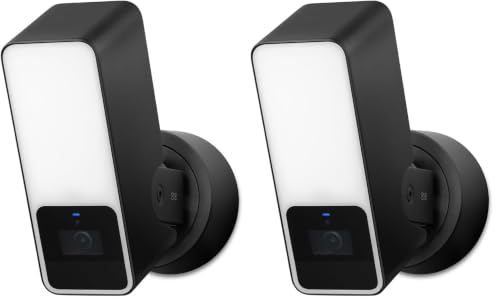
The Eve Outdoor Cam is the best choice if you want a straightforward, privacy-first Apple Home camera for a front door, driveway or garden and also need a proper exterior light.
It is a hardwired 1080p camera with a dimmable floodlight, 157-degree field of view, night vision and a dedicated motion sensor. It works exclusively with HomeKit Secure Video, so there is no separate Eve cloud account, no parallel video service and no manufacturer app required for normal use.
That makes it pleasingly simple: HomePod or Apple TV analyses events locally, the Home app handles alerts and recordings, and iCloud+ stores the event history securely. It is also easy to tie into Apple Home scenes, such as switching on other exterior lights when motion is detected.
Best for: Replacing an existing outdoor light fitting with a camera-and-floodlight combination that keeps everything in Apple Home.
Bear in mind: It is a hardwired installation, not a battery or PoE camera. Use a qualified installer if you are not comfortable working with an exterior lighting circuit. It also records at 1080p rather than 2K or 4K.
4. Eve Cam – Best Privacy-First Indoor Camera

The Eve Cam is a good choice for anyone who wants the simplest possible indoor HomeKit Secure Video camera and does not want to create yet another account with a camera manufacturer.
It is a compact 1080p camera with a 150-degree field of view, night vision, two-way audio and a flexible magnetic stand. Like the Eve Outdoor Cam, it is built exclusively for Apple Home and HomeKit Secure Video. Eve does not require a separate registration or run a competing video cloud alongside Apple’s service.
That makes it an excellent indoor camera for a hallway, entrance, home office or occasional pet monitoring. It is also the cleanest recommendation for readers who value privacy and do not want to manage local cards, NAS storage or an additional security app.
Best for: A simple, privacy-first indoor camera that stays entirely within Apple Home.
Bear in mind: It needs USB power, has no pan and tilt mechanism, and does not offer microSD or NAS recording. For those features, choose the Aqara G350 or eufy E220 instead.
5. eufy Indoor Cam E220 – Best Value Indoor Camera
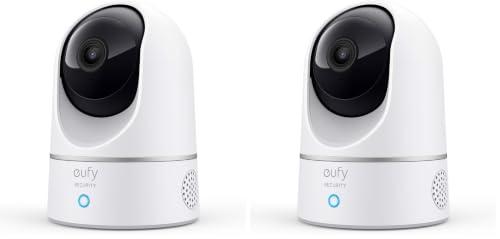
The eufy Indoor Cam E220 is a strong budget option for indoor coverage. It offers 2K video, 360-degree pan and 96-degree tilt, automatic motion tracking, infrared night vision and two-way audio for considerably less than most premium HomeKit cameras.
It supports HomeKit Secure Video and can also record locally to a microSD card or NAS via RTSP, without a mandatory subscription. That gives it two useful modes: use Apple Home for Mac-friendly notifications and iCloud recordings, or use the eufy Security app when you want continuous local recording and its full 2K picture.
The trade-off is the same as with many cross-platform cameras: HomeKit limits its feed to 1080p and does not expose every eufy feature. The eufy app is still worth keeping if you want activity zones, local recording options or the camera’s full resolution.
Best for: Budget-conscious Mac users who want an indoor pan-and-tilt camera with both Apple Home and local-storage options.
Bear in mind: It is indoor-only, requires mains/USB power and will not deliver its full 2K feature set through Apple Home alone.
The Best Non-HomeKit Security Cameras That Work With A Mac
Apple Home should be the default for most Mac households, but it is not the only sensible option. The following choices are better if you want lots of cameras, continuous 24/7 recording, a conventional NVR or a system shared with Windows and Android users.
Reolink – Best Non-HomeKit Camera Range For Mac
Reolink is our preferred non-HomeKit route because it has a large choice of indoor, outdoor, Wi-Fi, battery, PoE and NVR cameras, plus a proper Reolink Client for Mac and browser access when you do not want to install software.
The Mac client can show several cameras at once, play back clips, set motion zones and manage alerts. Reolink cameras can record to microSD cards, a compatible NVR, FTP or its optional cloud service, depending on the model.
For a house, small business or workshop with several fixed cameras, choose a wired or PoE Reolink camera with an NVR rather than a battery model. Battery cameras are convenient for a difficult location, but they cannot provide the same continuous 24/7 recording as a powered camera.
Choose Reolink if: You want a conventional multi-camera system with stronger local recording options and a Mac desktop client.
Do not choose it if: You want cameras to appear natively in the Apple Home app. Reolink is not a HomeKit Secure Video solution.
UniFi Protect – Best Local System For A Larger Home Or Business

UniFi Protect is a step up from consumer cameras. It is a local-first system built around UniFi cameras and a UniFi Protect console, CloudKey+ or Network Video Recorder. You view and manage it from its web interface on a Mac or through its mobile apps.
The appeal is clear for a larger property or business: local recording, PoE cameras, smart event detection, long retention periods and no recurring per-camera licence fees. It can also integrate compatible third-party ONVIF cameras, although its own cameras provide the smoothest experience.
It is not the best purchase for one simple indoor camera because it needs more hardware and networking knowledge. But for someone installing several wired cameras and wanting to avoid cloud subscriptions, it is one of the strongest long-term systems that works well from a Mac browser.
Choose UniFi Protect if: You are happy to install PoE networking and want a scalable, local NVR system.
Do not choose it if: You want the simplest plug-in camera or Apple Home integration.
The Best Security Camera Software For Mac
Most people no longer need to leave a Mac switched on as a dedicated camera recorder. Apple Home, Reolink and UniFi Protect handle recording on their own hubs, NVRs or cloud services.
There is still one excellent reason to use dedicated Mac security camera software: you already own compatible IP cameras and want your Mac to act as the NVR.
SecuritySpy – Best Mac NVR Software
SecuritySpy is the best dedicated security camera software for Mac. It is native macOS NVR software that works with a wide range of IP cameras, supports continuous or motion-triggered recording, remote monitoring, alerts and AI-based motion detection.
It is suitable for anything from a home with two compatible cameras to a more serious office or business installation. It is far more capable than the old novelty apps that simply turned a Mac webcam into a motion detector.
SecuritySpy does require commitment: the Mac running it must stay awake, have enough storage and remain available whenever you want footage recorded. A dedicated Mac mini and an external drive can make sense for this kind of setup, but only if you specifically want a Mac-based NVR.
Choose SecuritySpy if: You have RTSP/ONVIF-compatible IP cameras and want local recording managed by a Mac.
Do not choose it if: You simply want a plug-and-play HomeKit camera. Apple Home is easier and more reliable for that job.
Can You Use A Mac As A Security Camera?
You can use a Mac to view, manage and, in the case of SecuritySpy, record security camera footage. It is not, however, a replacement for a HomePod, Apple TV, NVR or dedicated security hub.
In particular, Apple Home cannot turn your Mac’s built-in webcam into a HomeKit security camera. If you only need temporary monitoring from a webcam, a separate webcam-monitoring app can work, but it is not a sensible primary home-security system: it stops working if the Mac sleeps, is taken away or loses power.
For Apple Home cameras, use an iPhone or iPad for initial setup, then sign into the same Apple Account on your Mac and turn on Home in iCloud settings. You can then see live video, browse recorded clips and choose camera notifications in the Mac Home app.
HomeKit Secure Video Storage Explained
HomeKit Secure Video is usually the most economical cloud-storage route for Apple households because the camera video does not use up the storage allowance you pay for with iCloud+.
Apple currently keeps the last 10 days of activity and analyses the footage on the home hub before securely uploading it to iCloud. The number of supported cameras depends on your iCloud+ tier:
| iCloud+ storage tier | HomeKit Secure Video cameras |
|---|---|
| 50GB | 1 camera |
| 200GB | Up to 5 cameras |
| 2TB or above | Unlimited cameras |
An Apple TV or HomePod acting as a home hub is required. An iPad is no longer supported as a home hub on Apple’s newer Home architecture.
Before buying, make sure the product listing says HomeKit Secure Video, not simply “works with Apple Home” or “Matter compatible.” The latter may still offer live streaming, but it does not automatically guarantee the iCloud recording experience described above.
Is Matter Important For Security Cameras?
Yes, but it should not be the deciding factor yet. Matter 1.5 added a camera device type, including video streaming, two-way audio, pan, tilt, zoom, detection zones and flexible storage options. That is a meaningful improvement over older advice that Matter had nothing to offer cameras.
However, support still depends on both the camera maker and the smart-home platform. A Matter logo does not guarantee HomeKit Secure Video, identical video quality or every manufacturer-specific feature in Apple Home.
For a Mac-focused buyer, the safe order of priority is:
- Look for explicit Apple Home and HomeKit Secure Video support.
- Choose the connection and storage method you need.
- Treat Matter as useful future flexibility rather than a replacement for checking the camera’s Apple Home features.
For more on the change, see the Connectivity Standards Alliance’s Matter 1.5 announcement.
How To Choose The Right Security Camera For Your Mac
Before choosing a camera, decide what matters most to you:
- Best simple Mac experience: Buy an Apple Home/HomeKit Secure Video camera and use the Home app.
- Best outdoor reliability: Choose a hardwired or PoE camera rather than a battery camera where possible.
- Best privacy: Eve Cam and Eve Outdoor Cam avoid a separate manufacturer account and work exclusively with Apple Home.
- Best local storage: Aqara, eufy, Reolink, UniFi Protect and SecuritySpy all provide routes that do not depend solely on a paid cloud plan.
- Best for many cameras: Reolink with an NVR, UniFi Protect or SecuritySpy will be more practical than trying to make a large system fit into a consumer smart-home app.
- Best image quality: Check where you will actually watch the footage. Many 2K and 4K cameras use a 1080p feed in Apple Home, while their own app or NVR offers the native resolution.
Do not buy a battery camera expecting it to behave like an always-on CCTV installation. They are excellent for a shed, gate or rental property, but their motion-triggered design cannot match a powered camera for continuous recording or fast, reliable event capture.
How To Keep Your Security Cameras Secure
Security cameras are only as secure as the account, network and storage around them. The practical steps that matter most are:
- Use a unique, long password for every camera or NVR account and turn on two-factor authentication where it is offered.
- Keep the camera, HomePod/Apple TV, router and Mac software up to date.
- Do not expose a camera or NVR directly to the internet with port forwarding unless you fully understand how to secure it. Prefer Apple Home’s remote access, the manufacturer’s protected remote service, or a properly configured VPN for an advanced local NVR setup.
- Put cameras on a separate IoT or guest network if your router supports it, while ensuring the devices that need to control them can still communicate safely.
- Restrict access to household members who genuinely need it, and remove old users when they no longer do.
- Keep exterior cabling concealed where possible, and consider a UPS for your router, home hub or NVR if recording through a short power cut is important.
- Use local storage, cloud storage or both so that a stolen camera or recorder does not take every copy of the footage with it.
A consumer VPN on your Mac is not a substitute for these measures. It may protect that Mac’s internet connection, but it does not automatically secure the camera, camera account or video service itself.
FAQ
Do Security Cameras Work With Macs?
Yes. Apple Home cameras can be viewed and managed in the Home app on a Mac, while Reolink provides a Mac client and browser access. Professional systems such as UniFi Protect also work well from a Mac browser. The key question is whether you want Apple Home integration or a separate camera platform.
Do I Need To Leave My Mac On To Record Video?
No for Apple Home, Reolink with an NVR, eufy local storage or UniFi Protect. You only need a Mac running all the time if you choose Mac-based recording software such as SecuritySpy.
Can I Use Ring Or Google Nest Cameras With A Mac?
You can normally view Ring and Google Nest cameras in their own web services or apps, but they are not our main recommendations for Mac users because they do not provide native Apple Home/HomeKit Secure Video integration. They make sense if you already use Ring/Alexa or Google Home throughout your property.
What Is The Best Subscription-Free Security Camera For A Mac?
For Apple Home, HomeKit Secure Video still needs an iCloud+ plan, although it is often cheaper than a separate camera cloud plan and the footage does not count against your storage allowance. If you want to avoid an ongoing cloud fee entirely, look at a Reolink NVR, UniFi Protect, SecuritySpy or a camera such as the eufy E220 that can record locally to microSD or NAS storage.
Is A 4K Camera Worth It If I Use Apple Home?
It can be, but only if you will also use the manufacturer’s app, local storage or an NVR. Apple Home may limit the feed to 1080p, so choose a 4K camera for its other advantages rather than assuming all 4K detail will appear in the Home app.
For a simple home setup, we recommend the Aqara G5 Pro outside and the Aqara G350 or Eve Cam inside. If you would rather have a conventional multi-camera CCTV system with local continuous recording, Reolink, UniFi Protect and SecuritySpy are the better paths.