

Quick answer: EA SPORTS FC 27 cannot currently be played natively on any Mac, including M1, M2, M3, M4, M5 and M6 models. It is a Windows and console game, and there is not yet a verified cloud-gaming service that lets you play FC 27 on a Mac without owning a console or Windows PC. However, EA FC26 can be played on a Mac thanks to Xbox Cloud.
There is one important exception: if you already own FC 27 on a PlayStation or Xbox console, you can use Remote Play to stream it from that console to your Mac. The game still runs on the console; the Mac is simply receiving the video and controller input.
Last checked: 30 September 2026. We will update this guide as soon as there is a confirmed way to play FC 27 directly on a Mac.
| Method | Does it let you play FC 27 on a Mac? | What you need to know | |
|---|---|---|---|
| Native macOS version | No | EA has not released FC 27 for macOS. | |
| Parallels, CrossOver, Whisky or Game Porting Toolkit | No | They are not reliable ways to run FC 27 on Apple Silicon Macs. | |
| Amazon Luna, Xbox Cloud Gaming, GeForce NOW or Boosteroid | Not currently confirmed | Do not buy a subscription or PC copy specifically expecting FC 27 to work. | |
| PlayStation Remote Play | Yes, indirectly | You need a PS4 or PS5 with FC 27 installed. | |
| Xbox Remote Play | Yes, indirectly | You need an Xbox One or Xbox Series X | S with FC 27 installed. |
| Boot Camp on an Intel Mac | Possible, but unverified | Only for certain older Intel Macs that can run Windows and meet the PC requirements. It does not work on M-series Macs. |
Why You Cannot Download FC 27 Directly on a Mac
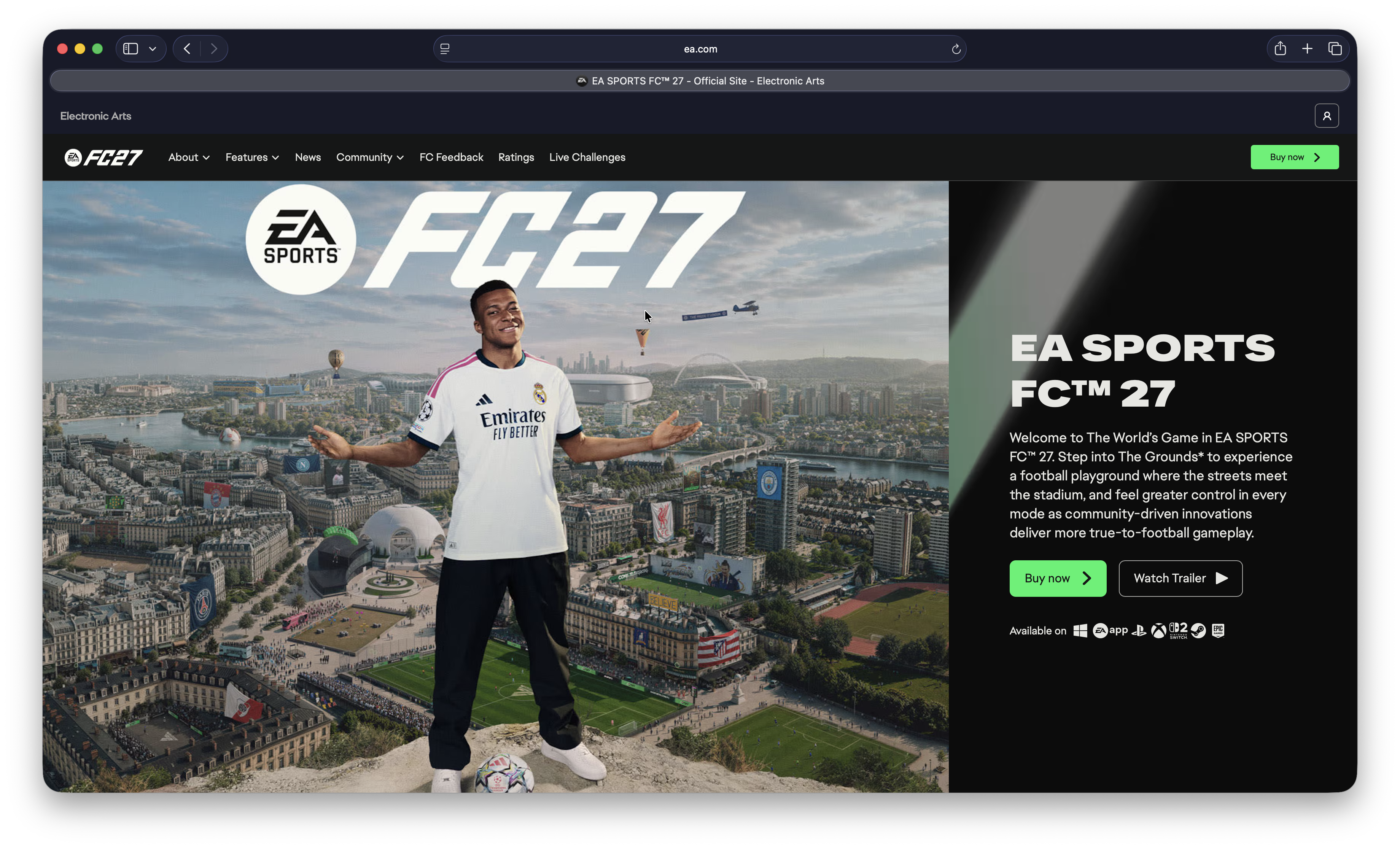
EA SPORTS FC 27 is available for Windows PC, PlayStation, Xbox and Nintendo Switch, but not macOS. Although the EA app is available for Mac, that does not make every EA game compatible with macOS: the FC 27 download sold through EA, Steam and Epic is the Windows version.
That means buying FC 27 on Steam, the EA app or the Epic Games Store will not give you a Mac version to download. The free FC 27 Lite version does not change this either; it is also only available on supported console and Windows PC platforms.
This is not a question of whether an M4 Mac is powerful enough. Modern Apple Silicon Macs have more than enough processing power for a football game, but FC 27 has not been built for macOS and its Windows anti-cheat protection makes compatibility layers and virtual machines especially problematic.
The Only Practical Mac Workaround at the Moment: Remote Play
Remote Play is useful if you already own the game and a console, or want to play when someone else is using the television. It is not a substitute for a Mac version: your console does all the gaming work and sends the picture to your Mac over your home network or the internet.
Play FC 27 on a Mac With PlayStation Remote Play
If you own FC 27 on a PS4 or PS5, install Sony’s free PS Remote Play app on your Mac. It lets you stream games from your console to a Mac and use a DualSense, DualShock 4 or compatible controller.
To use it:
- Install FC 27 on your PS4 or PS5.
- Enable Remote Play in your console settings and make sure the console can stay connected in Rest Mode.
- Install and open PS Remote Play on your Mac.
- Sign in with the same PlayStation account used on the console.
- Connect a controller to your Mac, then select your PS4 or PS5.
For the best experience, connect the console by Ethernet and use 5 GHz or 6 GHz Wi-Fi on the Mac. A wired connection to both devices is even better if practical. Remote Play can work away from home too, but its responsiveness depends on the upload speed and stability of the connection where the console is located.
Play FC 27 on a Mac With Xbox Remote Play
If you own FC 27 on an Xbox One or Xbox Series X|S, you can use Xbox Remote Play in a supported browser on your Mac. This streams games that are installed on your own Xbox, including titles that are not available through Xbox Cloud Gaming.
You need to enable Remote Play on the Xbox first, leave the console connected to the internet and sign in on the Mac with the same Microsoft account. You do not need Game Pass merely to use Remote Play, although online multiplayer still requires the appropriate Xbox subscription.
See our Xbox Cloud Gaming review for more on cloud streaming, Remote Play and controller setup on a Mac.
Is EA SPORTS FC 27 on Cloud Gaming Yet?
Not in a way we can currently recommend for Mac users.
The obvious hope is that FC 27 will appear on a cloud gaming service such as Amazon Luna, Xbox Cloud Gaming, GeForce NOW or Boosteroid. Those services are ideal when a game is actually in their catalogue because they run the Windows or console version on their own hardware and stream it to your Mac.
However, do not assume that FC 27 will follow the same route as FC 26. Amazon Luna’s game catalogue changes regularly and it no longer supports its old Bring Your Own Licence system for EA purchases. In other words, buying FC 27 from the EA app or Steam does not give you a way to stream it through Luna.
Likewise, an EA Play trial or Game Pass subscription does not by itself mean FC 27 is available through Xbox Cloud Gaming. A game must be specifically enabled for cloud streaming.
We are monitoring the major services and will update this article if one adds FC 27. Until then, avoid guides or videos that show FC 26, an older FIFA title, or a different game running on a Mac and present it as proof that FC 27 works.
For a wider comparison of services that are currently useful, see our guide to the best cloud gaming services for Mac.
Why Parallels, CrossOver and Whisky Do Not Solve It
It is tempting to think that you can install Windows in Parallels Desktop, use CrossOver, or try Apple’s Game Porting Toolkit. For FC 27, we do not recommend any of them.
These tools are useful for some Windows games, but FC 27 needs to run properly alongside EA’s anti-cheat protection. That makes it much less forgiving than an ordinary single-player Windows game. On Apple Silicon, Windows runs in a virtualised ARM environment and translation layers add another compatibility hurdle.
The result is that a method may appear to install, launch a menu or work in an older FC game, but still fail when FC 27 checks its anti-cheat protection or starts a match. Do not buy Parallels, CrossOver or a Windows licence solely to play FC 27 on an M1, M2, M3 or M4 Mac.
What About Boot Camp on an Intel Mac?
Boot Camp is different from Parallels because it starts an Intel Mac directly in Windows rather than running Windows inside macOS. If you have a relatively recent Intel Mac with a dedicated AMD graphics card, you may be able to install the Windows PC version of FC 27 if the Mac meets EA’s current Windows, graphics and anti-cheat requirements.
However, we have not yet verified FC 27 on a specific Intel Mac configuration, so this is not a recommended solution for most readers. It can involve a large Windows installation, driver compatibility issues and a Mac that is already several years old.
Most importantly, Boot Camp does not work on M1, M2, M3 or M4 Macs. If you have one of those Macs, do not follow an Intel Boot Camp guide expecting it to help with FC 27. Our guide to installing Windows 11 on an Intel Mac with Boot Camp explains the distinction.
Can You Play FC 27 on M1, M2, M3 or M4 Macs?
No, not directly. This applies equally to a MacBook Air, MacBook Pro, iMac, Mac mini, Mac Studio or Mac Pro with Apple Silicon.
The good news is that Apple Silicon is excellent for game streaming. If FC 27 is added to a reliable cloud-gaming service, or you stream it from your own PlayStation or Xbox, an M-series Mac should handle the video stream very well. You will still want a stable internet connection and a controller for the best experience.
FAQ
Can I play EA SPORTS FC 27 through Steam on a Mac?
No. Steam sells the Windows PC version of FC 27, not a macOS version. Owning it on Steam does not make it installable on a Mac.
Can I use an Xbox controller or PlayStation controller with my Mac?
Yes. A Bluetooth or USB controller is the sensible way to play through Remote Play or a future cloud-gaming service. See our guide to connecting a controller to a Mac if you need help pairing one.
Does FC 27 work with Xbox Cloud Gaming?
FC 27 is not currently a confirmed Xbox Cloud Gaming title. Do not confuse Xbox Cloud Gaming with Xbox Remote Play: Cloud Gaming runs a selected game from Microsoft’s servers, while Remote Play streams a game that is already installed on your own Xbox.
Is FC 27 on Amazon Luna?
FC 27 is not currently a confirmed Amazon Luna option for Mac users. Luna may add or remove games from its subscription catalogue, so we will update this guide when there is a verified announcement and tested Mac route.
What is the best way to play FC on a Mac right now?
If you want to play immediately and already own a PS4, PS5, Xbox One or Xbox Series X|S, Remote Play is the dependable option. If you do not own a console or Windows PC, there is currently no verified way to play FC 27 on a Mac. If you are happy to play the previous game instead, see our guide to playing EA SPORTS FC 26 on a Mac.
We will keep this page updated as FC 27’s Mac and cloud-gaming availability changes.