

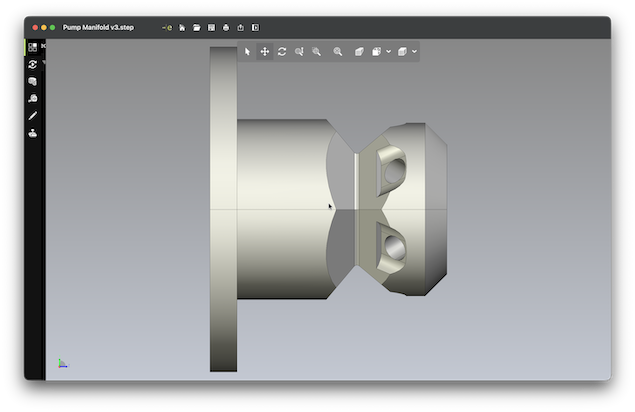
If you’re trying to open a STEP (.step or .stp) file on a Mac, you’ll need a CAD viewer or 3D modeling app – macOS doesn’t support STEP files natively.
The quickest way is to use a free tool like FreeCAD or a lightweight viewer like eDrawings Viewer – we’ve tested both in detail.
Below are the best ways to open, view, and edit STEP files on a Mac.
What Is a STEP File?
A STEP file (Standard for the Exchange of Product Data) is a widely used 3D CAD format used in engineering & manufacturing CAD software and other CAD applications.
It’s commonly created in software like:
- AutoCAD
- SolidWorks
- Autodesk Fusion
Unlike simpler formats (like STL), STEP files contain precise geometry and are ideal for editing and collaboration.
Here are the easiest ways to open STEP files on a Mac.
1. Open STEP Files on Mac for Free with FreeCAD (Best Overall)
Use FreeCAD (Best Free Option)
FreeCAD is the best completely free way to open STEP files on macOS.
FreeCAD is one of the most popular Free CAD software for Mac and also one of the best 3D modelling apps for Macs.
How to open a STEP file with FreeCAD:
- Install FreeCAD
- Launch it
- Click File > Open
- Select your
.stepor.stpfile
You can watch our video above to see how easy it is. You can also read our full FreeCAD review for a closer look.
Why it’s good:
- Completely free and open-source
- Supports editing and conversion
- Works on Apple Silicon Macs
Downside:
- Interface is quite technical for beginners
Best for: Users who want a free, powerful solution that allows you to edit the file as well
2. Use a Simple Viewer Like eDrawings (Easiest Method)
eDrawings Viewer (Best for Beginners)
eDrawings Viewer is one of the easiest ways to open STEP files on a Mac.
How it works:
- Install from the Mac App Store
- Open the app
- Drag and drop your STEP file
Watch the video above to see easily it opens STEP files on a Mac.
Why it’s good:
- Very easy to use
- Fast and lightweight
- Great for viewing and sharing
Limitations:
- No editing tools
Best for: Quick viewing without complexity
3. Use Professional CAD Software (Best for Editing)
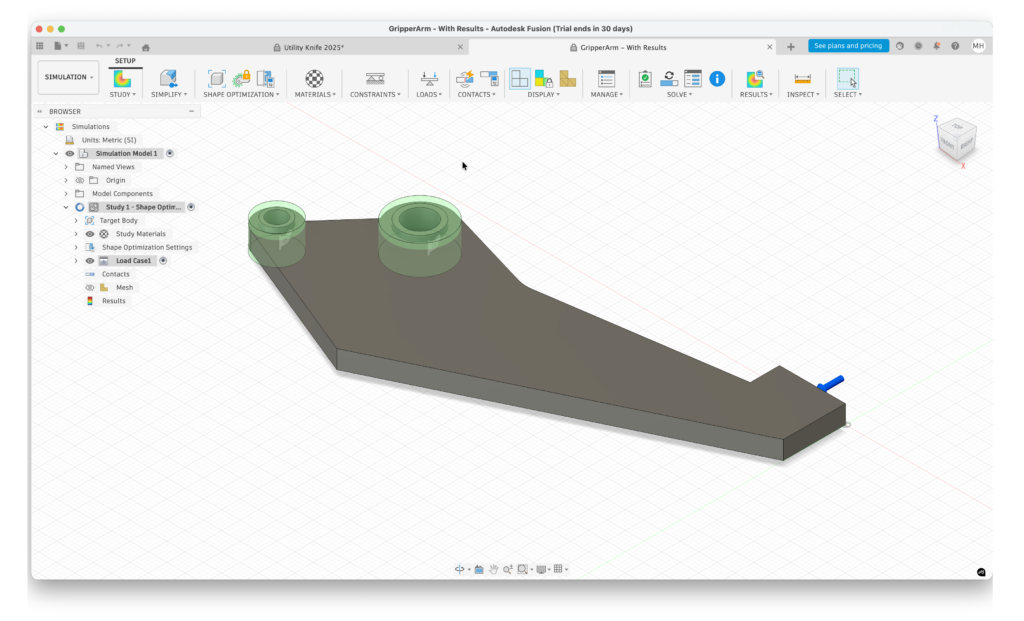
Autodesk Fusion (Best All-Round CAD Tool)
If you need to edit STEP files, Autodesk Fusion (formerly Fusion 360) is one of the best options on Mac.
Steps:
- Install Autodesk Fusion
- Upload your STEP file
- Open it in the workspace
Why it’s good:
- Full editing capabilities
- Industry-standard tool
- Great for product design and engineering
Downside:
- Requires a subscription (free for personal use in some cases)
You can check our full Autodesk Fusion review for more.
Best for: Designers, engineers, serious users that need to edit STEP files on a Mac
4. Open STEP Files Online (No Install Required)
If you don’t want to install anything, you can use online viewers like:
See the video above showing how we easily opened a STEP file for free on a Mac using eMachineShop CAD Viewer.
Pros:
- No installation required
- Works in any browser
Cons:
- File size limits
- Not ideal for sensitive files
Best for: Quick checks or one-off use
5. Use a Dedicated CAD Viewer App

You may see apps like “STEP File Viewer” in the Mac App Store.
⚠️ However, be cautious here:
- Many have no ratings or reviews
- Some are from unknown developers
- Functionality can be limited or unreliable
The safest alternative that we’ve verified definitely works is eDrawings Viewer so we’d recommend sticking to that.
Can You Open STEP Files in Preview on Mac?
No – macOS apps like Preview or Quick Look don’t support STEP files.
You’ll always need third-party software.
How to Convert STEP Files on Mac
Most CAD tools also let you convert STEP files into other formats like:
- STL (for 3D printing)
- OBJ
- DWG / DXF
For example, in FreeCAD:
- Open the STEP file
- Go to File > Export
- Choose your format
See the video above to watch exactly how easy it is and how many formats it converts to.
Which Method Should You Choose?
- Free + powerful: FreeCAD
- Quick viewing: eDrawings Viewer
- Professional editing: Autodesk Fusion
- No install: Online viewers
Summary
For most Mac users, FreeCAD or eDrawings Viewer will be enough to open STEP files quickly and safely.
We would say avoid unknown App Store apps with no reviews – these usually don’t offer the reliability of established CAD tools.
Next Steps
If you regularly work with CAD files, check out our full guide to the Best CAD Software for Mac.
FAQs
What is the difference between STEP and STP files?
Nothing – .step and .stp are the same file format.
Can you edit STEP files on a Mac?
Yes, using tools like FreeCAD or Autodesk Fusion.
What is the best free STEP viewer for Mac?
FreeCAD is the best free option, while eDrawings Viewer is the easiest for quick viewing.