

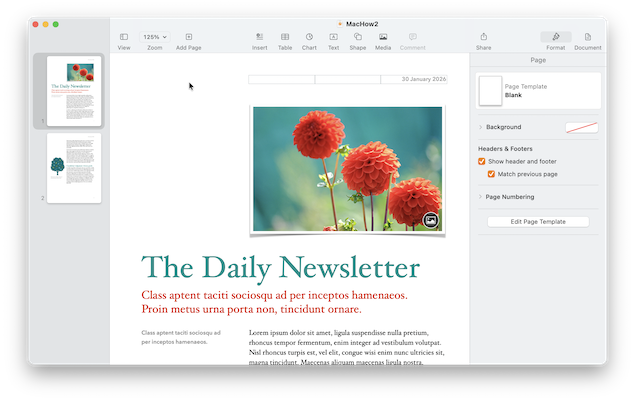
If you are looking for Microsoft Publisher for Mac, there is an important thing to know first: Microsoft has never made a macOS version of Publisher.
That matters more than ever in 2026. Microsoft is retiring Publisher: Microsoft 365 subscribers will lose access to the app on 1 October 2026, while support for the perpetual Publisher 2021 app ends on 13 October 2026. If you still have .pub files that you may need to edit, convert or recreate them now rather than leaving the job until after the deadline.
The closest like-for-like replacement on a Mac is Swift Publisher. It is a straightforward Mac desktop-publishing app for flyers, brochures, labels, newsletters and similar documents, without the learning curve or subscription of Adobe InDesign.
For other needs, Pages is the simplest free option, Canva is excellent for quick template-based work and teams, Affinity is now a free professional page-layout tool, and Adobe InDesign remains the strongest choice for demanding commercial-print work.
Quick answer: Choose Swift Publisher if you want a Publisher-style Mac app; Pages for simple free documents; Canva for fast online designs and collaboration; Affinity or InDesign for professional layouts.
Microsoft Publisher is ending: what changes in October 2026?
Microsoft’s wording is easy to misread. Publisher is not being replaced by a new Mac app, and the dates differ according to the licence you use.
| Date | What changes |
|---|---|
| 1 October 2026 | Publisher is removed from Microsoft 365. Microsoft 365 subscribers will no longer be able to access Publisher or open and edit Publisher files in the app. |
| 13 October 2026 | Support ends for Publisher 2021 and the Office 2021 suite. A perpetual copy can remain installed and usable, but it will no longer receive support, security fixes or compatibility updates. |
| After the deadlines | Keep original .pub files for your archive, but do not rely on Publisher as the only way to access important work. |
Microsoft recommends converting important files before the Microsoft 365 deadline. Its suggested routes are to export a document to PDF or, where the document is mostly text, convert the PDF to Word. A PDF is ideal for preserving the appearance of a finished flyer or newsletter, but it is not a practical editable source file; converting a graphic-heavy PDF to Word can change the layout.
For the full retirement details, see Microsoft’s Publisher support notice.
What to do with your Publisher files before the deadline
Do not try to convert every old document indiscriminately. Tackle the files that you genuinely need to reuse.
- Make an inventory. Find the
.pubfiles used for recurring newsletters, price lists, brochures, menus, forms, labels and event material. - Open each important file in Publisher while you still can. Check for missing fonts, linked photos and old contact details before exporting it.
- Export a print/archive PDF. In Publisher, use File > Export > Create PDF/XPS. Keep that PDF with the original
.pubfile.
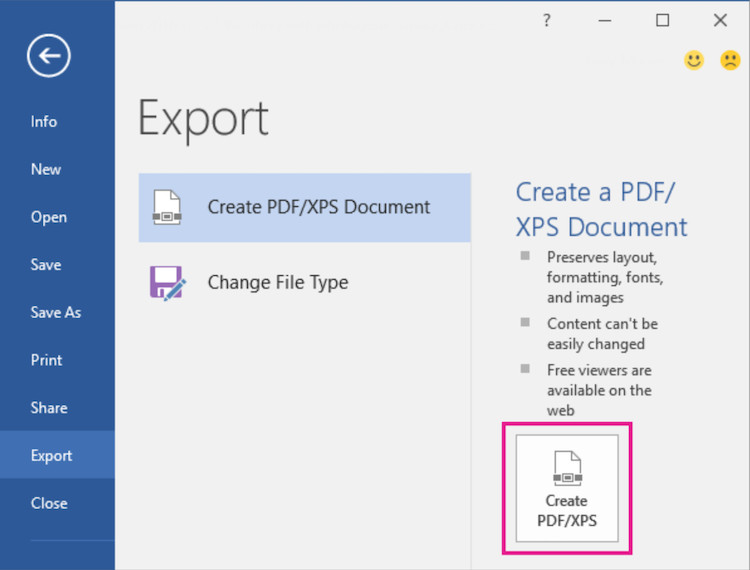
- Collect the assets. Save the original logos, photographs, fonts and copy in a clearly named folder. Those elements are much more useful than a flattened PDF when you recreate a document in a Mac app.
- Rebuild the documents you update regularly. There is no dependable one-click
.pubconversion to Pages, Swift Publisher, Affinity or InDesign. Recreating a small number of live templates will produce cleaner, editable files than spending hours fixing a poor import.
Avoid uploading sensitive customer, school or business documents to an unknown online converter. If a document contains personal information, use Publisher on a Windows PC or virtual machine to export it yourself.
Best Microsoft Publisher alternatives for Mac in 2026
Here are the strongest choices, based on the kind of work Publisher users normally create:
- Closest overall replacement: Swift Publisher
- Best free option for simple documents: Apple Pages
- Best for beginners and collaborative designs: Canva
- Best free professional option: Affinity
- Best for commercial print professionals: Adobe InDesign
- Best open-source option: Scribus
- Best for controlled brand templates: Marq
Publisher alternatives comparison table
Prices and plans were checked on 25 September 2026. Software pricing can vary by country, billing term and team size, so use the linked product pages to confirm the current offer before buying.
| Software | Best for | Price model | Real-time collaboration | Print suitability |
|---|---|---|---|---|
| Swift Publisher | The most familiar Publisher-style experience on a Mac | One-time purchase; currently US$19.99 | No | Good for home, school and small-business print jobs |
| Apple Pages | Simple free flyers, newsletters and documents | Free | Yes, through iCloud | Basic; not a full prepress tool |
| Canva | Fast templates, social graphics and teams | Free plan plus paid plans | Yes | Good for straightforward print PDFs; limited advanced prepress control |
| Affinity | Professional page layouts without a subscription | Free in 2026 | Not designed for simultaneous editing | Strong: CMYK, spot colours, preflight and bleed |
| Adobe InDesign | Complex documents and commercial-print workflows | Subscription | Review and hand-off tools rather than simple simultaneous editing | Excellent |
| Scribus | Free, technical desktop publishing | Free and open source | No | Good once you learn its workflow |
| Marq | Locked-down brand templates and distributed teams | Free tier; paid plans | Yes | Suitable for template-led work, rather than full desktop prepress |
1. Swift Publisher (Best Overall)
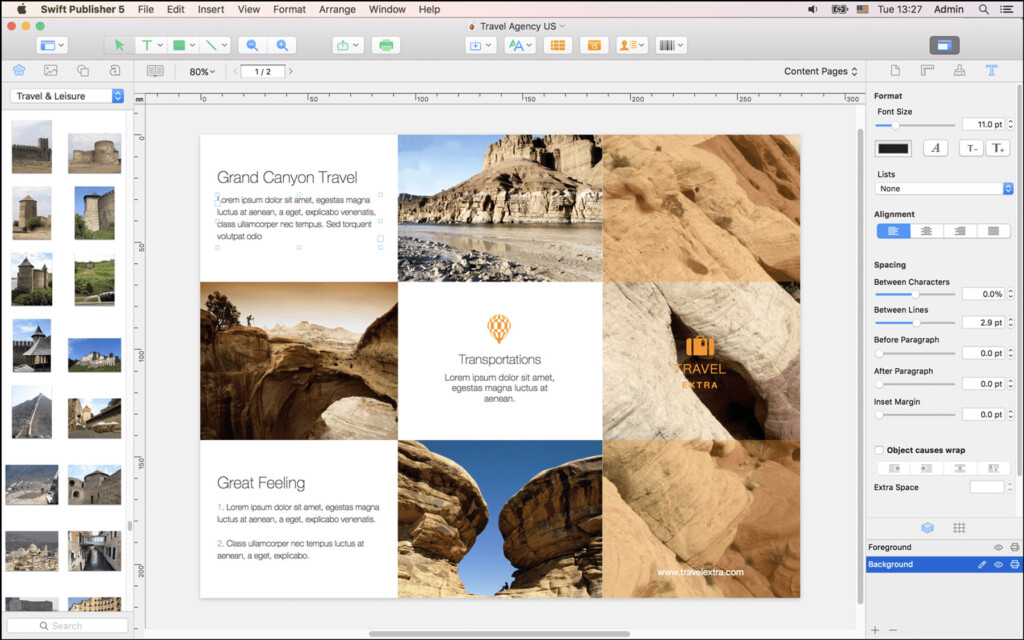
Swift Publisher is the closest thing to Microsoft Publisher on a Mac. It is a proper desktop app, built around drag-and-drop layouts, text boxes, images, shapes and templates rather than a complex professional-production workflow.
It is particularly well suited to the jobs Publisher was made for: brochures, club newsletters, calendars, invitations, business cards, labels and multi-page booklets. It includes master pages, linked text boxes, layers, bleed settings and CMYK export, so it goes further than a basic word processor without becoming overwhelming.
Swift Publisher’s developer currently lists more than 500 templates, two-page spreads, mail-merge-style dynamic fields and a US$19.99 purchase price. That makes it a very sensible long-term option for someone replacing Publisher rather than moving into professional publishing.
Choose Swift Publisher if: you want a Mac-native, easy-to-learn Publisher replacement for regularly updated printed documents.
Do not choose it if: you need an agency-level prepress workflow, shared live editing or guaranteed interchange with InDesign files.
Price: Free trial; US$19.99 to buy.
Read our full Swift Publisher review.
2. Apple Pages (Best Free for Simple Layouts)
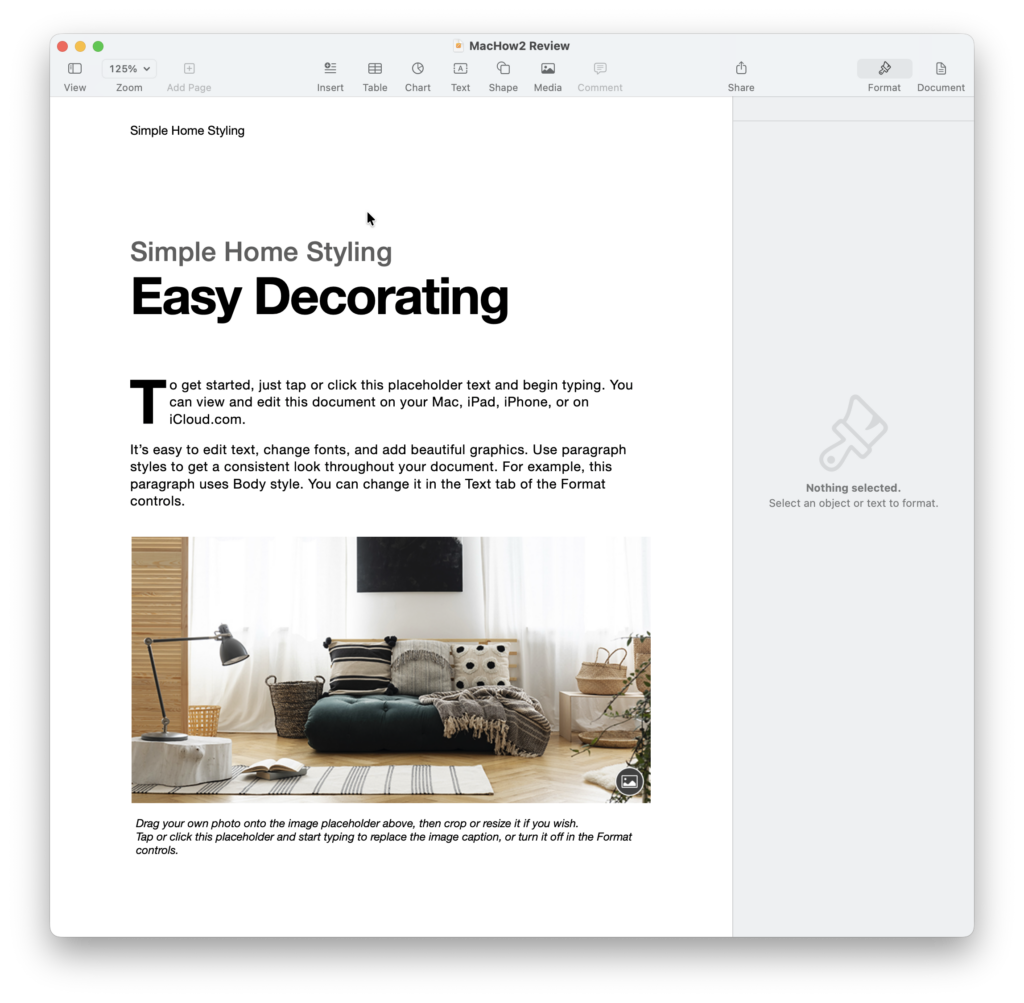
Apple Pages is free and is the easiest starting point for a Mac owner making an occasional poster, classroom handout, letterhead, newsletter or simple brochure. Switch a document to page-layout mode and you can place text boxes, photos, shapes and tables with far more freedom than in a conventional word-processing document.
It is also the best free choice when other people need to work on the same document: Pages supports real-time collaboration through iCloud, including access from a supported web browser. That is useful for families, schools and small teams, although some page-layout features are unavailable while a document is shared.
Pages is not a full replacement for a professional layout app. It does not offer the advanced prepress controls that a commercial printer may expect, so check a printer’s specifications before using it for an important paid job.
Choose Pages if: you want a free, simple Mac app for an occasional flyer, newsletter or brochure, especially when collaboration matters.
Do not choose it if: you need precise colour management, complex multi-page production or a direct .pub import.
Price: Free from Apple.
Read our Apple Pages review and Pages vs Microsoft Word comparison.
3. Canva (Best for Beginners and Teams)
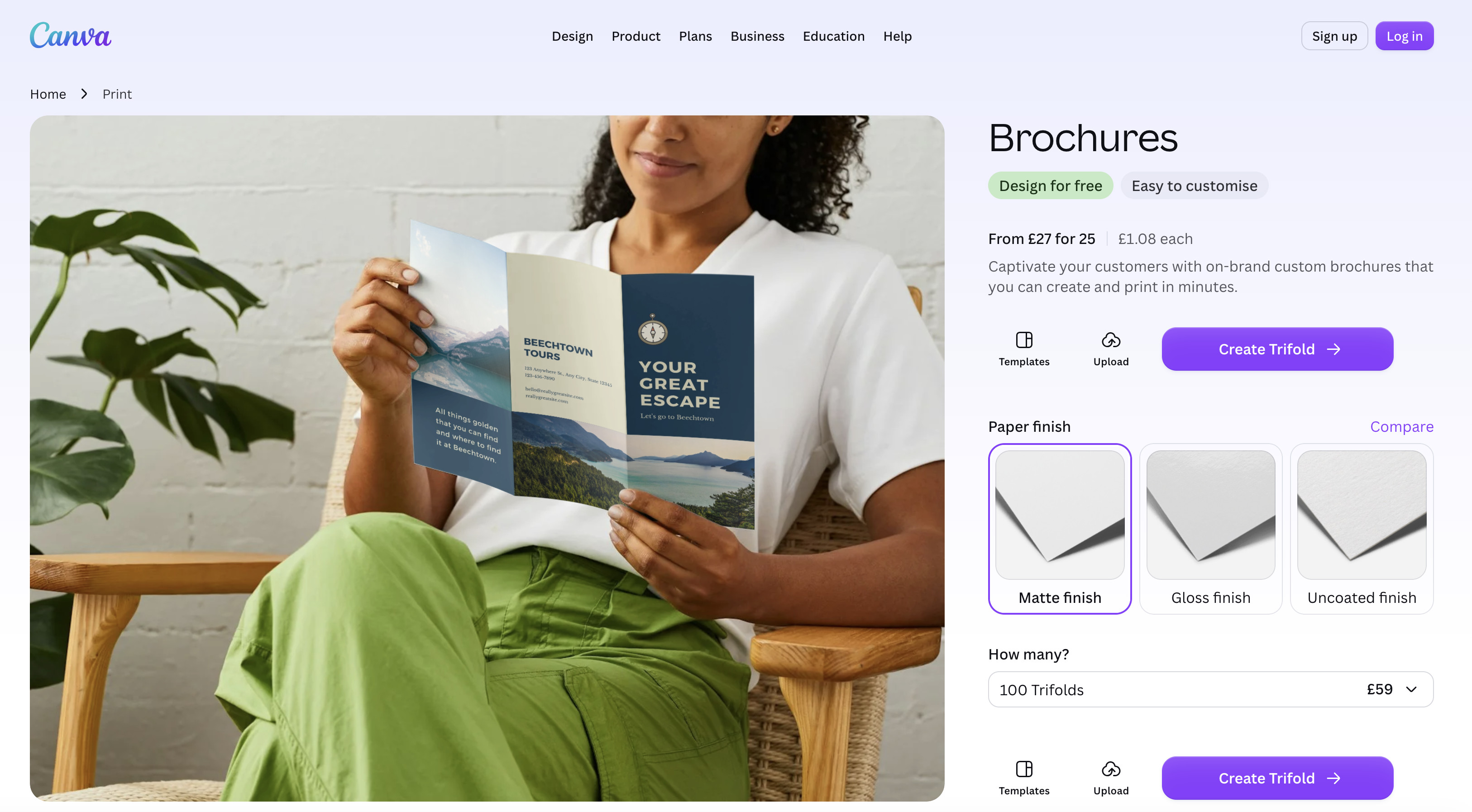
Canva is often the fastest way to replace a simple Publisher workflow. Its Mac app and browser editor make it easy to start from a template, add your logo and copy, then share a link for another person to edit or approve the result.
It is a strong choice for one-off flyers, social posts, menus, event signage, simple newsletters and branded collateral. Its collaboration and template library are more useful than Swift Publisher’s if several people need to create consistent material, but Canva is less suited to intricate long documents or a printer that requires detailed preflight control.
The free plan is enough to assess the workflow; paid Canva plans add premium assets and features, with prices varying by country and plan. Export a PDF Print sample and ask your printer to check it before committing to a large run.
Choose Canva if: speed, templates and shared editing matter more than a traditional desktop-publishing interface.
Do not choose it if: you need a reliable offline-first workflow or full control of a complex professional print file.
Price: Free plan available; paid plans vary.
4. Affinity (Best Free Professional Alternative)
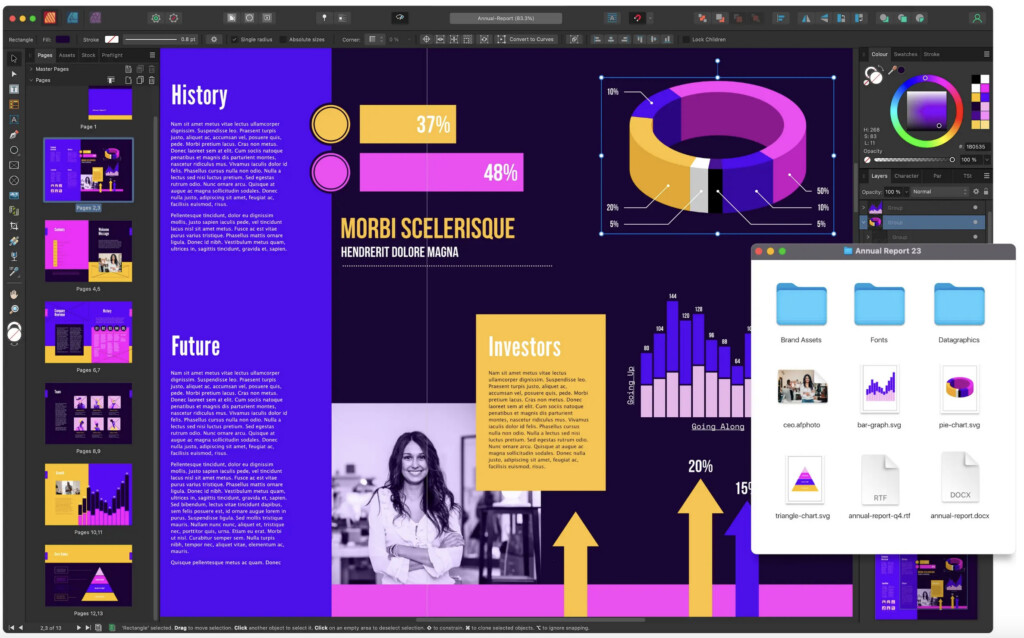
Affinity has changed substantially since older comparisons described Affinity Publisher as a paid, separate app. In 2026, the new all-in-one Affinity app is free and combines page layout, vector design and photo-editing tools in one product.
That makes it an unusually strong option for people who want professional-looking brochures, magazines, reports or books without subscribing to InDesign. Affinity includes linked text frames, master pages, typography controls, data merge, CMYK and spot colours, preflight checks and bleed support. It can also import formats including PDF, IDML and SVG, but do not mistake that for a reliable direct .pub conversion path.
The trade-off is complexity. Affinity is much more capable than Publisher, Pages or Canva, and its workspace can feel daunting if all you want is a quick church notice or school flyer. It is best when you are willing to learn a proper design app and want to keep the resulting documents editable.
Choose Affinity if: you need professional page layout and print controls, but want to avoid a recurring subscription.
Do not choose it if: you want a Publisher-like interface, a template-first beginner experience or simultaneous co-editing.
Price: Free as of September 2026. Canva premium subscribers can unlock additional Canva AI features within Affinity, but the core Affinity app is free.
5. Adobe InDesign (Best for Professional Print)
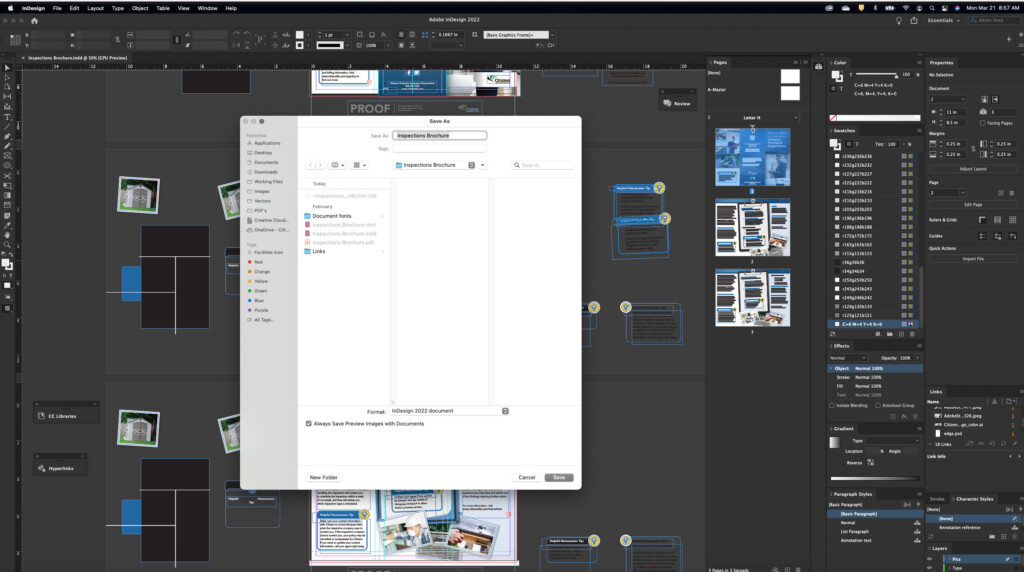
Adobe InDesign remains the right choice when publishing is part of your work rather than an occasional task. It is built for complex multi-page layouts, professional typography, reusable styles, long documents, books, magazines and print-shop production.
Its preflight tools, colour-management options, bleed and packaging workflows give a commercial printer much more predictable source files than Pages or Canva. It is also the most likely choice when a designer, agency or printer asks you for an InDesign or IDML-based workflow.
The main disadvantage is the subscription and learning curve. For an occasional newsletter, it is unnecessary; for an organisation producing a polished catalogue or magazine every month, it can save time and prevent expensive print mistakes.
Choose InDesign if: you create commercially printed material, work with professional designers or need the deepest layout and typography toolset.
Do not choose it if: a one-off flyer is all you need, or a subscription does not make financial sense.
Price: Subscription pricing varies by region and billing term. In the US, Adobe lists an individual InDesign plan from US$22.99 per month on an annual commitment, billed monthly.
Read our Adobe InDesign review.
6. Scribus (Best Open-Source Option)
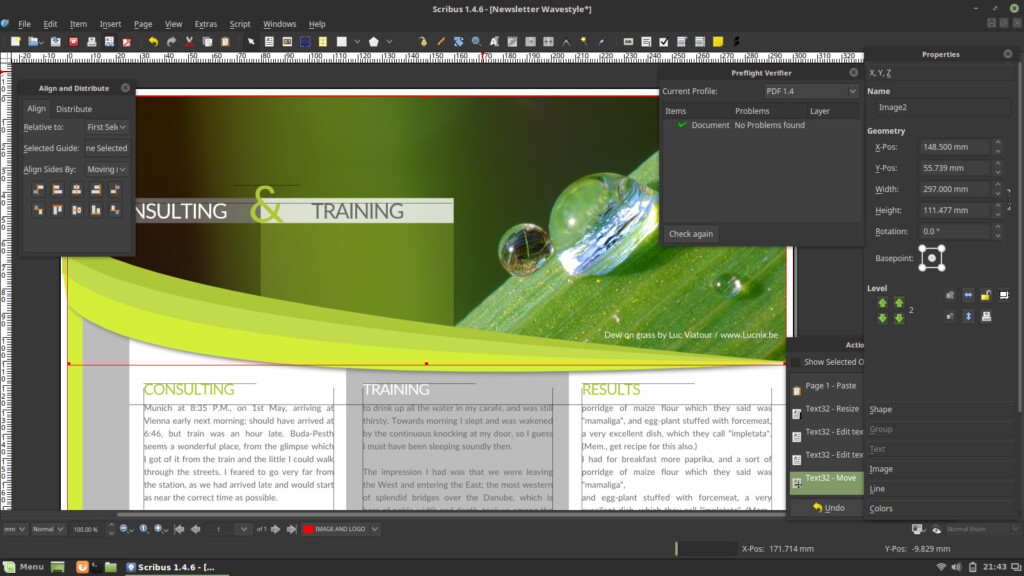
Scribus is a free, open-source desktop-publishing app. It has a more technical interface than Pages, Canva or Swift Publisher, but it can handle serious page-layout work once you learn its frames, styles and export workflow.
Most importantly for modern Macs, current Scribus releases include Apple-silicon downloads; the old advice that it relies on Rosetta or only experimental builds is no longer accurate. Check the current Scribus download requirements before installing, as the supported macOS version can change between releases.
Scribus is a good no-cost alternative when you need more control than Pages but do not want a subscription. Its weaknesses are its less polished design, smaller template ecosystem and steeper learning curve.
Choose Scribus if: you want a capable free desktop-publishing program and do not mind learning a more technical interface.
Do not choose it if: you need polished templates, effortless collaboration or quick results on a tight deadline.
Price: Free and open source.
Read our Scribus review.
7. Marq (Best for Brand-Controlled Teams)
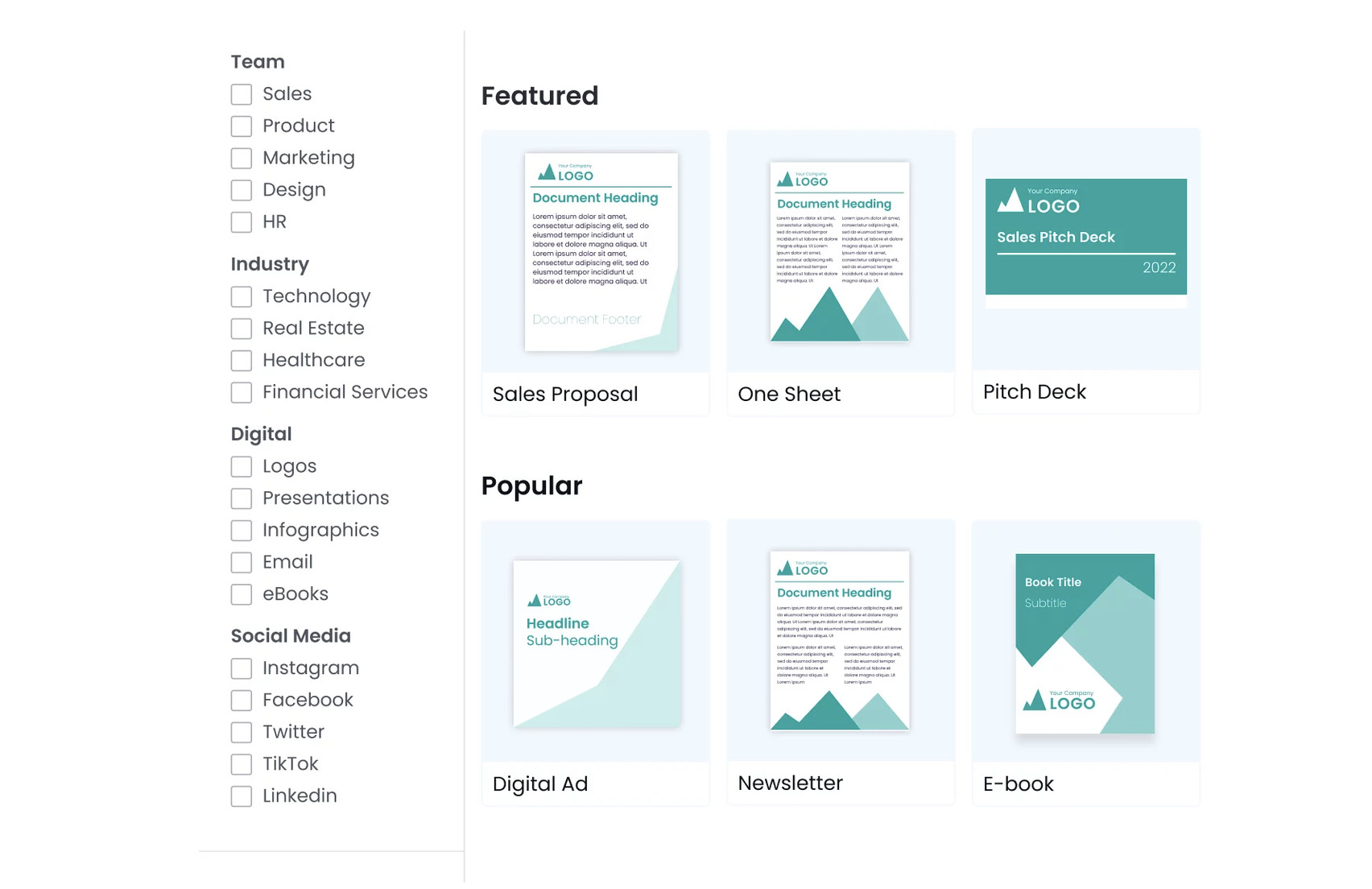
Marq is a web-based publishing and brand-template platform, previously known as Lucidpress. It is not a traditional Mac desktop app, but it is useful where a central marketing or design person needs to make approved templates available to colleagues without giving everyone an open-ended design tool.
Its free plan is deliberately limited to three projects and 25MB of cloud storage. Paid plans add features such as premium templates, brand assets, design imports and permissions; Marq currently lists Pro at US$12 per month on monthly billing or US$10 per month when billed annually for one user.
For a small business that makes recurring branded leaflets, sales sheets and social material, this control can be more valuable than a conventional Publisher replacement. For a single Mac user designing print publications alone, Swift Publisher, Affinity or InDesign will usually be a better fit.
Choose Marq if: a team needs to reuse approved templates and keep branding consistent.
Do not choose it if: you need a fully offline Mac app or advanced local prepress work.
Price: Free tier available; paid plans start at US$12/month on monthly billing.
Read our Marq review.
Can a Mac open Microsoft Publisher (.PUB) files?
Not reliably. There is no Mac version of Microsoft Publisher, and none of the Mac alternatives above is a dependable way to open a .pub file as a fully editable document.
If you can still open the file in Publisher on Windows, export it to PDF for preservation and collect the original photos, fonts and text. Then rebuild the version you will keep updating in your chosen Mac app. This takes longer once, but it is safer than expecting an import to preserve every text box, font, table and image placement.
If a document is mostly text, you can also try Microsoft’s PDF-to-Word route. Treat the resulting Word file as a starting point, not a faithful replacement for a complex Publisher layout.
Can you still run Publisher on a Mac?
You can run Windows in a virtual machine on a Mac and install a perpetual copy of Publisher there. See our guide to running Microsoft Publisher on a Mac for the setup options.
That is only a short-term access solution, not a migration plan. After 1 October 2026, Microsoft 365 subscribers will not retain access to Publisher simply because they are using Windows in a virtual machine. A perpetual copy may continue working after its support ends, but it will be unsupported and should not be your sole way to access important files.
FAQ
Is Microsoft Publisher available for Mac?
No. Microsoft has never released Publisher for macOS, and it has never been included with Office for Mac or Microsoft 365 on a Mac.
What is the closest Microsoft Publisher alternative for Mac?
For most people, Swift Publisher is the closest match. It has the familiar drag-and-drop, template-led desktop-publishing approach that Publisher users expect, but is made for macOS.
What is the best free alternative to Microsoft Publisher on a Mac?
Choose Pages for simple documents, Affinity for professional-level page layouts or Scribus if you want a free open-source desktop-publishing app. Canva also has a useful free plan if you prefer an online, template-led tool.
Is Affinity Publisher still a one-time purchase?
No. The old paid, separate Affinity Publisher product has been superseded by the new all-in-one Affinity app. The current Affinity app is free and includes page-layout tools alongside vector and photo-editing tools.
Can Pages, Canva or Affinity convert a .pub file?
No reliable direct conversion is available. Preserve the file as a PDF from Publisher, retain its original assets and recreate any document you will need to edit in future.
Should I export Publisher files to PDF or Word?
Use PDF to preserve an accurate printable/archive copy. Use Word only when the content is primarily text and you are prepared to check and repair the layout. Keep the original .pub file and its associated assets either way.
Is Canva good enough for professional printing?
Canva is good for simple, template-led print jobs and can create print PDFs, but it does not replace the advanced colour, preflight and packaging controls of Affinity or Adobe InDesign. Ask your printer what it requires before committing to a large run.
Which option is best for a small business replacing Publisher?
Use Swift Publisher for locally created flyers, labels, brochures and newsletters. Choose Canva or Marq if several people need to create on-brand material from shared templates. Use Affinity or InDesign when the documents need professional print controls.
The Bottom Line
The end of Microsoft Publisher is a reason to migrate, not to search for a non-existent Mac version. Export your important .pub files before the October 2026 deadlines, then select an app based on the documents you will actually create going forward.
For the vast majority of former Publisher users on a Mac, Swift Publisher is the easiest long-term replacement. If your needs are more basic, start with Pages or Canva; if you need professional-grade layout and print tools, move to free Affinity or subscription-based Adobe InDesign.