

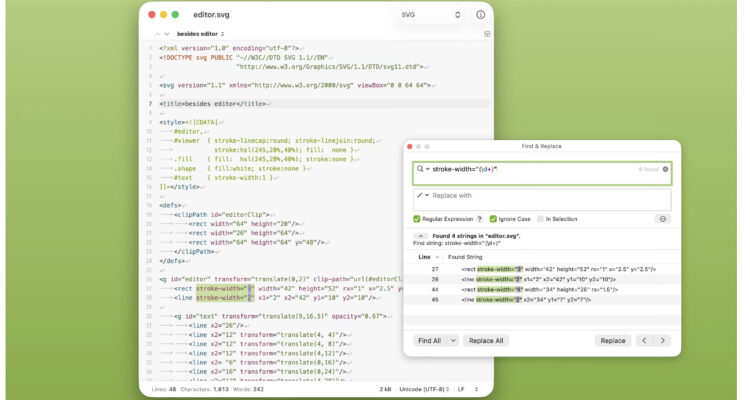
Even though Notepad++ for Mac is finally available for Mac, there are many alternatives to it that in some cases, significantly improve on it.
If you need a text editor like Notepad++ for Mac, there are now several powerful alternatives that match or exceed its features.
However, most “Notepad++ replacement” lists get it wrong. They recommend basic note apps that don’t come close to what Notepad++ users actually need.
This guide is different. It focuses only on tools that can genuinely replace Notepad++ based on real-world usage and user feedback.
This includes tasks like bulk text processing, regex-based editing, and handling large datasets – areas where many basic editors fail.
All of the editors below are fully compatible with Apple Silicon (M-series) Macs and the latest versions of macOS (currently Tahoe).
Here then are the best Notepad++ alternatives for Mac in 2026.
What is the Best Notepad++ Alternative for Mac?
The best Notepad++ alternative for Mac is Visual Studio Code, as it offers advanced features like multi-file search and replace, encoding control, extensions, and built-in file comparison tools. Other strong alternatives include BBEdit (a powerful native Mac editor), Sublime Text (fast and lightweight), and NotepadNext (the closest clone of Notepad++ for macOS).
For most users, these tools serve as a full Notepad++ equivalent on Mac.
Quick Answer (Best Picks)
- Best overall replacement: Visual Studio Code
- Best native Mac alternative: BBEdit
- Best lightweight editor: Sublime Text
- Closest Notepad++ clone: NotepadNext
- Best simple option: CotEditor
What Makes a Good Notepad++ Alternative?
Based on real user feedback, a proper Notepad++ replacement must support:
- Multi-file search and replace (including unopened files)
- File encoding control (UTF-8, ANSI, etc.)
- Syntax highlighting across many file types
- Visible whitespace and hidden characters
- Macros or repeatable editing tasks
- Tabbed editing with session restore
- File comparison (diff tools)
Many apps look similar – but very few actually support all of these well.
Why Most Notepad++ Alternatives Fall Short on Mac
One of the biggest frustrations for Mac users is that many suggested “alternatives” don’t actually match Notepad++ where it matters.
Common issues include:
- No multi-file search
- No macro support
- Limited encoding options
- No proper diff tools
- Poor visibility of hidden characters
This is why many users end up trying multiple apps before finding one that works.
In this guide, we’ve only included tools that meet real Notepad++ use cases, not just surface-level similarities.
Notepad++ Features vs Mac Alternatives: Comparison Table
| Feature | VS Code | BBEdit | Sublime Text | NotepadNext | CotEditor |
|---|---|---|---|---|---|
| Multi-file search & replace | ✅ | ✅ | ✅ | ⚠️ Limited | ❌ |
| Encoding control | ✅ | ✅ | ✅ | ✅ | ✅ |
| Macros / automation | ✅ | ✅ | ⚠️ Plugins | ❌ | ❌ |
| File comparison (diff) | ✅ | ✅ | ⚠️ Plugins | ❌ | ❌ |
| Handles large files well | ✅ | ✅ | ✅ | ⚠️ | ⚠️ |
| Native macOS app | ❌ | ✅ | ✅ | ❌ | ✅ |
Best Notepad++ Alternatives for Mac
If you’re searching for a text editor like Notepad++ for Mac, these are the closest matches available today.
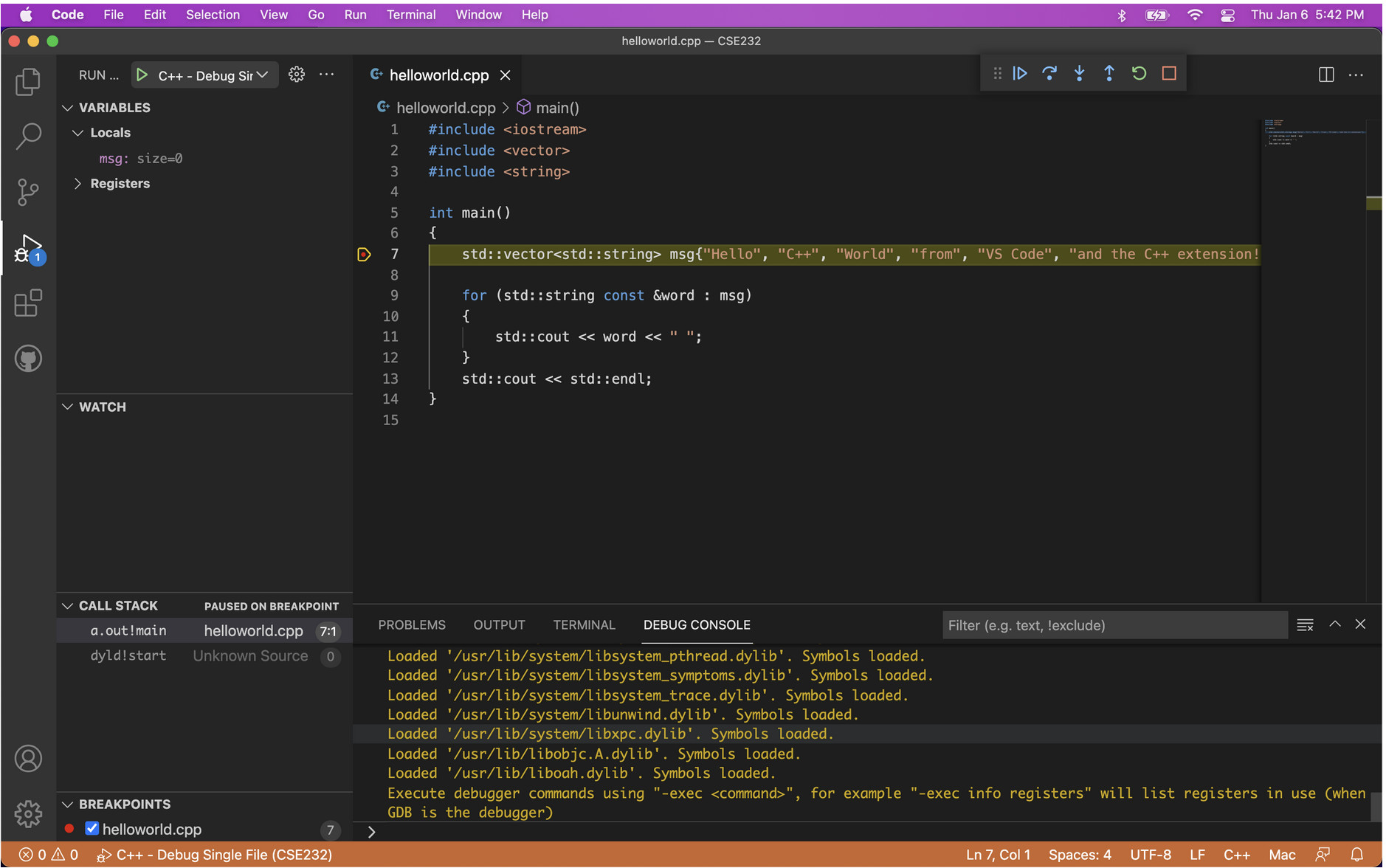
1. Visual Studio Code (Best Overall Notepad++ Alternative)
Best for: Power users, developers, and advanced programming projects
Visual Studio Code is the most complete way to replace Notepad++ on Mac – and in many cases, it’s significantly more powerful.
It’s also one of the best text editors for Mac coding, thanks to its extensive language support and extensions.
It supports:
- Multi-file search and replace (even across unopened files)
- Encoding selection and conversion
- Extensions for macros, automation, and formatting
- Built-in diff tools for comparing files
- Full control over whitespace visibility
Pros:
- Extremely powerful and flexible
- Huge extension library
- Free and actively developed
Cons:
- Can feel heavy for simple tasks
Verdict:
If you want a true Notepad++ replacement (and more), this is the best choice.
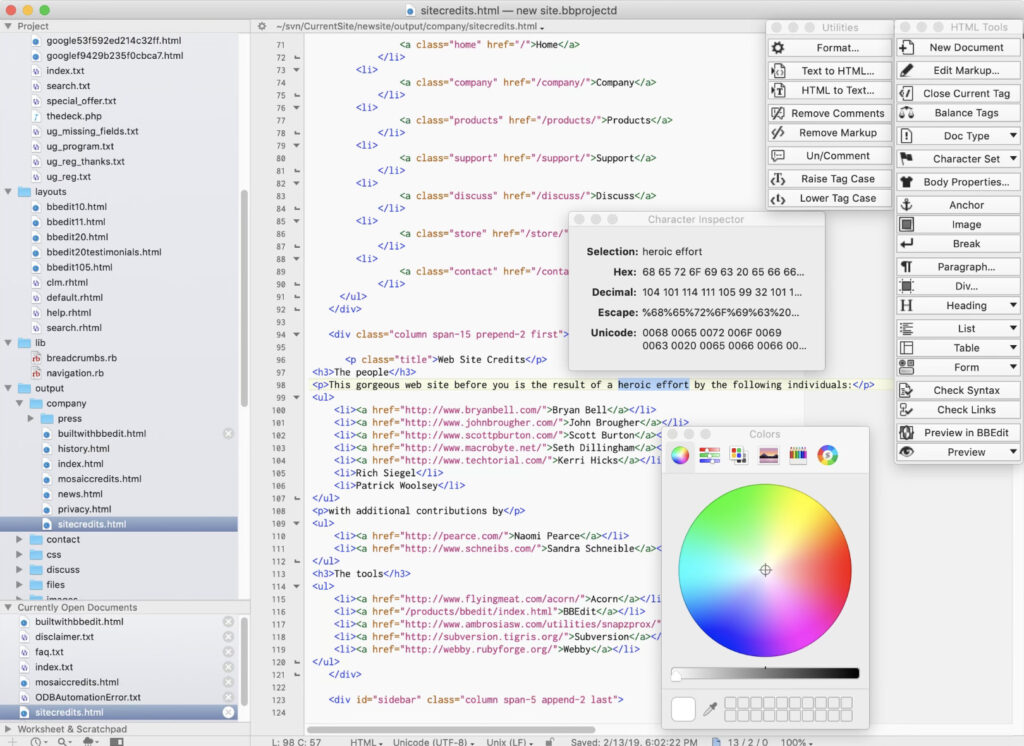
2. BBEdit (Best Native macOS Alternative)
Best for: Users who want power without Electron-based apps
BBEdit is one of the few Mac editors that genuinely matches Notepad++ feature-for-feature.
It’s particularly strong for batch text processing and complex find/replace operations using grep-style patterns.
It includes:
- Advanced multi-file search and replace
- Full encoding control and file inspection
- Automation via “Text Factories” (macro-like tasks)
- Built-in file comparison tools
- Excellent performance with large files
It’s also a fully native macOS app, making it fast and efficient.
Pros:
- Extremely powerful text processing
- Native performance (fast, lightweight)
- Free version available
Cons:
- Interface feels slightly dated
Verdict:
A serious, professional-grade alternative that covers almost every Notepad++ use case.
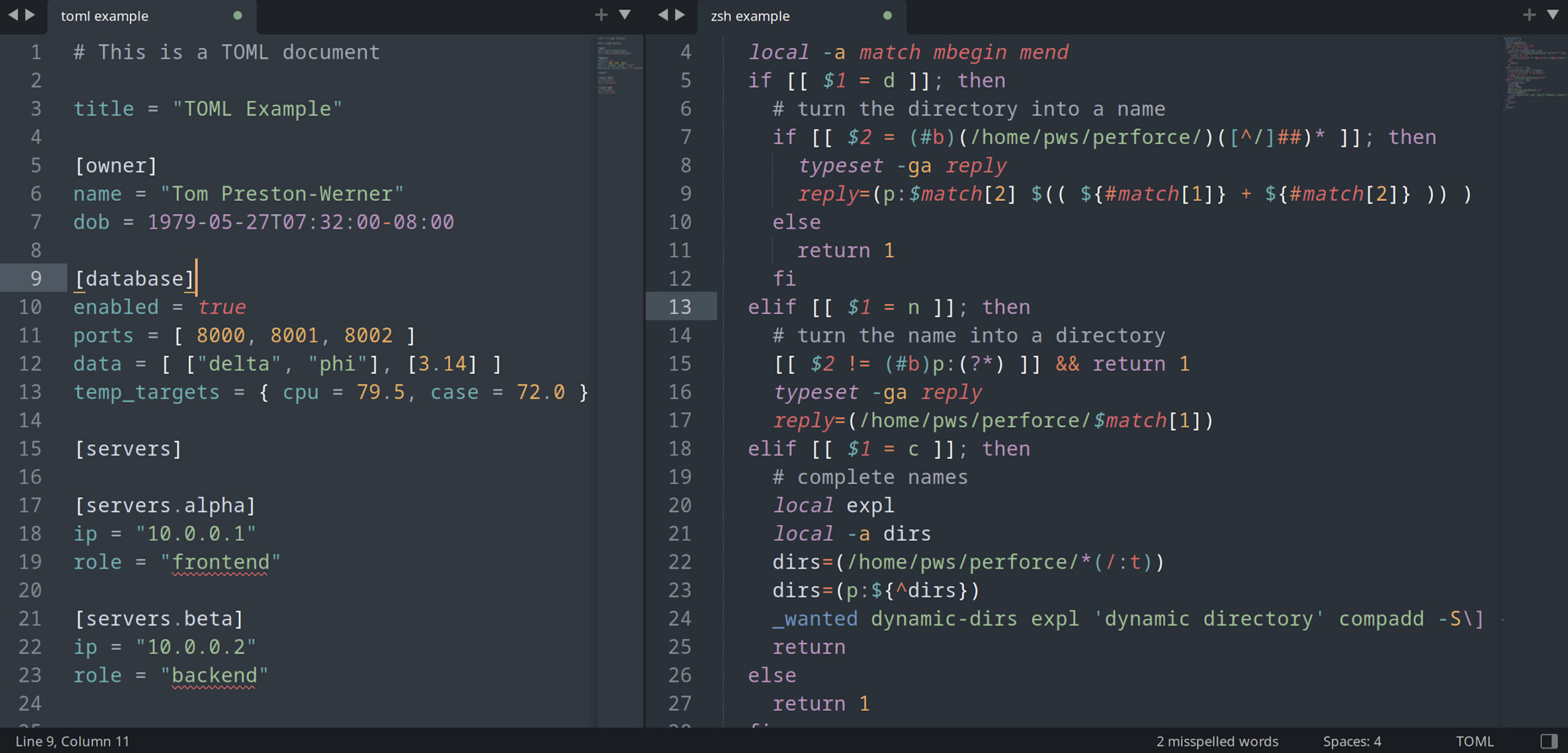
3. Sublime Text (Best Lightweight Power Editor)
Best for: Speed and large file editing
Sublime Text is ideal if you want a fast, clean, and lightweight text editor for Mac that’s still very capable.
It offers:
- Multi-file editing and search
- Syntax highlighting
- Multi-cursor editing
- Plugin support for macros and extra features
It’s particularly strong when working with very large text files.
Pros:
- Extremely fast and responsive
- Clean interface
- Powerful editing tools
Cons:
- Some features require plugins
- Occasional license prompts
Verdict:
A great balance between simplicity and power – closer in feel to Notepad++ than than heavier, IDE-style editors tools.
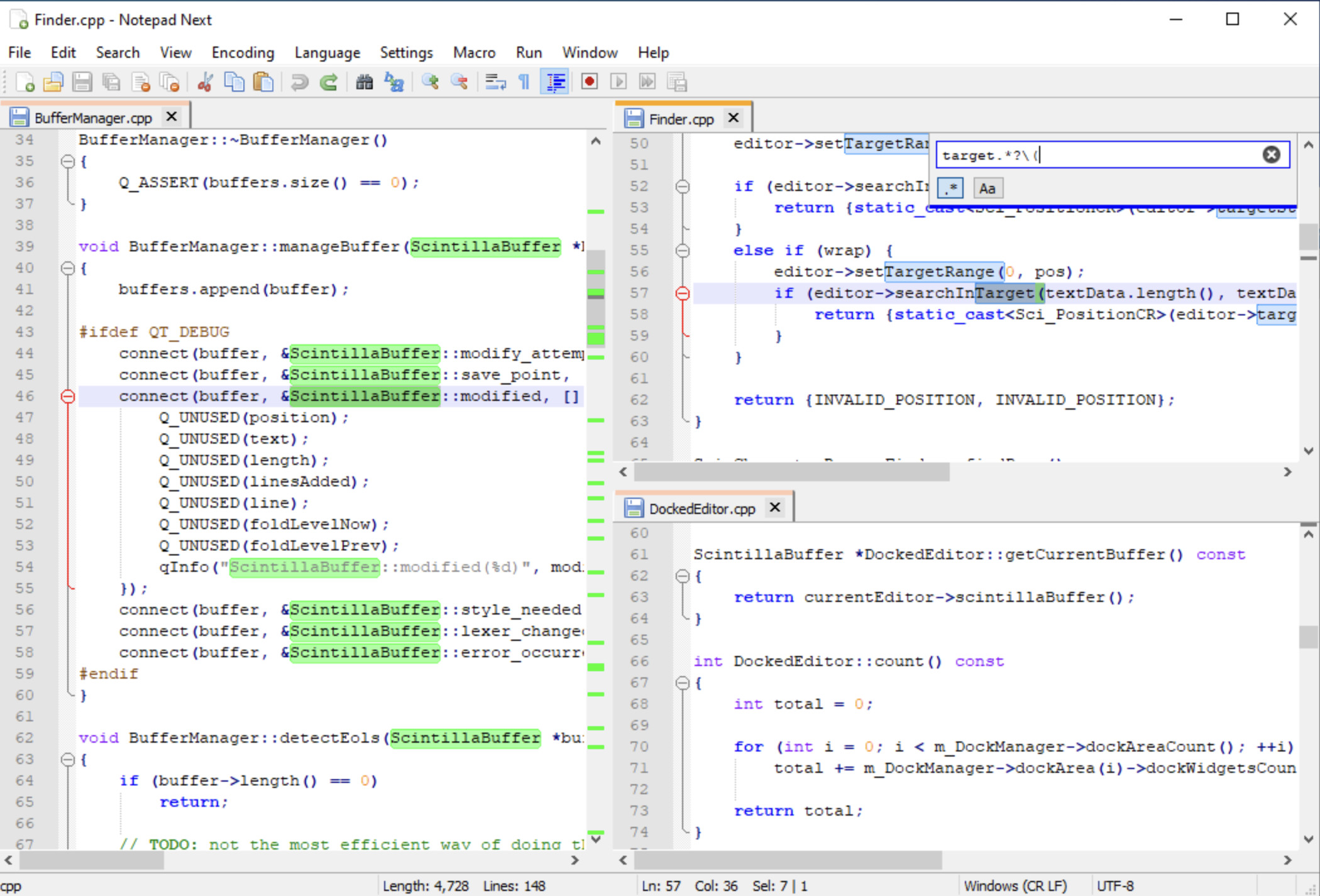
4. NotepadNext (Closest Notepad++ Clone for Mac)
Best for: Users who want a familiar Notepad++ interface
NotepadNext is an open-source re-implementation of Notepad++ that runs on macOS.
It includes:
- Tabbed editing
- Syntax highlighting
- Search and replace
- Familiar layout for Windows users
However, it’s still evolving and lacks some advanced functionality.
Pros:
- Very similar to Notepad++
- Lightweight
- Free
Cons:
- Not as feature-complete
- Still under active development
Verdict:
The closest clone to Notepad++ – but not the most powerful option yet.
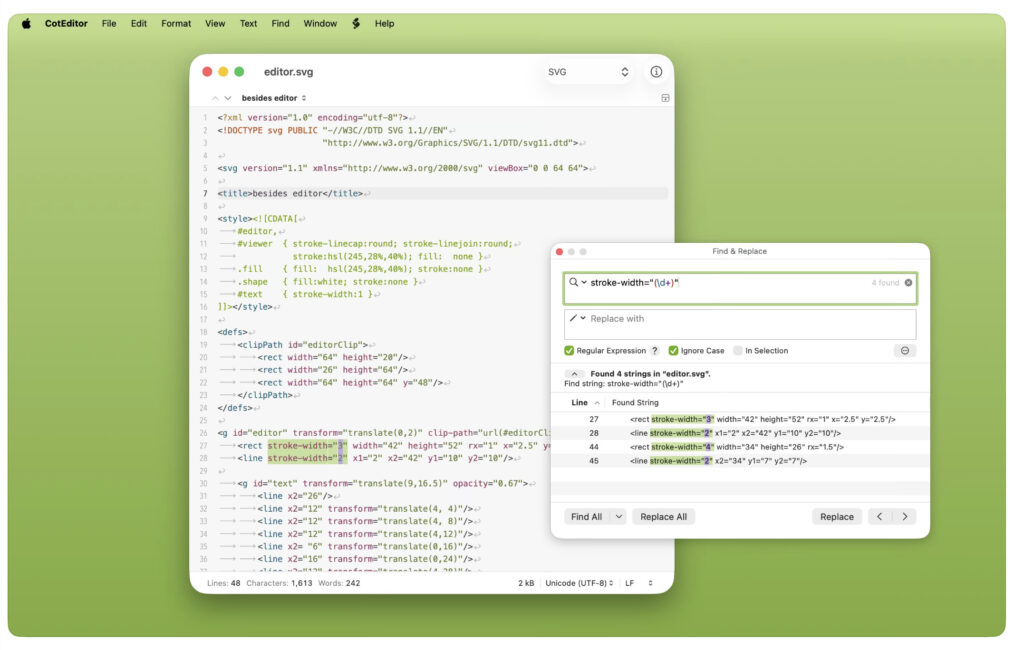
5. CotEditor (Best Lightweight Alternative)
Best for: Simple text editing with some advanced features
CotEditor is a clean, native and lightweight text editor for Mac that’s fast and easy to use.
It supports:
- Syntax highlighting
- Encoding options
- Basic search and replace
However, it lacks:
- Advanced multi-file operations
- Built-in diff tools
- Macro systems
Pros:
- Fast and lightweight
- Native macOS app
- Free
Cons:
- Limited advanced functionality
Verdict:
Good for lighter tasks, but not a full Notepad++ replacement.
Can You Run Notepad++ on a Mac?
Yes, you can run the Windows version of Notepad++ on a Mac – but only by running Windows.
The easiest way to do this is with virtualization software like Parallels Desktop, which allows you to run Windows alongside macOS.
However, for most users, this isn’t necessary anymore, as a native version of Notepad++ is now available.
Some users also try running the Windows version of Notepad++ using Wine or CrossOver, but performance and compatibility can be inconsistent compared to using native Mac editors.
Here’s a quick walkthrough showing how to run the Windows version of Notepad++ on a Mac using virtualization:
Best Notepad++ Alternatives by Use Case
Whether you need a simple editor or a full development environment, there’s a Notepad++ alternative for Mac that fits almost every workflow:
- Best for developers: Visual Studio Code
- Best for large files: Sublime Text
- Best native Mac experience: BBEdit
- Best for beginners: CotEditor
- Closest to Notepad++: NotepadNext
Summary: What Should You Use Instead of Notepad++ on Mac?
If you’re switching from Notepad++ to a Mac text editor, the best option depends on how you use it:
- Choose Visual Studio Code if you want the most powerful and flexible solution
- Choose BBEdit if you want a fast, native Mac editor with advanced text tools
- Choose Sublime Text if you prioritize speed and simplicity
- Choose NotepadNext if you want something that feels closest to Notepad++
While there’s no perfect one-to-one replacement, these tools cover everything most users need – and often significantly improve on the original experience.
Other Notepad++ Alternatives for Mac
While the tools above are the best overall replacements, you may also come across:
- UltraEdit – powerful but expensive, better suited to enterprise use
- TextMate – a long-standing Mac editor with solid plugin support
- Vim / Emacs – extremely powerful but with steep learning curves
- Textastic – a good option for web development and mobile workflows
These are worth considering in specific cases, but for most users, the main options above are more practical replacements.
Why Not Just Use TextEdit?
macOS already includes TextEdit, but it lacks many features Notepad++ users rely on, such as:
- Multi-file search and replace
- Advanced encoding control
- Syntax highlighting for multiple programming languages
- File comparison tools
For basic editing it’s fine, but it’s not a true replacement for Notepad++.
FAQ
Can you download Notepad++ on Mac?
Yes, since April 2026 you can download a native version of Notepad++ on macOS. However, there are many Notepad++ alternatives for Mac that offer similar or better functionality.
What is the closest alternative to Notepad++ on Mac?
NotepadNext is the closest in terms of interface, while Visual Studio Code and BBEdit offer more advanced functionality.
What do developers use instead of Notepad++ on Mac?
Most developers use Visual Studio Code, Sublime Text, or BBEdit depending on their needs.
Is there a free Notepad++ alternative for Mac?
Yes. Visual Studio Code, NotepadNext, and CotEditor are all free to use.