

If you’ve recently switched from Windows to macOS and are trying to type a bullet point, here we show you how to easily type one on any kind of Mac.
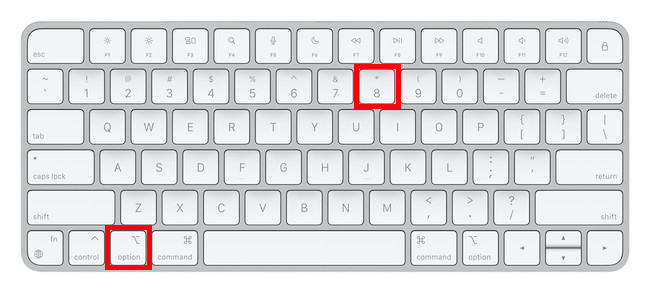
On US keyboards and most other keyboard languages, the shortcut to type a bullet point symbol on a Mac is to simply press the Option or Alt key + 8 on your keyboard.
This works in most applications including PDF editing software and other word processing software for Mac.
Here’s how to type a bullet point on a Mac:
- Open the document where you want to type a bullet point and place the cursor next to it.
- Press the Option key and type 8
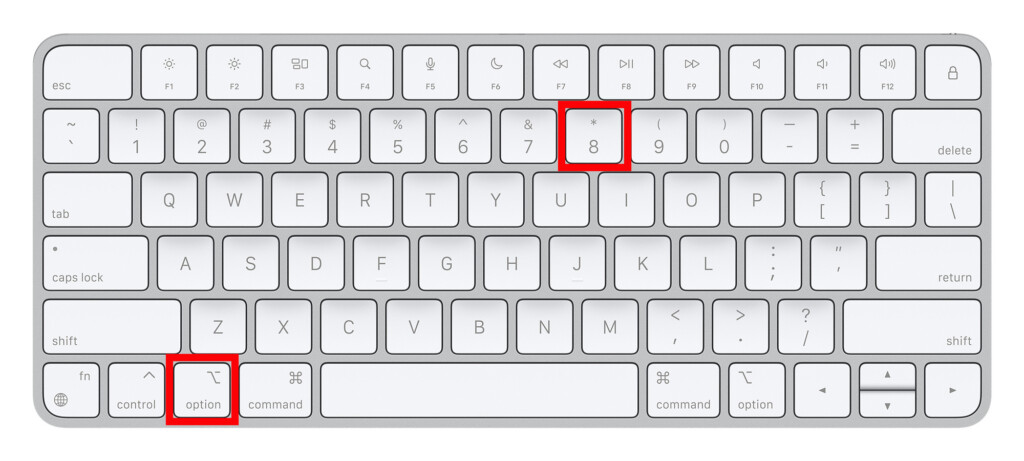
- Repeat as many times as you need a bullet point.
- If you’re not sure which region or country your keyboard is from, check Apple’s list of keyboard localizations.
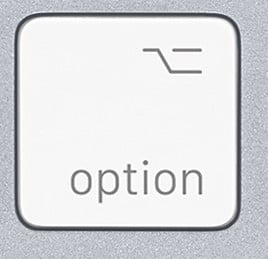
- The ALT key and the Option key are the same thing but confusingly, on many European and UK keyboards the word “Alt” doesn’t appear and it just says “Option” with a symbol.
Contents
How To Type A Bullet Point In Word For Mac
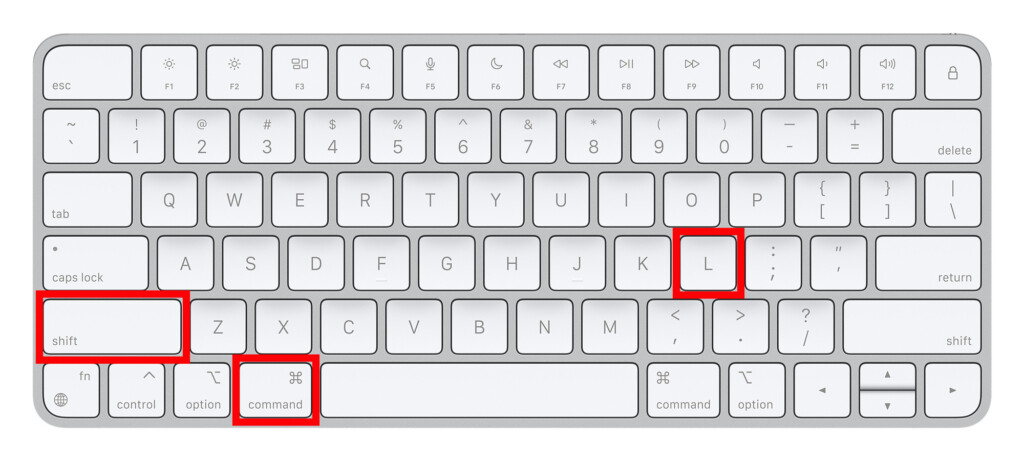
In Microsoft Word for Mac, you have to use Command + Shift + L which immediately begins a bullet list in your document.
You can also use the ribbon in Microsoft Word for Mac to insert bullet points.
- On the Home tab select Bullets or Numbering.
- You can then choose different styles such as round, square and transparent bullet points.
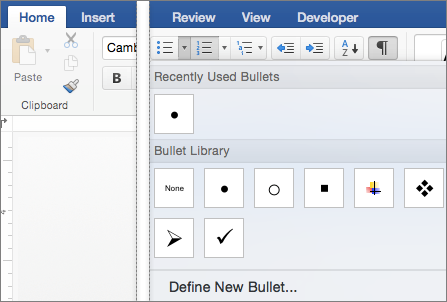
- Simply press Enter every time you want to add a new bullet or number.
- Press Enter twice to end the list.
How To Type A Bullet Point In Pages
To type a bullet point in Apple Pages for Mac, follow these instructions.
- Select the text you want to include in the list.
- In the Format side bar on the right, select Style near the top.
- Click the Bullets and Lists menu pop-up menu near the bottom and then choose a List Style.
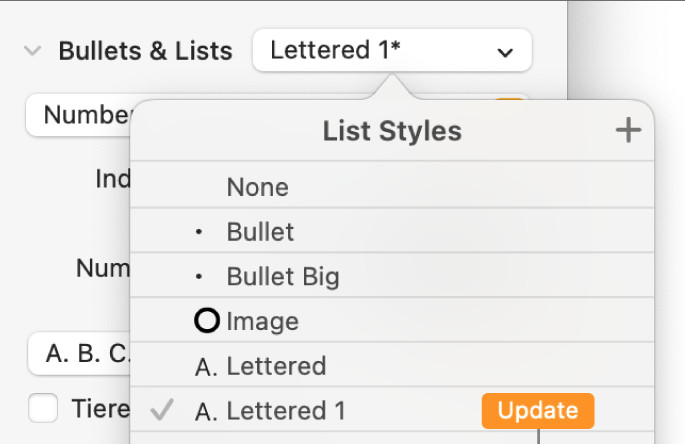
- Continue typing your list.
- To end the list, choose None from the Bullets and Lists pop-up menu. You can also press Enter twice to end the list.
How To Type A Bullet Point In Excel For Mac
To type a bullet point in Excel Mac, follow these instructions:
- Click on a blank cell on a new or already open spreadsheet.
- Select Insert from the Menu Bar.
- Select Symbol.
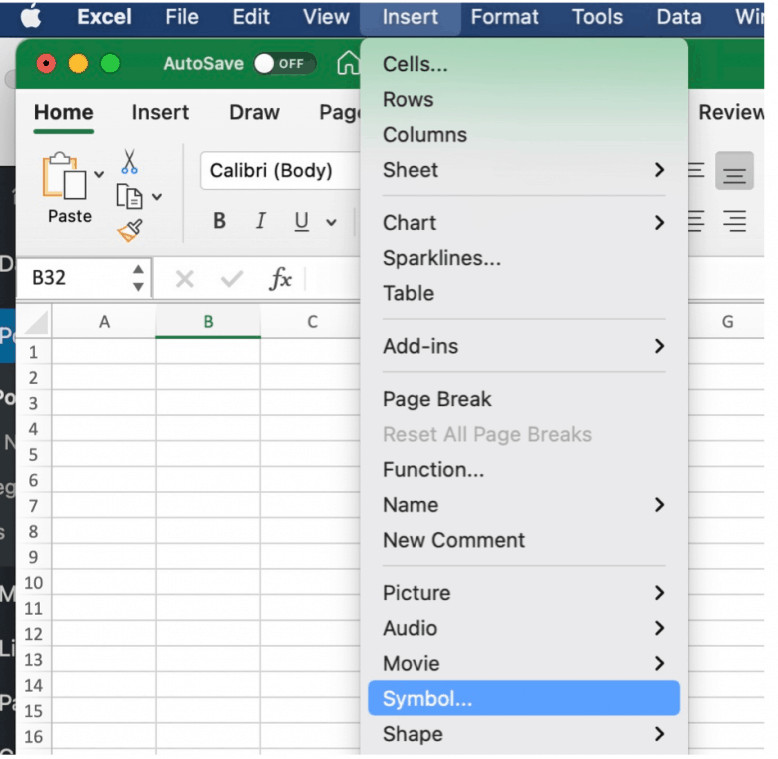
- Select Bullets/Stars in the Character Viewer.
- Double-click on the bullet style you want.