

The 2026 FIFA World Cup is the biggest tournament in football history, featuring 48 teams, 104 matches and games taking place across the United States, Canada and Mexico.
We’ve already seen some of the biggest players light up the stage with Leo Messi yet again the standout player at 39 years of age!
In many countries, you can watch games for free on regional free-to-air broadcasters.
- UK: Every World Cup match is available free on BBC iPlayer and ITVX.
- USA: Matches are broadcast on Fox and Telemundo, with some games available free over the air on Fox.
- Australia: Watch all games live on SBS On Demand.
- Ireland: Games are available on the RTÉ Player.
- New Zealand: Stream matches for free using TVNZ+
- Worldwide: FIFA’s official streaming platform, FIFA+, is streaming select matches for free.
If you’re in another country or traveling abroad, you can still access these these broadcasters using a VPN.
Here’s how Mac users can watch every World Cup match for free.
Quick Answer
- The best coverage is in the UK with every match free on BBC iPlayer and ITVX so the best advice is to use a VPN to access these services wherever you are in the world. Note that for BBC iPlayer matches a valid TV license is required.
- Mac users abroad can access these services using a Mac compatible VPN. Our recommended VPNs are NordVPN and SurfShark.
- Safari, Chrome and Firefox all work on macOS.
- AirPlay allows you to stream matches from your Mac to your TV if you want to watch it on a big screen.
How To Use a VPN To Watch The World Cup on a Mac
If you’re outside the UK during the tournament, BBC iPlayer and ITVX may block access because of regional restrictions.
A VPN allows you to connect to UK servers and access the same streaming services you normally use at home.
Using Surfshark as an example, here’s how to do it.
- Download Surfshark on your Mac
- Search for “UK” in the Surfshark search bar and connect to a UK VPN. It’s best to choose the one labelled “Fastest” for the best streaming but any of them will do.

- Click “Quick-Connect” and it will connect you to a UK IP address in seconds. Sometimes it may a bit longer take longer depending on network traffic.

- Go to BBC iPlayer or ITV X
- Login with your account details and enjoy the FIFA World Cup!
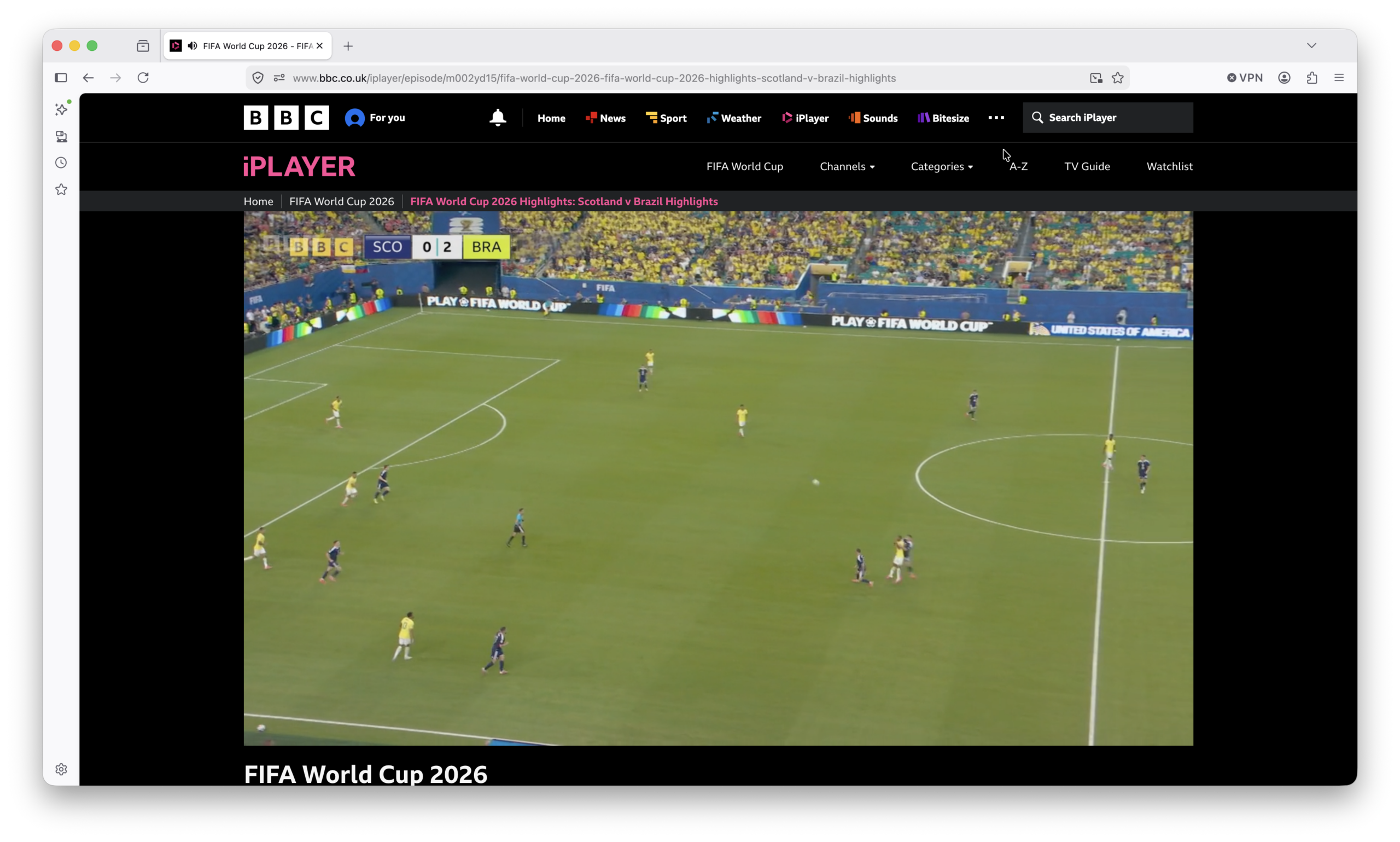
Both BBC and ITV coverage includes:
- Live matches
- Highlights
- Replays
- Analysis
- Studio coverage
Best Browser For Watching The World Cup on a Mac
Safari is usually the best option for Macs because it:
- Uses less battery power.
- Supports Picture in Picture.
- Works efficiently on Apple Silicon Macs.
- Provides excellent streaming quality.
There are also many alternatives to Safari for Mac such as Chrome and Firefox that are also fully supported.
Watch The World Cup on Your TV
You can also use:
- AirPlay
- Apple TV
- HDMI
- USB-C external displays such as 4K and 5K monitors
Simply open the stream on your Mac and mirror it to your television or monitor
FAQ
Do NordVPN & Surfshark work on Mac?
Yes. NordVPN and Surfshark offer a dedicated Mac application compatible with both Intel and Apple Silicon Macs.
Can I watch BBC iPlayer abroad?
BBC iPlayer is normally only available in the UK. Many travelers use a VPN to access their UK accounts while overseas.
Does ITVX work on a Mac?
Yes. ITVX works in Safari, Chrome and Firefox.
Is Safari the best browser for streaming?
For most Mac users, Safari offers the best battery life and performance.