

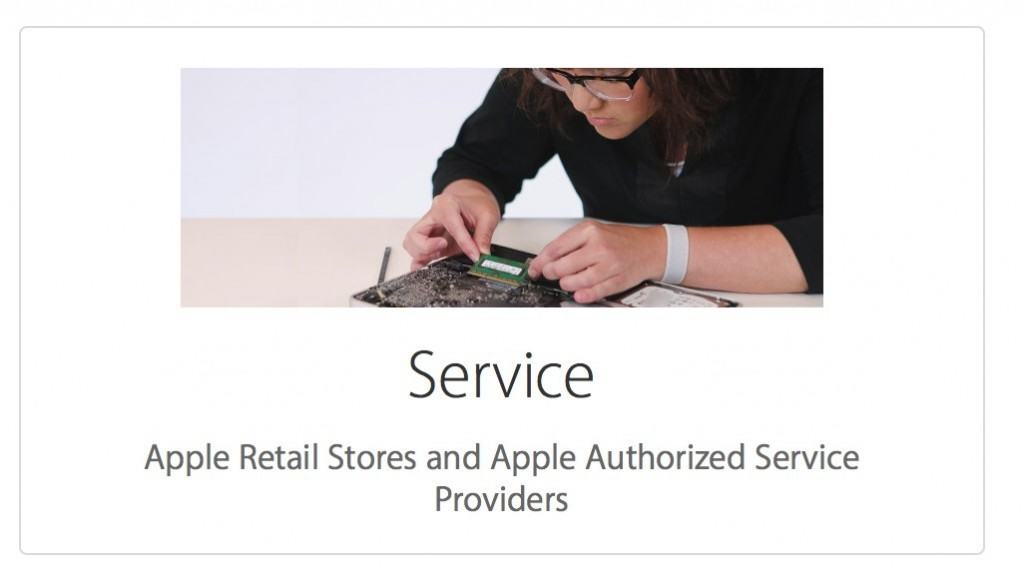
If your Mac, MacBook, or another Apple device stops working, the safest way to get it repaired is through an Apple Store or Apple Authorized Service Provider (AASP).
These repair centers are officially certified by Apple and use genuine Apple parts, approved repair procedures, and trained technicians. This ensures your device is repaired properly and that any Apple warranty or AppleCare+ coverage remains valid.
If you’re searching for “Mac repair near me”, the easiest way to find a certified repair center is by using Apple’s official location tools or starting a repair request through Apple Support.
Below we explain how to find the nearest Mac repair center, book an appointment, and what to expect from the repair process.
If you’re experiencing a slow Mac, check out our guide on how to fix a slow Mac before visiting a repair center – sometimes performance issues can be solved without a hardware repair.
If your Mac has crashed, also check out our guide to how to fix a frozen Mac as many issues can be fixed with free tools in macOS.
How To Find Mac Repair Near You
The quickest way to locate a certified Apple repair center is by using Apple’s official store locator.
Enter your postcode, ZIP code, or city and Apple will display nearby locations including:
- Apple Stores
- Apple Authorized Service Providers
- Apple Premium Resellers
Click on a location to see:
- Address
- Opening hours
- Phone number
- Directions
- Available services
Both Apple Stores and Authorized Service Providers can carry out official Mac and MacBook repairs.
In many areas, an Authorized Service Provider may actually have shorter wait times than Apple Stores.
How To Book a Mac Repair Appointment
Apple now encourages users to book repairs through the Apple Support website or the Apple Support app.
Then follow these steps:
- Select Mac (or the device you need repaired).
- Choose the problem you’re experiencing.
- Sign in with your Apple ID.
- Select one of the available support options.
Depending on your issue, Apple may offer:
- Live chat support
- A scheduled phone call
- Mail-in repair
- An Apple Store Genius Bar appointment
- An Apple Authorized Service Provider repair appointment
If an in-person repair is required, Apple will show the nearest available locations and appointment times.
Apple Store vs Apple Authorized Service Provider
Both Apple Stores and Authorized Service Providers offer official Apple repairs.
| Service Type | Apple Store | Authorized Service Provider |
|---|---|---|
| Apple-certified technicians | Yes | Yes |
| Genuine Apple parts | Yes | Yes |
| Genius Bar support | Yes | No |
| Walk-in support | Sometimes | Sometimes |
| Faster appointment availability | Sometimes | Often |
If you simply need MacBook repair near you, either option is equally safe.
Common Mac Repairs Apple Service Providers Can Fix
Apple repair centers handle many common Mac hardware problems.
Typical repairs include:
- MacBook screen repair for cracked or damaged displays
- MacBook battery replacement if your battery drains quickly
- MacBook keyboard repair for stuck or non-working keys
- MacBook trackpad repair if gestures or clicks stop working
- MacBook logic board repair if your Mac won’t power on
If you’re experiencing any of these issues, Apple Support can guide you through troubleshooting before recommending a repair.
MacBook Repair Costs (2026 Guide)
The cost of repairing a Mac depends on the model and the type of damage.
Here are typical MacBook repair price ranges if your device is out of warranty.
| Repair | Typical Cost |
|---|---|
| MacBook battery replacement | $150 – $300 |
| MacBook screen replacement | $400 – $800 |
| MacBook keyboard repair | $200 – $450 |
| Logic board repair | $500+ |
If your Mac is still covered by AppleCare+ or warranty, some repairs may be free or significantly cheaper.
Apple will normally provide a repair estimate before starting any work.
Check Your Mac Warranty Before Booking a Repair
Enter your Mac serial number, which you can find by clicking:
Apple logo > About This Mac
Apple will then show your warranty status and available repair options.
What To Do Before Taking Your Mac For Repair
Before bringing your Mac to an Apple Store or repair provider, it’s recommended to prepare your device.
1. Back Up Your Mac
Use Time Machine or another backup method to ensure your files are safe.
2. Sign Out of iCloud
Apple technicians may ask you to sign out before working on your device.
3. Disable Find My Mac
This is sometimes required before Apple accepts the device for repair.
4. Bring Your Charger
Technicians may need your power adapter to diagnose charging problems.
Preparing your Mac beforehand helps make the repair process faster and smoother.
Apple Mail-In Repair Service
If you don’t live near an Apple Store or Authorized Service Provider, Apple may offer a mail-in repair service.
Apple sends you a prepaid shipping box, you send your Mac to an Apple repair center, and the device is returned once the repair is complete.
Typical repair turnaround time is 3–7 days depending on the issue.
FAQs
Where can I repair a MacBook near me?
You can repair a MacBook at an Apple Store or an Apple Authorized Service Provider. Use Apple’s location tool or start a repair request through Apple Support to find the nearest certified repair center.
How much does MacBook repair cost?
MacBook repair costs depend on the issue. Battery replacements usually cost $150–$300, while screen repairs can cost $400–$800 if the device is out of warranty.
Can Apple repair a Mac that is out of warranty?
Yes. Apple and Authorized Service Providers can repair Macs even if they are no longer covered by warranty or AppleCare+. However, you will need to pay for the repair.
How long do Mac repairs take?
Simple repairs like battery replacements may take a few hours, while more complex repairs may take several days.
Summary
If your Mac or MacBook needs repairing, it’s best to use an Apple Store or Apple Authorized Service Provider.
They offer:
- Certified Apple technicians
- Genuine Apple replacement parts
- Official diagnostics
- Warranty-safe repairs
The easiest way to start a repair is through the Apple Support website or by locating the nearest certified repair center using Apple’s store locator.