

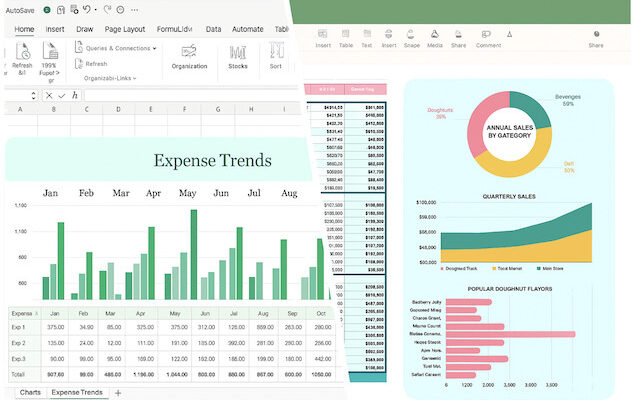
If you’re looking for an alternative to Microsoft Excel then Apple Numbers often tops the list for Mac, iPad and iPhone users.
Although we live in a world dominated by Excel when it comes to spreadsheets, I’ve found myself slowly using Apple Numbers more and more since switching to macOS.
Apple Numbers is Apple’s spreadsheet application which is part of the iWork suite alongside Apple Pages – a popular alternative to Word for Mac – and Keynote (Apple’s version of PowerPoint).
Numbers is all about a visual, flexible canvas rather than the grid/tab-workbook model that Excel is based on.
It’s also completely free to use compared to Excel which requires a Microsoft 365 subscription.
So if you’re wondering whether to ditch Microsoft Excel for Apple Numbers, or are a bit unsure about whether it’s worth it, here I break it down for you.
What is Microsoft Excel?
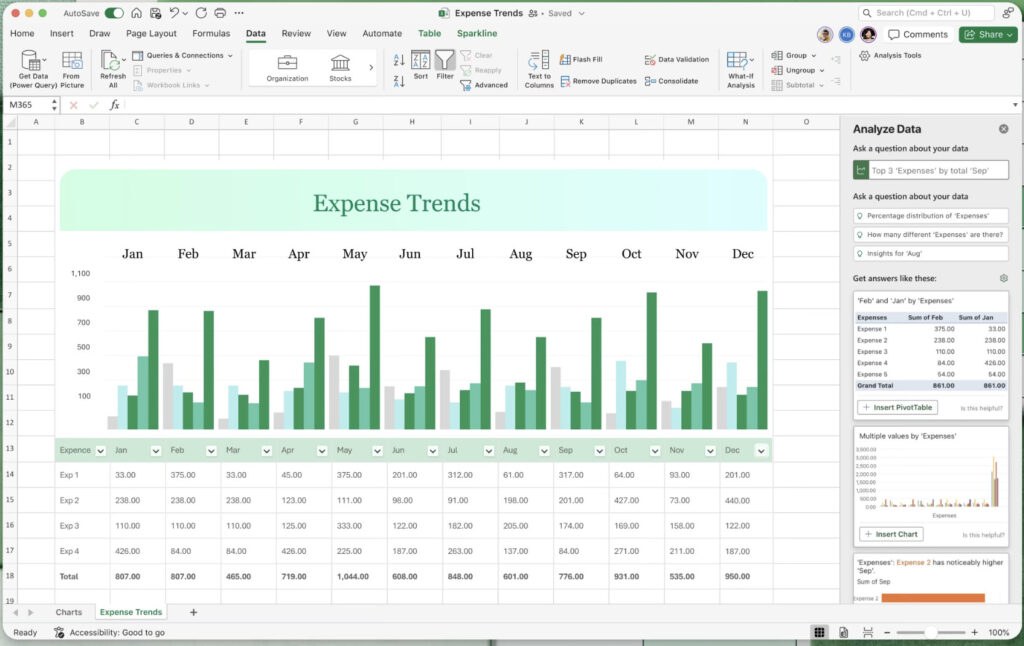
Excel is Microsoft’s spreadsheet tool – first launched in the 1980s, and today a standard application in business, finance, data analytics, and basically anything spreadsheet-related.
Excel uses the traditional workbook > sheets > grids model, offers thousands of functions, advanced analytics, macros/VBA, etc.
Most recently, Excel has been updated to integrate with Copilot which can now analyse governed Power BI data, apply company brand kits, design workbook themes and work in more cloud files where AutoSave is disabled.
Numbers vs Excel in a nutshell
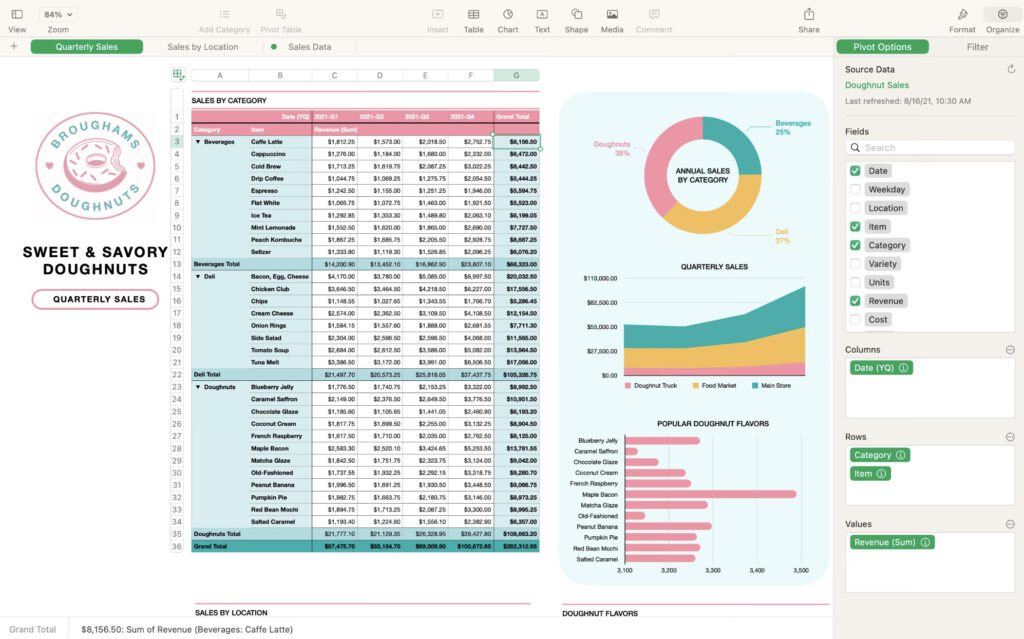
- Numbers: design, ease-of-use, integration with Apple products, visually looks great.
- Excel: power, scale, tons of analytics, integration with other products, scalable for large enterprises.
Feature Comparison Table
To get a better idea of how the two spreadsheet apps compare, here’s a side-by-side comparison of the most important features.
| Feature | Apple Numbers | Microsoft Excel |
|---|---|---|
| Platform / Compatibility | macOS + iOS (and via iCloud web) only. | Windows, macOS, web, mobile versions. Broad compatibility. |
| Pricing | Free for Apple device users (comes with iWork). | Paid (standalone or via Microsoft 365); free tier of Excel Online exists. |
| User Interface / Usability | Clean, intuitive, great for beginners or visually-oriented tasks. | Lots of features and tools, can be overwhelming for casual users. |
| Data Capacity & Advanced Features | More limited: fewer built-in functions, fewer advanced analytics, struggles with very large data sets. | Very high data handling capacity, tons of features (pivot tables, macros, complex data sets) |
| Visual / Graphical Strengths | Great for charts/graphics and presentation of data. | In-depth analytics tools, but visuals are less polished compared to Numbers. |
| Collaboration / Sharing | Supports iCloud collaboration, but is locked into Apple products. | Integrates widely (via Microsoft 365) also includes browser version. |
| Enterprise / Macro / Automation Support | Weak on macros/VBA, fewer enterprise-level features. | Excellent automation support (VBA, add-ins), used widely by enterprises of all sizes. |
| File Format Support | Can import/export Excel formats but with limitations. | Imports just about any data format. |
Pricing
One thing heavily in Apple Numbers favor is that its free to use. Numbers is included at no extra costs in macOS and is also available on the Mac App Store.
The full version of Excel on the other hand either requires a Microsoft 365 subscription which starts at $9.99 per month or $99.99 per year for individuals.
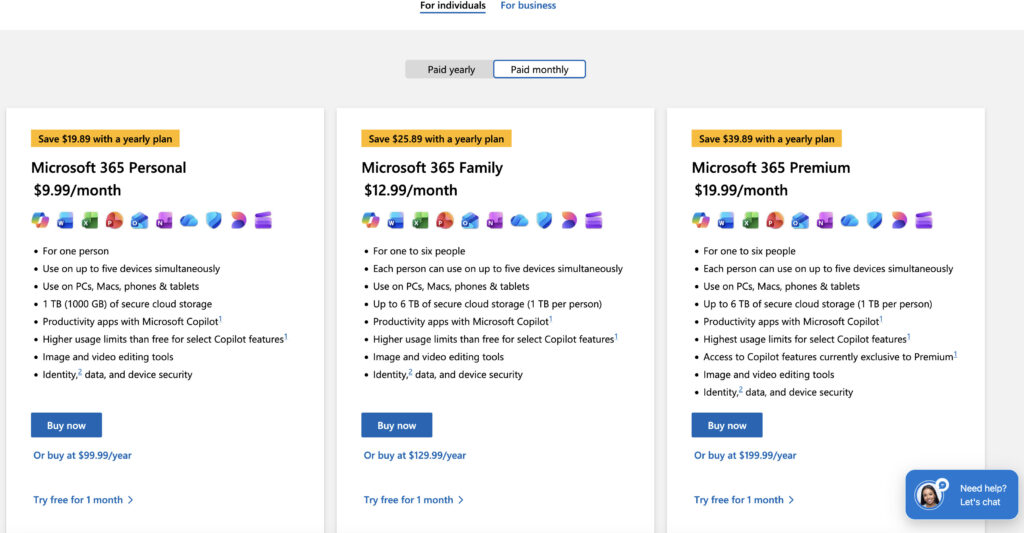
There is a basic free Cloud version of Excel Online but it’s only suitable for simple tasks and more comparable with Google Sheets.
When You Should Use Numbers on a Mac
Here’s some arguments in favor of using Apple Numbers on macOS:
- You only use Macs, iPad and iPhones and want to sync data between them easily.
- You want to build spreadsheets that look great.
- You are dealing with relatively small amounts of data size and the complexity is moderate (such as for a personal finance tracker, small business finances, simple reporting etc).
- You want something free and simpler than Excel, without needing lots of ways to drill-down data.
- “Ease of use” more important than lots of power
- You don’t want any nasty incompatibility surprises when the latest versions of macOS are released
When Excel is the better option
Here’s some arguments in favor of using Microsoft Excel on a Mac instead.
- You work in a business/enterprise environment, or share files with people who do.
- You handle large datasets, complex formulas, pivot tables, macros, data modelling etc.
- You need cross-platform compatibility via OneDrive
- You need integration with other tools, platforms, add-ins and third-party analytics.
- You expect to scale bigger in the long-term and will need advanced analysis features.
- You use PowerBi and need CoPilot integration with Excel
Important Limitations of Both Apps
Limitations of Apple Numbers
- As some Reddit users point out: “For light users, Numbers is an OK alternative. Your files will be compatible. Hardcore Excel users would never touch Numbers though, it lacks a lot.” I’d definitely agree with this although I don’t have that much experience with complex macros and formulas.
- Data capacity and performance can become an issue when scaling up.
- Some advanced Excel functions missing, fewer built-in templates for advanced analytics.
- Collaboration and sharing outside of Apple devices is not as easy as with Excel.
- Importing and exporting to and from Excel can lose formatting or advanced formulas.
Limitations of Microsoft Excel
- In my experience, it’s got a much steeper learning curve, especially for casual users.
- Doesn’t look as slick or attractive as Numbers.
- It cost a lot more on its own (unless you already have Microsoft 365 subscription).
- The user-interface isn’t as macOS native as compared to Numbers.
Key Features Head-To-Head
Here’s a closer look at some of the most important features of each app and how they compare.
Functions & Formula Library
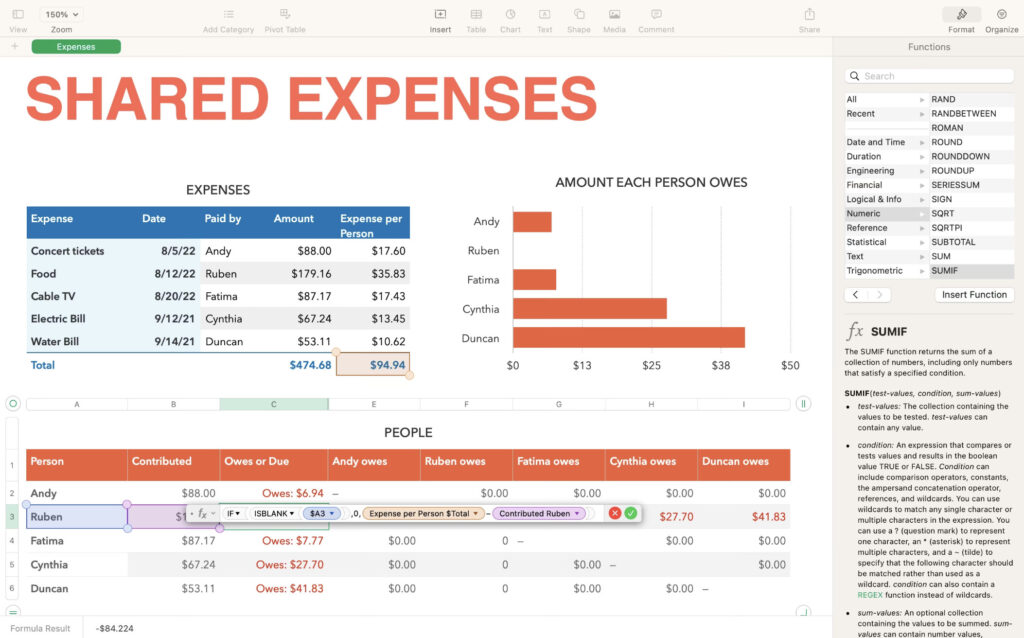
Numbers has “around 200-300” built-in functions in various versions.
Excel has over 400 built-in functions (and growing) in many categories.
If your work requires advanced statistical, financial modelling, or custom add-ins, Excel clearly wins.
Data Volume & Performance
For very large tables (hundreds of thousands of rows, complex formulas), Excel is much better at handling it.
Numbers uses a canvas and multiple tables approach rather than one giant grid which can limit scaling.
Charts, Layout & Presentation
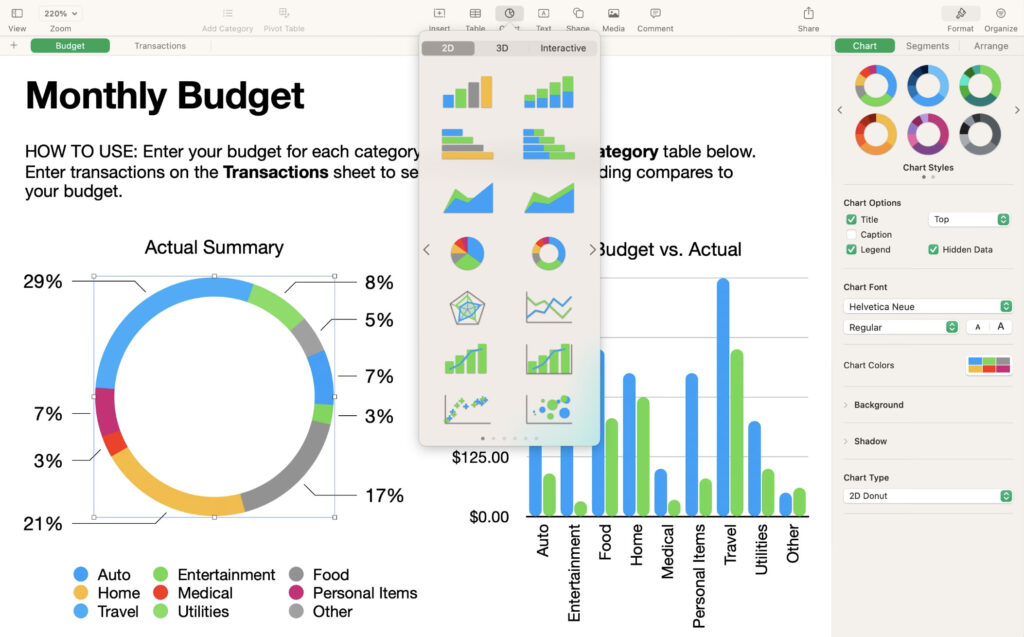
Numbers has lots of glossy tables, charts, images on canvases, custom layouts that Excel does not.
Excel has advanced charting capabilities including new chart types, customization, dashboards etc. For visual “wow factor”, some users prefer Numbers, but for serious charting/dashboards Excel wins.
Automation, Macros, Add-ins
Numbers: minimal to no macro/VBA support; fewer add-ins.
Excel: full support for VBA, scripting, a huge library of add-ins and third-party integrations. If automation matters, Excel is the clear winner.
Collaboration & Platform Compatibility
Numbers: Strong within Apple ecosystem (iCloud, Mac/iPad/iPhone). But cross-platform/share-with-Windows users can be trickier.
Excel: Broad cross-platform support; Excel Online + Microsoft 365 make sharing and collaboration easier across devices and OS.
Compatibility: If you’ll exchange spreadsheets with many users (some on Windows) or in a corporate environment, Excel wins here.
Conclusion
If you prioritize simplicity, integration with Apple, beautiful visuals, and your spreadsheet needs are moderate, then Numbers is for you.
If you prioritize power, analytics, compatibility, scale, then Excel remains the best option.
For other options, don’t forget to check-out our look at the best Excel alternatives for Mac.