

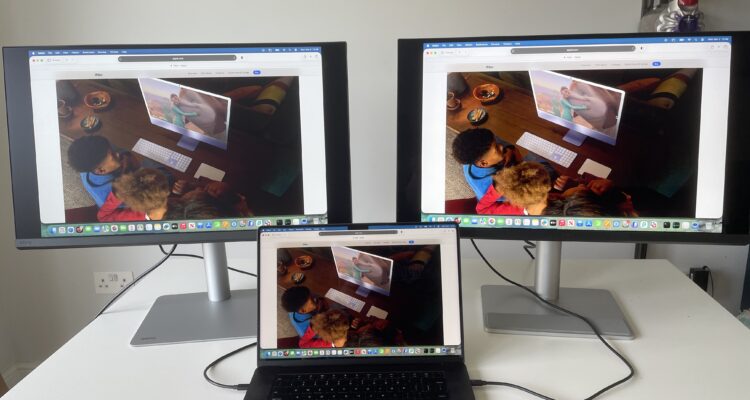
If you’re trying to decide between the BenQ MA270S and BenQ PD2730S, the good news is that both are two of the best 5K monitors designed with Mac users in mind.
In our extensive hands-on reviews (here and here), we were very impressed with how far BenQ has gone to make them as Mac friendly as possible.
However, although the two displays share the same 5120×2880 Retina-style resolution, 218 PPI pixel density and Thunderbolt connectivity, they target very different audiences.
The MA270S is designed primarily for mainstream Mac users that want a glossy, cheaper Apple Studio Display alternative for productivity, programming, office work and general creative tasks.
The PD2730S, on the other hand, is aimed squarely at professional creators that need factory-calibrated color accuracy, advanced creator modes and a studio-friendly matte anti-glare finish.
For most Mac users, the MA270S will probably be the more appealing monitor.
For professional designers, photographers, video editors and CAD users, the PD2730S is still the better choice.
Quick Verdict
BenQ MA270S 27″ 5K Glossy Monitor: $999.99 / £899.99: A glossy 5K monitor designed primarily for Mac users who want an Apple Studio Display-like experience at a lower price. £
BenQ PD2730S 27″ 5K Matte Monitor: $1099.00 / £999.00: A professional 5K creator monitor with factory calibration, advanced color modes and extensive Mac compatibility features.
BenQ MA270s vs PD2730s: Comparison Table
| Feature | BenQ MA270S 27″ 5K | BenQ PD2730S 27″ 5K |
|---|---|---|
| Best For | General Mac users | Professional creatives |
| Surface Finish | Nano Gloss | Nano Matte |
| Resolution | 5120×2880 | 5120×2880 |
| Pixel Density | 218 PPI | 218 PPI |
| Refresh Rate | 70Hz | 60Hz |
| Brightness | 450 nits | 400 nits |
| Thunderbolt 4 | Yes | Yes |
| Power Delivery | 96W | 90W |
| Pantone Validation | No | Yes |
| Calman Verified | No | Yes |
| Hotkey Puck | No | Yes |
| CAD/CAM Modes | No | Yes |
| Gaming & Media | Better | Good |
| Professional Studio Work | Good | Excellent |
| Price | $999.99 | $1,099.99 |
Design & Build Quality
The design philosophy behind these two monitors is noticeably different.
The MA270S feels much closer to the look of the Apple Studio Display. It has a cleaner, more minimalist aesthetic with thinner bezels, a silver stand and a glossy panel that immediately gives it a more premium “consumer Mac” feel.
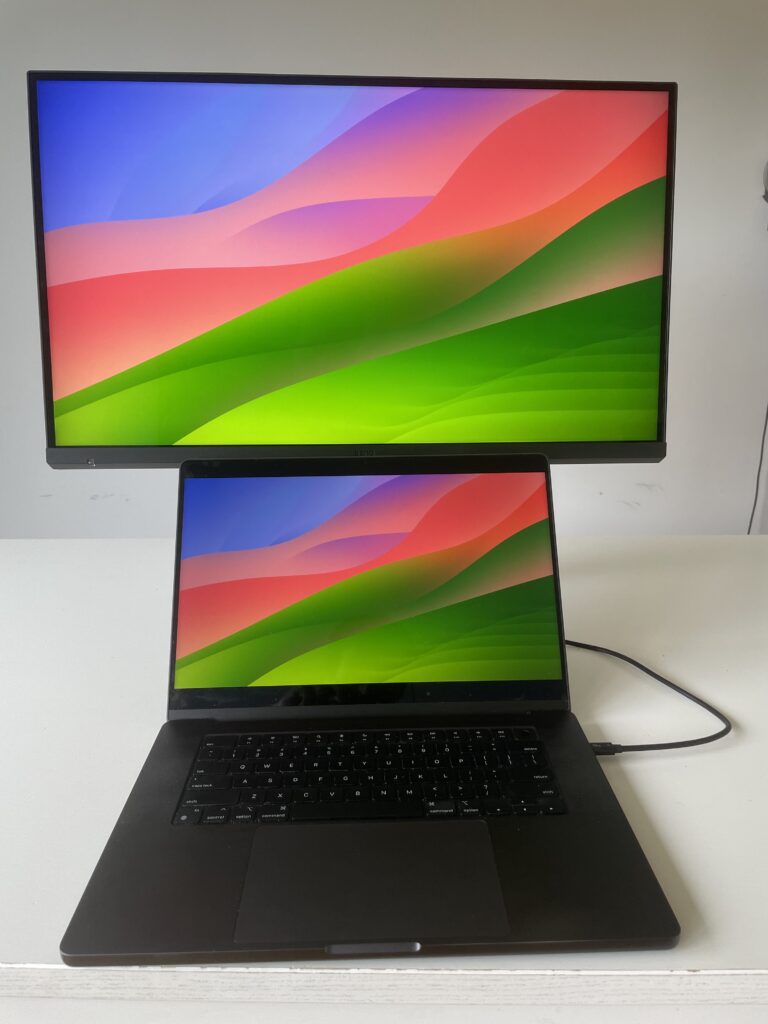
The PD2730S looks more like a traditional professional monitor. It’s slightly bulkier and more utilitarian but also feels more studio-focused and functional.
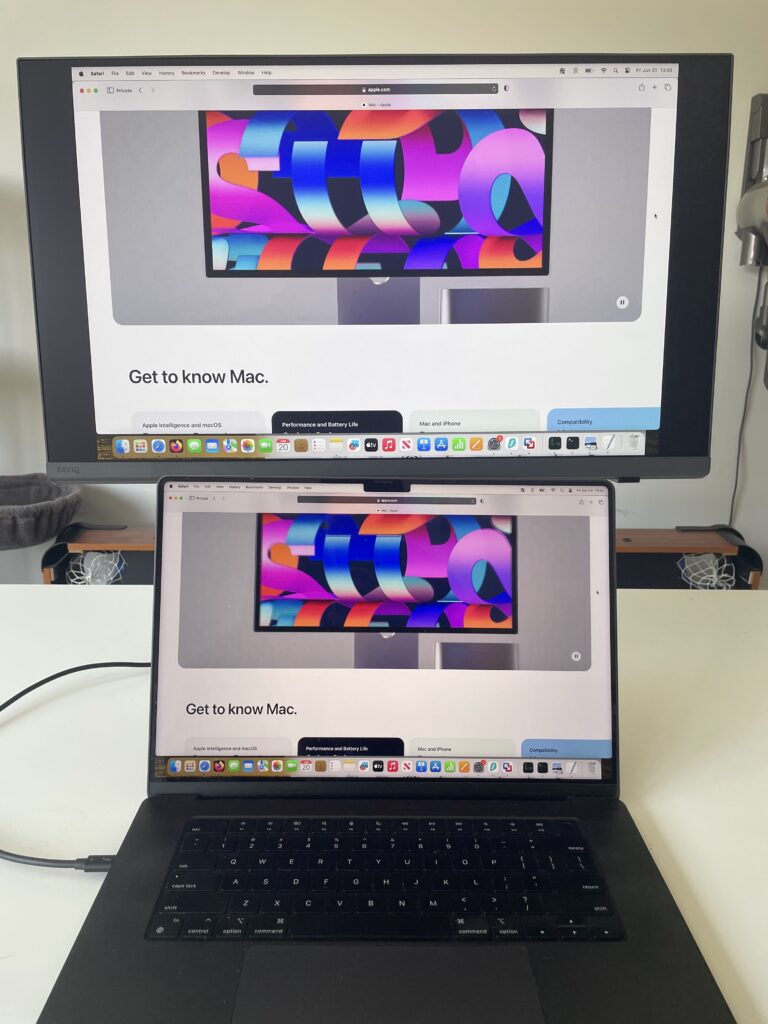
Both monitors offer excellent ergonomics including:
- height adjustment
- pivot
- swivel
- tilt adjustment
However, the PD2730S includes BenQ’s excellent Hotkey Puck G3 for quickly switching inputs, color modes and settings. The MA270S does not support the puck at all.
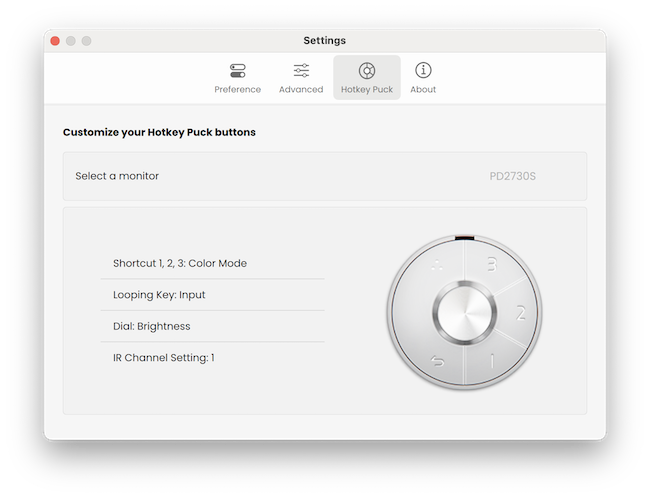
If you regularly switch between multiple systems, especially Mac and Windows devices, the puck on the PD2730S genuinely improves efficiency.
For purely Mac-based setups though, the MA270S arguably looks cleaner and more modern.
Glossy vs Matte: The Biggest Difference
The biggest difference between these monitors is not resolution or specs.
It’s the screen coating.
The MA270S uses BenQ’s Nano Gloss coating while the PD2730S uses a Nano Matte anti-glare finish.
This completely changes how the monitors feel in daily use.
Why The MA270S Looks More Vibrant
The glossy coating on the MA270S gives:
- richer perceived contrast
- deeper blacks
- more vibrant colors
- sharper-looking text
- a more “Retina Mac” appearance
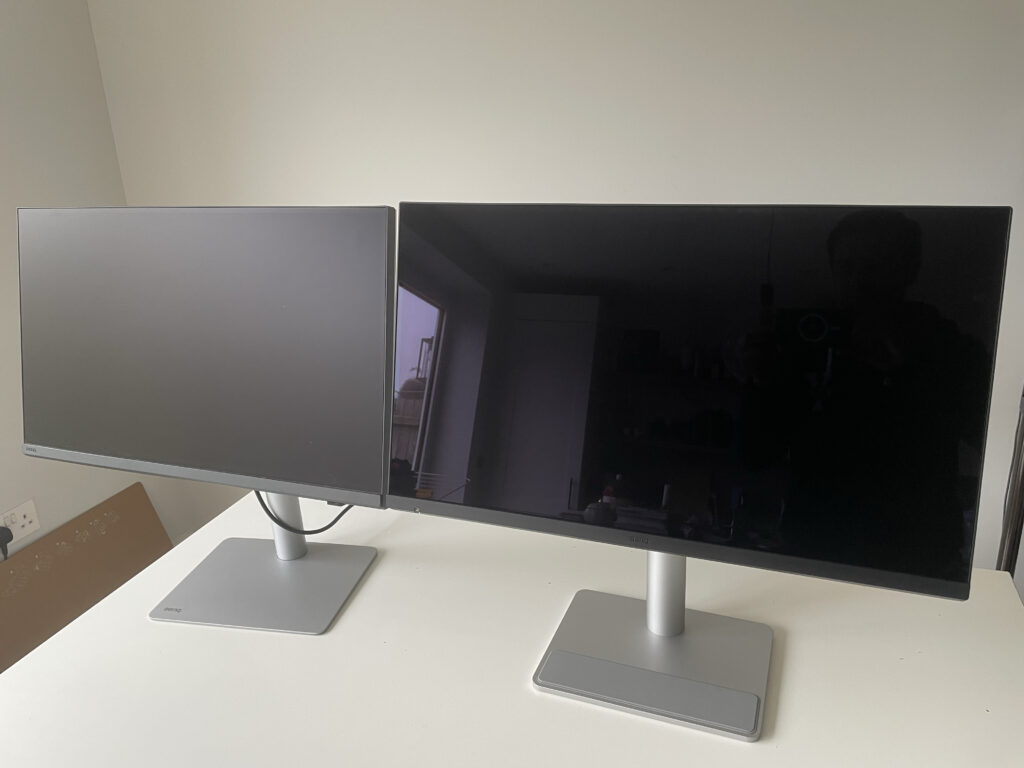
This is why many Mac users have opted for it as an alternative to the Apple Studio Display.
For programming, writing, productivity and media consumption, the glossy panel often looks more impressive and immersive.
It’s especially attractive if you’re coming from:
- an iMac
- MacBook Pro display
- Apple Studio Display
- LG UltraFine 5K
There’s a lot of feedback online where users consistently highlight how appealing the glossy finish looks for general use.
When I was testing the monitors, I certainly felt that colors looked more brilliant on the MA270S even though it did glare more in direct light.
Why Professionals Still Prefer Matte
The PD2730S’s matte coating is less visually striking at first glance but better suited to professional environments.
The matte finish:
- reduces reflections (see the photo above)
- minimizes glare
- provides more consistent color perception
- works better under studio lighting
- causes less distraction during long editing sessions
If you work in bright offices or near windows, the PD2730S will almost certainly be easier to use over long periods.
The glossy MA270S can still produce visible reflections depending on lighting conditions. Even users that love the display acknowledge this and it was one of the biggest drawbacks I found to the monitor.
Display Quality
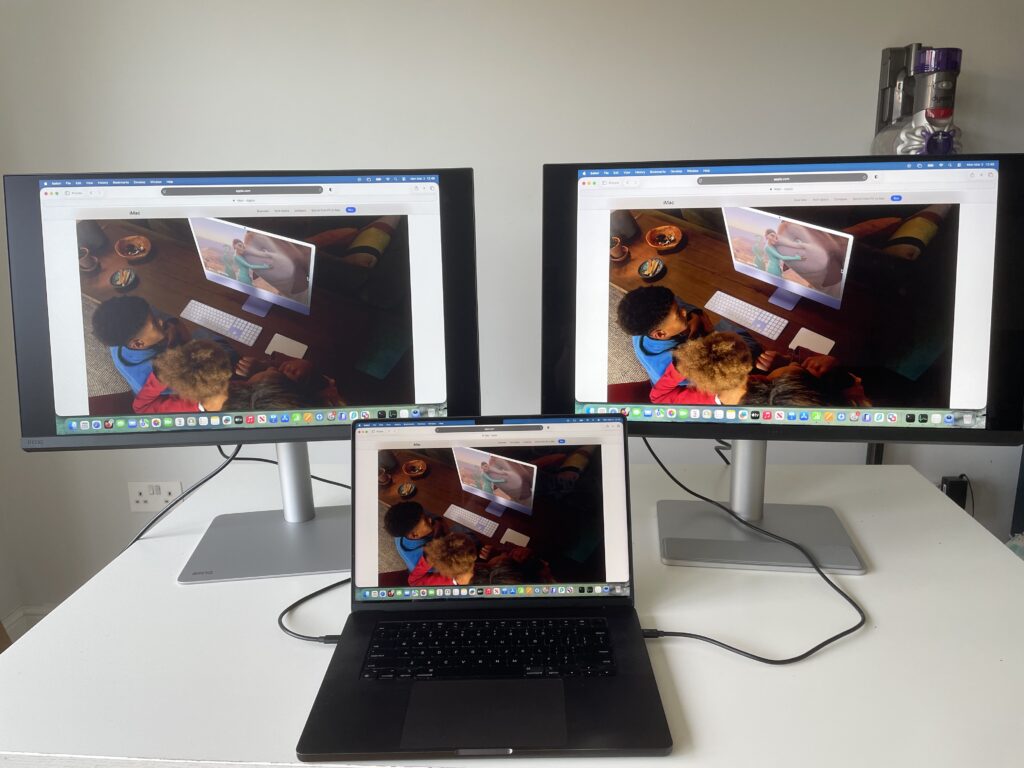
In terms of raw panel quality, these monitors are actually extremely similar.
Both use:
- 27-inch IPS panels
- 5K resolution
- 218 PPI Retina scaling
- excellent color reproduction
- HDR400 support
| Display Specs | BenQ MA270S 27″ 5K | BenQ PD2730S 27″ 5K |
|---|---|---|
| Resolution | 5120×2880 | 5120×2880 |
| Panel Type | IPS | IPS |
| Pixel Density | 218 PPI | 218 PPI |
| Refresh Rate | 70Hz | 60Hz |
| Brightness | 450 nits | 400 nits |
| Contrast Ratio | 2000:1 | 2000:1 |
| P3 Color Gamut | 99% | 98% |
| sRGB Coverage | 99% | 100% |
| HDR Support | DisplayHDR 400 | DisplayHDR 400 |
| Surface Coating | Nano Gloss | Nano Matte |
The MA270S technically has the advantage in:
- brightness
- refresh rate
- perceived contrast
Its 70Hz refresh rate also makes scrolling and UI movement feel slightly smoother than the PD2730S’s 60Hz panel.
That said, the difference is subtle and nowhere near a gaming monitor experience.
The PD2730S still has the advantage when it comes to calibrated professional color work.
Mac Features & Integration
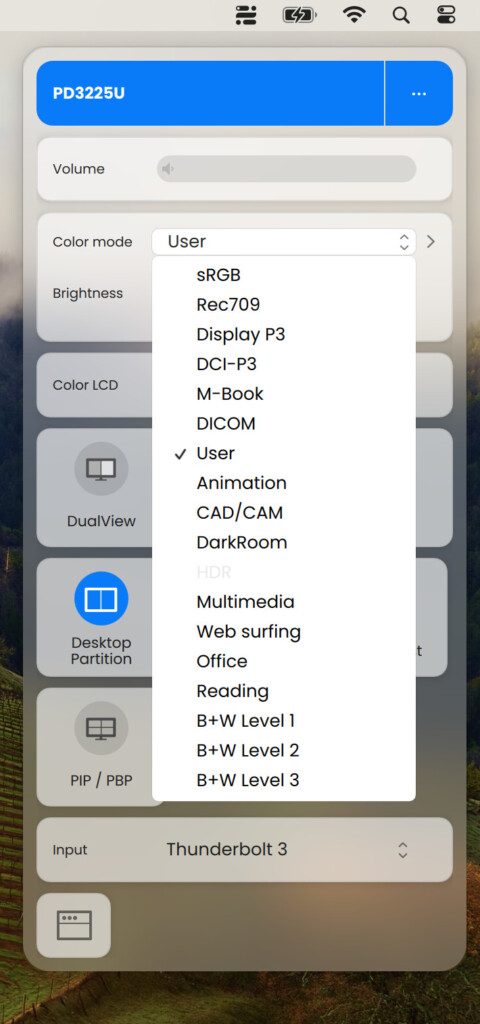
This is another area where the MA270S clearly targets mainstream Mac users more aggressively.
BenQ specifically designed the MA series to behave more like Apple displays.
Features include:
- brightness synchronization with macOS
- volume and brightness control via Apple keyboards
- Display Pilot 2 software
- ICCsync color profile management
- FocusSync integration
- Mac-oriented color tuning
In my testing, I found that the MA270S simply feels more “Mac-native” than most monitors.
However, the PD2730S still works extremely well with Macs but it’s designed more for mixed-platform creative studios where users may alternate between Mac, Windows PCs or multiple workstations.
Professional Features
This is where the PD2730S is definitely ahead.
The PD series is built specifically for professional creators and includes a much more advanced feature set.
Professional creator features include:
- Pantone validation
- Calman verification
- factory calibration
- CAD/CAM mode
- Animation mode
- Darkroom mode
- Rec.709 support
- advanced color work
- Hotkey Puck G3
These are not gimmicks. If you’re doing:
- professional photography
- color grading
- print design
- CAD work
- architectural rendering
- animation
…the PD2730S is significantly better equipped.
The MA270S still has excellent color quality but it lacks many of the professional features that creatives need.
Connectivity
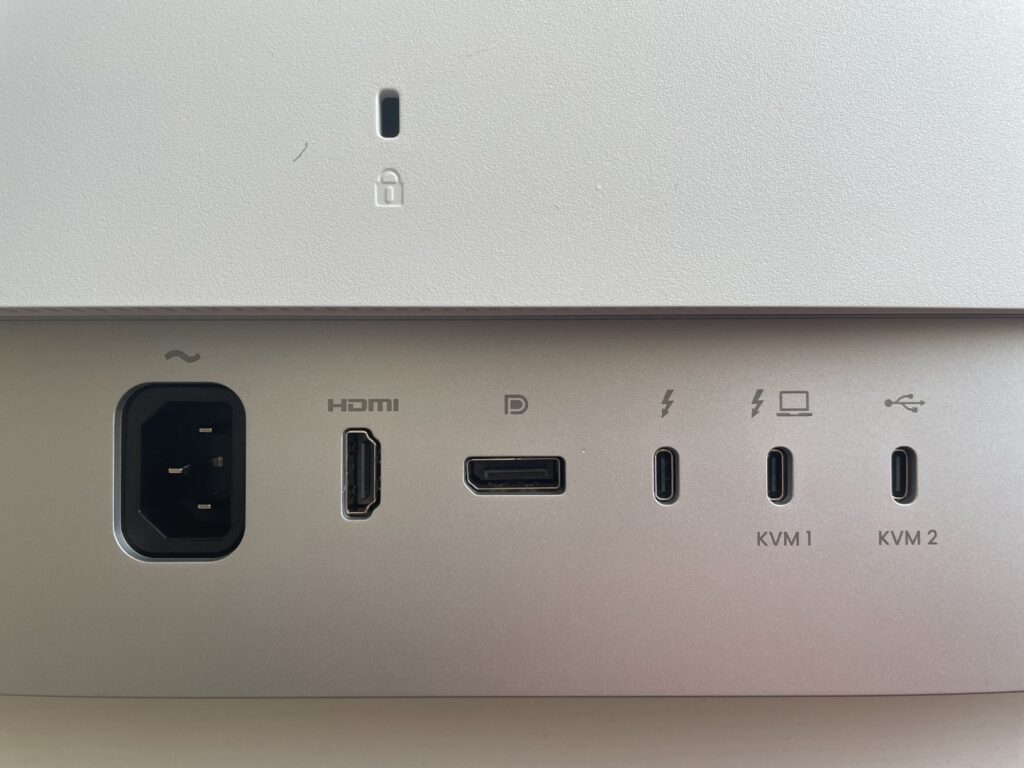
Both monitors are very well equipped for modern MacBook setups.
| Connectivity | BenQ MA270S 27″ 5K | BenQ PD2730S 27″ 5K |
|---|---|---|
| Thunderbolt 4 | Yes | Yes |
| Thunderbolt Daisy Chaining | Yes | Yes |
| Power Delivery | 96W | 90W |
| HDMI | 2 × HDMI 2.1 | 1 × HDMI |
| DisplayPort | No | Yes |
| USB-C | Yes | Yes |
| USB-A | Yes | Yes |
| KVM Support | Yes | Yes |
The MA270S is arguably better suited for streamlined MacBook setups because of its simpler connectivity and higher 96W charging support.
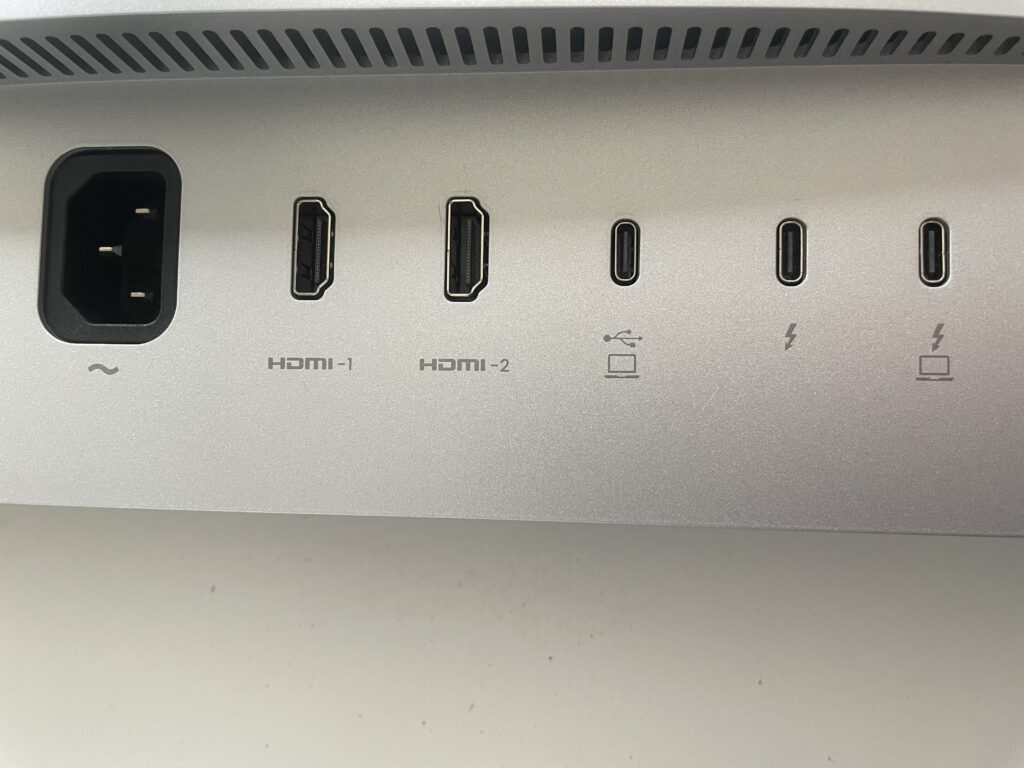
The PD2730S is more flexible for professional multi-device environments thanks to DisplayPort support.
Real World Usage
Coding & Productivity
For coding, office work and productivity, the MA270S is probably the more suitable display.
The glossy panel makes text appear sharper and more vibrant while the 5K Retina scaling looks excellent in macOS.
The slightly smoother 70Hz refresh rate also helps make scrolling feel smoother.
Photo & Video Editing
For casual or enthusiast-level video editing and photo editing both monitors are excellent.
Professional editors however will likely prefer the PD2730S because of:
- factory calibration
- creator presets
- better anti-glare control
- workflow tools
Gaming & Media Consumption
The MA270S is the better entertainment monitor.
The glossy finish and higher refresh rate make:
- movies
- YouTube
- streaming
- gaming
look more immersive and visually striking.
Long Studio Sessions
The PD2730S is better suited for long professional workdays.
Its matte coating is simply less fatiguing in bright environments and easier to manage under studio lighting.
Problems & Drawbacks
No monitor is perfect and there are some downsides to consider with both displays.
MA270S Drawbacks
- Glossy reflections are noticeable
- No Hotkey Puck support
- Fewer advanced creator modes
- Less suited to color-critical studio work
Some early users have also discussed minor concerns around availability and charging quirks, although nothing widespread so far.
In terms of availability, the monitor is frequently out of stock with BenQ which sells it for $999.99 (£899.99). Pricing on Amazon has fluctuated massively due to limited early availability and reseller markups and this seems to be the case with other retailers too.
PD2730S Drawbacks
- More expensive
- Matte coating slightly reduces perceived contrast
- Bulkier design
- Less visually striking than the MA270S
For many general Mac users, the PD2730S may feel like overkill. It is however far more easily available retailing for $1,099 on Amazon although frequently discounted for much less than this. It is also available from BenQ for the same price but often out of stock.
Which Monitor Should You Buy?
Buy The MA270S If:
- you mainly use a Mac
- you want Apple Studio Display-like image quality
- you prefer glossy displays
- you do mixed productivity and creative work
- you watch movies or consume media regularly
- you want the best overall value
Buy The PD2730S If:
- you’re a professional designer or photographer
- you need calibrated color accuracy
- you work in bright studio environments
- you use CAD/CAM or animation software
- you regularly switch between Mac and Windows devices
- your work depends on creator-focused features
Conclusion
For most Mac users, the BenQ MA270S is probably the better overall monitor.
It delivers an Apple Studio Display-style experience at a significantly lower price while adding excellent Mac integration, a glossy Retina-like panel and strong everyday usability.
However, for professional creators that need advanced calibration, studio-focused features and a matte display designed for long editing sessions, the PD2730S remains the superior professional option.
Ultimately, the decision comes down to this:
- choose the MA270S for lifestyle and general Mac use
- choose the PD2730S for professional creative work
For more, check out our full BenQ MA270S review and BenQ PD2730S review.