


If you want to take to the skies without leaving your Mac, you’re in luck. While Microsoft Flight Simulator isn’t natively available for macOS, there are plenty of excellent alternatives that run smoothly on Apple Silicon and Intel Macs.
In 2026, the best flight simulator for Mac is still X-Plane 12, offering unmatched realism, graphics, and hardware compatibility. But whether you’re a pro pilot, hobbyist, or casual gamer, there’s something for every type of Mac user.
It’s also the only flight sim that allows you to connect cool accessories like flight joysticks and flight controls with a Mac and it works natively with Apple Silicon Macs.
Below, we review the top Mac-compatible flight sims, highlight beginner-friendly options, and share tips for controllers, performance, and Apple Silicon optimization.
Can You Play Microsoft Flight Simulator On Mac?
While MSFS isn’t available as a Mac download, you can play it via Xbox Cloud Gaming with an Xbox Game Pass Ultimate subscription:
- Works on Intel and Apple Silicon Macs via a browser (Safari, Chrome, or Edge).
- Requires an Xbox controller – flight yokes or pedals don’t work with cloud streaming.
- Cloud streaming supports medium-to-high graphics, with lower latency thanks to recent improvements.
Note: Direct installation on macOS via virtual machines is still not possible because MSFS requires DirectX 12, which macOS does not support.
For full instructions, see our guide: How to Play Microsoft Flight Simulator on Mac.
Flight Simulators for Mac 2026: Comparison Table
| Simulator | Platform | Apple Silicon | Controls | Complexity | Price |
|---|---|---|---|---|---|
| X-Plane 12 | macOS, iOS | ✅ native | Yoke, joystick, gamepad | ★★★★★ | $59.99 |
| Aerofly FS 4 | macOS, iOS | ✅ native | Gamepad, joystick | ★★☆☆☆ | $59.99+ |
| FlightGear | macOS | ✅ via Rosetta | Keyboard, joystick | ★★★★☆ | Free |
| GeoFS | Browser | ✅ | Keyboard, mouse, joystick | ★★☆☆☆ | Free/$9.99 |
| YSFlight | macOS | ✅ via Rosetta | Keyboard, joystick | ★★☆☆☆ | Free |
| Google Earth | macOS | ✅ | Keyboard, mouse | ★☆☆☆☆ | Free |
| Sky Gamblers Series | macOS (Intel & Apple Silicon) | ✅ | Touch/keyboard | ★★★☆☆ | $4.99 |
| War Thunder | macOS | ✅ via Rosetta | Keyboard, mouse | ★★★★☆ | Free |
1. X-Plane
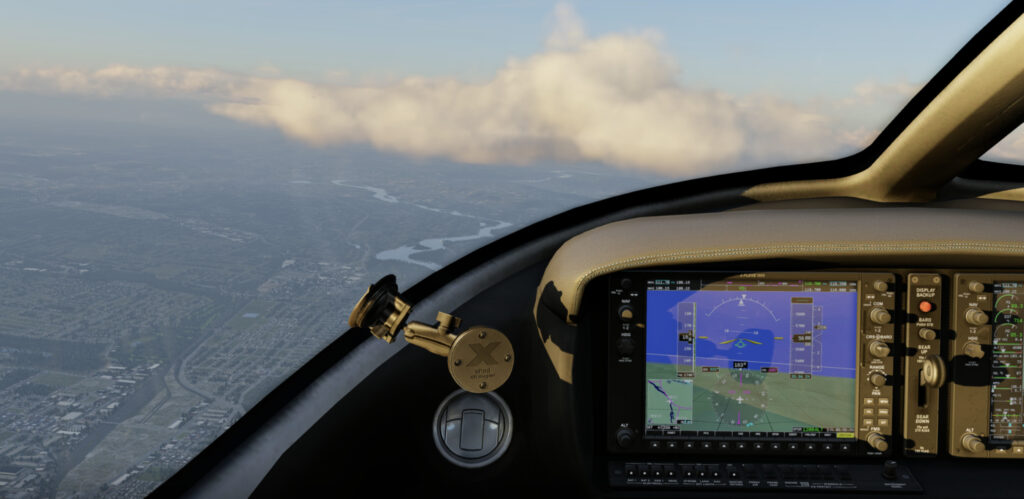
X-Plane was originally designed by an ex-professional pilot is and is easily the most realistic flight sim available for both Mac and PC.
X-Plane is an incredible piece of work with highly detailed graphics, cockpits, airports, plane handling and weather conditions.
In fact, X-Plane is so realistic that it’s used by pilot training schools, aerospace engineers and even NASA to design, simulate and test aircraft. Even professional pilots use it on down time to keep their skills sharp.
X-Plane allows you to do everything from shoot VFR and IFR approaches to preparing for emergencies or improving your navigation and landing skills.
Not only that but the choice of planes you can fly in X-Plane is incredible ranging from the Cirrus Vision SF 50 to a Lockheed Blackbird and even a Space Shuttle Orbiter.
There are plenty of planes to choose from but you can add hundreds more aircraft with add-ons created by fans and plane enthusiasts.
The impressive thing is that X-Plane models the flight handling of each different aircraft so that no two planes ever feel the same. And if that’s not enough, there’s an in-game plane designer to design your own plane with.
The choice of landing pads and airports is equally impressive with over 30,000 locations ranging from oil rigs and frigates (which pitch and roll in stormy weather) to commercial airports and helipads.
The level of detail is unbelievable including real world weather conditions, system failures and downloadable scenery.
X-Plane is also the only flight sim for Mac that’s compatible with flight yokes, rudder pedals and cockpit flight switch panels.
Check out our guide the best flight controls for Mac as to really get the best out of X-Plane and enjoy a more authentic flying experience, they really add another dimension to the simulator.
You can also read our guide to the best joysticks for X-Plane if you just want a joystick controller.
You can also enjoy X-Plane for iPad and iPhone which have been scaled to work perfectly on both and are very similar to the desktop version.
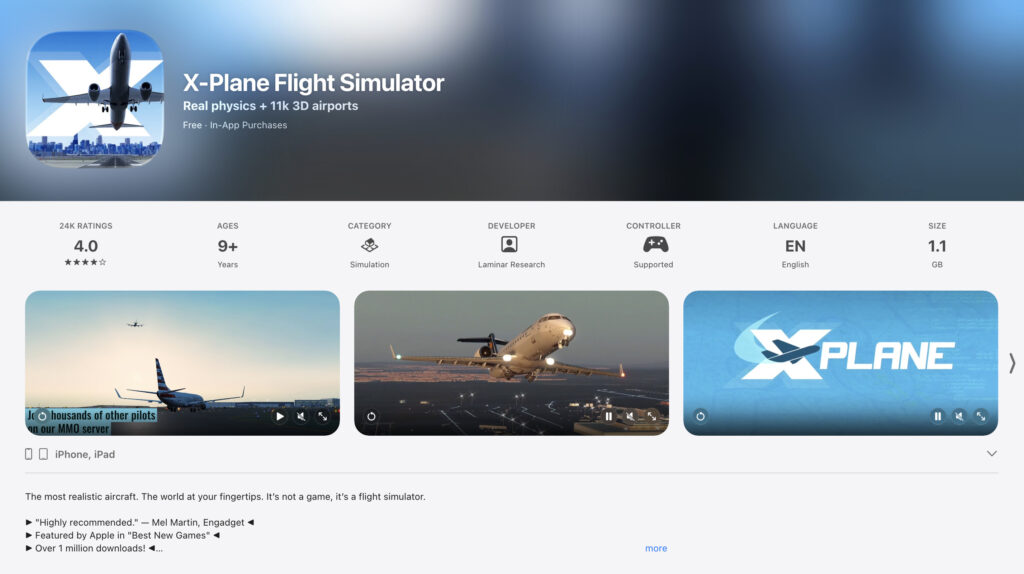
The mobile apps are free but you have to make in-app purchases to add aircraft such as Airbus A320, Boeing 777, F-4 Phantom etc.
The regions are far more limited on the mobile version than on Mac but it does support multiplayer mode and other challenges and tutorials.
The obvious downside with such a massive game is it takes a lot of getting used to.
The X-Plane user guide feels longer than a Boeing 747 manual.
X-Plane is also incredibly RAM hungry. The X-Plane system requirements recommend having 16-24 GB of RAM for higher settings although you can get away with just having 8GB of RAM for it to work.
As long as you have this, X-Plane works extremely well on Mac because although it is available on Windows and Linux, X-Plane was developed using a Mac.
Note that unfortunately, VR is not possible on Mac in X-Plane so you can’t use a VR headset on Mac with X-Plane.
This is due to Apple’s decision to remove OpenGL from macOS Mojave 10.14 and above.
The latest version of X-Plane 12 also works natively on Apple Silicon Macs (although the older, far more dated X-Plane 11 requires Rosetta to work on them).
One useful tip: If you use Time Machine to backup your Mac to an external hard drive, don’t forget to exclude the X-Plane directory as it will take-up unnecessary space on your backup device.
Overall, X-Plane really is the ultimate sim for flying on Mac – it’s the closest thing you’ll get to stepping into a cockpit on Mac.
You can download X-Plane to judge for yourself.
Pricing: $59.99
2. Aerofly FS 4
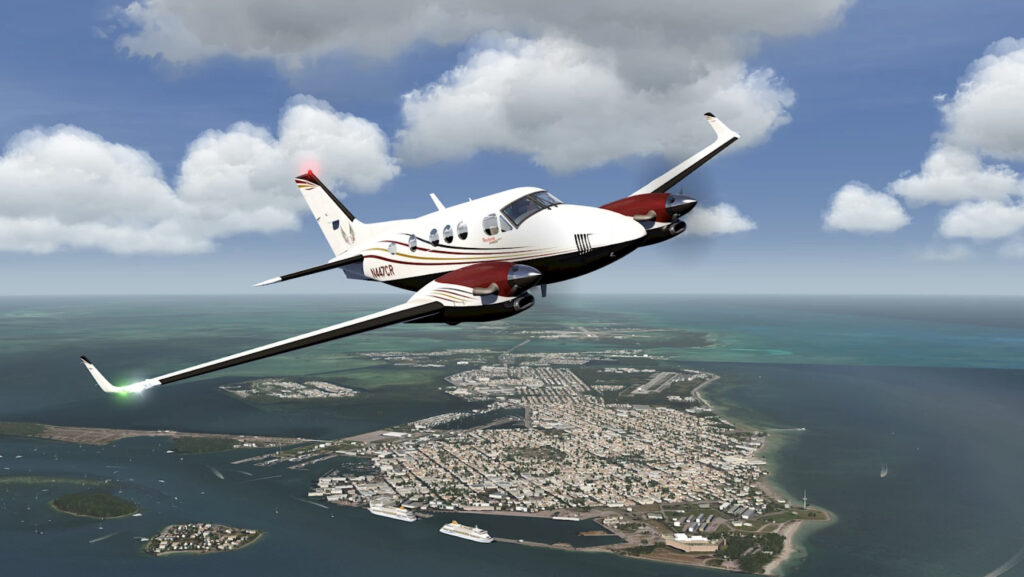
If the price tag or complexity of of X-Plane scares you off, then Aerofly FS 4 is a very good compromise.
Like X-Plane, Aerofly FS has incredibly realistic graphics and handling but with a considerably easier user interface that’s less intimidating.
It’s not quite as professional as X-Plane but for those with little flying experience, it’s definitely more accessible.
Like X-Plane, you can use either keyboard, joystick, gamepad or mouse to control the plane.
The controls, aerodynamics and graphics of the planes are very close to those in X-Plane and the flying environment is incredibly detailed.
The latest release of Aerofly FS Global allows you to choose from a variety of worldwide locations to fly from although it’s not as broad as XPlane.
The detail of the terrain over the Alps is stunning although the aircraft are also nowhere near as varied as in X-Plane either.
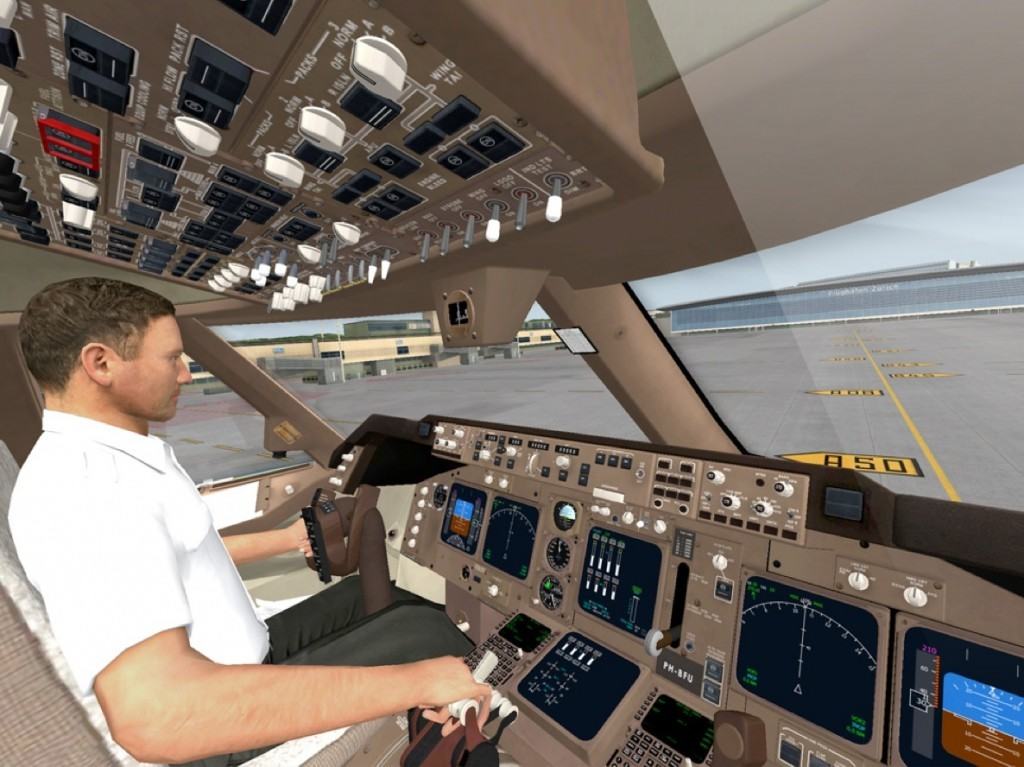
There are no commercial airliners – Aerofly FS is limited to smaller aircraft such as Robin DR-400 and Piper Archer. Some of these also need to be unlocked with in-app purchases.
There also aren’t many military aircraft but it does include the F-18 fighter jet.
Aerofly does require less RAM than X-Plane though. With a minimum of 8GB of RAM it will perform better than XPlane (although 16GB is still recommended).
Note that Aerofly FS does not work on MacBook Air’s from 2012 or earlier but works on all Intel Macs made after that and natively on Apple Silicon Macs.
There’s also Aerofly FS for iPad and iPhone for $3.99 although like the desktop version, you need to unlock most of the planes with in-app purchases.
The iOS version does however support commercial airliners such as the Boeing 747-400 which is a $2.99 add-on.
Although the overall lack of locations and aircraft are a bit disappointing in Aerfly FS for Mac, for those that can’t be bothered with a huge instruction manual, it’s is an excellent simulator for novices.
Pricing: Starting from $59.99
3. FlightGear (Free)
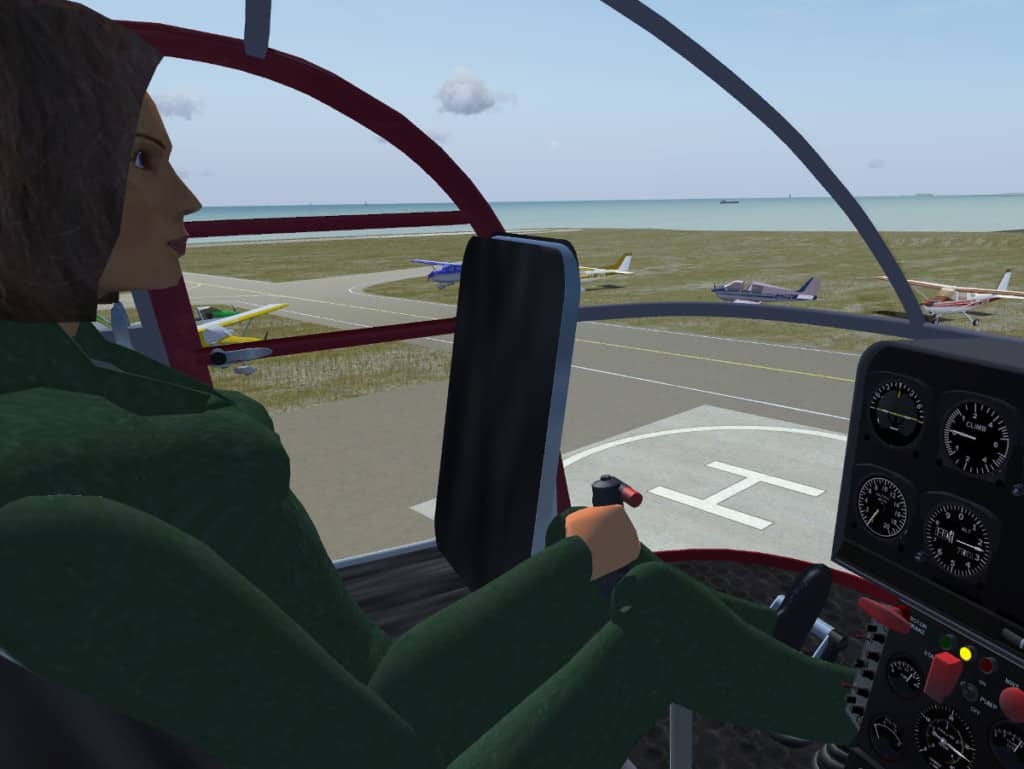
FlightGear is easily the best free flight sim out there as it’s completely open source and doesn’t cost a penny but still is incredibly detailed.
Although FlightGear works on all platforms, it does require a lot of downloading different components such as scenery and aircraft.
If you can program, you can even expand the code yourself and add airports and planes for others to enjoy.
In fact, putting Flightgear together from all the different downloads available is a bit of a mission in itself and we recommend watching the get started guide before jumping in.
Due to the sheer number of aircraft and locations that have been contributed by users around the world, Flightgear has an incredible amount of flying possibilities and choice.
There are 20,000 different airports alone and there are also tons of videos uploaded by users giving you instructions how to use the planes, flying tips and more.
The graphics in FlightGear aren’t quite as sharp as in Aerofly FS or X-Plane – they feel a little bit blocky in comparison but there’s not much in it really.
However, all of the detail is there – the cockpits and planes have been modeled exactly like the originals and the handling feels very realistic.
All the major commercial planes are there too such as Boeing 747 and Airbus A320.
FlightGear requires the least RAM of any flight sim on Mac with a minimum of 4GB RAM required so it’s also suitable for older Macs.
FlightGear also works on the latest Apple Silicon Macs.
Like X-Plane, FlightGear takes some getting used to though and downloading and uploading the different components takes a bit more time.
However, if you’re on a budget and want a highly detailed and realistic flight sim that’s highly customizable, you can’t do much better than FlightGear.
Pricing: Free
4. GeoFS (Free)
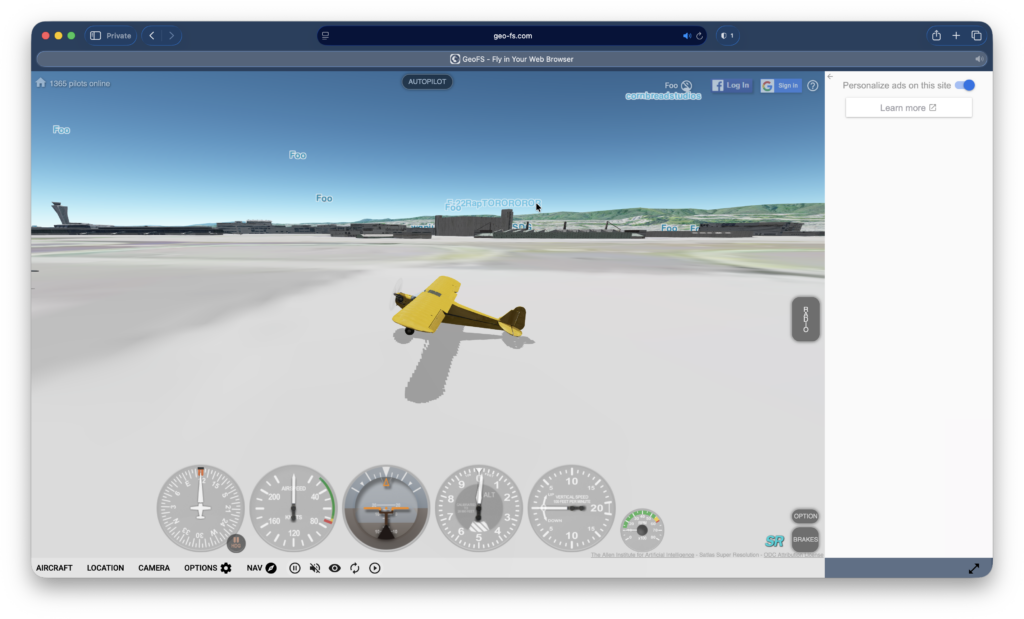
GeoFS is a free cloud based flight sim that can be used in a browser on your Mac.
There are 20 aircraft to choose from and you can control them with a joystick, keyboard or mouse. There are a staggering 30,000 different runways to choose from too so you definitely won’t get bored in a hurry.
You can even choose to fly a hot air balloon, a helicopter, and a paraglider.
GeoFS is very easy to use compared to most flight sims and you simply use the “+” or “-” keys to control the throttle.
Other planes you see in the sky are also being flown by other players so you can also play with a friend in real time.
A really nice touch is that weather conditions change in line with real world weather changes as GeoFS is linked to Open Weather Map to add an extra special level of realism.
Because it works in a browser, GeoFS works on any Mac including Intel and Apple Silicon Macs.
You can play GeoFS for free although you can also pay just $9.99 a year for higher resolution images.
Even in HD, the graphics aren’t great but considering you can play it for free in any browser, GeoFS is an impressive flight sim for Mac users of all abilities can try.
Pricing: Free but $9.99 per year if you want High Definition imagery.
5. YSFlight (Free)
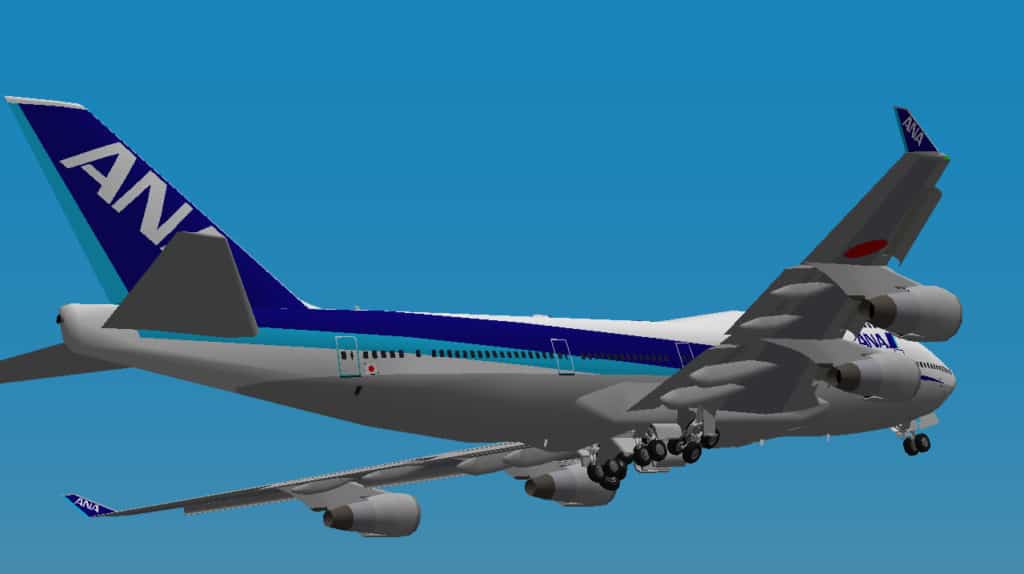
YSFlight is about as cheap and cheerful as it gets when it comes to flight sims but it’s free, easy to learn and works on Mac desktops.
YSFlight was created by Japanese student Soji Yamakawa as a project back in 1999 and allows you to do everything from flying a private jet to fighter jets.
There are more than 70 planes to choose from and you can shoot-down other planes and play multiplayer with friends in “East vs West” Cold War battles.
You can even host online events like airshows, squadron competitions and even races.
YSFlight has a dedicated community of followers that have modded the game so there are lot of user created planes, environments and scenarios to try.
You can customize the controls in YSFlight to use the joystick too.
There is no native Apple Silicon version of YSFlight but you can play it on Apple Silicon Macs thanks to Rosetta.
YSFlight is completely free to use and there’s a useful Flight School to get you started quickly.
Pricing: Free.
6. Google Earth Flight Simulator (Free)
One thing many Mac users aren’t aware of is that you can use Google Earth as a flight sim. It works either in your browser or as a desktop download.
Google Earth Flight Sim is about as basic as it gets but the imagery benefits from Google’s amazing and continually updated photos of planet Earth from the sky.
You can even fly over the Moon and Mars.
To activate Google Earth Flight Simulator, simply go to Tools > Enter Flight Simulator to launch it.
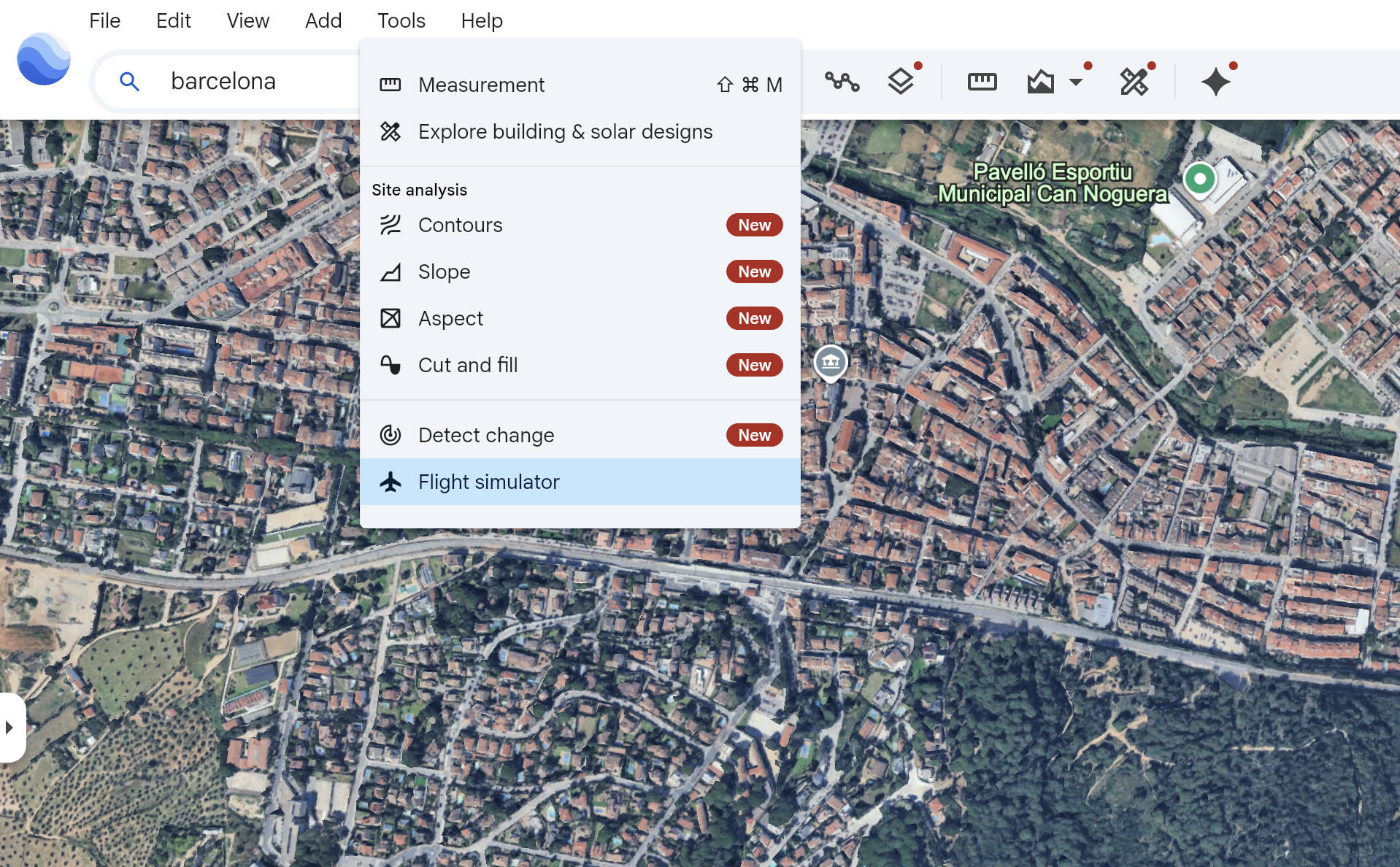
Because it is browser based, Google Earth Flight Simulator works on both Intel and Apple Silicon Macs.
You can only choose from either a Viper F-16 Fighter Jet or SR22 Propeller plane and there’s no sound.
You can see the Mac keyboard controls for Google Flight sim below and see it in action in our demo video above.
| Action | Keyboard control | Description |
|---|---|---|
| Increase thrust | Page up or click on-screen indicator | Accelerates the aircraft’s engine speed |
| Decrease thrust | Page down or click on-screen indicator | Decelerates the aircraft’s engine speed |
| Pitch down (dive) | Down arrow | Directs the nose of the plane downward to decrease altitude |
| Pitch up (climb) | Up arrow | Directs the nose of the plane upward to gain altitude |
| Roll left (bank) | Left arrow | Banks the aircraft to the left |
| Roll right (bank) | Right arrow | Banks the aircraft to the right |
| Toggle mouse controls | Click inside simulation | Alternates between mouse-guided flight controls and keyboard controls |
Pricing: Free.
7. Sky Gamblers
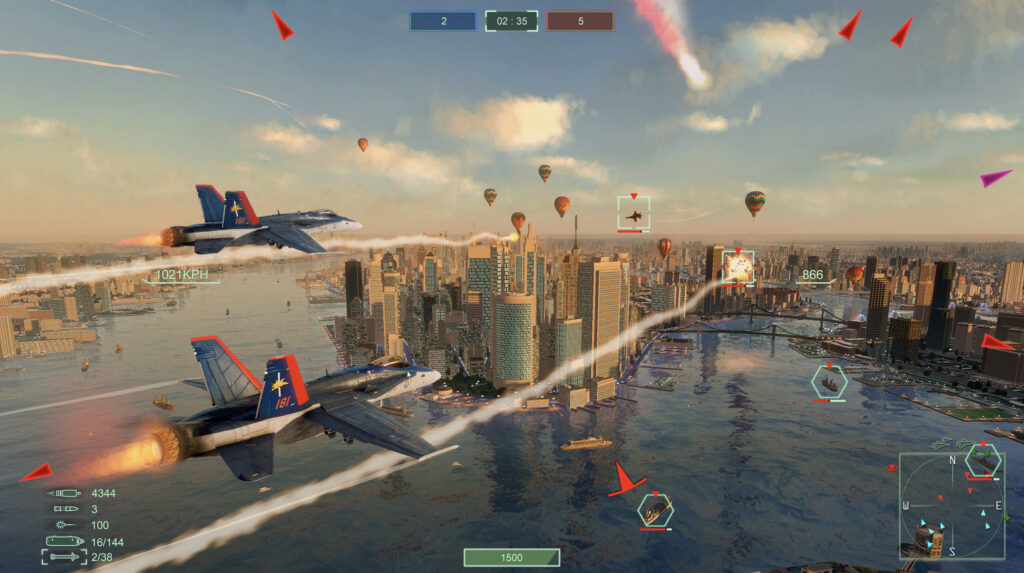
The Sky Gamblers series includes several combat-focused flight games, each set in a different era.
The two titles most relevant for Mac users today are Sky Gamblers: Storm Raiders and Sky Gamblers: Storm Raiders 2. Storm Raiders is the classic WWII dogfighting game featuring historical missions and iconic aircraft, though it’s an older title and may not run on the latest versions of macOS.
Storm Raiders 2 is the more modern and fully supported sequel, available natively on the Mac App Store with improved graphics, more aircraft customization, and expanded WWII theaters.
Other Sky Gamblers entries – including Air Supremacy (modern jet combat), Cold War (Cold War-era jets), and Rise of Glory (WWI biplane combat) – are generally available only on iPhone and iPad now, not as standalone Mac apps.
These older titles still appear in a bundle on iOS, but only Storm Raiders 2 is consistently maintained and optimized for macOS and Apple Silicon.
For Mac users looking for an arcade-style combat flight sim, Storm Raiders 2 is the most compatible and up-to-date option, while the older games offer additional variety but mainly on mobile devices.
Pricing: Starting from $4.99.
8. War Thunder (Free)
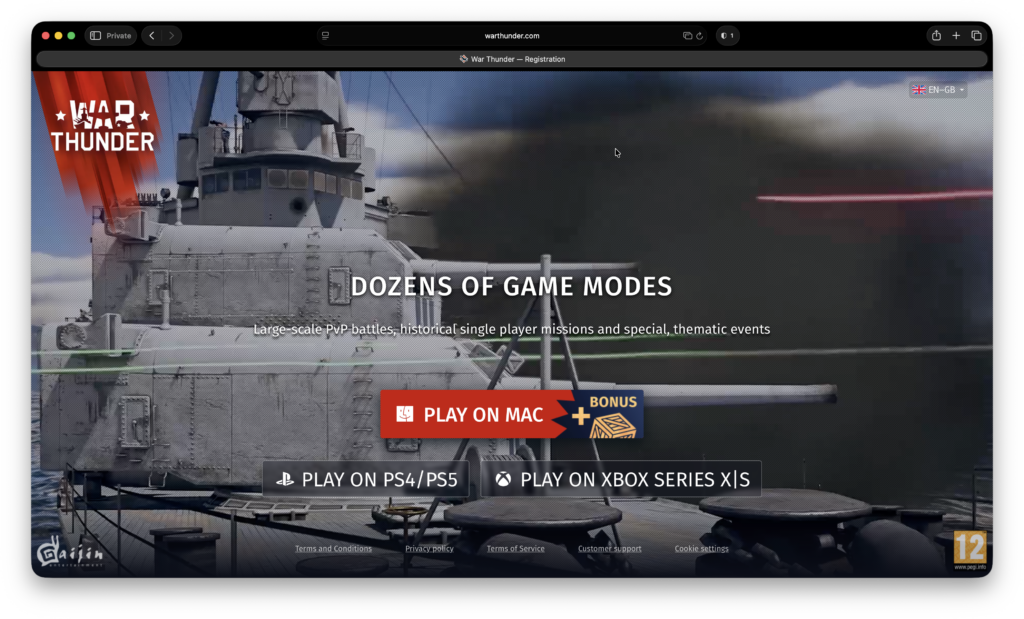
War Thunder is a free-to-play, MMO military game that’s all about aviation and armored vehicles from the early 20th century.
War Thunder sees battles on land and in the air against millions of players from all over the world in an ever-evolving environment.
The sim doesn’t let you just take control of aircraft but also attack helicopters, ground forces and naval vessels.
There are over 2,000 vehicles to defend yourself from air raids or to shoot down as many planes as possible with anti-aircraft guns, rocket launchers and boats equipped with torpedos.
War Thunder works on Apple Silicon Macs by using Rosetta but you may not enjoy the maximum frame rates on Apple Silicon Macs.
The minimum requirements are a Core i5 processor with minimum 2.2GHz and 6 GB of RAM.
Pricing: Free.
Apple Silicon & Performance Considerations
Apple Silicon chips (M1, M2, M3, M4 and the M5 series) have dramatically improved gaming performance on the Mac, and flight simulators benefit more than most.
Even without a dedicated GPU, Apple Silicon’s unified memory and high-efficiency GPU cores allow many simulators, both native and emulated, to run far better than they did on Intel Macs.
Native Mac sims such as X-Plane 12 and Aerofly FS 4 run exceptionally well because they are fully optimized for Apple Silicon. X-Plane 12 in particular delivers noticeably higher frame rates on M-series Macs than Intel models, even when pushing high-detail scenery and weather effects.
Non-native Windows simulators (e.g., FSX, Prepar3D, or certain combat sims) can now run acceptably via compatibility layers like Crossover, thanks to huge improvements in Wine, MoltenVK, and Apple’s own Game Porting Toolkit. Performance varies by title, but on an M-series MacBook Pro, many older Windows flight sims run at medium–high settings with stable frame rates.
When comparing performance across titles, keep in mind:
- Unified Memory: Choose a Mac with 16GB or more if running complex, scenery-heavy sims like X-Plane.
- Thermals: Fanless machines (like the MacBook Air) may throttle under sustained load; MacBook Pro and Mac Studio models maintain peak performance better.
- External Displays: Driving a 4K monitor significantly increases GPU load – expect FPS drops compared to running on the built-in display.
- Rosetta Apps: Legacy Intel-only Mac flight sims may run slower due to Rosetta 2 translation, though many still perform surprisingly well.
Overall, Apple Silicon Macs now provide some of the best performance ever seen for flight simulation on macOS – especially with native titles – making them far more viable than earlier Intel-based systems.
What About Apple Vision Pro & VR?
Even with the release of the Apple Vision Pro, no Mac-compatible flight simulators currently support it. Apple has not yet provided system-wide APIs for desktop VR simulation.
There was a Vision Pro demo of AeroSync flight simulator posted on Reddit by the developer but since then, the YouTube account associated with it has been deleted and there’s nothing on the AeroSync website to suggest it is still being developed.
The main problem on macOS is that VR is still not supported on macOS due to the deprecation of OpenGL from macOS Mojave onwards and the lack of Apple compatible Vulkan/Metal support in current flight software.
Until Apple re-instates support for OpenGL, it seems unlikely there will be many VR apps or games on macOS.
Best Flight Controls for Mac
Although many yokes, joysticks, pedals, and throttle quadrants are designed with Windows in mind, a growing number work perfectly on macOS – especially with Apple Silicon Macs and the latest versions of X-Plane and Aerofly.
Below are the best flight control options that offer reliable plug-and-play support on macOS in 2026.
1. Honeycomb Alpha Flight Yoke XPC
Best for: General aviation and airliner flying
Why it works on Mac: The Alpha Yoke uses standard USB HID protocols, so X-Plane 12 recognizes it instantly – no drivers needed.
Highlights:
- Heavy, realistic 180° rotation
- Switch panel built in
- Excellent build quality for the price
2. Honeycomb Bravo Throttle Quadrant
Best for: Multi-engine aircraft, turboprops, and airliners
Mac compatibility: Fully recognized by X-Plane; custom profiles available for Aerofly.
Highlights:
- Swappable throttle levers
- Integrated autopilot panel
- Works brilliantly when paired with the Alpha Yoke
3. Logitech G Saitek Pro Flight Rudder Pedals
Best for: Full-sim setups needing realistic control
Mac compatibility: Plug-and-play via USB; supported natively in X-Plane without drivers.
Highlights:
- Adjustable tension
- Independent toe brakes
- Reliable, affordable option for beginners and enthusiasts
4. Thrustmaster T.16000M FCS
Best for: Jet combat, helicopter flying, and space sims
Mac compatibility: The joystick works plug-and-play; some add-ons require mapping, but no extra software is needed.
Highlights:
- Hall-effect sensors for extreme precision
- Ambidextrous design
- Excellent value for performance
5. Thrustmaster HOTAS Warthog (Limited Mac Support)
Best for: Advanced combat flight simulation
Mac compatibility: No official macOS drivers, but X-Plane 12 detects both the stick and throttle as standard USB devices. Requires manual mapping.
Highlights:
- All-metal, ultra-realistic A-10C replica
- Industry-leading build quality
- Outstanding button/hat switch layout for DCS-style setups (though DCS itself isn’t native to Mac)
Conclusion
As we’ve seen, although there are less flight simulators on Mac than there are on PC, there are three that work on both platforms and stand out for professionalism and realism: X-Plane, Aerofly FS and FlightGear.
X-Plane and FlightGear are easily the most realistic but also the most complex. X-Plane costs $59.99 whereas FlightGear is free but X-Plane is more polished and easier to get going with than FlightGear.
X-Plane also allows you to enhance the flight experience with far more realism thanks to accessories like cockpit joysticks, rudder control and flight switches.
Aerofly FS is an excellent compromise between the two as it’s much easier to learn but as a result, isn’t as realistic.
For those looking for something simpler with less of a learning curve, GeoFS, YSFlight and Google Earth Flight Sim are excellent flight sims for beginners on Mac.
Note that if you’re looking for flight simulators on iPad or iPhone, you can enjoy both X-Plane and Aerofly FS on iOS although there’s no mobile version of FlightGear.
We’d also highly recommend the excellent Infinite Flight for iPad and iPhone which unfortunately isn’t available for Mac yet.
FAQ
Can I play Microsoft Flight Simulator on a Mac?
Yes, but only through Xbox Cloud Gaming with an Xbox Game Pass Ultimate subscription. You cannot install Microsoft Flight Simulator directly on macOS because it requires DirectX 12, which macOS and virtual machines do not support. Cloud streaming works on both Intel and Apple Silicon Macs. For more, check out our guide on how to play Microsoft Flight sim on a Mac.
What is the most realistic flight simulator for Mac?
X-Plane 12 is widely considered the most realistic flight simulator available natively on Mac. It offers professional-grade flight physics, detailed aircraft systems, real-world weather, and compatibility with flight controls such as yokes, pedals, and throttle quadrants.
What’s the best free flight simulator for Mac?
FlightGear is the best free and open-source flight simulator for macOS. It includes thousands of aircraft and airports, real-world scenery, support for add-ons, and works on both Intel and Apple Silicon Macs.
Do any Mac flight simulators support VR or Apple Vision Pro?
No. As of 2026, no Mac-compatible flight sim supports VR, including Vision Pro. This is due to the removal of OpenGL and lack of desktop VR APIs in macOS.
Can I use flight yokes or joysticks on a Mac?
Yes. X-Plane offers the best support for external flight controls on macOS. Aerofly FS 4 supports basic controllers like joysticks and gamepads, but cloud-streamed Flight Simulator does not allow external flight yokes or pedals – only standard game controllers.
Do flight sims work on Apple Silicon Macs (M1, M2, M3, M4 & M5)?
Yes. X-Plane 12, Aerofly FS 4, FlightGear, GeoFS, and Storm Raiders 2 all work on Apple Silicon. Older titles like YSFlight run using Rosetta. Performance is typically much better on Apple Silicon than older Intel models.
What’s the easiest flight simulator for beginners on Mac?
Aerofly FS 4 and GeoFS are the most beginner-friendly. Aerofly offers realistic physics with a simple interface, while GeoFS runs in the browser and requires no setup at all.
What’s the best combat flight simulator for Mac?
For WWII-style dogfighting, Sky Gamblers: Storm Raiders 2 is the best Mac-compatible option. For modern military aviation, War Thunder is a popular free alternative, though performance varies on Apple Silicon.
Is X-Plane worth it on Mac?
Yes – if you want realism, aircraft variety, real-world weather, and full hardware support, X-Plane is unmatched. It is RAM-heavy and has a learning curve, but it’s the closest you’ll get to a real cockpit on macOS.
Are there flight simulators for Mac that let you fly around the whole world?
Yes. X-Plane and FlightGear and Aerofly FS offer global scenery. GeoFS also provides worldwide coverage using satellite imagery.