

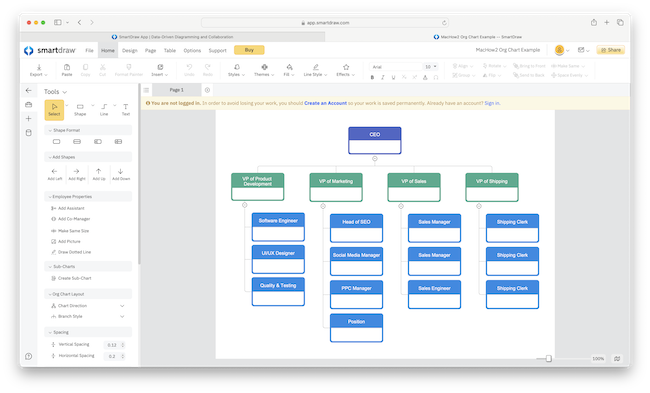
If you’re looking for the best org chart software for Mac in 2026, there are now far better options than trying to build organizational structures manually in Excel, PowerPoint, Keynote or Pages.
Modern org chart makers for Mac can automatically generate company hierarchies from HR platforms, CSV files, Excel spreadsheets, employee directories and even AI prompts – saving hours of manual work.
We tested the best org chart software for Mac on Apple Silicon Macs running the latest versions of macOS including macOS Sequoia and Tahoe to see which tools offer the best templates, collaboration features, HR integrations and ease of use.
Some are designed specifically for HR teams and workforce planning while others are more flexible diagramming tools for creating organizational structures, reporting lines and hierarchy maps.
After extensive testing, we found SmartDraw remains the best overall org chart software for Mac thanks to its automation features, Visio compatibility, excellent templates and ease of use on macOS.
Comparison Table: Best Org Chart Software For Mac
| Software | Best for | Pricing |
|---|---|---|
| SmartDraw | Best for Visio users, beginners & large orgs needing templates | Free to start, $7.95/month individuals, $6.95/month teams of 3+ or Enterprise pricing on request |
| OmniGraffle | Best for detailed diagram design on Mac (native app) | From $12.49/month or $149.99 one-time |
| Lucidchart | Best for collaboration | Starts at $9/month |
| The Org | Best free option for startups & small teams | Free |
| Draw.io | Best for simple free org charts online | Free (paid only for advanced Jira/Confluence integration) |
| Creately | Best for team collaboration & real-time editing | Free up to 3 users, paid plans from $5/month/user |
| Pingboard | Best for HR teams needing live updates | Free to try, From $5/month/user |
| Organimi | Best for data-driven org charts & imports | Free to try, From $10/month/user |
| OrgChart | Best for quick org charts via Mac App Store | $14.99 one-time |
| Functionly | Best for org design, scenario & workforce planning | Free to try, From $79/month |
| ConceptDraw Diagram | Best for all-purpose diagramming on Mac desktop | Free to try, From $199 one-time |
How We Tested These Org Chart Tools On Mac
To shortlist the best organizational chart software for Mac, we tested each app on both Intel and Apple Silicon Macs running the latest versions of macOS.
We specifically looked at:
- Ease of creating organizational structures
- CSV and Excel import support
- HR platform integrations
- Export quality (PDF, PNG, SVG, Visio)
- Real-time collaboration tools
- Performance in Safari and Chrome
- Native Apple Silicon support
- Template quality and customization
- Offline functionality
- Pricing and free plans
We also prioritized software that works well for both small businesses and larger enterprises managing complex workforce structures.
Below, you’ll find a detailed look at our top picks, compatibility details, a quick how-to guide, and answers to common Mac-specific questions.
1. SmartDraw – Best Overall Org Chart Software For Mac
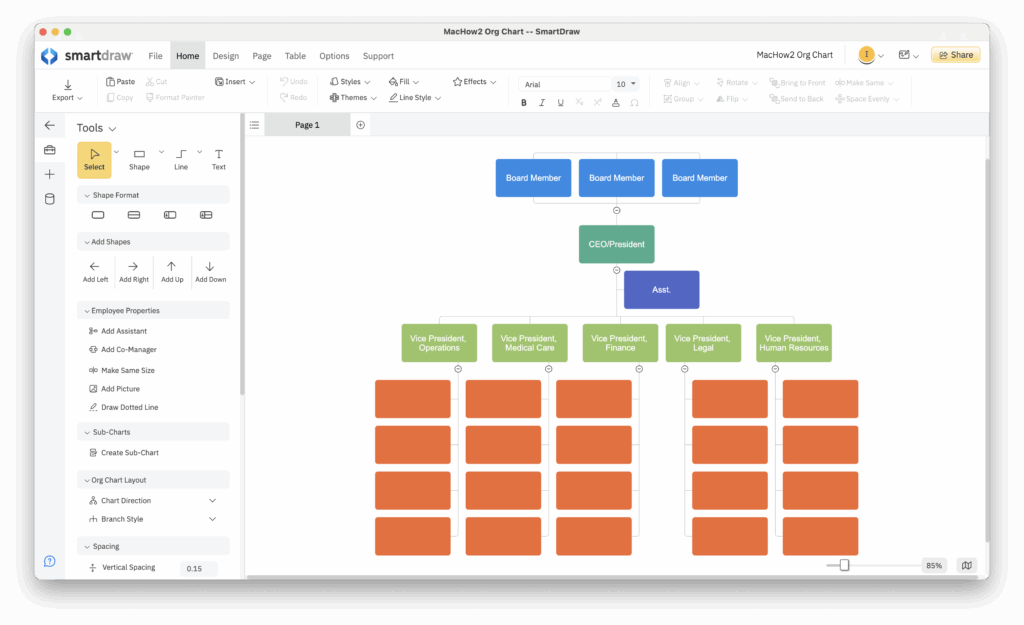
SmartDraw remains the best overall org chart software for Mac thanks to its combination of automation, ease of use and professional templates.
Unlike many diagramming apps that require you to manually build organizational structures from scratch, SmartDraw can automatically generate org charts from Excel spreadsheets, CSV files and employee directories.
This makes it especially useful for HR departments and larger businesses that regularly update reporting structures.
One of the biggest advantages of SmartDraw is that it strikes a balance between beginner-friendly simplicity and enterprise-level functionality.
The template library is excellent and includes:
- Department org charts
- Matrix organizational structures
- Executive leadership charts
- Team hierarchy templates
- Horizontal org charts
- Government organization templates
- Photo-based employee directories
We also found SmartDraw a better alternative to Microsoft Visio while costing significantly less.
Importantly for Mac users, SmartDraw works smoothly on Apple Silicon Macs and also offers a dedicated Mac desktop app in addition to the browser version.
Another major advantage is Visio compatibility. SmartDraw can both import and export VSDX files which is still surprisingly rare among Mac org chart tools.
Pros
- Excellent org chart automation
- Imports Excel and CSV employee data
- Visio VSDX compatibility
- Huge template library
- Easy to use
- Works on Apple Silicon Macs
- Mac desktop app available
Cons
- No mobile app
- HR integrations not as extensive as dedicated HR tools
Pricing: Free to start / Plans $7.95/month individuals, $6.95/month for teams of 3+ and Enterprise pricing on request
2. OmniGraffle – Best Native Mac Org Chart App
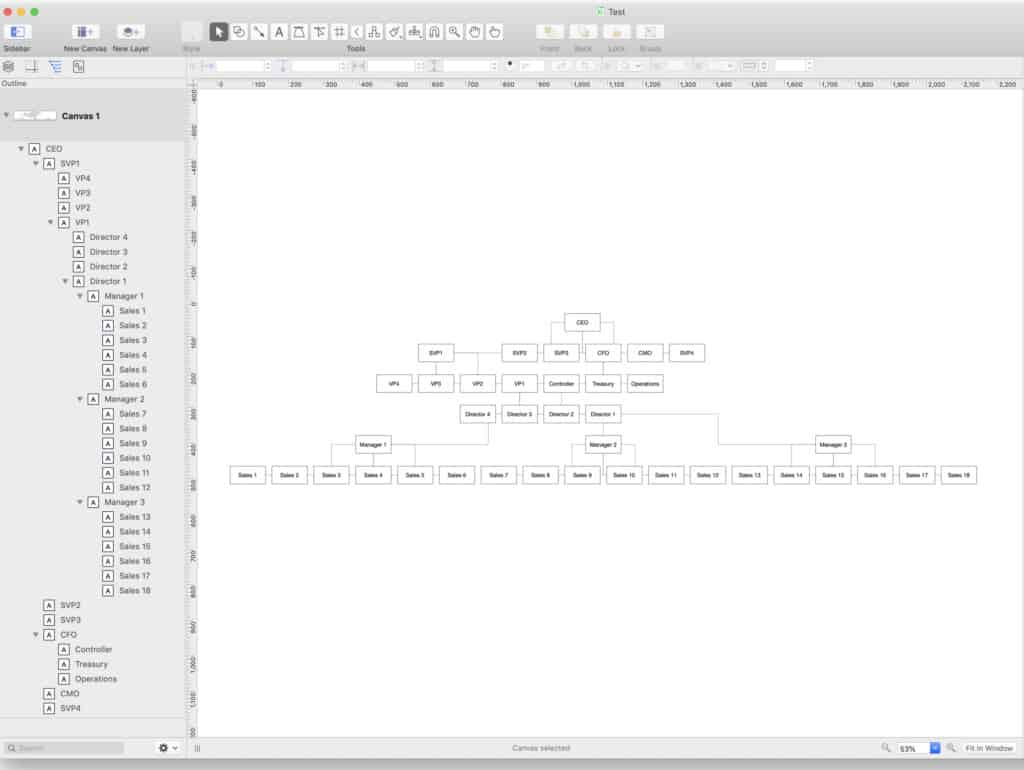
If you prefer a true native macOS experience rather than a browser-based app, OmniGraffle is still one of the best diagramming tools available for Mac users.
Designed specifically for macOS, OmniGraffle feels far more polished and Mac-like than many cross-platform alternatives.
It’s particularly good for users who want precise control over layout, spacing and visual design.
Although OmniGraffle isn’t solely focused on org charts, it offers enough templates and diagramming flexibility to create highly professional organizational structures.
We especially liked how well it performs on Apple Silicon Macs and how smoothly it integrates with the broader Apple ecosystem.
OmniGraffle also opens Microsoft Visio files which is useful if your organization already uses Visio on Windows.
However, unlike SmartDraw and Lucidchart, it lacks automated HR syncing and collaboration tools.
Pricing: $149.99/license or $12.49/month
Pros
- Native Mac desktop app
- Excellent macOS performance
- Highly customizable layouts
- Opens Visio files
- Native Apple Silicon support
Cons
- Expensive upfront pricing
- No automated org chart generation
- Limited collaboration features
3. Lucidchart – Best For Team Collaboration
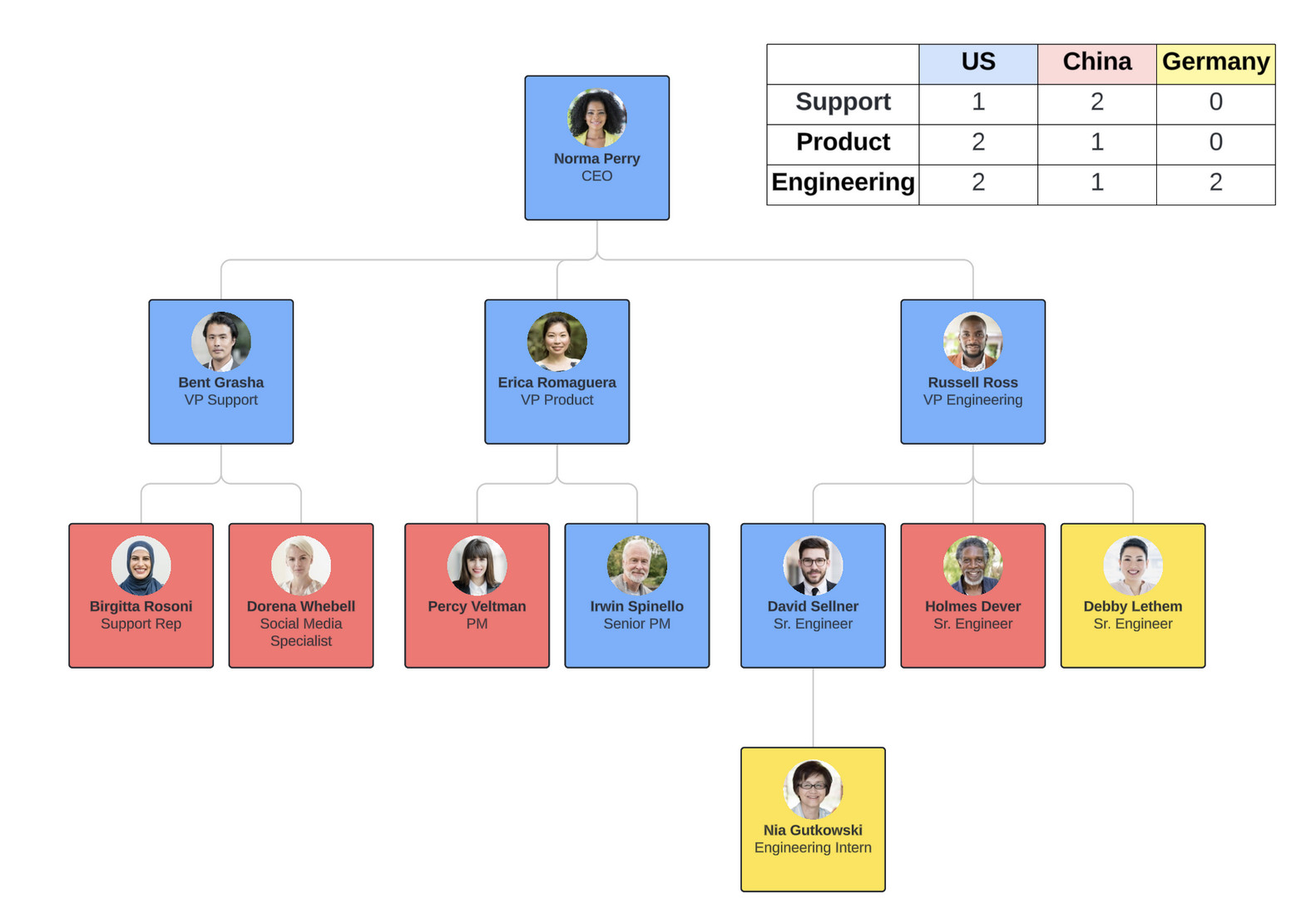
Lucidchart is one of the biggest omissions from many Mac org chart roundups despite being one of the most widely used collaboration platforms for organizational diagramming.
Because it runs entirely in the browser, Lucidchart works seamlessly on any Mac including Apple Silicon models without requiring installation.
Where Lucidchart excels is real-time collaboration.
Teams can simultaneously edit org charts, leave comments, share diagrams instantly and integrate them with tools such as Slack, Google Workspace and Microsoft Teams.
Lucidchart also offers strong Visio import support and plenty of professionally designed org chart templates.
Compared to SmartDraw, Lucidchart feels more collaboration-focused while SmartDraw is better for automated org chart generation and advanced diagramming.
For remote teams and distributed organizations however, Lucidchart is one of the strongest options available.
Check our full Lucidchart review for more.
Pricing: Free plan available. Paid plans from $7.95/m
Pros
- Excellent collaboration tools
- Real-time editing
- Strong Google Workspace integrations
- Visio import support
- Very easy to use
Cons
- No native Mac desktop app
- Some advanced features locked behind higher plans
4. The Org – Best Free Org Chart Platform For Startups
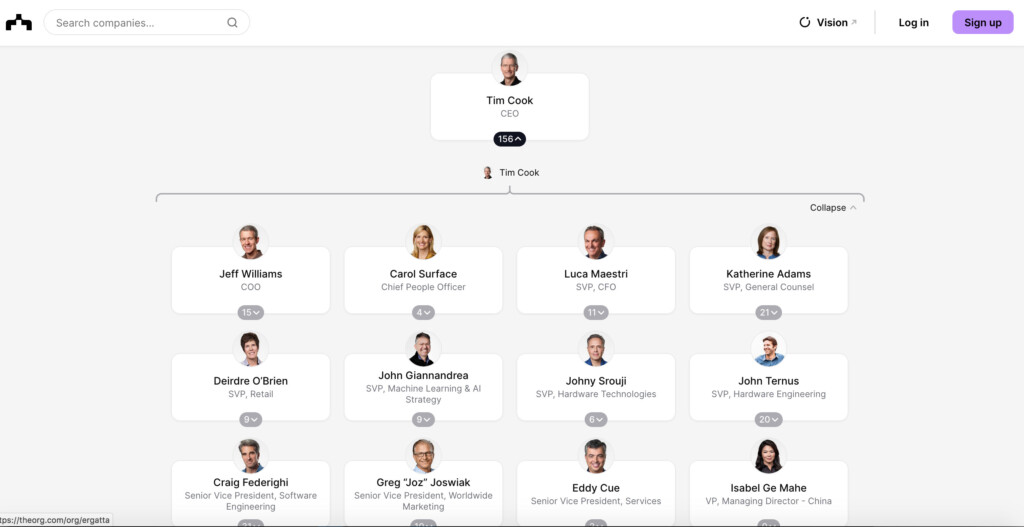
The Org is a web based organization directory that allows corporations to publish organization charts for free.
Companies as big as Apple, Samsung and Microsoft have published their company structures on The Org so its a highly respected directory used by some of the biggest enterprises in the World.
The Org is designed for recruitment and talent spotting as much as creating hierarchy maps but its got a lovely slick interface that makes creating organizational charts very easy.
Once you’ve signed-up to The Org, you can start adding personnel and photos along with detailed Bio pages, links to their LinkedIn page and email address.
If you want a publicly listed illustration of your company structure that can be used for recruitment and head hunting, then The Org is an amazing resource covering some of the biggest enterprises in the World.
However, the big drawback is that any charts published on the org are publicly visible so its not suitable for organizations that want to keep things internal.
Pricing: Free
Pros:
- Free to use
- Includes hierarchies of major corporations
- Slick, stylish interface
- Easy to add personnel
Cons:
- All charts are publicly visible
- Designed more for recruitment than internal use
5. Draw.io – Best Free Org Chart Software For Mac
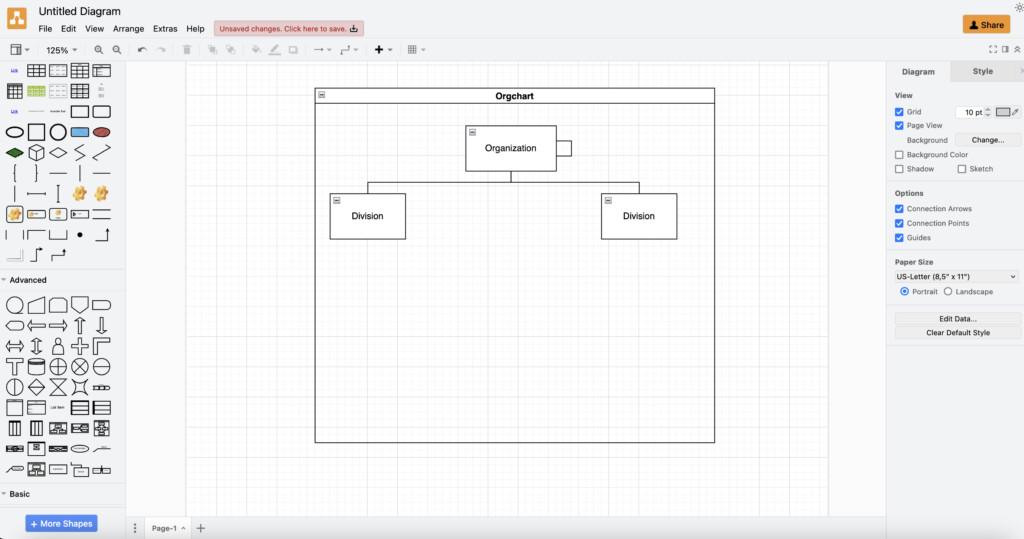
If you’re on a budget and looking for a way to draw org charts on a Mac 100% free with unlimited usage, then Draw.io is your best option.
Draw.io is Cloud based but it also offers a Mac desktop app for those that want to create a map of an organization offline.
Draw.io is one of those rare diagramming tools that doesn’t impose any limitations on users. The only paid version is for teams or those that need Jira/Confluence integration.
However, Draw.io is a very basic tool for creating tree structures.
It has few specific tools for creating organigrams but by using the shapes it provides, you can put one together albeit, a bit crudely.
The easiest way to create a hierarchy in Draw.io is by using the shapes tool. You can use the rectangular shapes to represent a person and then just give it a name and position.
The “Organization” tool in “Advanced Shapes” will also automatically create the tree diagram in a parent-child relationship structure as you build it.
You can choose from a range of layouts too including horizontal, vertical, fishbone, radial or single columns.
To share organigrams made in Draw.io, you can export to PNG, JPG and SVG format. You can also embed it in a webpage, export it as a PDF or share it as a link with someone.
To a limited extent, Draw.io can even auto-create organization maps based on a text file or CSV data exported from an Employee Management System (EMS).
You can also check out our full review of Draw.io for more.
Pricing: Free
Pros:
- Free for personal use
- Easy to use drag and drop interface
- Mac desktop app available
Cons:
- Very few specific tools for creating organization charts
- Not easy to add photos or images
- No integration with HR systems available
6. Creately – Best For Visual Collaboration
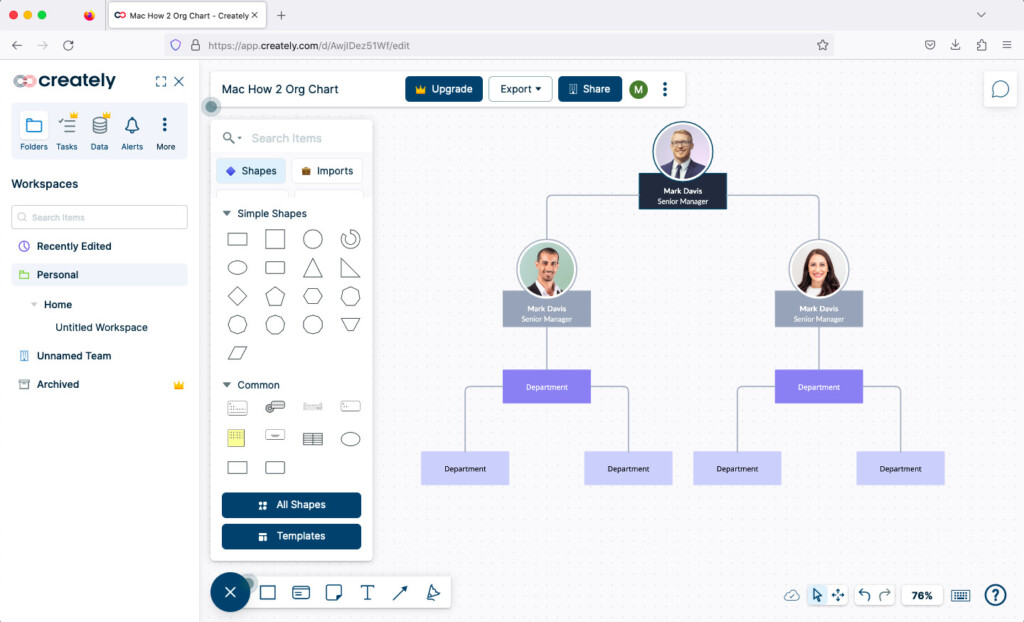
Creately is a Cloud based diagramming tool that offers a desktop app for Mac and Windows.
You can use the Cloud version for free for up to 3 diagrams although if you want yo download the Mac desktop app, you have to subscribe to Creately.
There are lots of templates to get you started both provided by Creately and other users of the app that have uploaded their own company templates.
Creately also has an infinite canvas so you can make your hierarchy map as big as you want.
You can add images to Creately to hierarchy maps, it’s easy to highlight important people in your charts and drag and drop elements around.
It also supports file export in SVG and PDF format for printing (which also preserves the links in your charts) or you can simply export them as in image in JPEG or PNG format.
The basic Cloud version of Creately is free for up to 3 diagrams but to get full functionality and the Mac desktop app, you’ll have to purchase a subscription starting at $5 per month.
Check out our full review of Creately for more.
Pricing: Free plan available, pricing starts at $5/month
Pros:
- Offers both web and Mac desktop app
- Free version available
- Slick and easy to use
- Lots of templates
- Infinite canvas
- Very colorful
Cons:
- Mac desktop app requires subscription
- Only 5 diagrams for free
7. Pingboard – Best For HR Teams
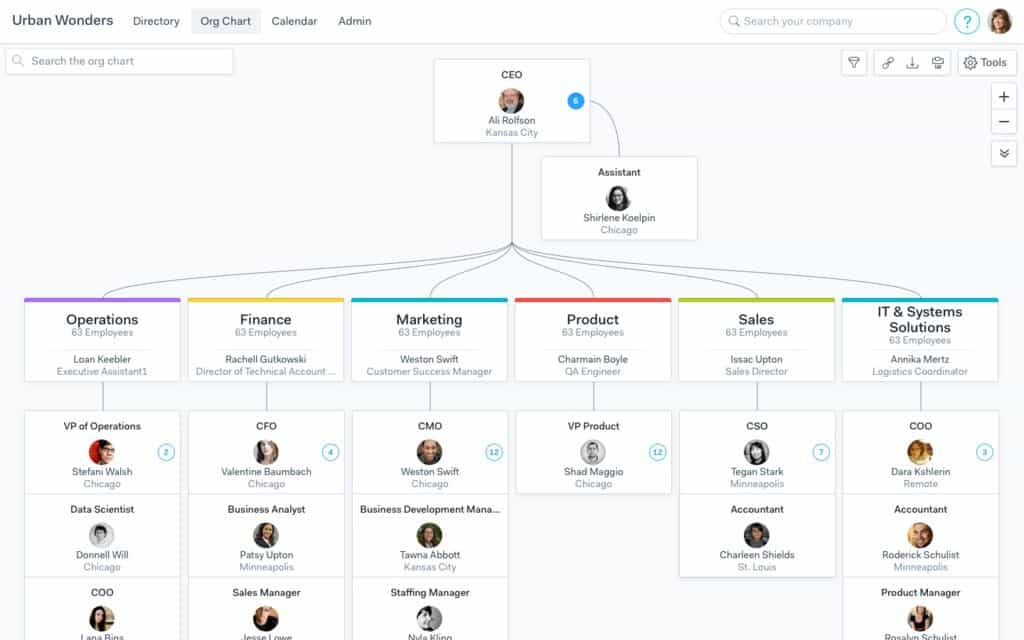
What we like about Pingboard is that it’s 100% focused on making hierarchies and nothing else.
Pingboard is a Cloud based tool that not only makes organization structures look great, but updates them dynamically as your company changes.
Although there’s no Mac desktop app it works in any browser on a Mac. Pingboard also has an iOS app for iPad and iPhone that allow you to easily find members of a company on your phone.
This is because Pingboard is integrated with enterprise HR systems like Microsoft Azure, ADP, G Suite, OneLogin and Okta.
Pingboard is aimed at companies with hundreds to thousands of employees and provides multiple ways of sharing personnel structures with them.
These include a simple link, restricted link, PowerPoint presentation or embedded in your company intranet.
You can start using Pingboard for free although the free version doesn’t allow you to share it with anyone or entitle you to iOS access.
Pingboard offers 3 different subscription models with the basic version starting at $5/user/mo. There are also discounts for non-profits and paying annually.
Pricing: Plans starting from $5/month.
Pros:
- 100% focused on making organizational charts
- Dynamic hierarchy updating
- Integrated with enterprise HR systems
- Lots of ways to share hierarchy charts
Cons:
- Expensive compared to other solutions
- No desktop app
7. Organimi – Best For Automated Org Chart Creation
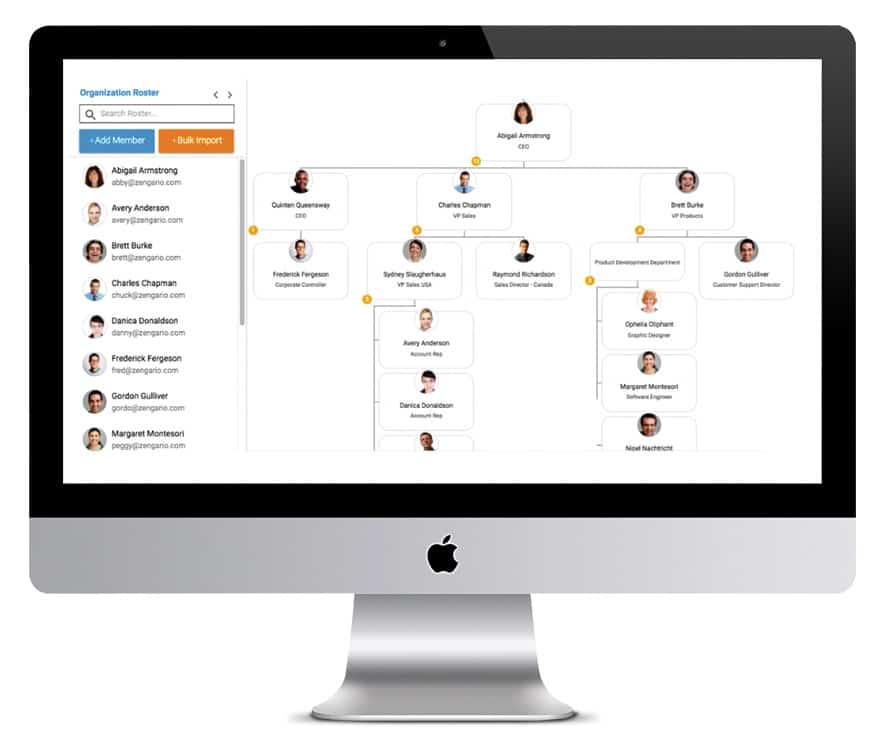
Organimi is all about creating maps of organization structures and automates much of the process based on the data you feed it.
The app takes a very methodical approach by getting you to fill in the details first (or importing them from a CSV file) and then it does the rest.
Once it knows a persons position in the hierarchy, it automatically puts together your organization’s structure complete with photos and positions.
You can then share them instantly with colleagues via email, export them to PDF or print them out to put on the wall.
Pricing plans for Organimi start at $11 per month for single users with discounts for paying annually.
Pricing: Starting from $11/month
Pros:
- Highly automated
- Very methodical
- Imports data from CSV files
Cons:
- Most features only in Growth or Pro plans
- Printing and exporting issues with large charts
- No desktop app
8. OrgChart – Best Simple Offline Org Chart Maker
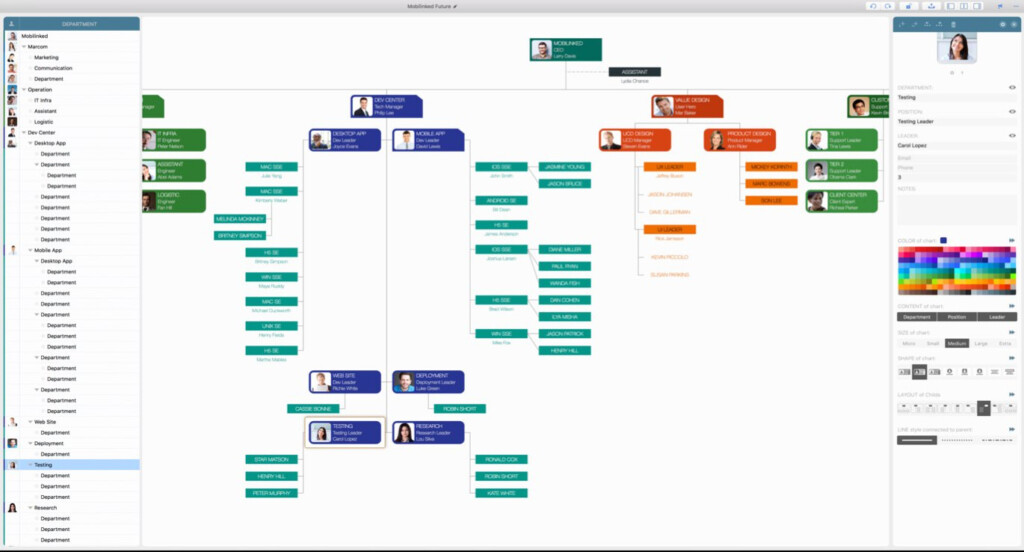
OrgChart is a cheap and cheerful desktop organizational map maker that is available on the Mac App Store.
OrgChart is a Chinese app so some of the documentation and instructions aren’t translated very well but its simply enough to work out pretty quickly.
OrgChart allows you to select personnel stored in macOS Contacts on your Mac and drag them into the main interface.
You can also easily drag and drop photos of staff from your Mac into OrgChart.
The app lets you organize staff by Department and Position so you can drag and drop them into a tree structure.
You can also sync your charts in iCloud so that you can continue editing them on your iPad or iPhone.
OrgChart allows you to export in OPML format that you can then upload into more professional organizational chart maker or you can export them to PDF, CSV and PDF.
There are no templates in OrgChart though and after 7 days, you have to pay $14.99 to continue using it.
Pricing: Free trial/$14.99
Pros:
- Mac desktop app
- One off purchase
- Drag and drop from macOS Contacts
- Drag and drop images
- Syncs with iCloud
- Simple to use
Cons:
- Requires payment after 7 days
- Only suitable for basic tree structures
- Poorly translated instructions
- No templates
Platforms: Mac, iOS
10. Functionly – Best For Workforce Planning
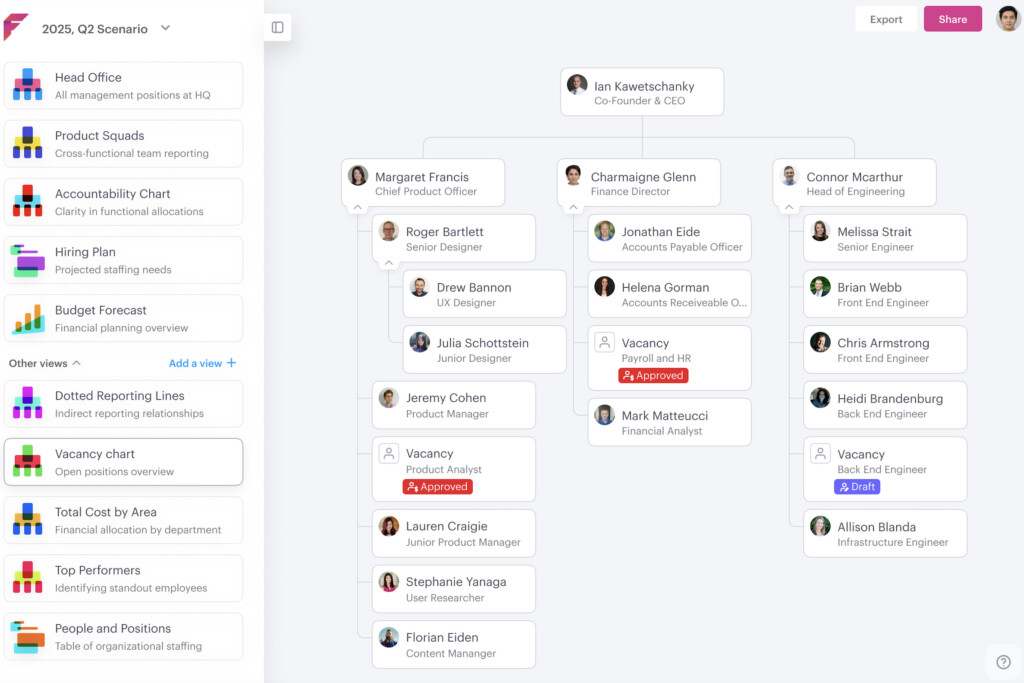
Functionly is a specialist org chart maker with lots of organizational templates, data import options and collaboration features for teams large and small.
The software is used by some of the biggest companies in the world including Amazon, Spotify and Cisco for managing their organizational structures.
Functionly has a user-friendly interface for designing and visualizing interactive organizational structures.
You can collaborate in real-time on org charts with other members of your team as well as integrate it with productivity tools such as Slack, Microsoft Teams and Google Workspace.
You can customize org charts with various shapes, colors, and styles including your organization’s branding.
For a dedicated HR solution, it’s surprising that there’s no integration with HR systems though so any org chart you create in Functionly won’t update dynamically with changes in personnel.
Pricing: Free Trial / Starts at $72 per month
Pros:
- Dedicated org chart tool
- Lots of org templates
- Suitable for large corporations
Cons:
- Subscription pricing
- Complex for small businesses
11. ConceptDraw Diagram – Best Professional Desktop Diagramming Tool
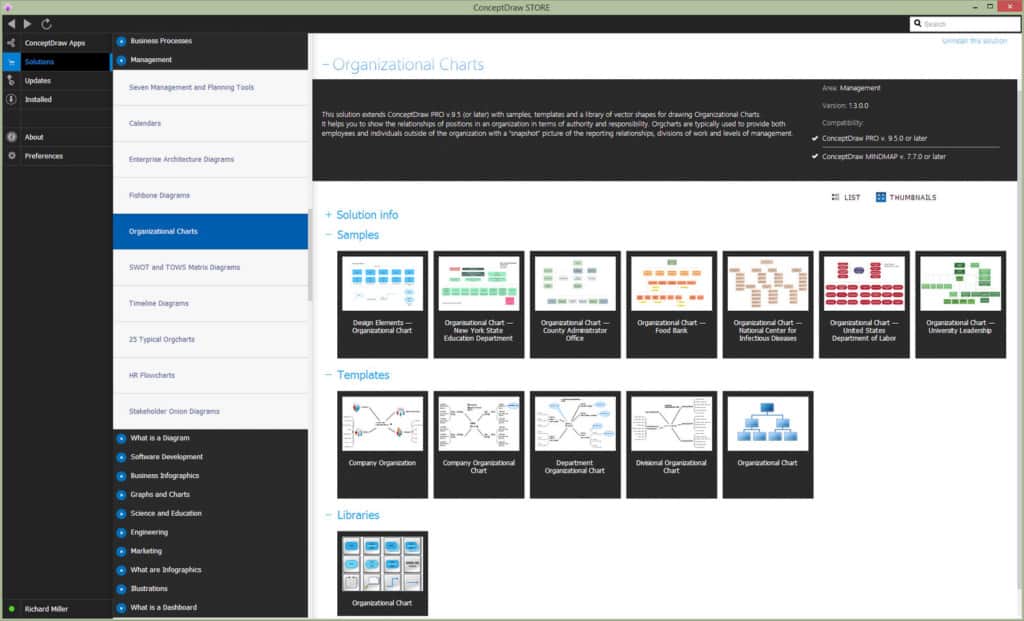
ConceptDraw Diagram (formerly ConceptDraw Pro) is highly professional cross platform desktop diagramming tool that has a Mac desktop app.
Mapping hierarchies is one of the main things that ConceptDraw Diagram is used for and there are plenty of examples of how it has been used to create professional charts for different needs and businesses.
ConceptDraw Diagram also gives you detailed instructions on how to create effective hierarchy charts compared to some of the other options we tried.
If you’re looking for a cross platform desktop solution to create organizational maps, ConceptDraw could be your answer.
You can also check out our review of ConceptDraw Diagram for more.
Pricing: $199
Pros:
- Imports Visio files
- Exports to Visio VSDX format
- Desktop app for both Mac & PC
Cons:
- Expensive desktop upgrades
- Windows inspired interface
Can AI Create Org Charts On Mac?
Yes. Several modern org chart tools now include AI-assisted organizational chart generation.
SmartDraw and Lucidchart both support AI-enhanced workflows while tools like ChatGPT can help generate organizational structures from prompts before importing them into diagramming software.
AI can help:
- Generate hierarchy structures
- Organize reporting lines
- Convert spreadsheets into org charts
- Suggest team structures
- Create templates automatically
However, most AI org chart tools still work best when combined with employee data from Excel spreadsheets, HR systems or CSV imports.
How To Create An Org Chart On A Mac
Creating an org chart on a Mac is now much easier than manually building one in PowerPoint, Keynote or Pages.
Here’s the basic process using SmartDraw as an example.
1. Choose A Template
Start with a pre-built organizational chart template rather than creating a hierarchy from scratch.
2. Import Employee Data
Upload a CSV or Excel spreadsheet containing:
- Employee names
- Roles
- Departments
- Reporting managers
3. Customize The Structure
Adjust departments, reporting lines, employee photos and colors to match your organization.
Most tools allow you to export org charts as:
- Shareable links
- PNG
- SVG
- Visio files.
FAQ
What Is The Best Free Org Chart Software For Mac?
Draw.io is currently the best fully free org chart software for Mac. It offers unlimited diagram creation, offline support and a Mac desktop app.
What Is The Best Org Chart Software For Mac Overall?
SmartDraw is currently the best overall org chart software for Mac thanks to its automation tools, templates, Visio compatibility and ease of use.
Can I Create Org Charts From Excel On Mac?
Yes. Most modern org chart tools including SmartDraw, Lucidchart, Pingboard and Organimi allow you to import employee data from Excel spreadsheets or CSV files.
Does Microsoft Visio Work On Mac?
Microsoft Visio is not available as a native Mac app although Visio for Web works in browsers. Many Mac users instead use alternatives such as SmartDraw, OmniGraffle or Lucidchart.
What’s The Best Visio Alternative For Org Charts On Mac?
SmartDraw is the best Visio alternative for Mac users needing org chart functionality because it supports both importing and exporting Visio VSDX files.
Do Any Org Chart Tools Integrate With BambooHR?
Yes. Several workforce planning and HR-focused tools integrate with HR systems including BambooHR, ADP and Azure AD.
Can I Make An Org Chart In Apple Keynote Or Pages?
Yes, but it’s much slower than using dedicated org chart software. Keynote and Pages only offer basic shapes and connectors without automation features.
Are These Tools Compatible With Apple Silicon Macs?
Yes. All the software listed here works on Apple Silicon Macs including M-series and newer Apple chips.