

If you want to design parts and actually manufacture them using a CNC machine, you’ll need more than just CAD software.
CAD (Computer-Aided Design) is used to create 2D drawings and 3D models.
CAM (Computer-Aided Manufacturing) on the other hand, takes those designs and converts them into toolpaths and G-code that CNC machines can follow.
The challenge is that most CAD software for Mac doesn’t include full CAM capabilities, and many professional CAM tools are still Windows-only.
The good news is that in 2026, there are several powerful CAD CAM solutions that work on macOS – either natively or via the cloud.
We regularly test CAD and CAM tools on macOS, including Apple Silicon Macs, to ensure compatibility and real-world usability.
However, as we’ve found, choosing the right tool depends heavily on whether you need simple 2.5D cutting, full 3D machining, or an all-in-one CAD CAM software.
CAD CAM on Mac: What You Need to Know
While there are some good CAD CAM tools available on macOS, options are still more limited compared to Windows.
In practice, many CNC users rely on a mix of tools – using CAD software like Fusion or FreeCAD for design, then generating toolpaths in CAM software or running Windows-only tools via virtual machines.
For example, many hobbyists use Fusion as an all-in-one solution, while simpler tools like Carbide Create are often preferred for 2.5D CNC projects such as engraving or sign making.
In fact, many Mac users still rely on a hybrid way of working, combining native macOS tools with Windows-only CAM software when needed.
If you’re focused more on product design and engineering rather than manufacturing, you may also want to check out our guide to the best CAD software for mechanical engineers on Mac.
Best CAD CAM Software For Mac
Below are the best CAD CAM software options for Mac for CNC machining, product design, and manufacturing projects.
| Software | CAD | CAM | CNC Toolpaths | Best For | Price |
|---|---|---|---|---|---|
| Fusion | ✅ | ✅ | ✅ | All-in-one CAD/CAM | Free; from $85/month or $680/year |
| FreeCAD | ✅ | ⚠️ | ⚠️ | Free open-source | Free |
| MeshCAM | ❌ | ✅ | ✅ | Simple CNC projects | $250–$500 |
| Carbide Create | ⚠️ | ✅ | ✅ | Beginners | Free; Pro $120/year |
| Onshape | ✅ | ⚠️ | ⚠️ | Cloud CAD workflows | Free; from $1,500/year |
| DeskProto | ❌ | ✅ | ✅ | Advanced CNC machining | Free; from €145 |
Best CAD CAM Software for Mac by Use Case
If you’re not sure which tool to choose, here’s a quick breakdown based on common use cases:
- Best all-in-one CAD CAM software: Fusion 360
- Best free CAD CAM software: FreeCAD
- Best for beginners and hobbyists: Carbide Create
- Best for simple CNC projects: MeshCAM
- Best for teams and collaboration: Onshape
- Best for advanced CNC machining: DeskProto
1. Fusion (Best All-in-One CAD CAM Software for Mac)
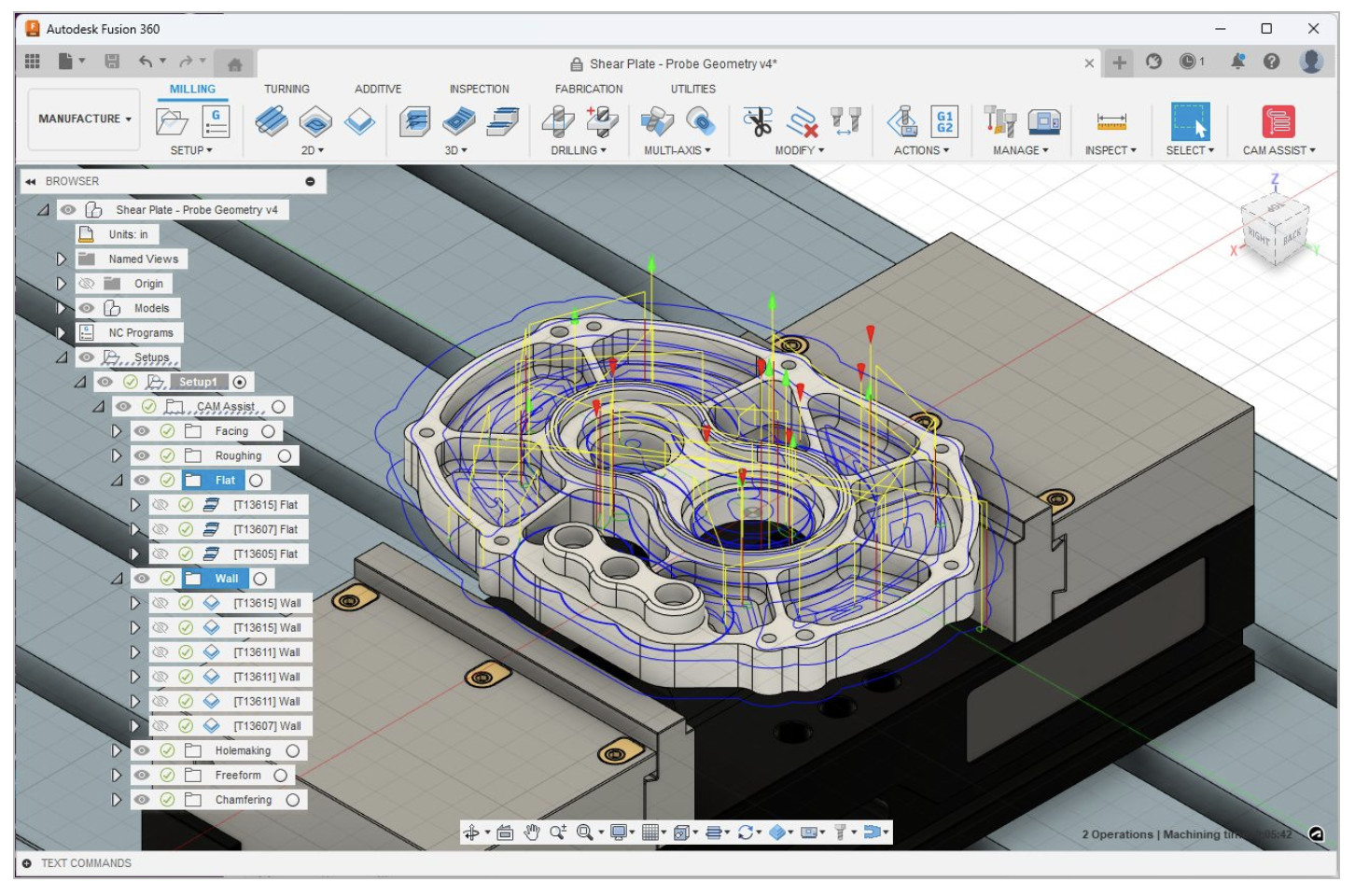
Best for: CNC machining, product design, manufacturing
Platform: Native macOS (Apple Silicon supported)
Fusion (formerly Fusion 360) is widely regarded as the go-to CAD CAM software for Mac users, especially because it combines design and manufacturing in one package, reducing the need for multiple tools.
What makes it stand out is how seamlessly it connects the process – from parametric modelling to toolpath generation, simulation, and G-code export. You can design a part, simulate stress loads, generate CNC toolpaths, and prepare it for machining without switching software.
It’s particularly strong for real-world manufacturing, supporting everything from hobbyist CNC routers to advanced 3-axis, 4-axis, and 5-axis machining setups. The CAM module is regularly updated and widely used in professional environments, which gives it a big advantage over most alternatives.
Key Features:
- Fully integrated CAD, CAM, and CAE tools
- Advanced toolpath generation and machining simulation
- Large library of post-processors for CNC machines
- Cloud collaboration and version control
- Extensive file compatibility (STEP, IGES, STL, etc.)
Limitations:
- Subscription required for full commercial use
- Some advanced CAM and simulation features require paid extensions
Price: Free for personal use; from $85/month or $680/year
2. FreeCAD (Best Free CAD CAM Software for Mac)
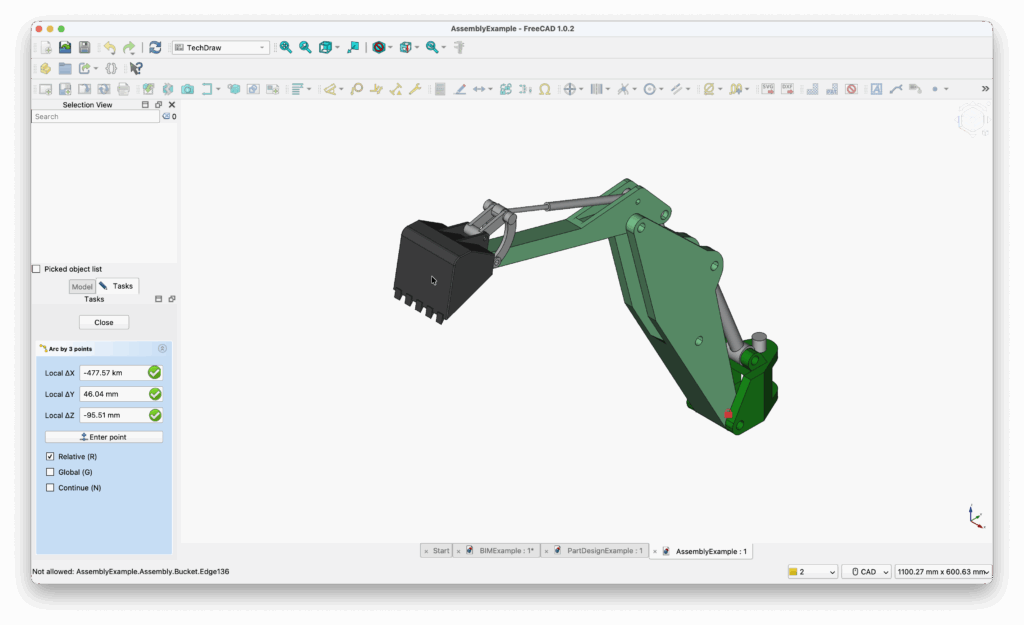
Best for: Those on a budget, students, hobbyists
Platform: Native macOS
FreeCAD is the most capable free CAD CAM solution on Mac, offering parametric modelling and basic CAM functionality through its Path Workbench.
Unlike most free tools, FreeCAD gives you full control over the CAM process and supports industry-standard formats like STEP and IGES, making it useful for both design and manufacturing pipelines. Its CAM tools allow you to generate toolpaths and export G-code, although they require more setup and manual configuration compared to commercial software.
Because it’s open-source, FreeCAD is constantly evolving, with improvements to CAM functionality being added regularly. However, it’s still better suited to hobbyists, students, and engineers who don’t mind a steeper learning curve.
For other free CAD options, some of which support CAM, check out our guide to the best free CAD software for Mac.
Key Features:
- Fully parametric 3D modelling
- Built-in CAM via Path Workbench
- G-code generation for CNC machining
- Highly customizable with plugins and scripts
Limitations:
- Less polished interface than commercial tools
- CAM tools are less advanced and can be inconsistent
- Steeper learning curve for beginners
Price: Free (open-source)
3. MeshCAM (Best for Simple CNC Projects)
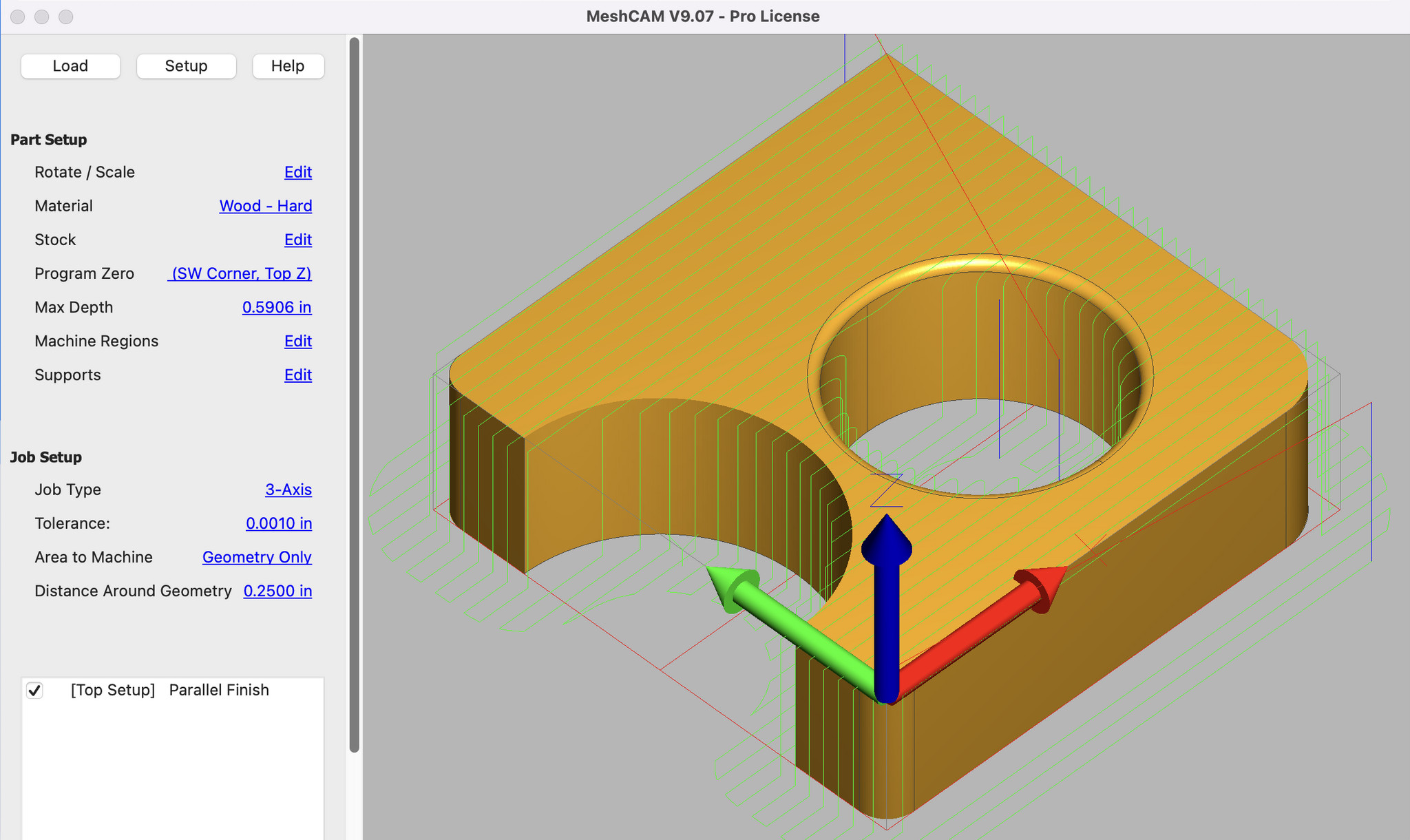
Best for: Beginners, hobby CNC users, 3D carving
Platform: macOS
MeshCAM is a dedicated CAM tool designed specifically to make CNC machining simple, especially for users who don’t need complex engineering features.
Instead of offering full CAD capabilities, MeshCAM focuses purely on converting 3D models (like STL files) into toolpaths and G-code as quickly as possible. This makes it ideal for hobbyists, makers, and small workshops working on simpler CNC projects like carving, engraving, or prototyping.
One of its biggest strengths is ease of use – you can import a model, generate toolpaths, and be ready to machine in minutes, without the complexity of a full CAD CAM system.
Key Features:
- Fast and simple toolpath generation
- Optimized for 3-axis CNC machining
- Minimal setup required
- Works well with STL and mesh-based models
Limitations:
- No built-in CAD tools
- Not suitable for complex engineering
- Limited advanced machining features
Price: From $250–$500 (one-time license, depending on version)
4. Carbide Create (Best Free CAM Software for Beginners on Mac)

Best for: CNC beginners, hobbyists, 2.5D projects
Platform: Native macOS
Carbide Create is one of the easiest ways to get started with CNC machining on a Mac, especially if you’re working on simpler projects like engraving, sign making, or 2.5D cutting.
Unlike more complex CAD CAM platforms, Carbide Create combines basic design tools with built-in CAM functionality, allowing you to create shapes and generate toolpaths in the same app. This makes it much more beginner-friendly than tools like Fusion or FreeCAD.
It’s particularly popular among hobbyists using desktop CNC machines, as it simplifies the process of going from design to G-code generation without requiring advanced engineering knowledge.
Key Features:
- Built-in CAD + CAM tools
- Toolpath generation for CNC machines
- Simple interface designed for beginners
- Native macOS support (including Apple Silicon)
Limitations:
- Limited to 2.5D machining (no full 3D CAM)
- Not suitable for complex engineering or industrial projects
- Advanced features require the paid Pro version
Price: Free (Carbide Create); Pro version $120/year
5. Onshape (Best Cloud-Based CAD with CAM Integrations)

Best for: Teams, collaboration, cloud based projects
Platform: Browser-based
Onshape is a fully cloud-based CAD platform that runs entirely in your browser and has extensive CAM integrations.
It excels in collaboration, version control, and team-based projects, allowing multiple users to work on the same design in real time. However, unlike Fusion, it doesn’t include full CAM functionality out of the box – CAM features are only available via integrations or higher-tier plans.
This makes it a strong choice for design and engineering teams, but less ideal if your primary focus is CNC machining unless you’re willing to use additional tools.
Key Features:
- Fully cloud-based (no installation required)
- Real-time collaboration and version control
- Accessible on any device
- Scalable for teams and organizations
Limitations:
- Limited native CAM functionality
- Requires internet connection
- Paid plans are relatively expensive
Price: Free (public projects); from $1,500/year (Standard), $2,500/year (Professional)
6. DeskProto (Best Dedicated CAM Software for Mac)

Best for: Advanced CNC machining, dedicated CAM workflows
Platform: Native macOS
DeskProto is one of the few dedicated CAM applications that runs natively on macOS, making it a valuable option for users who need more advanced CNC machining capabilities than most beginner tools offer.
Unlike all-in-one platforms like Fusion, DeskProto focuses purely on CAM and toolpath generation, allowing it to handle more specialized machining tasks. It supports 3-axis, 4-axis, and 5-axis CNC machining, depending on the edition, and is capable of generating highly detailed toolpaths from 3D models.
A notable advantage is that DeskProto includes a free edition, which can be used indefinitely, making it one of the few genuinely free CAM tools available for Mac. Paid versions unlock more advanced features such as multi-axis machining and additional toolpath strategies.
However, DeskProto has a more traditional interface compared to modern CAD CAM tools, and its ecosystem is relatively small. As a result, it’s better suited to users who prioritize functionality over ease of use or polished design.
Key Features:
- Dedicated CAM software for CNC machining
- Supports 3-axis, 4-axis, and 5-axis machining
- Native macOS support (no virtualization required)
- Free version available
- One-time purchase options (no subscription required)
Limitations:
- No built-in CAD tools
- Interface feels dated compared to modern apps
- Smaller community and fewer tutorials
Price: Free Edition available; paid versions from €145 (Entry), €595 (Expert), €995 (Multi-Axis)
CAD vs CAM: What’s the Difference?
A typical CAD CAM workflow looks like this:
- Create a 3D model in CAD software
- Import the model into CAM software
- Generate toolpaths for machining
- Export G-code
- Run the file on a CNC machine
This is why choosing software that supports both CAD and CAM is important for manufacturing projects.
Can You Run CAD CAM Software on a Mac?
Yes, but with some limitations.
- Some tools (like Fusion and FreeCAD) run natively
- Others are cloud-based (Onshape)
- Some Windows-only CAM tools such as Vectric VCarve or Mastercam require virtualization in software like Parallels.
If you only need design tools, see our guide to the best CAD software for Mac.