

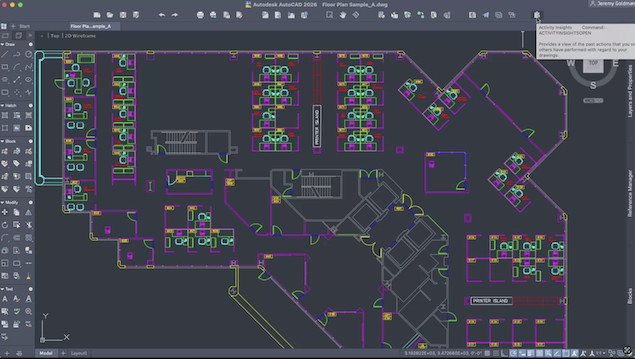
AutoCAD for Mac is the best CAD software for Mac for 3D design and in this review, we take a closer look at what it can do.
AutoCAD has easily been one the most dominant Windows CAD applications on the market for years but it wasn’t until many years later that Autodesk finally released AutoCAD for Mac.
Although it still lags behind the Windows version somewhat, AutoCAD For Mac is still an industry leading CAD software for architects and designers and one of the most widely used CAD programs on the market.
The success of AutoCAD is partly because it’s so powerful but also because it’s relatively user friendly for such a complex 2D and 3D CAD program.
In the early days of AutoCAD For Mac, the macOS version wasn’t quite as good as the Windows edition, but nowadays it’s almost exactly the same on all platforms.
However, there are some limitations to the Mac version as I found in this review of AutoCAD for Mac 2026.
Contents
- Does AutoCAD Work Well On Apple Silicon Macs?
- AutoCAD For Mac System Requirements
- AutoCAD For Mac vs AutoCAD For Windows
- AutoCAD For Mac vs AutoCAD LT
- Using AutoCAD For Mac 2026
- Improvements in AutoCAD For Mac
- AutoCAD For Mac 2026 Updates
- AutoCAD Web vs AutoCAD For Mac
- AutoCAD For Mac 2026 Pricing
- AutoCAD Subscriptions Benefits
- AutoCAD vs AutoCAD LT
- Can You Get AutoCAD For Mac For Free?
Does AutoCAD Work Well On Apple Silicon Macs?
In terms of performance, AutoCAD For Mac 2026 runs better than any previous version of AutoCAD, especially on Apple Silicon Macs.
AutoCAD 2024 was the first version of AutoCAD to work natively on Apple Silicon Macs and subsequent versions have improved performance on it.
The transition to Apple Silicon Macs has made AutoCAD almost twice as fast as the older Intel version and its truly impressive.
Previously, AutoCAD only worked on Apple Silicon by using Rosetta 2 which was much slower due to the extra translation layer involved.
AutoCAD For Mac System Requirements
The exact system requirements for AutoCAD For Mac 2026 are below.
AutoCAD For Mac works with the latest versions of macOS including macOS Sequioa and Tahoe but not macOS Catalina or earlier.
| System requirements for AutoCAD 2026 for Mac | |
|---|---|
| Operating System | macOS Tahoe v26 macOS Sequioa v14 macOS Ventura v13 macOS Monterey v12 macOS Big Sur v11 |
| Model | Apple Mac® computers compatible with macOS Big Sur or above Recommended: Apple Mac models supporting Metal Graphics Engine |
| CPU Type | 64-bit Intel CPU Apple M series CPU |
| Memory | Basic: 4GB Recommended: 8GB or higher |
| Display Resolution | Basic: 1280 x 800 display High Resolution: 2880 x 1800 with Retina Display |
| Disk Space | 6 GB free disk space for download and installation |
| Pointing Device | Apple-compliant Mouse, Apple-compliant Trackpad, Microsoft-compliant mouse |
| Display Card | Recommended: Mac native installed graphics cards |
| Disk Format | APFS, APFS(Encrypted), Mac OS Extended (Journaled), Mac OS Extended (Journaled, Encrypted) |
| Additional Requirements for large datasets, point clouds, and 3D modeling | |
|---|---|
| Memory | 16 GB RAM or more |
| Disk Space | 6 GB free hard disk available, not including installation requirements |
| Display Card | 3840 x 2160 (4K) or greater True Color video display adapter; 12GB VRAM or greater; Pixel Shader 3.0 or greater; DirectX-capable workstation class graphics card. |
AutoCAD For Mac vs AutoCAD For Windows
Initially, the early versions of AutoCAD weren’t as complete as the Windows version of AutoCAD.
In fact, after its initial release in 1992, the Mac version was discontinued for many years until Autodesk finally brought it back in 2010.
Autodesk’s Mac products are still playing catch-up and there are still some variations of AutoCAD which aren’t available at all for macOS such as AutoCAD Architecture (although there are ways to run it on a Mac).
AutoCAD 2026 For Mac has come a long way though and is now very similar to its direct Windows counterpart.
However, there are still some interface differences and features missing.
The biggest difference between AutoCAD For Mac vs AutoCAD For Windows is the Mac version does not support 3D rendering.
Despite supporting basic 3D modeling, AutoCAD for Mac has never included the advanced 3D rendering found in the Windows version – and Autodesk’s shift away from built-in rendering engines after 2017 means those gaps still exist today.
In terms of file formats, AutoCAD for Mac creates files in the same DWG format as AutoCAD for Windows and can do pretty much anything AutoCAD for Windows can do in both 2D and 3D.
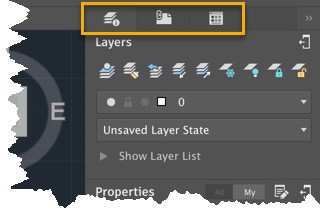
The most notable difference though is the interface which has been customized for macOS including Dark Mode, Coverflow navigation, Multiview and Touch Bar support.
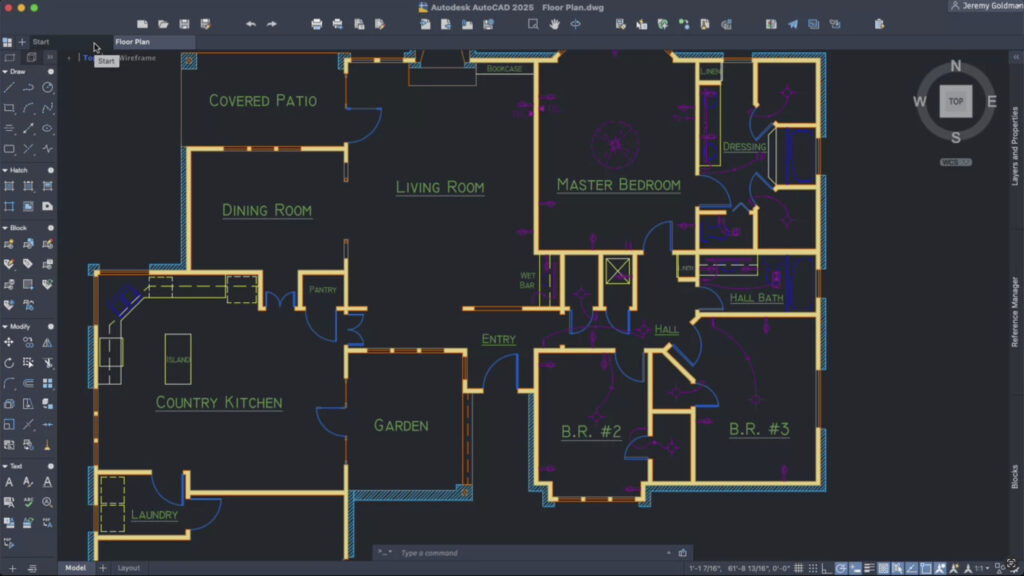
The Classic AutoCAD interface with Ribbon toolbars is only available in the Windows version of AutoCAD and AutoCAD LT.
Drawing History, which traces the history of changes made in AutoCAD files saved in Box, DropBox and OneDrive, is also not available in the Mac version of AutoCAD.
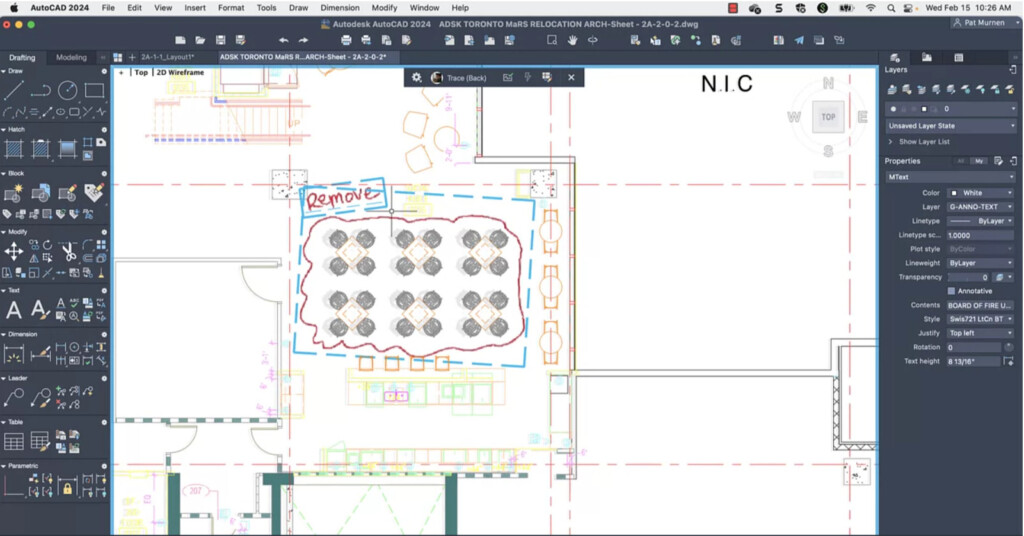
Other features that are not available in AutoCAD for Mac include:
- Full object data extraction workflows for creating and managing tables
- Advanced interoperability with DGN files, Navisworks, and Bing Maps
- CAD standards checking and enforcement tools
- Access to AutoCAD’s specialized toolsets for architecture (AutoCAD Architecture), mechanical design, electrical design, and other disciplines.
For a closer look at exactly how they differ, check out our look at AutoCAD for Mac vs Windows for more.
If any of these missing features are deal breakers for you, your only other option is to run Windows on a Mac and install the Windows version of AutoCAD 2026.
However, while this works well for 2D design, if you’re going to need AutoCAD for 3D design, it may not run very well as it requires a lot of processing power and ideally an eGPU too.
I’d also recommend using AutoCAD for Mac with an external display such as the Apple Studio Display (or a cheaper alternative) or some of these recommended monitors for CAD work.
You may even want to consider an iMac because although AutoCAD For Mac 2026 supports Trackpad gestures, it can be very tricky using AutoCAD with it compared to a mouse.
Alternatively you can add a 3DConnexion SpaceMouse which are specially designed for CAD work if you prefer this over using the Trackpad.
AutoCAD For Mac vs AutoCAD LT
AutoCAD is available in two editions – AutoCAD For Mac LT for 2D designs and AutoCAD For Mac which supports both 2D and 3D modelling.
Both are very similar in features but the LT lacks the 3D modelling and some of the more advanced tools of the full version of AutoCAD.
If you don’t need 3D modelling, AutoCAD LT is 75% cheaper than the full version of AutoCAD and excellent value for money (currently only $45 per month paid annually) for a 2D CAD tool on this level.
You can see how AutoCAD compares vs AutoCAD LT below.
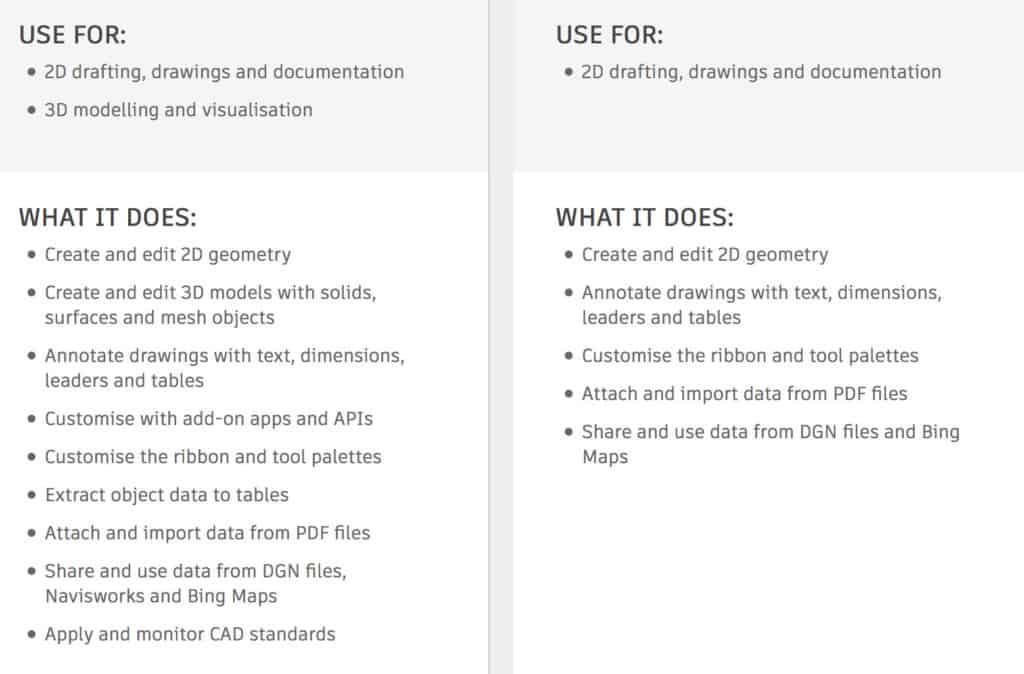
The full version of AutoCAD for Mac supports 3D design, 3D printing and 2D drafting software with and includes XREF path mapping, select Express tools and PDF enhancements.
As mentioned earlier however, 3D rendering is not available in AutoCAD for Mac even though the latest Apple Silicon Macs are more than capable of it.
Using AutoCAD For Mac 2026
When you open AutoCAD For Mac 2026, the first thing that strikes you is how modern and clean the User Interface looks.
For those used to AutoCAD for Windows, it can take some getting used to but the new interface is far more suited to macOS.
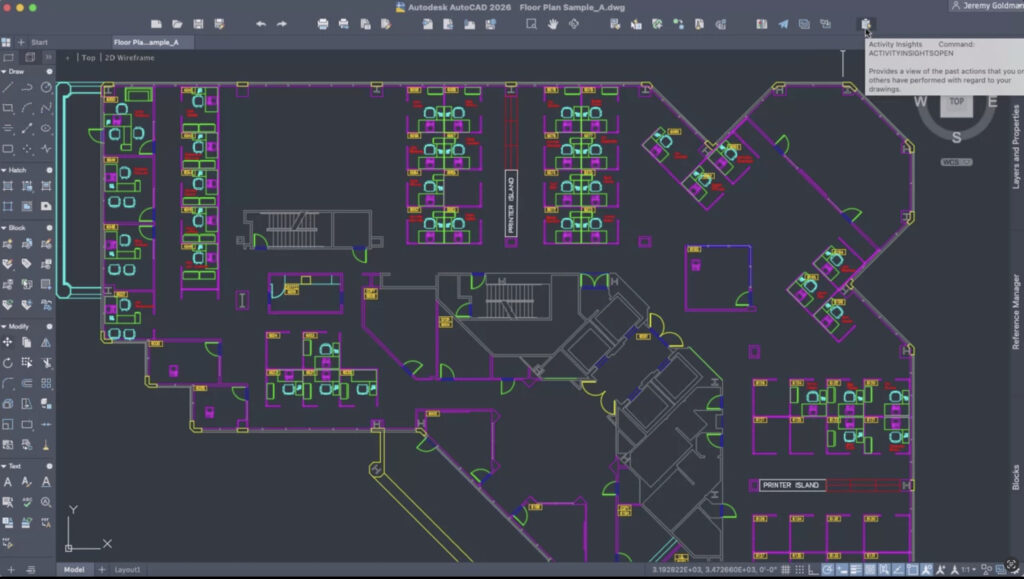
AutoCAD For Mac 2022 was completely rewritten around the AutoCAD Core Engine (ACE) which is now in all versions of AutoCAD and part of the reason why AutoCAD for Mac is now very similar to AutoCAD on PC.
The development of AutoCAD is no longer limited to different platforms as anything that is updated and improved in the AutoCAD Core Engine is immediately pushed out to work on all platforms including macOS, Windows, mobile and web.
Some of the powerful features this has introduced include dynamic blocks to add flexibility and intelligence to block references, dynamic links to Excel documents and a layer state manager so you can save layer settings.
Improvements in AutoCAD For Mac
The most recent versions of AutoCAD for Mac have introduced several improvements to bring it closer to the Windows version.
One is that it its easier to switch between Office and Home environments.
Many CAD designers use two monitors at work and one at home and the Mac version now allows you to control or hide the positioning of palettes depending on whether you’re working on one monitor or two.
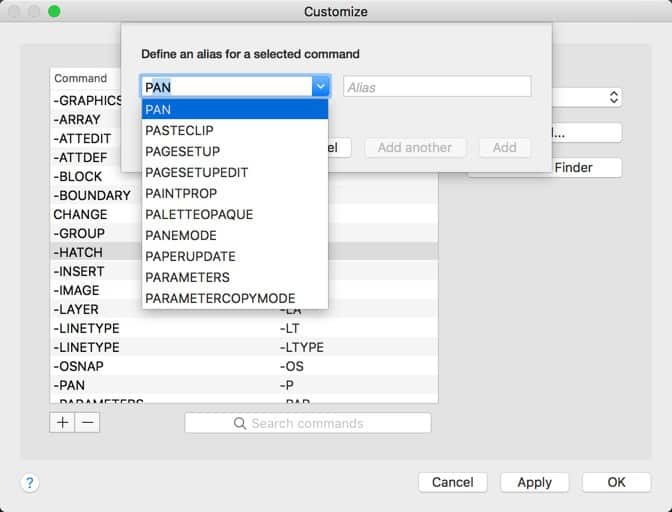
Another big improvement has been the introduction of the Command Alias Editor into AutoCAD.
Many AutoCAD designers on Windows are used to using keyboard shortcuts and AutoCAD for Mac supports this in macOS too.
You can create hotkeys for your most used commands making your workflow quicker and easier than before.
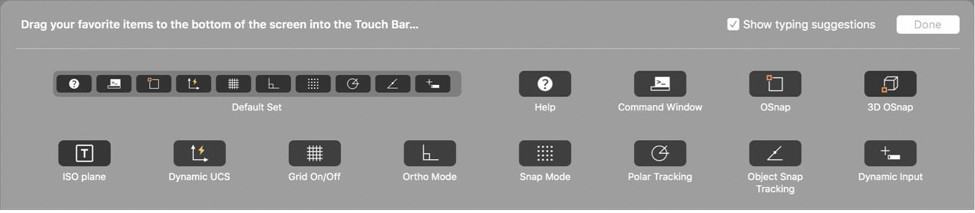
Combined with the TouchBar support introduced in the previous version of AutoCAD for Mac, you can seriously speed-up your workflow without having to use the TouchPad or mouse all the time.
The Mac version of AutoCAD supports gestures on the trackpad for improved productivity so that you can use two finger swipes and thumb claw pinches as you work to speed things up.
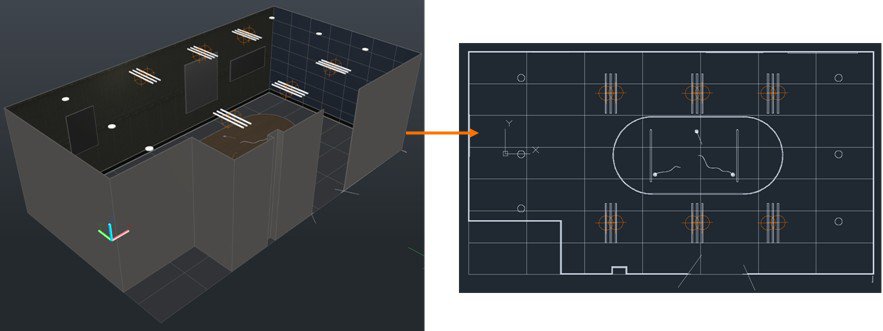
You can also convert 3D to 2D using AutoCAD for Mac. The flatten tool in AutoCAD for Mac retains original layers, linetypes, colors and object types.
The development of AutoCAD is no longer limited to different platforms as anything that is updated and improved in the AutoCAD Core Engine is immediately pushed out to work on all platforms including macOS, Windows, mobile and web.
Some of the powerful features this has introduced include dynamic blocks to add flexibility and intelligence to block references, dynamic links to Excel documents and a layer state manager so you can save layer settings.
One of the best Cloud features in AutoCAD is Design Automation.
This means that to a certain extent, AutoCAD can automatically design based even when you’re away from your Mac or workstation.
It also includes Autodesk Ray Tracer (ART) which is an incredibly fast, physically based render that works in Autodesk products including AutoCAD, 3DS Max, Inventor Professional and Revit.
Among other things, Autodesk Ray Tracer renders lighting realistically including how sunlight and artificial sunlight reflects off materials.
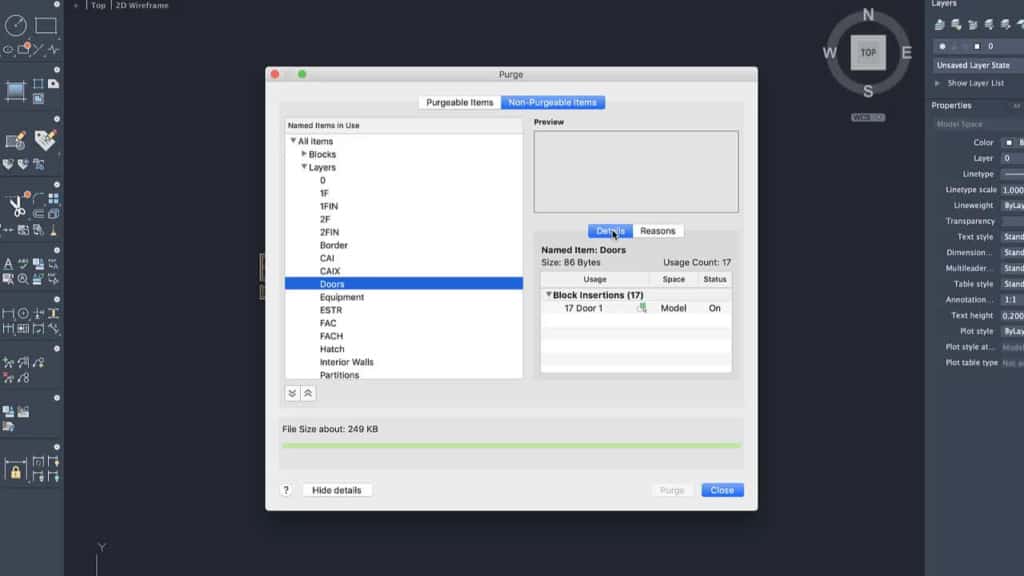
The Purge command has been improved in AutoCAD For Mac and will now give you information on non-purgable items in Blocks, Layers, Text Styles and explain why they can’t be purged.
AutoCAD For Mac also has Xref Compare which is very useful for those CAD professionals remote working as it notifies you of any changes made on file versions stored in the Cloud such as Dropbox and Google Workspace.
There have also been changes to the Blocks Palette which now allows you to drag a block out using the Scale or Rotation checkboxes.
Other improvements to AutoCAD For Mac include:
- Autodesk Trace which simulates using tracing paper over drawings or blueprints to allow designers to copy and make suggested changes. CAD designers can add markup on Trace and see it in context so they can make any responses to it in the DWG file. Autodesk Trace works in real time so any changes made in the field will be seen instantly back in the office. Autodesk Trace is new to both the Windows and Mac desktop version of AutoCAD this year and works both on web and mobile.
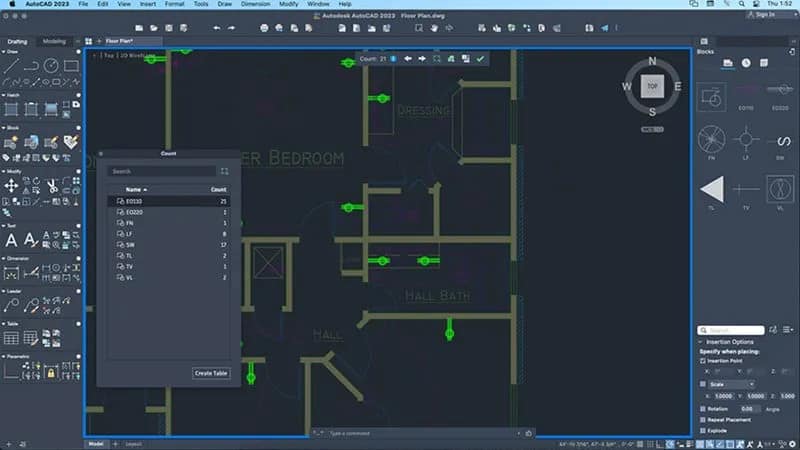
- A count tool which automatically counts blocks or geometry to save time and reduce errors. You can count blocks in an entire blueprint or within a specific user-defined area.
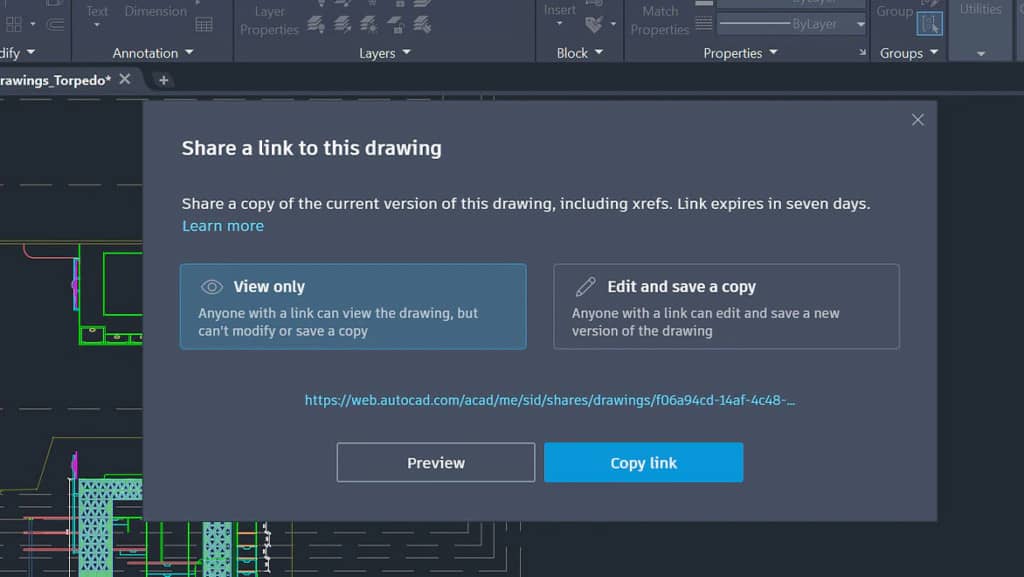
- You can share drawings, sketches and blueprints including XREFS and images with anyone from within AutoCAD for Mac including to those using the web app. You can also control the level of shared access such as “view-only” or grant editing privileges depending on who you are sending it to. This works much better that the old XTRANSMIT command in AutoCAD and is easier to use with far more control over sharing.
- CUTBASE Commands allow you to copy objects to the clipboard and define a specified base point if you want to remove them from a drawing or blueprint.
- A 3D Graphics Engine to leverage the GPU and CPU power in the new multi-core Macs which makes it faster to work with large blueprints. Effects, lines and curves now appear much clearer in AutoCAD For Mac and it enables enhanced selection and highlighting tools.
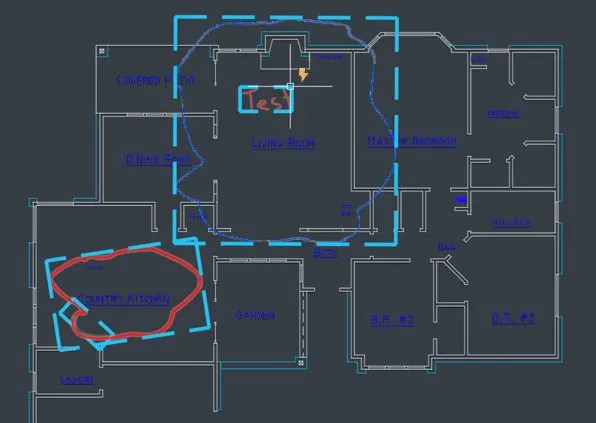
- Markup Import and Markup Assist which already existed in the Windows version of AutoCAD have now been added to the Mac version too. Machine learning in AutoCAD helps you to view and insert drawing revisions with less manual revisions. Markups can be imported in PDF, PNG and JPG format and can overlay a photograph or scan of a blueprint. Markup Assist allows you to insert markups into drawings as geometry and can automatically detect texts like move, copy and delete.
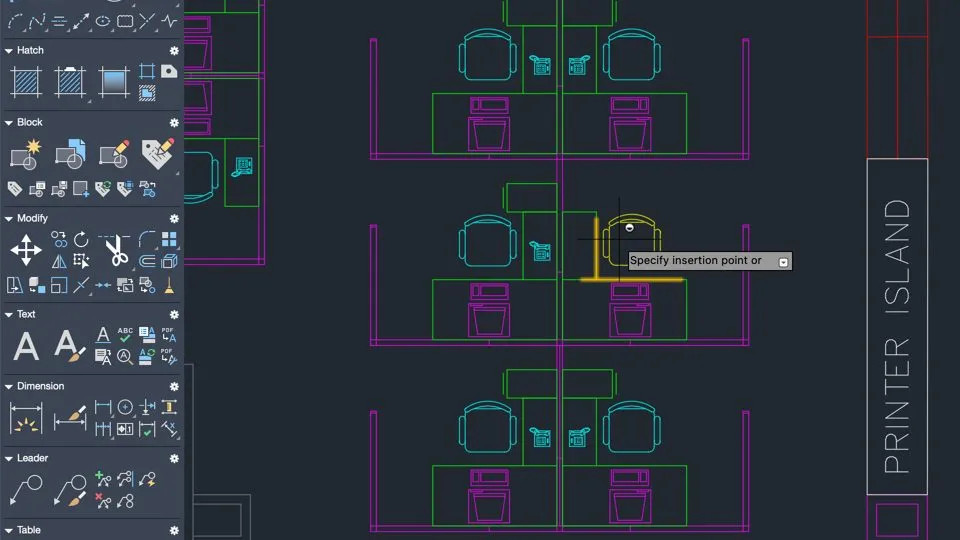
- In both AutoCAD and AutoCAD LT there have also been improvements in workflows to the placement of Smart Blocks which now automatically places blocks based on the positions of previous blocks placed.
AutoCAD For Mac 2026 Updates
There are also some specific updates to AutoCAD for Mac 2026 to be aware of:
- A new layout engine supports right-to-left text input (macOS) for languages such as Arabic and Hebrew.
- Improved font searching in the Text Style dialog: now supports fuzzy searches, so you can enter partial characters to find a font.
- The Find & Replace dialog now keeps a list of recently entered text across drawings.
- Enhanced support for 3D graphics: the Conceptual and Hidden visual styles are now supported in Fast Shaded mode.
- Performance improvements: e.g., opening 2D drawings takes less time, thanks to file-open optimization.
- Smart Blocks – ability to search and convert repetitive geometry into blocks (objects, text variations) to improve efficiency.
- New system variables for layer control:
REVCLOUDLAYERandREVCLOUDSCALEMODEfor revision clouds.TABLELAYERto assign new tables to a specified layer.VIEWPORTLAYERfor specifying layer for new viewports in named layouts.
- Improved collaboration and cloud integration: deeper integration with Autodesk Docs so that support files, project settings, mark‐ups, and trace workflows are more seamless.
- New “Activity Insights” and “What’s Changed” features: multi-user event logs, version history, comparisons of what has changed since last time you opened the file.
AutoCAD Web vs AutoCAD For Mac
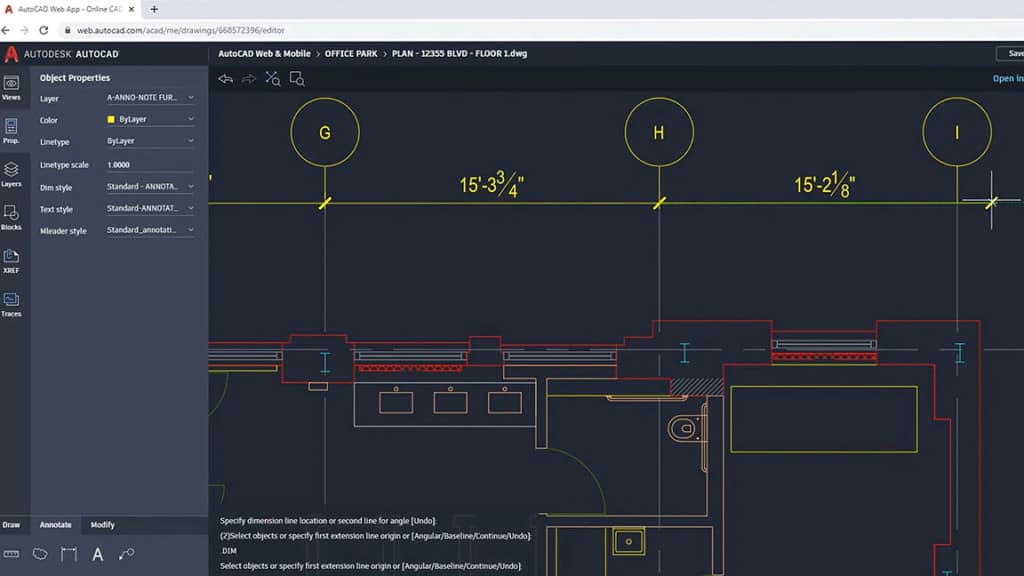
You can also access AutoCAD in any browser via AutoCAD Web although it’s not as functional as the desktop version of AutoCAD on a Mac or PC desktop.
However, the increased use of AutoCAD during the Coronavirus (COVID19) pandemic means that Autodesk has gradually added more features to it.
You can create and edit AutoCAD files in AutoCAD web and it’s free to use, even if you’re not an AutoCAD subscriber.
This makes it very useful for sharing AutoCAD blueprints with non-AutoCAD users or subscribers.
AutoCAD For Mac 2026 Pricing
AutoCAD is only available on a subscription basis as there is no standalone version anymore.
You can’t buy standalone versions of any Autodesk products anymore as they are no longer available with ongoing perpetual licenses.
Pricing for AutoCAD 2026 for Mac and AutoCAD LT 2026 for Mac is based on either a subscription or “Flex” pay-as-you-go credits system.
A subscription starts at $260 per month for AutoCAD paid monthly or $175 per month paid annually.

Note that Autodesk also offers “Flex” pricing for AutoCAD which is based on a “pay-as-you-go” pricing model. For example, $300 gets you 100 uses of AutoCAD which can be used over14 days in any one year.

For most users, it’s much more economical to buy a subscription but if you just need to use AutoCAD For Mac on an occasional basis it might be worth it.
A subscription for AutoCAD LT starts at $65 per month but there’s no Flex pricing option for it.
Autodesk do often run special promotions on products throughout the year so if you time it right, you may be able to get a discount.
You can also use the Education Edition of AutoCAD for free if you’re a student or teacher.
If you’re already an AutoCAD for Mac subscriber, you can download the latest version of AutoCAD 2026 from your Autodesk Account.
You can also try a free 30 day trial of AutoCAD 2026 For Mac.
AutoCAD Subscriptions Benefits
If you’re a regular user of AutoCAD then a subscription has always worked out much better value than the old option of Flex tokens which have been dropped now and were only designed for occasional use.
A subscription to both AutoCAD and AutoCAD LT also includes access to the AutoCAD web app and AutoCAD mobile app which work in a browser on any Mac.
One of the other advantages for companies is that an AutoCAD subscription allows them to administer licenses across multiple Macs and workstations.
A subscription also includes technical support and access to older versions of AutoCAD if needed for testing at customer sites.
It also means that you’re entitled to use new versions of AutoCAD For Mac when they’re released without having to pay for major upgrades.
AutoCAD vs AutoCAD LT
If you only need AutoCAD for 2D CAD design on your Mac, you’re better off getting AutoCAD LT For Mac which is much cheaper but only supports 2D CAD.
AutoCAD LT is 75% cheaper than the full version of AutoCAD and excellent value for money for a 2D CAD tool on this level.
The full version of AutoCAD however supports both 3D and 2D design so you are getting more for your money.
Can You Get AutoCAD For Mac For Free?
You can get AutoCAD For Mac for free with an educational license which entitles students and teachers to free one year access to AutoCAD.
If you’re not entitled to an educational license, you can also try a free trial of AutoCAD For Mac.