

If you want to use Microsoft Money on your Mac, the good news is you still can using a virtual machine.
Although there are many very dated (and pretty complicated) tutorials that use Wineskin, I found that none of them work anymore.
After testing several outdated Wine-based methods that no longer work reliably on modern Macs, I found that running Microsoft Money in a Windows virtual machine is by far the easiest and most stable solution in 2026.
Even better, Microsoft officially released the Sunset edition of Microsoft Money for free before discontinuing the software, so you can still legally use it today.
As I’ll show you, once Windows is installed, the Microsoft Money setup itself only takes a couple of minutes.
You May Also Like:
- Best Alternatives to Microsoft Money on Mac
- Best Personal Finance Software For Mac
- Best Investment Tracking Software For Mac
Can You Still Run Microsoft Money on a Mac?
Yes. Although Microsoft Money was discontinued years ago, the final free version known as Microsoft Money Plus Sunset Deluxe still works on Macs when run inside Windows.
The easiest and most reliable way to do this in 2026 is by using a virtual machine such as Parallels Desktop or VMware Fusion.
A virtual machine allows you to run Windows inside macOS just like a normal app, meaning you can continue using older Windows software that has never been updated for Mac.
This method works on:
- Intel Macs
- M1-M5
- The latest versions of macOS
Why Old Wineskin Methods No Longer Work Reliably
Many older tutorials recommend using Wine, Wineskin or CrossOver to run Microsoft Money directly in macOS.
Unfortunately, most of these methods are now unreliable or broken due to major changes in macOS over the years.
Common problems include:
- Removal of 32-bit app support in macOS
- Compatibility issues with Apple Silicon Macs
- Broken Wineskin wrappers
- Security restrictions in modern macOS versions
- Installation crashes and missing DLL errors
After testing several older methods myself, I found they either failed to launch or required extensive troubleshooting – it’s simply not worth the hassle, believe me.
Running Microsoft Money in a Windows virtual machine is far simpler and much more stable.
What You Need
To run Microsoft Money Sunset Deluxe on your Mac, you’ll need:
- A Mac with at least 8GB of RAM
- Windows 11 installed in a virtual machine (Parallels will do this for you)
- A free download of Microsoft Money Plus Sunset Deluxe from the Internet Archive
There are two main virtual machine options available:
Parallels Desktop
Parallels is the easiest option I’ve tested and works extremely well on Apple Silicon Macs.
Advantages include:
- Automatic Windows installation
- Excellent performance on M1/M2/M3/M4 Macs
- Easy file sharing between macOS and Windows
- Coherence Mode for running Windows apps like Mac apps
- Very little setup required
Although Parallels requires a subscription, it’s by far the smoothest solution if you regularly use Windows apps or games on a Mac.
VMware Fusion
VMware Fusion is now free for personal use and can also run Windows on a Mac.
However, in my experience:
- setup takes longer
- configuration is more technical
- performance is less polished
- compatibility can be less reliable
For most users, Parallels is the simpler option.
For a head-to head comparison, check out our comparison of Parallels vs VMware Fusion.
Watch: How To Install Microsoft Money on a Mac
In the walkthrough below, I show how to install Microsoft Money Sunset Deluxe on both Intel and Apple Silicon Macs using Parallels Desktop.
The full setup only takes a few minutes.
Instructions: How To Install Microsoft Money on a Mac
Once you’ve installed Windows on your Mac, setting up Microsoft Money only takes a few minutes.
Step 1: Install Windows on Your Mac
First, install Windows using Parallels Desktop or VMware Fusion.
Parallels can automatically download and install Windows 11 for you, including the ARM version required for Apple Silicon Macs.
If you have any issues, you can find a full walk-through here.
Step 2: Download Microsoft Money Sunset Deluxe
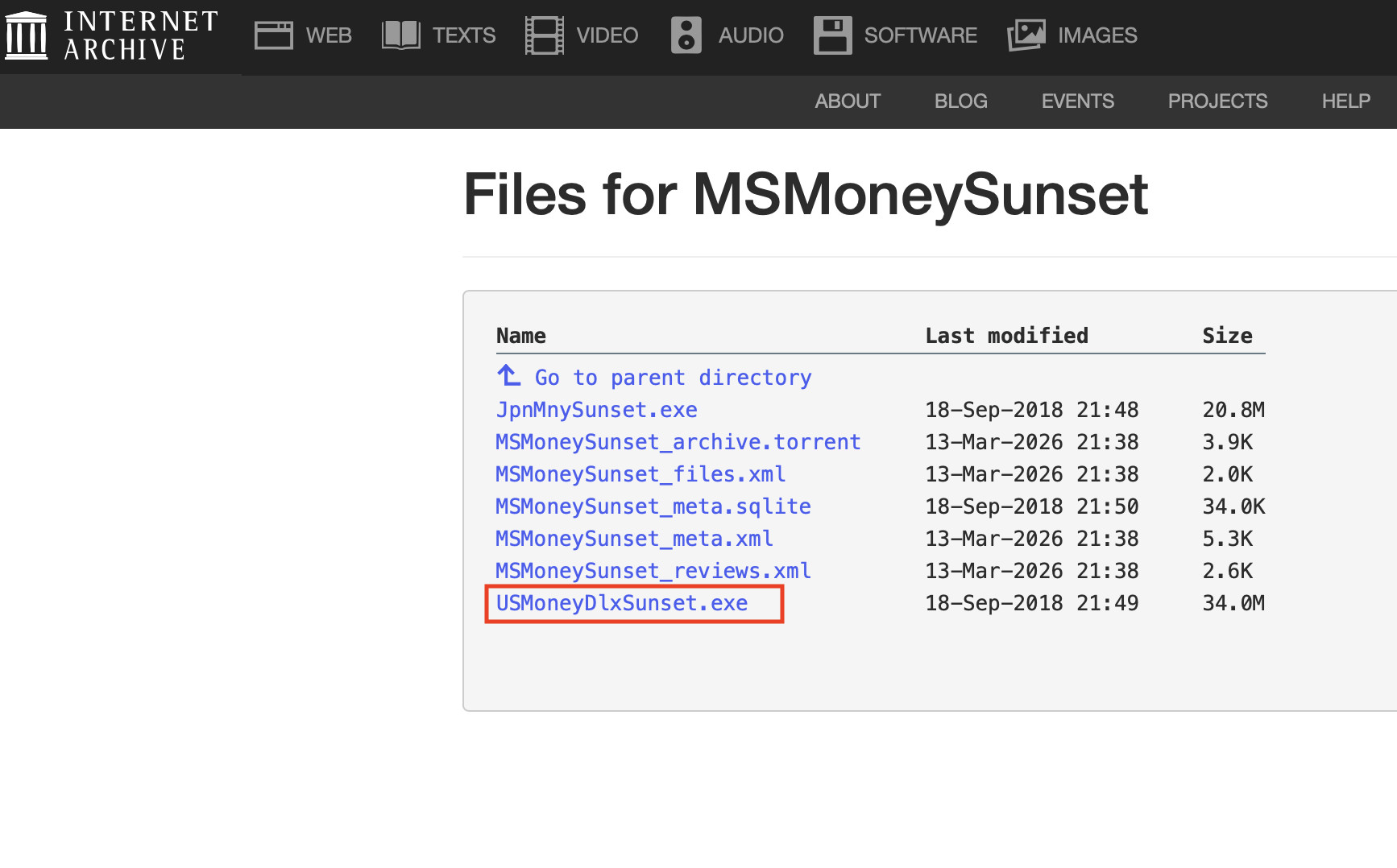
Next, download the archived Microsoft Money installer from the Internet Archive.
You need the file:
USMoneyDlxSunset.exe
Because Microsoft released the Sunset version for free, it can still legally be downloaded and used today.
Step 3: Run the Installer
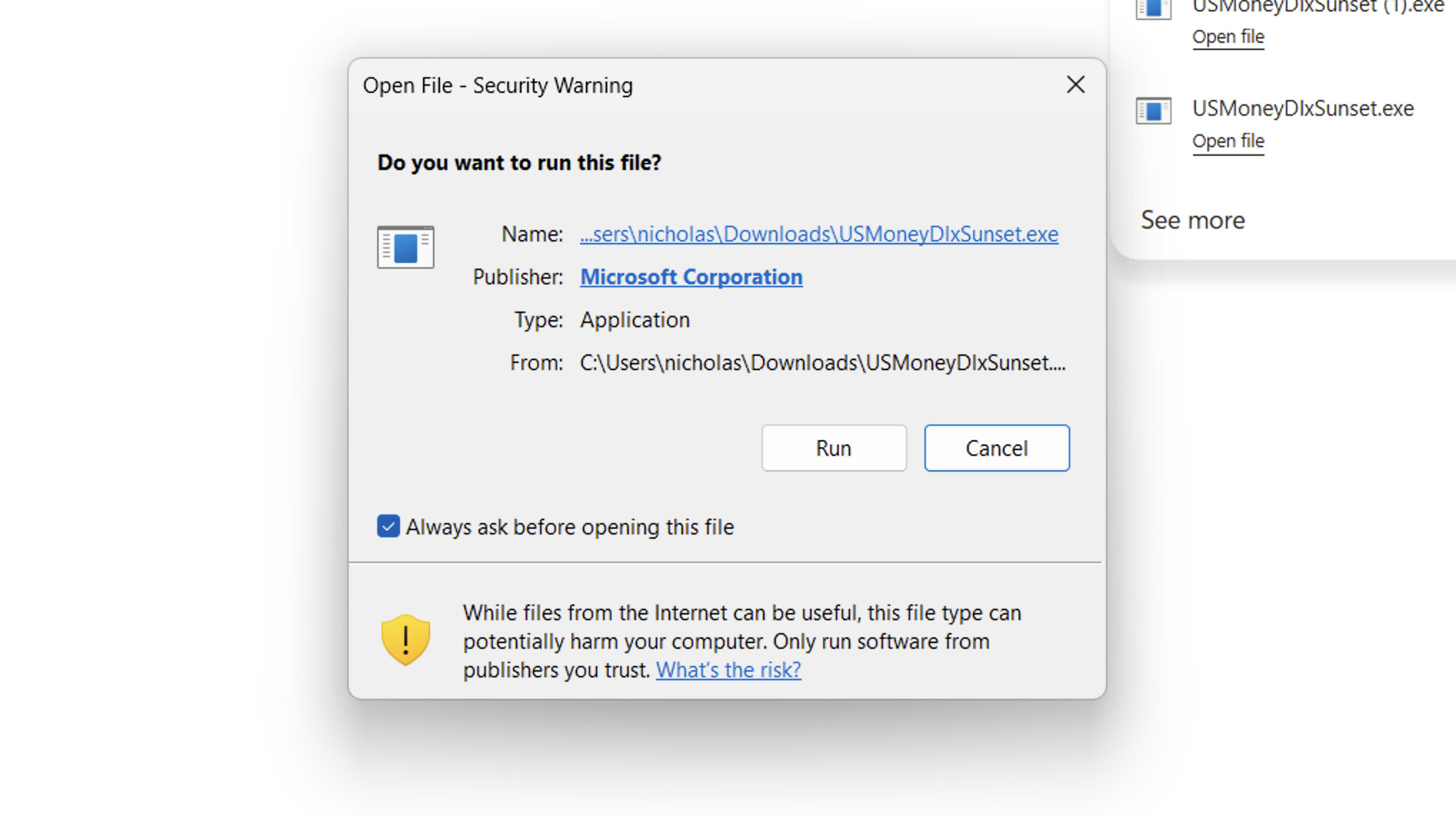
Inside Windows, double click the installer file and follow the setup wizard.
The installation process is straightforward and normally takes less than two minutes.
During setup, you may be asked whether you want to connect online banking services.
You can safely skip these options (they don’t work anyway) and manually enter or import your financial data instead.
Step 4: Launch Microsoft Money
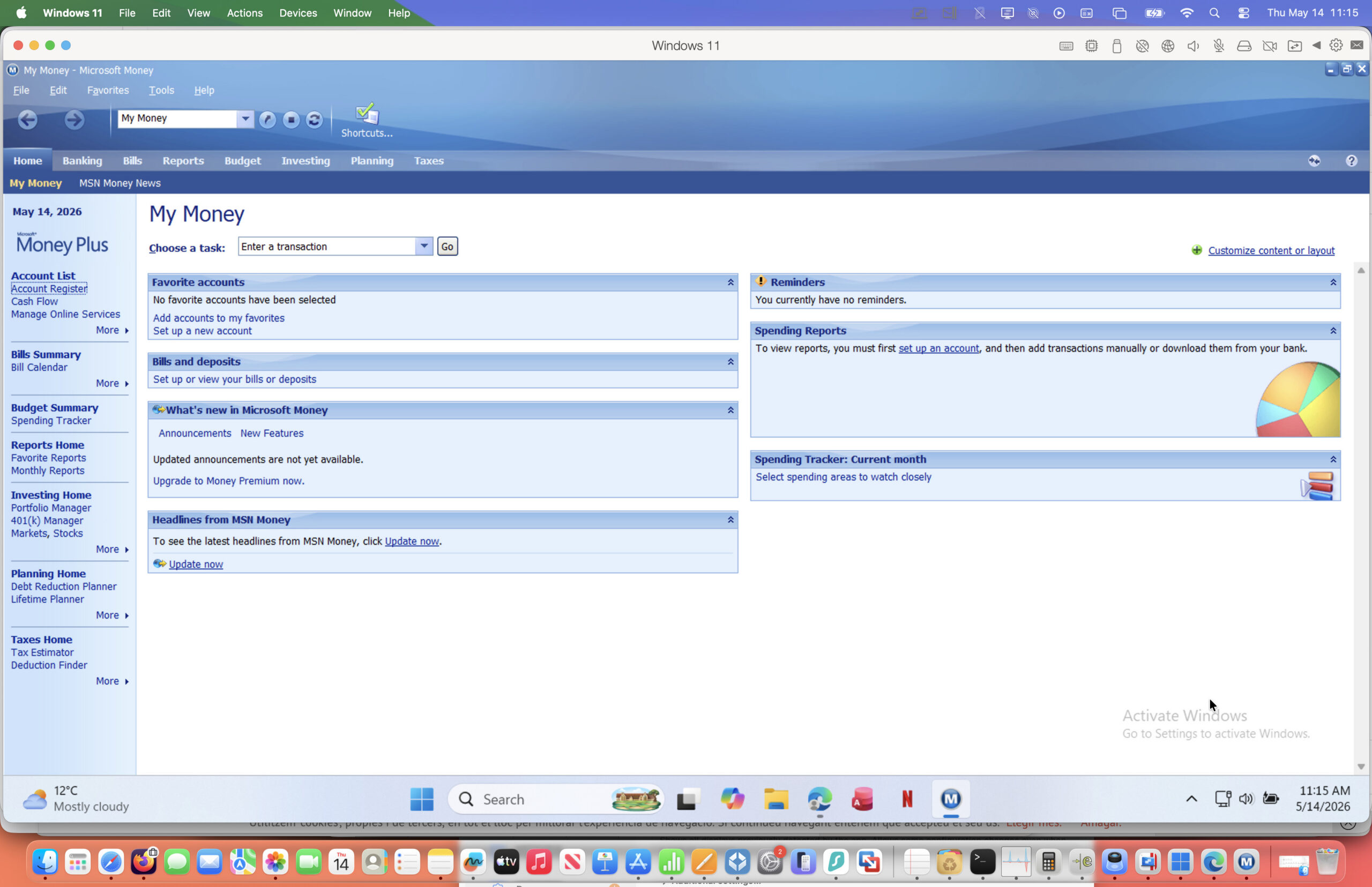
Once installation is complete, Microsoft Money should launch normally inside Windows.
You can then:
- create accounts
- import old Money files in .mny format
- track spending
- manage budgets
- monitor investments
Just as you could on older Windows PCs.
Video Tutorial
I’ve also created a full walkthrough video showing the entire installation process from start to finish which you can watch below.
As you can see in the video, the setup process is much easier than older Wineskin-based methods and usually only takes a few minutes.
Does Microsoft Money Work on Apple Silicon Macs?
Yes – surprisingly well.
Even though Microsoft Money is an old x86 Windows application, it still runs correctly on ARM-based versions of Windows used by Apple Silicon Macs.
I tested this successfully on Apple Silicon hardware running Windows 11 ARM inside Parallels Desktop.
That means Microsoft Money can still run on M1-M5 Macs without requiring any complicated patches or emulation tweaks.
Is Microsoft Money Sunset Deluxe Still Legal?
Yes.
Before discontinuing Microsoft Money, Microsoft released Microsoft Money Plus Sunset Deluxe as a free version of the software.
Although Microsoft no longer officially supports it, the software remains legal to download and use from archival sources such as the Internet Archive.
However, because online banking services tied to Microsoft Money were discontinued years ago, some online features no longer work.
Most people now use it primarily for:
- offline budgeting
- expense tracking
- investment monitoring
- opening old .mny files
Downsides of Running Microsoft Money in a Virtual Machine
Although this is the easiest method I’ve found, there are a few limitations.
You Need Windows
Because Microsoft Money is a Windows application, you still need a Windows installation running on your Mac.
Virtual Machines Use Extra Resources
Running Windows alongside macOS uses additional RAM and storage space.
For best performance, I’d recommend at least:
- 8GB RAM minimum
- 16GB RAM preferred
Some Online Features No Longer Work
Microsoft discontinued many online services years ago, including:
- automatic bank syncing
- online bill payment
- live financial updates
However, the core budgeting and financial tracking features still work perfectly well offline.
Best Modern Alternatives to Microsoft Money on Mac
Although Microsoft Money still works, many users may prefer a modern Mac-native finance app instead.
Some good alternatives include:
- Quicken Simplifi
- Moneydance
- Banktivity
- YNAB
- Empower Personal Dashboard
These apps offer features such as:
- bank syncing
- mobile apps
- investment tracking
- cloud backups
- automatic categorization
that Microsoft Money no longer supports.
For a more in-depth look, check out our look at the best Microsoft Money for Mac alternatives.
FAQ
Can Microsoft Money open old .mny files?
Yes. Microsoft Money Sunset Deluxe can still open older Microsoft Money database files including .mny files.
If you have backups from an older Windows PC, you can usually transfer them directly into your virtual machine.
Is Microsoft Money available for Mac?
No. Microsoft never released a native Mac version of Microsoft Money.
The only reliable way to run it on a Mac today is through Windows virtualization.
Does Microsoft Money work on the latest versions of macOS?
Yes. Using a virtual machine such as Parallels Desktop, Microsoft Money still works on macOS Sequoia.
Can I run Microsoft Money without Windows?
In theory, Wine-based tools may still work in some situations, but they are far less reliable on modern Macs.
Using Windows in a virtual machine is currently the easiest and most stable solution.
Is VMware Fusion better than Parallels?
VMware Fusion is free for personal use and works reasonably well.
However, I found Parallels Desktop easier to set up, more stable and better optimized for Apple Silicon Macs.