

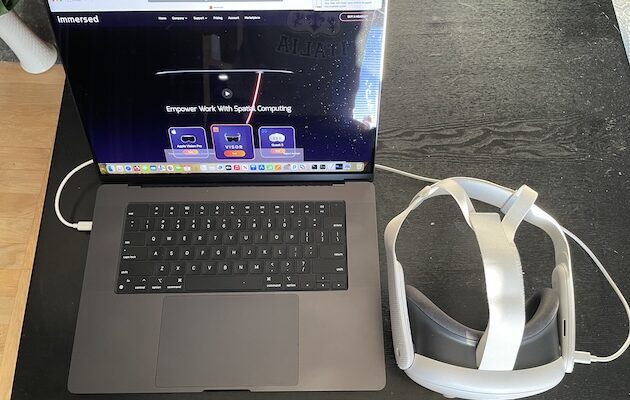
The Meta Quest 3 is the best VR headset for most Mac users in 2026. It is comparatively affordable, has the clearest optics in Meta’s current Quest range and works well with Mac virtual-desktop apps such as Immersed and Virtual Desktop.
The Apple Vision Pro is the best choice if your priority is the most seamless Mac workspace. It is the only headset here with Apple’s built-in Mac Virtual Display, but at £3,199 it is a very different purchase. The Meta Quest 3S is the sensible budget alternative, although its lower-resolution Fresnel lenses make it less comfortable for reading Mac text for long stretches.
The important caveat is that a headset can work with a Mac without turning it into a PC VR gaming machine. In 2026, macOS still has very limited native VR game support, SteamVR does not support macOS, and Meta Quest Link/Air Link PC VR requires Windows. This guide separates useful Mac compatibility from marketing claims that really mean “works with a Windows gaming PC”.
The best VR headsets for Mac at a glance
| Headset | Best for | Mac use | Price | Main drawback |
|---|---|---|---|---|
| Meta Quest 3 | Most people; virtual screens, mixed reality and standalone VR games | Third-party Mac desktop apps such as Immersed and Virtual Desktop | $599.99/£549.99 (512GB) | No native Mac PC VR or SteamVR gaming |
| Apple Vision Pro (M5) | The best integrated Mac workspace and spatial apps | Built-in Mac Virtual Display | $3,699/£3,199 | Extremely expensive; not a substitute for a PC VR gaming setup |
| Meta Quest 3S | A lower-cost entry into VR and Quest apps | The same Mac desktop-app approach as Quest 3 | $350.00/£319.99 for 128GB or $450.00/£409.99 for 256GB | Lower-resolution display and Fresnel lenses are less suited to desktop work |
*Prices checked 30 September 2026. Prices and bundles change frequently, so always check the current price before buying.
What “Mac compatible” really means
Before spending money on a VR headset, it helps to distinguish three very different things:
- Viewing and controlling your Mac in a headset: Apps such as Immersed and Virtual Desktop stream your Mac desktop into a large virtual display. This is useful for a portable private workspace, watching media or experimenting with several virtual screens.
- Using the headset’s own apps and games: Quest headsets run their own standalone apps; Apple Vision Pro runs visionOS apps. Neither needs the Mac to power those experiences.
- Running PC VR games from a Mac: This is the part that remains poor. SteamVR has no current macOS support, and Meta Quest Link is a Windows-only PC VR route. A virtual Windows machine on an Apple silicon Mac does not turn it into a VR-ready Windows PC.
In other words, a Quest or Vision Pro can make a Mac more immersive and portable, but it will not make every Mac game, CAD package or social-VR app work in full VR. If that is your goal, read our guide to SteamVR on Mac before buying any hardware.
1. Meta Quest 3 — Best VR headset for most Mac users
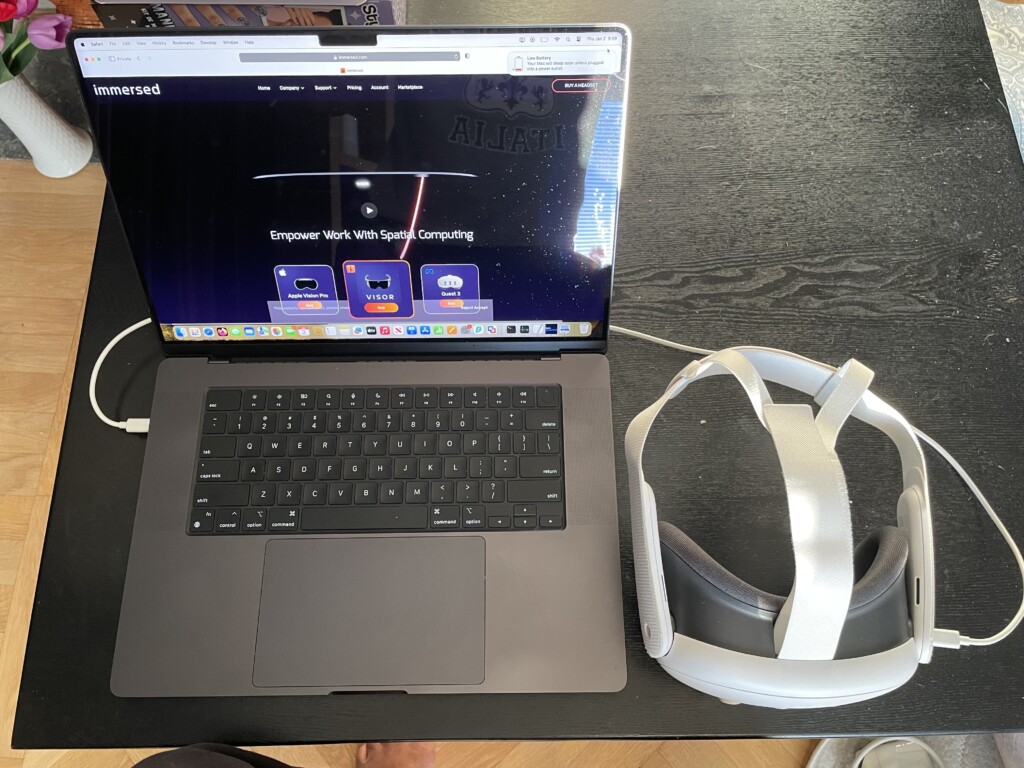
The Meta Quest 3 is the best all-round choice for Mac owners because it combines a strong standalone VR and mixed-reality library with genuinely useful Mac screen-sharing options. You do not need a gaming PC to use its own apps, and you are not paying Vision Pro money simply to create a large virtual workspace.
For working with a Mac, the reason to choose Quest 3 rather than the cheaper Quest 3S is its optics. Quest 3 has pancake lenses, continuous interpupillary-distance adjustment and a 2,064 × 2,208 resolution per eye. That makes text, browser tabs, timelines and spreadsheets noticeably easier to read than on the Quest 3S, which uses Fresnel lenses and a lower-resolution display.
How to use Meta Quest 3 with a Mac
The two most useful options are:
- Immersed: Best for building a virtual workspace. It supports Mac virtual displays on macOS 11 Big Sur or later, so you can create screens without connecting physical monitors. It is the best starting point if you want to work in apps such as Safari, Final Cut Pro, Logic Pro, Microsoft 365 or a code editor.
- Virtual Desktop: Useful for viewing and controlling a Mac desktop in a headset, particularly for media and a simple large-screen setup. However, do not confuse it with a route to Mac SteamVR games: Virtual Desktop’s own requirements say that PC VR game streaming needs a VR-ready Windows PC.
Both depend heavily on your local network. Keep the headset and Mac on a fast, reliable Wi-Fi network; wiring the Mac to the router where possible normally reduces lag. For a step-by-step setup, see our full guide on how to use a Meta Quest with a Mac.
Important 2026 update: Ignore older setup guides that recommend Meta Horizon Workrooms. Meta discontinued the standalone Workrooms app in February 2026, so it should no longer influence a buying decision or be presented as the main way to use Quest with a Mac.
What Quest 3 is good for
- Creating a large, private virtual Mac display without carrying an external monitor.
- Using several virtual Mac screens through Immersed.
- Playing the large standalone Quest game, fitness and entertainment library.
- Watching 2D, 3D and 360-degree video in a more immersive environment.
- Developing and testing standalone Quest apps from a Mac using tools such as Unity and Meta Quest Developer Hub.
What Quest 3 cannot do on a Mac
- Run SteamVR games from macOS.
- Use Quest Link or Air Link to turn an Apple silicon Mac into a PC VR host.
- Make a Mac-only application automatically become a tracked VR application.
- Reliably replace a physical monitor for every full working day; comfort, battery life and network latency still matter.
At $599.99/£549.99 for the 512GB model at the time of writing, it is not cheap. But it is far less expensive than Vision Pro and, for most people, offers the best balance of text clarity, standalone apps and practical Mac integration.
Pros
- Best value all-round headset for Mac users.
- Pancake lenses are much better for virtual Mac screens than Quest 3S’s Fresnel lenses.
- Strong standalone library for games, fitness, video and mixed reality.
- Immersed and Virtual Desktop give it useful Mac desktop options.
Cons
- Mac integration relies on third-party apps rather than native macOS support.
- No current path to SteamVR or Quest Link PC VR from a Mac.
- A good home Wi-Fi setup is essential for a convincing desktop experience.
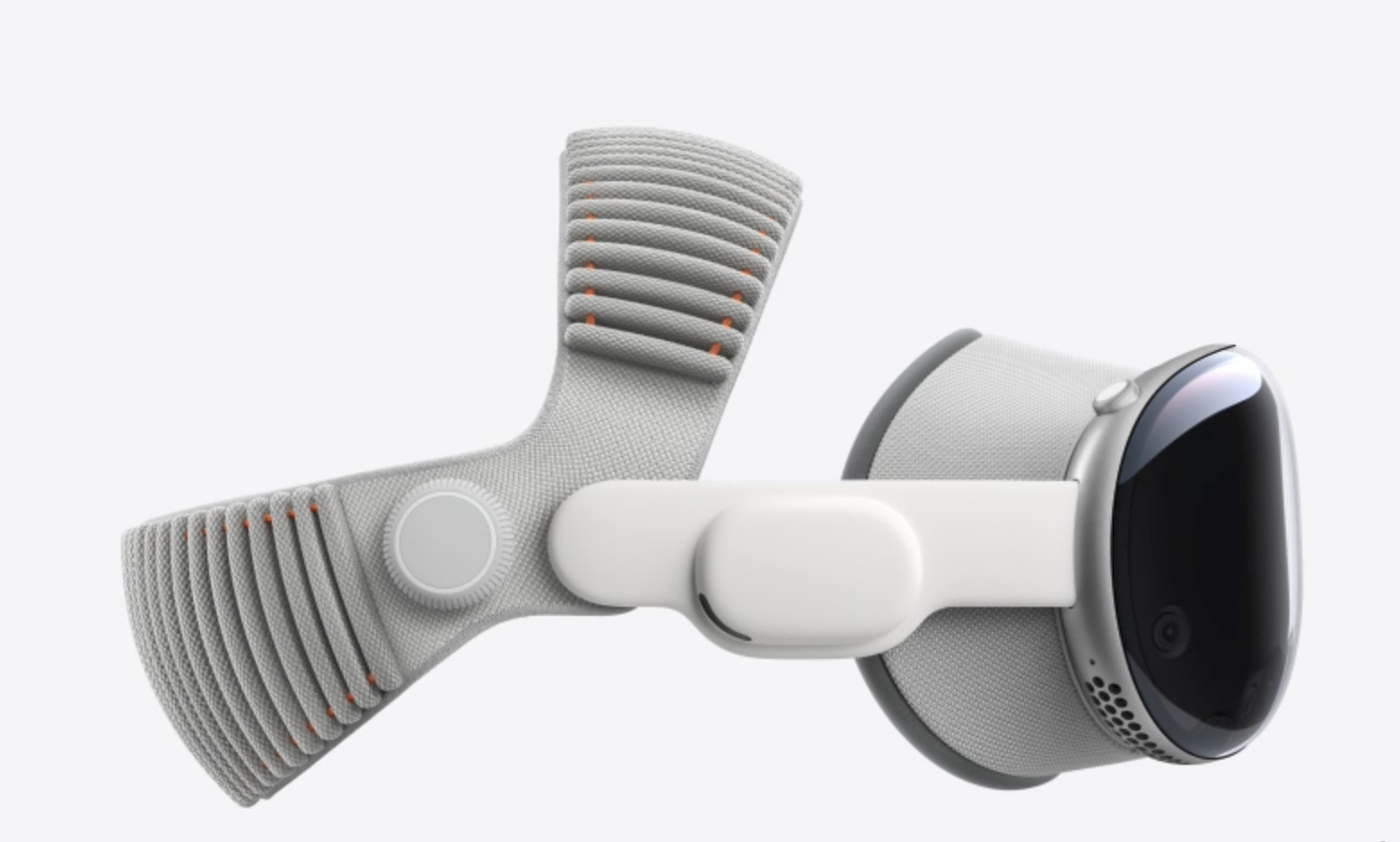
Apple calls the Apple Vision Pro a spatial computer rather than a VR headset, but it is the most polished way to use a Mac in an immersive workspace. It is the only option in this guide with Mac Virtual Display built into the platform; there is no separate desktop streamer or third-party account required just to connect your Mac.
The current M5 model starts at $3,699 in the USA and £3,199 in the UK. That makes Vision Pro a specialist purchase, not a value recommendation, but it is exceptionally compelling for someone who already works deeply in Apple’s ecosystem and wants a private, portable Mac screen alongside native visionOS and compatible iPad apps.
Why Vision Pro is the best Mac companion
Mac Virtual Display works with a Mac running macOS Sonoma or later. With an Apple silicon Mac running macOS Sequoia 15.2 or later, it can offer Standard, Wide and Ultrawide display modes. The Ultrawide option is a curved 32:9 workspace with up to 10,240 × 2,880 pixels, so it can feel like an enormous wraparound monitor without taking over a desk.
You can use your normal Mac keyboard, trackpad or mouse with the virtual Mac display and move on to visionOS windows when needed. It is a much more integrated experience than streaming to a Quest: notifications, audio and input devices behave as part of the Apple ecosystem rather than through a remote-desktop layer.
There are two limitations worth knowing before you buy:
- Vision Pro connects to one Mac at a time, and Mac Virtual Display shows the Mac’s primary display rather than reproducing several independent physical Mac monitors.
- It is excellent for Mac work and spatial media, but it does not unlock the Windows PCVR libraries that run through SteamVR or the Meta Link stack.
For a MacBook on a train, hotel desk or quiet room, Vision Pro is arguably unmatched. For occasional VR games, fitness or a family entertainment headset, it is hard to justify at this price.
Pros
- The best and most seamless Mac virtual-display experience.
- Supports a wide or 32:9 Ultrawide virtual Mac workspace on Apple silicon Macs.
- High-quality passthrough, eye-and-hand input and a growing visionOS app ecosystem.
- No need to depend on a third-party Mac screen-sharing app for the core Mac connection.
Cons
- $3,699/£3,199 starting price is far beyond most VR budgets.
- Not designed to replace a Windows PC VR setup.
- One virtual Mac display, not several independent Mac monitors.
- Fit, external battery and long-session comfort are important to try in person before buying.
3. Meta Quest 3S — Best budget VR headset for Mac
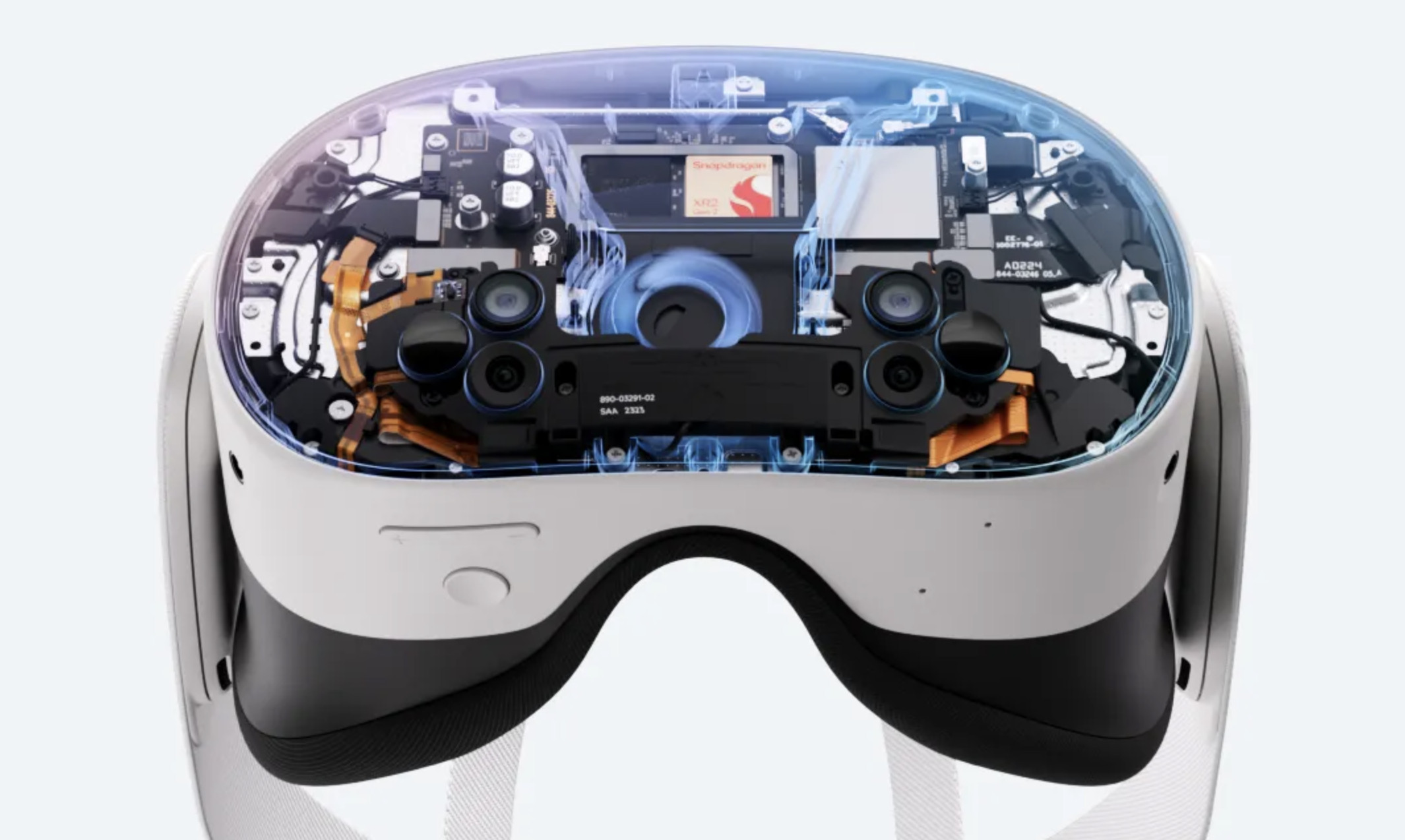
The Meta Quest 3S is the right choice if you want to try VR, play Quest games or use an occasional virtual Mac screen while keeping the cost down. It uses the same Snapdragon XR2 Gen 2 chip and has access to the same core Quest app ecosystem as Quest 3, including Immersed.
Where it compromises is the part that matters most for serious Mac work: the display and lenses. Quest 3S has a 1,832 × 1,920 resolution per eye, Fresnel lenses and a narrower 96° horizontal field of view. It is perfectly respectable for standalone games, films and short desktop sessions, but text is less consistently sharp across the lens than on Quest 3.
At $350.00/£319.99 for 128GB or $450.00/£409.99 for 256GB, it costs considerably less than Quest 3. Choose it if the budget difference is decisive; choose Quest 3 if you expect to spend real time in front of virtual Mac screens.
Pros
- The lowest-cost practical route to Quest apps and a Mac virtual display.
- Same core standalone performance and full-colour passthrough approach as Quest 3.
- Good for first-time VR buyers, games, media and occasional productivity.
Cons
- Fresnel lenses and lower resolution are a meaningful downgrade for Mac desktop work.
- The same Mac PCVR limitations as Quest 3 apply.
- The base model’s 128GB fills faster if you install many large games or download video.
VR headsets you should not buy specifically for a Mac
The old version of this article included products such as the HTC Vive XR Elite, PlayStation VR2 and Pimax Crystal. They may be excellent for their intended platforms, but they are not sensible recommendations for a Mac user who wants a dependable VR setup.
- PlayStation VR2 is built for PlayStation 5. Its PC adapter is for supported Windows PCs, not macOS.
- Pimax Crystal, Valve Index, Bigscreen Beyond and most tethered HTC Vive headsets depend on Windows PCVR software, usually SteamVR.
- Intel Macs running Windows through Boot Camp can sometimes be made to work with older PCVR hardware, but this is now a niche legacy route. Apple silicon Macs cannot use Boot Camp, and an expensive headset plus a fragile Windows configuration is not a good new purchase for a Mac-only household.
If you already own a Windows gaming PC, the answer changes: buy the headset that suits that PC and use the Mac separately. But do not buy a Windows PCVR headset on the assumption that a USB-C cable or a Windows virtual machine will make it work with a modern Mac.
Can you play VR games on a Mac in 2026?
Not in the same way you can on a Windows gaming PC. There are still very few native macOS VR games, and SteamVR support for macOS was dropped years ago.
That does not make a Quest or Vision Pro pointless for gamers:
- A Quest 3 or Quest 3S can play native standalone Quest games without the Mac.
- A Vision Pro has its own visionOS and Apple Arcade-compatible experiences.
- You can play ordinary flat games on a giant virtual screen, including via a streaming service, but that is not the same as native tracked VR gameplay.
- If you also own a capable Windows gaming PC, Virtual Desktop can stream compatible PC VR games to a Quest over your home network. The Windows PC, not the Mac, does the VR work.
Installing Windows in Parallels, VMware Fusion or another virtual machine on an Apple silicon Mac does not provide the GPU driver stack required for PC VR. If Windows gaming is your priority, see our guide to running Windows on a Mac before treating it as a VR solution.
Which VR headset should you buy for a Mac?
Choose the Meta Quest 3 if you want the best overall mix of price, image clarity, virtual Mac screens and standalone VR games. It is the recommendation for almost every Mac owner who wants to get started.
Choose Apple Vision Pro if a private, high-quality Mac workspace is the main reason you are buying a headset, you have an Apple silicon Mac and the £3,199 price is acceptable. It is the best Mac integration here, but not the best value.
Choose Meta Quest 3S if you mainly want affordable standalone VR and will only use the Mac desktop feature occasionally. For frequent writing, editing or spreadsheet work, the extra cost of Quest 3 is worth it for the lenses alone.
FAQ
Does Meta Quest 3 work with a Mac?
Yes, but through Mac desktop apps such as Immersed and Virtual Desktop rather than a native Meta PC VR connection. It is good for displaying and controlling your Mac in a virtual workspace, but it cannot use Quest Link/Air Link to run PC VR games from macOS.
Can Apple Vision Pro replace multiple Mac monitors?
It gives you one Mac Virtual Display that can be Standard, Wide or Ultrawide on a compatible Apple silicon Mac. It does not mirror several physical Mac monitors as separate independent Mac displays, although you can arrange visionOS windows around the virtual Mac screen.
Can I use any VR headset with a Mac?
No. Most dedicated PC VR headsets require a Windows PC and SteamVR. For a modern Mac, Meta Quest 3, Meta Quest 3S and Apple Vision Pro are the practical choices covered here.
Does Virtual Desktop let me play SteamVR games on a Mac?
No. Virtual Desktop can stream a Mac desktop, but its PC VR game-streaming feature needs a VR-ready Windows 10 or Windows 11 PC. It does not make SteamVR work on macOS.
Is Meta Quest 3S good enough for working on a Mac?
It is fine for occasional use, but Quest 3 is much better for regular work. Quest 3S’s Fresnel lenses and lower resolution make text less clear, especially towards the edges of the view.
Can I develop Meta Quest apps on a Mac?
Yes. A Mac can be used to build standalone Quest apps with development tools such as Unity and Meta Quest Developer Hub. That is different from using the Mac as a host for Windows PC VR games: Meta Quest Link remains Windows-only for that purpose.
The bottom line
For most people, Meta Quest 3 is still the best VR headset for a Mac. It does the useful things — virtual Mac screens, media and standalone VR — without pretending that macOS has become a Windows PCVR platform.
If you want the most refined Mac experience and can afford it, Apple Vision Pro is in a class of its own. If you simply want the cheapest credible way into VR, buy the Meta Quest 3S. Avoid buying a Windows-only PCVR headset purely for a modern Mac.