

BenQ has released a bewildering number of Mac-compatible monitors over the past few years, but the BenQ PV3250U has a much more specific purpose than most.
The 31.5-inch display is part of BenQ’s Creative Pro PV50 range and is designed primarily for professional video editing software, color grading and post-production rather than general office work.
That difference matters because the headline specification is not its 4K resolution. There are much cheaper 4K monitors for Mac if all you want is a large desktop.
The PV3250U instead puts its money into a 3000:1 IPS Black panel, accurate low-grey reproduction, hardware calibration with a 16-bit 3D LUT, 100% Rec.709 coverage, a 120Hz refresh rate and a set of inspection tools for checking shadows, framing and fine detail.
It is also unusually well equipped for a Mac setup. Thunderbolt 4 carries video, data and up to 96W of charging through one cable, while BenQ’s unique M-book mode is intended to bring the display closer to the color of a MacBook screen.
At an MSRP of $1,599.99 and a UK street price of roughly £1,400 at the time of writing, it costs about as much as the standard Apple Studio Display. However, the two monitors prioritize completely different things.
The Apple display gives you a sharper 27-inch 5K screen, a camera, microphones, speakers and exceptionally simple macOS integration. The PV3250U gives you a bigger 32-inch canvas, 120Hz, hardware calibration, much more connectivity and specialist tools for video production.
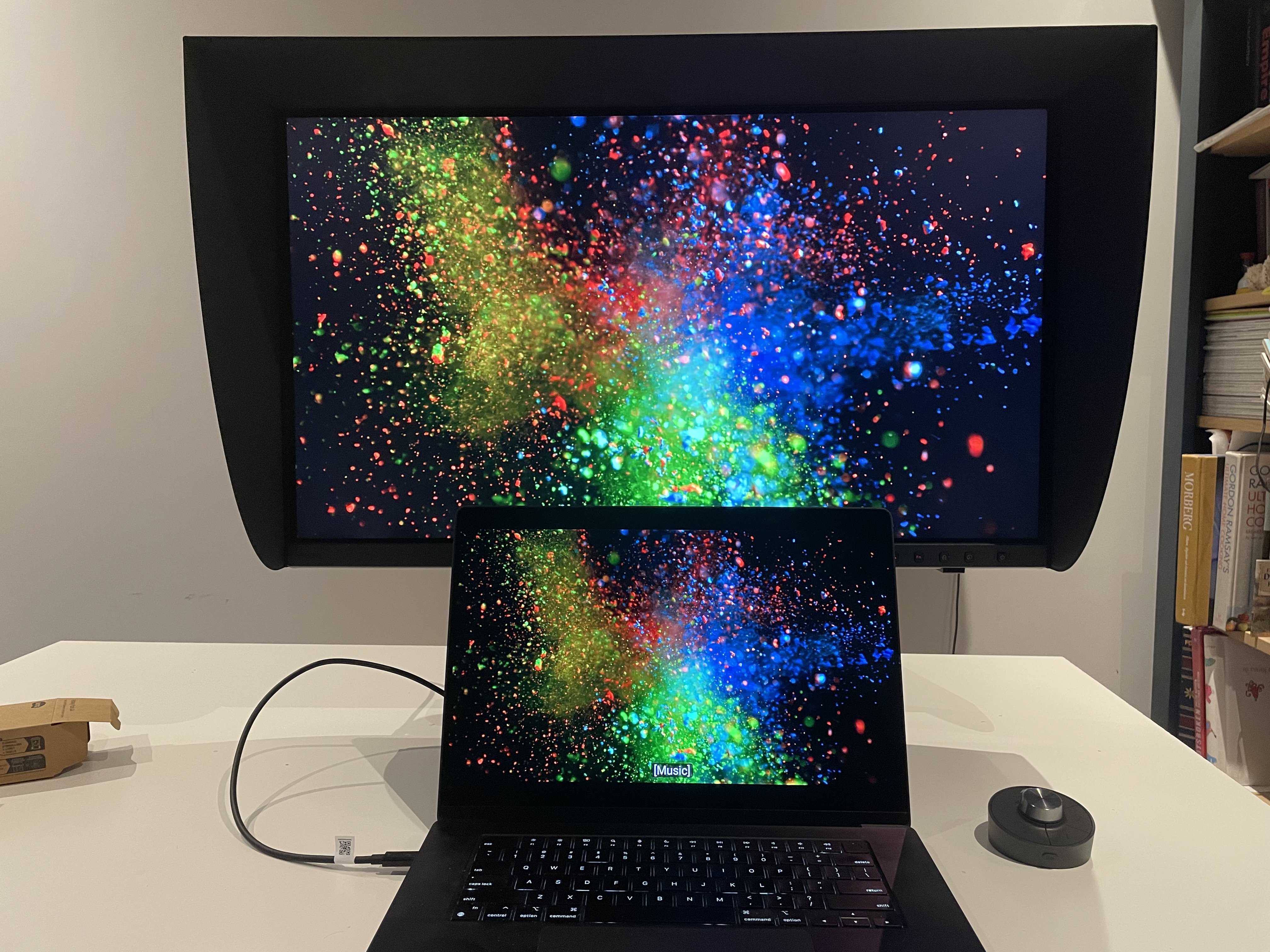
We connected the PV3250U to an M3 MacBook Pro running macOS Golden Gate to see whether those advantages justify paying premium-display money for a 4K monitor.
What Makes the PV3250U Different?
The PV3250U is built around one problem that ordinary IPS monitors often handle poorly: dark scenes.
Standard IPS panels commonly have a native contrast ratio of around 1000:1. The PV3250U uses an IPS Black panel rated at 3000:1, which should produce deeper blacks and make subtle tonal steps in shadows easier to distinguish.
BenQ has tuned the monitor around Rec.709 gamma 2.4 workflows and says it can reach a 0.03-nit black level under those conditions. Its Shadow Check mode can temporarily lift dark regions to reveal details, artifacts or cleanup problems without altering the source footage.
This does not make it a true HDR mastering monitor. It has VESA DisplayHDR 600 certification and can reach a claimed 600 nits with HDR content, but it does not have the thousands of local-dimming zones or the much higher peak brightness of Apple’s Studio Display XDR.
The PV3250U’s strongest case is therefore accurate SDR and Rec.709 work, with HDR10 and HLG support for previewing and reviewing HDR material.
What’s in the Box?
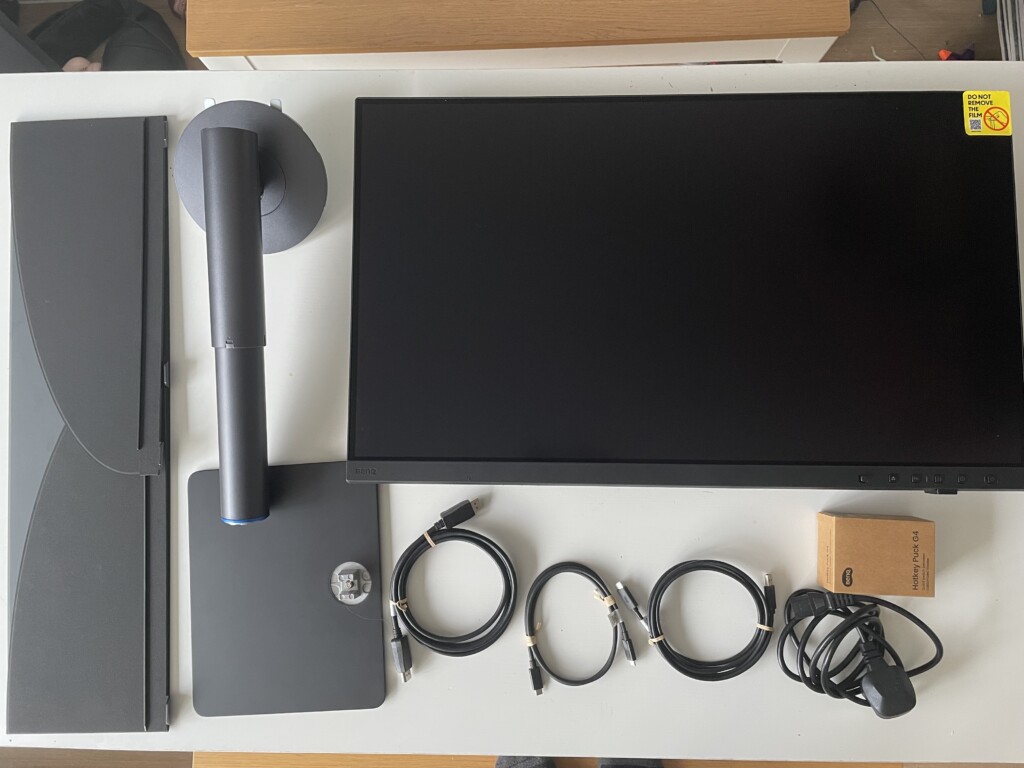
BenQ lists the following items with the PV3250U, although the supplied cables can vary by country:
- PV3250U monitor
- Stand and base
- Magnetic landscape shading hood
- Wireless Hotkey Puck G4
- Factory calibration report
- Power cable
- Thunderbolt 4 cable
- DisplayPort 1.4 cable
- USB upstream cable
- Quick-start and safety documentation
The monitor, stand and hood weigh 10.63kg in total, so this is a much heavier package than the MA-series monitors.
BenQ PV3250U Specifications
| Specification | BenQ PV3250U |
|---|---|
| Screen size | 31.5 inches |
| Panel | IPS Black, matte finish |
| Resolution | 3840 x 2160 (4K UHD) |
| Pixel density | 140 PPI |
| Refresh rate | Up to 120Hz |
| Response time | 5ms GtG |
| Typical brightness | 450 nits |
| Peak HDR brightness | 600 nits |
| HDR formats | HDR10, HLG, VESA DisplayHDR 600 |
| Native contrast | 3000:1 |
| Color coverage | 100% sRGB, 100% Rec.709, 99% P3 |
| Displayed colors | 1.07 billion |
| Color modes | Shadow Check, DCI-P3, Display P3, Rec.709, sRGB, HDR, M-book, B+W, Calibration 1-3 and User |
| Calibration | Hardware calibration; internal 16-bit 3D LUT; factory report supplied |
| Inputs | 1 x Thunderbolt 4, 1 x HDMI 2.1, 1 x DisplayPort 1.4 |
| Thunderbolt output | 1 x Thunderbolt 4 with up to 15W power delivery |
| USB hub | 1 x USB-C upstream, 1 x USB-C downstream, 3 x USB-A downstream; up to 10Gbps |
| MacBook charging | Up to 96W through Thunderbolt 4 |
| Audio | 3.5mm headphone output with ESS DAC; no speakers |
| KVM / PIP / PBP | Yes / Yes / Yes |
| Stand adjustment | 115mm height, -5 to 20 degree tilt, 30 degrees each-way swivel, 90-degree pivot |
| VESA mounting | 100 x 100mm |
| Dimensions with stand | 714.4mm wide x 476.98-591.89mm high x 241.98mm deep |
| Weight | 9.8kg without hood; 10.63kg with hood |
PV3250U Design
The PV3250U looks more like professional studio equipment than an Apple-style lifestyle monitor.
It has a matte-black finish, slim bezels around three sides and a thicker lower bezel containing the BenQ model number and backlit on-screen display controls.
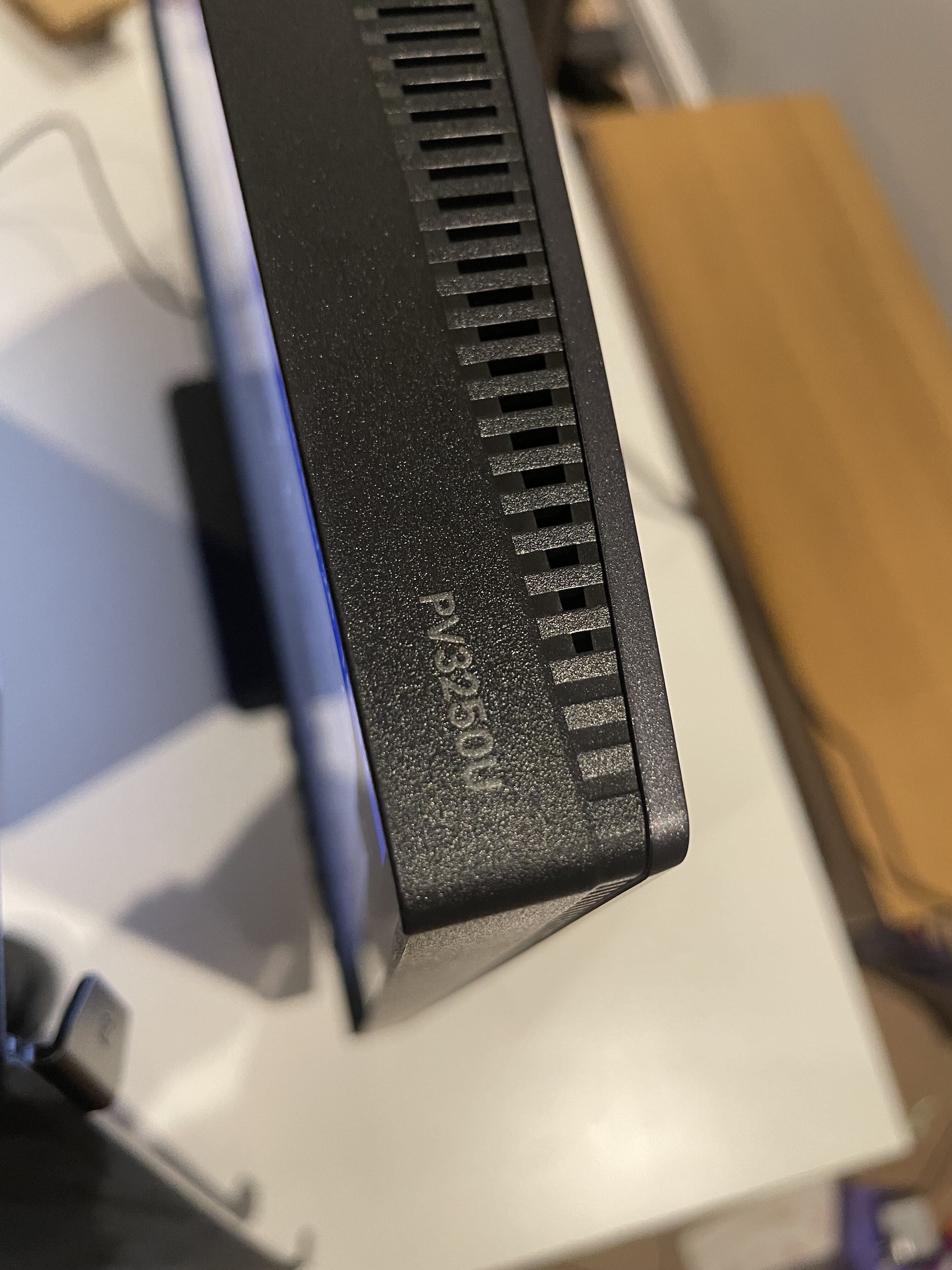
The supplied stand supports height, tilt, swivel and 90-degree pivot adjustment. At its lowest setting, the complete display measures about 714mm wide, 477mm high and 242mm deep. Attaching the hood increases its depth to approximately 353mm, which is worth considering if your desk is shallow.
The display can also be attached to a 100 x 100mm VESA arm or wall mount.
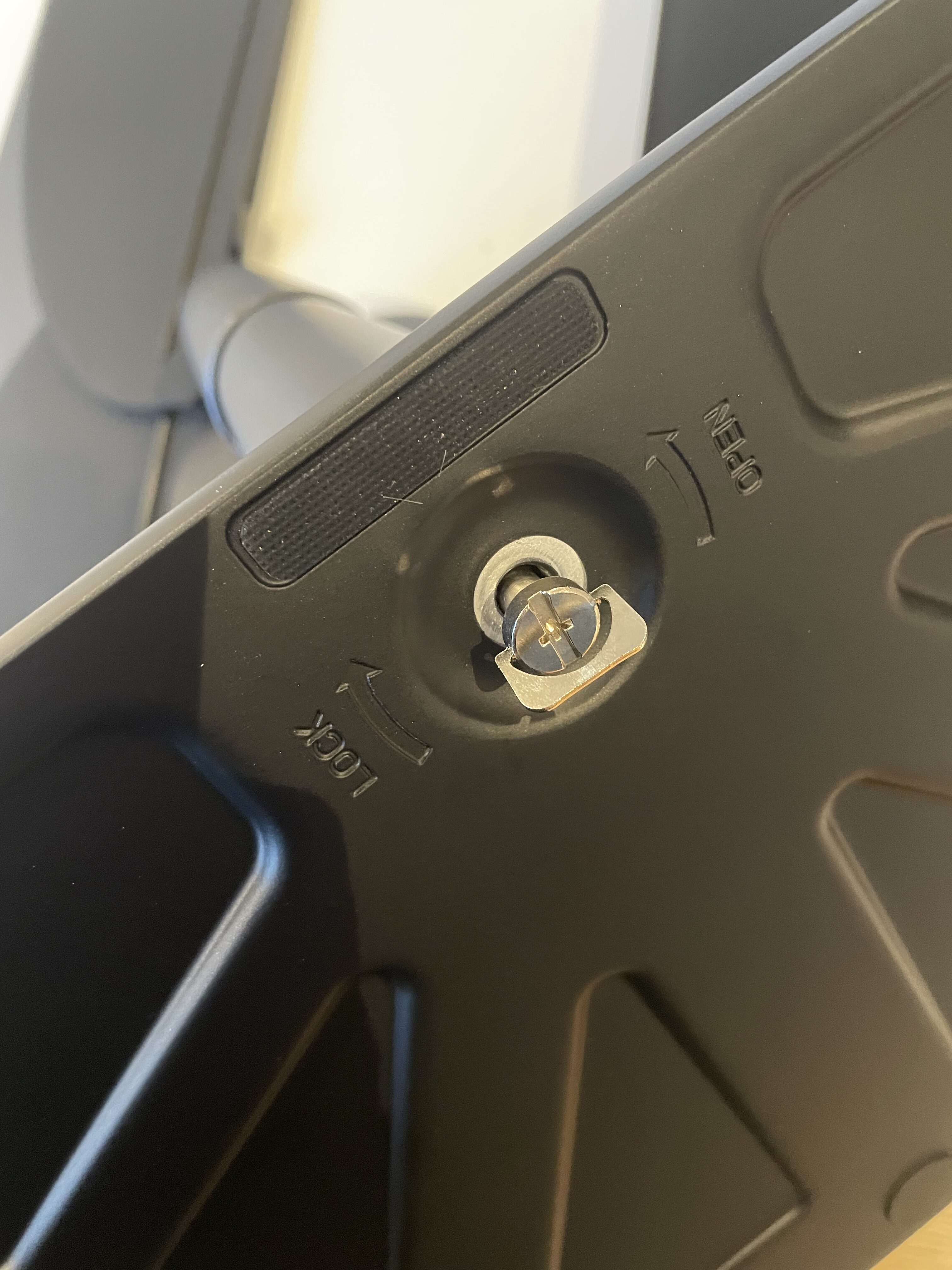
BenQ’s setup guide shows a tool-free assembly: the stand clips into the rear of the panel and the base is secured with a built-in thumbscrew.
Setup and Connectivity
The PV3250U has a built-in power supply, so there is no external power brick to hide beneath the desk.
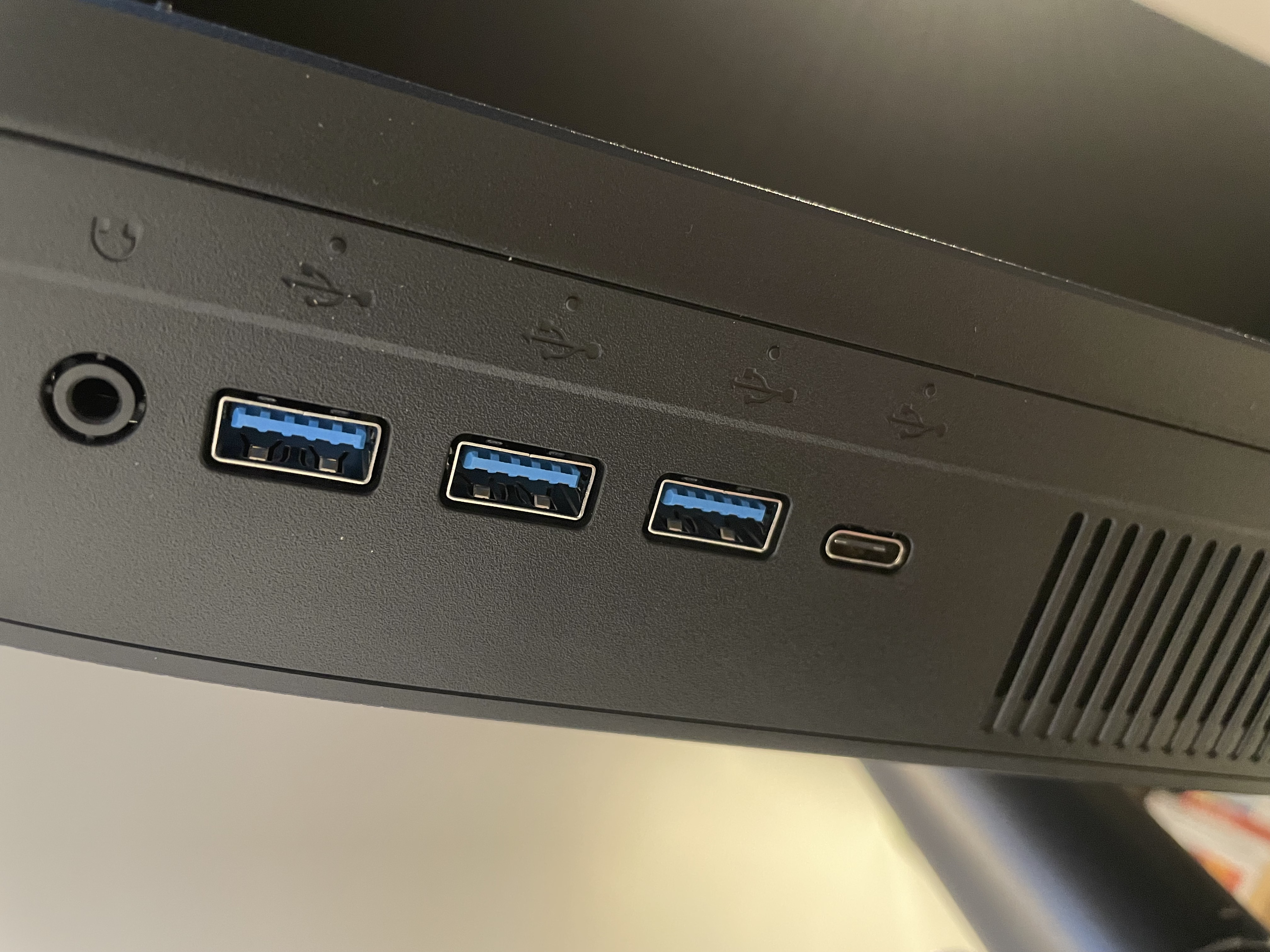
Its connections include:
- 1 x Thunderbolt 4 input with video, data and up to 96W power delivery
- 1 x Thunderbolt 4 output with up to 15W power delivery
- 1 x HDMI 2.1
- 1 x DisplayPort 1.4
- 1 x USB-C upstream port with 10Gbps data
- 1 x USB-C downstream port with 10Gbps data and up to 7.5W charging
- 3 x USB-A downstream ports with 10Gbps data and up to 7.5W charging
- 1 x 3.5mm headphone output with an ESS DAC
That is a far more extensive selection of ports than the standard Apple Studio Display offers, especially if you move between a Mac and a Windows PC or connect fast external storage, control surfaces and other studio accessories.
The upstream Thunderbolt 4 port can supply up to 96W, which is enough for most MacBook models in normal use. Owners of a high-end 16-inch MacBook Pro should note that it is below Apple’s maximum fast-charging wattage, however.
My M3 MacBook Pro charged reliably and continued to do so, even when I connected an SSD drive to the hub too.
Connecting the PV3250U to a Mac
For a MacBook, the simplest connection is the supplied Thunderbolt 4 cable. This should carry the display signal, USB data and charging through one cable.
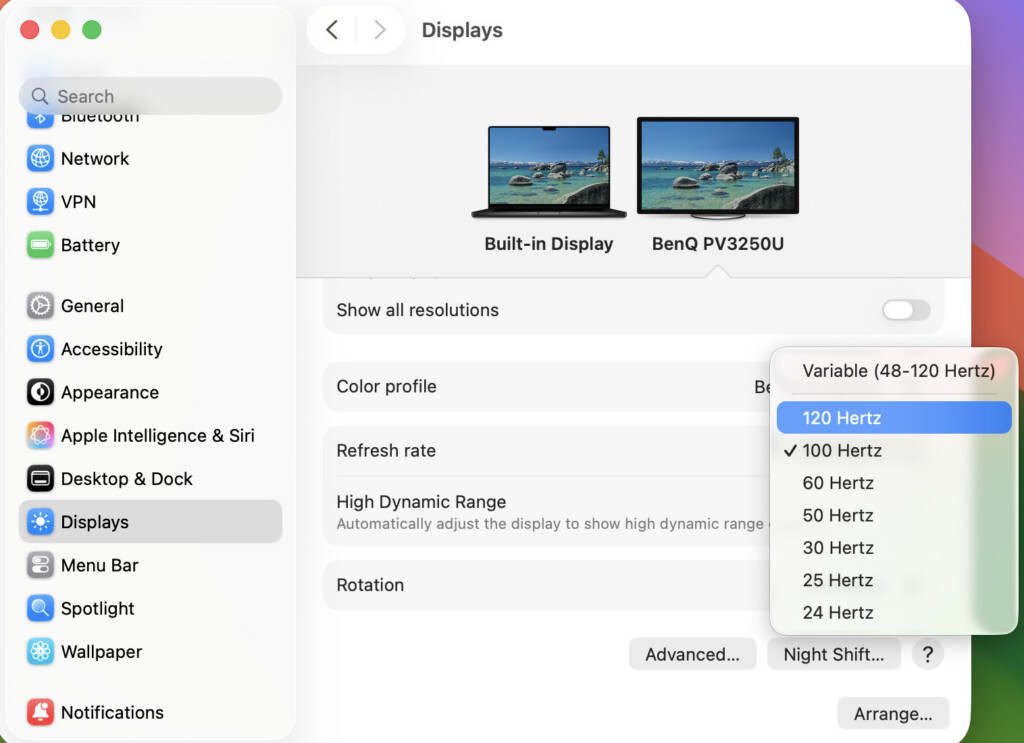
Once connected, macOS should show the PV3250U under System Settings > Displays, where you can choose a scaled resolution, refresh rate, rotation and HDR setting.
The monitor supports up to 3840 x 2160 at 120Hz, although the refresh rates macOS offers depend on the Mac, port, cable and display arrangement being used.
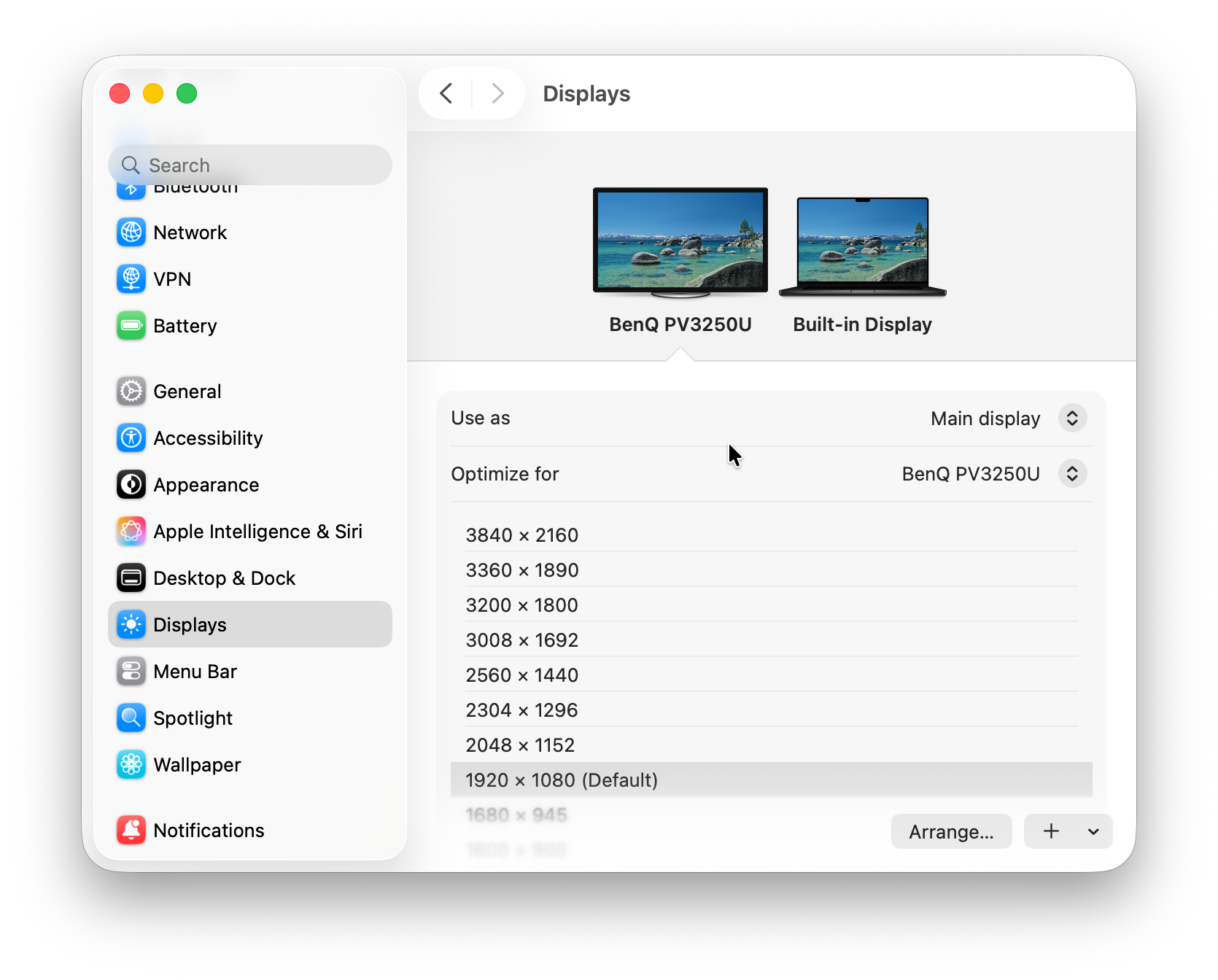
Do not assume that the display is running at 120Hz simply because the desktop appears. You need to open System Settings > Displays > Advanced or hold the Option key if necessary to reveal the available refresh-rate controls, then confirm that 120Hz is selected.
Display Pilot 2 and the Wireless Hotkey Puck
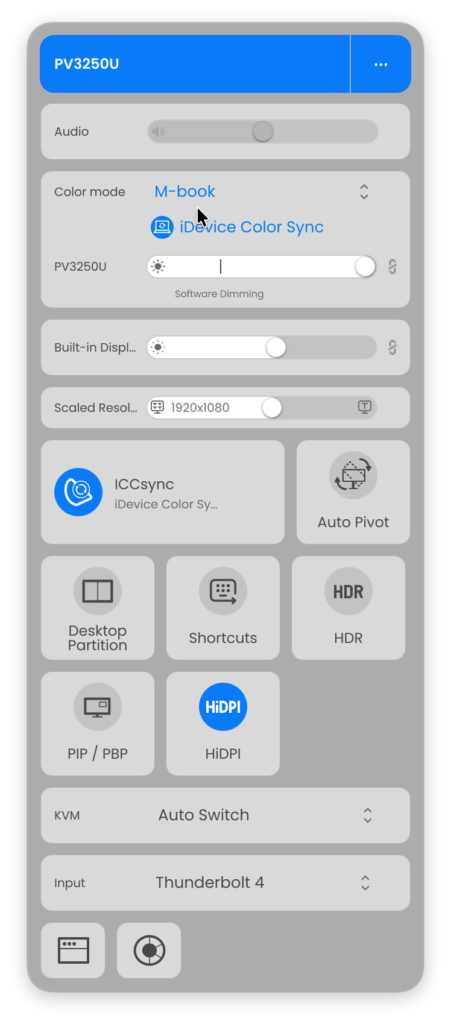
BenQ’s free Display Pilot 2 app is the easiest way to control the PV3250U from macOS.
It provides access to color modes, ICCsync, input selection, desktop partitions and other monitor settings without relying entirely on the physical on-screen display.
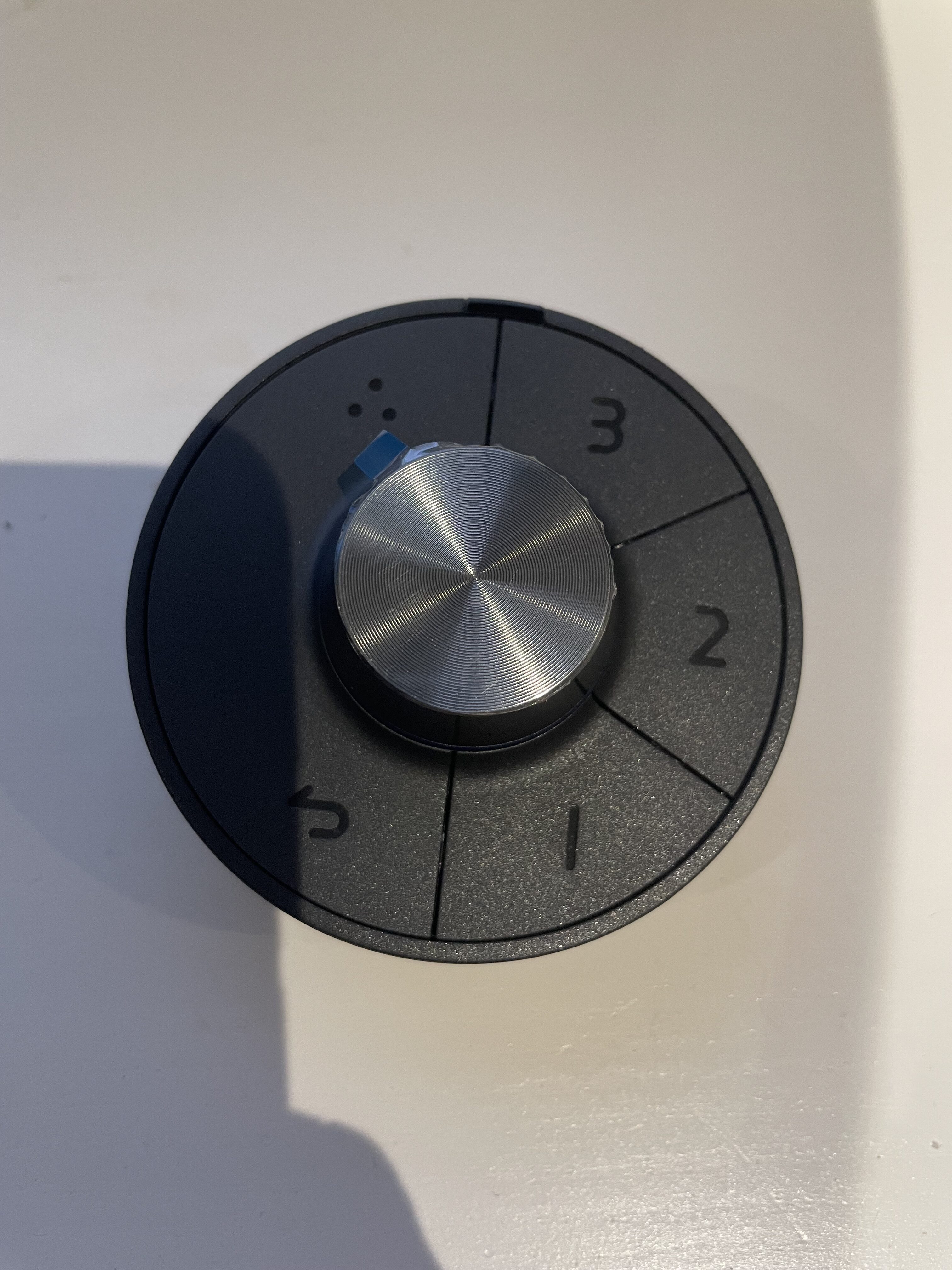
The included Wireless Hotkey Puck G4 is particularly useful on a monitor with this many modes. Its dial can adjust brightness, contrast or volume, while the three shortcut keys can be assigned to functions such as color mode, input, KVM switching or launching an application.
BenQ says up to 30 puck profiles can be used in shared environments without interference.
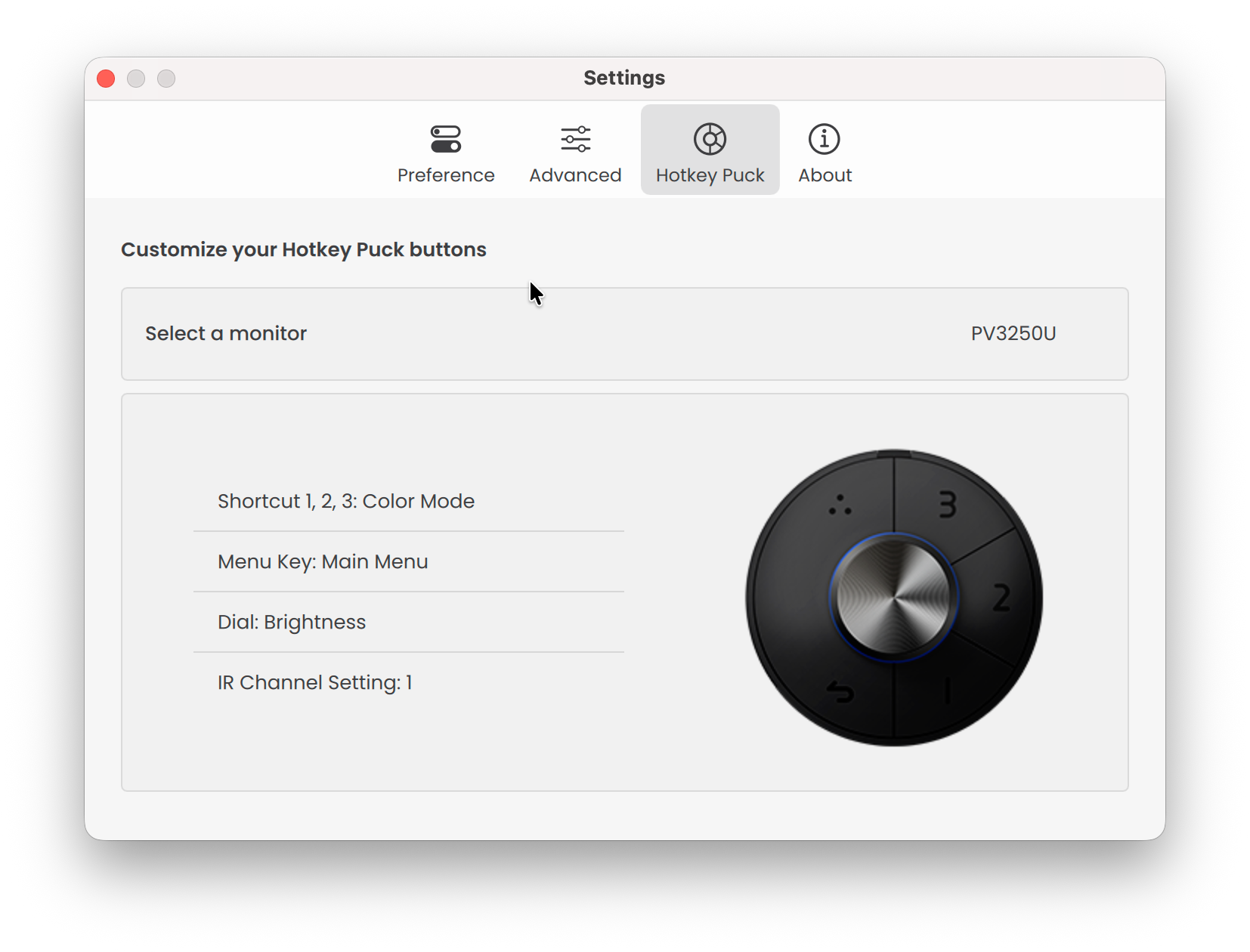
This is a significant upgrade over older wired Hotkey Pucks and should allow editors to move quickly between Rec.709, Display P3, M-book and custom calibrated modes.
The keyboard controls are a really nice touch from BenQ and you can see in the video below how you can control the brightness on the BenQ PV3250U from the keyboard of a MacBook.
Color Accuracy and Hardware Calibration
The PV3250U covers a claimed 100% of sRGB, 100% of Rec.709 and 99% of P3, and it can display 1.07 billion colors.
Each unit includes a factory calibration report. BenQ describes the monitor as achieving an average Delta E of 2 or less out of the box and Delta E of 1 or less after hardware calibration.
The important word here is hardware.
Software calibration changes the signal sent by macOS or the graphics hardware. The PV3250U instead stores calibration data in the monitor itself, using an internal 16-bit 3D lookup table. BenQ says this LUT maps nearly 5,000 RGB reference points to correct relationships between hue, saturation and gamut.
This should make a calibrated result more consistent when the display is connected to different computers.
Calibration is handled through BenQ’s AQCOLOR Pilot app, previously known as Palette Master Ultimate, with a supported colorimeter. The display provides three calibration slots so different targets can be stored in the monitor.
It also supports imported 3D LUT files in .cube format, which may be useful for more advanced production needs.
Shadow Detail and the 3000:1 IPS Black Panel
The biggest technical difference between the PV3250U and most professional IPS monitors is its claimed 3000:1 native contrast ratio.
The BenQ PD3225U already impressed us with its 2000:1 IPS Black contrast, but the PV3250U increases this to 3000:1 and focuses much more heavily on low-grey tracking.
For editors working to Rec.709 gamma 2.4, that should mean less black crush and a clearer distinction between near-black tones. It should also make dark footage easier to assess without raising the entire image and changing the creative intent.
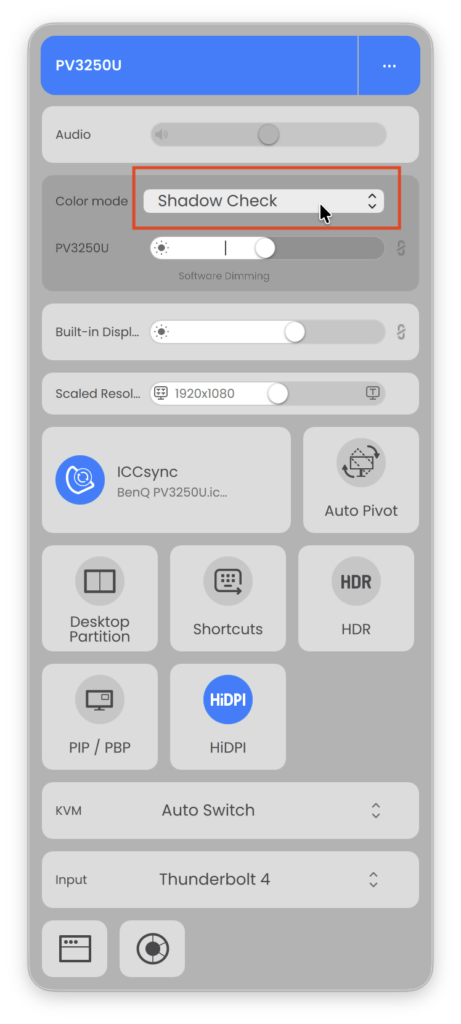
Shadow Check is designed as an inspection tool rather than a grading mode. It temporarily lifts shadow regions so you can spot noise, masking errors, compositing artifacts or unwanted objects, after which you return to the calibrated view to make the final color decision.
SDR, HDR and Brightness
BenQ rates the PV3250U at 450 nits for ordinary use and 600 nits peak with HDR content.
It supports HDR10, HLG and VESA DisplayHDR 600. This makes it useful for editing and previewing supported HDR footage, and it is much more capable in this respect than the standard Apple Studio Display, which does not provide full HDR support.
There is an important caveat. DisplayHDR 600 describes a level of capability, not parity with an expensive mastering display. The PV3250U does not advertise OLED or a high-zone-count mini-LED backlight, so it cannot reproduce the same combination of deep blacks and bright highlights as the far more expensive Apple Studio Display XDR.
For most buyers, its more meaningful advantage is likely to be excellent Rec.709 performance and shadow separation rather than spectacular HDR.
With HDR active as you can see in the video below, I didn’t notice any normal desktop content looking washed out, there was noblooming, backlight bleed or uneven blacks either
120Hz Performance
The 120Hz refresh rate makes movement noticeably smoother than on the 60Hz PD3225U or standard Apple Studio Display.
That applies not only to video playback but also to scrolling, moving windows and navigating a long editing timeline. The panel has a quoted 5ms grey-to-grey response time, which is appropriate for creative work and casual gaming, although the PV3250U does not advertise variable refresh-rate technology and is not intended to compete with a dedicated gaming monitor.
High refresh rate also does not make 24fps, 25fps or 30fps footage more detailed. Its practical benefit is smoother interface movement and more flexible playback cadence for supported frame rates.
Post-Production Inspection Tools
Alongside Shadow Check, the PV3250U includes two other useful inspection tools:
- Markers: Adds aspect-ratio and safety overlays so footage can be checked for different delivery formats without altering the source.
- Area Zoom: Magnifies a selected part of the image to check focus and fine detail.
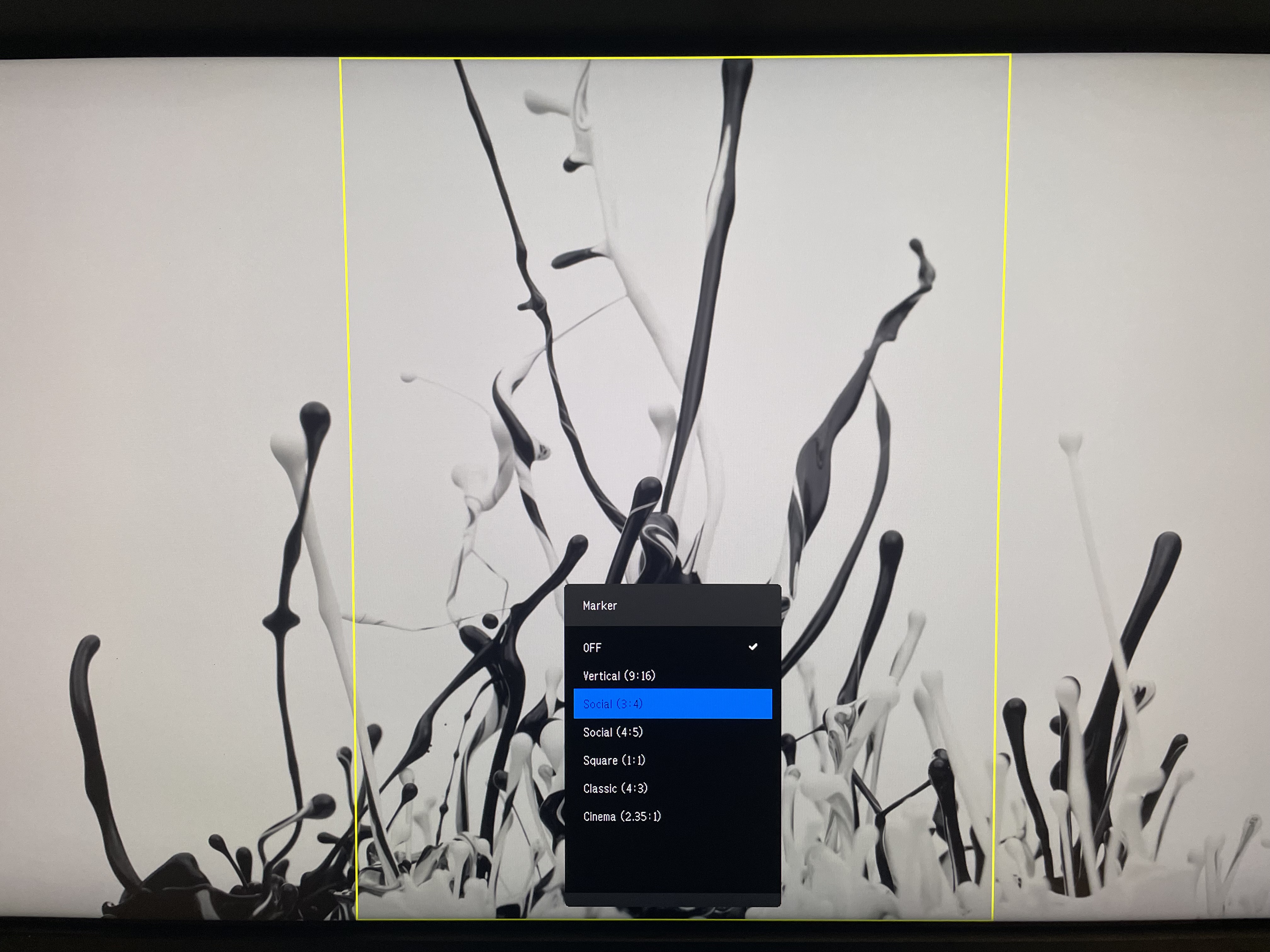
The monitor also supports Picture-in-Picture and Picture-by-Picture modes, plus GamutDuo for comparing content in two color spaces side by side.
These are features that make more sense in a production suite than in an ordinary home office. Whether they are worth paying for depends on how often they prevent you from changing software views, adding temporary guides or moving to another display.
M-book Mode and iDevice Color Sync
The PV3250U includes BenQ’s M-book mode, which is intended to make its color appearance more closely match a MacBook or Mac display.
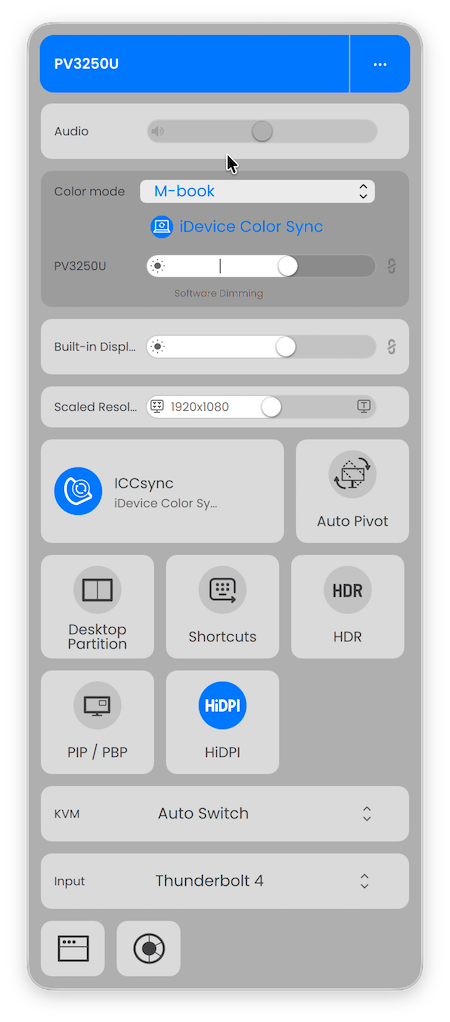
This is useful when the MacBook remains open beside the monitor or when a client is comparing the same project across both screens.
There is also an iDevice Color Sync mode for previewing how content is likely to appear on an iPhone or iPad before export.
These modes are convenient previews, but they are not substitutes for a measured, color-managed workflow. Ambient light, display brightness, True Tone, Night Shift and the settings on the Apple device can all affect a visual comparison.
KVM and Multiple Computers
The built-in KVM switch lets one keyboard and mouse control two connected computers. This is useful if you edit on a Mac but also keep a Windows workstation or second Mac on the same desk.
The monitor’s HDMI 2.1, DisplayPort 1.4 and Thunderbolt 4 inputs make it much more flexible than an Apple display for mixed-platform setups.
The downstream Thunderbolt 4 port can also be used for a compatible display chain. However, the number of external displays a Mac can drive is determined by its exact chip and configuration, and Apple Silicon limitations still apply. BenQ specifically notes that its dual-display daisy-chain arrangement is not supported on base M1 and M2 devices.
Do not describe daisy chaining as universally supported on Mac without testing the exact Mac model involved.
Magnetic Shading Hood and Glare
The one-piece magnetic shading hood is one of the PV3250U’s most distinctive physical features.
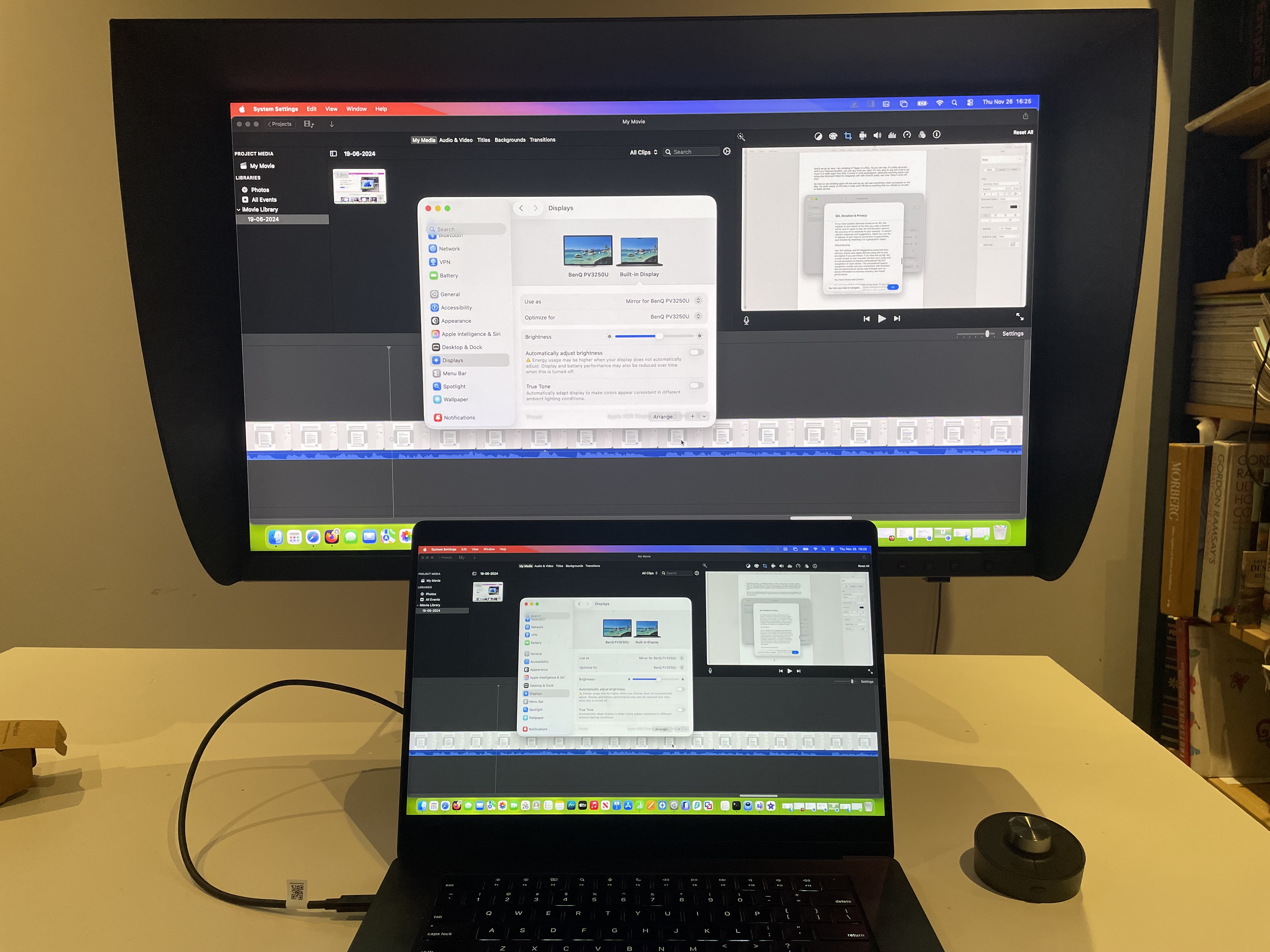
It attaches without tools and blocks light from above and both sides, including spill from a nearby monitor. This can make color and shadow judgments more consistent in a room where the lighting cannot be completely controlled.
The panel itself has a matte anti-glare coating, which is generally preferable for long editing sessions but produces a different appearance from the glossy screens used by a MacBook Pro, the BenQ MA320UG and Apple’s standard Studio Display.
To be honest, I tried using the monitor with and without the hood in a brightly lit room and I didn’t notice much difference in terms of glare or visibility.
However, it does look good and somehow gives the display a professional touch that others lack.
Adjustable Stand
The stand is extremely easy to assemble and uses a simple turnkey like most of BenQ’s monitors and then simply clips onto the back of the display.
The stand offers:
- 115mm of height adjustment
- Tilt from -5 to 20 degrees
- Swivel through 30 degrees in either direction
- 90-degree pivot into portrait orientation
Auto Pivot support can rotate compatible content when the monitor is turned vertically.
This is much more flexible than the basic stand supplied with many premium monitors, and VESA support means the panel can be transferred to a monitor arm if the large base takes up too much space.
Audio: ESS DAC but No Speakers
There are no built-in speakers in the PV3250U.
Instead, BenQ has included an ESS digital-to-analog converter in the headphone output. It is rated to drive headphones with an impedance of up to 300 ohms, which is far more relevant to audio monitoring than the weak speakers fitted to many computer monitors.
Video editors who already use studio headphones or external monitors may prefer this approach. Anyone expecting the all-in-one convenience of an Apple Studio Display will need to budget for separate audio equipment.
I recommend sticking with the speakers on the MacBook Pro which are far better than you’ll find in any monitor on the market.
Is 4K Enough on a 32-inch Mac Monitor?
This is likely to be the biggest concern for Mac users.
The PV3250U has a pixel density of 140 pixels per inch. That gives you a large working area and makes 4K video easy to inspect, but it is far below the approximately 218 PPI of a 27-inch 5K Retina display.
macOS looks its sharpest when a monitor can use a clean Retina-style 2x scale. A 32-inch 4K screen normally requires a compromise between interface size and sharpness, so small text can look softer than it does on a MacBook Pro or Apple Studio Display.
For a video editor, that may be an acceptable trade: a larger 16:9 canvas can provide more room for the viewer, timeline and scopes, while the footage itself remains detailed. For someone who spends most of the day reading or writing text, a 5K monitor for Mac may be a better fit.
If the default scaling does not look right, our guide to using BetterDisplay to improve external-monitor scaling explains the available options.
Who Is the PV3250U Aimed At?
The PV3250U makes most sense for:
- Professional video editors working mainly in Rec.709
- Colorists who need reliable low-grey and shadow reproduction
- Post-production studios that need hardware calibration across multiple systems
- Mac and PC users who share one display, keyboard and mouse
- Editors who want 120Hz smoothness and a large 32-inch workspace
- Creators who need P3, HDR10 and HLG preview support as well as SDR accuracy
It is harder to justify for office work, web browsing or general home use. The BenQ MA320UG provides the same 32-inch 4K and 120Hz headline combination for far less money, while a 5K display will render macOS text more sharply.
The PV3250U premium only makes sense if you will use its hardware calibration, shadow accuracy, hood, inspection tools and studio connectivity.
PV3250U vs Apple Studio Display and Studio Display XDR
The PV3250U sits in an unusual position between Apple’s two current displays.
Compared with the standard Apple Studio Display, the BenQ offers:
- A larger 31.5-inch panel
- 120Hz instead of 60Hz
- HDR10, HLG and DisplayHDR 600 support
- Hardware calibration and an internal 3D LUT
- HDMI, DisplayPort, KVM and a more capable USB hub
- A fully adjustable stand and shading hood in the box
The Apple Studio Display counters with much sharper 5K text, unrivaled macOS integration, a webcam, microphones and excellent built-in speakers.
The Apple Studio Display XDR is a much stronger HDR display, combining 5K, 120Hz, mini-LED local dimming and far higher peak brightness. It is also more than twice the price of the PV3250U.
The BenQ therefore looks best for buyers who value a large calibrated editing workspace and deep Rec.709 shadow detail more than Retina text sharpness or reference-class HDR.
Verdict
On paper, the BenQ PV3250U is one of the most complete 32-inch displays available for professional Mac video work.
It combines the smoothness of 120Hz with the connectivity of a Thunderbolt dock and the sort of calibration, shadow-control and inspection tools normally missing from general-purpose monitors.
The 3000:1 IPS Black panel is the key attraction. If it delivers the low-grey separation and corner-to-corner consistency BenQ claims, it should be particularly valuable to editors working on dark Rec.709 footage.
However, this is not automatically the best monitor for every creative Mac user. It is still a 32-inch 4K display, so macOS text will not look as crisp as it does on a 5K Studio Display. Its HDR600 support is useful for review, but it is not equivalent to a mini-LED or OLED mastering screen. There are also much cheaper monitors for users who do not need hardware calibration.