

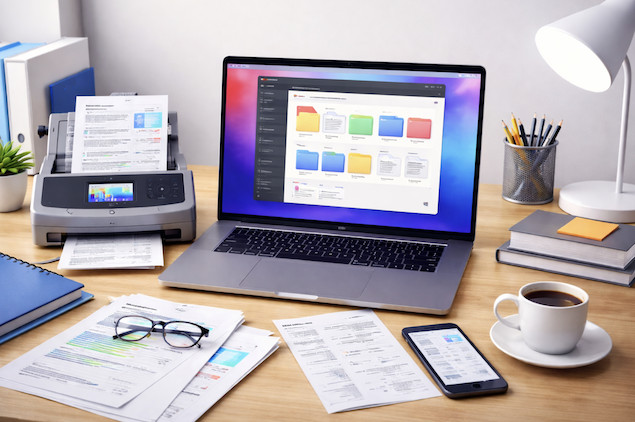
It’s almost 40 years since the idea of a “paperless society” was first dreamed of, yet for most people paperwork is still an unavoidable part of daily life.
Although modern Macs, scanners, and OCR software make it entirely possible to go paperless, choosing document management software that works well on Macs remains a challenge.
Since the COVID-19 pandemic pushed more businesses and individuals towards going digital, the demand for reliable paperless document management on macOS has increased significantly.
Whether you’re digitizing invoices, receipts, contracts, or personal records, the right software can save hours of time, reduce clutter, and make critical documents instantly searchable.
We therefore tested and reviewed the best document management software for Mac, to go paper-free focusing specifically on:
- Native macOS and Apple Silicon compatibility
- OCR accuracy and document search
- Ability to digitally sign documents
- Long-term access to your files (no lock-in)
- Integration with document scanners
- Suitability as a replacement for discontinued apps like Mariner Paperless and iDocument
Unlike many “best of” lists, we prioritized true document management tools, not generic cloud storage or project management platforms.
After extensive testing, DEVONthink Pro is the best solution for Mac users in 2026, with ABBYY FineReader PDF and Adobe Acrobat Pro close behind for those more focused on PDF management.
Need help creating the workflow first? See our step-by-step guide to creating a paperless home office with a Mac.
Paperless Document Management Software For Mac Compared
| Software | Best For | Pricing |
|---|---|---|
| DEVONthink Pro | Best overall document management | From $99/£79 one-time |
| ABBYY FineReader PDF for Mac | Best OCR accuracy | $69/year |
| Adobe Acrobat Pro | E-signatures & secure PDFs | $19.99/month (subscription) or Adobe Acrobat Pro 2024 one-time purchase |
| Receipts Space | Receipts & expense management | $59.99 one-time |
| Neat | US-based business + bookkeeping | From $200/year |
| EagleFiler | Archiving, tagging, and organizing diverse files | $59.99 one-time |
| Revver (eFileCabinet) | Small to medium businesses needing enterprise-grade features | On request (subscription-based) |
| Paperless‑ngx | Self-hosted power users & corporate needs | Free (open-source) |
1. DEVONthink Pro
.Best for: Power users, home offices, researchers, journalists
Apple Silicon: ✅ Native
Pricing: From $99 (one-time) / Free Trial with annual fees for support if required
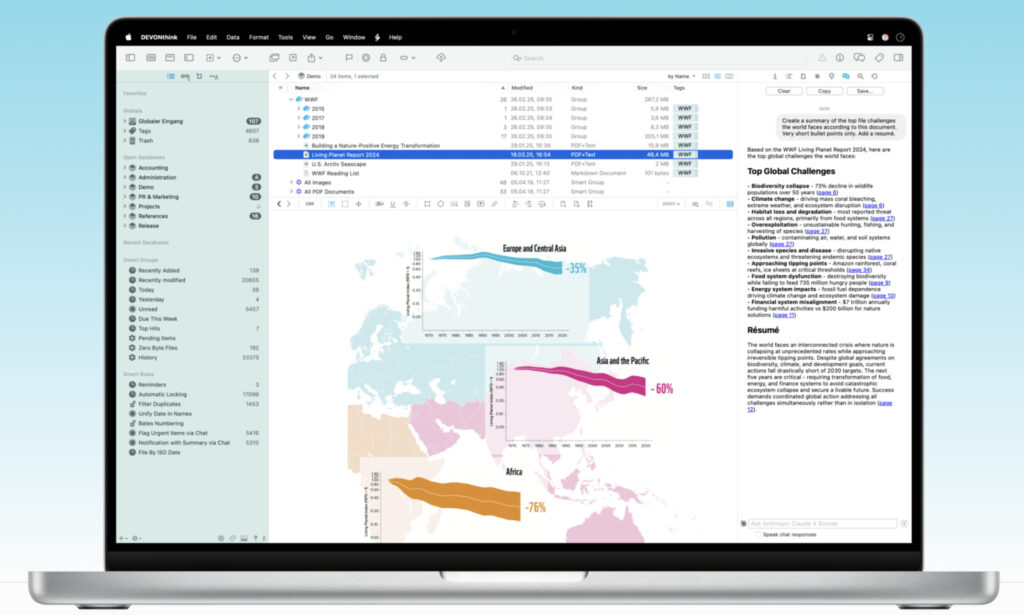
DEVONthink Pro is the most powerful and Mac-native paperless document management system available in 2026.
Unlike cloud-first tools, DEVONthink stores documents locally on your Mac in standard formats, giving you full control over your files while still offering optional cloud syncing via iCloud, Dropbox, WebDAV, or local networks.
What truly sets DEVONthink apart is its intelligent document organization. Using on-device machine learning (not cloud AI), DEVONthink learns how you file documents and automatically suggests where new files belong. Over time, this dramatically reduces the effort required to maintain a well-organized paperless archive.
Key strengths of DEVONthink Pro include:
- Amazing OCR accuracy using the ABBYY FineReader engine
- Extremely fast full-text search across PDFs, images, emails, and scanned documents
- Separate databases for different projects or clients
- Excellent macOS integration, including Finder, Spotlight, AppleScript, and automation tools
- Excellent replacement for Mariner Paperless
Although DEVONthink isn’t a traditional team-collaboration platform, it excels for individuals and small teams who need long-term access, reliability, and control over their documents.
Why it ranks #1:
No other Mac app combines OCR, intelligent filing, macOS integration, and long-term file safety as well as DEVONthink.
2. FineReader PDF For Mac
Best for: Offices digitizing large volumes of paperwork
Apple Silicon: ✅ Native
Pricing: $69/year / Free Trial
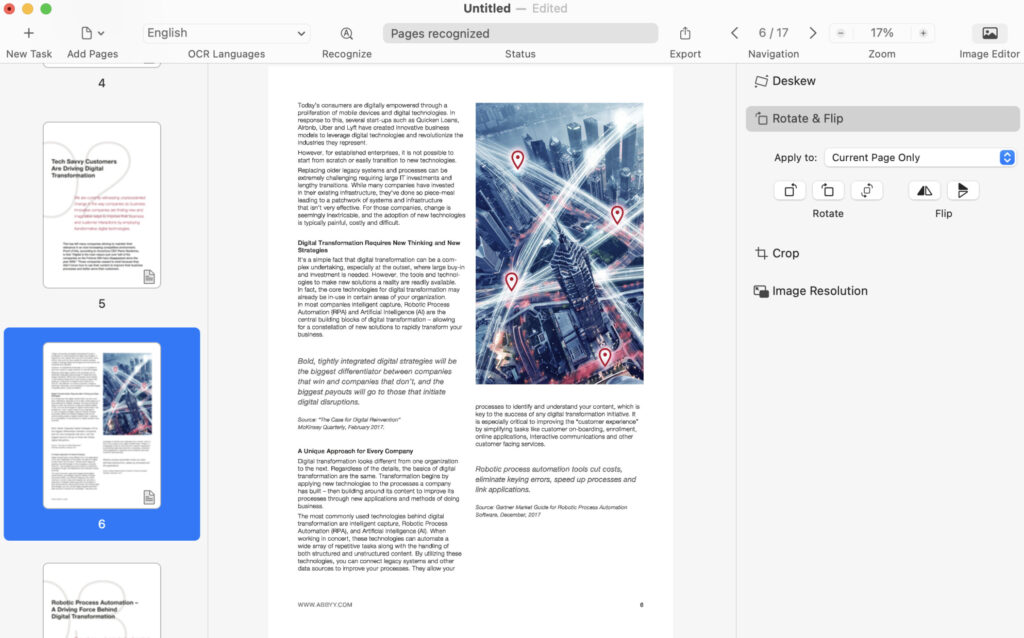
ABBYY FineReader PDF for Mac is the best document management software for OCR accuracy and PDF document processing on macOS.
If your work revolves around scanning documents and converting them into searchable, editable PDFs, FineReader PDF is hard to beat. Its OCR engine is widely regarded as the most accurate on the market and is licensed by many other document management vendors.
FineReader PDF excels at:
- Fast, high-accuracy OCR across multiple languages
- Editing, correcting, and exporting scanned PDFs
- “Hot Folders” that automatically process documents in the background
- Creating PDF/A files for long-term archiving
Unlike DEVONthink, FineReader PDF is less focused on long-term document organization and more on document conversion and processing. Many Mac users actually pair FineReader PDF with DEVONthink for the best of both worlds. In fact, DEVONthink actually uses the ABBYY FineReader OCR engine to scan documents.
Why it ranks #2:
It’s the best OCR and PDF tool for going paperless, even if it’s not a full document database.
For more, you can check out our full review of ABBYY FineReader Pro for Mac.
3. Adobe Acrobat Pro
Best for: Businesses, legal documents, e-signing documents
Apple Silicon: ✅ Native
Pricing: $19.99/month / Free Trial
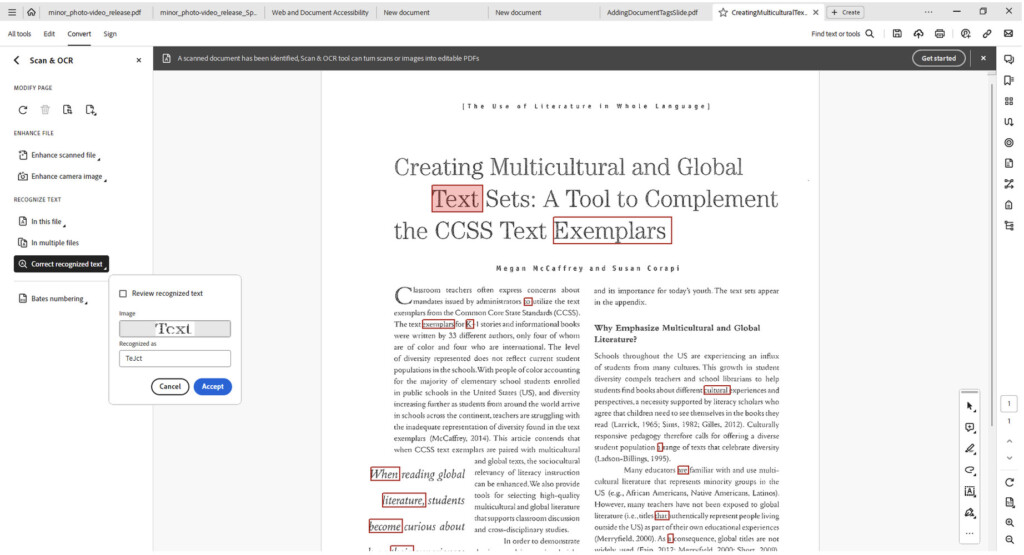
Adobe Acrobat Pro remains the most comprehensive PDF software for Mac users who need secure document sharing, permissions, and e-signatures.
Beyond scanning and OCR, Acrobat Pro allows you to:
- Track document views and downloads
- Control printing, editing, and sharing permissions
- Prepare and send documents for legally binding e-signatures
- Integrate with Adobe Sign, Microsoft Office, and cloud storage platforms
Adobe’s subscription pricing makes it less appealing for casual users, but for businesses that regularly handle contracts, client approvals, or compliance-sensitive documents, Acrobat Pro remains the best in the industry.
Adobe offers a term-licensed desktop version called Adobe Acrobat Pro 2024, which is a one-time upfront purchase for offline use (typically valid for a fixed term). It includes the core PDF tools but doesn’t include Adobe’s online services or ongoing feature updates like the subscription version does.
Why it ranks #3:
Unmatched for signing, compliance, and secure document management, but less Mac-native than DEVONthink.
You can also read our full review of Adobe Acrobat Pro DC for more.
4. Receipts Space
Best for: Receipts, expenses, light document storage
Apple Silicon: ✅ Native
Pricing: $59.99 / Free Trial (one-time purchase)
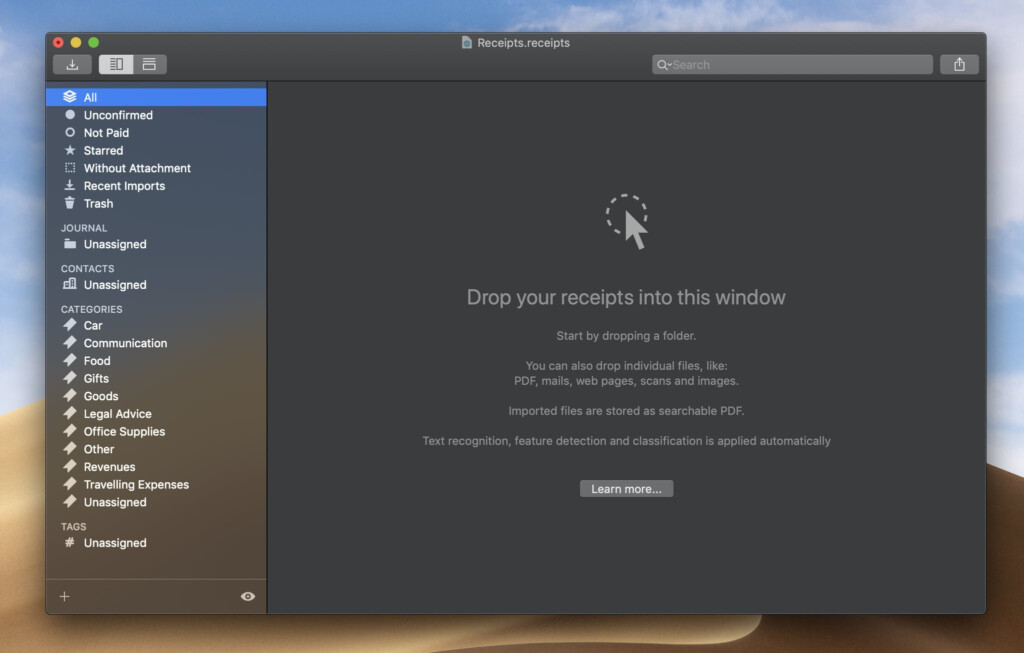
Receipts Space for Mac (formerly known as Receipts) is a focused paperless solution designed primarily for scanning, organizing, and managing receipts and financial documents, although it can also store other types of files.
Unlike full document management systems, Receipts Space is built around expense tracking and record-keeping, making it especially useful at tax time or for anyone who needs to keep accurate purchase records without the complexity of accounting software.
Receipts Space is available on Mac, iPhone, and iPad, allowing you to capture receipts on the go using your phone’s camera and then organize them later on your Mac.
Key features include:
- Automatic OCR for scanned receipts and imported documents
- Search by amount, merchant, date, or keywords
- Custom tags and metadata for categorizing expenses
- Spotlight integration for fast searches in macOS
- Support for importing scans from most document scanners and all-in-one printers
All documents are stored locally on your Mac in standard formats, avoiding proprietary libraries and making it easier to back up or migrate your data in the future.
Receipts Space isn’t a full accounting or bookkeeping platform, but it works well alongside tools such as spreadsheets or accounting software when you simply need a reliable, paperless way to track expenses and receipts.
Why it ranks highly:
For Mac users looking for a simple, reliable replacement for Mariner Paperless focused on receipts and expenses, Receipts Space offers the closest like-for-like experience without subscriptions or cloud lock-in.
You can try Receipts Space free, with the full version available for a one-time purchase.
5. Neat
Best for: US-based small businesses, receipts + accounting
Apple Silicon: ✅ Native
Pricing: From $200/year / Free Trial with optional VIP service available for an additional annual fee.
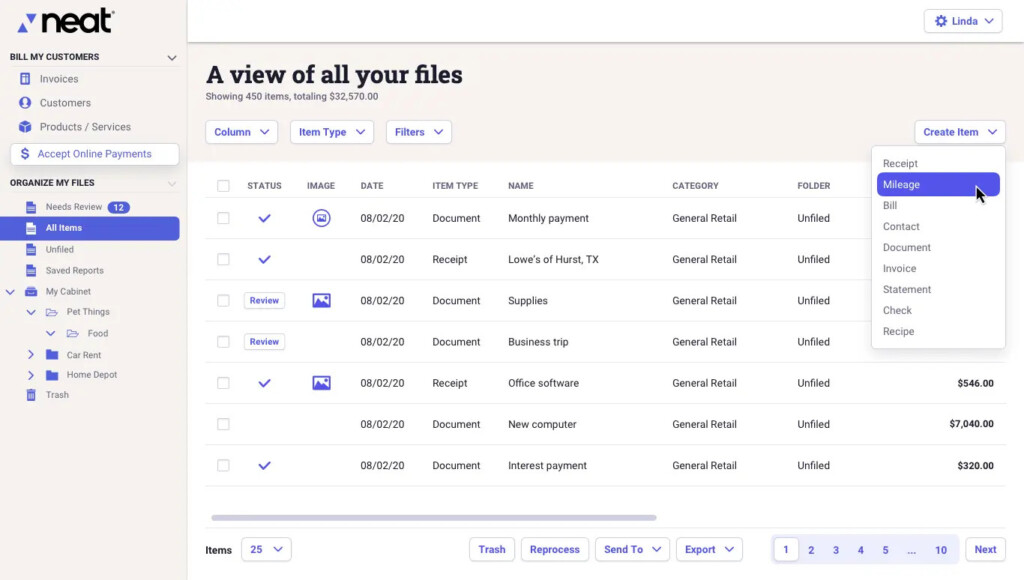
Neat is more than a document scanning tool – it’s a paperless filing system combined with lightweight bookkeeping, designed primarily for US-based small businesses that want to manage receipts, invoices, and financial records in one place.
Although it has a native Mac desktop app, Neat is basically a cloud-based platform that focuses on extracting financial data from documents and using it to automate expense tracking and bookkeeping tasks.
The platform is built around two core components:
- Neat Files, which digitizes receipts, invoices, and financial documents and extracts key data such as amounts, dates, vendors, and tax information.
- Neat Books, a simplified bookkeeping system that centralizes transactions and helps prepare data for tax filing, reducing manual data entry and reconciliation.
Neat integrates with popular accounting platforms such as QuickBooks, making it useful for businesses that already rely on external accounting software but want better document capture and organization.
However, there are some important Mac-specific limitations to be aware of. Neat’s proprietary scanner drivers are no longer compatible with modern versions of macOS (Monterey and later). While you can still use most TWAIN-compatible scanners and upload scans to Neat, the experience is less seamless than with fully Mac-native scanning software.
Neat is not a full accounting platform and it’s less suited to personal document management or non-US tax systems. Its strengths lie in receipt processing, expense categorization, and financial document management, rather than general document archiving.
Why it ranks where it does:
Neat is a strong choice for US-based small businesses that want a combined paperless and bookkeeping solution, but its cloud focus, subscription pricing, and limited Mac scanner support make it less flexible than other alternatives.
Neat offers a 15-day free trial, with paid plans starting at $200 per year.
Pricing: $99.99
6. EagleFiler
Best for: Archiving, tagging, and organizing diverse files
Apple Silicon: ✅ Native
Pricing: $59.99 / Free Trial one-time
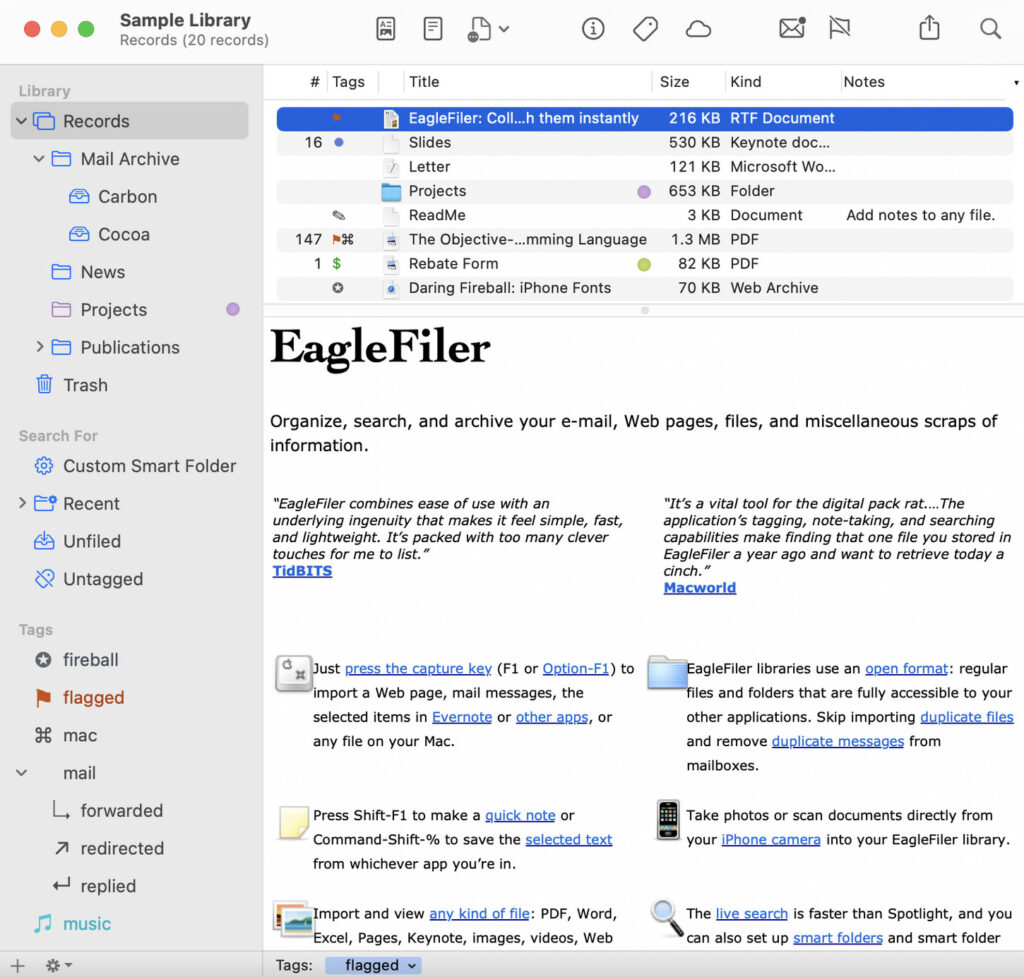
EagleFiler is a well established Mac-native document management tool that has been helping users organize digital files for over 15 years. While its interface feels a bit dated compared to newer apps, it remains powerful for local filing and archiving, supporting the latest macOS versions and Apple Silicon Macs.
You can use EagleFiler to store emails, PDFs, web clippings, notes, bookmarks, and more, all in one searchable library. It supports tags, metadata, and smart folders, making it easy to find anything from receipts to research documents. You can even import Outlook emails and convert them into standard formats like .mbox or .eml.
One standout feature is Hotkey support, which allows you to instantly send items from other apps into EagleFiler for archiving. This makes it a fast and efficient tool for building a personal digital filing system.
Important Note: EagleFiler does not include OCR, so scanned documents won’t be automatically searchable by text. It also has a steeper learning curve if you want to fully leverage all its features.
Despite these caveats, at $59.99 for a one-time purchase, EagleFiler is an extremely capable, well-maintained solution for Mac users who want full control over their digital archives without relying on the cloud.
7. Revver
Best for: Small to medium businesses requiring advanced document management
Apple Silicon: ✅ Works but web-based
Pricing: On request / Demo available (subscription-based)
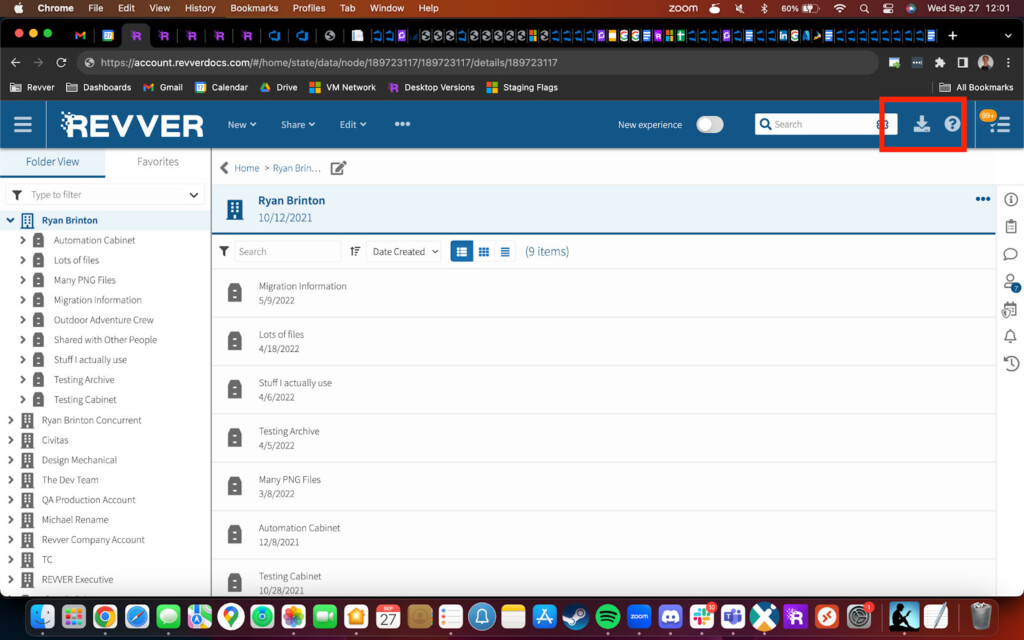
Revver (formerly eFileCabinet) is a sophisticated document management system designed for small to medium-sized businesses that need enterprise-level features without the complexity of full corporate systems. It uses the ABBYY FineReader PDF engine for OCR, giving excellent text recognition and making scanned documents searchable with high accuracy.
Beyond OCR, Revver offers advanced search capabilities, letting you find documents by keyword, author, or custom metadata fields. It also supports eSignatures and integrates with tools like Microsoft Office, Salesforce CRM, and DocuSign, making it suitable for offices that need secure, collaborative document management.
Unlike Mac-native desktop apps like DEVONthink or ABBYY FineReader, Revver is primarily cloud-based, though it works seamlessly on Macs via a browser or dedicated clients. This makes it a solid choice for teams that need centralized document access, version control, and automation.
8. Paperless‑ngx
Best for: Power users & self‑hosted systems
Apple Silicon: ✅ Works but web-based or can be used through Docker
Pricing: Free (open‑source)
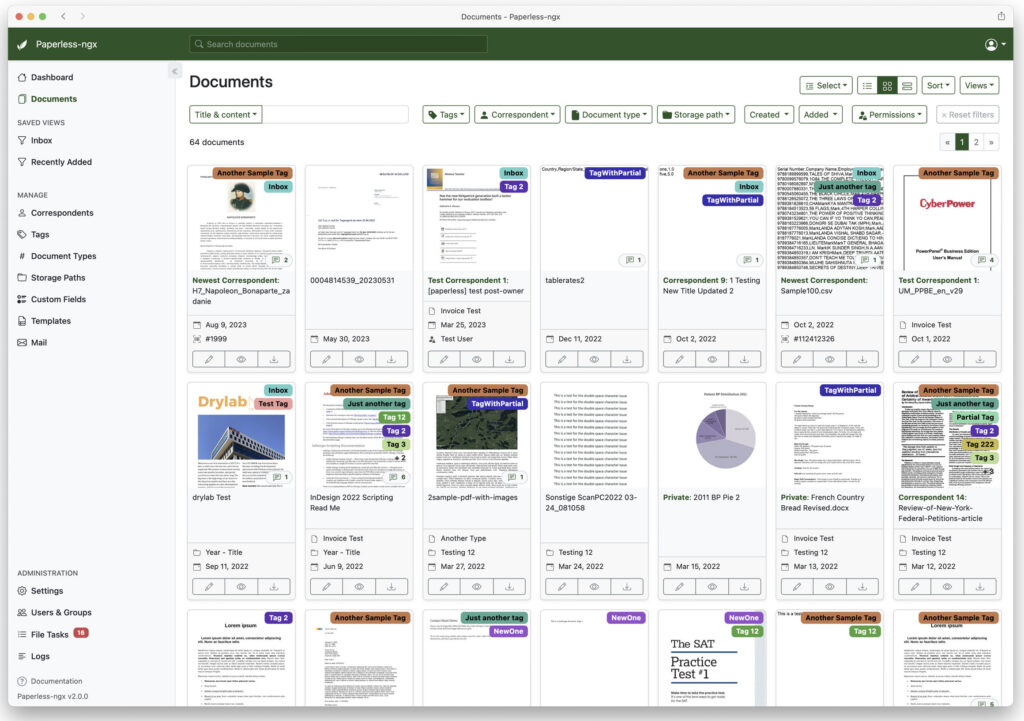
Paperless‑ngx is a popular open‑source document management system you can host yourself on your own server, NAS, or even a Mac using Docker.
It’s designed to scan, index, and archive all of your paper documents into a searchable, taggable database with built‑in OCR and full‑text indexing.
Because it runs as a self‑hosted platform, you retain full control over your data and privacy – there’s no reliance on third‑party cloud services. You enter scanned documents through web uploads or watch folders, and Paperless‑ngx automatically performs OCR, classifies files, and lets you search by content, tags, dates, or metadata.
Paperless‑ngx doesn’t have a dedicated Mac desktop app, but you can run it locally on macOS via Docker and access it through any browser. There are also companion clients and third‑party apps (like SwiftPaperless) that interface with a Paperless‑ngx server to help with document review and categorization.
For technically inclined users who want a true self‑hosted DMS with full control over documents and privacy, Paperless‑ngx offers powerful features without subscription costs – a strong alternative to cloud based systems.
Advantages Of Going Paperless
Whether it’s for a home office or a workplace, going paperless has many benefits:
- Lower costs: Reduce spending on printers, paper, and office supplies.
- Faster document retrieval: Instantly search and find files without digging through cabinets.
- Improved security: Digitally store and back up sensitive documents to prevent loss or theft.
- Space savings: Less clutter and easier organization.
- Digital signatures: Sign and manage documents electronically without printing.
- Environmental impact: Reduce paper usage and help the planet.
Backing up digital files to an external drive (preferably an SSD drive or a Thunderbolt drive) and a cloud service is still recommended, especially as you scale your paperless system.
What To Look For In A Document Manager
Choosing the right software depends on your needs. Key considerations include:
- OCR (Optical Character Recognition): Converts scanned images, PDFs, and handwritten notes into searchable text. Accurate OCR is essential for finding documents quickly. Tools like DEVONthink Pro and ABBYY FineReader PDF offer industry-leading OCR on macOS.
- Scanner compatibility: Look for TWAIN-compliant scanners or all-in-one printers. Apps like Receipts Space recommend document scanners such as the ScanSnap series for speed and accuracy.
- Mobile support: Many apps also allow uploading photos from your iPhone or iPad.
- Tagging and organization: Ability to tag documents by type (insurance, receipts, certificates) and integrate with macOS Finder tags improves search efficiency.
- Folder structure: Ensure the app stores files in accessible folders rather than locking them into proprietary libraries. This prevents potential data access issues if the software is discontinued.
- Financial or receipt tracking: If you plan to go paperless with expenses or taxes, apps like Neat or Receipts Space provide summaries, category totals, and end-of-year reports.
- E-signature support: Adobe Acrobat Pro offers strong e-signing features, while others may require third-party integrations.
- Developer support and macOS compatibility: Choose apps that are actively maintained and run natively on Apple Silicon Macs. Most apps in this guide, including DEVONthink Pro, ABBYY FineReader PDF and Receipts Space are fully compatible with the latest versions of macOS including Tahoe.
Alternatives To Mariner Paperless
Mariner Paperless was a popular Mac document manager that has since been discontinued. The Mariner website is offline and the last activity by the company on X was back in 2020.
Its users often seek replacements that:
- Support local file storage
- Offer high-quality OCR
- Allow intelligent organization
- Ensure long-term access without cloud lock-in
Best replacement: DEVONthink Pro for full-featured document management.
Simpler desktop option: Receipts Space, which closely mirrors Paperless for receipt and expense management.
Migrating from Mariner Paperless:
- Locate your Paperless library in Finder (usually in Documents).
- Right-click > “Show Package Contents.”
- Remove the “.paperless” extension from PDFs for Spotlight indexing.
- Drag files into your new document management app.
Which Document Scanner Is Best To Go Paperless?
A decent document scanner is an essential piece of hardware to go with all of the paperless systems reviewed here.
There are literally hundreds on the market and for more on this we’ve looked at the best document scanners for Mac.
Sheet-fed scanners with automatic document feeders are ideal. Avoid flatbed scanners for bulk scanning – they are slow and tedious.
Best Overall
- ScanSnap iX2500 Document Scanner – Ricoh’s flagship desktop scanner with a 100‑sheet ADF, duplex scanning up to 45 ppm, and built‑in Wi‑Fi for direct scanning to cloud or network locations, plus a touchscreen interface that simplifies everyday scanning. Superb choice for heavy‑use home offices or small business paperless setups.
Great Alternatives
- ScanSnap iX2400 Wi‑Fi Document Scanner – A strong all‑rounder with Wi‑Fi and ADF support, ideal if you want ScanSnap performance with fewer bells and whistles.
- ScanSnap iX1600 A4 Document Scanner – Excellent performance from a slightly older but still very capable model with good macOS support.
- ScanSnap iX1300 A4 Scanner – Compact and reliable, great for moderate scanning needs where space is at a premium.
- ScanSnap iX1400 A4 Scanner – Another solid ScanSnap that balances price, speed, and simplicity (although may only be available refurbished nowadays).
Budget & Specialty Options
- Epson WorkForce ES‑50 Scanner – Ultra‑compact portable scanner; good for occasional single‑page scanning on the go.
- Brother ADS1500W Duplex Scanner – Affordable duplex option with simple network connectivity for light office use.
- ScanSnap iX100 Mobile Scanner – Battery‑powered mobile scanner for casual scanning and receipts.
FAQ
What is the best paperless document management software for Mac?
The best document management software for Mac in 2026 is DEVONthink Pro. It offers the strongest combination of OCR, intelligent document organization, native Apple Silicon support, and full control over your files without locking you into a proprietary cloud system.
What is the best alternative to Mariner Paperless on a Mac?
The best alternative to Mariner Paperless is DEVONthink Pro. It supports local file storage, high-quality OCR, intelligent filing, and long-term access to your documents – all areas where Mariner Paperless users were most affected when it was discontinued.
For a simpler, receipt-focused replacement, Receipts Space is the closest like-for-like alternative.
Do I really need OCR for a paperless office?
Yes, OCR (Optical Character Recognition) is essential for a true paperless solution. OCR allows scanned documents, PDFs, and images to become searchable by keyword, dates, names, or numbers.
Without OCR, you can still store documents digitally, but finding information later becomes slow and inefficient. Tools like ABBYY FineReader PDF and DEVONthink Pro offer the most accurate OCR on macOS.
Is it better to store documents locally or in the cloud?
For most Mac users, local storage with optional cloud syncing offers the best balance of control and convenience.
Local-first apps such as DEVONthink, EagleFiler, and Yep store documents in standard folders on your Mac, reducing the risk of data lock-in. Cloud-only platforms can be convenient but may restrict access if pricing changes or services shut down.
Are these paperless apps compatible with Apple Silicon Macs?
Yes. All of the document management apps reviewed are compatible with Apple Silicon Macs running the latest version of macOS.
Many, including DEVONthink Pro, ABBYY FineReader PDF, Receipts Space and EagleFiler run natively on M-series Macs. Others, such as Adobe Acrobat Pro, may still rely on Rosetta for full compatibility.
What’s the difference between a document manager and a PDF editor?
A document manager focuses on organizing, storing, searching, and retrieving documents across many formats (PDFs, images, emails, scans).
A PDF editor focuses on editing, signing, annotating, and converting PDF files.
Some tools, such as Adobe Acrobat Pro and ABBYY FineReader PDF, overlap both categories, but most Mac users benefit from using a document manager alongside a dedicated PDF tool.
Can I go paperless using just my iPhone?
You can start going paperless using your iPhone’s camera and scanning apps, but for a complete paperless system, a Mac-based document manager is still essential.
Desktop software offers better OCR accuracy, long-term organization, bulk scanning support, and integration with document scanners.
What’s the best scanner for a paperless Mac setup?
Sheet-fed document scanners with automatic document feeders are best for going paperless.
The ScanSnap range (Ricoh) is widely recommended because it’s fast, reliable, Mac-compatible, and produces excellent OCR results. Flatbed scanners work, but they’re far slower for large volumes of paperwork.
Is it safe to shred documents after scanning them?
In many cases, yes – once documents are scanned, OCR’d, backed up, and verified.
However, certain documents (such as deeds, wills, or certificates) may still need to be kept in physical form depending on local regulations. Always check before shredding originals.
Is subscription software better than one-time purchase apps?
Not necessarily. Subscription software often offers cloud features and frequent updates, but one-time purchase apps like DEVONthink Pro and EagleFiler provide long-term cost savings and greater control over your data.
For many Mac users, owning the software outright is preferable for document archiving.