

If you’re not sure whether it’s worth buying the standalone, one-off purchase version of Microsoft Office for Mac or subscribing to Microsoft 365, you’re not alone.
Microsoft’s productivity suite has gone through several name changes and product shifts over the last few years, which has made choosing the right version more confusing than ever – especially on macOS.
While Microsoft Office is still commonly used as a catch-all term, Microsoft now primarily markets its subscription-based version as Microsoft 365, while the traditional desktop version remains available as a one-time purchase (Office 2024 for Mac).
In this guide, we compare Microsoft Office for Mac (one-time purchase) vs Microsoft 365 (subscription), including pricing, features, Copilot AI availability, Apple Silicon compatibility, and which option makes the most sense in 2026.
Microsoft Office For Mac vs Microsoft 365 Copilot
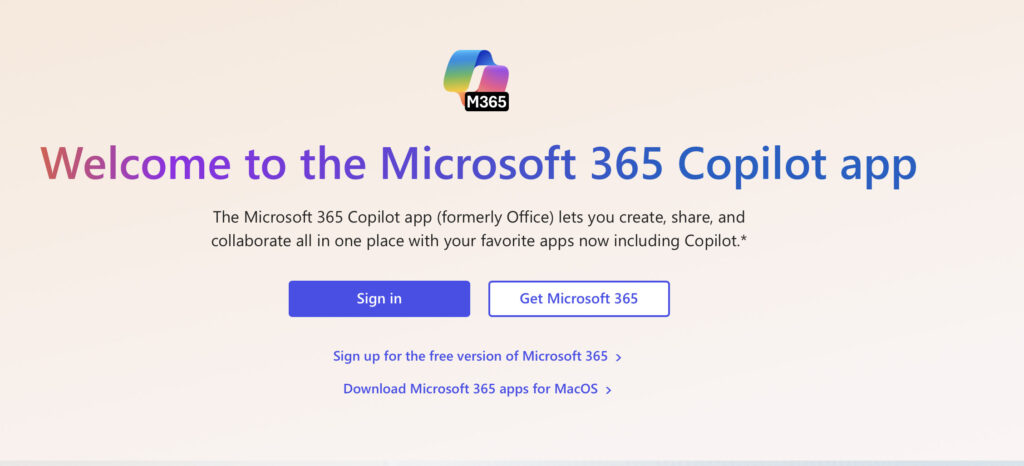
Microsoft rebranded Office 365 to Microsoft 365 in 2020, reflecting the shift from a traditional desktop suite to a subscription that combines desktop apps, cloud services, and ongoing feature updates.
Although the name “Microsoft Office” is still widely used, Microsoft now uses Microsoft 365 as the official brand for its subscription plans.
In recent years, Microsoft has increasingly promoted Copilot AI features within Microsoft 365, although Copilot availability and features depend on the plan, region, and account type.
The traditional desktop version, currently Microsoft Office 2024 for Mac, is still available as a one-time purchase but does not receive new features or Copilot integration.
Note that Microsoft 365 is not to be confused with Windows 365 which is a Cloud version of Windows aimed at those that want a way to access Windows remotely on a Mac (yeah, confusing we know).
You can see a full comparison of Microsoft Office For Mac vs Microsoft 365 in the table below.
| Feature | Microsoft Office 2024 for Mac | Microsoft 365 for Mac |
|---|---|---|
| Purchase model | One-time purchase | Subscription (monthly or yearly) |
| Included apps | Word, Excel, PowerPoint (Outlook only in Home & Business) | Word, Excel, PowerPoint, Outlook, OneNote, Teams |
| Feature updates | ❌ No (security updates only) | ✅ Yes (continuous updates) |
| Copilot AI | ❌ Not included | ⚠️ Included or available depending on plan |
| OneDrive storage | ❌ Not included | ✅ 1TB per user |
| Web app access | Limited (free web apps only) | Full Microsoft 365 web experience |
| Multi-device use | 1 Mac | Multiple devices per user |
| Apple Silicon support | ✅ Native | ✅ Native |
| Business use | Home & Business version only | All business plans supported |
| Long-term cost | Higher over time if upgraded | Lower short-term, ongoing cost |
For an explanation of the different Copilot versions (which is also confusing) check our Copilot for Mac guide.
Note that:
- Copilot features vary by plan and region
- Office 2024 does not receive major new features
- Windows-only apps (Access, Visio, Publisher) remain unavailable on Mac
Which Applications Are Included in Microsoft 365 for Mac?
Microsoft 365 for Mac includes the full, continuously updated desktop versions of the following applications:
- Word
- Excel
- PowerPoint
- Outlook
- OneNote
- Microsoft Teams
- OneDrive (cloud storage)
Depending on your plan, you may also have access to additional services such as Microsoft Editor and AI-powered features through Microsoft Copilot.
With a Microsoft 365 subscription, you also get:
- Ongoing feature and security updates
- Microsoft customer support
- 1TB of OneDrive cloud storage per user
- Access to Microsoft 365 web apps from any browser
- Copilot AI features (availability varies by plan and region)
Apps Not Available on Mac
Some Microsoft applications are still Windows-only and are not available on macOS, even with Microsoft 365:
- Microsoft Access
- Microsoft Visio
- Microsoft Publisher
How Much Is Microsoft 365 for Mac?
Microsoft 365 is available as a subscription in two main consumer plans:
- Microsoft 365 Personal – typically priced around $99.99/year
- Microsoft 365 Family – typically priced around $129.99/year
The key difference between Microsoft 365 Personal and Family is that the Family plan can be shared with up to six users, with each user receiving 1TB of OneDrive storage and their own Microsoft account.
Prices may vary by region and depending on whether Copilot features are bundled or offered as an add-on.
How Much Is Microsoft Office for Mac 2024?
If you prefer not to subscribe, Microsoft still offers a one-time purchase version of Office for Mac.
- Office Home & Student 2024 – one-off payment (typically around $149.99 / £119.99)
- Office Home & Business 2024 – one-off payment (typically around $249.99 / £249.99), licensed for commercial use
Limitations of Office 2024 for Mac
Compared to Microsoft 365, the one-time purchase version has several limitations:
- No ongoing feature updates (security updates only)
- No Microsoft Copilot AI features
- No included OneDrive cloud storage
- Limited web app functionality
- One device per licence
Unlike Microsoft 365, Office 2024 for Mac does not evolve over time, meaning you’ll need to purchase a future version if you want new features.
Included Apps
Office Home & Student 2024 includes:
- Word
- Excel
- PowerPoint
Office Home & Business 2024 includes:
- Word
- Excel
- PowerPoint
- Outlook
Not Included
- Microsoft Teams (can be used separately via the web or desktop app)
- Copilot AI features
- Full Microsoft 365 web experience
- OneDrive storage
Can You Get Microsoft Office for Mac Free?
The full desktop version of Microsoft Office for Mac is not free, but there are legal ways to use Office apps at no cost.
- Microsoft offers free web-based versions of Word, Excel, and PowerPoint via a Microsoft account
- These web apps have limited features compared to the desktop versions
If you don’t specifically need Microsoft Office, there are also excellent free alternatives.
Best Free Alternative for Mac
Apple’s iWork suite is the most Mac-compatible free alternative and includes:
- Pages (Word alternative)
- Numbers (Excel alternative)
- Keynote (PowerPoint alternative)
Google Docs, Sheets, and Slides can also open and edit most Microsoft Office files.
Does Microsoft Office for Mac Work on Apple Silicon Macs?
Yes. Microsoft Office for Mac 2024 runs natively on M-series Apple Silicon Macs and is compatible with the latest officially supported versions of macOS.
Does Microsoft 365 Work With Apple Silicon Macs?
Yes. Microsoft 365 includes native macOS desktop apps optimized for Apple Silicon, as well as web-based apps that run in any modern browser.
It is not purely cloud-based – subscribers get full desktop apps alongside cloud services.
Microsoft Office for Business & Enterprise
For businesses and organizations, Microsoft offers two main options:
Microsoft Office LTSC for Mac
- Designed for regulated or long-term environments
- One-time purchase with no feature updates
- Available only through volume licensing
- Includes Outlook
- Not intended for home users
Microsoft 365 Business Plans
Microsoft 365 is also available in several business-focused plans, priced per user:
- Microsoft 365 Business Basic
- Microsoft 365 Apps for Business
- Microsoft 365 Business Standard
- Microsoft 365 Business Premium
These plans include varying combinations of desktop apps, cloud services, security features, and Copilot availability.
Is Microsoft Office for Mac or Microsoft 365 Worth It?
That depends on how often you work with Microsoft Office files and whether you need the latest features.
If you only use Word, Excel, or PowerPoint occasionally, free alternatives like Apple iWork or Google Docs may be sufficient.
However, if you work in a business or professional environment where Microsoft Office or Microsoft 365 is standard – especially where Copilot features are used – you’ll likely need one of Microsoft’s paid options.
Should You Get Microsoft 365 or Microsoft Office for Mac 2024?
For most Mac users in 2026, Microsoft 365 offers better value, thanks to:
- Continuous feature updates
- Cloud storage
- Multi-device access
- AI-powered Copilot features
That said, Office 2024 for Mac remains a good choice for occasional users who prefer a one-time purchase and don’t need cloud services or AI tools.
Should I Get Microsoft 365 or Microsoft Office For Mac 2024?
In our opinion, Microsoft 365 makes the most sense for most Mac users, especially those who want ongoing updates, cloud access, and AI-powered features. Office 2024 for Mac remains a good option for occasional users who prefer a one-time purchase and don’t need Copilot.